-

Homepage
-
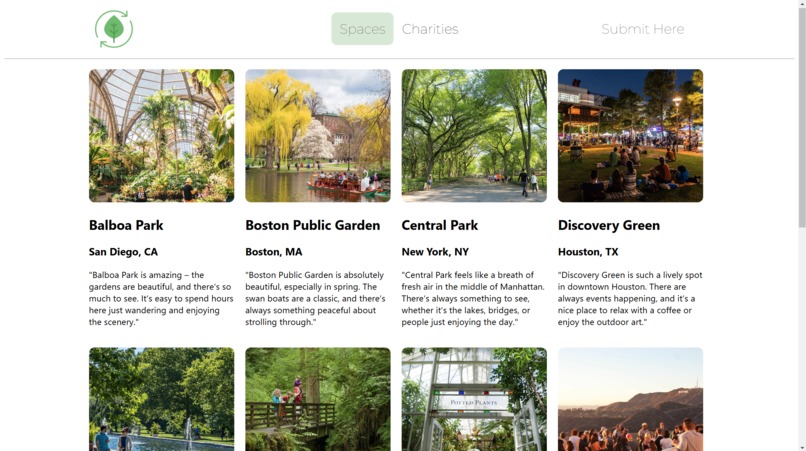
Green Spaces Page
-
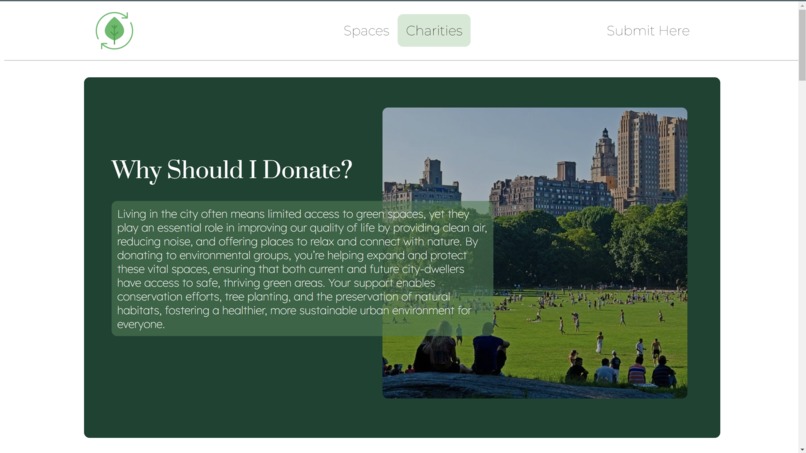
Charity Page
-
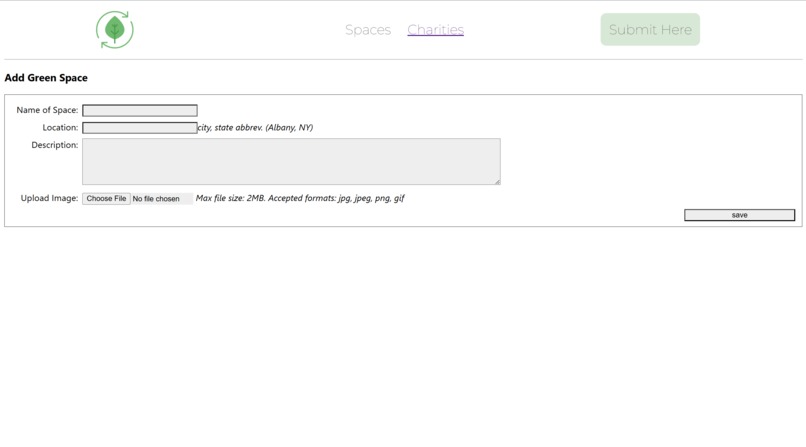
Submission Page


Inspiration
College brings people from around the world together. We all come from different backgrounds, countries, and areas. When we share our experiences, we learn from them and want to experience them ourselves. In our group, we have helped our friends experience drive-thrus, malls, and green spaces. To make it easier to experience the earth's natural beauty, we wanted to develop something for individuals to find these green spaces. STAY GREEN urges people to continue to experience nature's beauty and inspires them to help the world STAY GREEN too.
What it does
STAY GREEN is a website forum for users to discover green spaces. When users click on a space, they will be given directions to get there. For avid green space explorers, we provided a submissions page for individuals to share spaces they have found on their own, making it easier and providing more options for people to experience the earth's beauty. When people become captivated by nature, we expect them to desire a way to protect it. Therefore, we produced a page for users to donate to many different environmental organizations and learn about them.
How we built it
We created a server to host our webpage and a phpMyAdmin database to store our data. We used GitHub Desktop and Github to share our code and deploy it to our servers. We used VSCode as our IDE because of its ease of use with Github. For our website, we created four pages: home, spaces, charities, and submissions.
Challenges we ran into
A major challenge we ran into was somehow storing images in our database for each entry. Eventually we realized it would be easier to store an image path rather than the image itself. So, when you save an image with your entry, that image gets uploaded to a folder on our server called 'uploads.' What actually gets added to the database is the path to that image, and that is what's called when that image needs to be displayed.
Accomplishments that we're proud of
We're proud that we were able to have our site successfully communicate, add to, and read from a database. Seeing an entry we added through the submission page appear on both our green spaces page and the phpmyadmin database table felt amazing. It felt so rewarding to have successfully implemented a feature that we had to learn about in the midst of creating it.
What we learned
We learned a lot about database development using phpmyadmin. Since our site revolved around the community's ability to catalog green spaces they find, we had to learn how to allow users to manipulate a database on our server and display that new data accordingly. This was done with php, and the process of creating STAY GREEN involved lots of learning how to use both php and phpmyadmin.
What's next for Stay Green
STAY GREEN will hopefully be opened 24/7 to the public. The server currently runs on an Azure instance, one that has to be manually started by us everyday. We hope that down the line, if STAY GREEN ends up growing in demand, we can find a way to get a permanent server for it.

Log in or sign up for Devpost to join the conversation.