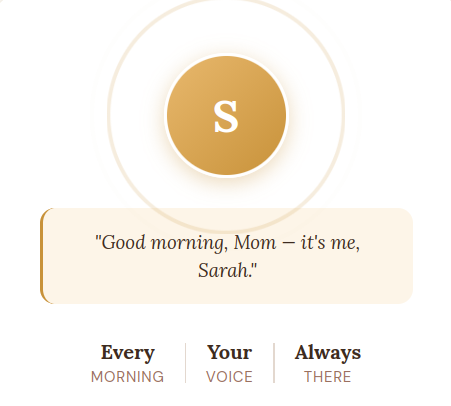
RingRing — Project Description What It Is RingRing is a web app that helps family members stay connected with elderly loved ones through daily AI-powered phone calls in a cloned version of the family member's voice. A family member (Sarah) sets up the app once — recording their voice, filling out a memory card with personal context, and inviting their loved one (Dorothy) via a consent link. Every morning, Dorothy's real phone rings and she hears Sarah's voice checking in. Dorothy also gets her own simple web app where she can call back or ask questions anytime. The app is built for a hackathon under the theme of "Cloning."
Problem It Solves Adult children who live far from elderly parents often struggle to maintain consistent daily contact. Elderly users experience loneliness and feel disconnected from family. RingRing automates the daily check-in in a way that feels personal rather than technological — the elderly user never interacts with AI directly. They just get a phone call from someone they love.
Users Two distinct user types with completely separate interfaces: Sarah (Family Member)
Tech-comfortable adult Sets up the app, manages settings, monitors call logs Accesses the app via authenticated web pages
Dorothy (Elderly Loved One)
Not tech-savvy, likely on an iPhone Never logs in, never sees a dashboard Only interacts via real phone calls and a dead-simple PWA with two buttons
Tech Stack LayerToolFrontendVanilla HTML, CSS, JavaScript (no frameworks)DatabaseFirebase FirestoreAuthFirebase Auth (email/password + Google OAuth)File StorageFirebase Storage (voice recordings, photos)Backend FunctionsFirebase Cloud Functions (Node.js)Phone CallsTwilio Voice APISpeech-to-TextTwilio built-in transcriptionAI BrainGroq API (llama3 model, free tier)Voice SynthesisElevenLabs API (Starter plan, $5/mo)
Project Structure /ringring /public index.html — Sarah: landing page + sign up + log in (single file, view-switching) setup.html — Sarah: multi-step setup flow (relationship, voice recording, memory card, invite) dashboard.html — Sarah: ongoing dashboard (call logs, alerts, settings) invite.html — Dorothy: consent page (opened from SMS link) grandma.html — Dorothy: home screen PWA (call button + ask a question)
/css
  sarah.css         — Styles for Sarah's pages (modern, warm, clean)
  grandma.css       — Styles for Dorothy's pages (huge text, high contrast, accessibility-first)

/js
  /sarah
    auth.js
    setup.js
    dashboard.js
  /grandma
    invite.js
    app.js
/functions index.js — Master exports file
/calls
  scheduleCall.js   — Firebase Scheduler triggers daily Twilio call
  handleCall.js     — Controls conversation flow during the call
  endCall.js        — Saves transcript and summary after call ends

/ai
  getAIResponse.js  — Sends transcript to Groq, returns response text
  synthesizeVoice.js — Sends text to ElevenLabs, returns audio URL

/alerts
  checkForAlerts.js — Scans transcript for urgent keywords
  sendAlert.js      — Fires Twilio SMS to Sarah if urgent keywords found

/users
  createUser.js     — Saves Sarah's account data to Firestore
  saveMemoryCard.js — Saves/updates Dorothy's personal context
  handleConsent.js  — Sends invite SMS and tracks Dorothy's consent status
Firestore Data Structure /users /{userId} name: "Sarah" relationship: "Daughter" nickname: "Sweetheart" photoURL: string (Firebase Storage URL) elevenLabsVoiceId: string
/grandma
  name: "Dorothy"
  phone: "+12125550123"
  consentStatus: "pending" | "accepted" | "declined"
  callTime: "09:00"
  callDays: ["mon","tue","wed","thu","fri","sat","sun"]
  timezone: "America/New_York"

/memoryCard
  medications: string[]
  appointments: [{ date: string, description: string }]
  friends: string[]
  topics: string[]
  phrases: string[]

/calls
  /{callId}
    timestamp: string (ISO)
    duration: number (seconds)
    summary: string
    transcript: string
    alertLevel: "urgent" | "routine" | null
Key Flows Daily Call Flow
Firebase Scheduler fires at Dorothy's set time scheduleCall.js reads her phone number and Sarah's voice ID from Firestore Twilio calls Dorothy's real phone Dorothy picks up → handleCall.js takes over Memory card loaded as context for Groq Dorothy speaks → Twilio transcribes → Groq generates warm response → ElevenLabs speaks it in Sarah's cloned voice Loop continues until Dorothy hangs up endCall.js saves transcript to Firestore checkForAlerts.js scans for urgent keywords → sendAlert.js fires SMS to Sarah if needed
Dorothy Asks a Question (PWA)
Dorothy taps mic button on her home screen app Browser captures audio → Twilio speech-to-text Text sent to getAIResponse.js with memory card as context Groq responds → synthesizeVoice.js returns audio Answer displayed in large text and played aloud in Sarah's voice
Setup Flow
Sarah signs up → Firebase Auth creates account Sarah fills relationship form → createUser.js saves to Firestore Sarah records voice in 4 sets of 5 sentences (save and resume supported) → audio to Firebase Storage → ElevenLabs cloning → voice ID saved to Firestore Sarah fills memory card → saveMemoryCard.js Sarah enters Dorothy's number → handleConsent.js sends personalized SMS Dorothy taps Yes → handleConsent.js updates consent status → Sarah notified Sarah sets call schedule → stored in Firestore → scheduleCall.js activated
Separation Between Sarah and Dorothy
Different URLs: Sarah's pages are /index.html, /setup.html, /dashboard.html. Dorothy's pages are /invite.html and /grandma.html. Auth protection: Sarah's pages check Firebase Auth on load. If no user is logged in, redirect to /index.html. Dorothy never logs in and has no Firebase Auth account. URL-based identity for Dorothy: Dorothy's pages read a ?userId= query param from her invite link to load Sarah's name, photo, and data. No login required, no account needed. Fallback: If Dorothy lands on her page without a valid userId param, she sees a friendly plain-language error message rather than a broken UI.
PWA Configuration Dorothy's app (grandma.html) is configured as a Progressive Web App:
manifest.json included so browsers prompt "Add to Home Screen" Once added, it launches fullscreen with no browser chrome iOS in-app browser detection: if Dorothy opens her invite link inside iMessage's built-in browser, a banner prompts her to open in Safari before proceeding All of Dorothy's data is stored server-side (Firestore) — nothing critical is stored in the browser, avoiding iOS's 7-day PWA storage wipe behavior
Design System Sarah's pages: Warm, refined aesthetic. Color palette of deep brown (#3D2B1F), cream (#FAF7F2), and gold (#C8923A). Display font: Lora (serif, emotional). Body font: DM Sans. Feels like a family photo album, not a SaaS app. Dorothy's pages: Accessibility-first. Minimum 24px font size throughout. High contrast. Large tap targets (minimum 80px button height). Mic button is primary input, keyboard is secondary. Sarah's photo always visible. No menus, no settings, nothing to accidentally tap.
Alert System Calls are classified after each conversation:
Urgent (🔴): Keyword match on phrases like "I fell", "I'm scared", "I'm in pain", "I can't breathe", "help me" → immediate Twilio SMS to Sarah Routine (🟡): Call was shorter than usual, or no response — logged to dashboard, no SMS All clear: Normal call — summary logged, no alert sent
Known Constraints and Decisions
Twilio free trial only calls verified phone numbers. Demo phone numbers must be manually added to the Twilio verified list before the hackathon demo. Groq free tier caps at 1,000 requests/day with no SLA. A 2-second retry on 429 errors is implemented in getAIResponse.js. ElevenLabs Starter ($5/mo) is used for Instant Voice Cloning. The placeholder pre-built voice is used during development; the real cloned voice ID is swapped in as a single config value once the app is confirmed working end-to-end. No real-time voice streaming — ElevenLabs generates audio as a file URL which is played back. Full streaming (lower latency) is a future improvement. Groq free tier data does not train Google's models (unlike Gemini's free tier), making it safer for Dorothy's health conversations.
Build Order
Firebase project setup and "Hello World" function deployed getAIResponse.js — confirm Groq works synthesizeVoice.js — confirm ElevenLabs placeholder voice works Chain Groq → ElevenLabs together Twilio setup + basic outbound call handleCall.js — full conversation loop working on a real phone scheduleCall.js — automated daily trigger endCall.js — transcript saved to Firestore checkForAlerts.js + sendAlert.js — safety layer createUser.js + saveMemoryCard.js + handleConsent.js — database layer Sarah's frontend: index.html → setup.html → dashboard.html Dorothy's frontend: invite.html → grandma.html PWA manifest + iOS browser detection Swap in real cloned voice ID Pre-demo checklist: verified numbers, test call, demo memory card data

Log in or sign up for Devpost to join the conversation.