-
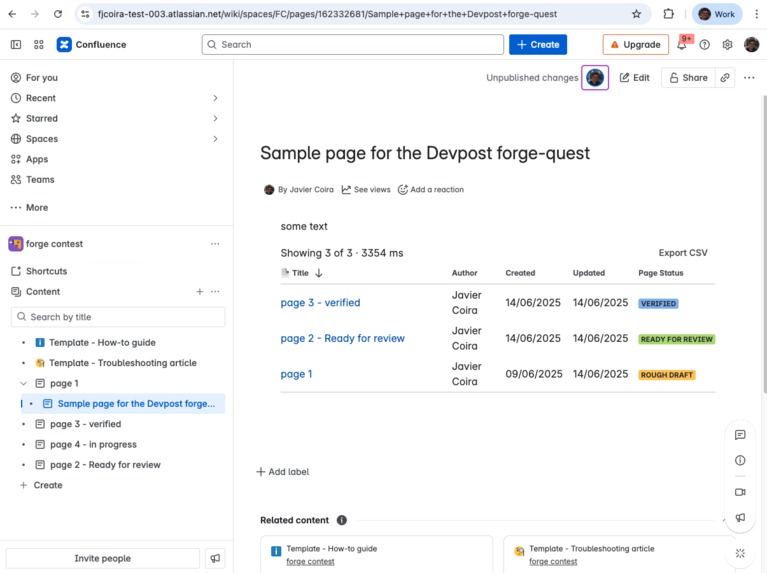
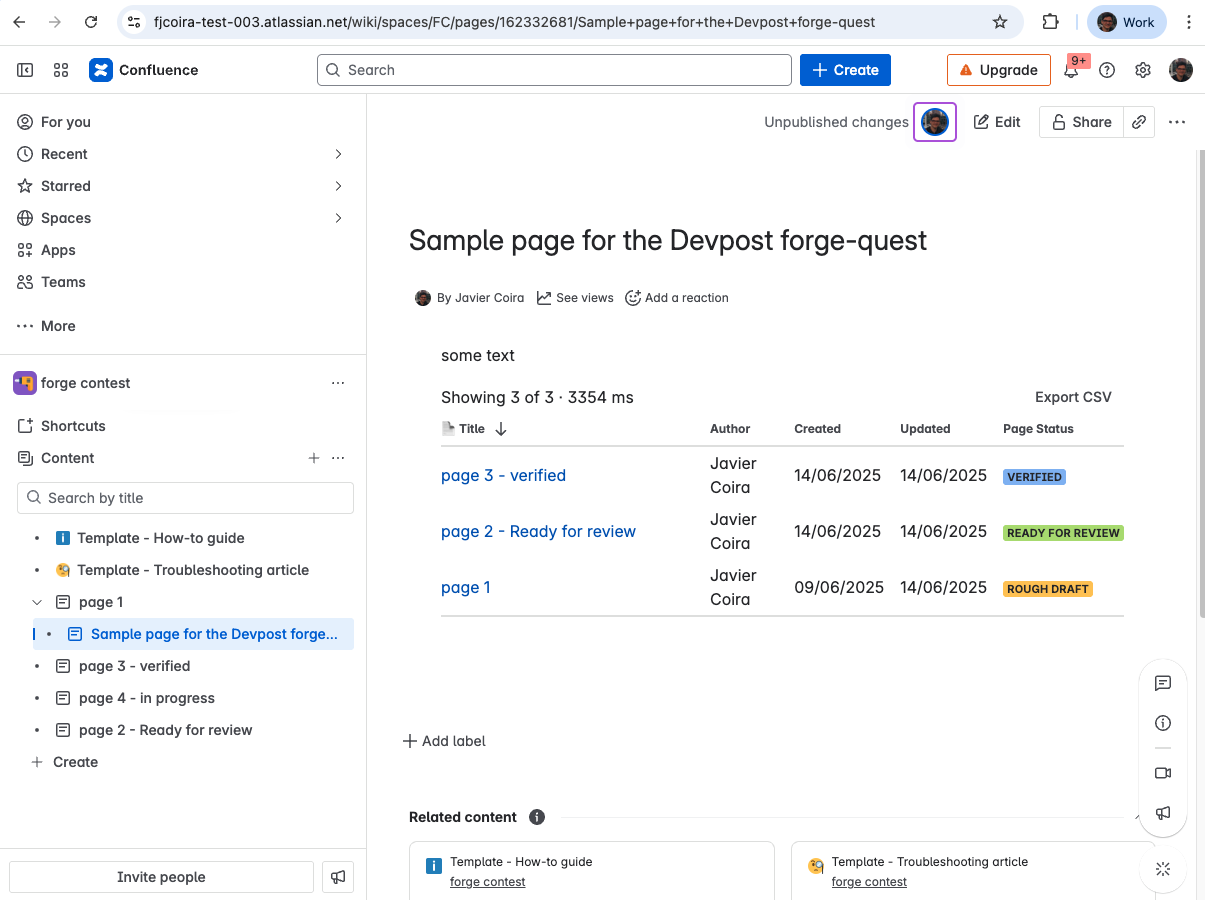
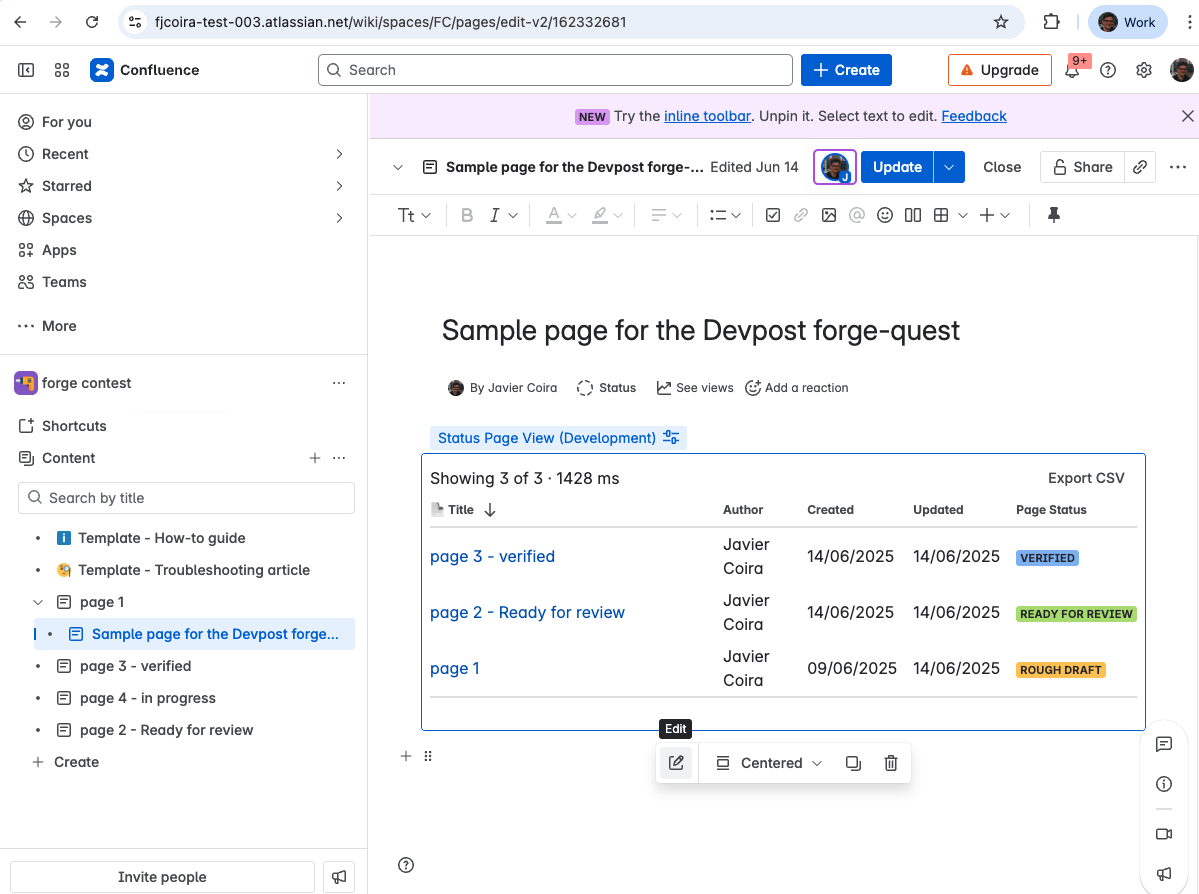
the macro in a page: pages with their status and the CSV export button
-
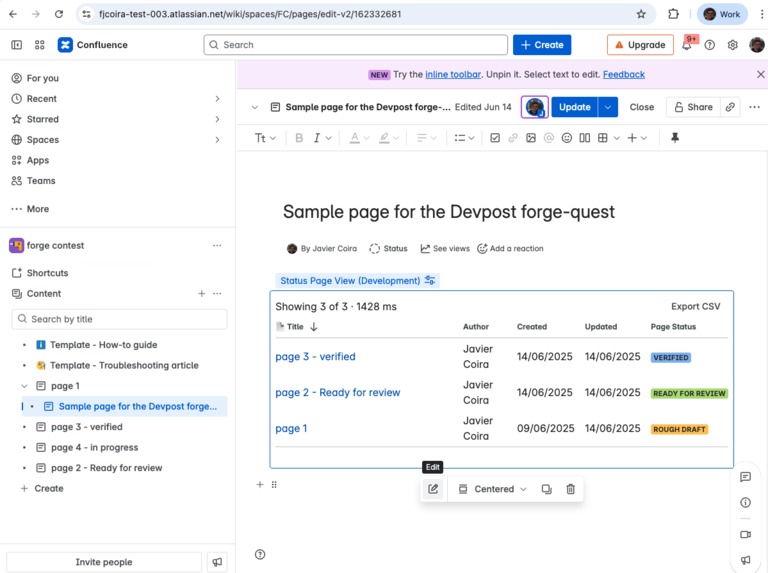
edit the macro configuration
-
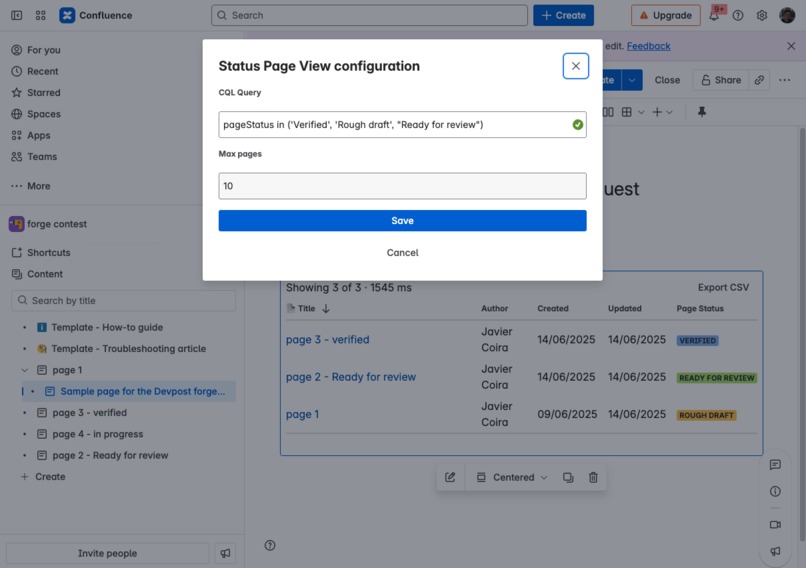
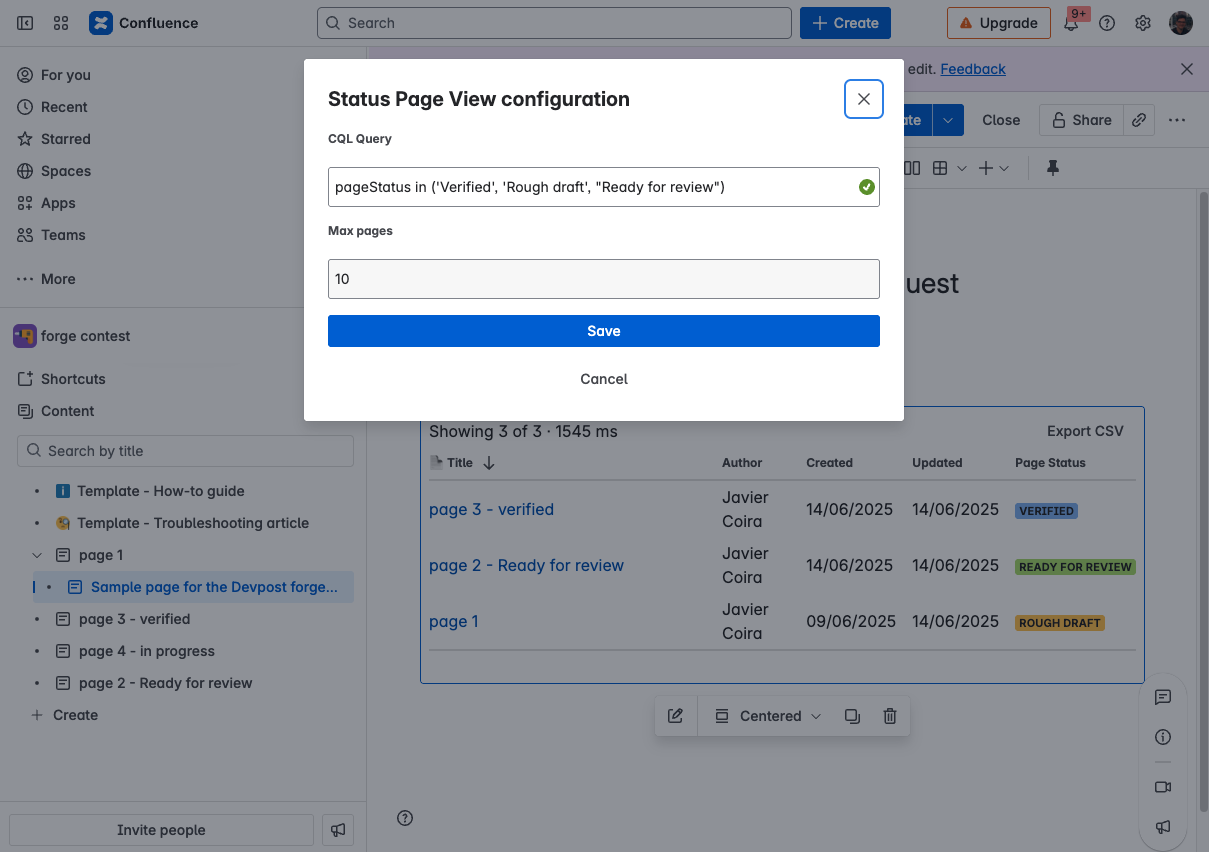
UI of the macro configuration
Inspiration
As a frequent Confluence user, I’ve often faced a surprisingly common challenge: getting a quick overview of the status of a group of pages. Key questions—like “Which documents are still drafts?” or “What’s been finalized this quarter?”—are difficult to answer using native tools.
The inspiration for Status Page View came directly from this need. I wanted a simple, powerful macro that could display a list of pages and clearly show their content status (e.g., Draft, Current, Archived) using any CQL query.
What it does
Status Page View is a Confluence Cloud macro that enables users to create live, customizable page reports. It allows users to:
- Insert the macro on any Confluence page
- Write a custom CQL (Confluence Query Language) query
- Instantly see a dynamic, sortable table of matching pages
- View a crucial status column (e.g., Rough draft, Verified) not available in standard macros
- Filter by author or space
- Export the results to CSV
How it works
The app is powered by the Atlassian Forge platform:
- Confluence Macro – The app is launched from a
confluence:macromodule and can be embedded on any page. - Custom UI (React) – The macro renders a React-based frontend using UI Kit 2’s
DynamicTable. - Forge Function (Node.js) – The frontend uses
@forge/bridge’sinvoke()to pass the CQL query to a resolver, which calls the Confluence REST API usingasUser(). - Content State Resolution – Since the search API doesn’t provide page status directly, the app makes additional calls to
/content/{id}/state, with caching and concurrency-limited parallel execution.
Challenges
The biggest learning curve was understanding Forge’s structure—its serverless model, CLI, permissions, and UI limitations.
Two key technical challenges defined the project:
Retrieving Page Status – The page status isn’t included in standard search responses. I had to dive deep into Confluence’s REST API to find and use
/content/{id}/state, then design a strategy to avoid the N+1 problem (using batch processing + caching).Sorting with DynamicTable – Making sorting work as expected required discovering that
DynamicTablesorts by thekeyproperty, not the rendered content. This behavior wasn’t clearly documented and required thoughtful implementation.
Accomplishments
- Built a complete Forge app from scratch
- Solved a real content management problem
- Implemented concurrency control and caching on the backend
- Delivered a clean, native-looking interface using UI Kit 2
- Learned to debug and extend Forge components effectively
What I learned
- The full Forge development lifecycle:
forge create,tunnel,deploy - Connecting Custom UI frontends to backend resolvers using
invoke() - Securely consuming the Confluence REST API in Forge
- Managing performance with caching and parallel execution
- Digging into component behavior beyond the docs
What’s next
- Visual CQL Builder – Add a "Simple Mode" with dropdowns for non-technical users
- Colored Status Indicators – Improve UX with visual
Lozengecomponents - Saved Queries – Let users save and reuse common reports
- Marketplace Release – Refine, document, and publish for others to use
Built With
- confluence
- confluence-rest-api
- forge
- forge-ui-kit-2
- forge/api
- forge/bridge
- forge/storage
- javascript
- node.js
- react

Log in or sign up for Devpost to join the conversation.