-
-
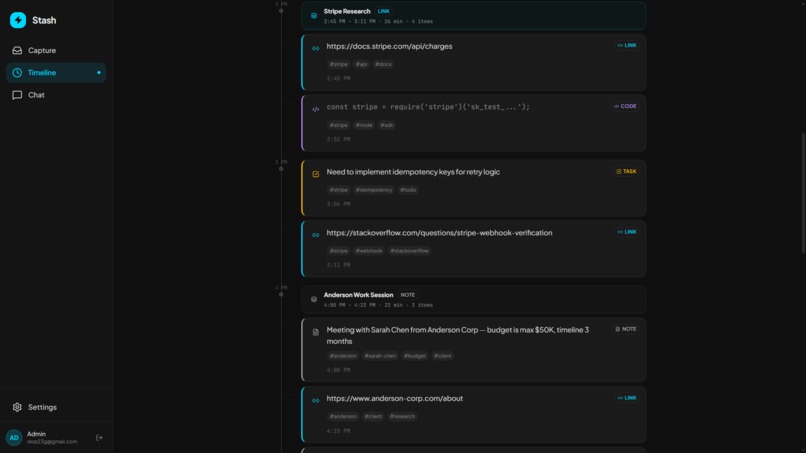
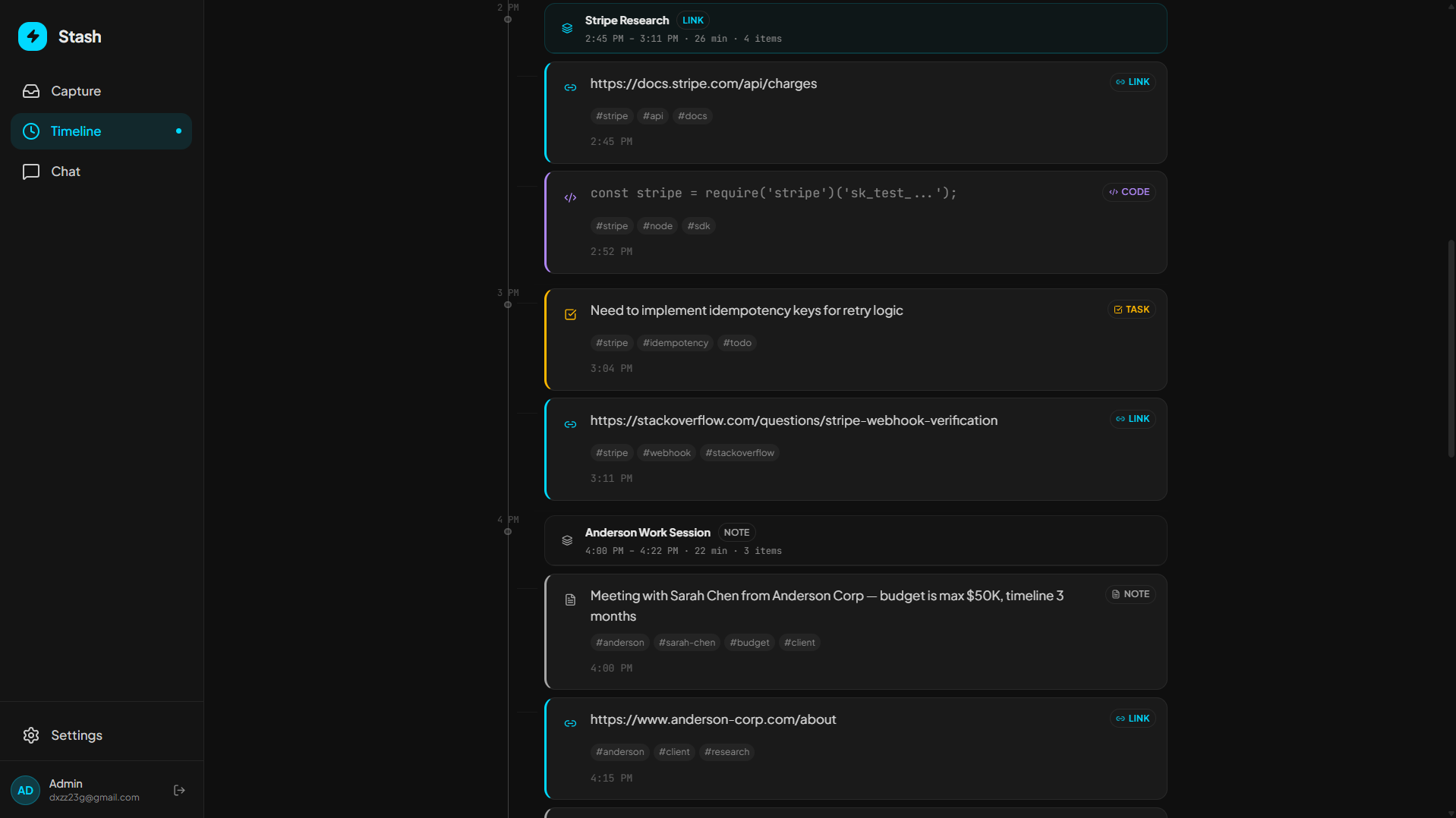
LLM generated Timeline with organized notes
-
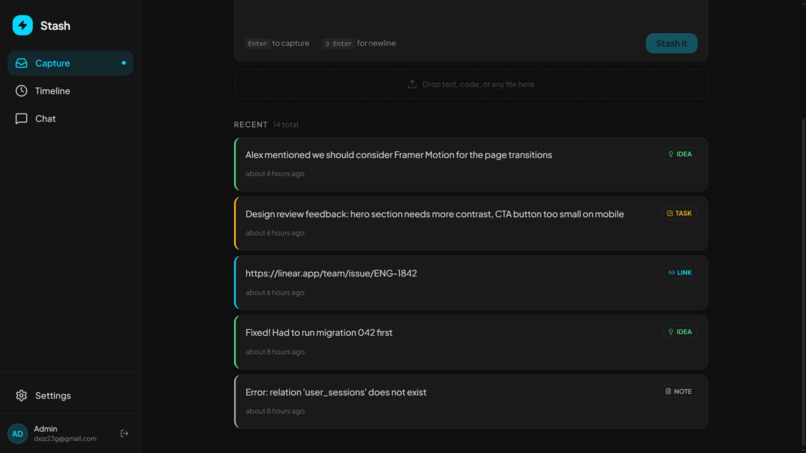
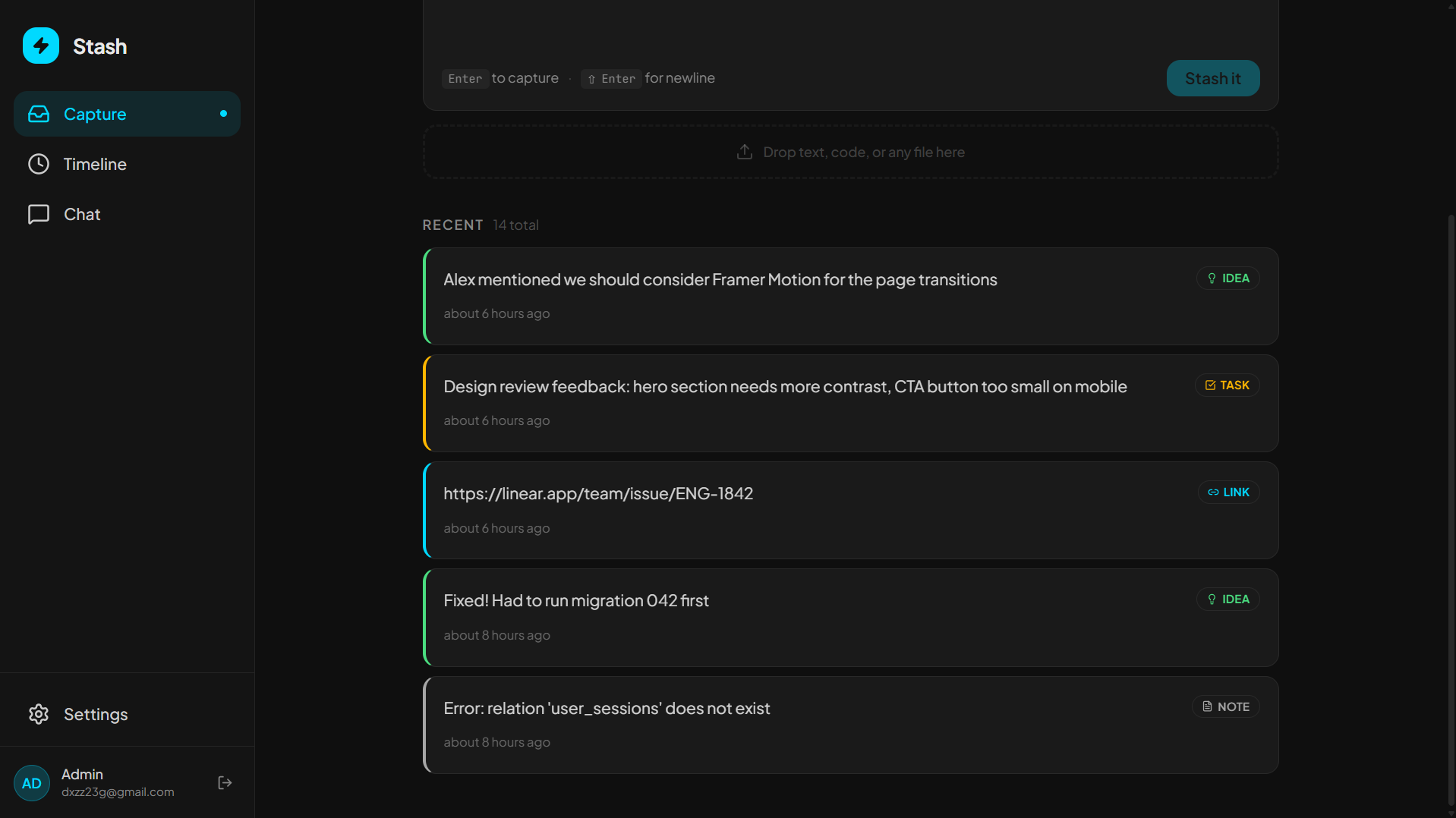
user added their messy notes
-
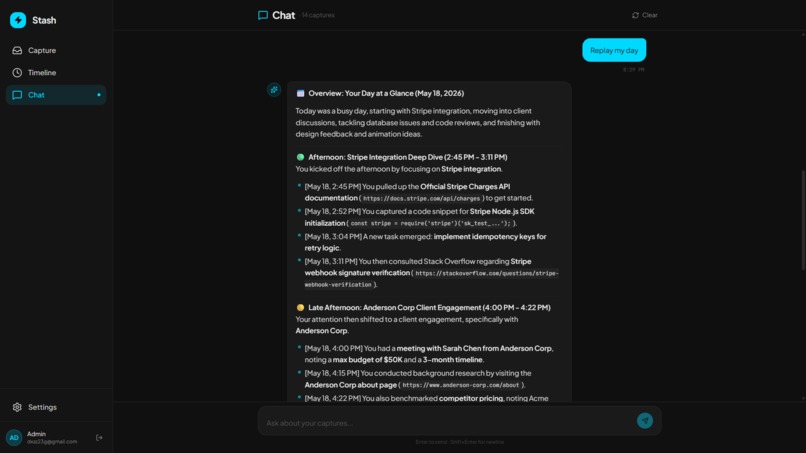
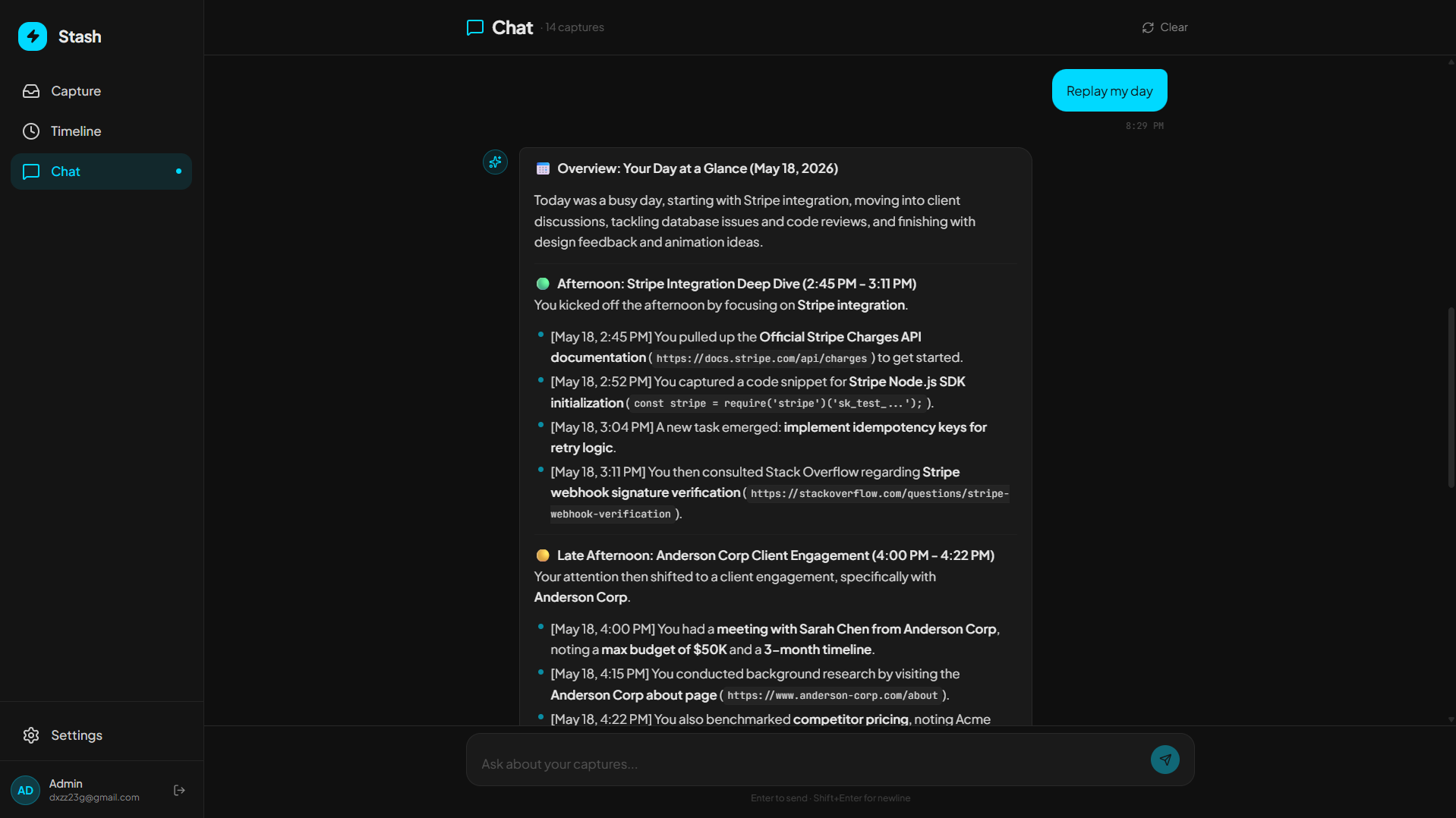
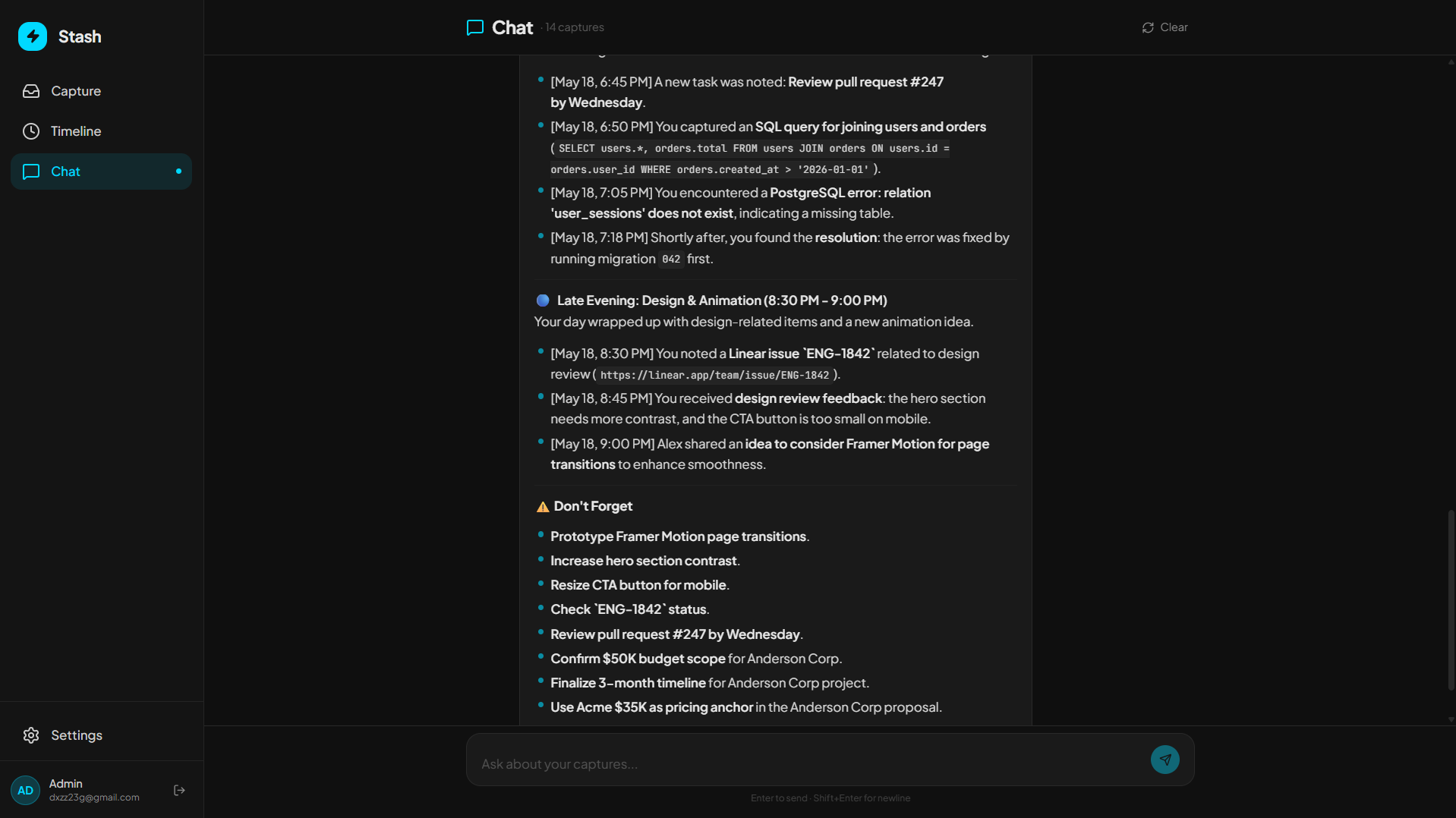
Ask anything about your notes and get a detailed explanation about it
-
Inspiration
I tracked my own habits for a week and realized I spend almost 2 hours every day searching for information I already found once. A URL bookmarked somewhere. A code snippet copied last Tuesday. A meeting note buried in one of 9 different apps. The information isn't lost. It's scattered. And no tool actually solves this because they all want you to organize things manually. Nobody does that. So I built Stash: one input, zero organization, AI does everything.
What it does
Stash gives you a single text field. Paste anything (URLs, code snippets, meeting notes, tasks, ideas, contacts) and hit enter. That's it. That's the entire user effort.
Behind that input, three MeDo plugins work together:
- LLM Plugin auto-detects what you pasted, generates category tags, groups related captures into named "Work Sessions" (like "Stripe Integration" or "Client Proposal Prep"), powers natural language retrieval through multi-turn chat, and generates full narrative replays of your workday.
- Web Search Plugin fires automatically on every URL you paste, fetching the page title and summary so your links are immediately meaningful instead of raw strings.
- News Plugin scans your most-captured topics and surfaces relevant headlines as context cards on your timeline, keeping your work connected to the real world.
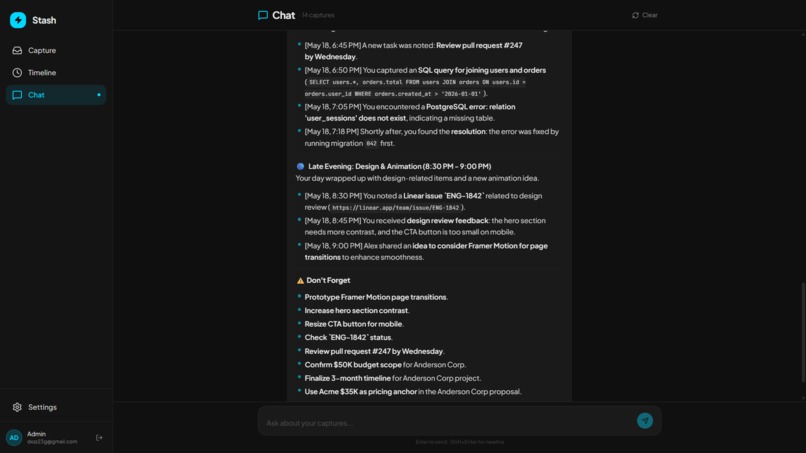
The signature feature: type "Replay my day" and the AI reconstructs your entire workday from scattered fragments into a structured narrative with session transitions, focus areas, and open task flags. You never wrote a work journal. But now you have one.
How we built it
Built entirely on MeDo through multi-turn conversation across four phases:
- Foundation: Described the design system (dark theme, Gen Z aesthetic, motion animations) and the core capture view. MeDo generated the full React + Tailwind frontend with auto-expanding input and capture card animations.
- Timeline: Described the visual timeline with auto-grouped Work Sessions. MeDo integrated the LLM plugin for session detection and naming from natural language description alone.
- Chat + Plugins: Wired up multi-turn conversational retrieval with the LLM plugin, added Web Search for automatic URL enrichment, and integrated the News plugin for timeline context cards. All through iterative conversation with MeDo.
- Replay + Auth: Added the "Replay My Day" narrative engine and Supabase email/password authentication with Row Level Security for per-user data isolation. Every user gets a completely private workspace.
No code was written manually. Every feature was generated through conversation with MeDo.
Challenges we ran into
- Data isolation: When we first added auth, the pre-loaded demo data was visible to all users. We had to implement Supabase Row Level Security policies on every table (captures, sessions, chat messages) and ensure all queries filter by the logged-in user's ID.
- Session detection accuracy: Getting the LLM plugin to reliably group related captures into meaningful Work Sessions required multiple rounds of prompt refinement through MeDo's multi-turn chat. The AI initially over-grouped unrelated items or created too many tiny sessions.
- Plugin coordination: Making three plugins (LLM, Web Search, News) fire at the right moments without slowing down the capture flow took careful orchestration. URL enrichment needed to happen asynchronously so the paste-and-enter experience stays under 1 second.
Accomplishments that we're proud of
- "Replay My Day" narrative generation: The AI produces a multi-paragraph structured narrative of your workday from raw fragments. It reads like a personal work journal you never had to write. This was the most impressive feature MeDo helped create.
- Three-plugin architecture: LLM, Web Search, and News plugins work as one unified intelligence layer, not three bolted-on features. Every plugin fires automatically at the right moment.
- True zero-friction UX: The user does exactly ONE thing (paste + enter). No folders, no tags, no forms, no decisions. The AI handles 100% of the organization. This is the lowest-friction capture tool we've seen in the productivity space.
What we learned
- MeDo's multi-turn conversation is genuinely powerful for iterative development. Describing a feature in plain English, seeing the result, and refining it conversationally is faster than writing specs.
- Plugin integration through MeDo was surprisingly smooth. We described what we wanted ("when a user pastes a URL, fetch the page title using Web Search") and MeDo wired up the full async pipeline.
- The biggest UX lesson: removing features makes a product better. Every time we considered adding folders, tags, or categories for the user to manage, we deleted the idea and pushed the work to the AI instead.
What's next for Stash
- Keyboard shortcut capture: A browser extension that lets you press Ctrl+Shift+V from any tab to send content directly to Stash without switching tabs.
- Team timelines: Shared workspaces where a team can see each other's Work Sessions and search across collective knowledge.
- Calendar integration: Auto-tag captures that happen during scheduled meetings, linking your notes to the calendar event they belong to.
- Weekly replay: A "Replay my week" feature that generates a comprehensive summary for standups, status updates, and performance reviews.
Built With
- llm-plugin
- medo
- news-plugin
- react
- supabase
- tailwind
- web-search-plugin


Log in or sign up for Devpost to join the conversation.