-
-
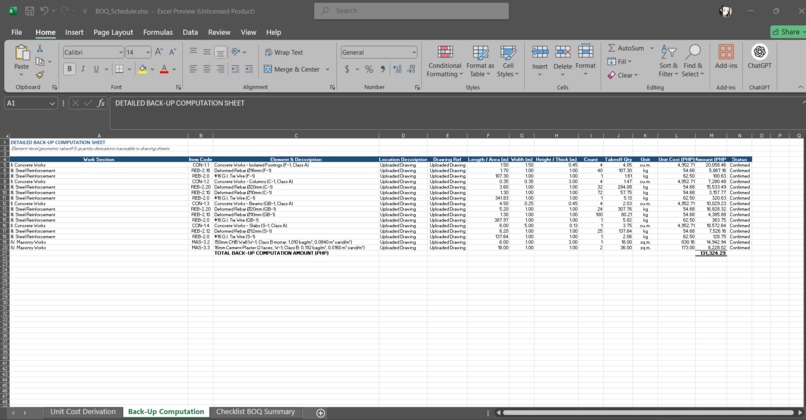
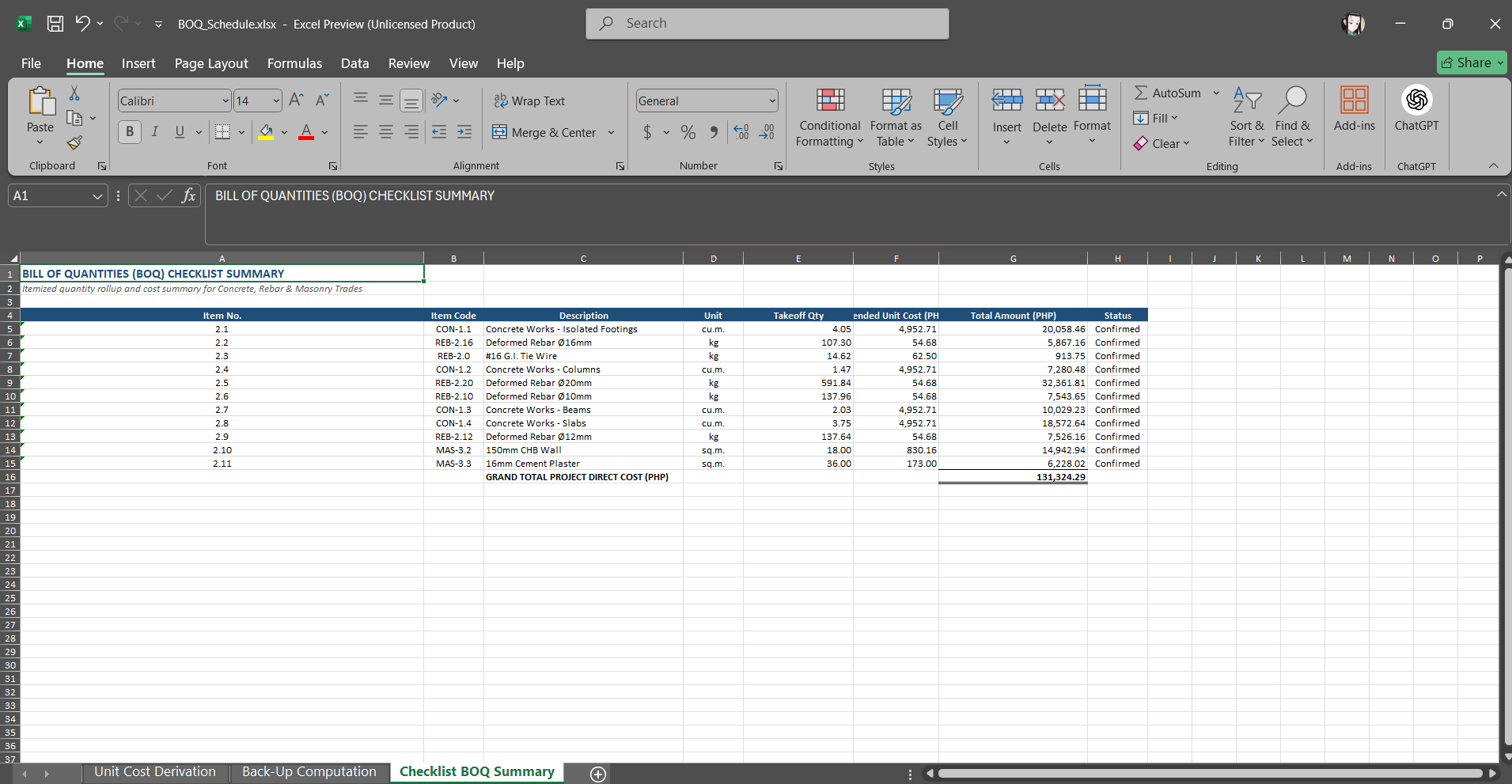
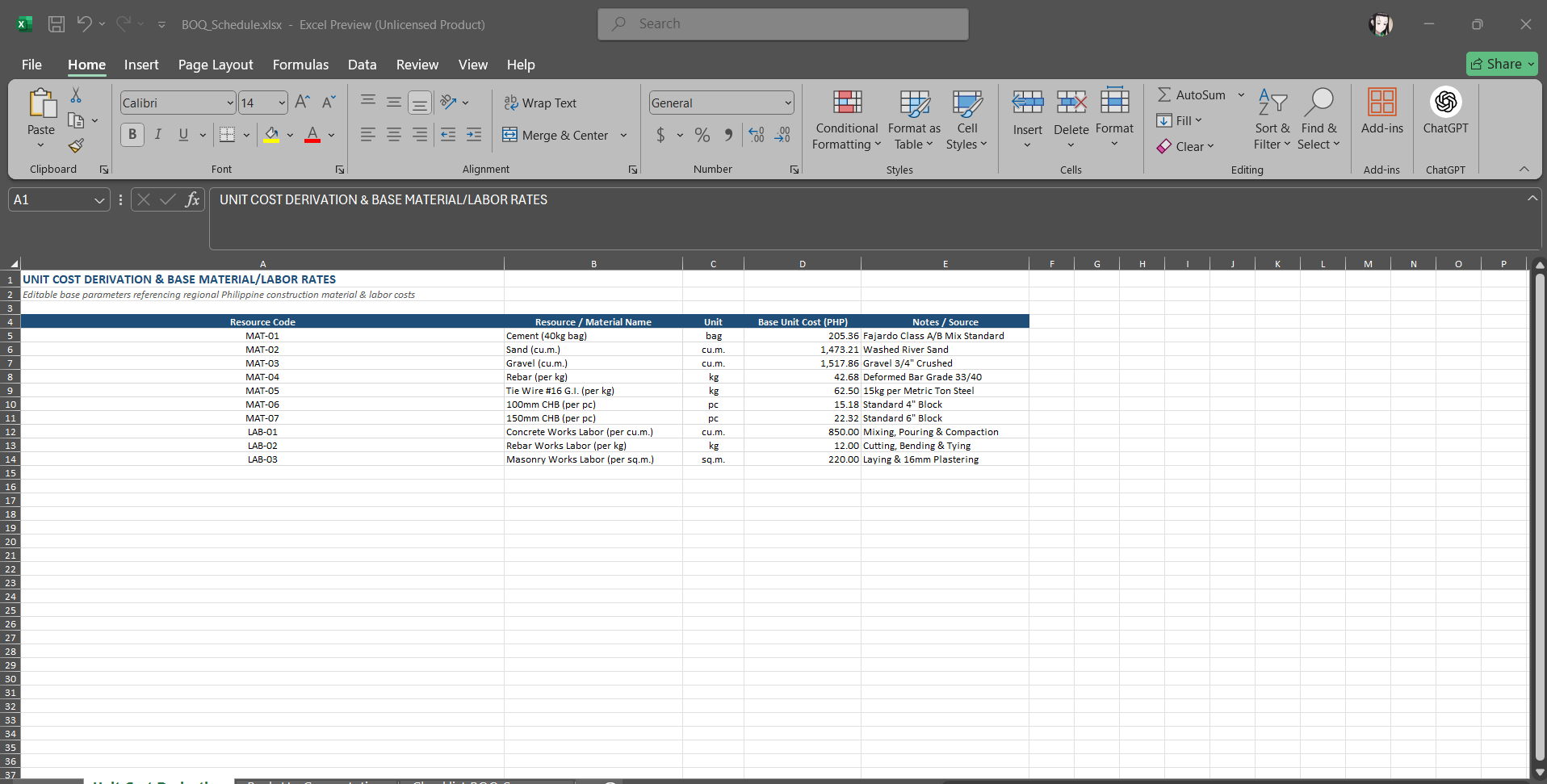
excel output
-
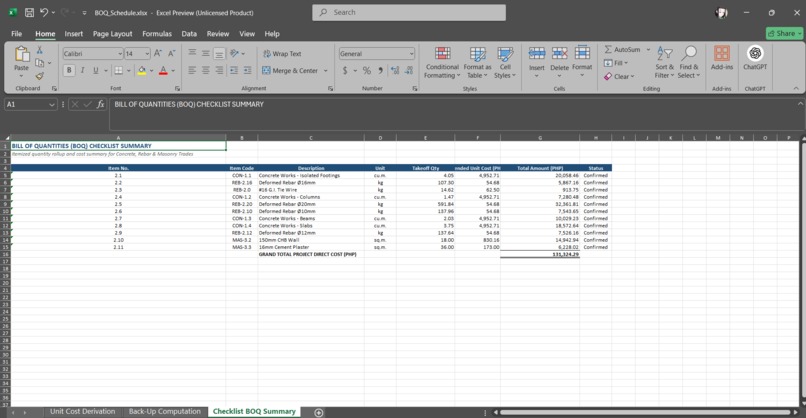
excel output
-
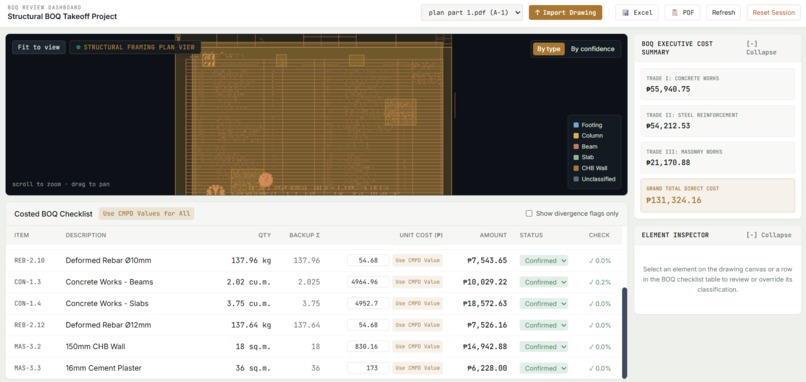
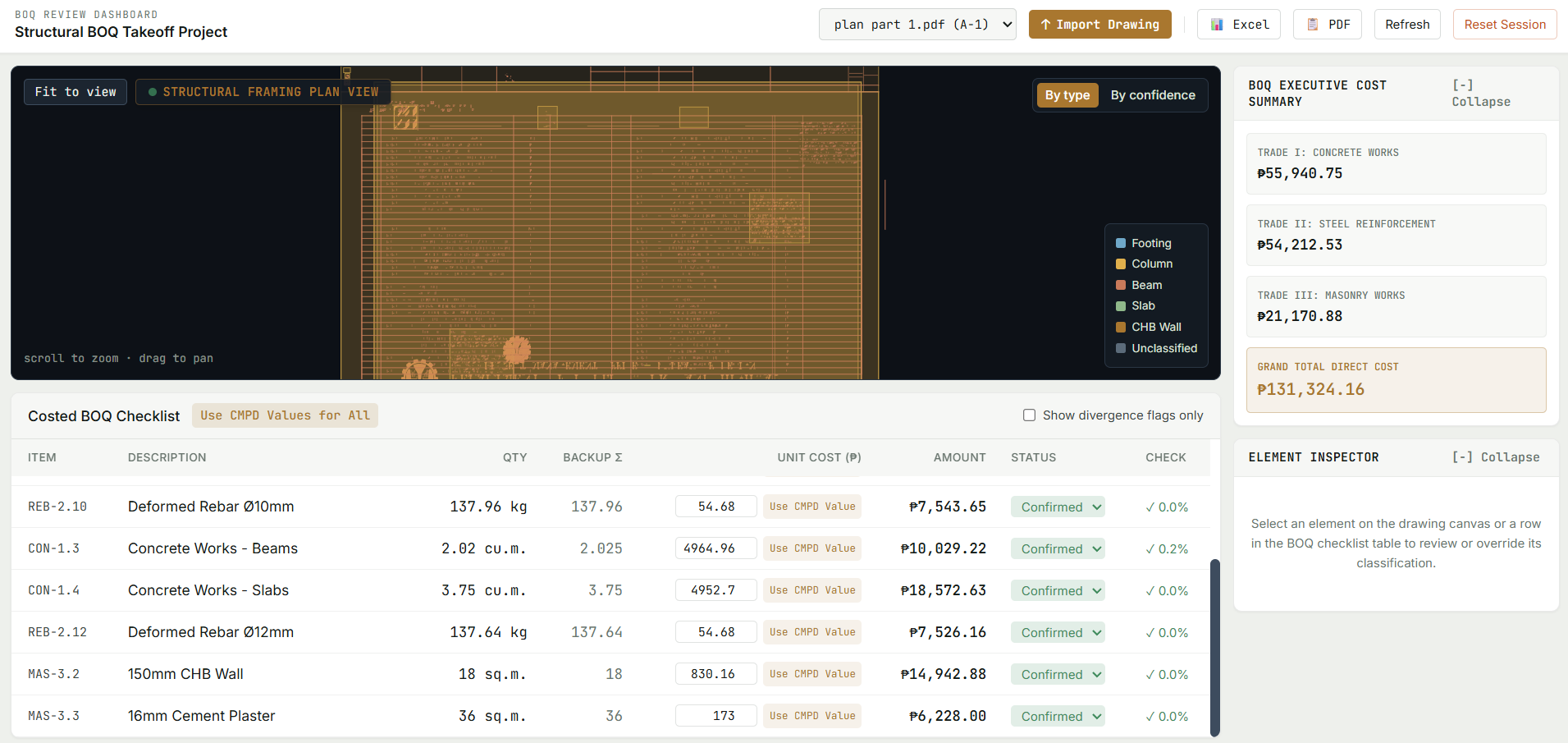
main UI with live pdf input
-
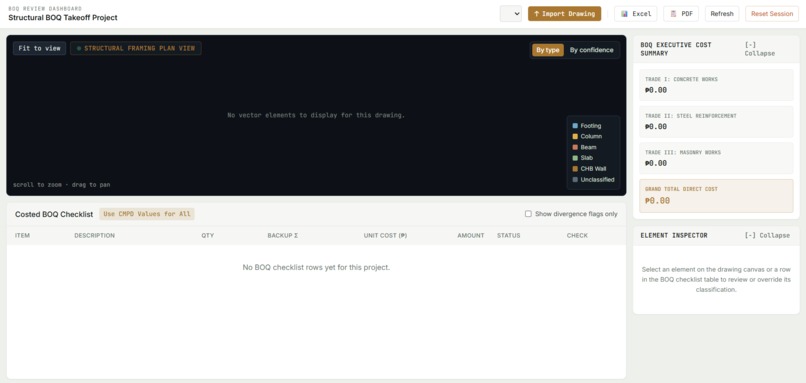
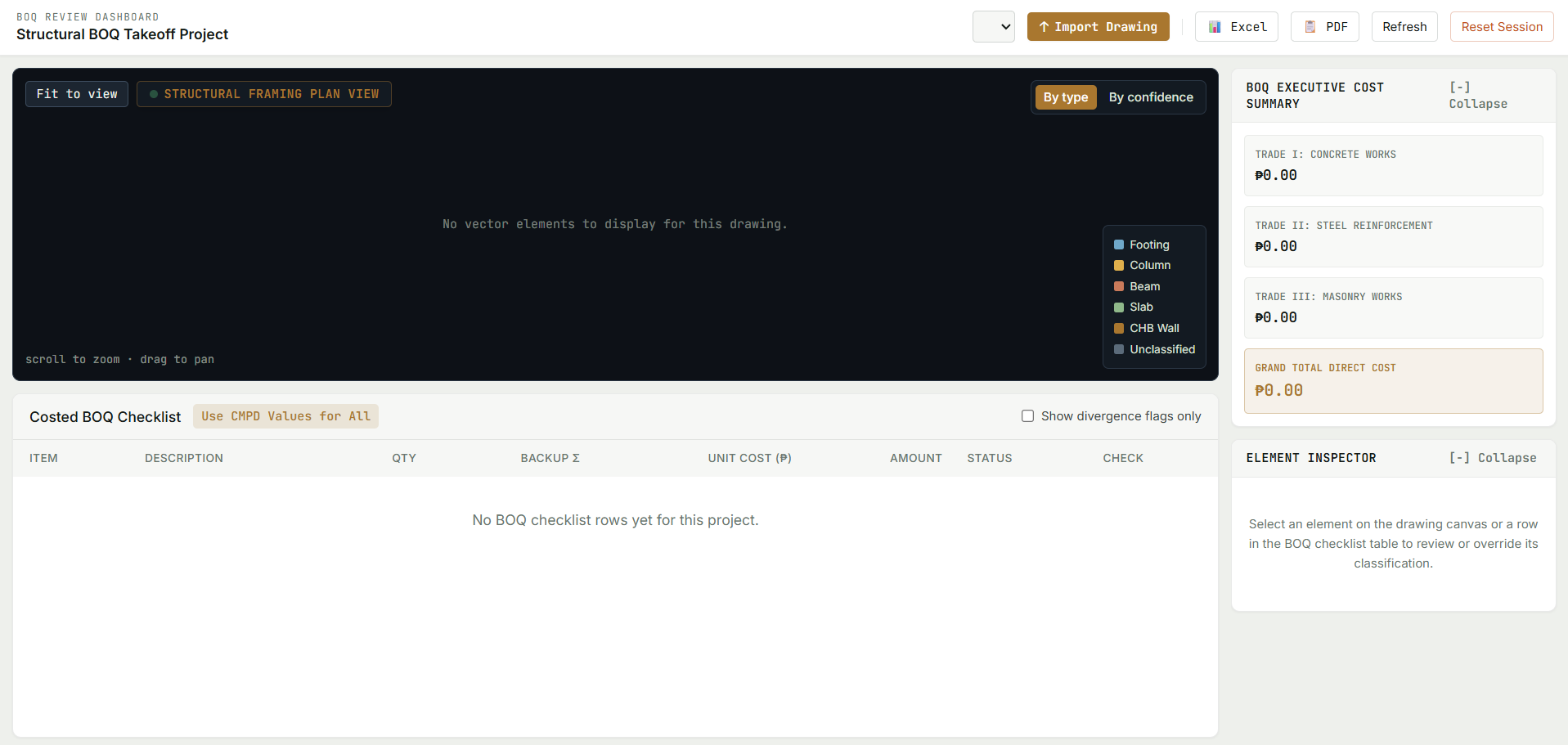
main UI without input
-
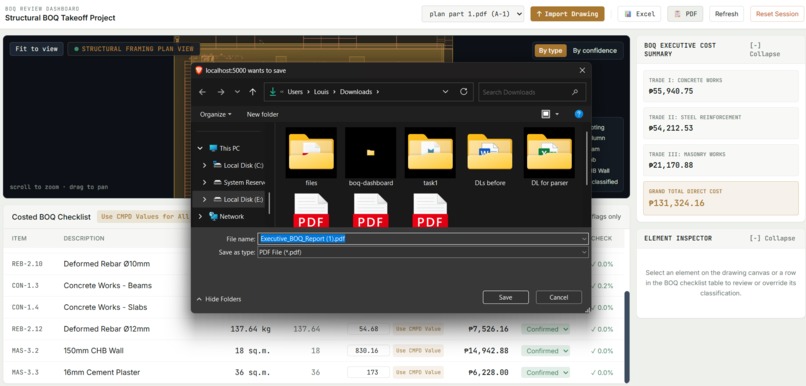
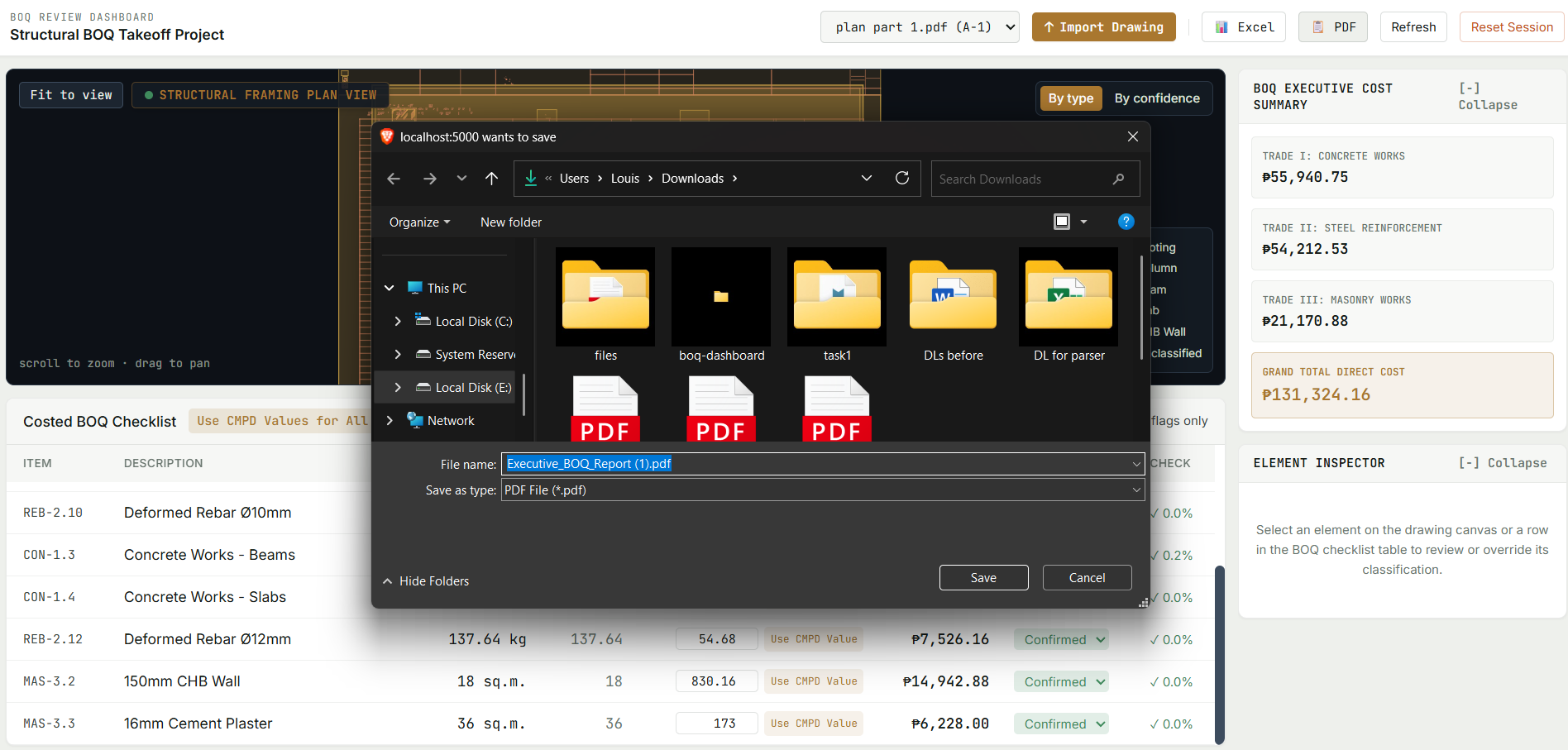
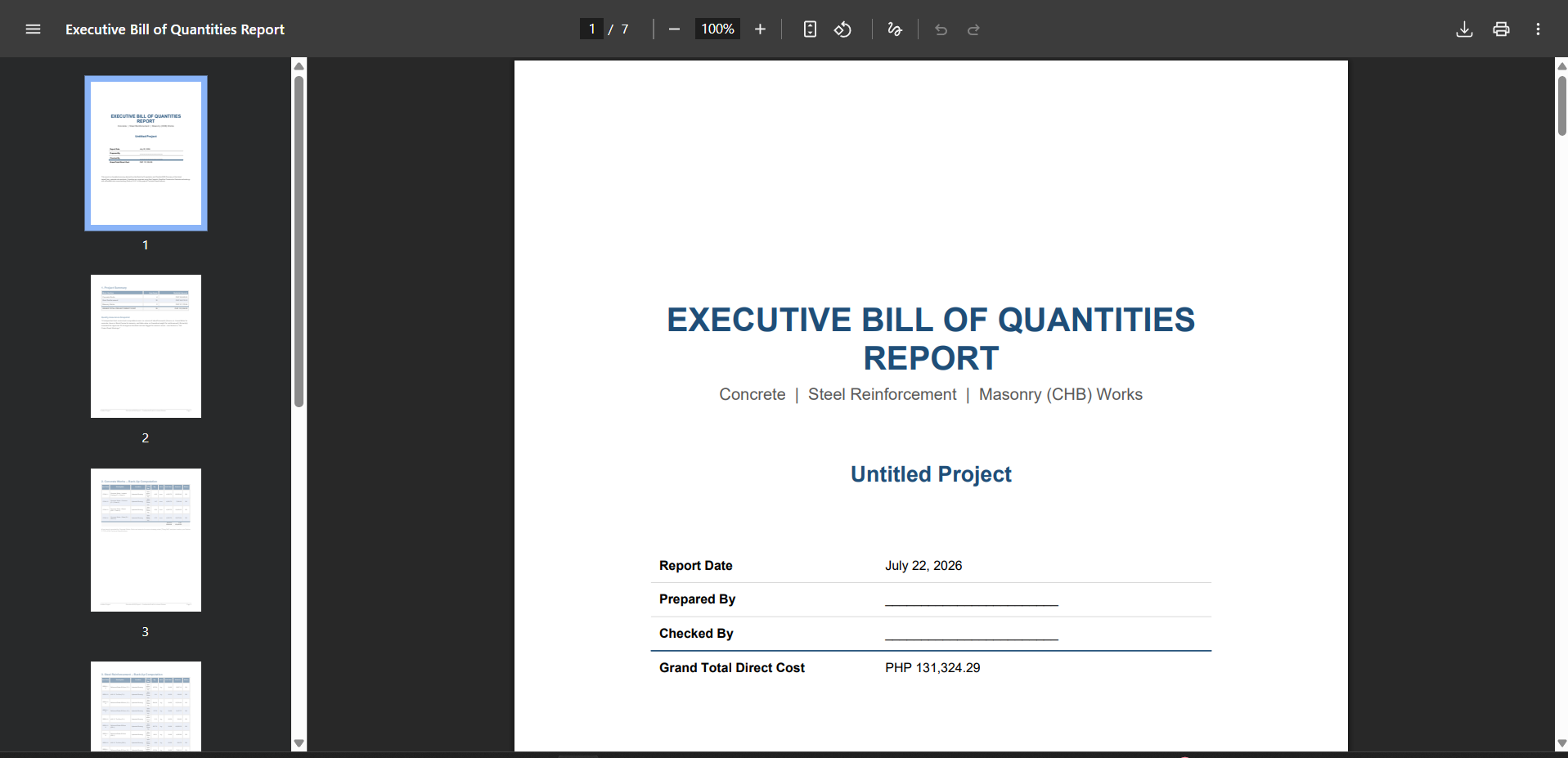
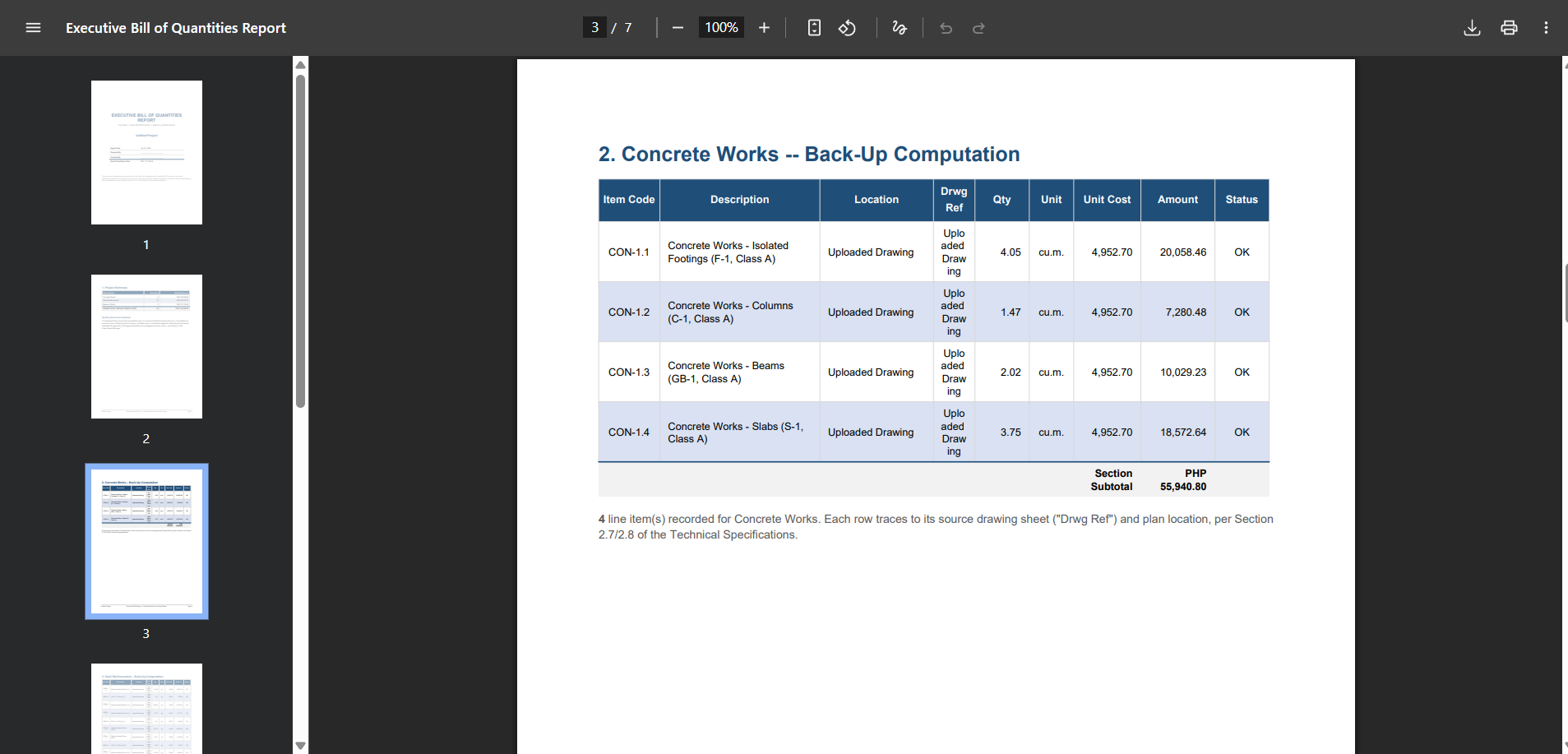
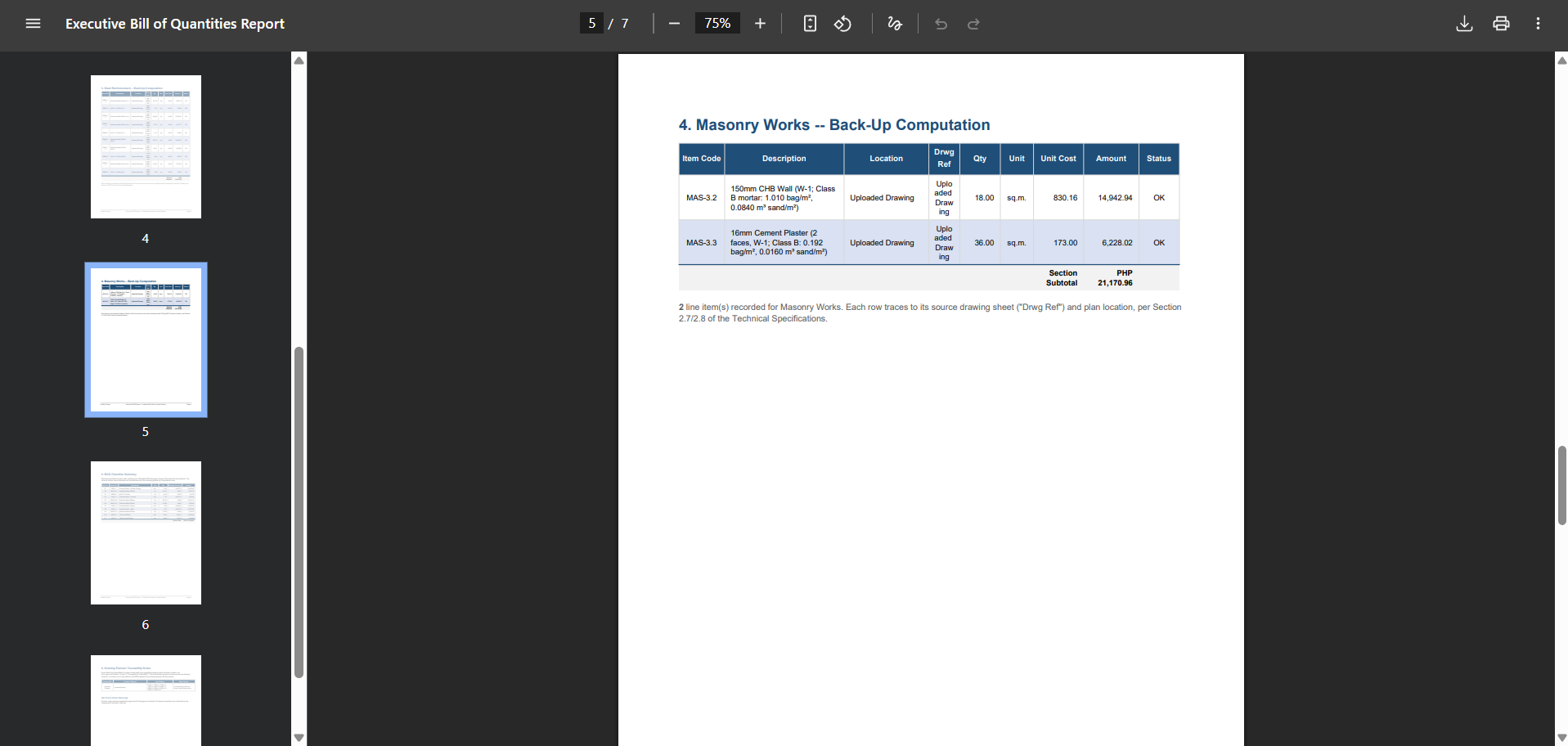
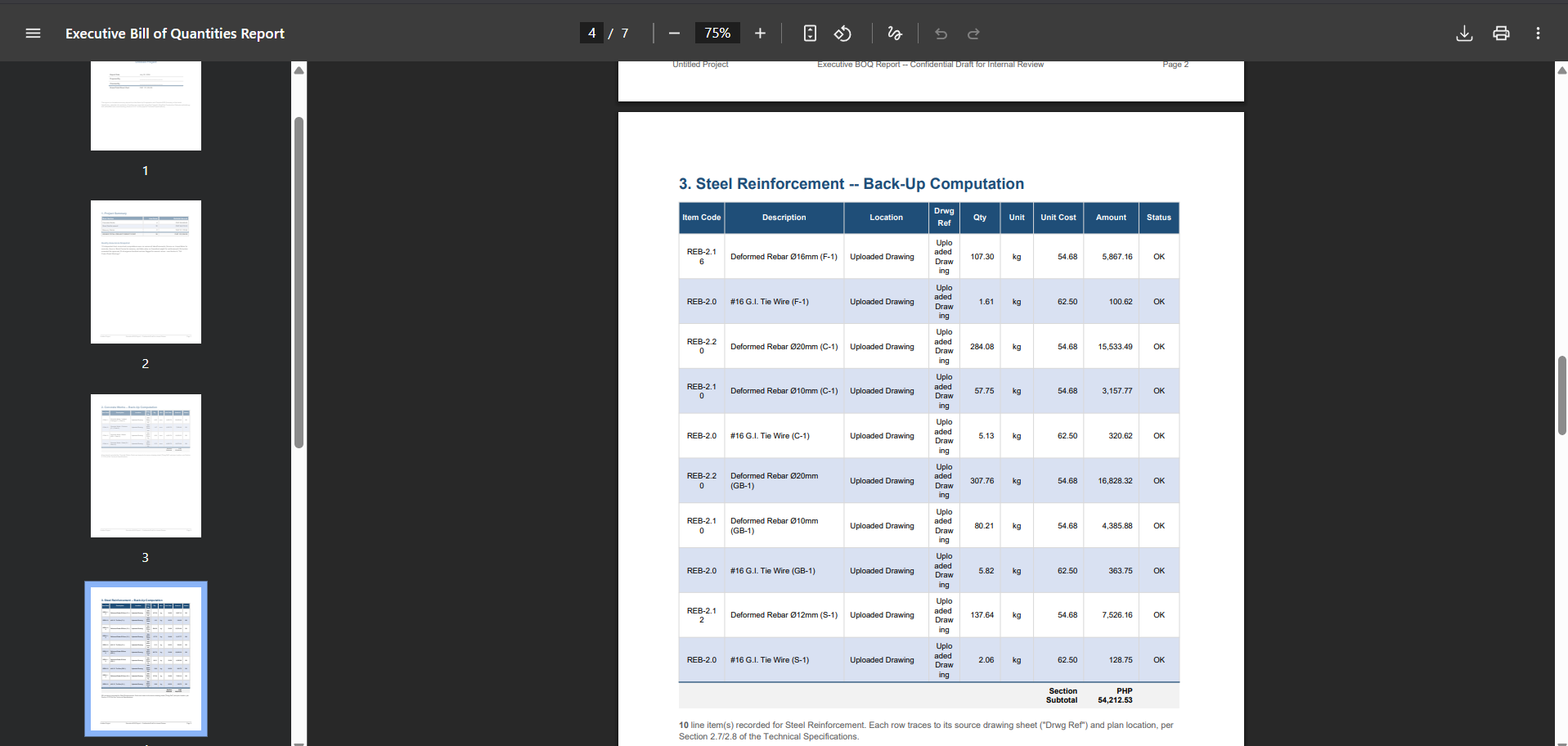
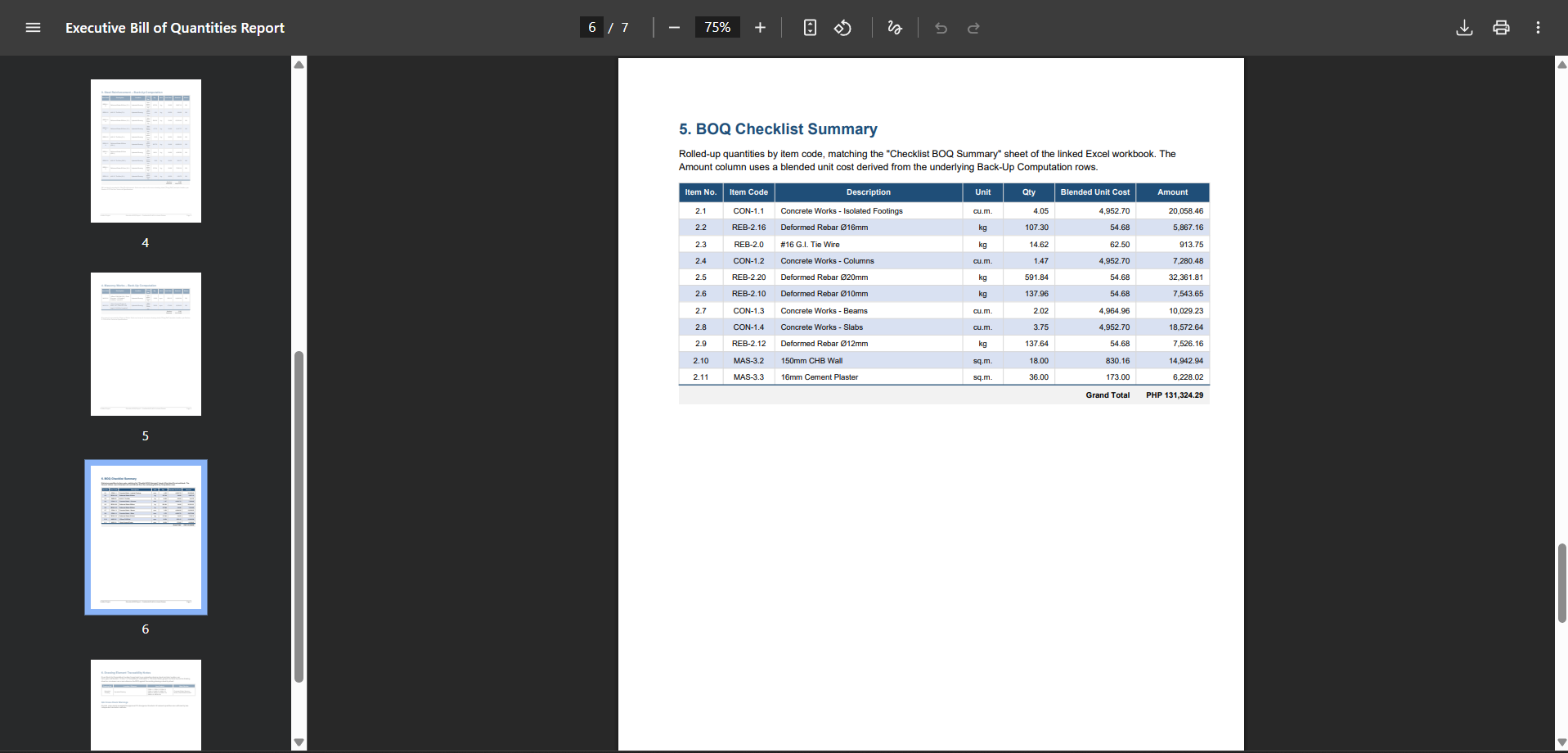
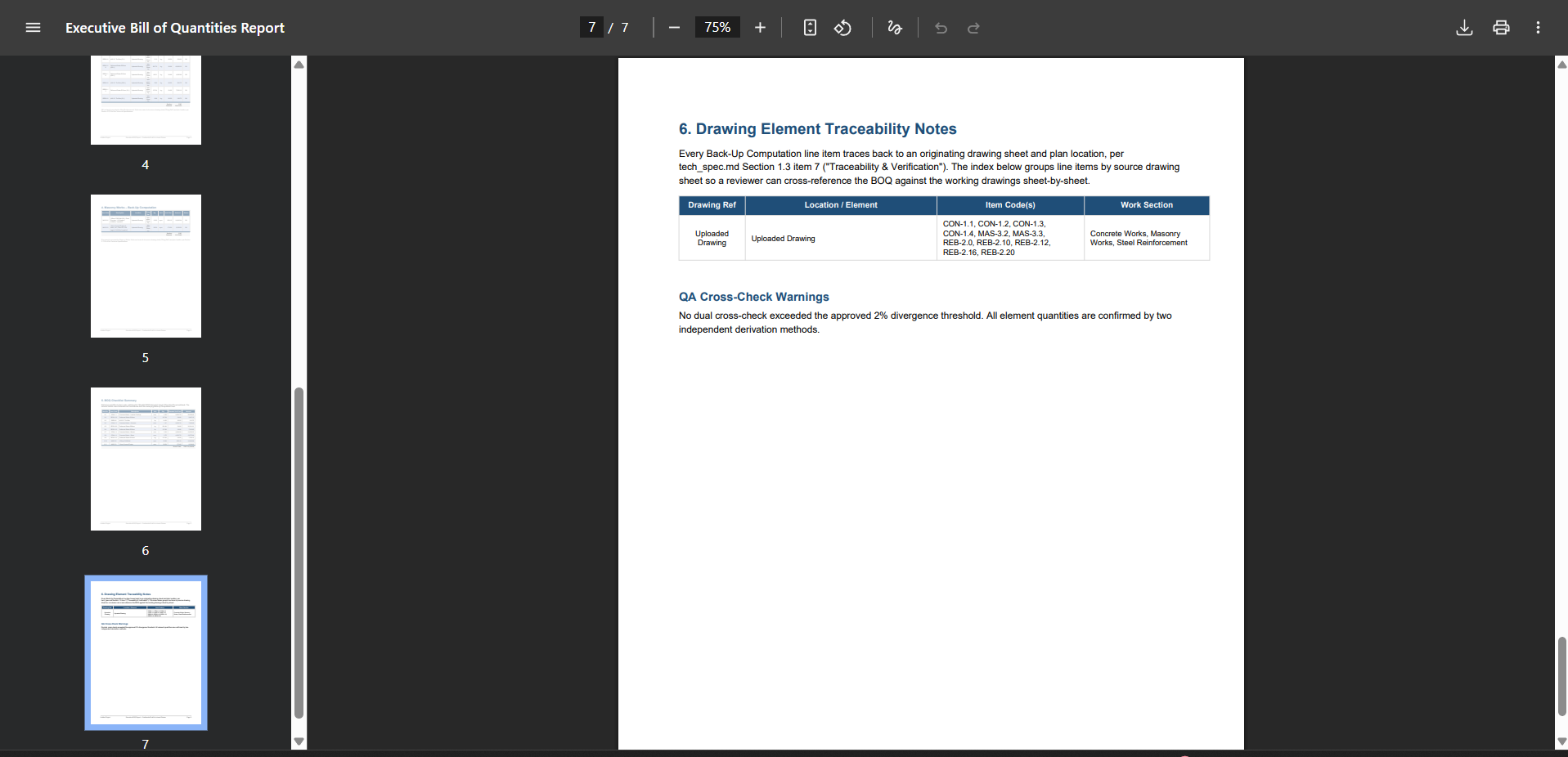
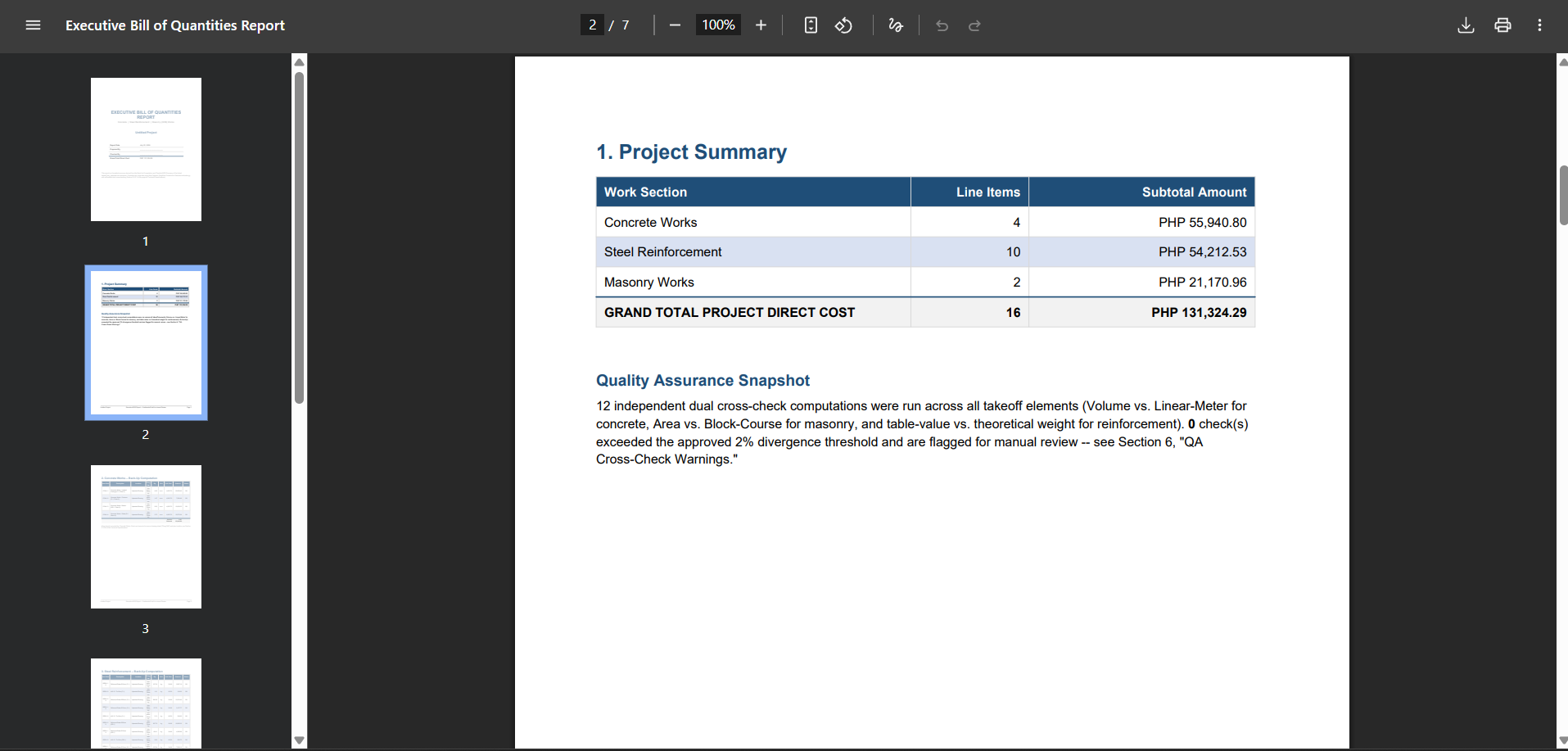
pdf export of data
-
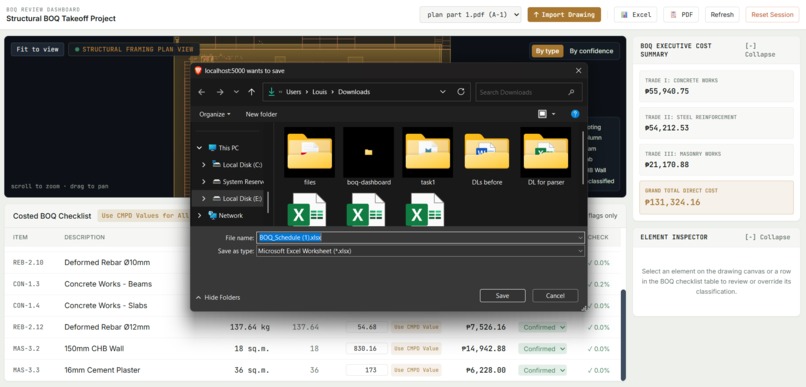
excel export of data
-
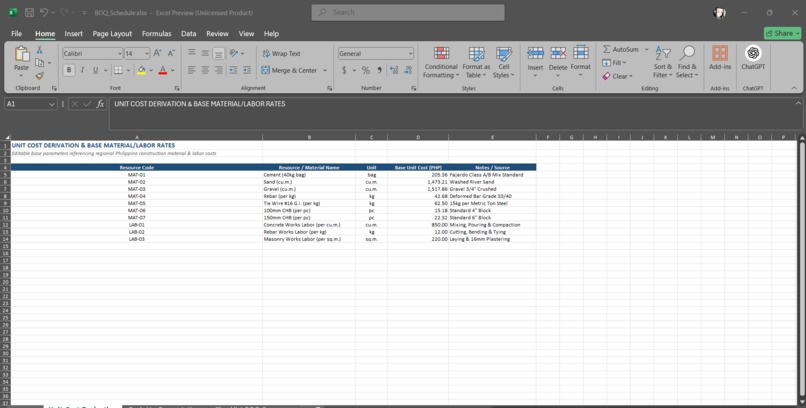
excel output
-
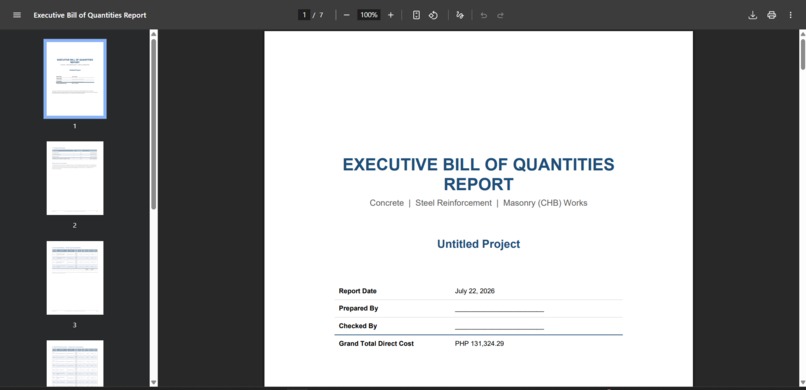
pdf output
-
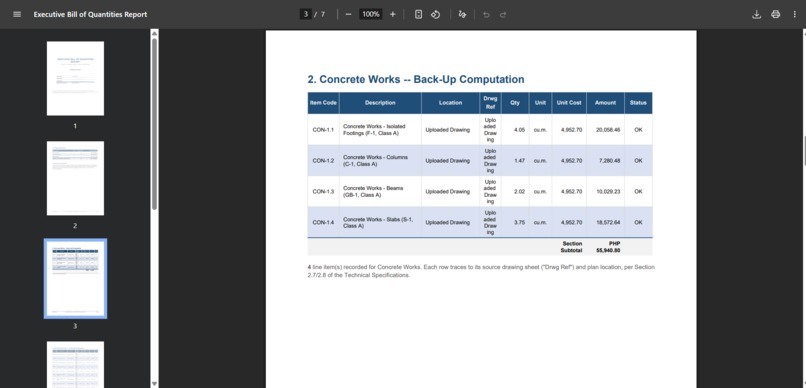
pdf output
-
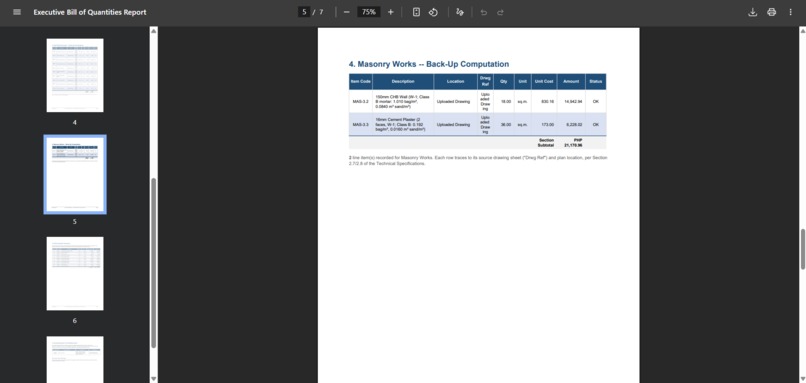
pdf output
-
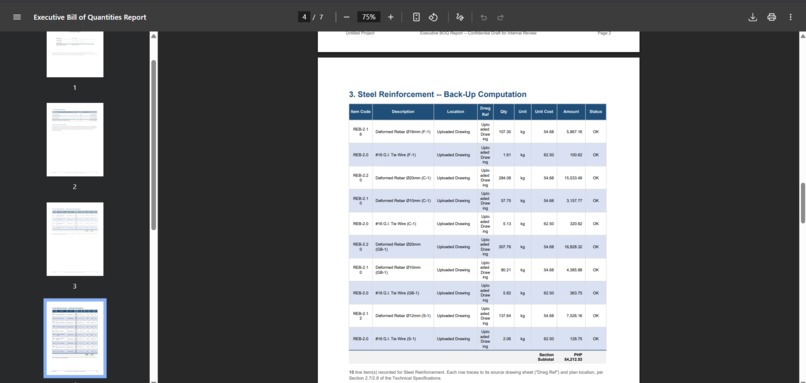
pdf output
-
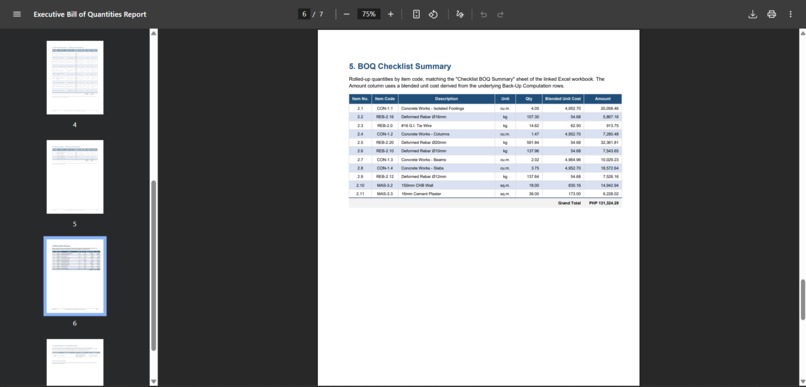
pdf output
-
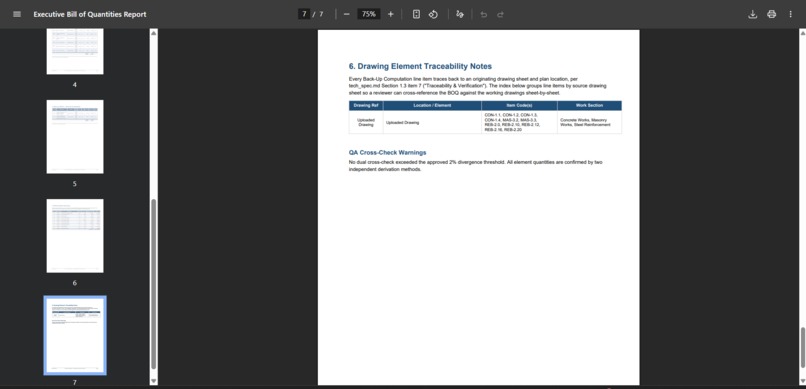
pdf output
-
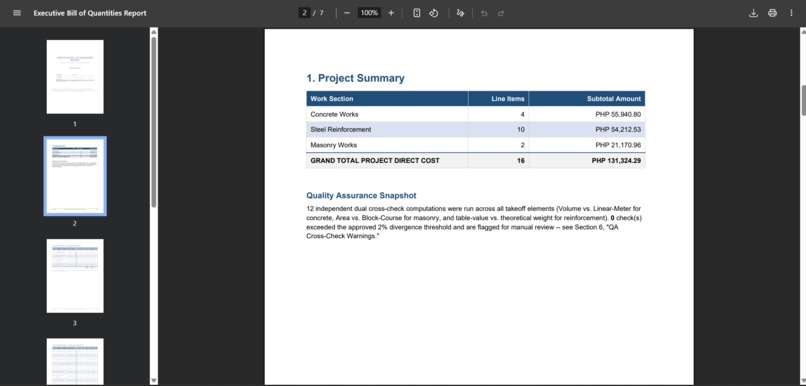
pdf output
-
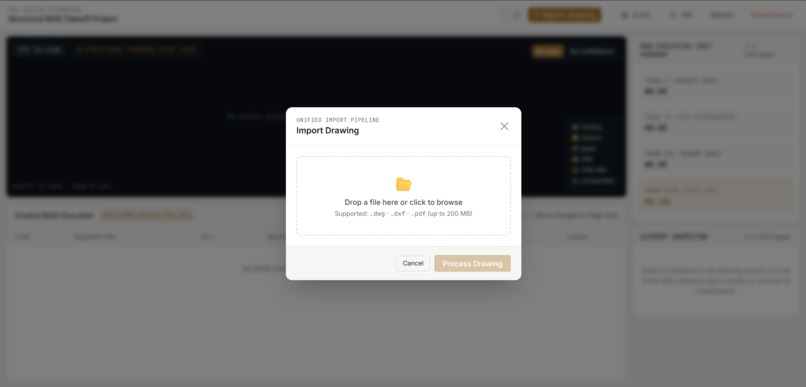
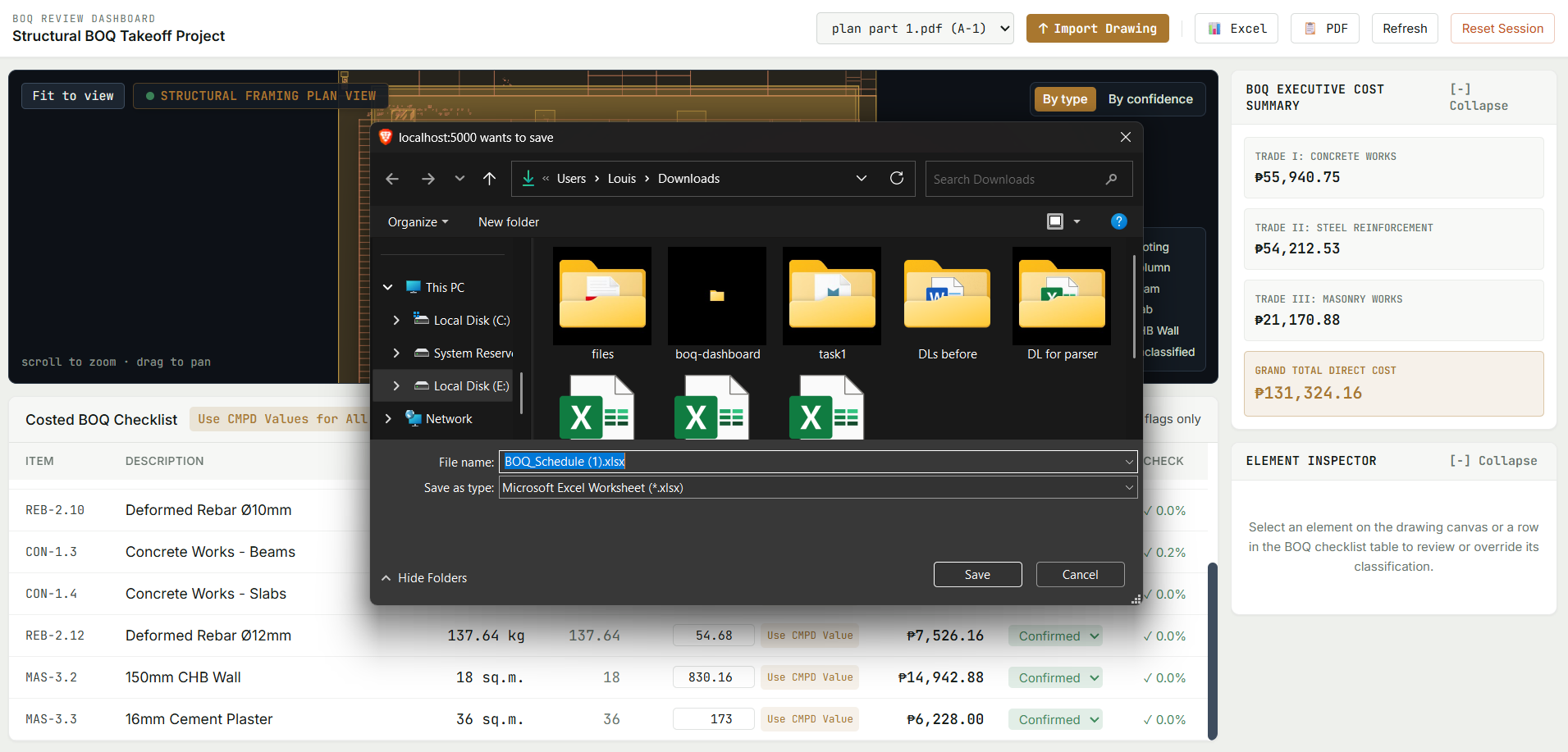
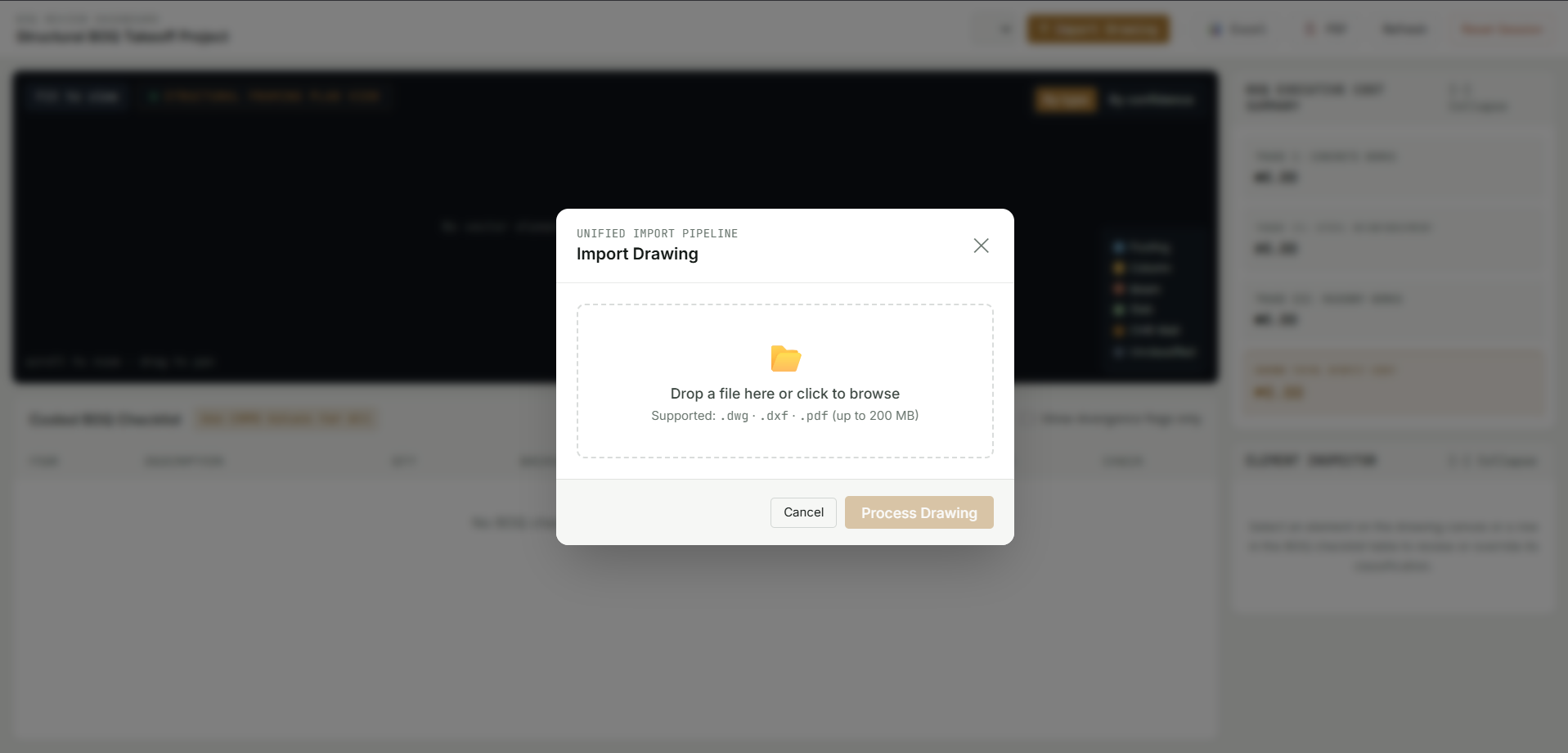
UI when uploading a file
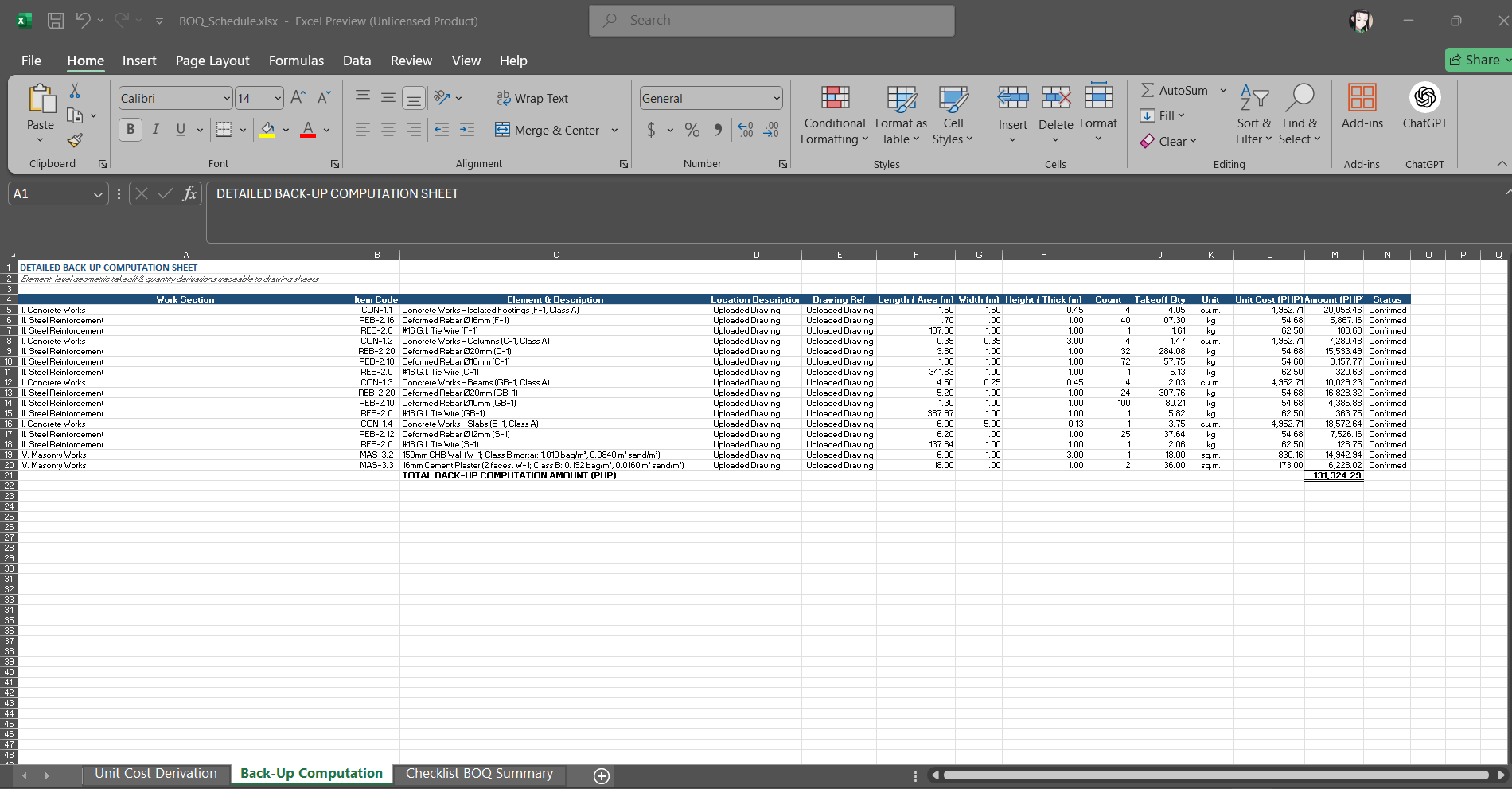
Inspiration
Let's be real: doing quantity takeoff manually during my On-the-Job Training (OJT) was absolute torture. Tracing lines and typing numbers into spreadsheets for hours is nobody's idea of a good time. I looked for tools to automate it, but every decent program was locked behind a massive paywall — not exactly budget-friendly for a college student. Worse, none of those expensive tools support the standard Fajardo estimation methodology used here in the Philippines. Since the market didn't have what I needed, I built it myself.
I was already working on my code when I heard about Build Week. Even though I missed out on the free API credits, I already had my environment configured. With only 3 days left on the clock, I decided to jump in anyway and build a polished web application with the resources I had. I love where this project is headed and can't wait to expand it further.
What it does
The Plan2Takeoff Structural BOQ Engine is an interactive web application that automates civil engineering material estimation directly from vector PDF blueprints and CAD (.dwg / .dxf) engineering drawings.
Upload any blueprint file (.dwg, .dxf, or .pdf), and the system automatically parses vector geometry across drawing layers, detects structural members (isolated footings, columns, beams, slabs, and CHB walls), and computes precise quantities using Philippine civil engineering formulas:
Isolated Footing Concrete Volume ( \( V_{concrete} \) ):
$$ V_{concrete} = \sum_{i=1}^{n} (L_i \times W_i \times H_i) $$
Deformed Steel Rebar Weight ( \( W_{rebar} \) ):
$$ W_{rebar} = \sum \left( L_{bar} \times \frac{\pi \cdot d^2}{4} \cdot \rho_{steel} \right) $$
(where \( \rho{steel} \approx 7850 \) kg/m³ for PNS 49 rebar and \( d \) is the bar diameter in meters)_
Masonry Wall Area ( \( A_{masonry} \) ):
$$ A_{masonry} = \sum (L_{wall} \times H_{wall}) - A_{openings} $$
The application compares these computed quantities against structural checklist rows, flags volume or quantity deviations exceeding 2%, resolves unit costs against official DPWH CMPD material price matrices (with a 1-click "Use CMPD for All" button), and generates downloadable formula-driven Excel workbooks and executive PDF reports instantly.
How we built it
- Takeoff Engine: Built in Python (
fajardo_takeoff_engine.py) implementing class-based structural derivations (Class A/B/C/D concrete mix proportions, rebar weight schedules with 5% lap splices, and CHB mortar/plaster rates). Vector geometry is extracted usingpdfplumberfor multi-page PDF sheets (extracting over 228,000 vector entities and schedule tables) andezdxf+ the ODA File Converter CLI (ODAFileConverter.exe) for CAD drawings. - API Backend: Built using Flask (
dwg_import_pipeline/app.py). The server handles asynchronous background job execution (/api/upload,/api/status/<job_id>), manages status polling, and orchestrates report generation usingopenpyxl(for Excel workbooks with embedded=SUMIF/=IFformulas) andreportlab(for executive PDF summaries with trade subtotals). - Web Dashboard: Developed as a React SPA (
boq-dashboard) styled with a custom Vanilla CSS design system. Features an interactive SVG canvas viewer (DrawingViewer.jsx) supporting mouse-dragging, scroll-to-zoom, non-scaling stroke outlines (vector-effect="non-scaling-stroke"), centroid member badges (F-1,C-1,GB-1,W-1), and a collapsible side panel featuring the Element Inspector and vertical BOQ Executive Cost Summary. - Data Sync & Session Cache: Uses Supabase Cloud Storage (
project-filesbucket) for cloud backup and a customlocalStoragewrapper to cache drawing states locally so user edits and selected CMPD prices are preserved across page refreshes.
Challenges we ran into
- Heavy Blueprints: Complex CAD drawings containing hundreds of thousands of vector lines (
LWPOLYLINE,LINE,TEXT) initially caused heavy parser lag. We optimized the layer-filtering heuristics and spatial index matching inpdf_processor.pyto achieve a 96% speedup, processing massive multi-layer drawings in just 5.5 seconds. - Browser Storage Limits: Storing raw coordinate arrays for thousands of canvas elements hit the browser's 5MB
localStoragelimit. We solved this by creating a custom React storage hook (useExport.js) that serializes only essential takeoff parameters and recovers gracefully on quota errors. - Serialization Issues: Storing running
FajardoTakeoffEngineclass instances directly inside asynchronous job payloads triggered backendTypeError: Object of type FajardoTakeoffEngine is not JSON serializablecrashes during status polling. We resolved this by isolating the serialized JSON payload dictionary (_row_to_dict) from active class instances.
What we learned
- Defensive Client Architecture: Writing resilient browser storage wrappers and decoupling raw CAD vector data from transient UI component state to handle coordinate-heavy datasets without browser crashes.
- Visual Grid Hierarchy: Designing high-density civil engineering dashboards where drawing canvases, element inspectors, and cost tables can be cross-referenced intuitively without causing cognitive overload.
- AI-Assisted Engineering: Leveraging Codex and Gemini AI agents as 24/7 mentors to debug PyInstaller desktop specs, optimize regex text parsing, and structure clean mathematical derivation modules.
What's next
- Completing the Full BOQ Roadmap: The current engine successfully processes core structural estimates (concrete, steel rebar, and masonry). The next milestone is expanding the pipeline to support the full BOQ lifecycle as defined in our technical specs, including Earthworks, Architectural Finishes, Doors/Windows, and Plumbing.
- AI-Powered OCR: Integrating multimodal models to automatically read rebar and footing schedules directly from complex blueprint tables and non-standard annotations.
Built With
- cad
- civil-engineering
- construction-technology
- dxf
- engineering
- ezdxf
- flask
- javascript
- openpyxl
- pdfplumber
- postgresql
- python
- react
- reportlab
- supabase
- tailwindcss
- vite

Log in or sign up for Devpost to join the conversation.