Inspiration
I created Startly because of a problem I kept noticing, both in myself and in the people around me.
Even when we write everything down in a to-do list, the hardest part is still deciding what to do first, what matters most, and when to actually do each task. Sometimes, having a long list makes everything feel more overwhelming, and we end up procrastinating.
I realized that knowing what you need to do isn't always enough. Knowing when to do it makes a big difference.
Having a clear timetable, with a specific time for each task, makes it easier to get started and stay on track.
That's what inspired me to build Startly. I wanted something that could help me organize my day when I didn't know where to start, or plan my entire week when I had a million things to do.
And the funny thing is, I was actually using Startly to organize my own days while developing it! That made building it even more enjoyable because I could experience the problems myself and keep improving the app.
What it does
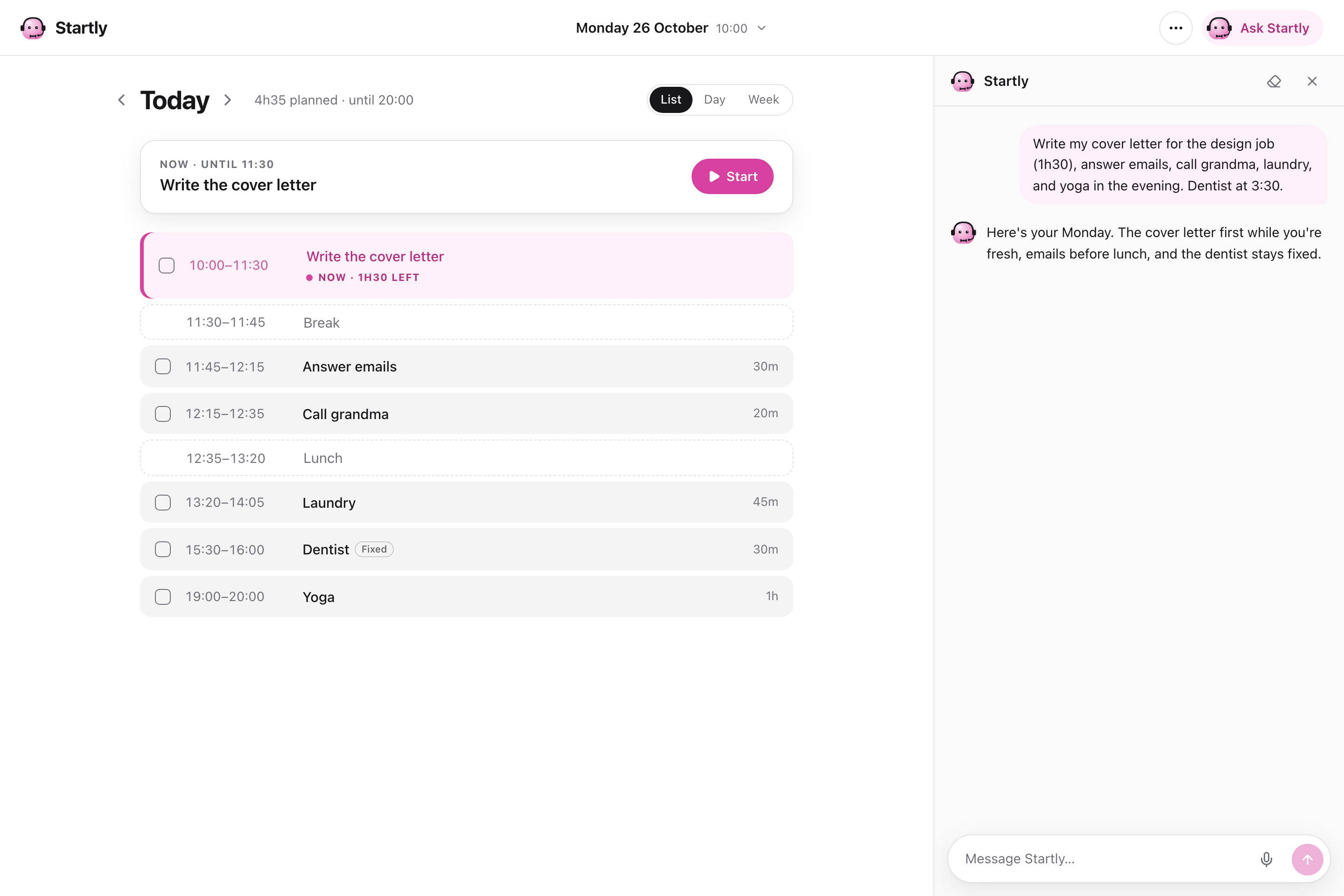
Startly is an AI-powered personal planning assistant that turns everything you need to do into a clear, realistic schedule.
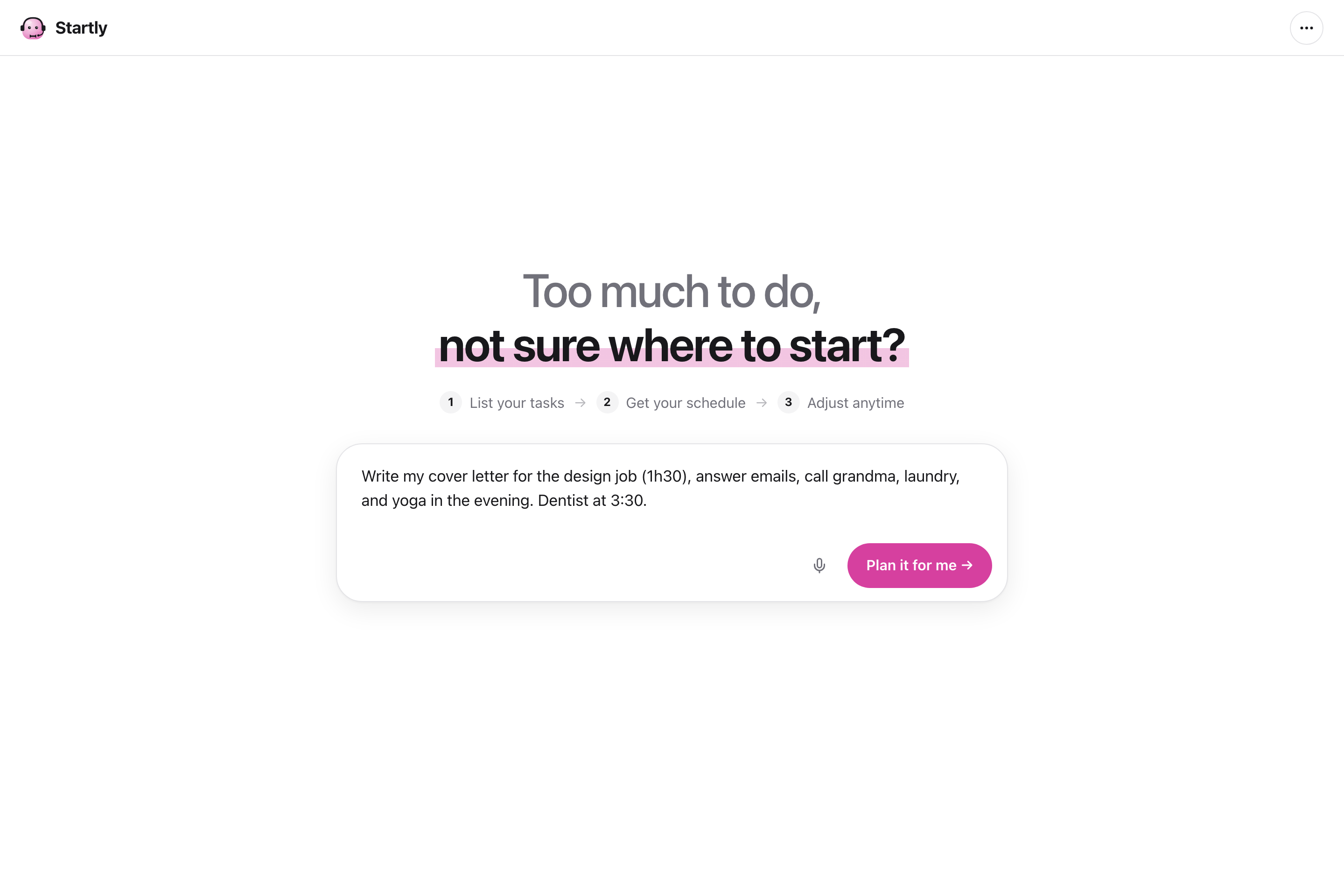
Instead of manually organizing every task, you can simply tell Startly what's on your mind, just like you're having a conversation.
Here's what Startly can do:
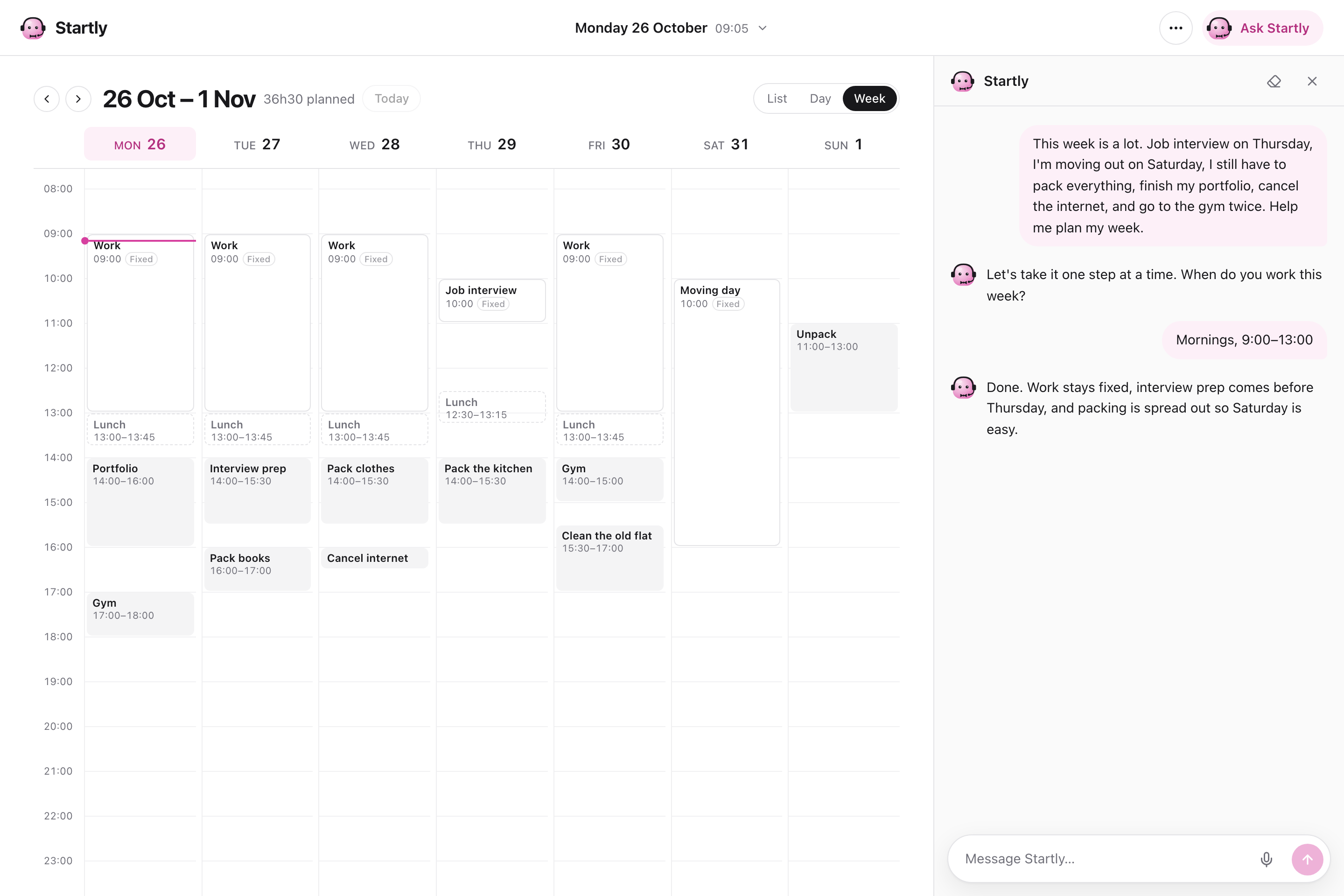
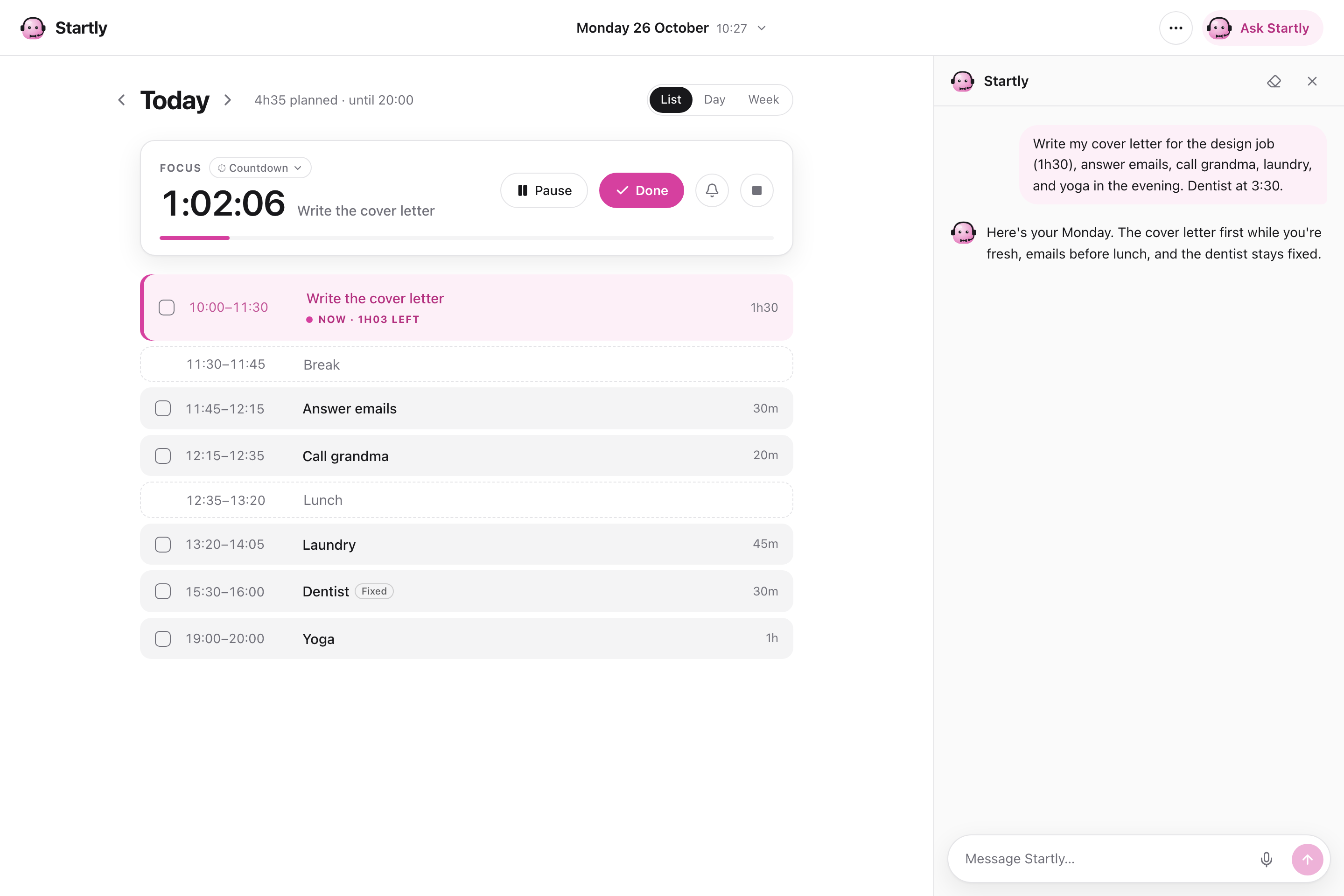
- Plan your day or week: Tell Startly what you need to do, and it creates a timetable based on your available time, priorities, and deadlines.
- Adjust when plans change: Running late? Something unexpected came up? Just tell Startly, and it reorganize your schedule.
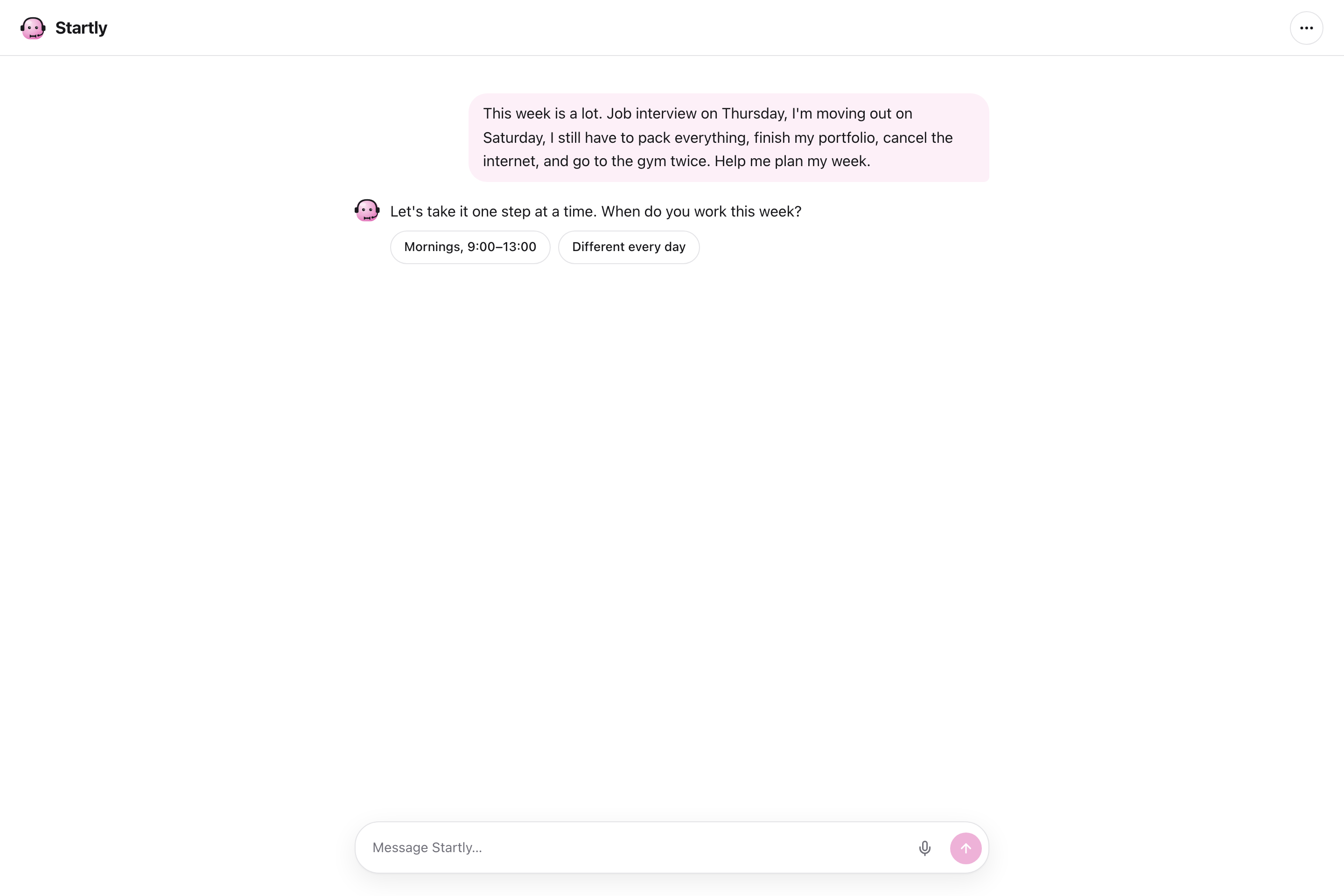
- Handle unclear or impossible plans: If your request is unclear, Startly asks a quick question. If there isn't enough time for everything, it tells you instead of silently dropping tasks.
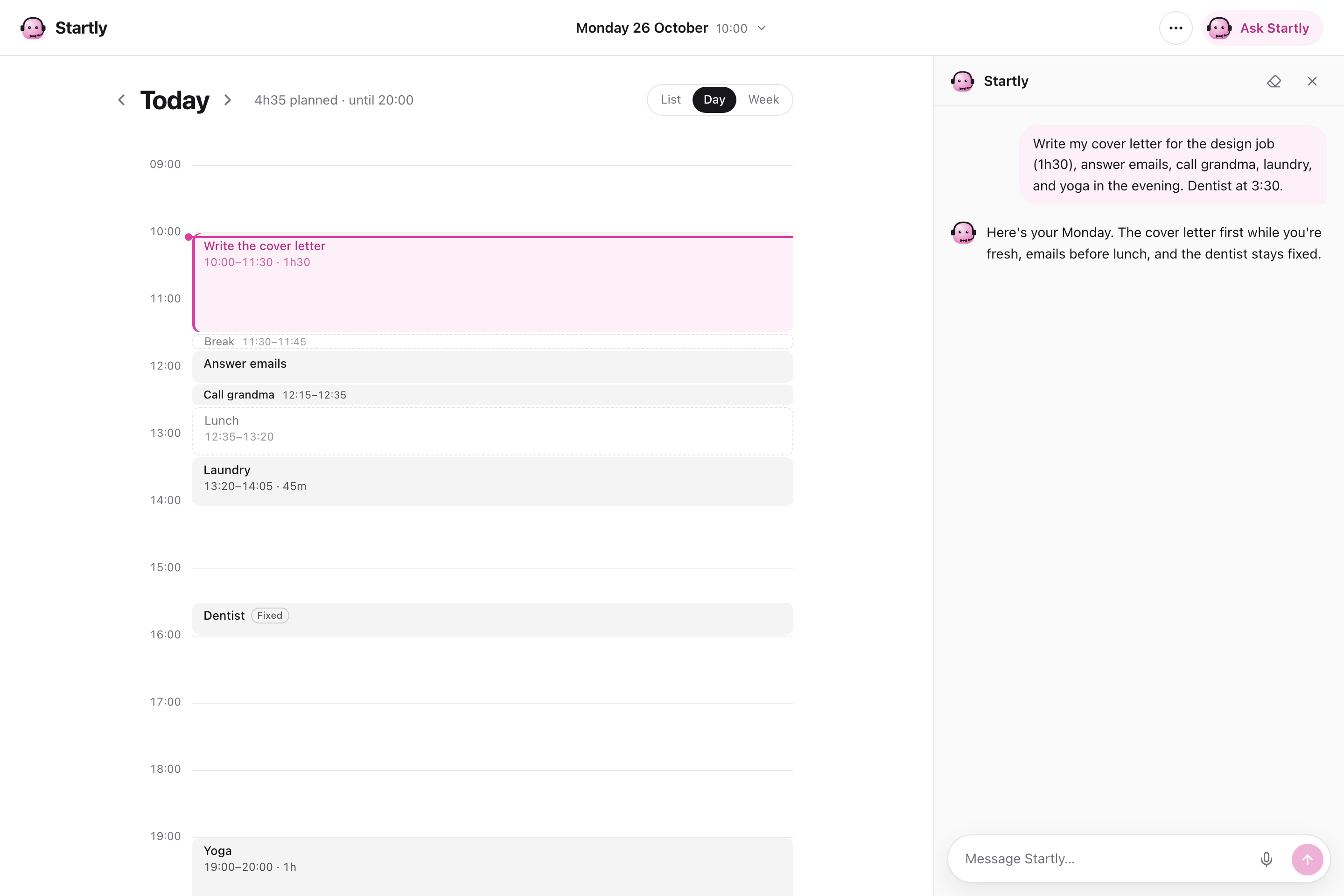
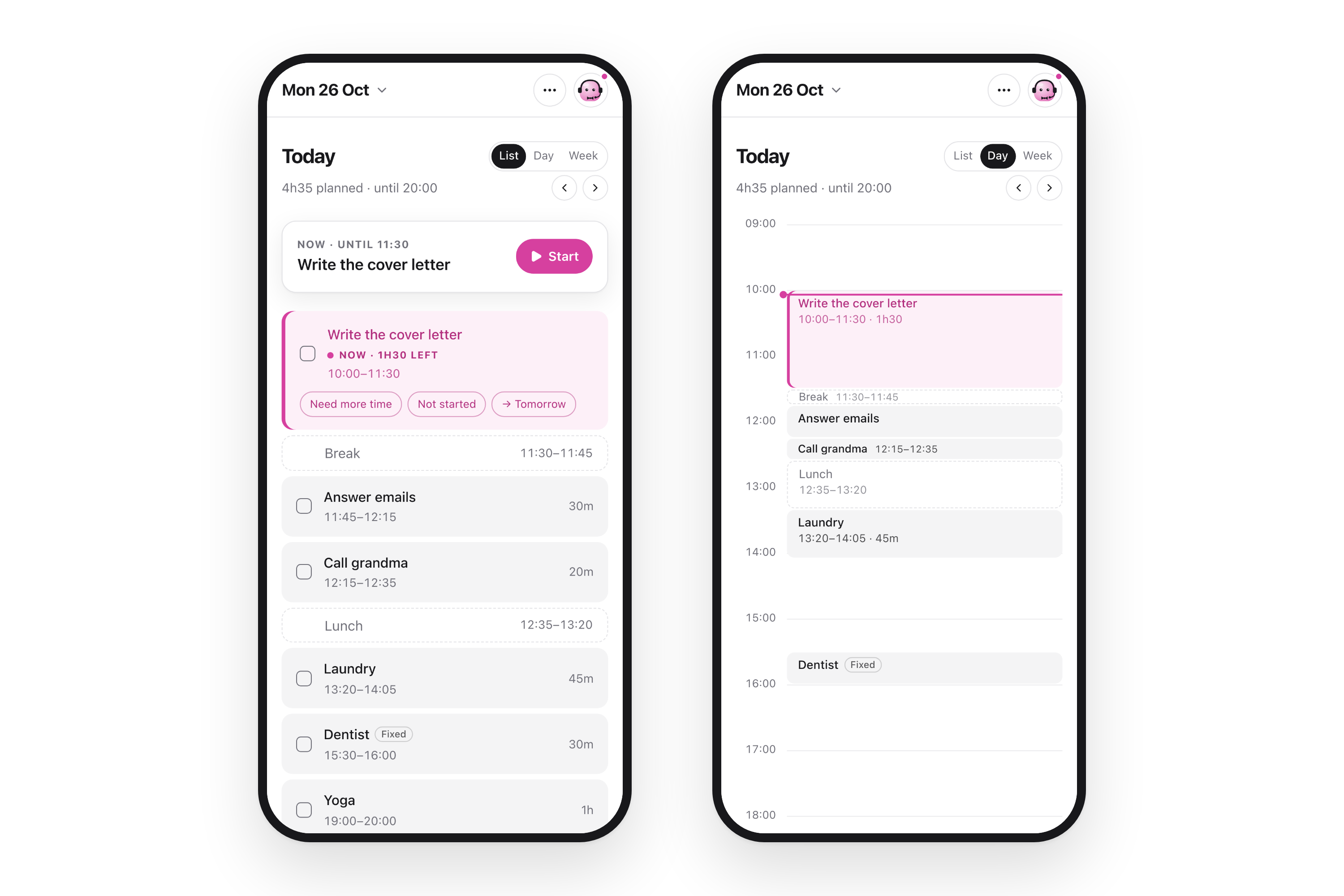
- Choose how you see your schedule: Switch between a checklist, a daily calendar, and a weekly calendar.
- Stay focused: Use the built-in focus timer with either the Pomodoro method or a normal countdown, depending on how you prefer to work.
- Get reminders: Desktop browser notifications let you know when a task is about to start, when your timer finishes, and when to take a break or return to work during Pomodoro sessions.
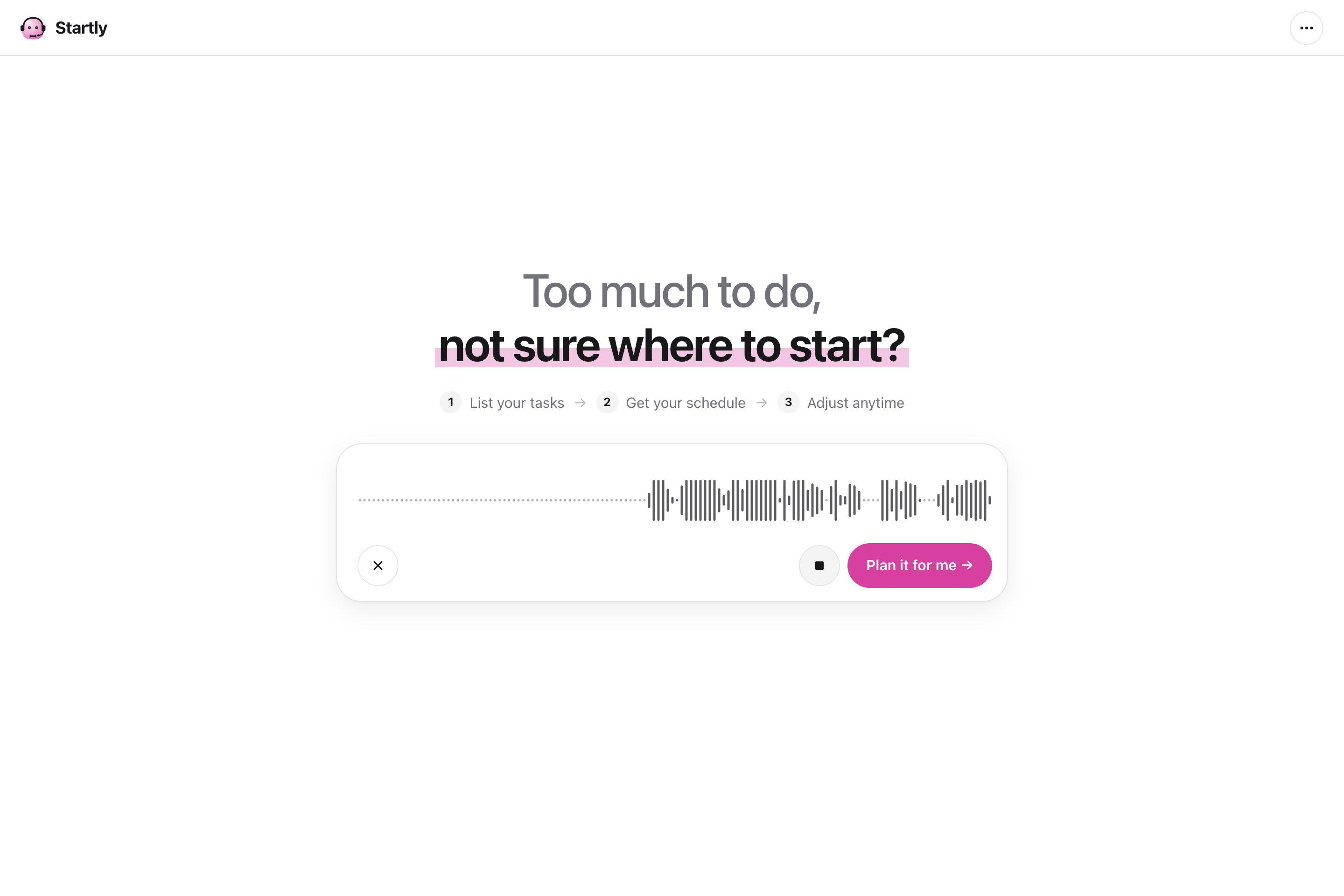
- Use your voice: Talk to Startly instead of typing everything.
- Make it your own: Choose different theme colors and enjoy small animations.
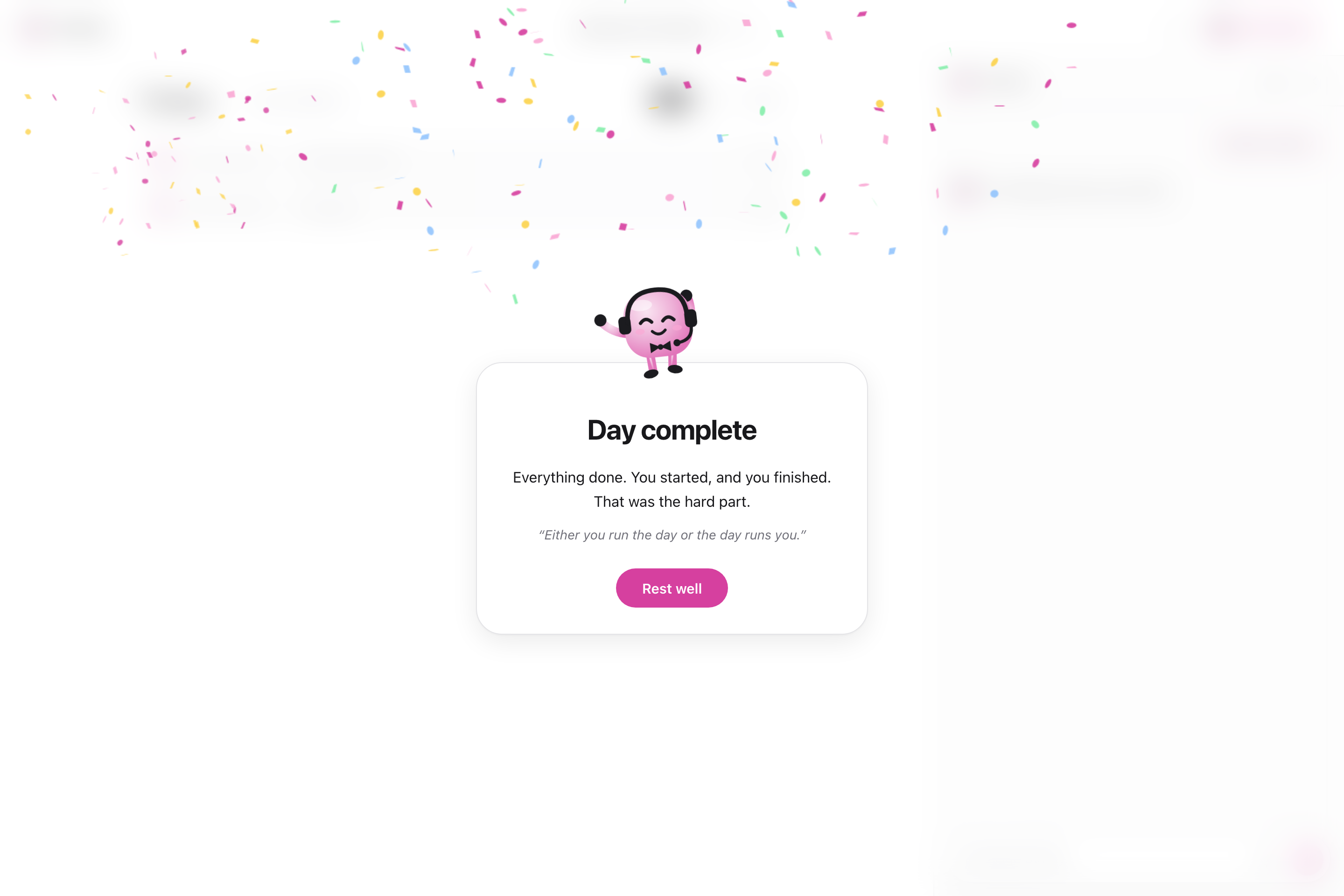
- Celebrate your progress: Checking off tasks comes with little animations, and when you finish everything, Startly celebrates with confetti and an encouraging quote!
Startly is responsive, so you can use it on your phone too. Browser notifications are currently available on desktop.
The goal isn't just to organize tasks. It's to help people turn their plans into action.
How I built it
I built Startly using React, TypeScript, Vite, Node.js, and the OpenAI API, and deployed it on Vercel.
I used Claude Code throughout development, along with the hackathon's skills to help me organize the process, from defining the idea and planning the features to implementing and testing the application.
One of the most important technical decisions was separating the AI from the scheduling logic.
The AI understands the user's requests and returns structured actions, such as adding tasks, updating existing ones, or creating fixed events.
The application then uses its own scheduling logic to build the timetable based on available time, task duration, deadlines, and existing commitments.
I chose this approach because I didn't want the AI to simply suggest a schedule in a chat message. I wanted it to actually create and update the user's timetable.
For the interface, I built three different views: a checklist, a daily calendar, and a weekly calendar. I also added a focus timer, browser notifications, voice input, theme customization, and small animations.
Another key decision was how to save user data.
Since this is my first hackathon and I was balancing other responsibilities, I decided to use browser local storage instead of building a complete sign-up and login system.
This allowed me to focus on Startly's main features while making the app easier to try. Users can open Startly and start planning immediately, without creating an account.
Their tasks and settings are saved locally in their browser, and they can use the "Start Fresh" option to reset everything and begin again.
Challenges I ran into
The biggest challenge was making the AI understand what users actually mean and turn their requests into a schedule that makes sense.
People don't always give detailed instructions. For example, someone might say: "I have an interview tomorrow, need three hours to prepare, and also want to go to the gym."
Startly needs to understand that preparing for the interview is a priority and should happen before the interview, even if the user doesn't explicitly say when.
Another challenge was handling situations where there simply isn't enough time to do everything. I wanted Startly to recognize those situations instead of creating an impossible schedule or silently dropping tasks.
Making changes to an existing schedule was also more complicated than I expected. For example, when someone says, "I can stay up later tonight," Startly should understand that this only applies to tonight, not every day.
I spent a lot of time testing different conversations, finding cases where the AI misunderstood something, and improving its behavior. Testing was already an important part of my professional experience, so I brought that same approach to Startly.
Another personal challenge was balancing development with my other responsibilities. The hackathon gave us plenty of time, but I couldn't dedicate all of mine to Startly. I worked on it whenever I could, which meant deciding which features to prioritize and which ideas could wait.
Accomplishments that I'm proud of
This is my first hackathon, and I'm proud that I turned an idea inspired by my own experience into a working application.
I'm especially proud that Startly doesn't just create a to-do list. It takes what users say, understands their tasks, and turns them into a real calendar that they can adjust through conversation.
I also enjoyed building the different calendar views, the focus timer, browser notifications, voice input, and the little details that make the experience more enjoyable.
One of my favorite features is the celebration when you finish all your tasks. It's a small thing, but I wanted completing your work to feel rewarding!
What I learned
Building Startly was a great opportunity to explore AI development beyond what I had already worked with.
One of the most interesting things I learned about was agentic AI. At first, I considered using it for Startly, so I researched how AI agents work and when they are useful.
In the end, I realized that not every AI application needs an agent. For Startly, using AI to understand requests and structured actions to update the schedule was a simpler and more suitable approach.
Throughout the project, I also experimented with different AI tools. I used Claude Code, explored ElevenLabs for the demo voiceover, tried different skills such as Apple Design, and used the skills provided during the hackathon, which I found really useful.
It was interesting to see how these tools could help with different parts of a project, from development and design to presenting the final result.
I also gained more experience making product decisions. There were many features I wanted to add, but I had to decide which ones mattered most for the first version.
Since this was my first hackathon, I really enjoyed building something independently, exploring new tools, and learning along the way.
Most importantly, I enjoyed building something I actually needed and could use in my everyday life.
What's next for Startly
The first improvement I want to make after the hackathon is adding sign-up and login, along with cloud storage, so users can access their tasks and schedules across different devices.
I also want to give users more control over their schedules by allowing them to add tasks manually and drag and drop tasks directly on the calendar to easily move or reschedule them.
I'd also like to bring notifications to mobile devices, continue improving the AI so it can handle more complex requests and unexpected changes, and make Startly more personalized to fit different people's routines and preferences.
My long-term goal is to make Startly feel like a personal planning assistant that you can talk to naturally, helping you figure out what to do, when to do it, and how to make time for the things that matter.
Built With
- claude-code
- date-fns
- express.js
- gpt-4o-mini-transcribe
- node.js
- openai-api
- playwright
- react
- shadcn/ui
- tailwind-css
- typescript
- vercel
- vite
- zod

Log in or sign up for Devpost to join the conversation.