-
-
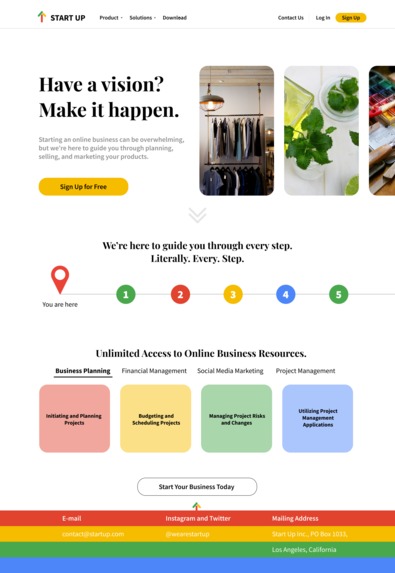
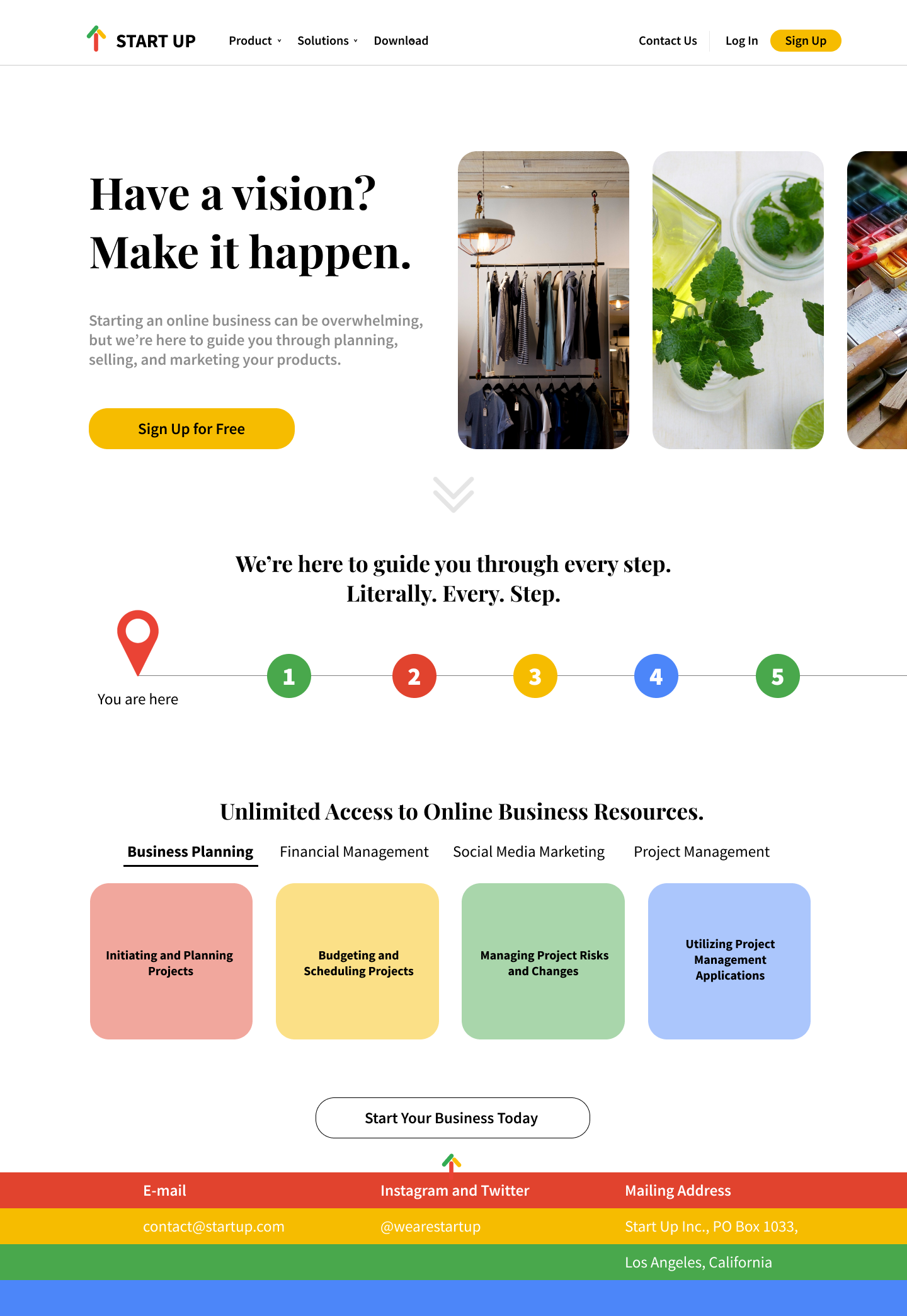
Landing Screen: This is the first screen you'll see upon opening the website. Contains basic and essential information about the platform.
-
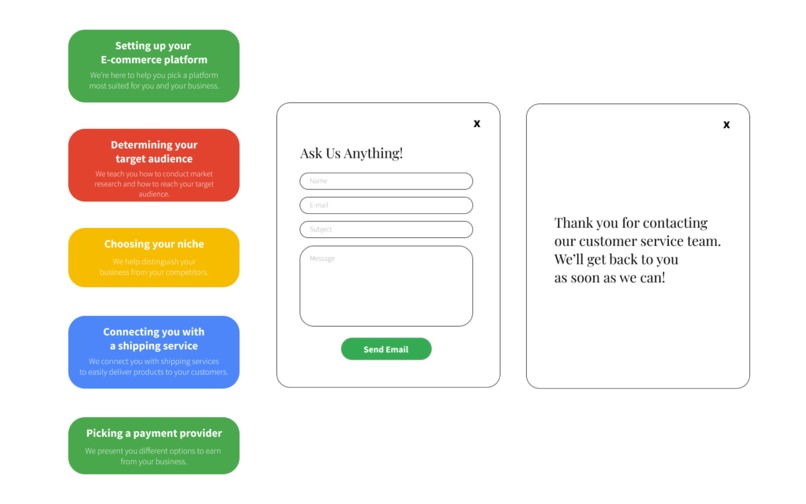
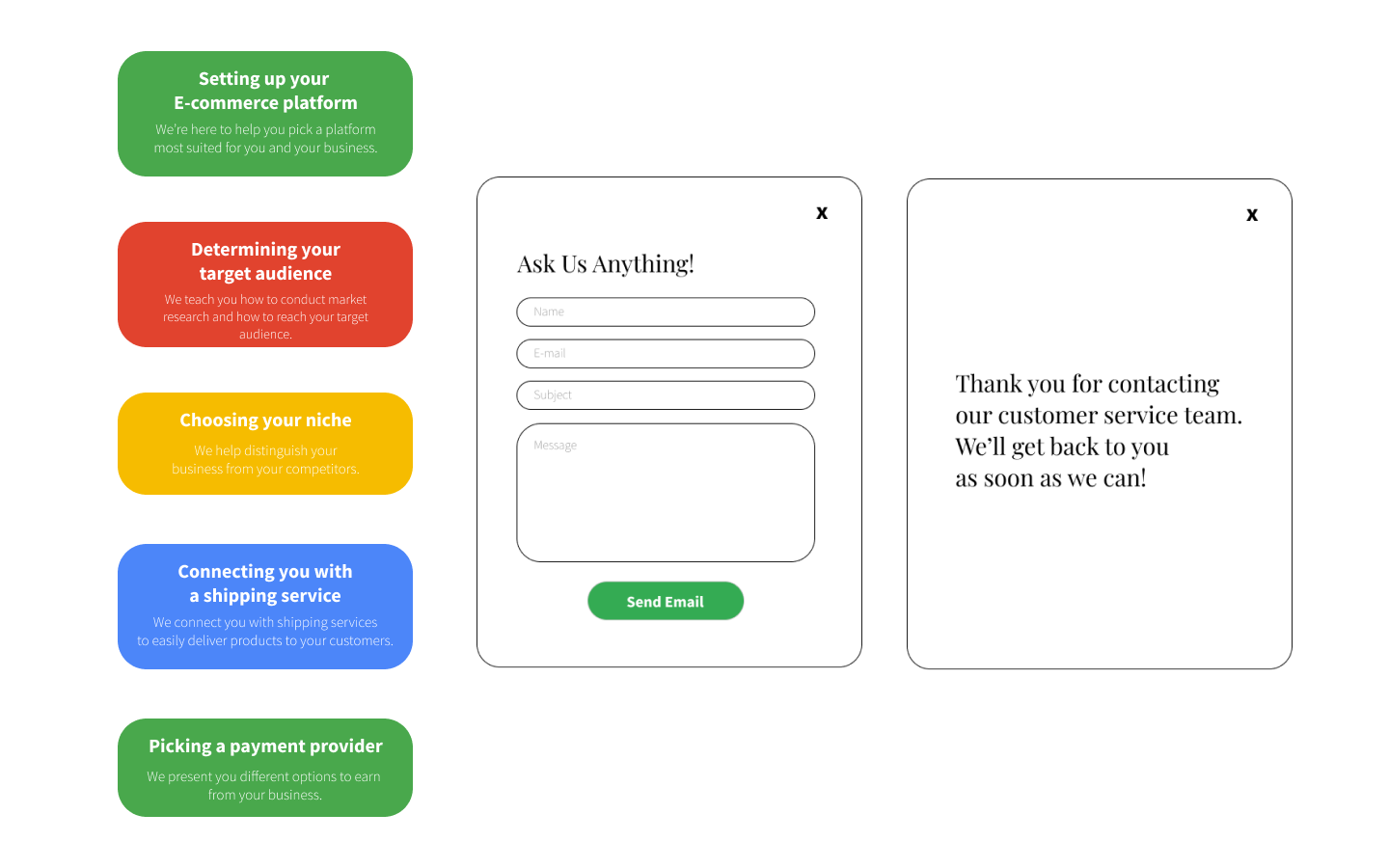
Overlays: One of the main things I learned in this project is using overlays in design. Here are the overlays used on the landing page.
-
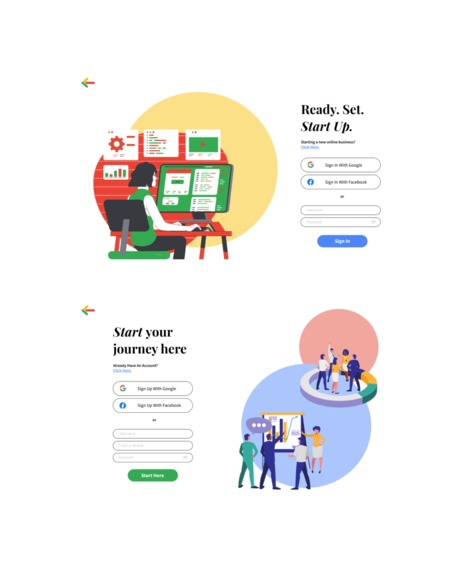
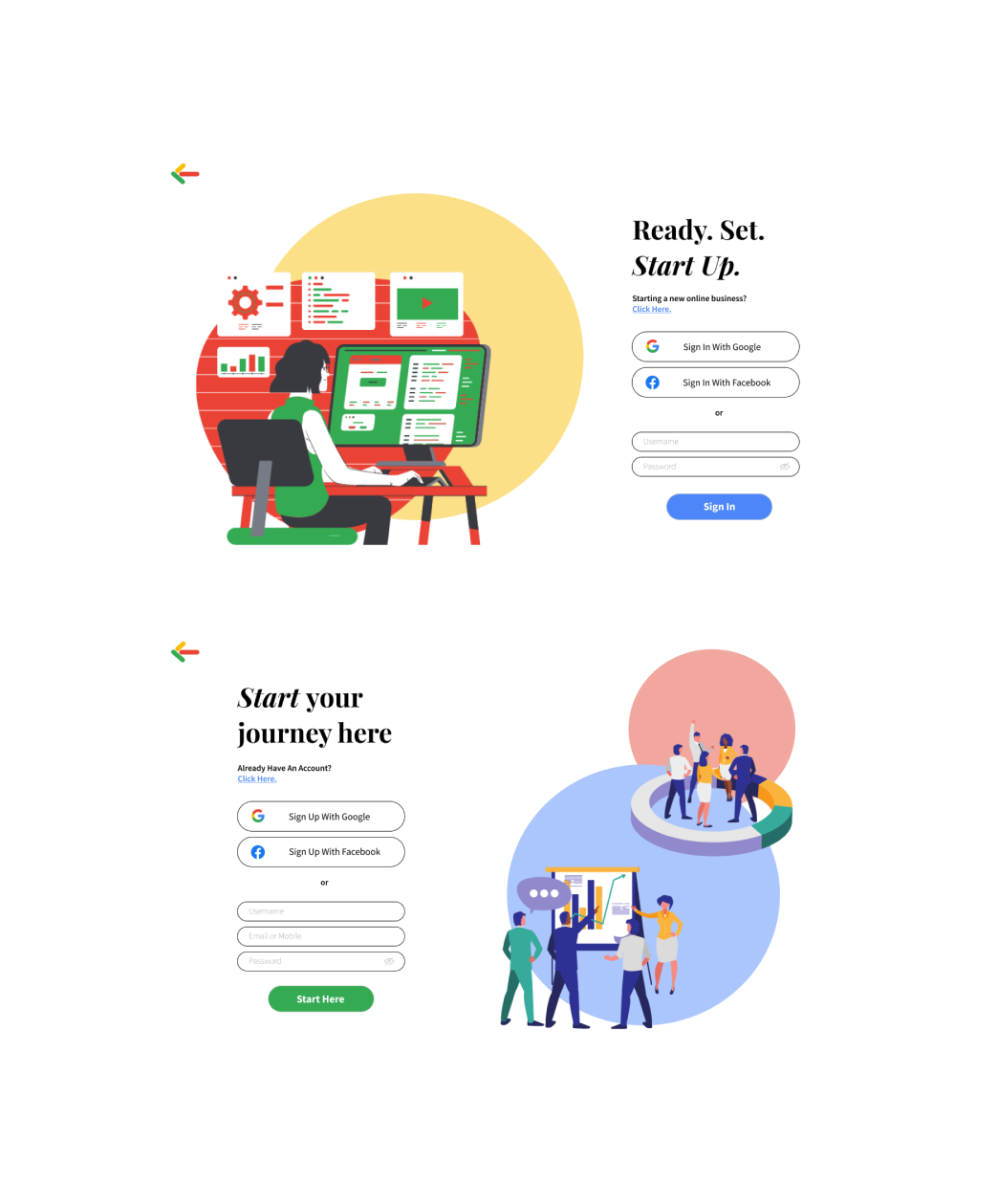
Log In and Sign In Screen: These screens are pretty self-explanatory. I got the graphics from Google and Canva.
-
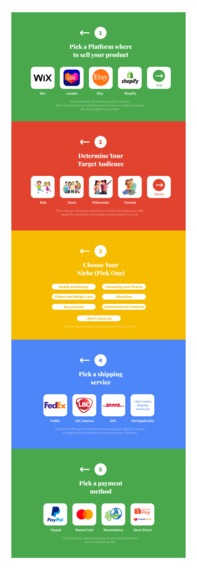
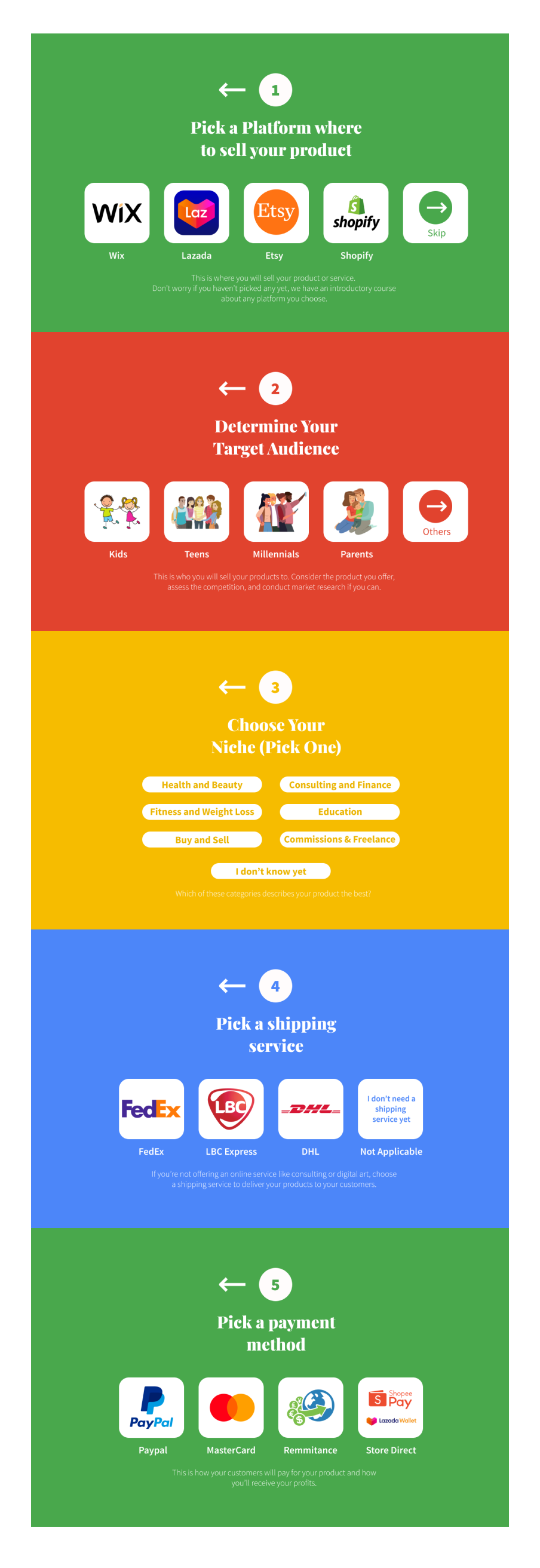
Surveys: This is where you're asked about the basic aspects of your business so you can land to an already personalized dashboard.
-
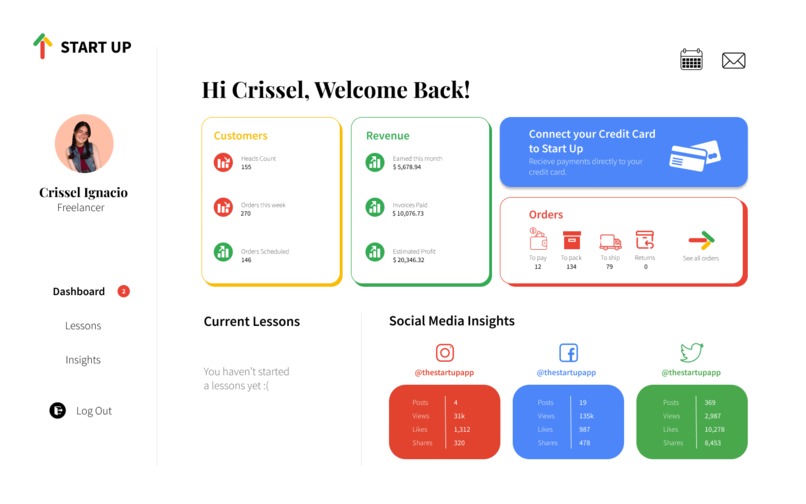
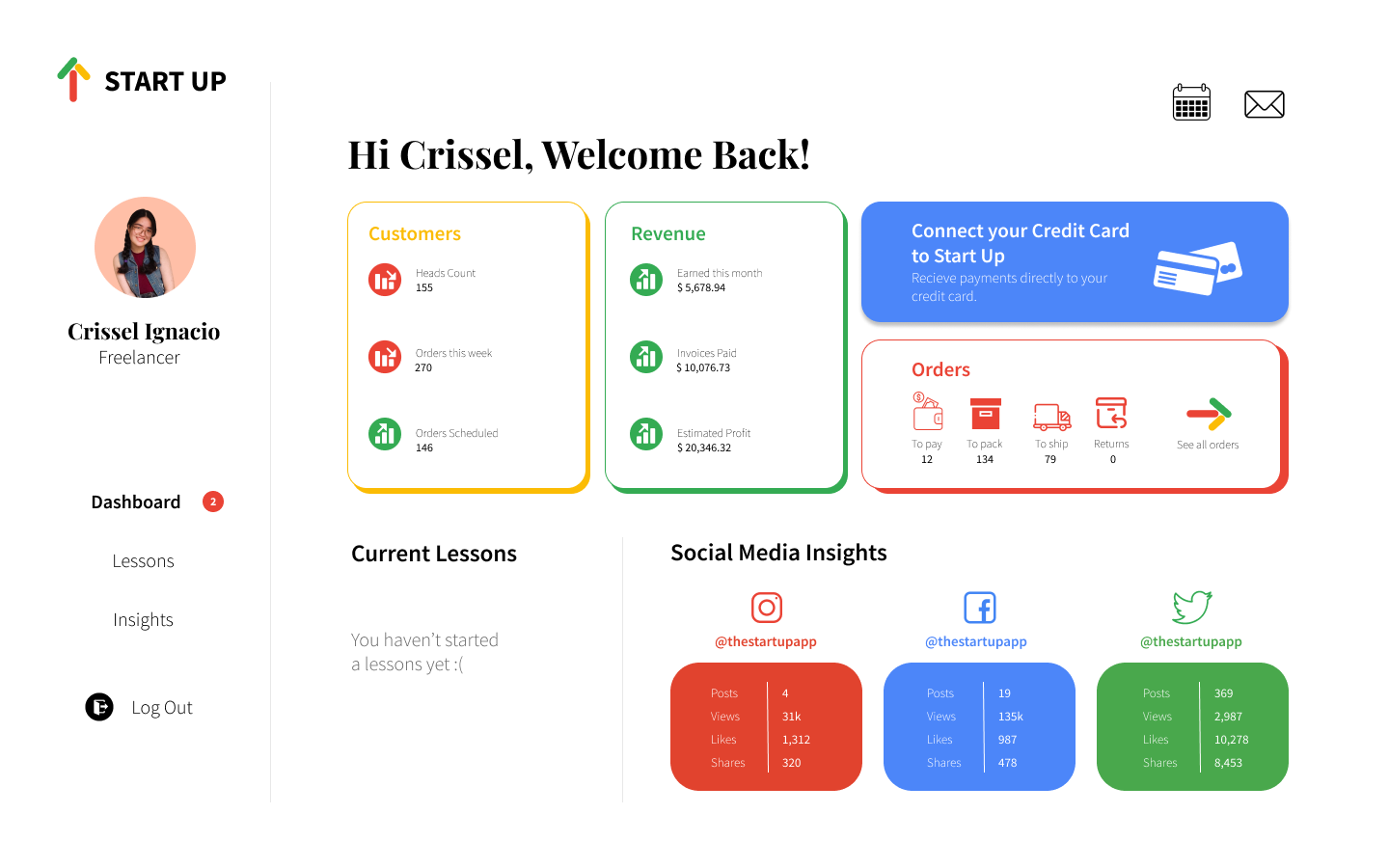
Dashboard: This is the last finished(-ish) screen in this prototype. This is where you can see all your essential business insights.
-
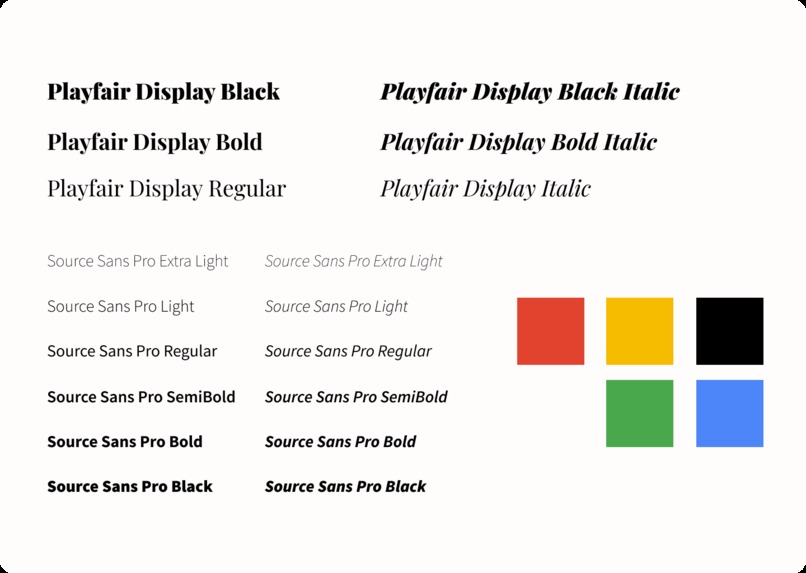
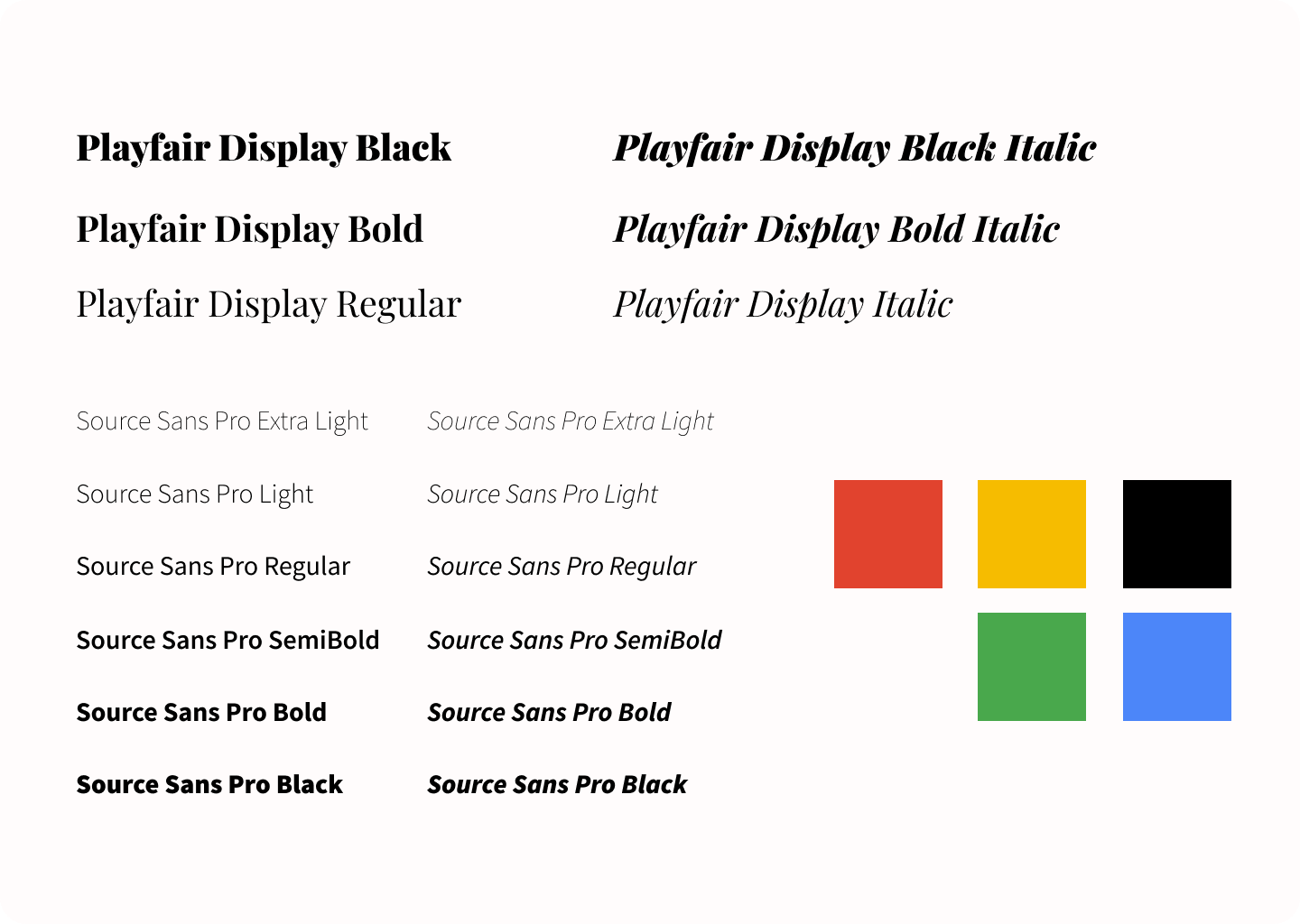
To those interested in the colors and fonts I used. Here's something that resembles a mood board that I used in this project.
What inspired me
Last Friday, my mom and I struggled in setting up a new Facebook page for her business. She was attending a marketing seminar and was told to create a new account on Facebook Business Manager. According to her mentor, the Business Suite doesn’t show ad insights and other things needed to construct a business efficiently. It was very frustrating since she already had a considerable following on her old page.
According to a survey conducted by LinkedIn, 74% of those surveyed indicated that the time spent at home, either during shut-downs or working remotely during the pandemic, had caused them to rethink their current work situation.
My mom worked at her last job long before I was born. Because of the pandemic, she and more than 4 million Filipinos voluntarily quit their jobs for various reasons concerning safety and not finding their office jobs worth their life.
In lieu of finding a new source of income, many resorted to building an online business and are yearning to grow their business into something as, if not more lucrative, than their office jobs. But for people like my mom, it’s hard to build a consumer base, let alone to start an online store, due to technological barriers to e-commerce.
What it does
Start Up aims to abolish as many technological barriers as possible and help those who lost their jobs to the pandemic. This is done by giving self-paced and personalized lessons and guiding aspiring business owners through every step, from planning, creating an online store, marketing, selling, and distributing their products.
Start Up analyzes your insights and recommends lessons, webinars, and tips on how you can improve engagement, sales, and profit.
Unlike the built-in insights in e-commerce stores, Start Up is developed to have a simple user interface to be used by those who aren’t that tech-savvy easily. And unlike boot camps and course websites such as Coursera, instead of just teaching you concepts, Start Up connects and recommends you with partner shipping and e-commerce platforms while guiding you on how to use them.
Less time and money wasted on learning and paying for marketing seminars, which often includes many things you already know, allowing you to work and learn efficiently with more time spent on actually starting your business.
The Process
Ideation
The ideation process included a lot of Googling and watching business advice from productivity and career YouTubers. I read a lot of blogs about starting an e-commerce store. Stalking fairly lucrative and popular Instagram stores in my area also helped a lot, for I learned how they succeeded, which is unsurprisingly a lot of marketing. I also listed out all the things my mom complained about and struggled with regarding her business, like how Zoom Webinars go on for too long without any valuable information, and how confusing Canva and Facebook is. All of these research and experiences inspired Start Up.
Prototyping
Prototyping is the most straightforward yet most intimidating part of this whole experience. This is my second time prototyping on Figma, and there’s still so much I don’t know. Most of my ideas came out before I slept last night, so I made very low-fidelity mock-ups on a notebook and accomplished as much as I could during the rest of the hackathon. The prototype is linked in this submission, and I hope you enjoy using it as much as I did while creating it.
Challenges I ran into
I underestimated how many overlays and screens I needed for this website and overestimated my time to ideate, prototype, and present this project. It didn’t help that I did this independently, but the time zones were against my favor during this hackathon. Still, I pushed through, and here we are.
Accomplishments I'm proud of
I’m very proud of the UI design on the landing page looks and the scrolls and overlays, which made the prototype a little interactive instead of just clickable buttons. I am also proud of how I produced a usable prototype in less than 48 hours and having the courage to go through with this idea instead of just repurposing a school project or another idea.
What I learned
Research and Ideation
I learned the importance of having a mood board when designing anything and having a solid time management system. I also learned a lot about business and starting an online business through my research for this project; I may even be inspired to create my own. Lastly, I learned to value my experiences and everyday interactions because everyday experiences inspire the best ideas.
Technical Skills
This is my second time prototyping using Figma, and this project allowed me to experiment with scrolls, overlays, and different interactions to make your prototype more accessible and engaging. This project also encouraged me to brush up on my research skills which I took for granted during my sophomore year of high school.
What's next for Start Up
Start Up requires partnerships with shipping services, e-commerce platforms, and learning platforms such as Coursera, EdX, or Khan Academy. If given a chance and resources to bring this idea to life, I’d like to finish the UI/UX design, propose further education and business platforms, and work with other developers to code and design an efficient and usable version of Start Up.
Built With
- canva
- figma

Log in or sign up for Devpost to join the conversation.