-
-
Screenshot
-
Screenshot
-
Pitch Deck 1
-
Pitch Deck 4
-
Pitch Deck 7
-
Pitch Deck 2
-
Pitch Deck 3
-
Pitch Deck 8
-
Pitch Deck 6
-
Pitch Deck 10
-
Pitch Deck 5
-
Pitch Deck 9
-
Pitch Deck 11

STARS Aligned
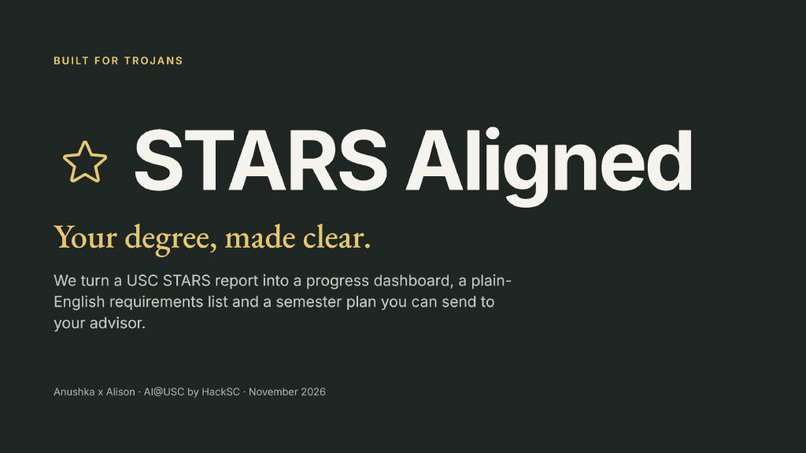
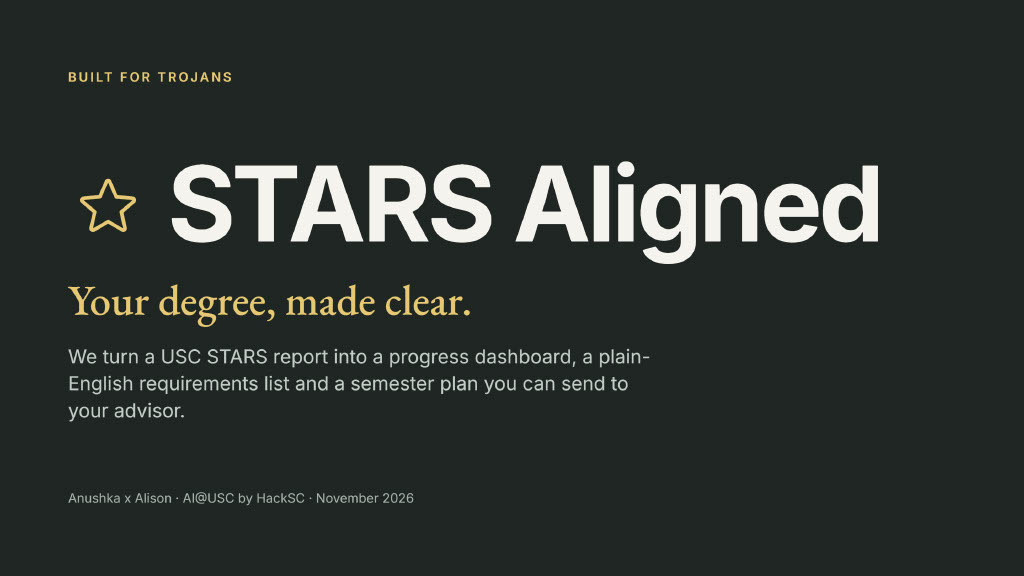
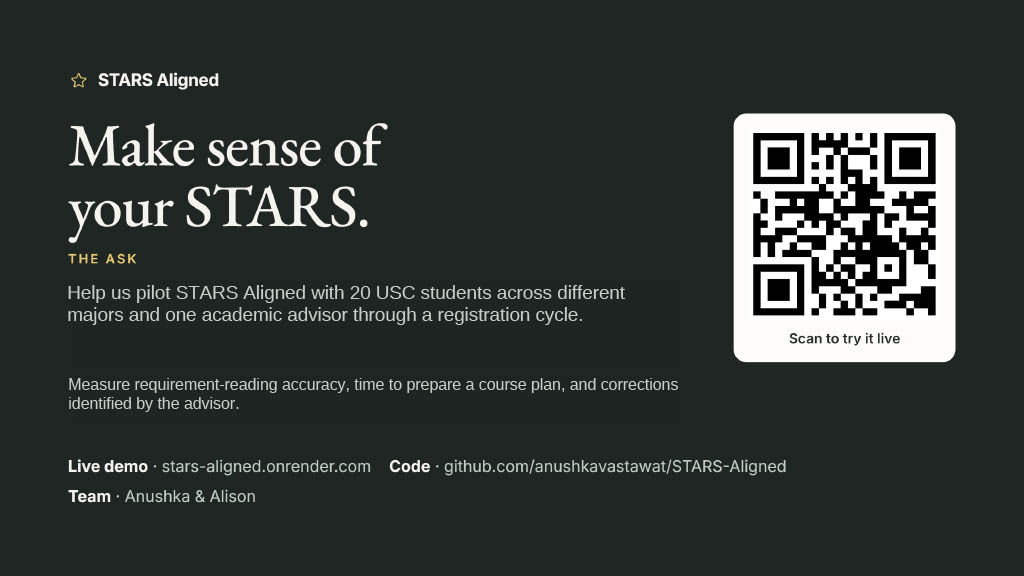
Your degree, made clear. STARS Aligned turns a USC STARS degree audit into a progress dashboard, a plain-English requirements list, and a semester plan you can send to your advisor.
- Live demo: https://stars-aligned.onrender.com (Demo code: 1234)
- Code: https://github.com/anushkavastawat/STARS-Aligned
- Team: Anushka & Alison · AI@USC by HackSC
The problem
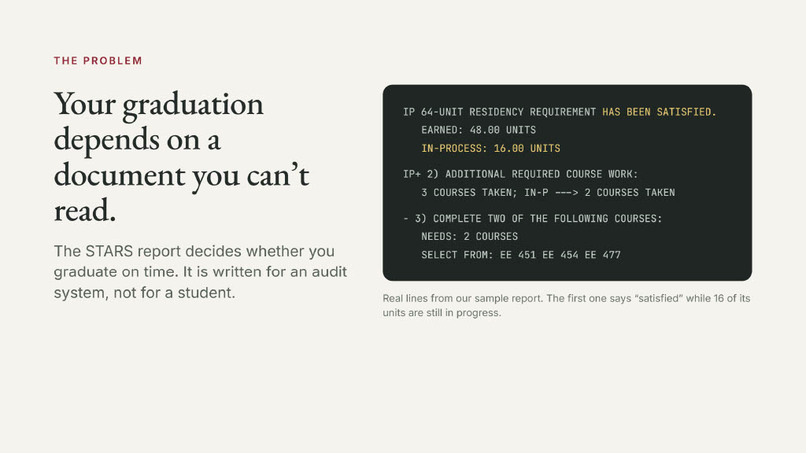
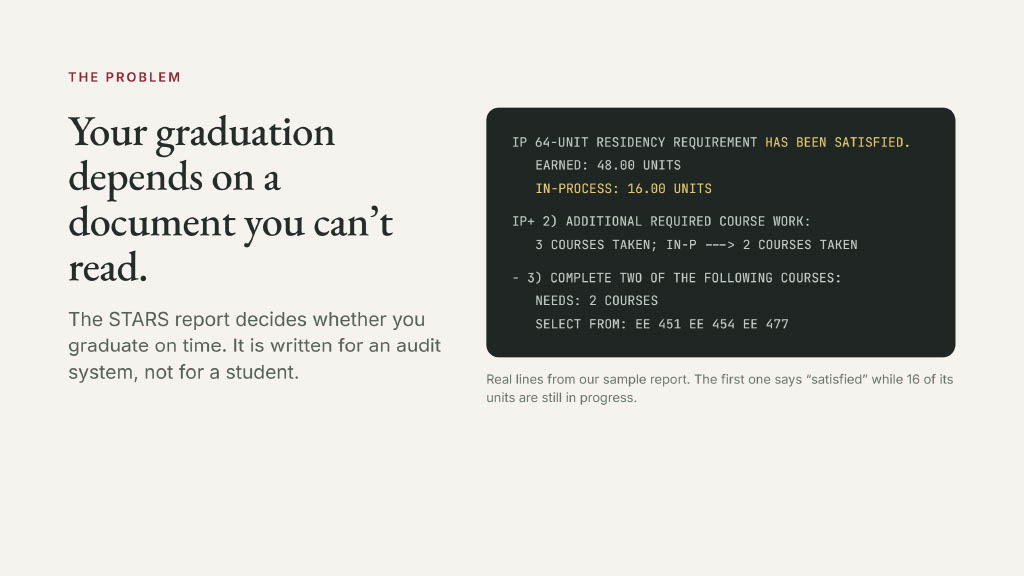
Every USC undergraduate's path to graduation is recorded in one document: the STARS report. It is also one of the hardest documents a student will ever have to read. It is pages of fixed-width text full of audit markers such as IP+, IP-, RG >IP and NEEDS: 1 COURSE SELECT FROM:.
- A heading can say a requirement "HAS BEEN SATISFIED" while its marker says it is still in progress.
- The same course appears in several sections.
- Units earned and units applied to requirements are different numbers, and nothing explains why.
So students either guess, or wait for an advising appointment and spend it decoding the report instead of making decisions. Both are expensive:
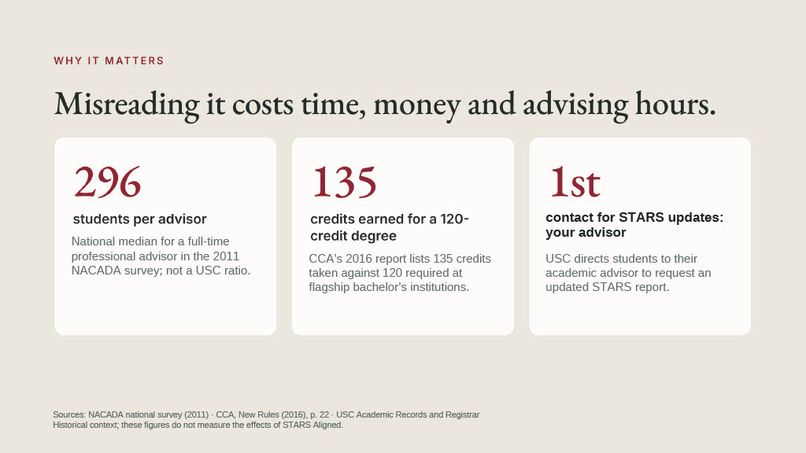
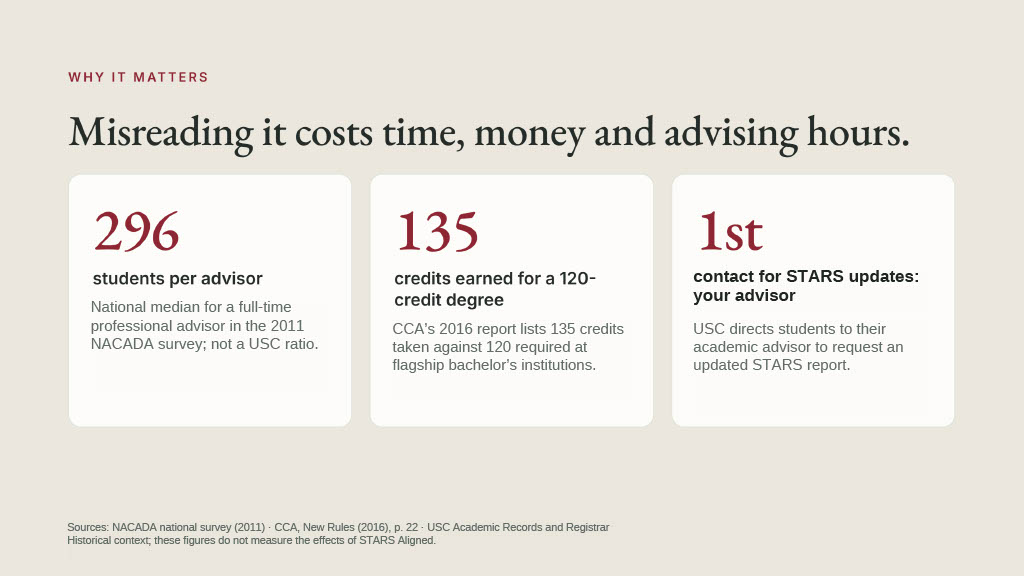
- Advisors are stretched. The median caseload for a full-time academic advisor is about $296$ students (NACADA national survey).
- Misreading costs real money. Nationally, bachelor's graduates finish with about $135$ credits for a degree that needs $120$ (Complete College America). That surplus is
$$\Delta U = 135 - 120 = 15 \text{ credits},$$
roughly one extra semester of tuition and time.
- The stakes peak when time is shortest. Registration windows are brief, and a requirement missed until senior year can move a graduation date.
The information students need already exists. It is written for an audit system, not for a person.
Our solution
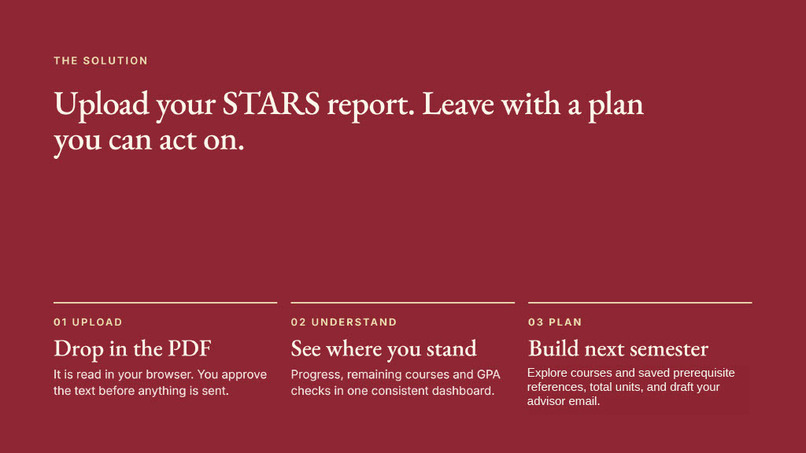
STARS Aligned reads the report for you and gives it back in a form you can act on, in three steps.
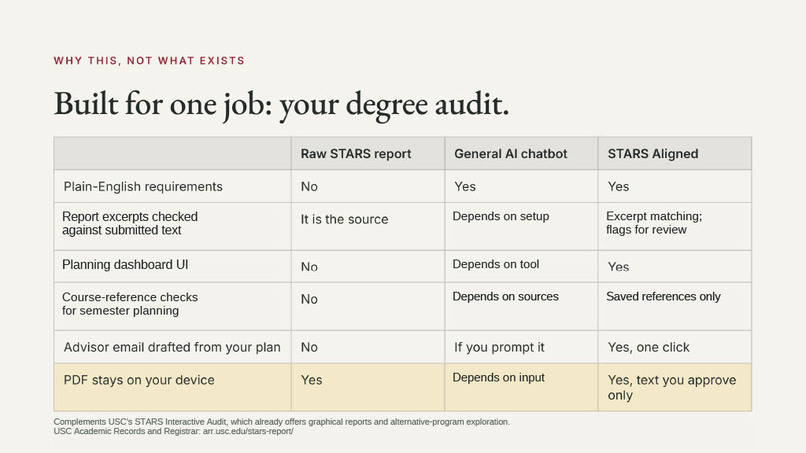
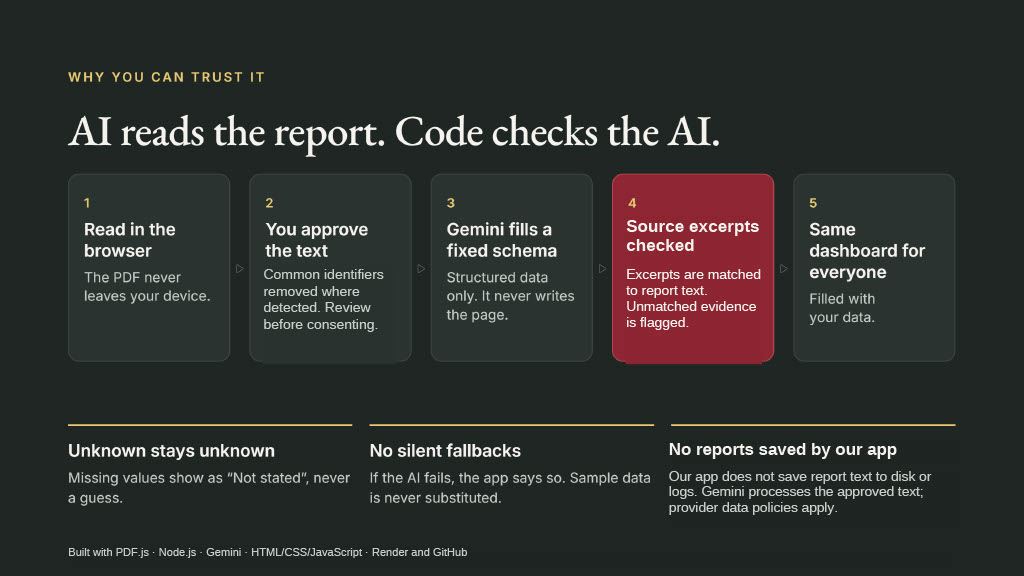
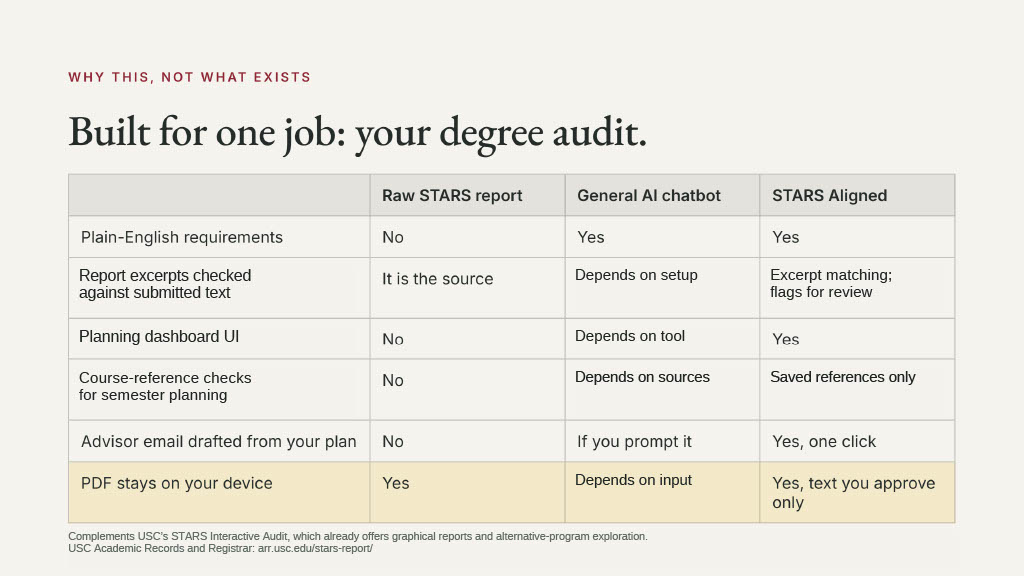
- Upload. Choose your STARS PDF. It is read inside your browser, common identifiers (name, student ID, address, email) are stripped, and you see exactly what text will be sent before anything leaves your device. Nothing is decoded until you tick the consent box.
- Understand. AI interprets the reviewed text into one consistent dashboard:
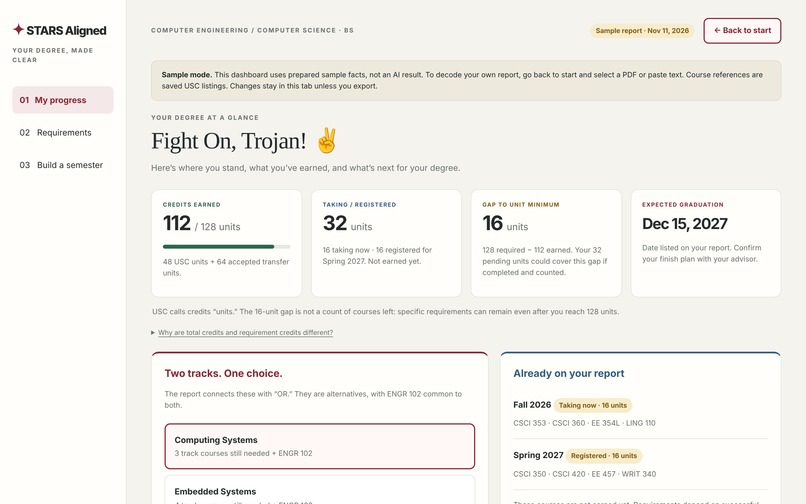
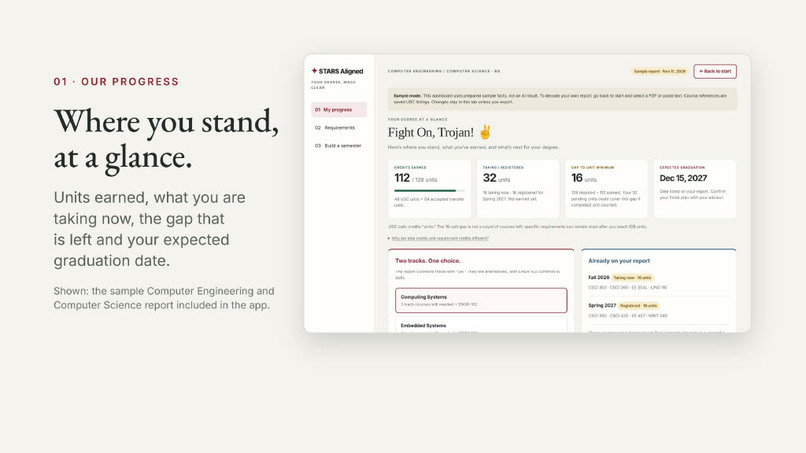
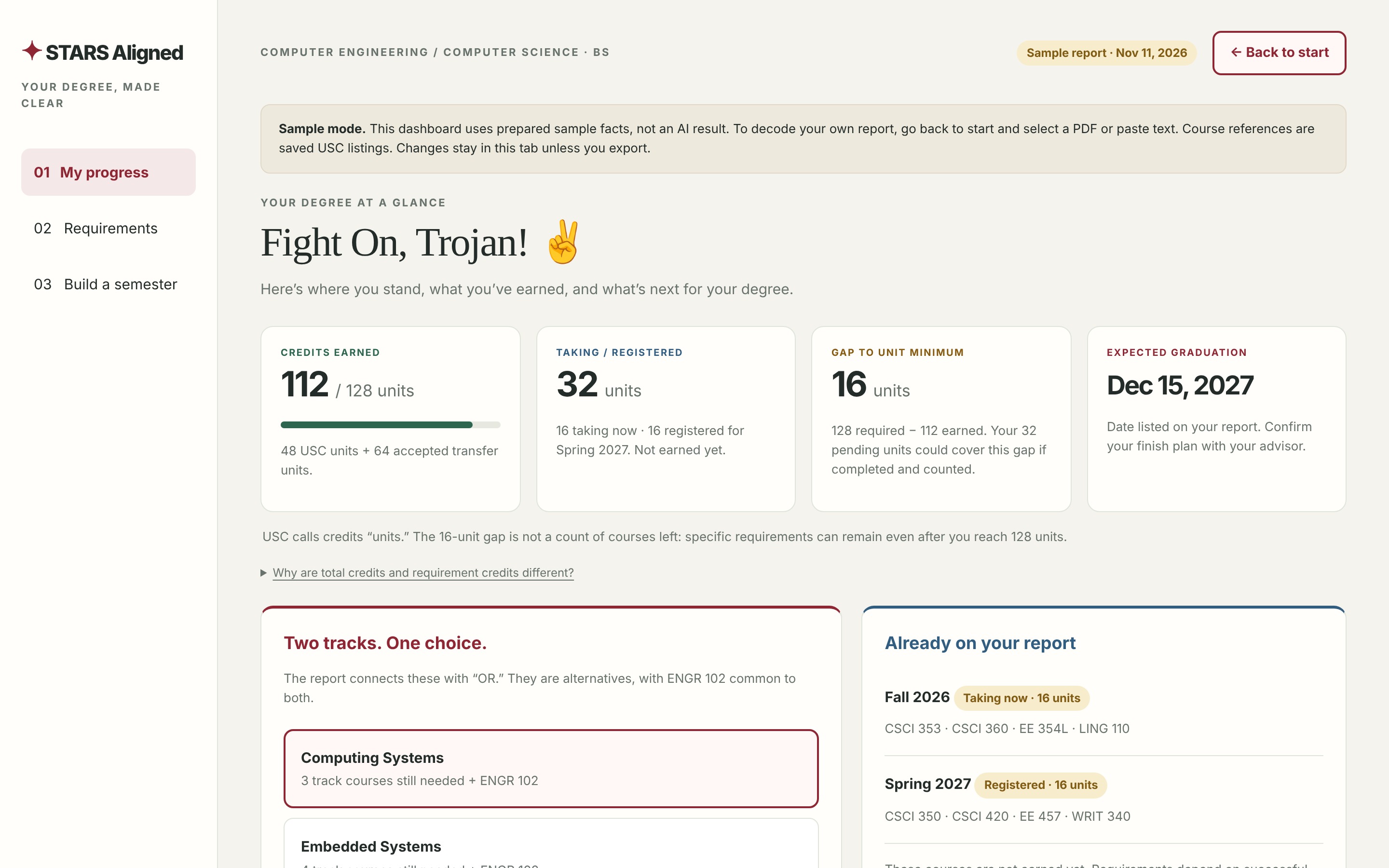
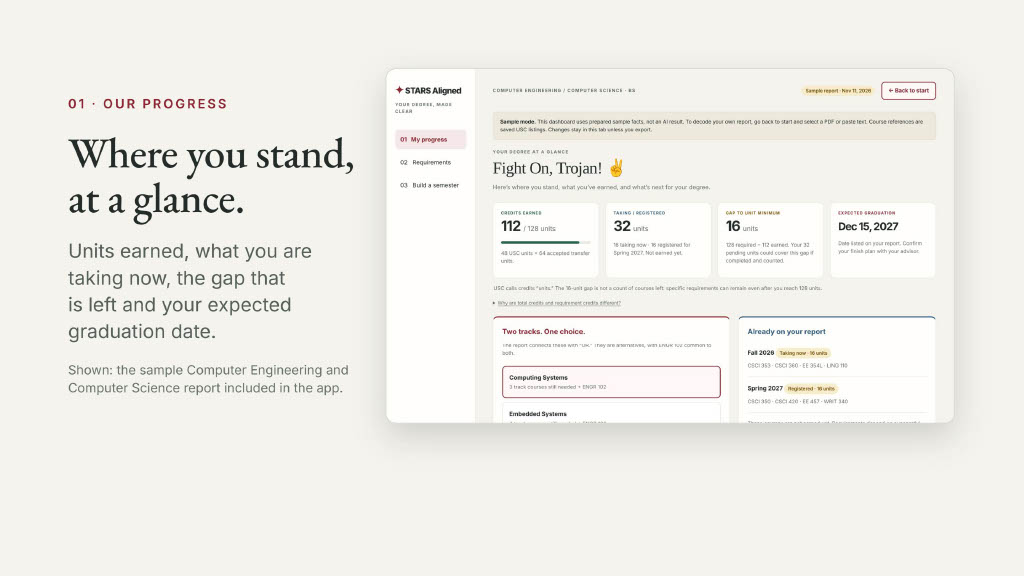
- My progress — units earned against the minimum, what you are taking now, the gap that is left, and your expected graduation date.
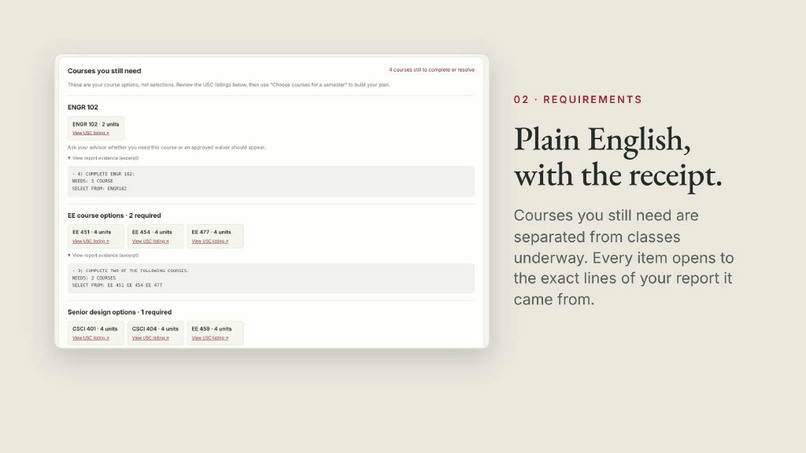
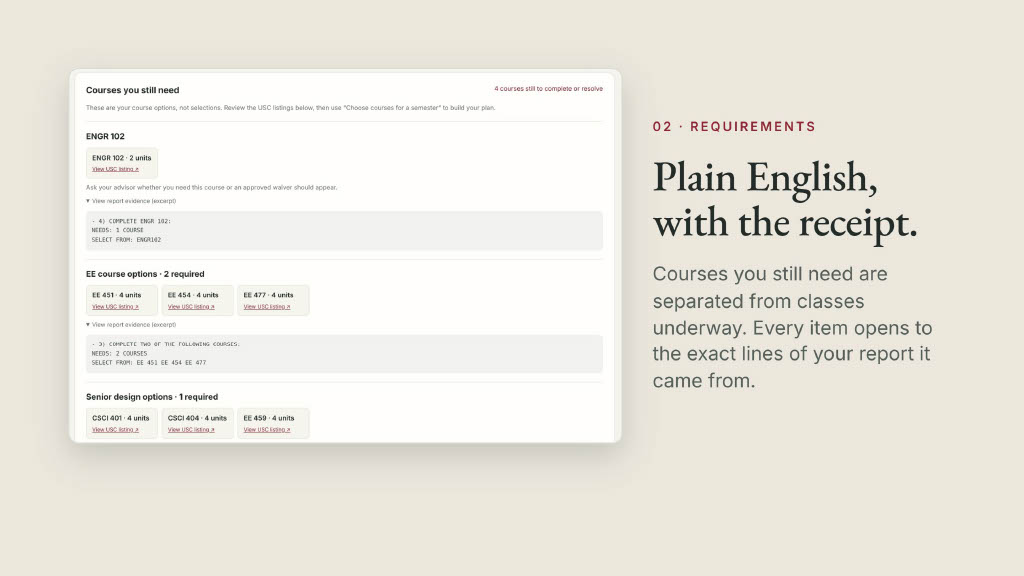
- Requirements — what you still need, shown separately from classes already underway, with GPA checks and unit totals. Track alternatives appear as a choice, not a pile.
- Evidence on every line — each requirement opens to the exact excerpt of your report it came from.
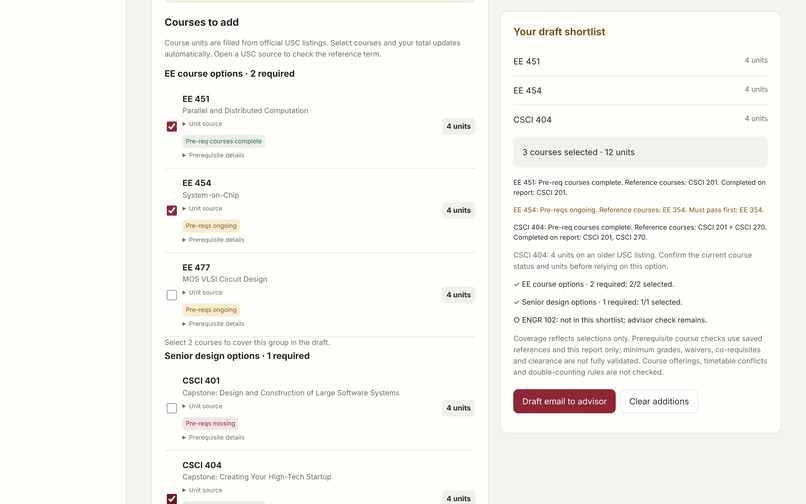
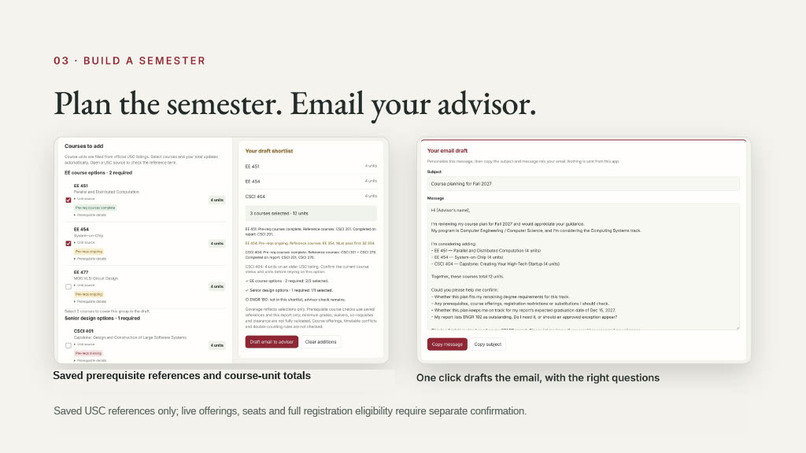
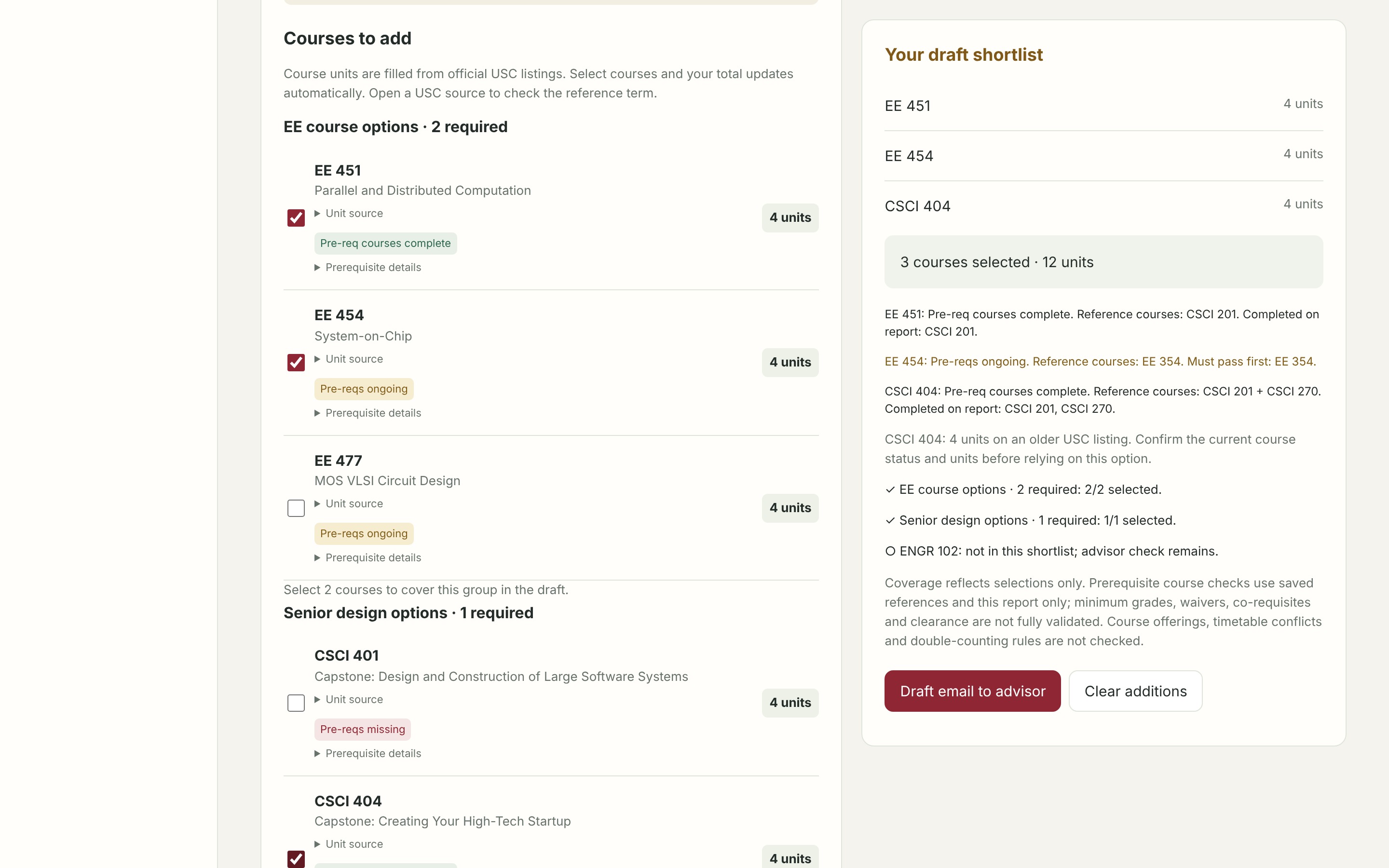
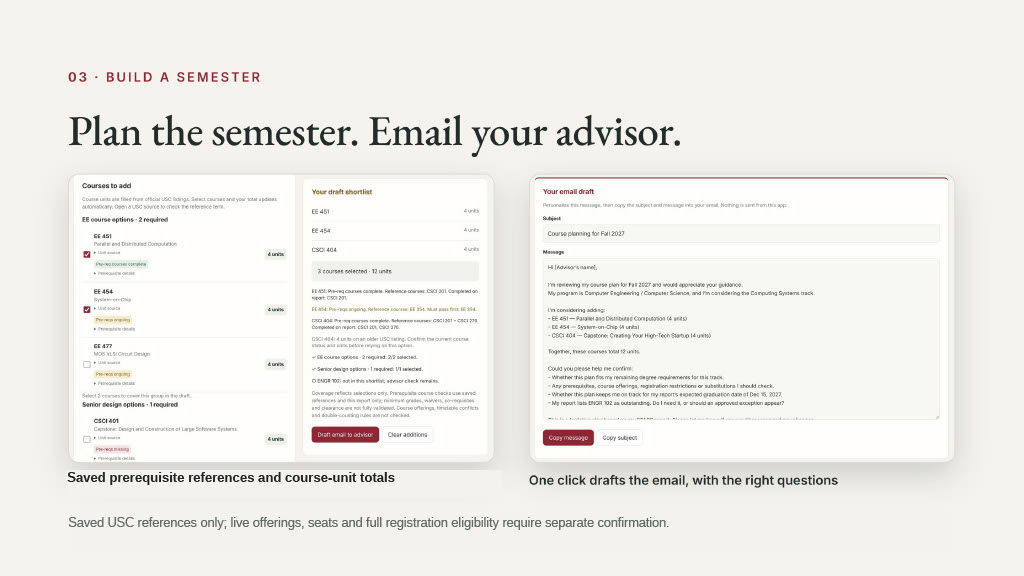
- Plan. Build a tentative semester from courses that satisfy your remaining requirements, watch prerequisite status and unit totals update, then click Draft email to advisor for a ready-to-send message with your plan and the questions to confirm.
A student arrives at advising with a plan to discuss instead of a report to translate. STARS Aligned is a companion to advising, not a replacement for it or for the official audit.
How we use AI (and keep it honest)
A degree audit is the wrong place for a confident guess, so the AI's job is narrow and every answer is checked.
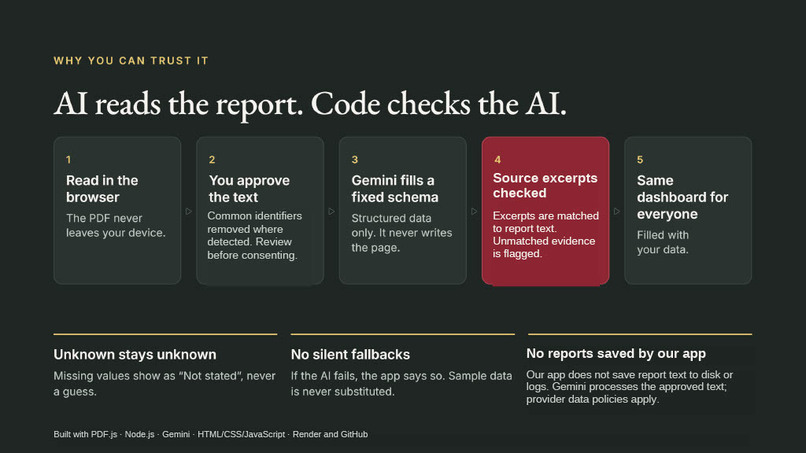
- Fixed schema, not free text. The model fills a strict JSON schema (program, units, tracks, courses, requirements, watch-outs). It never generates the page; every student gets the same dashboard filled with their own data.
- Every fact needs a quote. Each course, requirement and unit summary must carry an exact excerpt. The server checks that the excerpt appears in the text the student approved. Writing $q_f$ for the quote attached to fact $f$ and $T$ for the approved text:
$$\text{verified}(f) \iff q_f \subseteq T.$$
Anything that fails is flagged instead of shown as fact.
- Deterministic rules overrule the model. Audit markers in verified excerpts (
OK,IP+,IP-,NO) decide a requirement's status:
$$\text{status}(r) = \begin{cases} \text{complete} & \text{marker} \in {\texttt{OK}} \ \text{ongoing} & \text{marker} \in {\texttt{IP}, \texttt{IP+}} \ \text{needed} & \text{marker} \in {\texttt{NO}, \texttt{IP-}} \end{cases}$$
- Unknown stays unknown. Missing values come back as
nulland display as "Not stated". Invalid term codes are dropped with a warning. - No silent fallbacks. If the AI provider fails, the app says so. It never substitutes sample data for a real result.
- The report is untrusted input. The model is told to treat every line as data, never as instructions.
Tech stack
| Layer | What we used |
|---|---|
| Frontend | HTML, CSS and browser JavaScript (ES modules), no framework |
| PDF reading | PDF.js 6.5, running in the browser so the original PDF never leaves the device |
| Backend | Node.js HTTP server, no web framework and no database |
| AI | Google Gemini (gemini-3.5-flash-lite) with native structured JSON output; optional OpenAI backend behind the same interface |
| Validation | Our own schema validator, source-evidence matching, marker and GPA checks |
| Reference data | Saved USC Schedule of Classes listings for course units and prerequisite lists |
| Safeguards | Demo access code, same-origin check, request size limits, rate limiting, concurrency cap, no report content written to disk or logs |
| Testing | Node's built-in test runner, 29 tests covering the decoder and the UI contract |
| Hosting | Render (Node web service) |
The server is intentionally small and bounded. A request body is capped at $600$ KB and report text at $10^5$ characters, at most $2$ decodes run at once, and each visitor is limited to
$$N_{\text{requests}} \le 20 \text{ per hour.}$$
Challenges we faced
- The report contradicts itself on purpose. A heading can read "REQUIREMENT HAS BEEN SATISFIED" while its
IPmarker means it depends on courses still in progress. We had to learn the audit's real grammar and encode it as rules instead of trusting the wording or the model. - Stopping the AI from inventing things. Early outputs filled gaps with plausible courses and units. Requiring an exact source quote for every fact, and verifying it in code, is what made the results trustworthy.
- Units that do not add up. Earned units, units applied to requirements and in-progress units are three different measures, and repeated listings make double counting easy. We deduplicate by course and term and explain the difference on the dashboard.
- Tracks are alternatives. Our sample program offers two tracks joined by "OR". Treating them as one list overstated what was left, so tracks became a first-class choice across the dashboard and planner.
- Privacy with student records. We moved PDF reading into the browser, added identifier cleanup and a mandatory review-and-consent step, and kept the server stateless.
- Shipping on free tiers. Rate limits, timeouts and sleeping servers meant building clear error states and a prepared sample walkthrough so the demo always works.
What's next
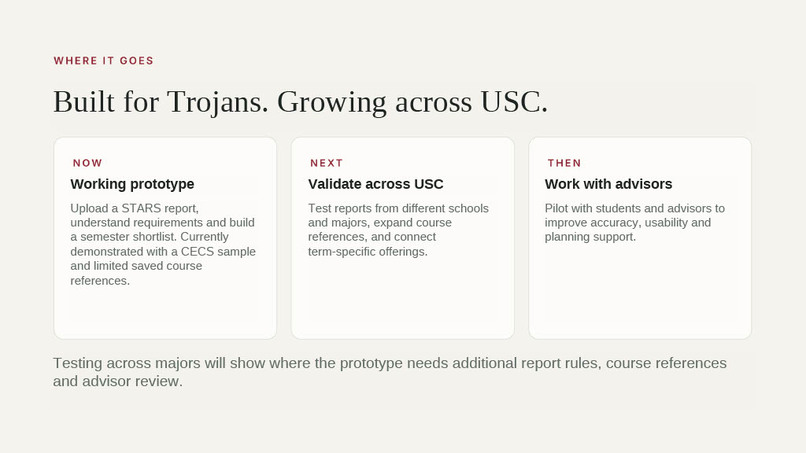
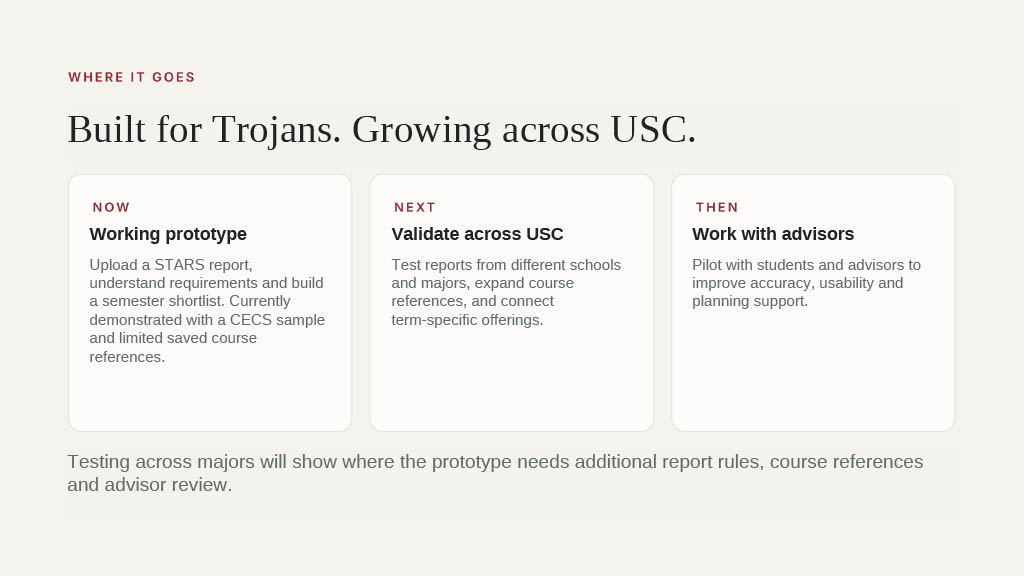
- More programs. Extend the saved course and prerequisite references beyond the Computer Engineering and Computer Science sample to every Viterbi major, then across USC.
- Live course data. Connect to the Schedule of Classes for term offerings, section times and seats, so a plan is checked against what is actually being taught.
- Multi-semester roadmap. Plan every term through graduation with prerequisite ordering, not just the next one.
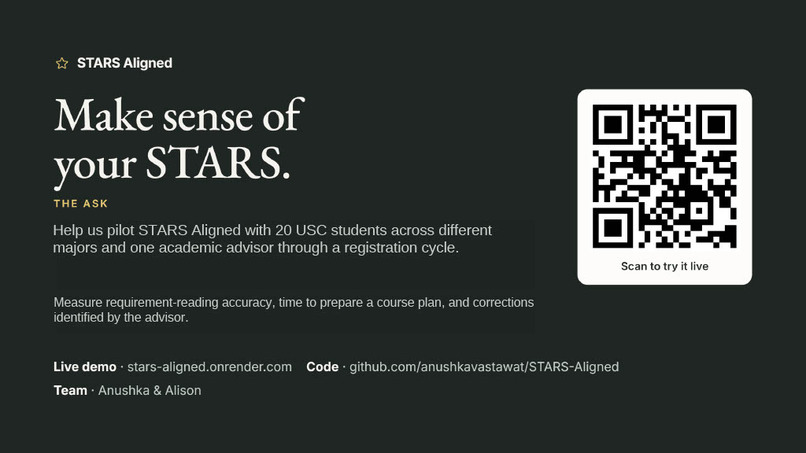
- Accuracy evaluation with advisors. Measure decoding accuracy on consented, anonymized reports and review results with USC advisors before any wider rollout. Our pilot goal: one semester, $20$ Viterbi students and one advisor.
- Advisor view. A shared summary so the advisor sees the same dashboard and the student's questions before the meeting.
- Scanned PDFs and saved plans. Add OCR for image-only reports and optional accounts with private storage.
- Beyond USC. Most universities issue the same style of degree audit. The schema-plus-evidence approach carries over to any of them.
Sources
- NACADA, 2011 National Survey of Academic Advising, median advisor caseload: https://nacada.ksu.edu/Resources/Clearinghouse/FAQ.aspx
- Complete College America figures on credits at graduation, as reported by The Hechinger Report: https://hechingerreport.org/six-reasons-may-not-graduate-time/
- USC Academic Records and Registrar, STARS Report: https://arr.usc.edu/stars-report/
STARS Aligned is an independent student project. It is not an official USC service or degree audit.
