Inspiration
Every visa application, rental application, or insurance claim ends the same way: you sit with a pile of PDFs, hunting for the four pages of a bank statement that actually prove your salary, extracting them, merging everything in the right order, naming the file properly.
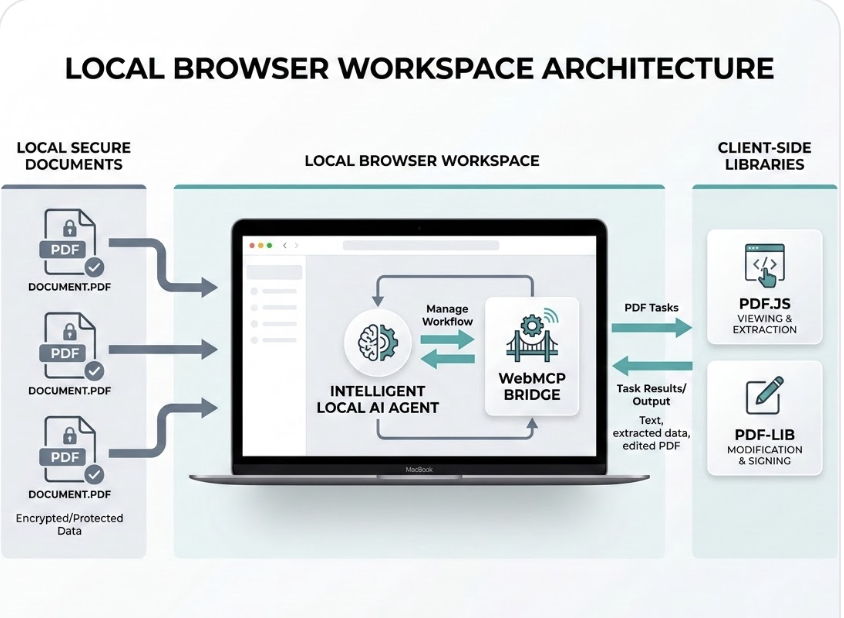
Today you have two options — upload sensitive documents like your passport and bank statement to a cloud AI, or do every click yourself in a dumb local PDF tool. WebMCP dissolves that trade-off, and Stapler is built on exactly that: document prep is a workflow problem, and workflows are what agents chaining structured tools are good at.
What it does
Stapler is a local document workspace whose tools an AI agent can operate. You say what you need:
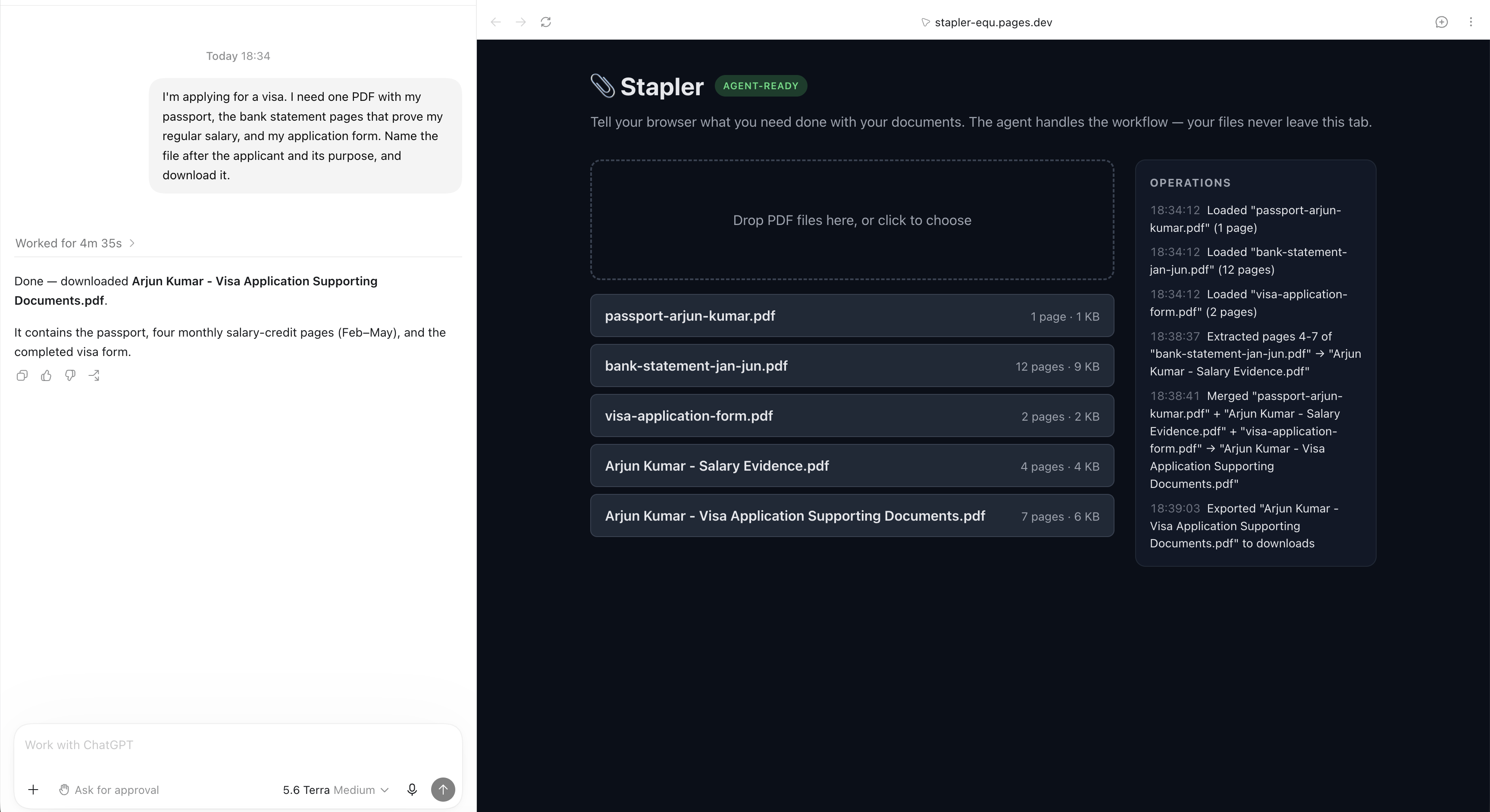
"I'm applying for a visa. I need one PDF with my passport, the bank statement pages that prove my regular salary, and my application form. Name the file after the applicant and its purpose, and download it."
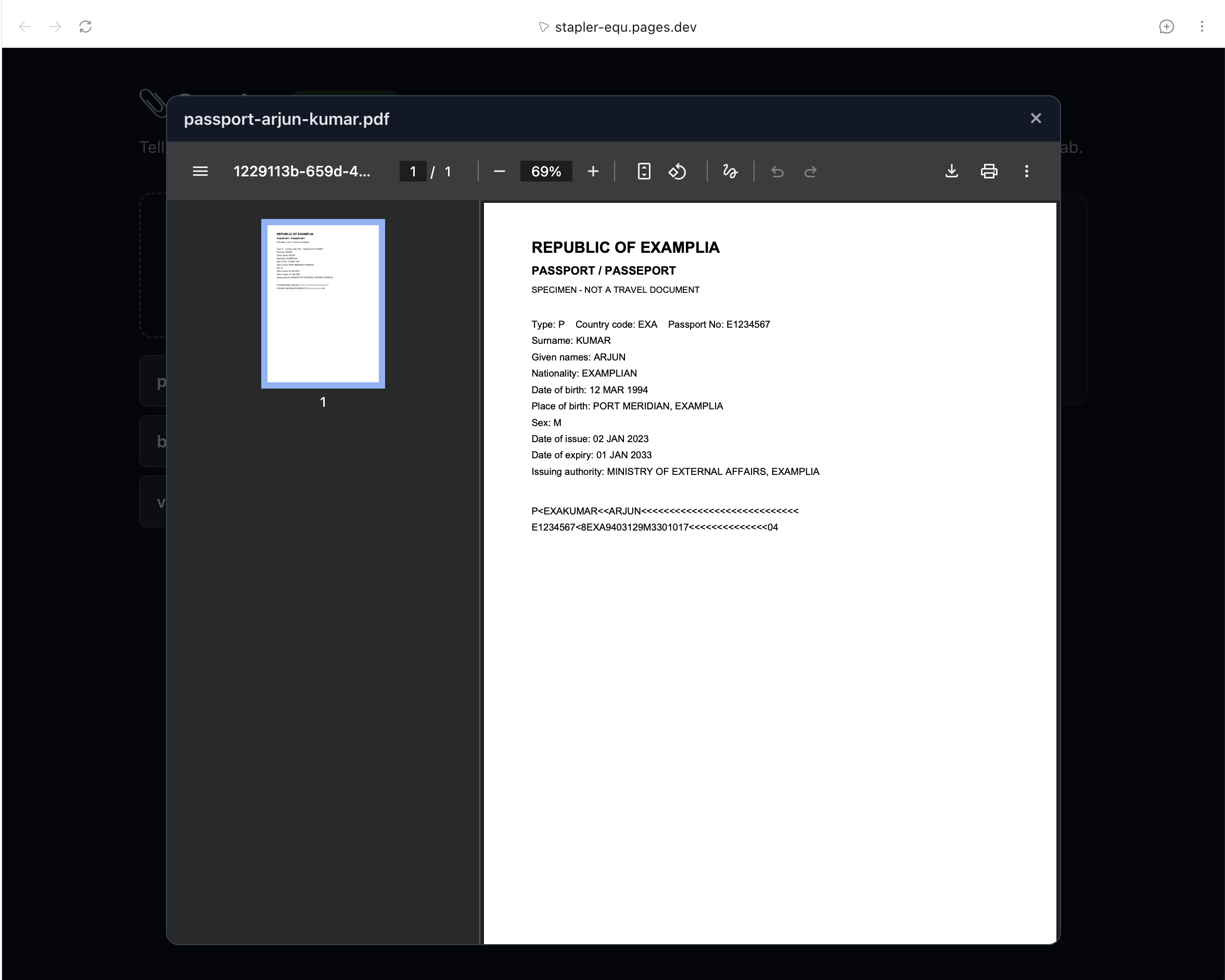
The agent lists the documents, reads a 12-page bank statement page by page, finds the salary pages (4–7) on its own — it even reads the visa form's supporting-documents checklist first — extracts them, merges passport + salary pages + form, and downloads a packet named after the applicant, whose name it read off the passport. You never typed a page number or a name. And because every operation executes client-side, no document ever leaves the browser tab — there is no backend to upload to; the privacy isn't a policy promise, it's the architecture.
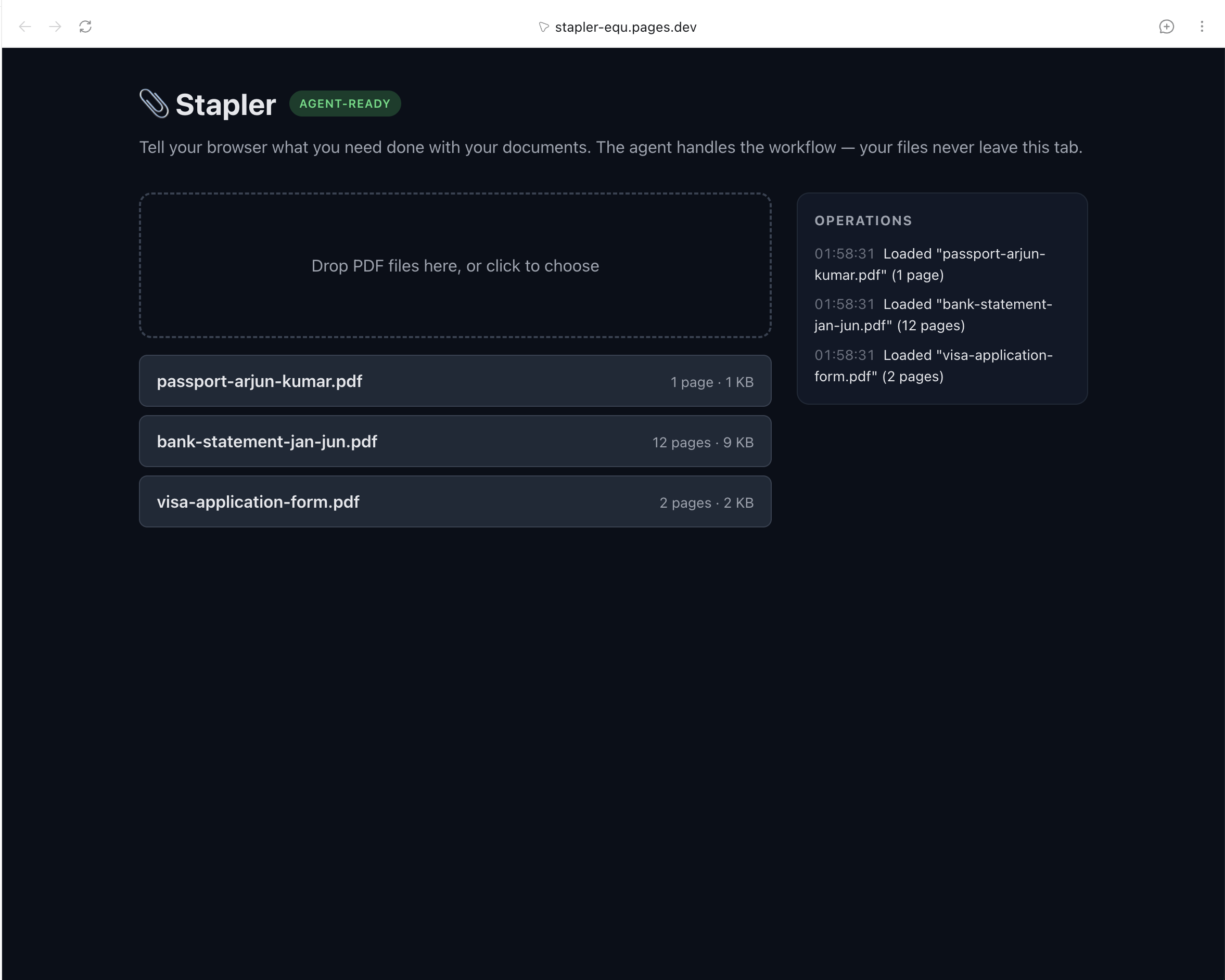
This is a person and an agent doing something together that was impossible before: previously an agent could either talk about your documents (after you uploaded them to a server) or click through a UI blindly. Now it invokes structured, deterministic operations inside your own tab, on files that never leave your device — while you supervise through a live Operations log, click any document to preview it, and undo anything the agent got wrong.
Try it yourself
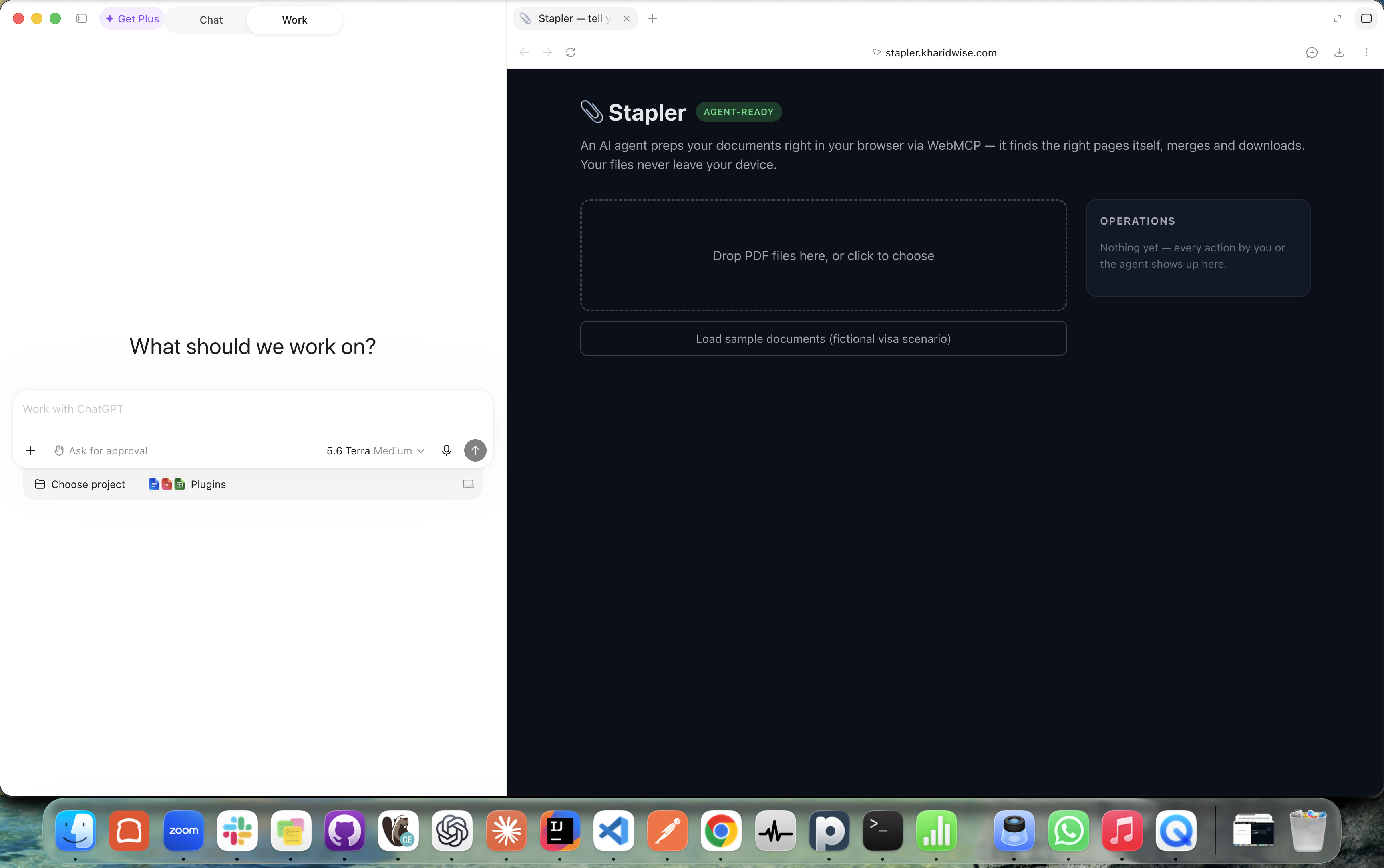
- Open https://stapler-equ.pages.dev in the ChatGPT desktop app's browser (Cmd+Shift+B; accept "Continue in Work" if offered) — or in Chrome with Google's Model Context Tool Inspector extension.
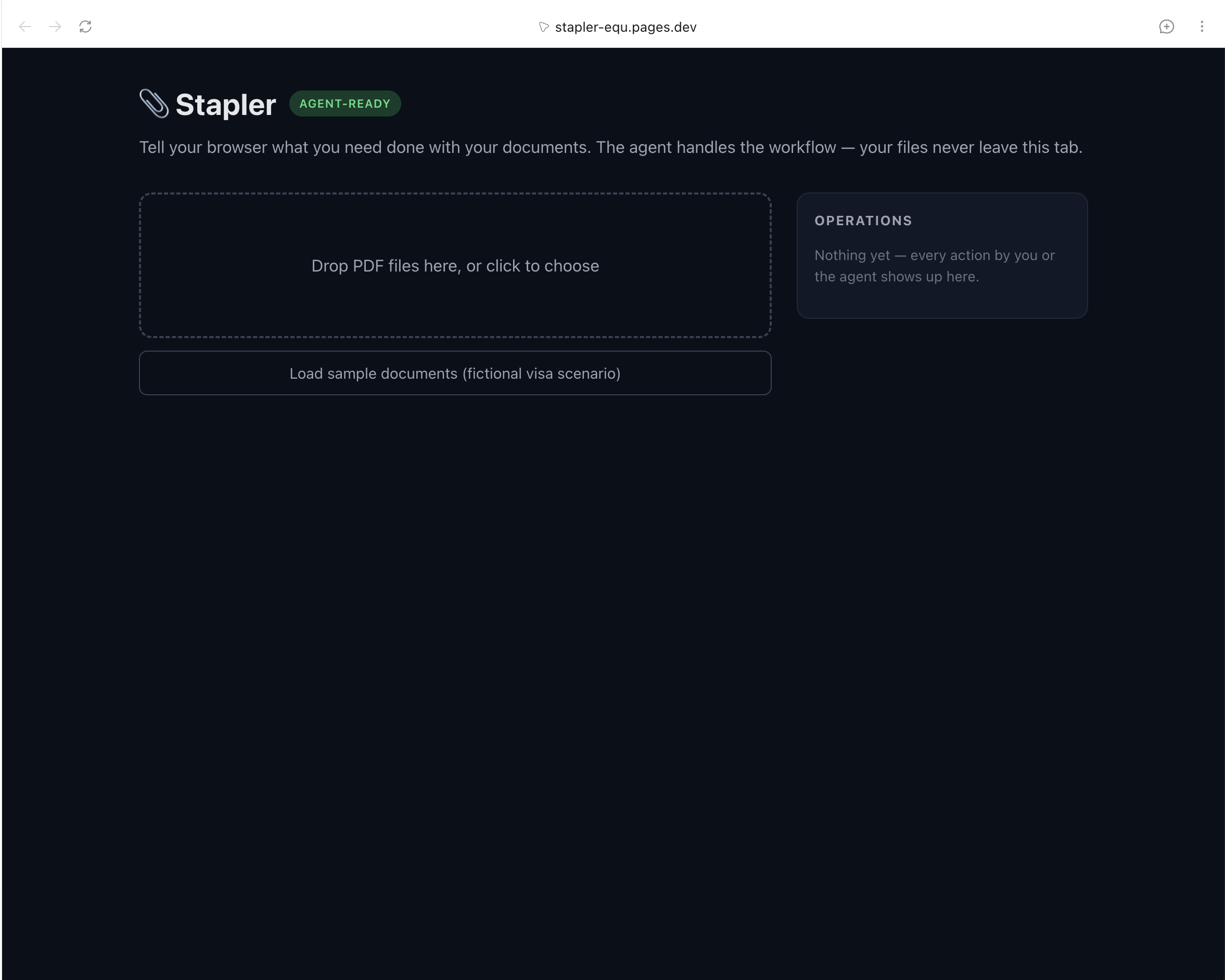
- Click Load sample documents (fictional data, generated in-browser).
- Ask for the visa packet in your own words — or use the prompt above.
- Watch the Operations log as the agent works. Or drop your own PDFs: nothing is uploaded anywhere.
How we built it
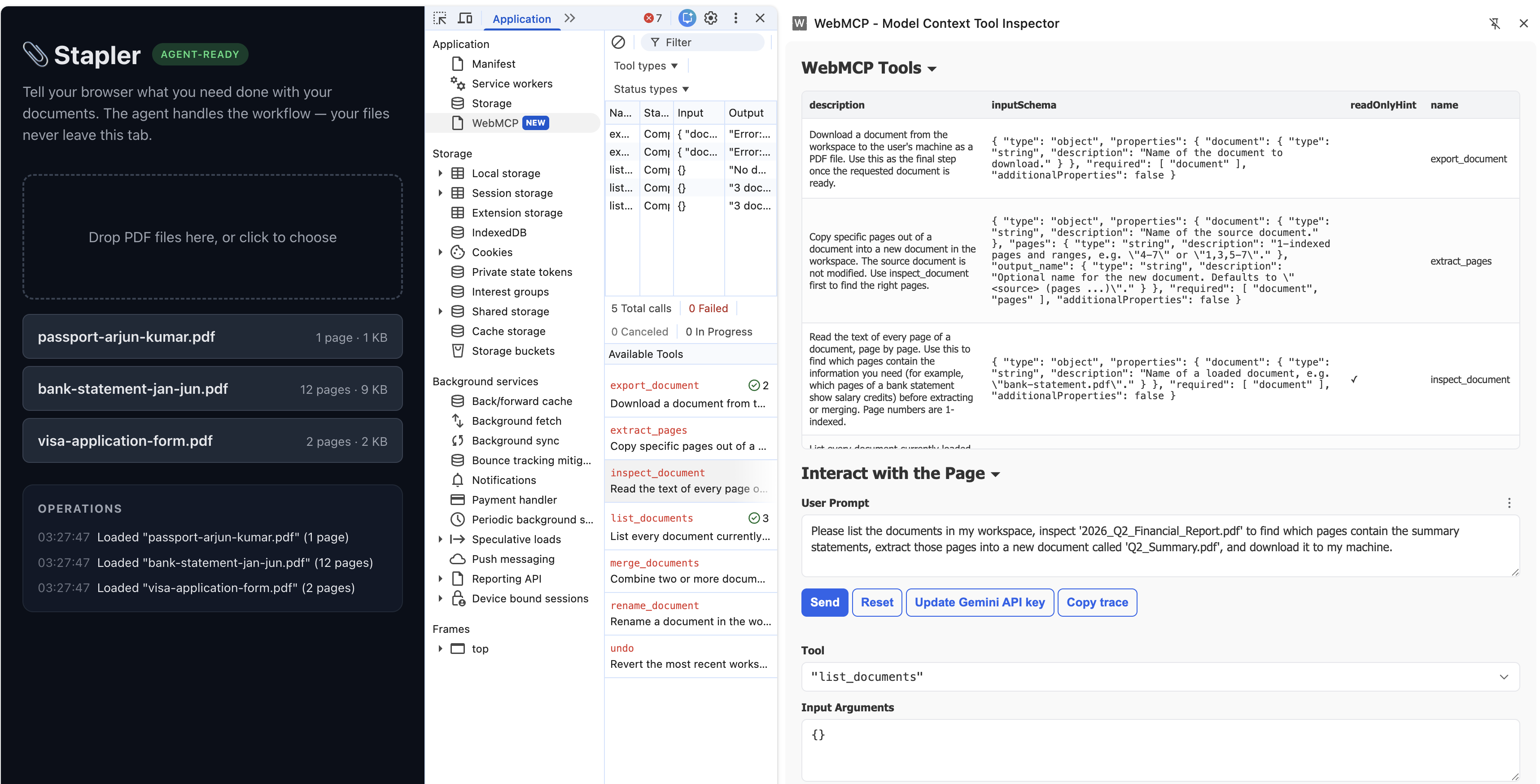
React + Vite + TypeScript, zero backend. Seven tools — list_documents, inspect_document, extract_pages, merge_documents, rename_document, export_document, undo — are registered via document.modelContext.registerTool with narrow JSON schemas (additionalProperties: false), plain serializable results, and AbortController cleanup.
The registrations are live: whenever the workspace changes, the schemas are regenerated — every document parameter becomes an enum of the currently loaded filenames, so the agent can't reference a file that isn't there. Document tools appear once files are loaded, and merge_documents registers only when at least two documents exist. One subtlety: the store emits changes from inside tool execute() calls, so re-registering immediately would tear down the very tool still delivering its result — re-registration is deferred a tick instead.
pdf-lib performs the operations; pdf.js extracts per-page text for inspect_document, which is what lets the agent find content instead of being told page numbers. The sample documents (fictional passport, 12-page bank statement, visa form) are generated in-browser by pdf-lib — the repo ships no binaries and demo data never exists outside the tab.
Deployed on Cloudflare Pages with a first-party Chrome origin-trial token, so it runs on stock Chrome 149+ with no flags.
Challenges we ran into
The real agent runs found bugs no manual test did:
- Truncation hid the evidence.
inspect_documentcapped page text at 500 chars — and the salary lines started at char 441+. The agent, seeing cut-off text, guessed pages 3–7 (wrong). Raising the cap and adding a smoke-test guard fixed it. - Ambiguous data misleads honest agents. A "FREELANCE INVOICE" credit on the January page made pages 3–7 a defensible answer. The demo premise needs exactly one right answer, so the sample data is now guarded by a regex in the smoke test.
- Return-shape spelunking. Early code returned MCP-style
{content:[...]}envelopes; the WebMCP spec, Chrome docs, and TypeScript types all agree tools return plain serializable values. - Agent surfaces behave differently. Plain ChatGPT chat asks you to upload files; the unlock is accepting its "Continue in Work" handoff, where the agent actually drives the page's tools.
Accomplishments that we're proud of
The hero workflow is verified end-to-end on both judge surfaces: ChatGPT's in-app browser (via Work mode) and Chrome with Google's Model Context Tool Inspector extension.
In every verified run the agent chose pages 4–7 unprompted and explained why. The contrast test is just as telling: the same request to an agent without page tools produced a confidently hallucinated "visa packet" that never touched the real files.
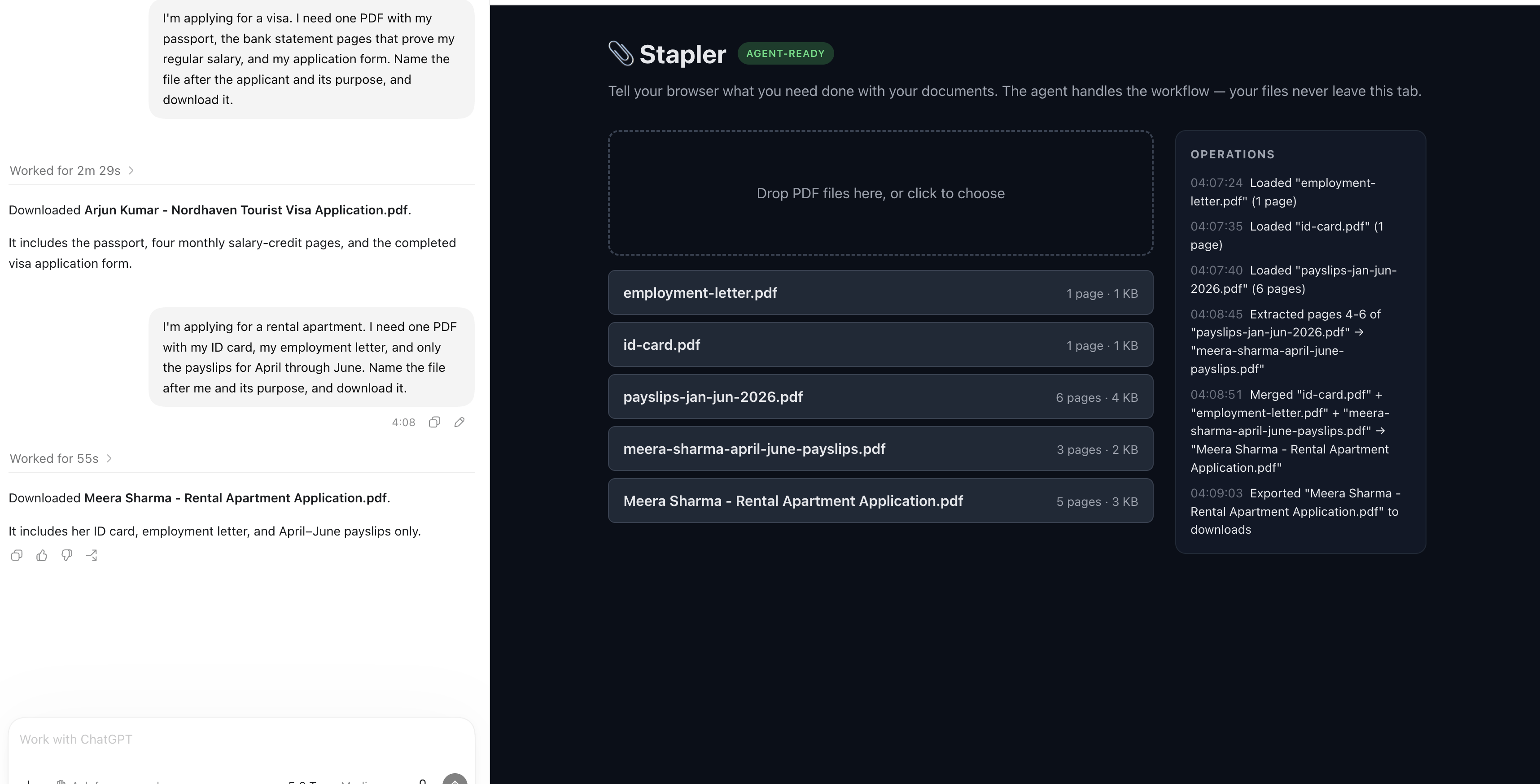
It also works on documents it has never seen: we dropped in three unrelated PDFs (an ID card, an employment letter, six months of payslips) and asked for a rental-application packet with only the April–June payslips — the agent picked payslip pages 4–6 by itself and named the file after the applicant.
And the whole thing is honest engineering — a Node smoke test guards the demo's integrity (salary credits on exactly pages 4–7, every page under the inspect limit), so the wow moment can't silently rot.
What we learned
Tool descriptions are UX for agents — the agent reads them the way users read buttons. Real agent runs are the only test that matters: every demo-breaking bug was found by an agent, not by a human.
And keeping humans in the loop (live log, preview, undo) is what turns "an agent did something to my files" into something you can trust.
What's next for Stapler
More operations (split, rotate, delete, compress), OCR so scanned documents can be inspected too, and per-document page-range bounds in the schemas themselves.
Built With
- cloudflare-pages
- pdf-lib
- pdf.js
- react
- typescript
- vite
- webmcp


Log in or sign up for Devpost to join the conversation.