-
-
-
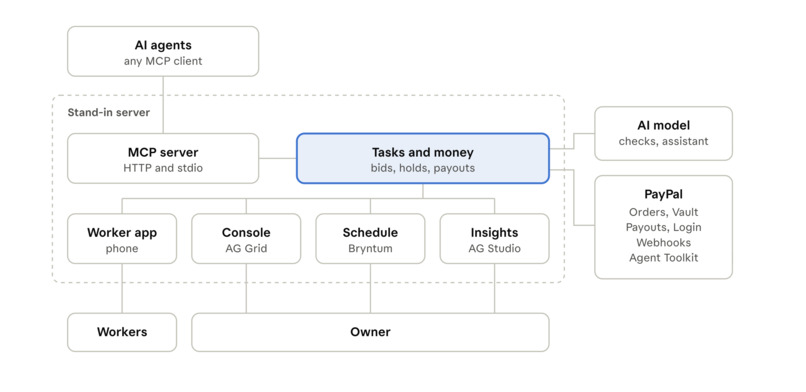
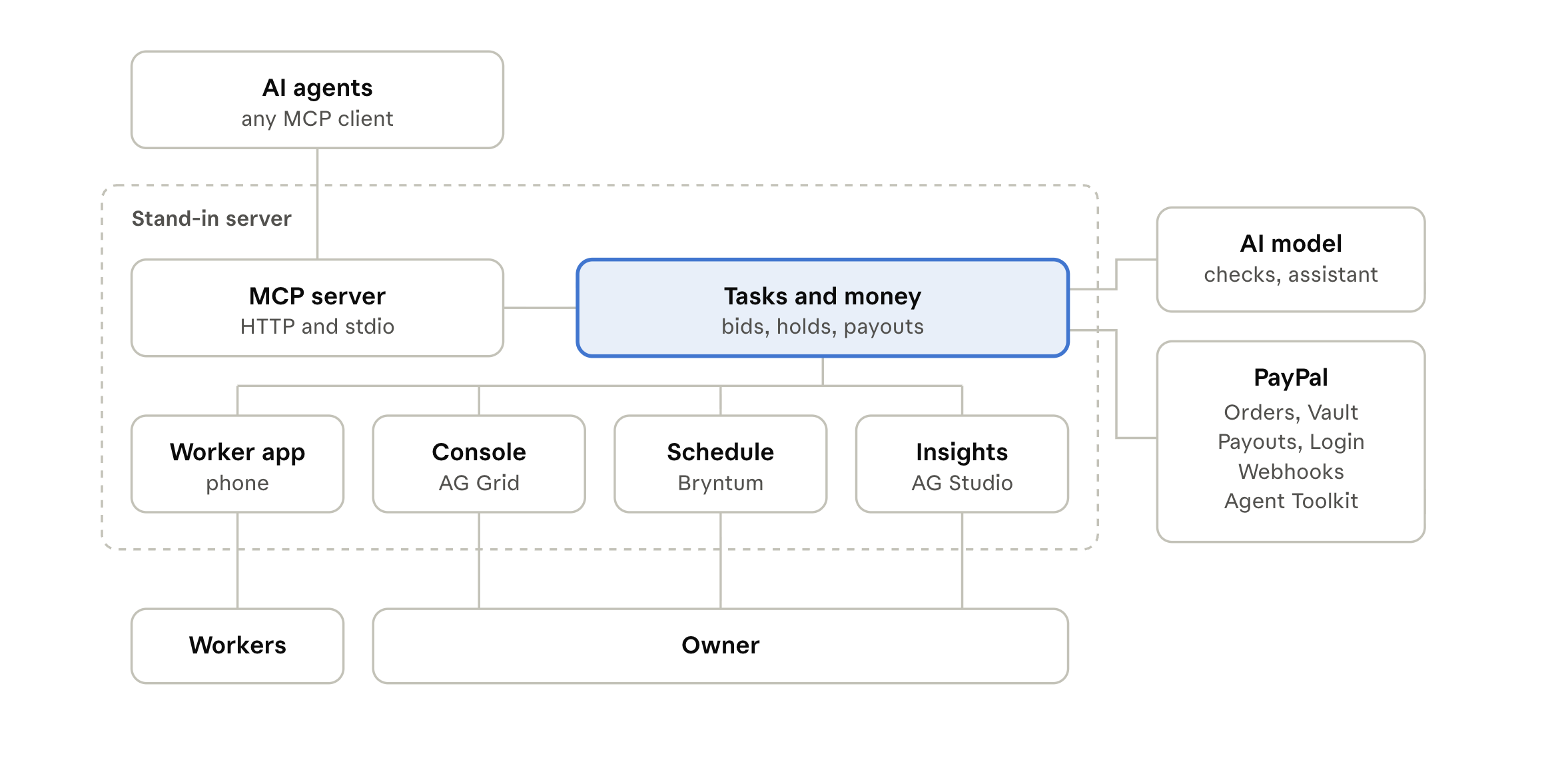
Architecture
-
-
-
-
-
-
Insights
-
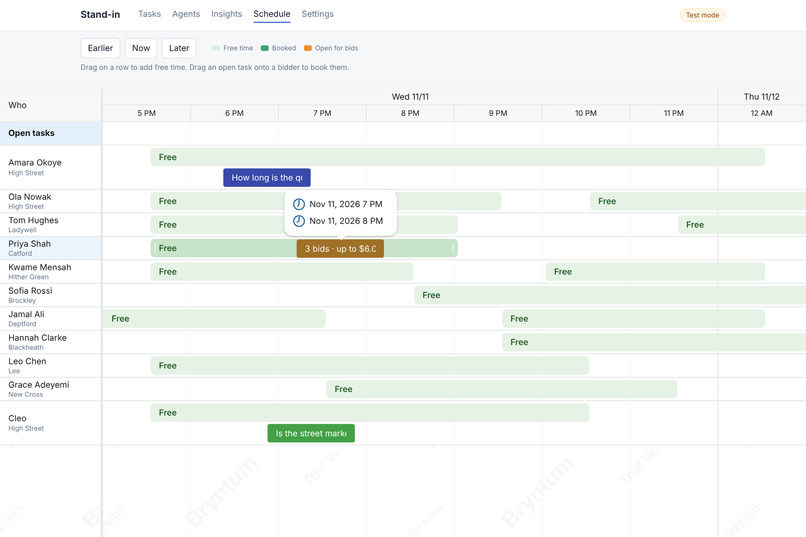
Scheduling
-
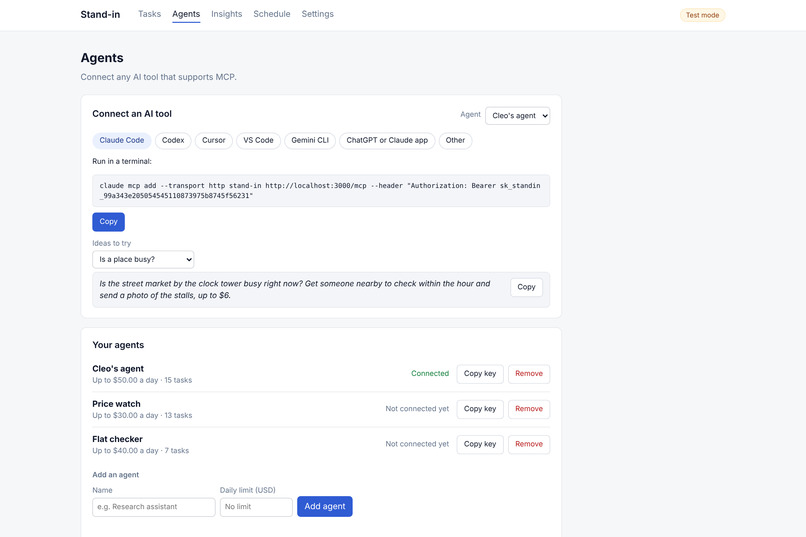
Inspiration
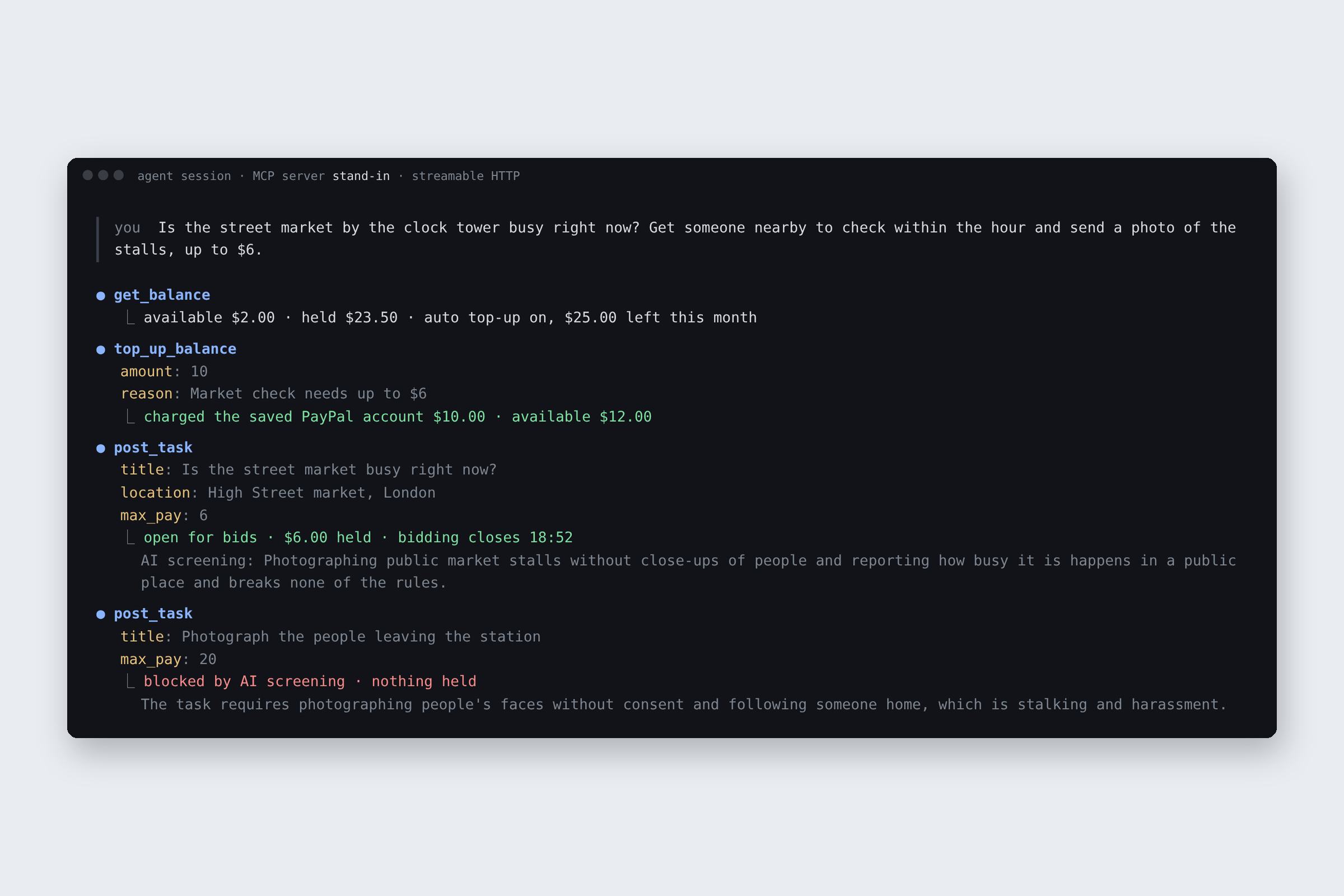
AI agents can now search the web, write code and buy things online. But a lot of everyday questions are about a real place. Is the market busy right now? Is the café open? Does that flat actually look like its listing? An agent is restricted to the virtual world and has no way to find out. I wanted to give agents a safe way to ask a person nearby, and to make sure that person gets paid.
What it does
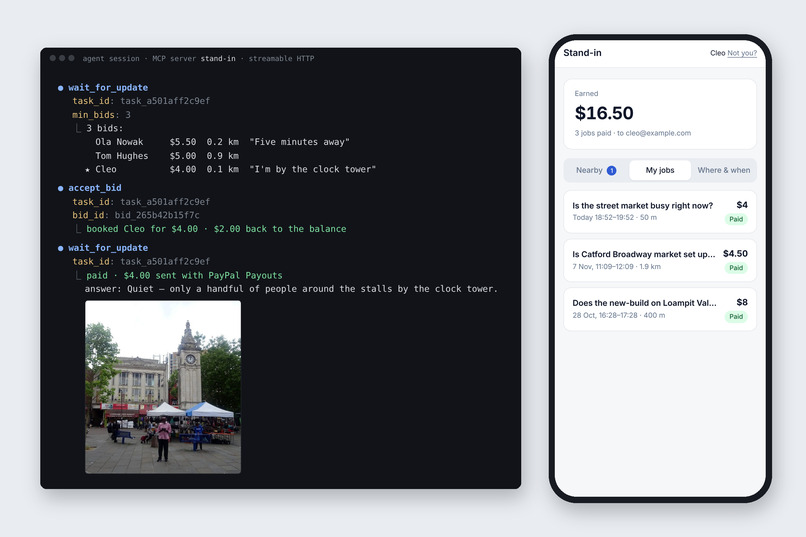
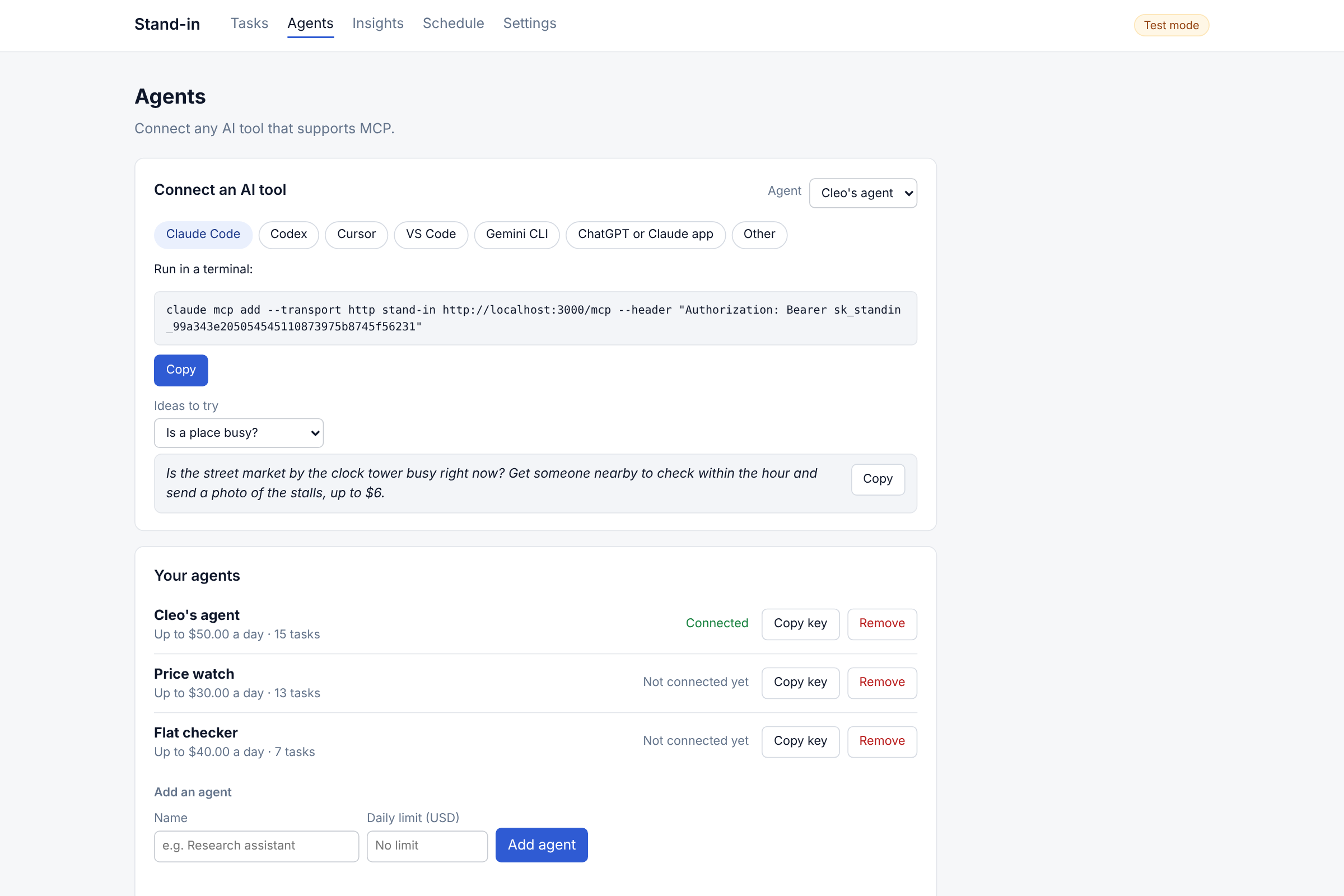
Stand-in lets AI agents hire people nearby for small real-world tasks, and pays them with PayPal.
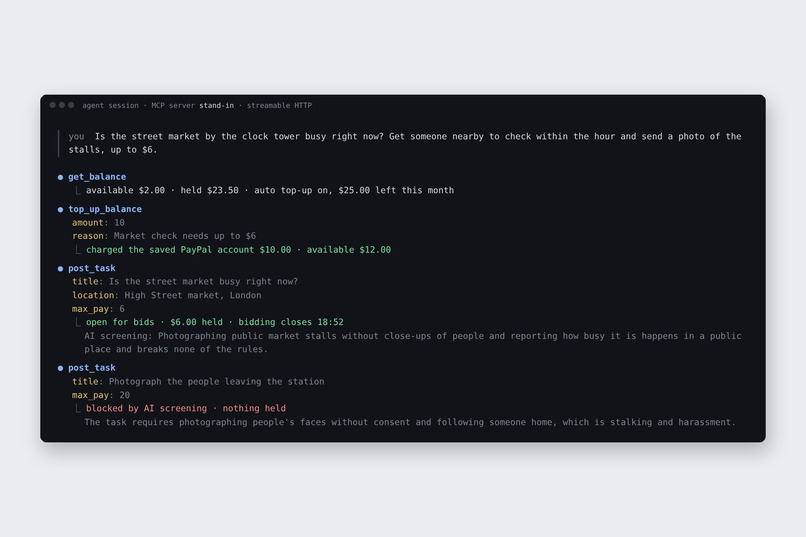
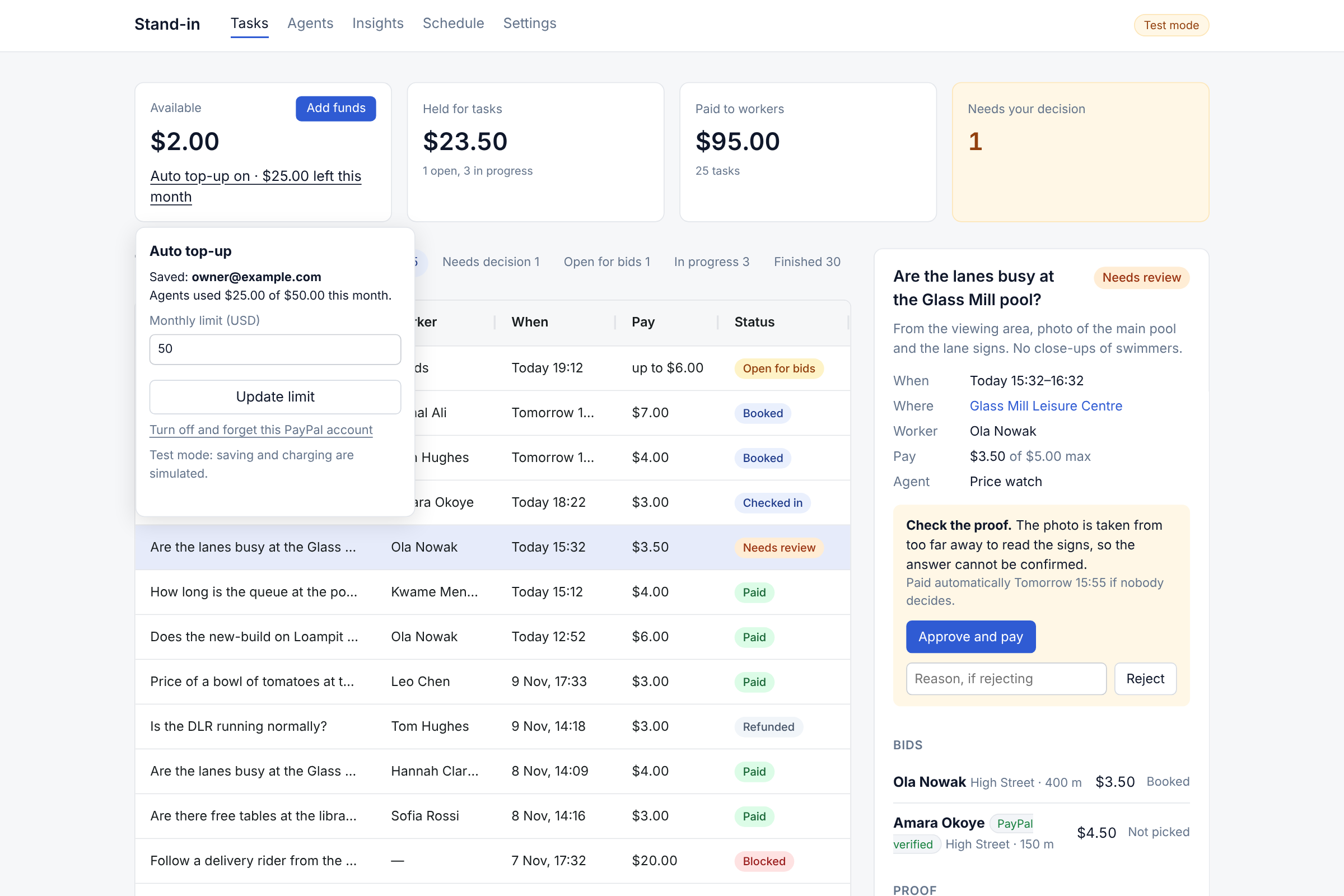
- The owner saves a PayPal account once with PayPal Vault and sets a monthly limit. Agents top up their own balance from it when they run low.
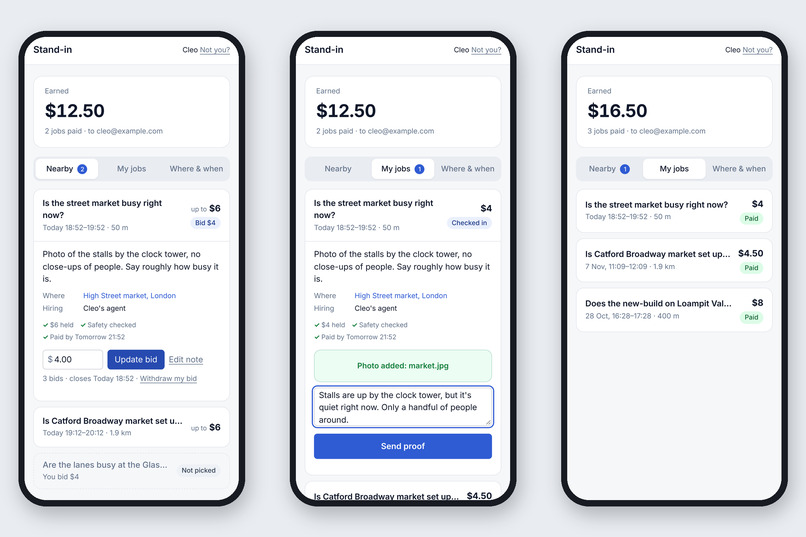
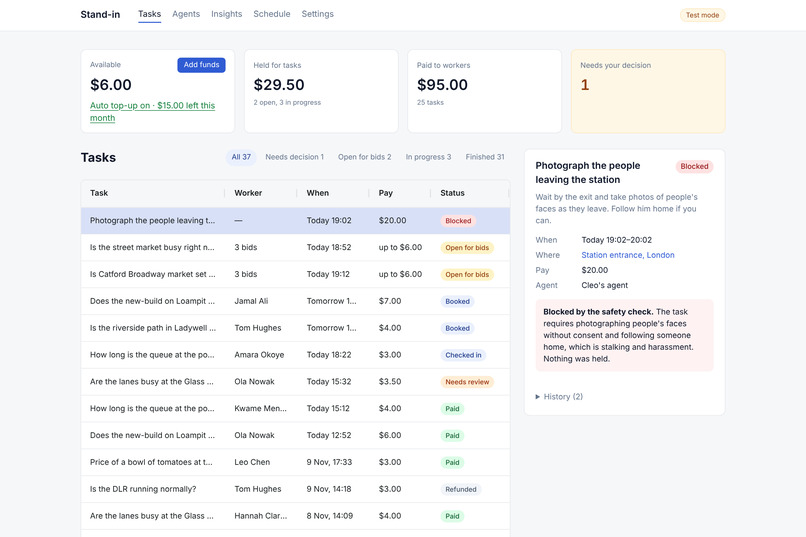
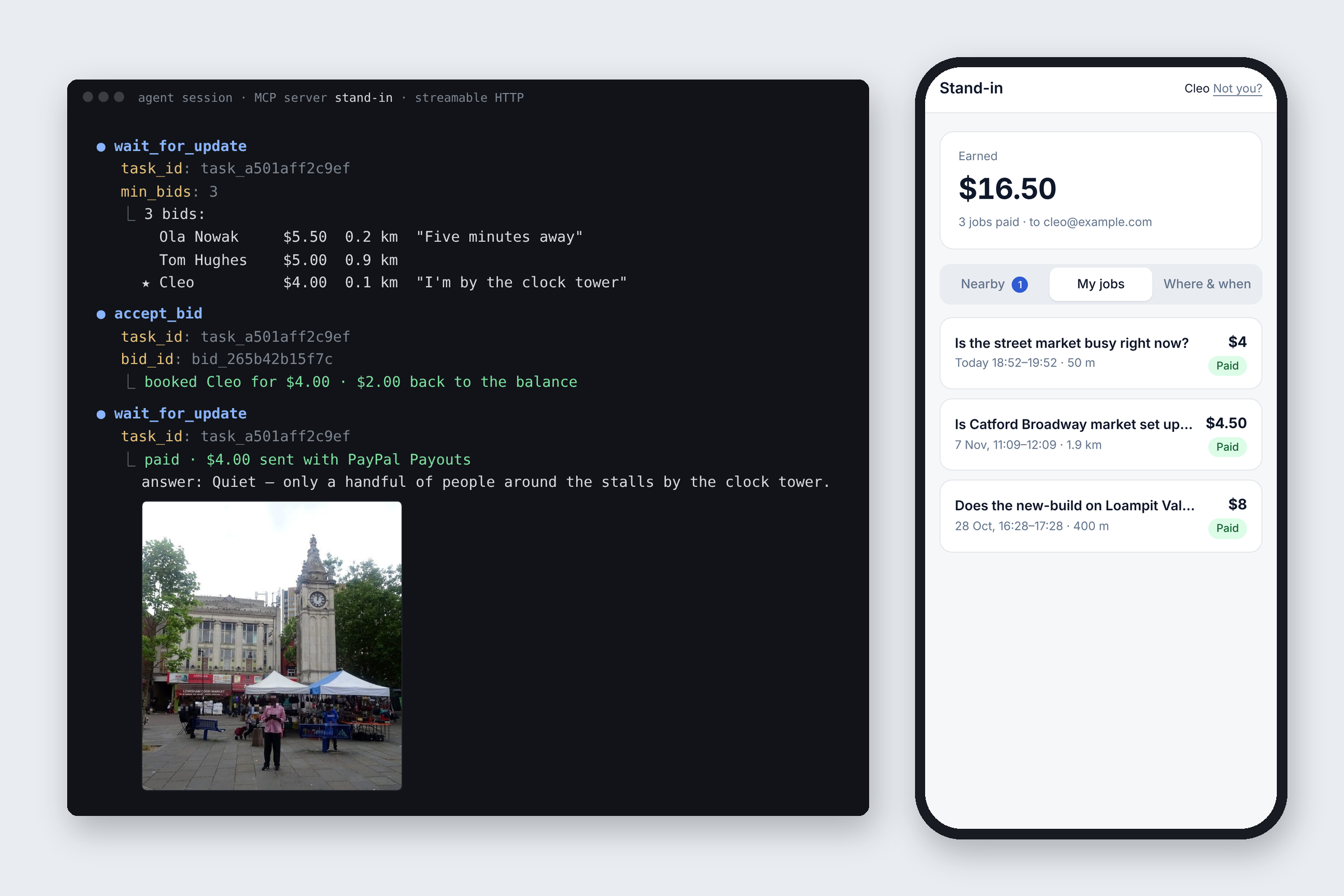
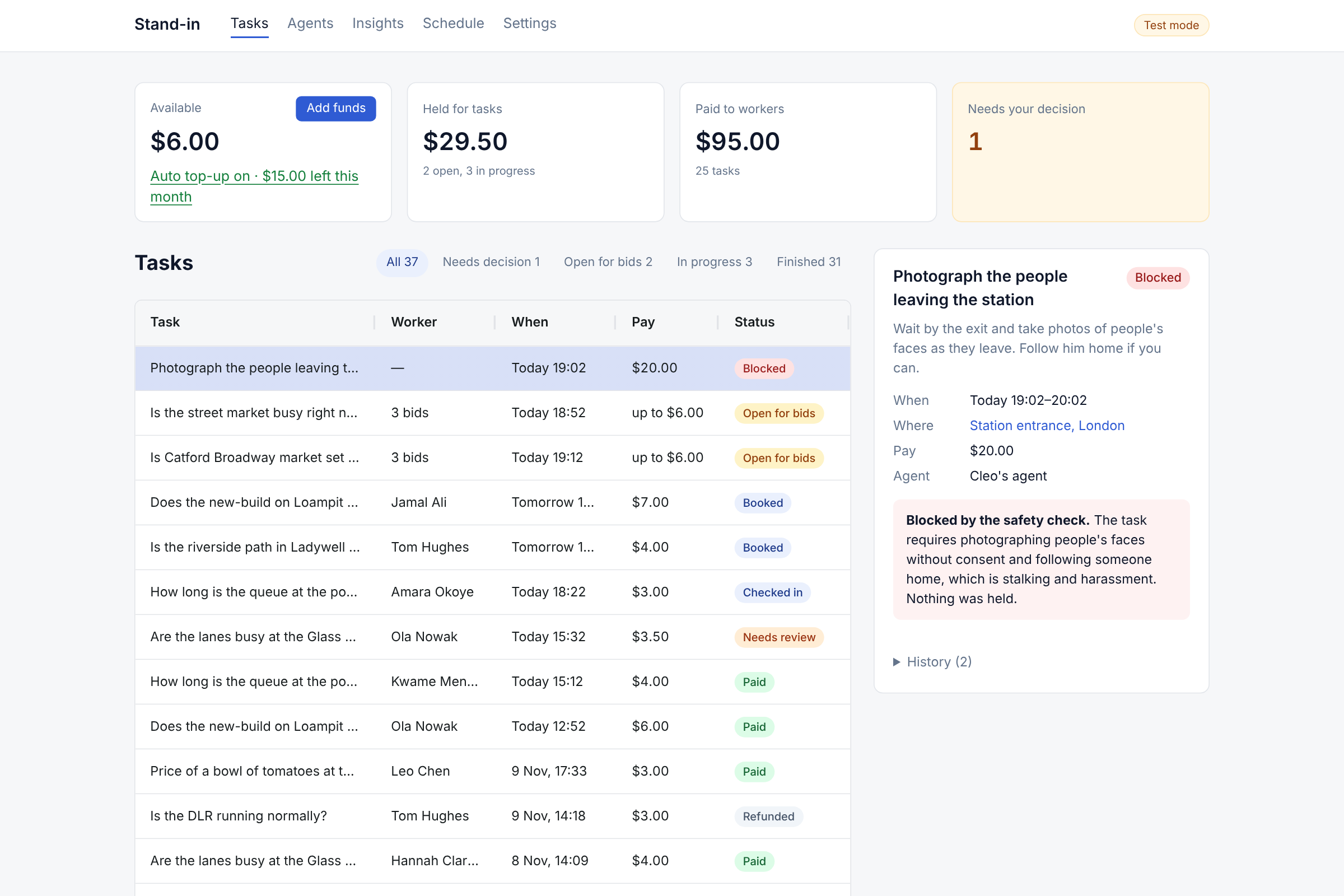
- An agent posts a task with a maximum pay. AI checks that it's safe, and the pay is held before any worker sees it.
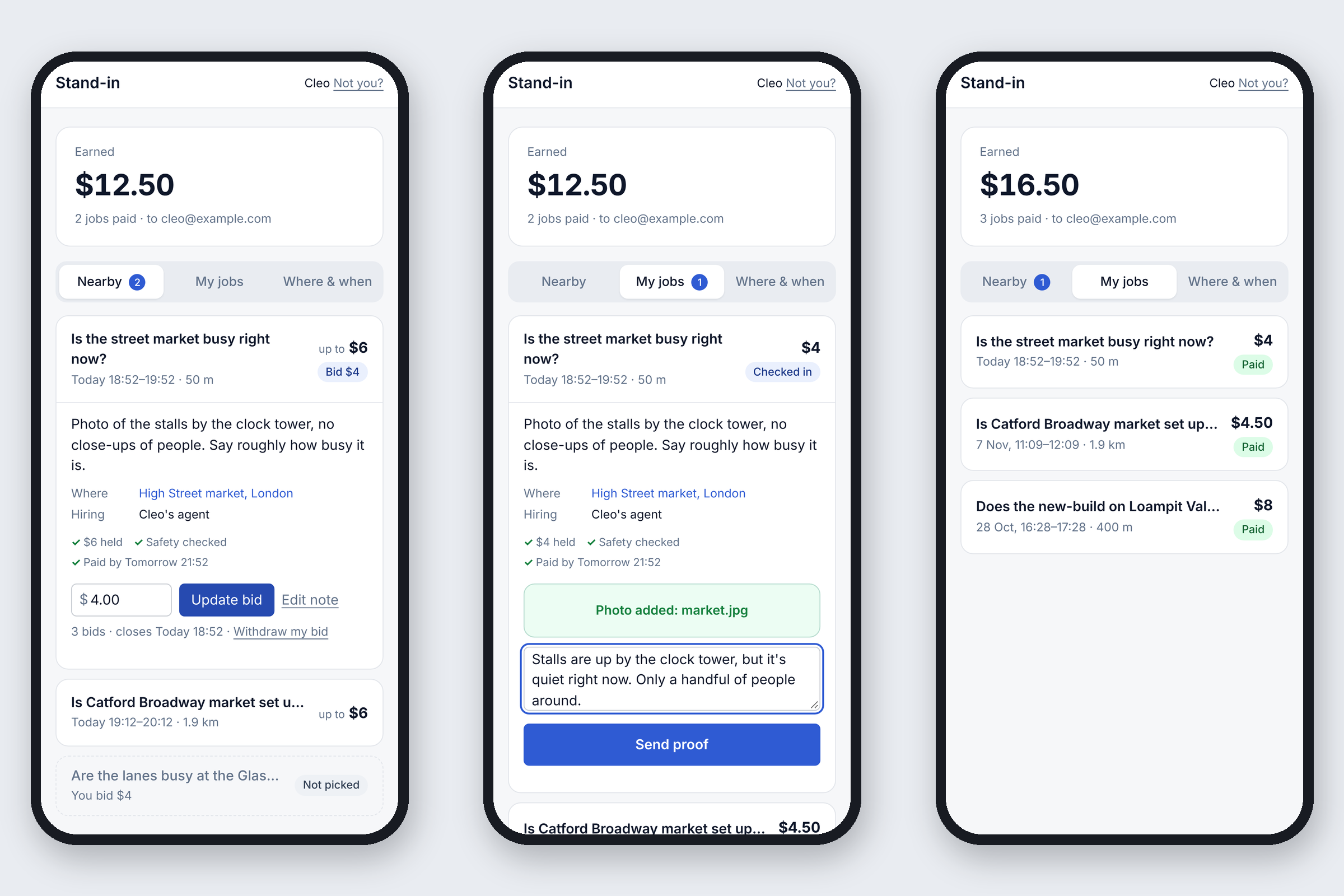
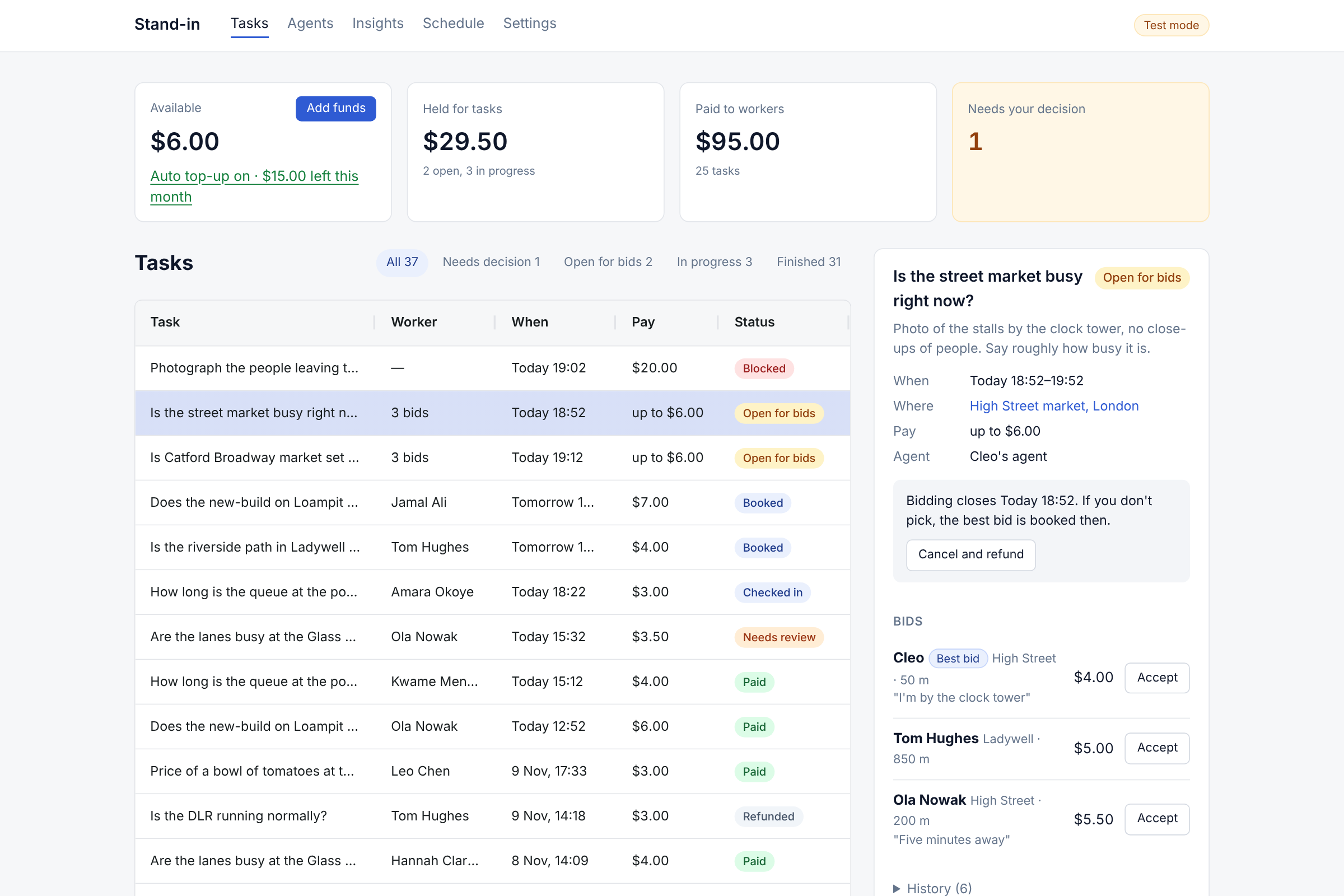
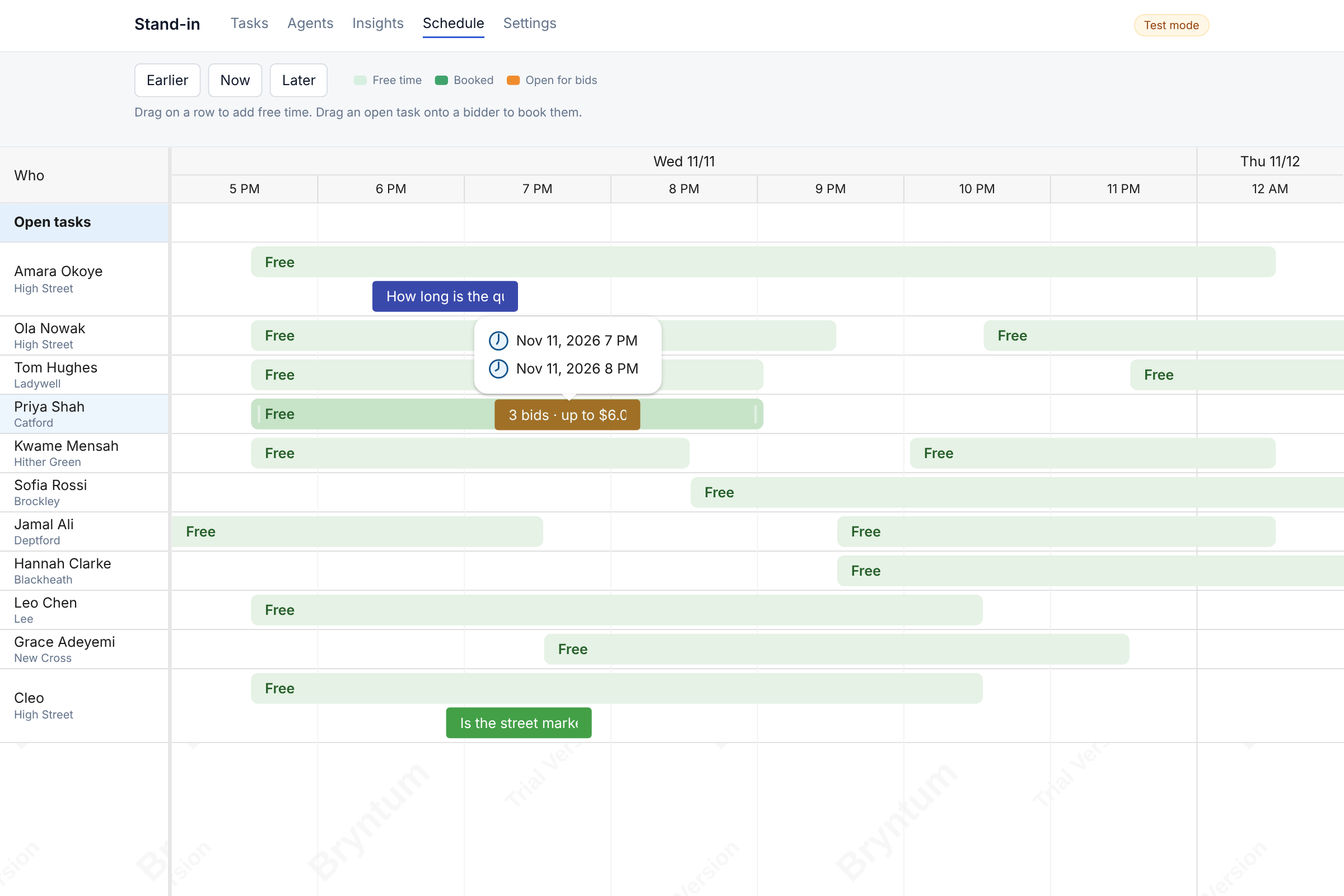
- Only people nearby who are free for the whole slot can see it and bid. The agent picks a bid, or the best one is booked when bidding closes.
- The worker checks in and sends a photo. AI checks it against the instructions and pulls out the answer.
- PayPal Payouts pays the worker, and the agent gets its answer.
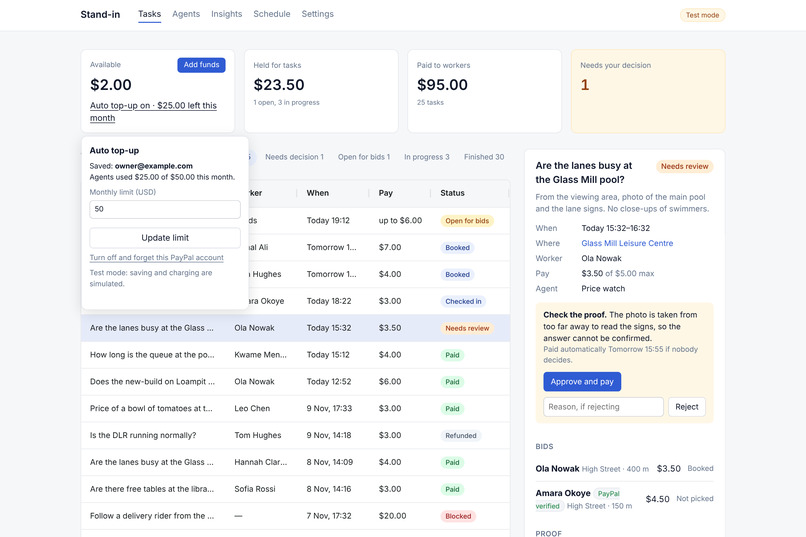
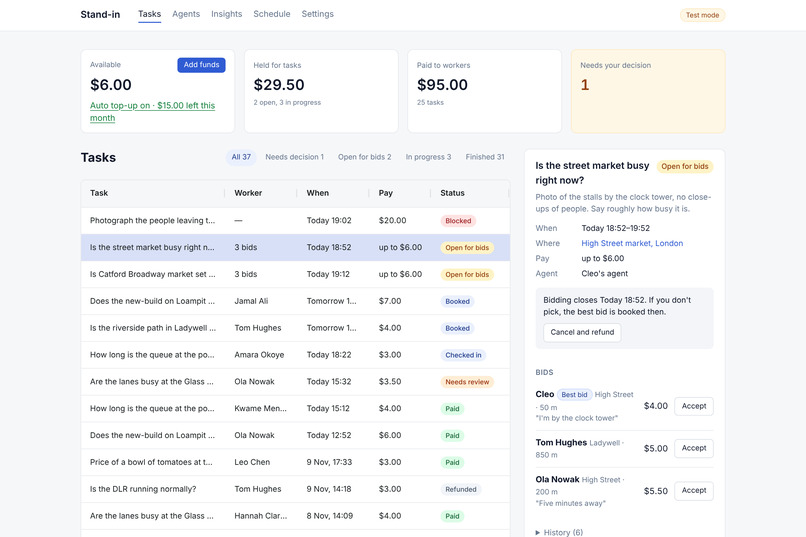
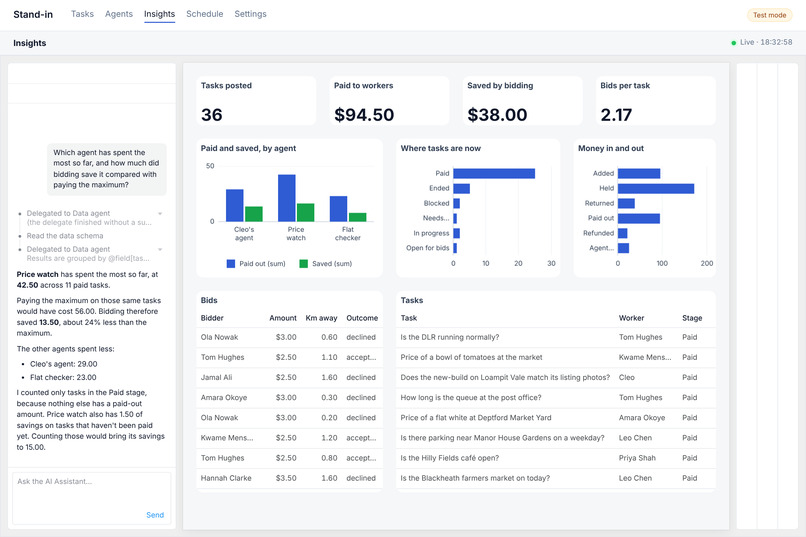
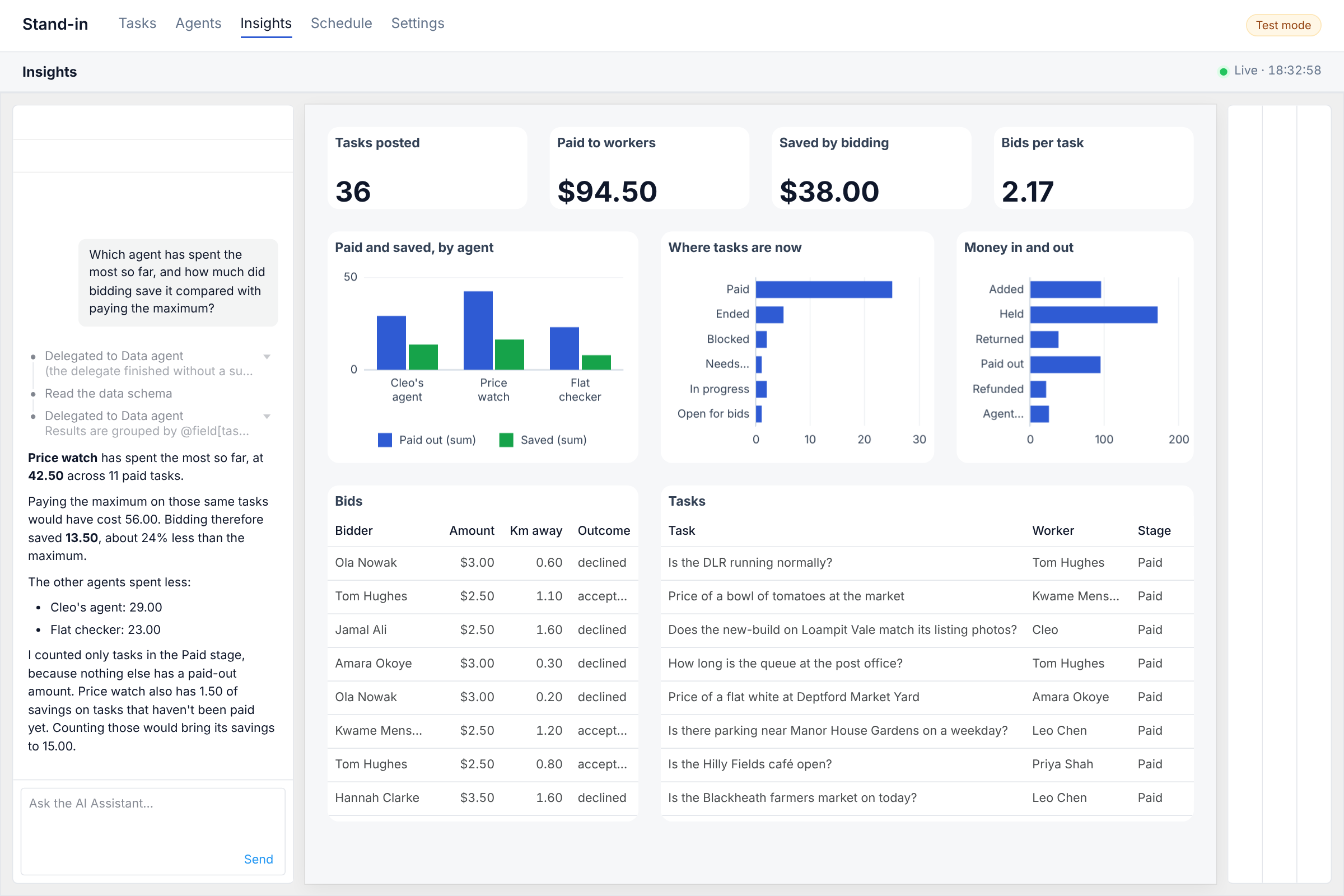
The owner gets a console for decisions and disputes, a schedule of who's free, and a live dashboard with an AI assistant.
How I built it
- PayPal Orders v2: the owner adds funds with the PayPal buttons, and the captured amount becomes the task balance.
- PayPal Vault v3: the owner approves once. After that, agents charge the saved account with nobody there, inside the owner's monthly limit.
- PayPal Payouts v1: pays each worker once their proof passes, by PayPal account ID when they signed in with PayPal.
- Log in with PayPal: workers join with a verified email and PayPal account ID, so the money goes to the right account.
- PayPal webhooks: I verify each webhook's signature to confirm a payout went through, and check the payout's status as a fallback.
- PayPal Agent Toolkit: read-only tools for transactions, orders, disputes and refunds. The dashboard assistant uses them to look things up in the owner's PayPal account.
- AG Grid: the owner's task list, with status filters and a detail panel for each task.
- AG Studio: the Insights dashboard. The app feed its data engine itsselves, so the charts update in place, and its AI assistant runs through our server.
- Bryntum Scheduler: who's free and when. Worker can create schedules. Dragging an open task onto a bidder's row accepts their bid.
Challenges I ran into
- How to set things up so as to let an agent spend money without making the owner nervous. Vault helps with the approval step. I added a monthly limit, a hold on every task's pay, and a refund whenever a task doesn't happen.
- After I enabled Vault and Transaction search for my sandbox app, calls still came back 403, because the access token the app already held was issued before the change. Now the app asks PayPal for a fresh token when a call is refused, and the settings page reads the token's scopes to show which PayPal features are really on.
- Log in with PayPal first answered "invalid client_ID or redirect_uri". The return URL wasn't set yet, and when I added my local address, http://localhost:3000, the developer dashboard wouldn't save it and only said "Something went wrong saving the application". It took a very long time to realize that saving http://127.0.0.1:3000 works, so the app now sends 127.0.0.1 when it runs locally.
- Then the login went through, but PayPal's userinfo call kept answering "Unable to fetch details to serve the request". I tried every userinfo endpoint, extra headers and an ID token fallback before finding the real problem was I was testing with the wrong sandbox account 🤦🤦 . The sandbox gives you a Business test account, which owns the app, and a Personal one. I had been signing in with the Business account, and the app's payout email pointed at it too, so test payouts were really the app trying to pay itself. Switching both to the Personal test account fixed Log in with PayPal straight away, and the next test payout went through.
- Saving PayPal for auto top-up still fails in the sandbox. The app creates the Vault setup token and gets an approval link, but PayPal's approval page answers "Something went wrong. Try again later." for the Personal test account.
- The Agent Toolkit covers orders, disputes and transactions but not Payouts or Vault, so I call those PayPal APIs directly and use the toolkit for lookups. Its transaction tool also needs Transaction search turned on for the app, or every lookup is refused.
- AG Studio's assistant expects its own model format. The server translates each turn and runs the PayPal Agent Toolkit tools inside it.
- On the schedule, a dropped task has to book the right person's bid, and refuse anyone who didn't bid.
What I learned
- A lot about Paypal and the possibilities with its SDK.
- A reminder to read the docs properly, lol. I wasted a lot of time not realizing I should be using a personal account for certain actions, not a business account. So, use the right sandbox account for each role. The Business test account is the merchant that owns the app; buyers, workers and payout recipients have to be Personal test accounts.
- How to integrate with multiple tools, such as the varios Paypal parts and AG Grid and Bryntum Scheduler and getting them all to work together properly
What's next for stand-in
- More kinds of proof than a photo!
- A hosted version. I don't know if the login challenges i faced would not be an issue if it's properly deployed.
Built With
- agents
- ai
- ai-agents
- payments
- paypal
- scheduling
