
Inspiration
Founders rehearse a pitch, a demo day or an all-hands talk alone, and they have no honest mirror. Friends are kind, and a video of yourself gives you no numbers. StageMirror is built as a measuring tool for the way you speak. It counts what can be counted (fillers, pace, pauses), estimates from the camera what can only be estimated (eye contact, posture, gestures), and says which is which. It will not score your personality or guess your emotions.
What it does
StageMirror is an Expo / React Native app for practising speaking on camera. The Android app is live on Google Play.
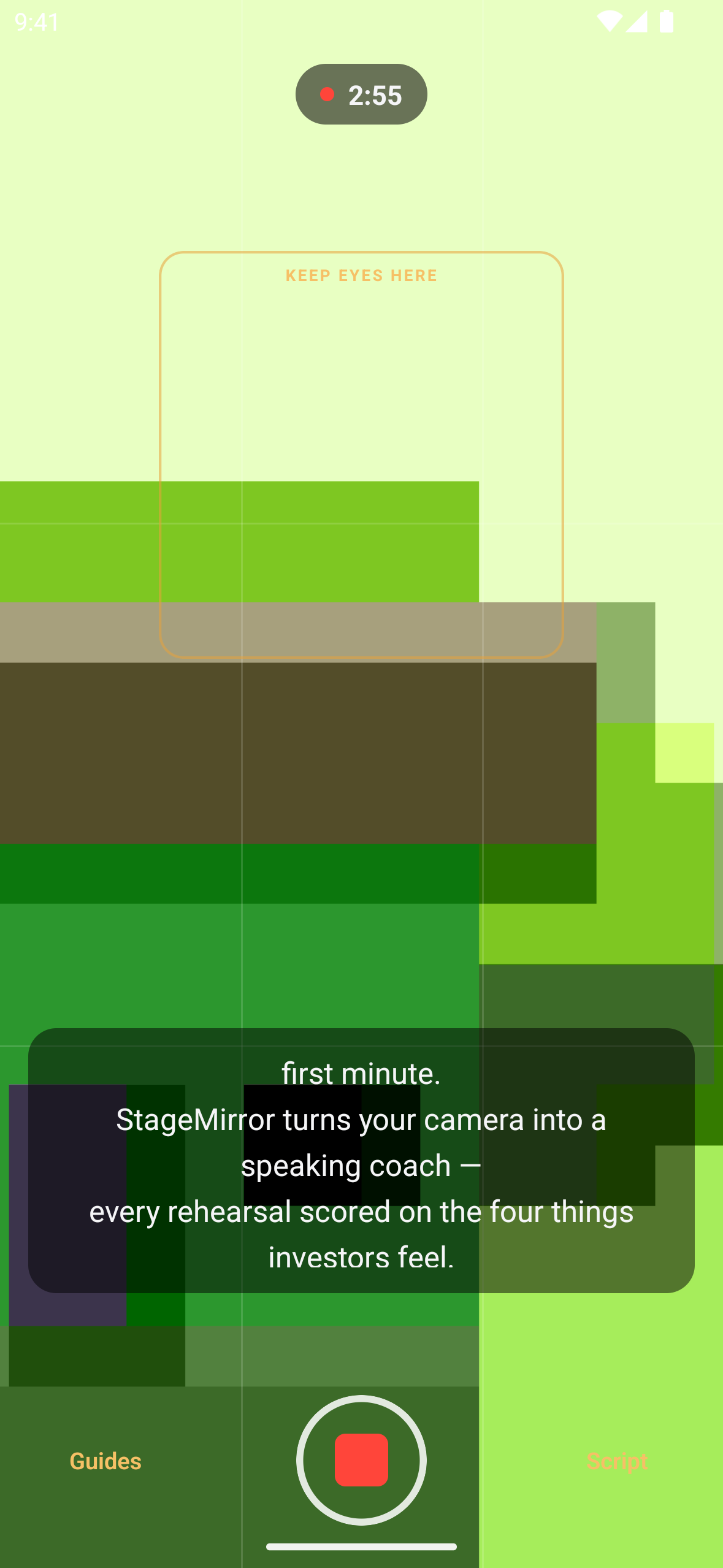
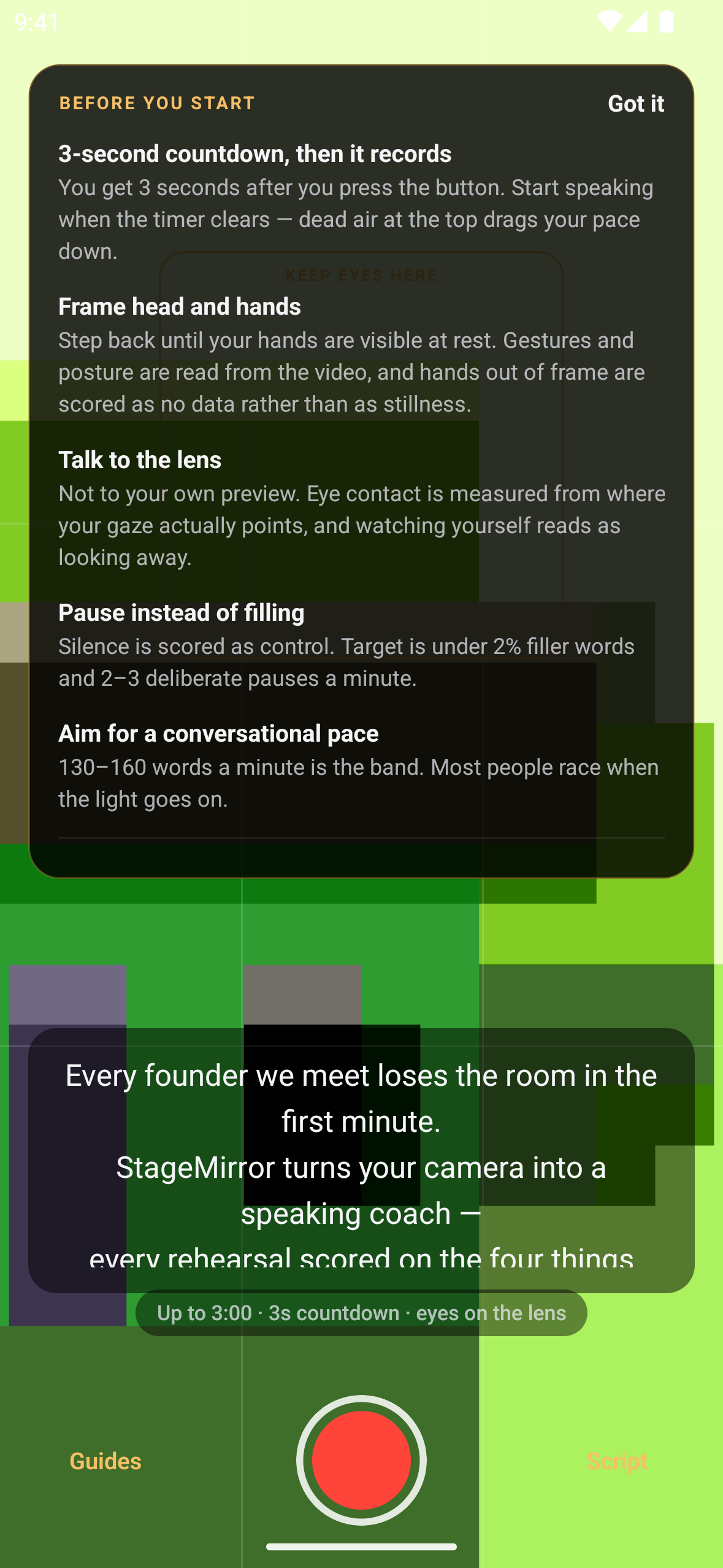
- Record a take in the studio. A take lasts up to 3 minutes and starts after a 3-second countdown. The studio shows a framing guide and a teleprompter for your script. Each time the studio opens, a "Before you start" card explains what will be measured.
- Consent for every take. Before anything leaves the phone, a dialog says that the recording goes to StageMirror and that its audio and transcript go to OpenAI for transcription and coaching. It also warns that AI feedback can be wrong. Cancelling, or dismissing the dialog, uploads nothing.
- Server-side analysis. The take is uploaded with resumable tus uploads. A Python worker then:
- transcribes it with word timestamps;
- computes filler rate (target under 2%), pace (target 130 to 160 words a minute), deliberate pauses longer than 1.5 s (target 2 to 3 a minute) and vocal variety;
- estimates eye contact, posture and gestures from MediaPipe face and pose landmarks, labelled as estimates.
- Coaching must point at your take. An LLM writes coaching notes. The worker drops any note it cannot tie to a quote or timestamp in your transcript, and the results screen says how many were withheld. The results screen also has a "report" action.
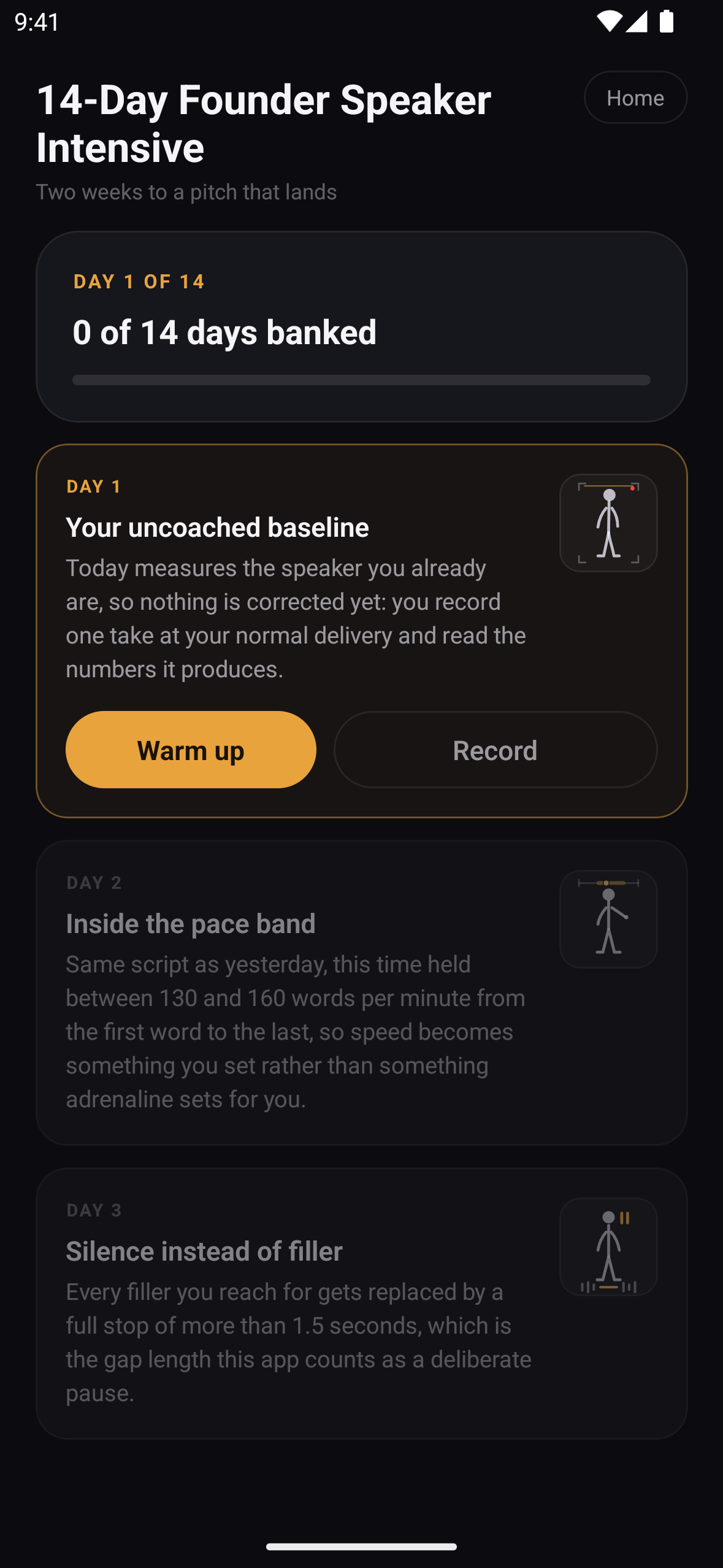
- The 14-Day Founder Speaker Intensive. Each day has one focus, a guided warm-up and one take. Day 7 (8 rubric items, pass bar 6) and Day 14 (12 items, pass bar 10) are scored milestones. The programme is free, and Day 7 and Day 14 takes do not count against the free cap.
- Before the red light. Guided warm-ups (including tongue twisters) and paced breathing patterns such as "Four in, six out" and box breathing.
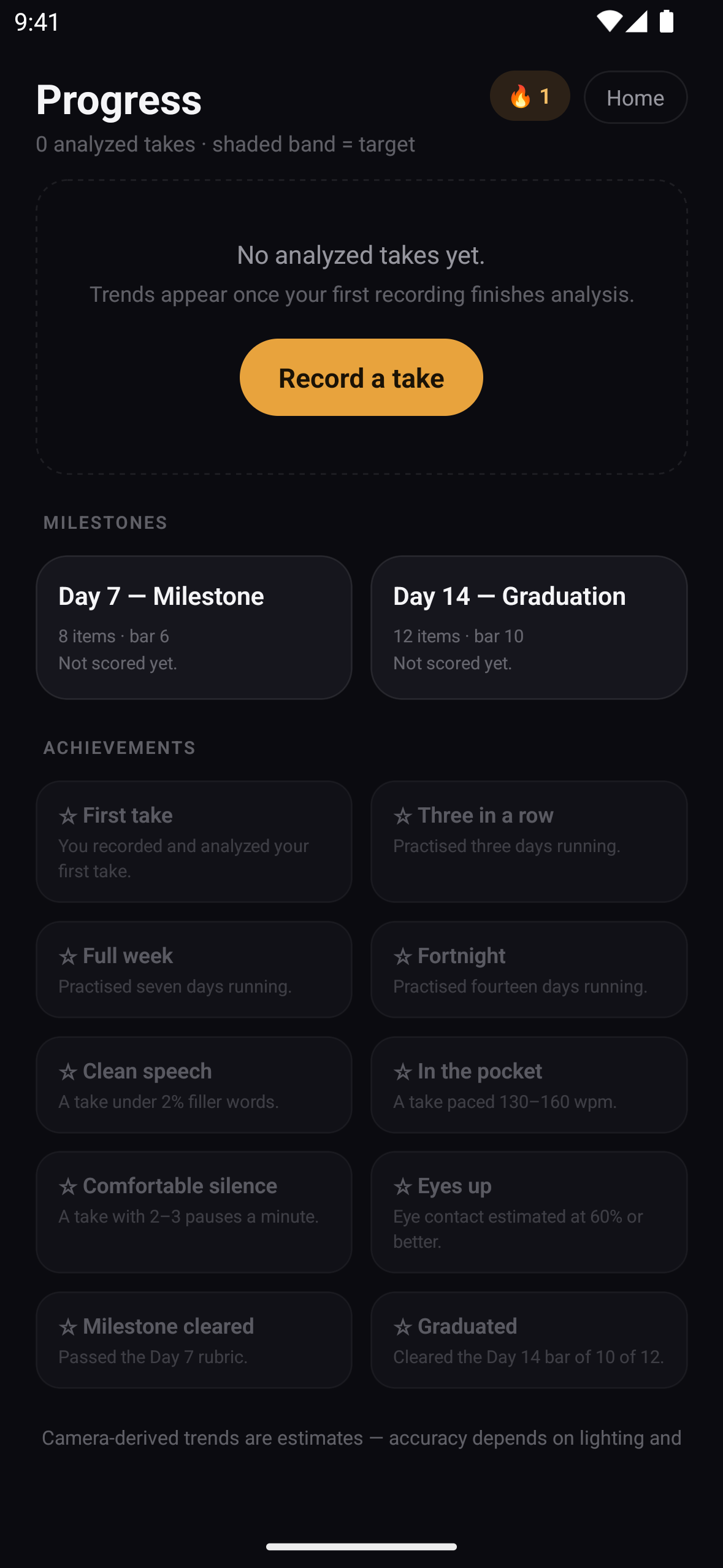
- Progress. Metric trends over analyzed takes, the milestone results, achievements and a daily streak.
- Account. Set how long recordings are kept (7, 14, 30, 60, 90 days or 1 year), set a speaking goal, restore purchases, manage the subscription, or delete the account from inside the app.
- Free vs Pro on mobile. Free includes 5 analyzed takes a month and a banner ad. Ads are non-personalized and are requested only after the ad-consent (UMP) flow allows it. Pro removes the monthly cap, so every take gets coaching and camera metrics, and removes the ad.
How RevenueCat powers it
- SDK:
react-native-purchases10.7.2. Every SDK call goes through one module,apps/mobile/lib/purchases.ts.Purchases.configureuses the platform's public SDK key (EXPO_PUBLIC_REVENUECAT_ANDROID_KEY/EXPO_PUBLIC_REVENUECAT_IOS_KEY).- The RevenueCat app user id is the Supabase user id, set with
Purchases.logInon cold start and whenever the auth state changes.Purchases.logOutruns on sign-out. - Before a purchase or restore, the app checks the signed-in Supabase user and confirms the SDK identity. A purchase therefore can never land on an unlinked customer.
- Entitlement: a single entitlement,
pro(EXPO_PUBLIC_REVENUECAT_ENTITLEMENT_ID, default"pro"). The client counts a user as entitled whencustomerInfo.entitlements.active["pro"]exists. The server reads the same id fromREVENUECAT_ENTITLEMENT_ID, which also defaults topro. - Offering and packages:
- The paywall uses
offerings.currentand shows annual first, then monthly. - According to the store-state record (
apps/mobile/STORE-STATE.md), the current offering isdefault. In it,$rc_annualmaps to the Google Play productcom.deepfai.stagemirror.pro.annual(base planannual-autorenew) and$rc_monthlymaps tocom.deepfai.stagemirror.pro.monthly(base planmonthly-autorenew). Both are attached topro.
- The paywall uses
- Paywall:
apps/mobile/app/paywall.tsx.- Every price is the store's own
product.priceString; none is hard-coded. The "SAVE n%" badge is calculated from the two store prices. - It carries the auto-renew disclosure, Terms and Privacy links, and "Restore purchases".
- Purchase calls
Purchases.purchasePackageand restore callsPurchases.restorePurchases. - If the store cannot be reached, it shows a plain "We can't reach the store right now" state instead of guessing.
- Every price is the store's own
- Live entitlement:
addCustomerInfoUpdateListener(wired inapps/mobile/lib/plan.tsx) triggersPOST /api/billing/revenuecat/syncand then re-reads the plan. This catches purchases the paywall did not mediate. The listener is a trigger, never the source of truth. - Server side (Next.js API in
apps/web):src/app/api/revenuecat/webhook/route.tsaccepts RevenueCat webhooks. It checks the sharedAuthorizationsecret in constant time and de-duplicates events by id.- The sync route looks the subscriber up with RevenueCat's REST API (
GET /v1/subscribers/{id}, insrc/lib/revenuecat.ts). - Migration
20260718000031_store_entitlement.sqlstores store subscriptions and events.entitled_plan()grants Pro when either the store subscription or a web subscription is active, and a trigger writes the result toprofiles.plan.
- Where Pro gates features:
- The monthly analyzed-take cap is enforced on the server.
consume_quota()is in migration20260718000022and is called from the enqueue route. At the cap the API returns 402, and the studio shows "Get unlimited takes", which opens the paywall. - The banner ad renders only when the user is not Pro (
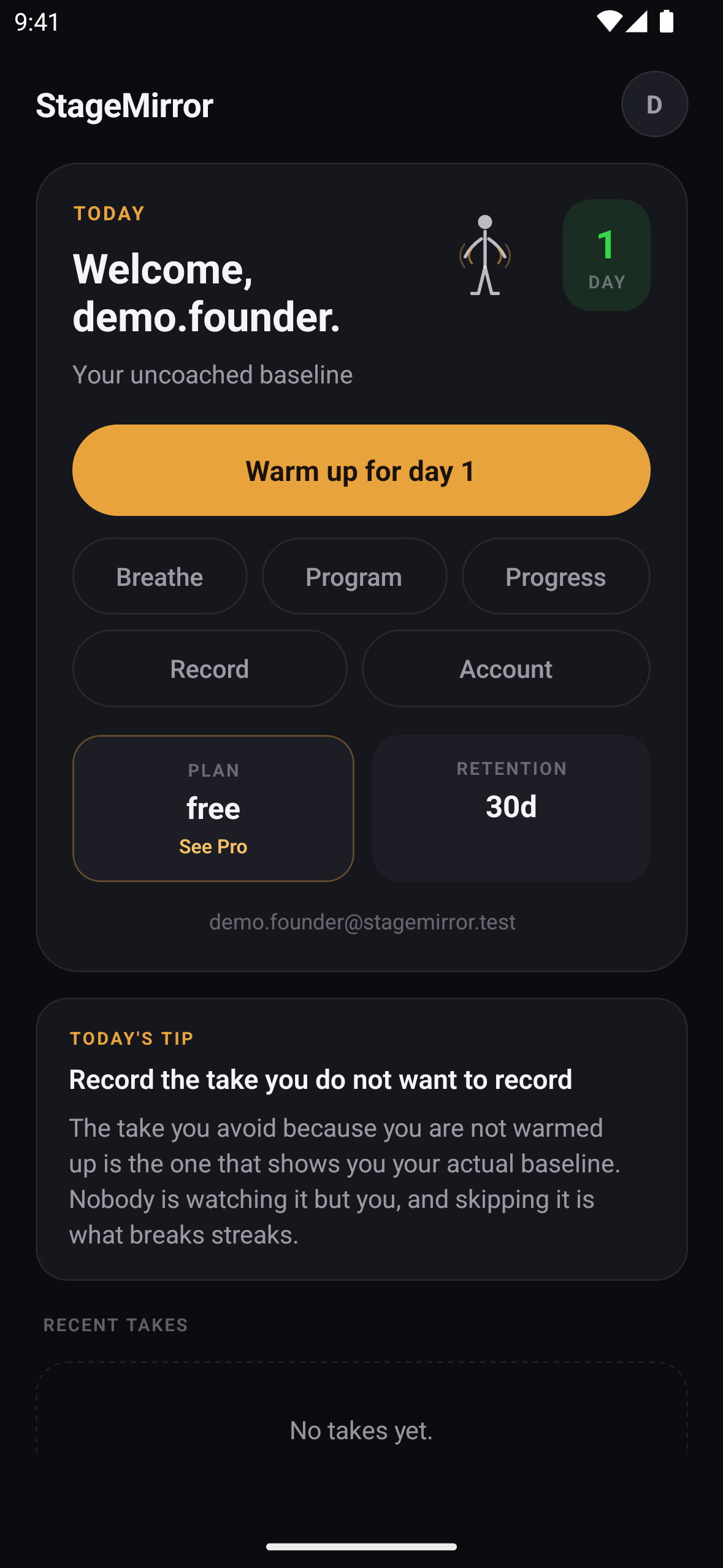
apps/mobile/components/StageMirrorAdBanner.tsx). - The Home plan tile ("See Pro") and Account ("See what Pro includes", Restore purchases, Manage subscription) are the other entry points.
- The monthly analyzed-take cap is enforced on the server.
How we built it
- Mobile app: a pnpm/Turborepo monorepo. Expo SDK 57, React Native 0.86 and expo-router. Recording uses expo-camera and uploads use tus-js-client.
- Backend: Supabase for email/password auth, Postgres with row-level security and storage. A Next.js 15 app serves the web product and the API.
- Analysis worker: Python 3.11 with FastAPI, ffmpeg, praat-parselmouth, MediaPipe face and pose landmarkers, and OpenAI (
whisper-1for word-timestamped transcription, a chat model for coaching). - Shared metric targets: a shared TypeScript package holds the metric targets. The Python worker's audio metrics are golden-tested against the TypeScript implementation on the same fixtures.
- Services: RevenueCat for subscriptions, AdMob with UMP consent for the free plan's banner, and PostHog for product analytics.
Monetization model
StageMirror is freemium. The free plan includes the whole 14-day programme, every metric and 5 analyzed takes a month, supported by a non-personalized banner ad. StageMirror Pro is an auto-renewing monthly or annual subscription, sold through the platform store via RevenueCat. It removes the monthly cap and the ads. Prices are shown live from the store on the paywall.
Testing instructions for judges
- Install StageMirror from Google Play on an Android phone: https://play.google.com/store/apps/details?id=com.deepfai.stagemirror. Recording needs a real camera; the app refuses to record on an emulator. (The demo video was recorded on an emulator with a local test build that bypasses this check.)
- Sign-in is required. Tap New here? Create an account and sign up with email and password. There is no guest mode and no Google or Apple sign-in.
- Free: tap Warm up for day 1 or Record. Record a take of up to 3 minutes, tap Keep & analyze, and accept the consent dialog. The app shows an estimate: under a minute for a take of a minute or less, up to about three minutes for a full-length take. Open the take from Recent takes to see filler rate, pace, pauses, camera estimates and coaching. The free plan allows 5 analyzed takes a month. Program, Breathe and Progress are free.
- Pro paywall: tap the PLAN / See Pro tile on Home, or go to Account → See what Pro includes. After the 5th analyzed take, the studio's Get unlimited takes button opens it too. Plans and prices are loaded from Google Play through RevenueCat.
- Free trial: the app has no free-trial or introductory-offer handling in code and promises no trial. Promo codes: there is no promo-code field in the app.
- Restore purchases is on the paywall and in Account. Once you have a Google Play subscription, Manage subscription in Account opens the Play subscriptions page.
Built With
- expo.io
- mediapipe
- nextjs
- openai
- python
- react-native
- revenuecat
- supabase
- typescript

Log in or sign up for Devpost to join the conversation.