Inspiration
Every team that runs PostgreSQL hits the same scary moment: pushing a structure change from test to prod, restoring a backup, or refreshing staging from production. One wrong ALTER and you lose data or break the app. Existing admin tools show you what changed — but not whether it's safe or in what order to apply it. That judgment lives in a senior DBA's head. We wanted to put it into the tool itself — using an LLM the right way: on top of hard facts, not vibes.
What it does
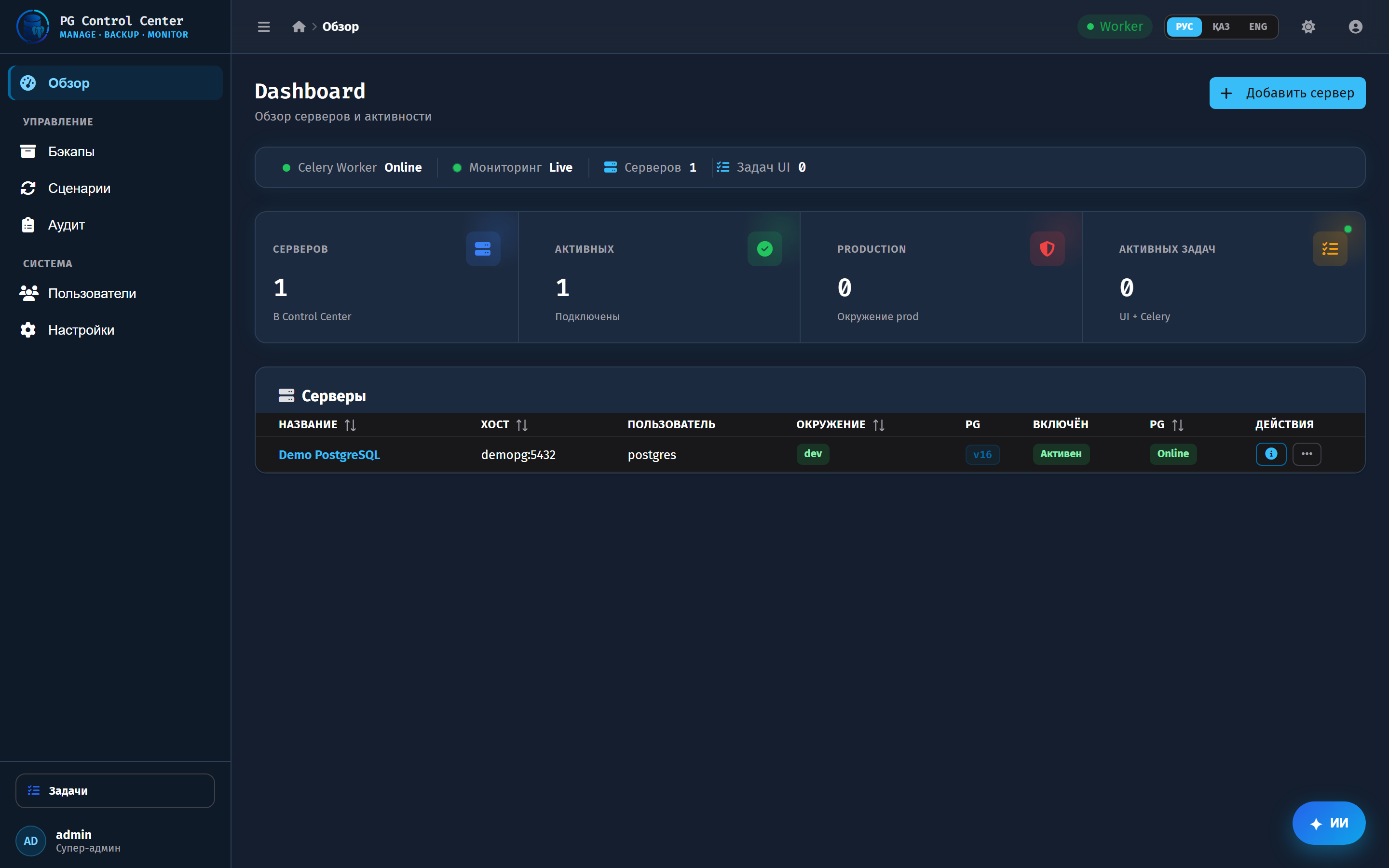
StageBridge AI is a full PostgreSQL fleet control center — servers, backups, restore scenarios, structure migrations (test to prod), diagnostics, and real-time monitoring — with ten AI touchpoints, all running on GPT-5.6:
- AI migration plan — risk level, safe apply order and rollback for a structure-sync diff.
- AI assistant — a PostgreSQL-aware chat on every screen.
- AI diagnostics — severity and fixes after a server health check.
- AI backup risk — weighs the real backup state before a restore.
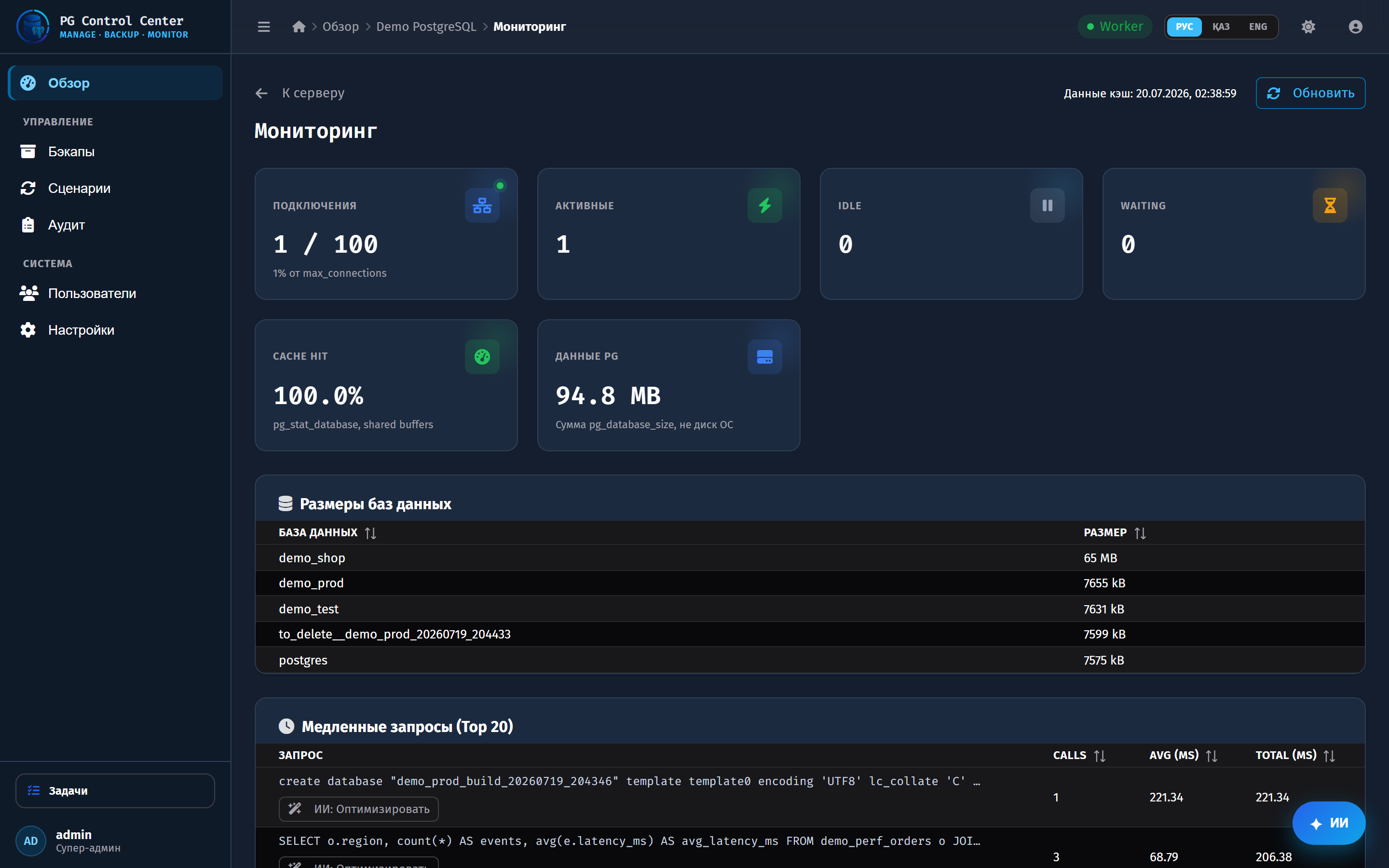
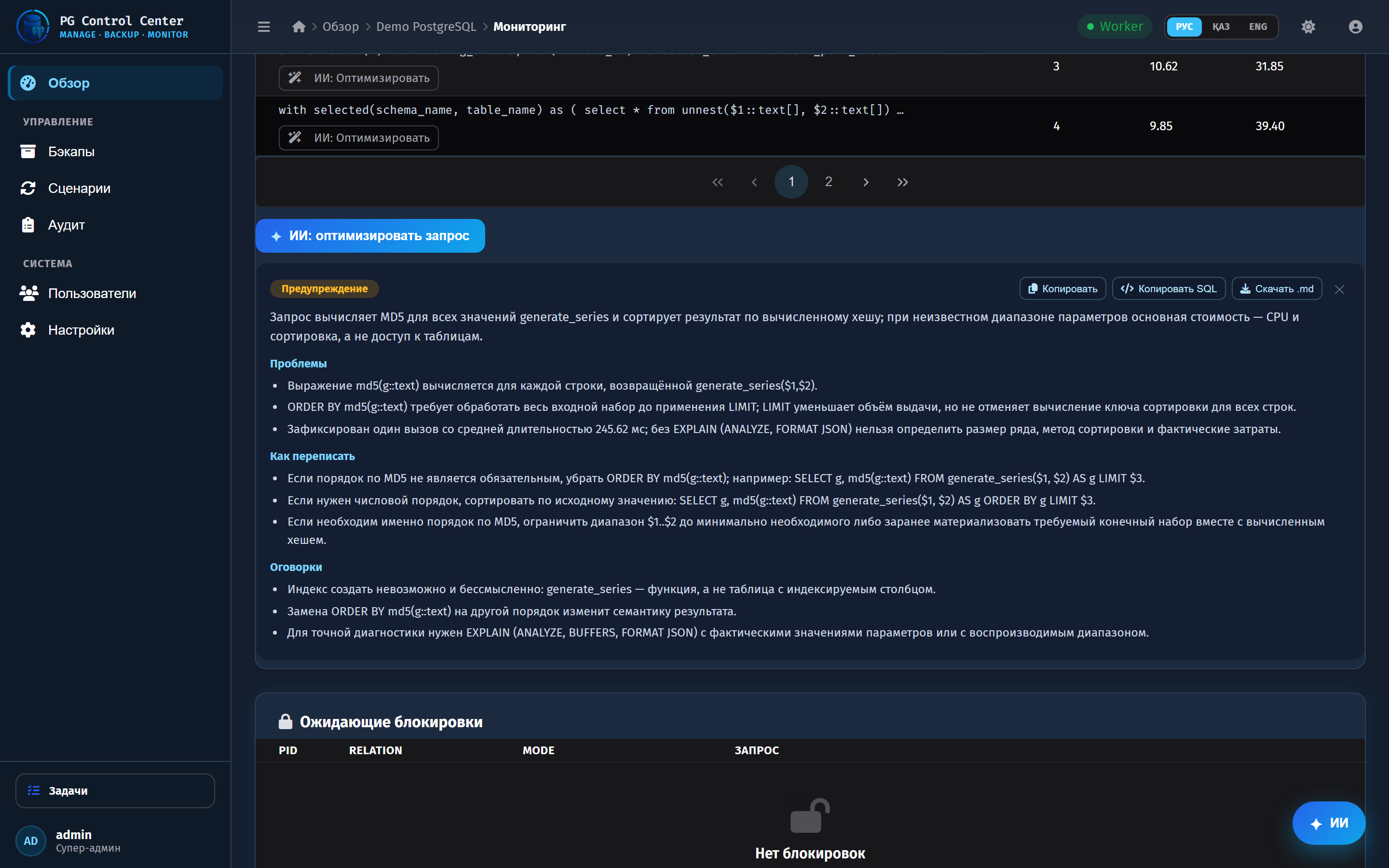
- AI Query Advisor — optimizes a slow query, grounded in a real EXPLAIN plan.
- AI Lock Analyzer — explains blocking chains from live locks.
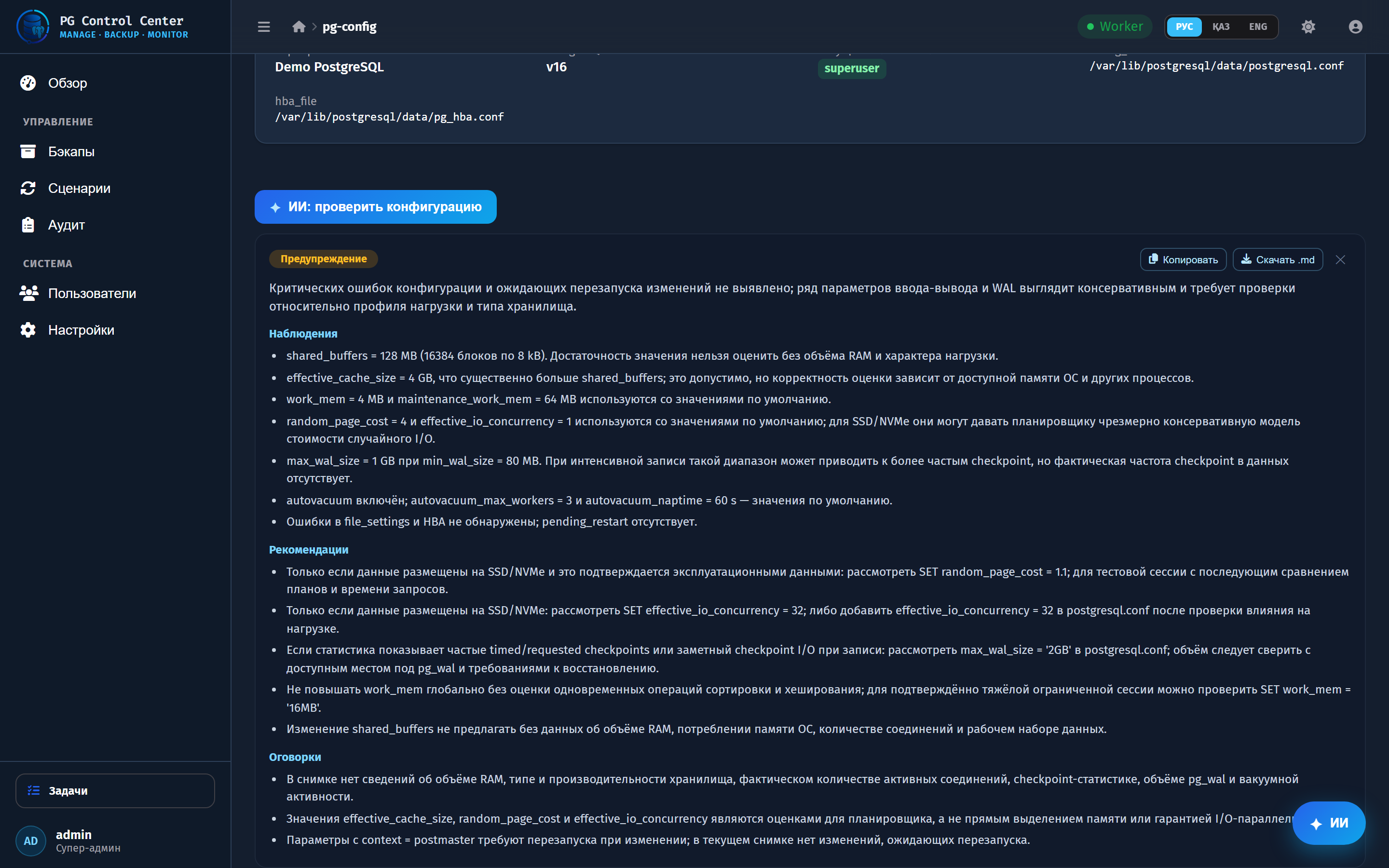
- AI Config Advisor — tuning advice from pg_settings.
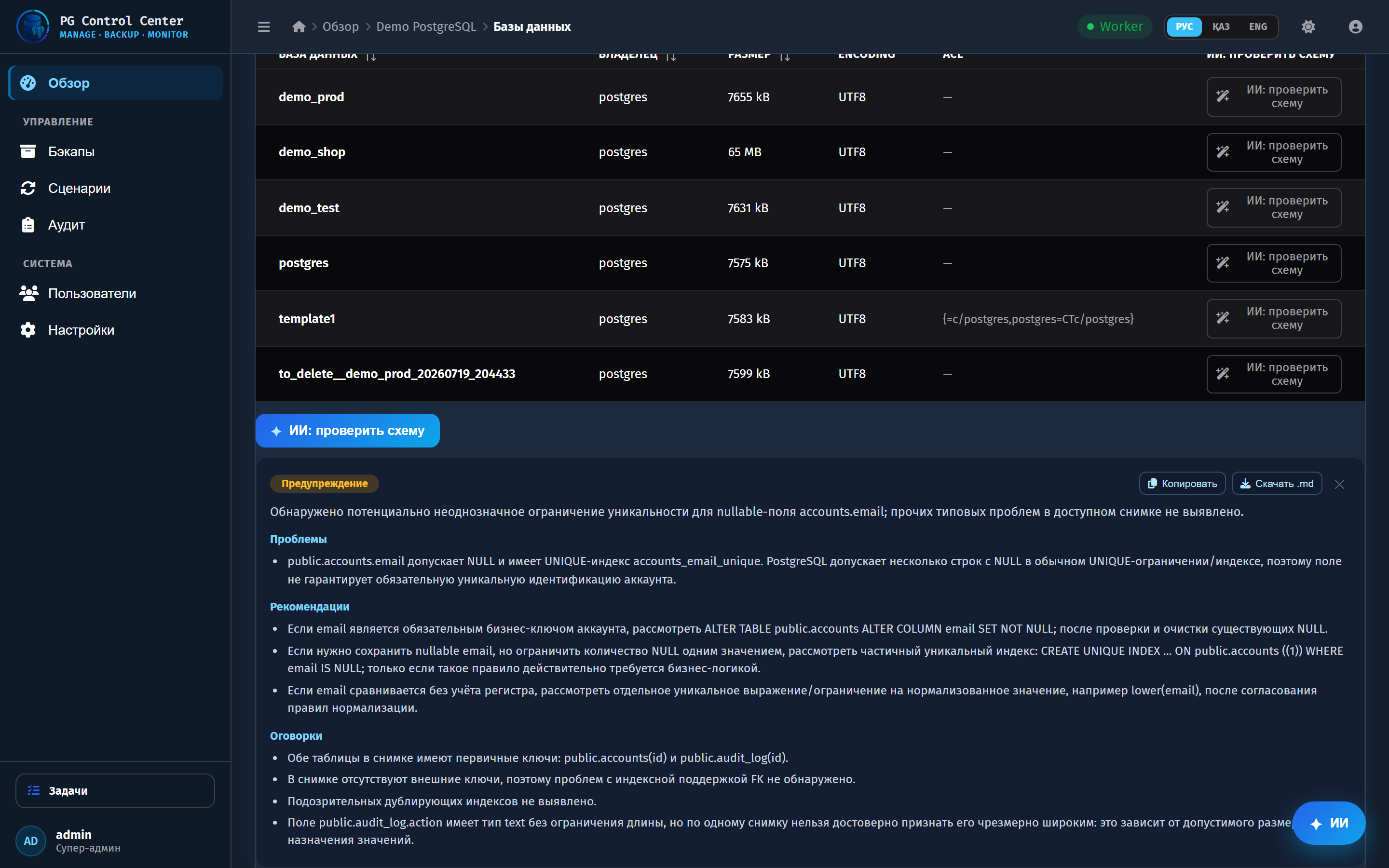
- AI Schema Reviewer — flags missing primary keys, unindexed foreign keys, weak types.
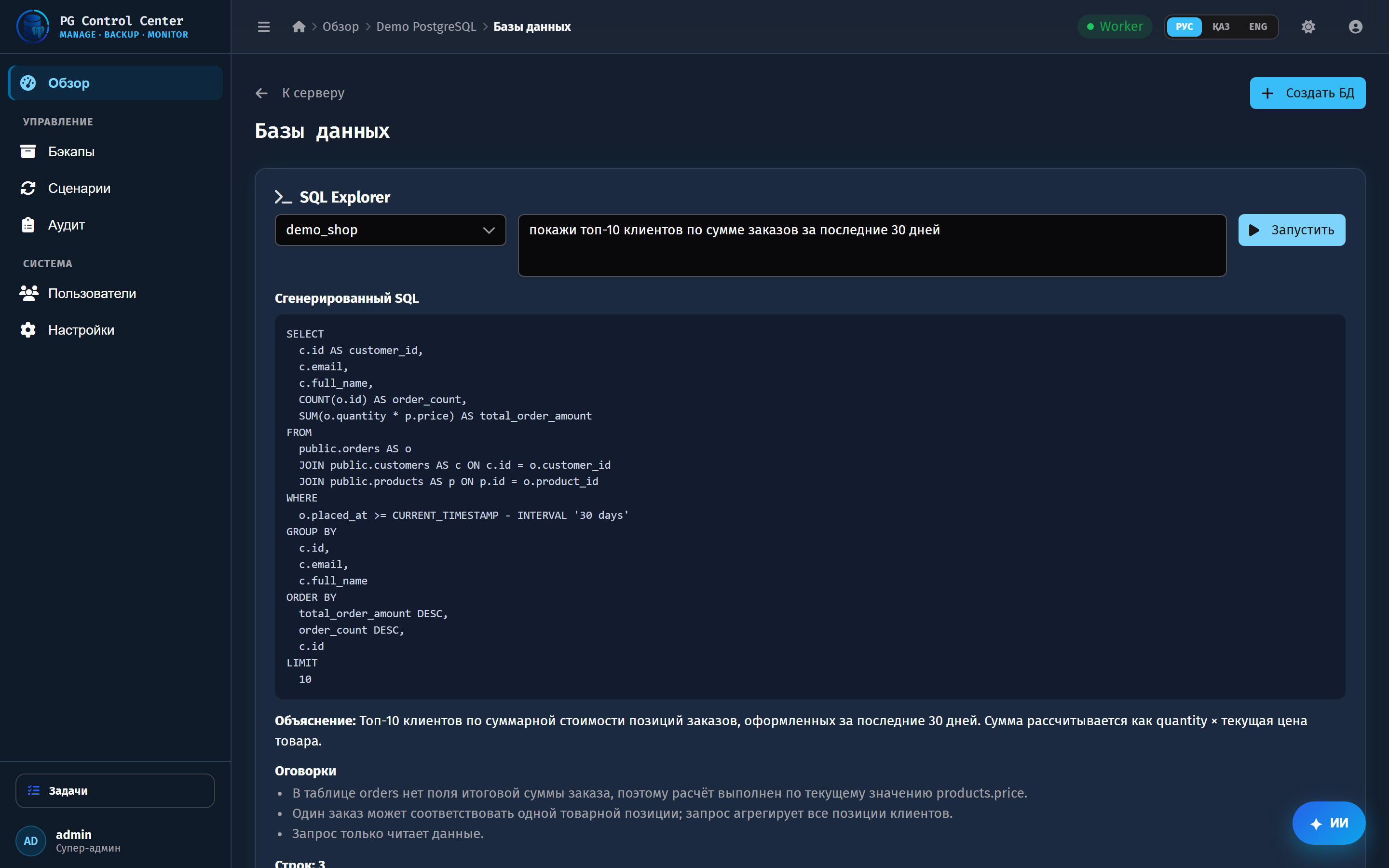
- NL to SQL Explorer — ask in plain language, get a validated read-only SELECT and its results.
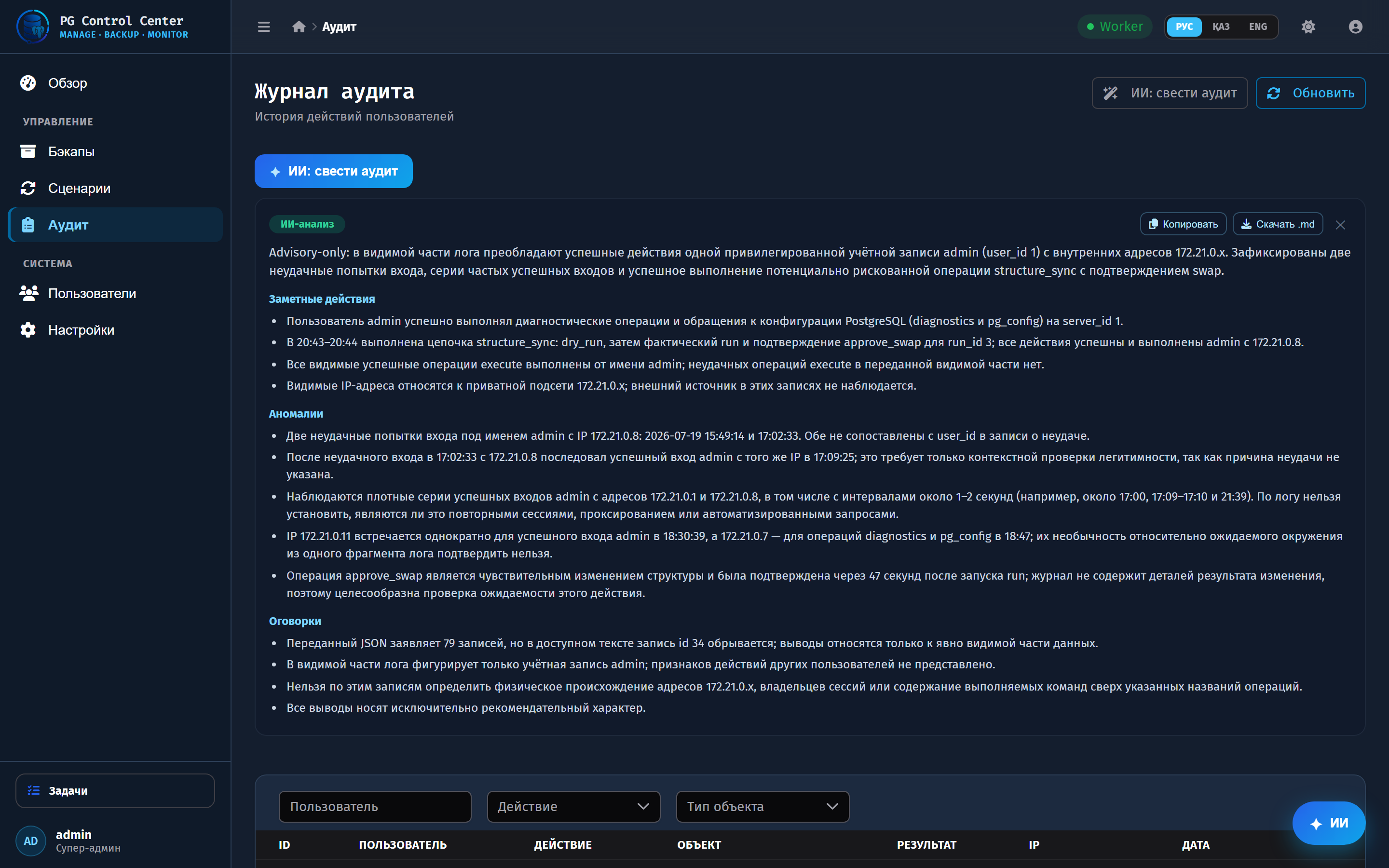
- AI Audit Summary — highlights and anomalies from the audit log.
Every AI answer follows the UI language (Kazakh / Russian / English). Crucially, the AI never executes anything destructive: it is advisory, and even NL to SQL only runs a validated read-only SELECT, inside a read-only transaction, with a hard row cap.
How we built it
- Frontend: Vue 3 + PrimeVue (Pinia, Vite, WebSocket for live task progress), vue-i18n for a fully trilingual UI and trilingual AI answers.
- Backend: FastAPI (async SQLAlchemy) with a metadata DB (Alembic).
- Task engine: Celery over RabbitMQ runs the heavy, irreversible work (pg_dump/restore, cloning, DDL); Redis pub/sub streams progress to the UI over WebSocket.
- Storage: S3-compatible (MinIO), configured per-server from the UI.
- AI: a single ai_service calling GPT-5.6 via OpenAI Chat Completions (JSON mode), exposed at /api/ai/*. The OpenAI key is set in the UI and stored Fernet-encrypted.
How Codex & GPT-5.6 were used
GPT-5.6 (gpt-5.6-terra) powers all ten AI features in the product. I used Codex across four focused sessions to build a large, verified share of them — broad, real engineering, not a single demo:
- Six AI features built by Codex — Query Advisor, Lock Analyzer, Config Advisor, Schema Reviewer, NL to SQL Explorer, and Audit Summary — each as an additive, self-contained change (service method + FastAPI route + Vue UI + kk/ru/en translations).
- Safety-critical work Codex got right: read-only, timeout-bounded EXPLAIN grounding for the Query Advisor; a bounded, read-only schema snapshot for the Schema Reviewer; and the NL to SQL runner that validates the model's SQL (single SELECT only — no DML/DDL/locks) and executes it in a read-only transaction with a hard LIMIT. Every managed-DB read is tenant-authorized.
- Tests and CI by Codex: a real pytest suite (backend) and a Vitest suite (frontend) — 55 tests in total — plus a GitHub Actions pipeline that type-checks and runs both.
- Engineering decisions, not just codegen: adapting the chat layer for the GPT-5 family (max_completion_tokens, dropping unsupported params) with a fallback-retry, and making AI answers follow the UI locale.
Codex worked under an AGENTS.md guardrail (branch isolation, additive-only edits, i18n parity, read-only + tenant-authorized DB access, never touching migrations/backups/structure-sync). The Codex /feedback session IDs are on the submission form, and docs/CODEX_LOG.md records the file-by-file changes.
Challenges we ran into
- Making the AI trustworthy, not chatty — keep it on hard facts (the diff, the plan, the schema) and force structured JSON output.
- Real infrastructure is unforgiving — matching pg_dump to each server's major version meant building an in-app PostgreSQL client installer (pulls the right postgresql-client from PGDG on demand).
- Safely executing model-generated SQL — solved with strict validation (single read-only SELECT), a read-only transaction, statement timeouts and a row cap, so nothing destructive can ever run.
Accomplishments that we're proud of
- Ten AI touchpoints, all live on GPT-5.6, all returning structured output that renders as clean cards.
- A genuinely working end-to-end product on real PostgreSQL servers and real S3 storage.
- A fully trilingual interface and trilingual AI answers (Kazakh / Russian / English).
- Codex used broadly and safely — six features, 55 tests, and CI.
- Product-grade UX polish: clicking a row runs the AI analysis instantly — no second click — behind an animated “thinking” loader and a token-by-token streaming assistant; the NL→SQL Explorer pretty-prints the generated SQL, and every AI card exports to Markdown (with Copy SQL shown only where the output is real SQL).
What we learned
The best LLM product is often the thinnest LLM layer: let deterministic systems establish ground truth, then use the model for the part humans are slow at — explaining risk and sequencing safe steps. Structured output turns "a chatbot" into "a feature."
What's next
Guided, approval-gated execution of AI plans (not just advisory); anomaly detection over the live monitoring stream; per-org AI budgets and audit trail.
Built With
- celery
- docker
- fastapi
- minio
- openai
- postgresql
- primevue
- python
- rabbitmq
- redis
- sqlalchemy
- typescript
- vite
- vue
- websockets


Log in or sign up for Devpost to join the conversation.