-
-
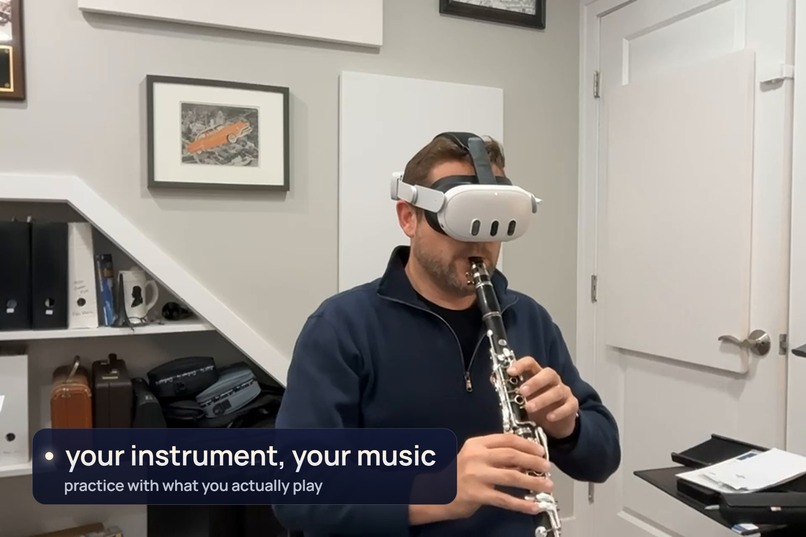
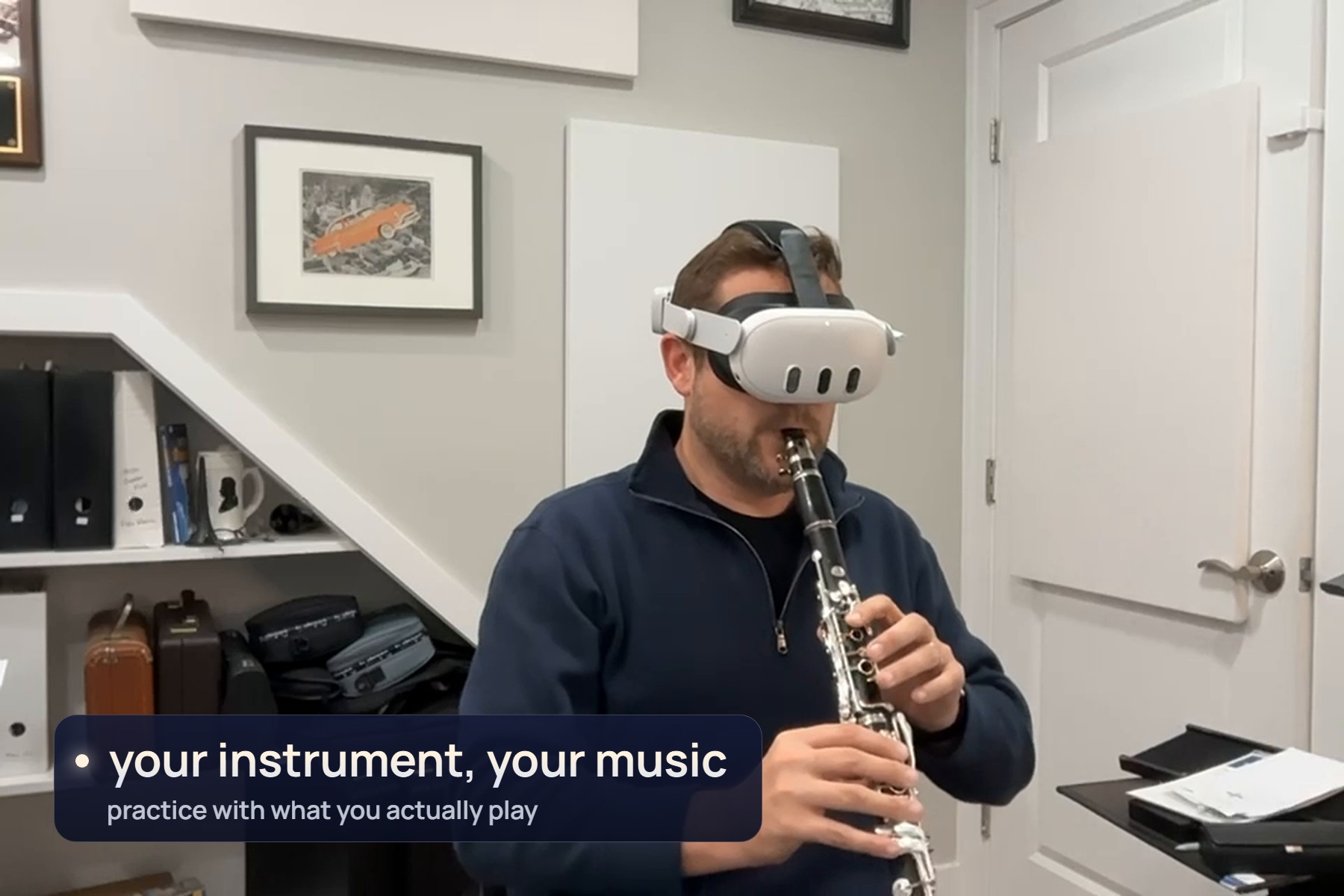
Ralph plays his own clarinet with the headset on. Practice with your real instrument and music.
-
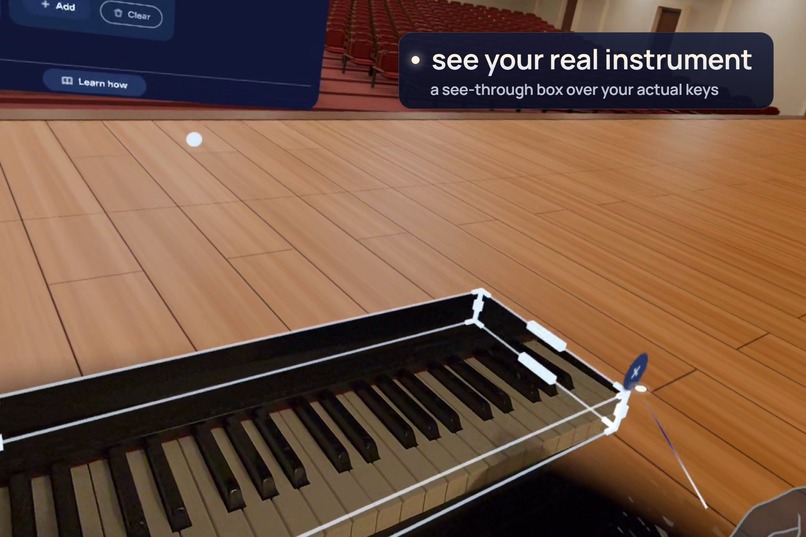
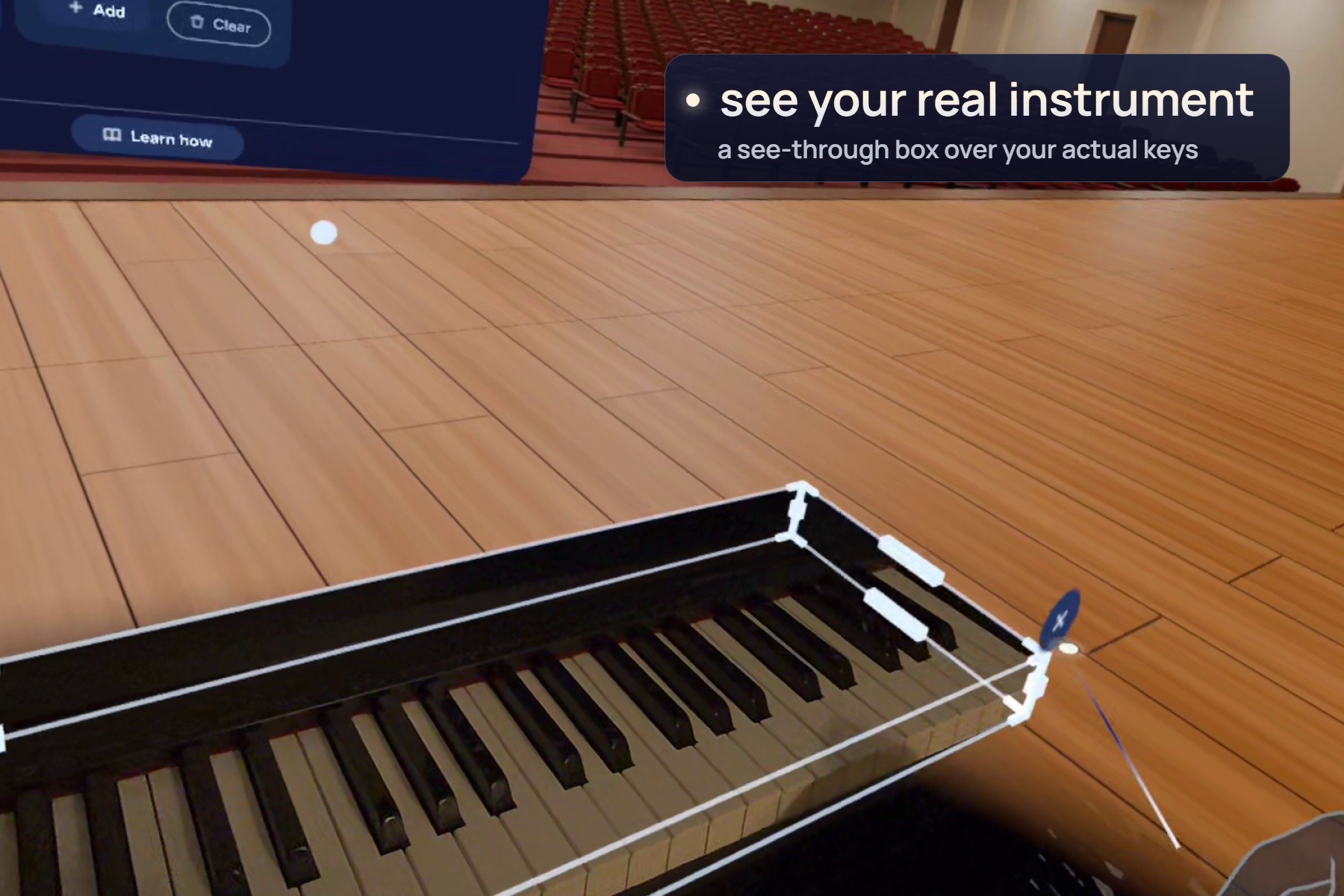
A see-through box shows your real instrument inside the hall.
-
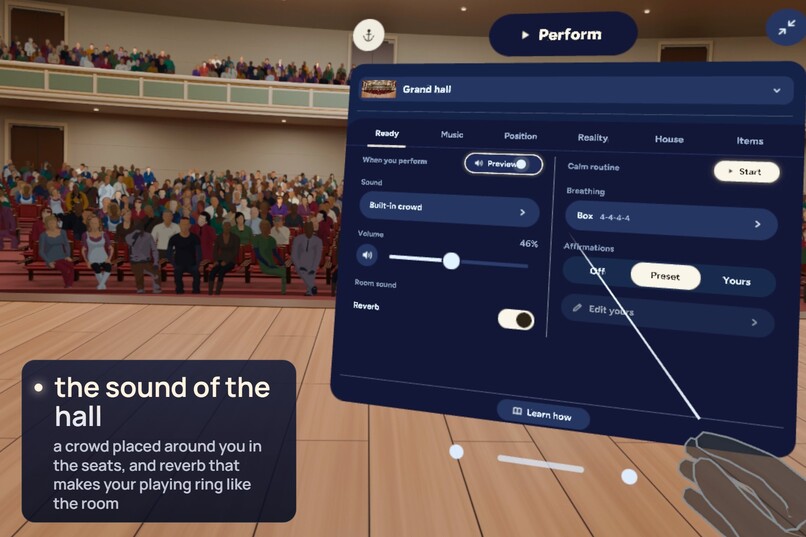
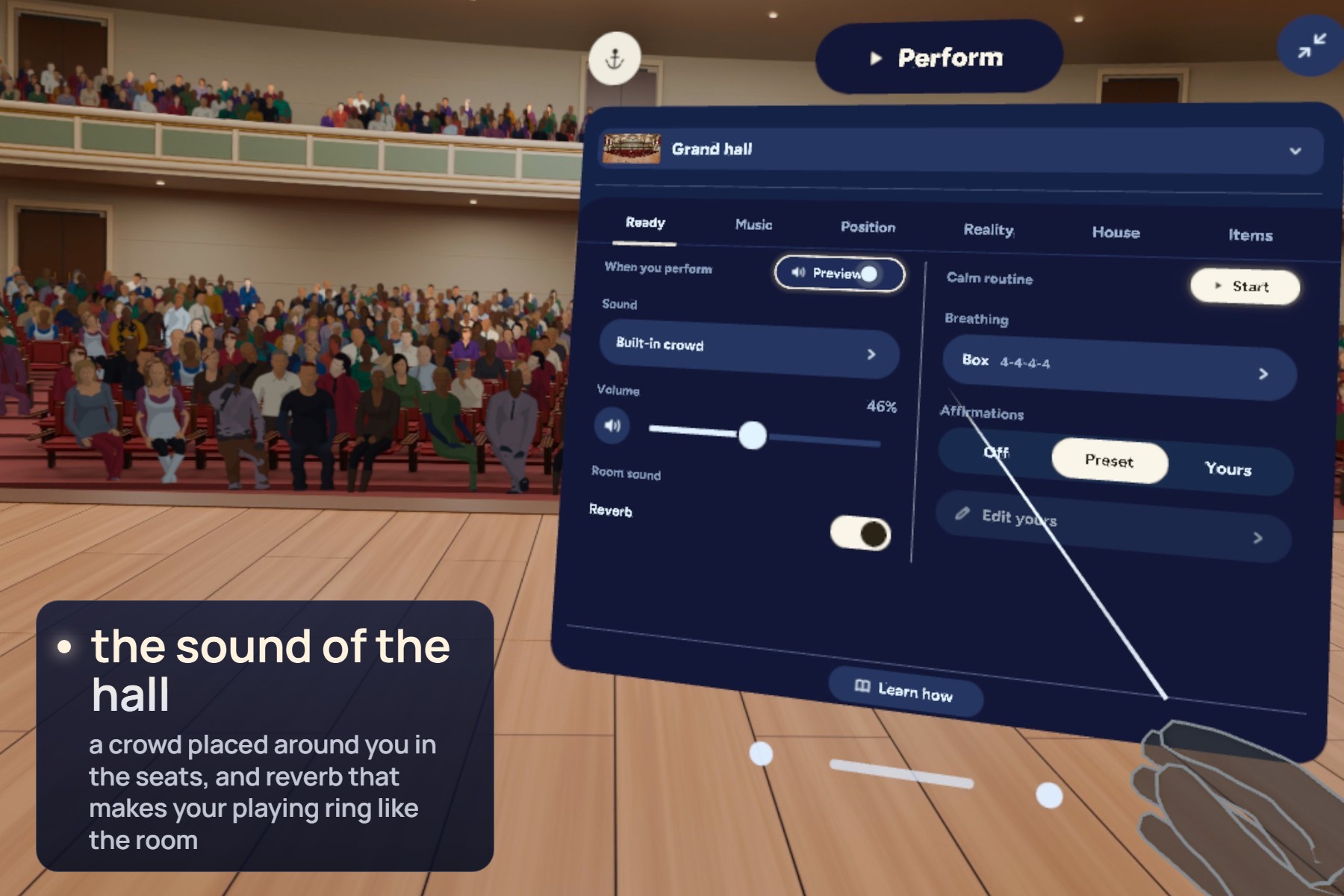
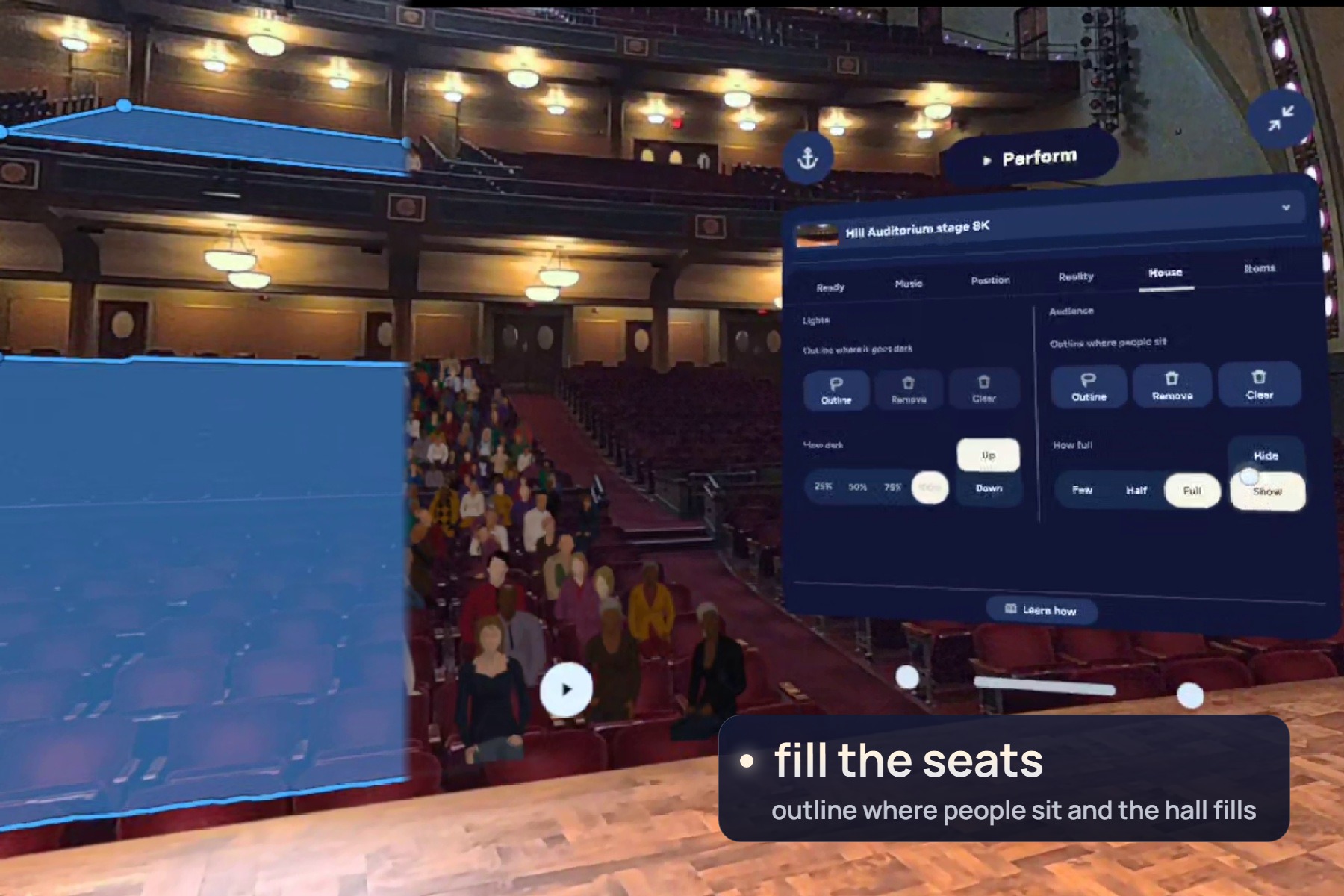
The sound of the hall: a crowd placed around you in the seats, and reverb that makes your playing ring like the room.
-
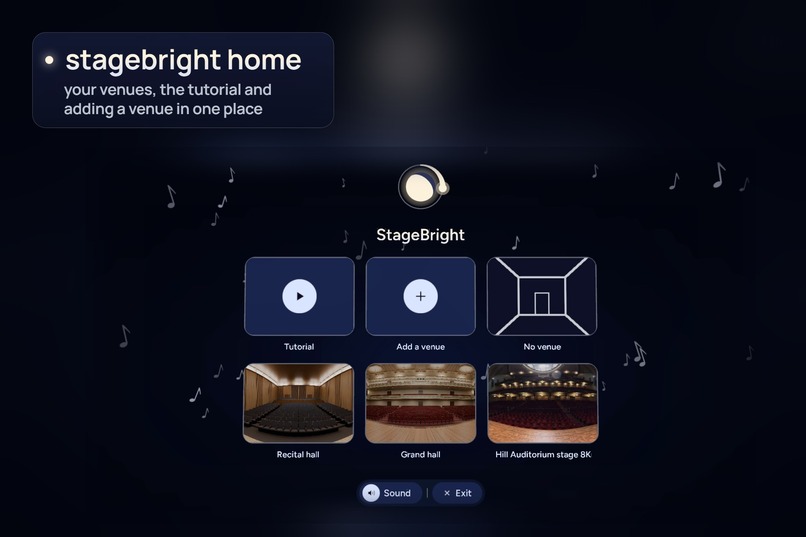
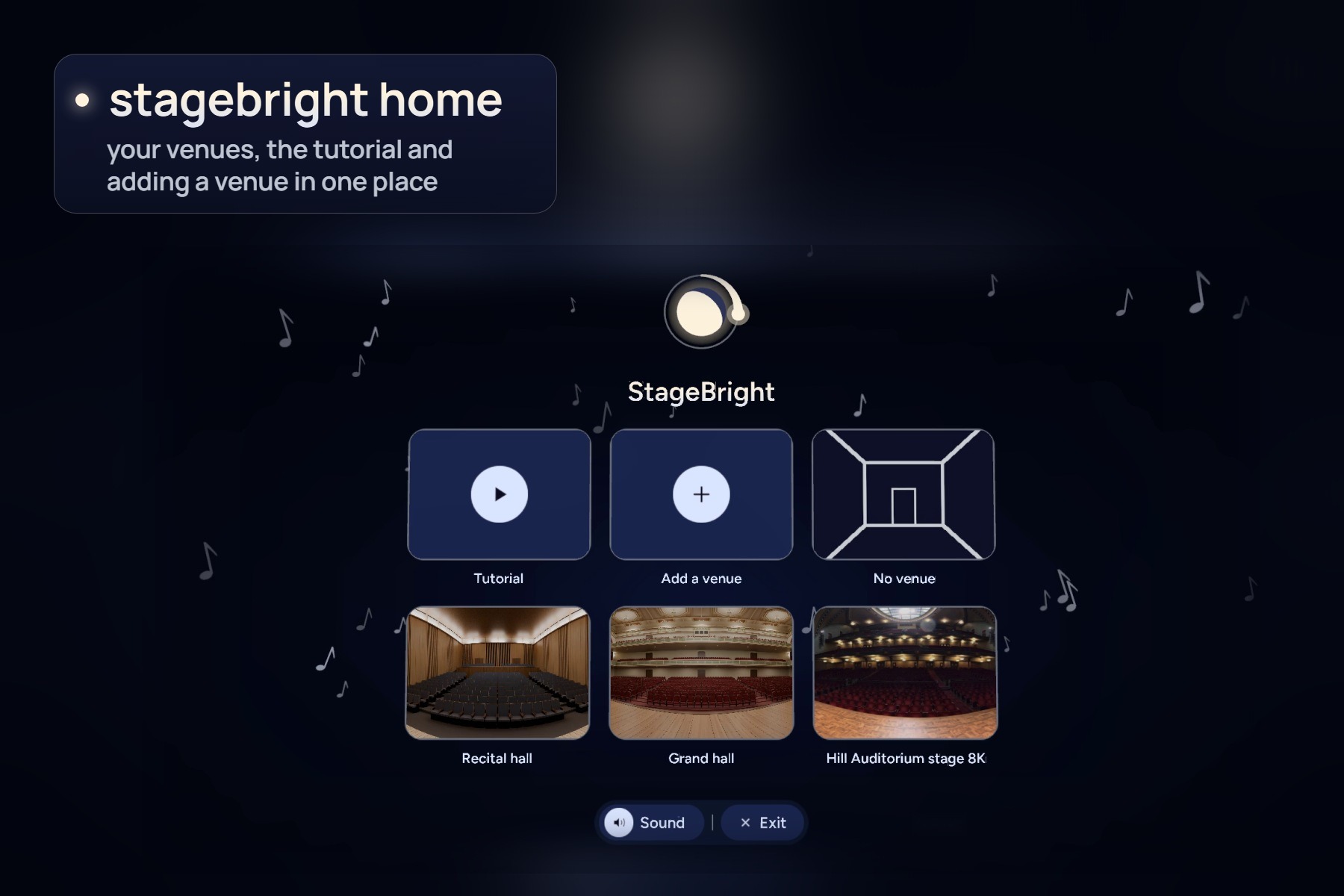
Home: your venues, the tutorial and Add a venue in one place.
-
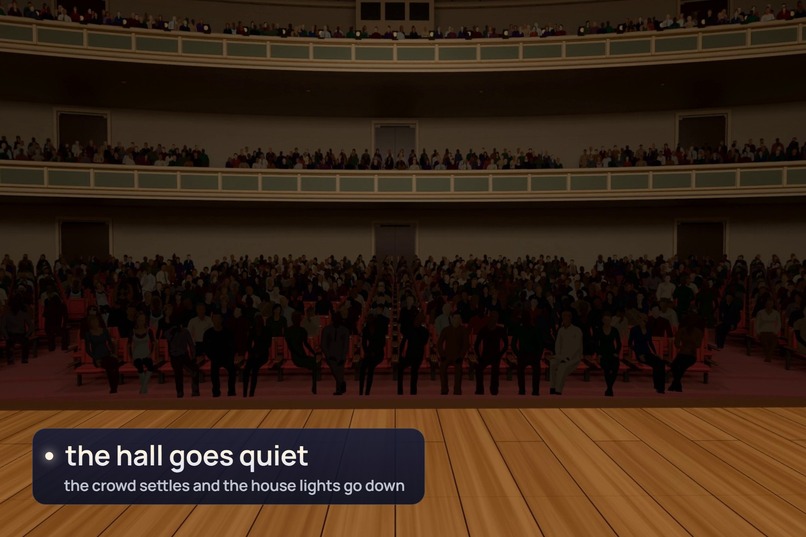
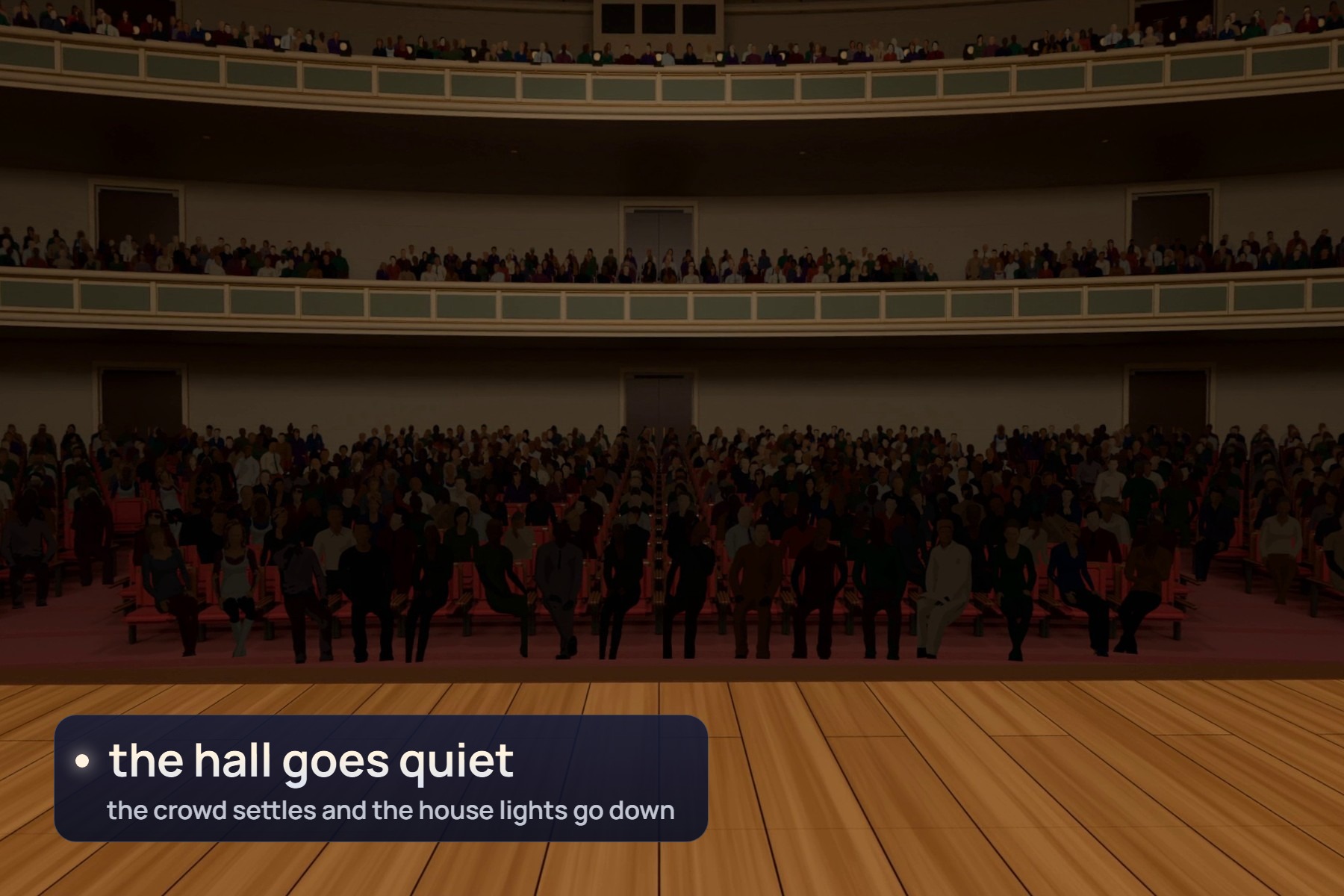
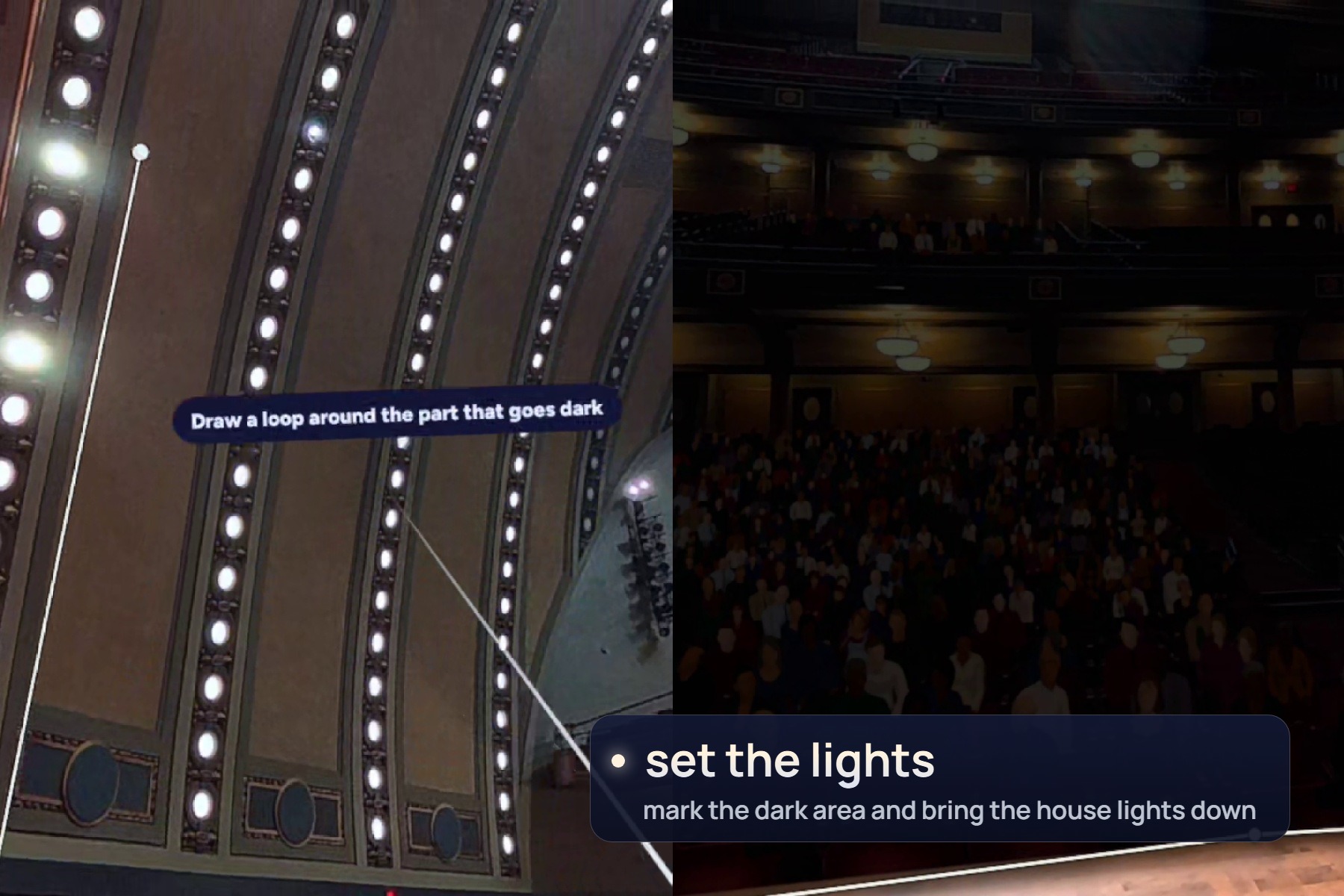
The hall goes quiet as the crowd settles and the house lights go down.
-
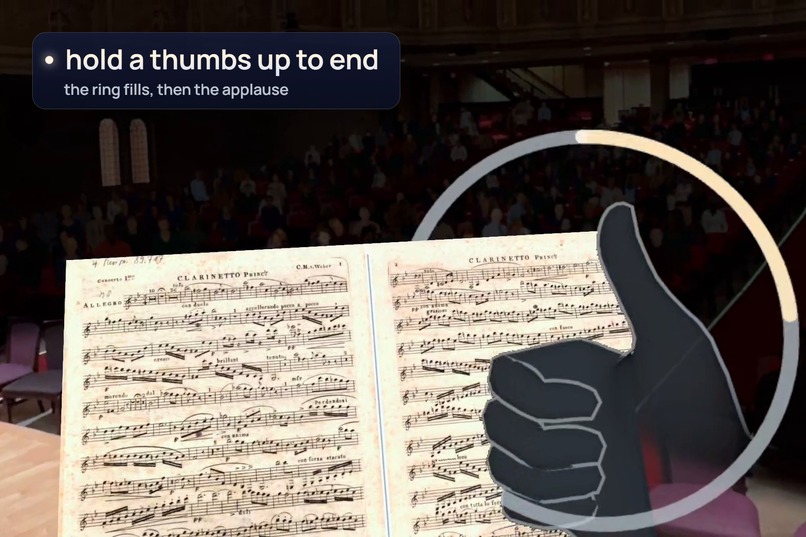
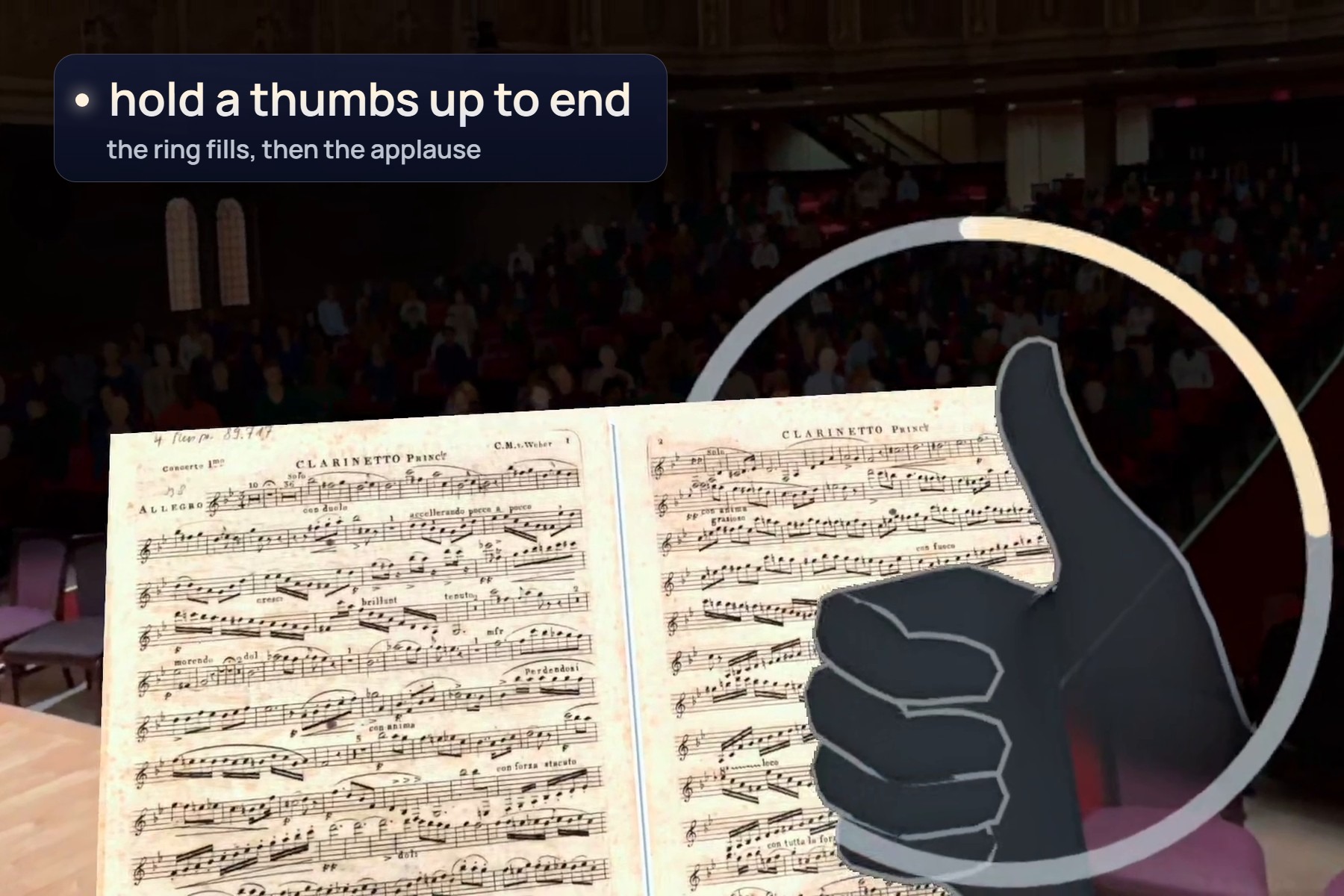
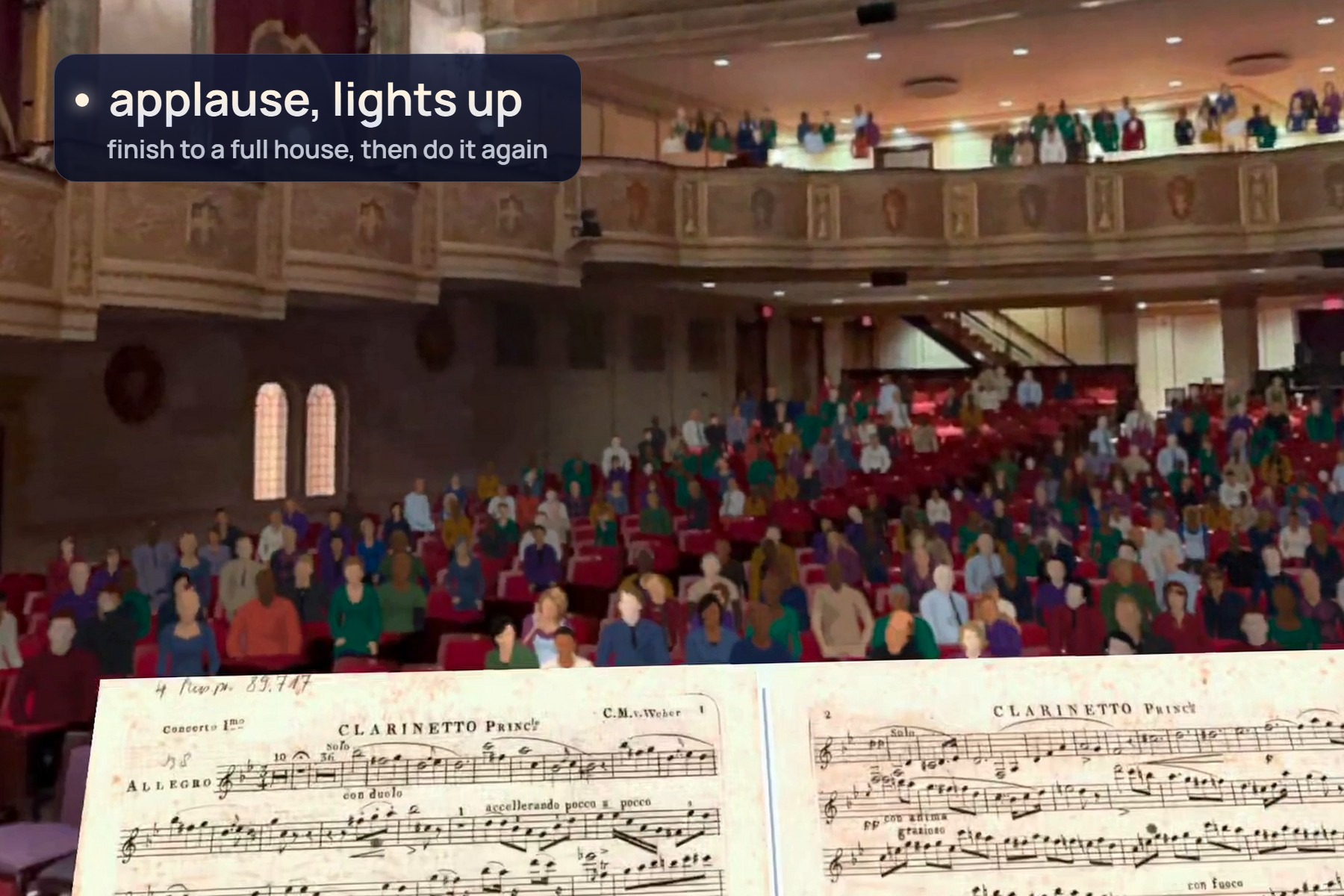
Hold a thumbs up to end. The ring fills, then the applause starts.
-
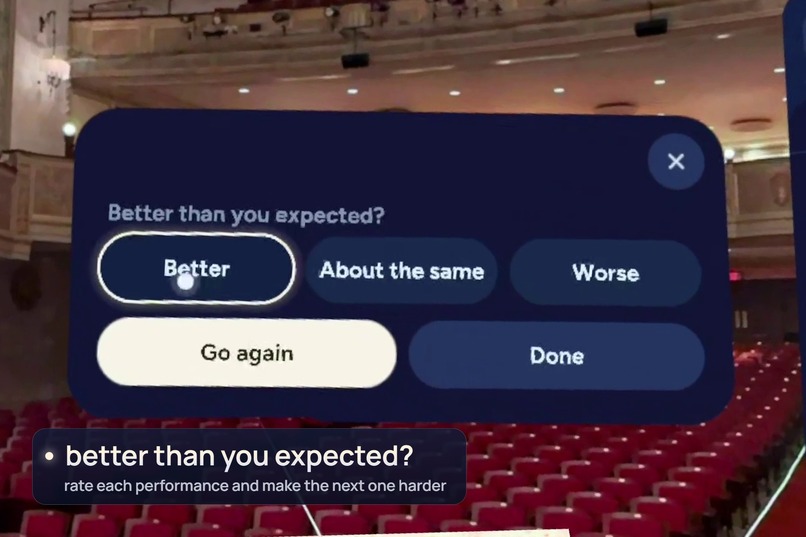
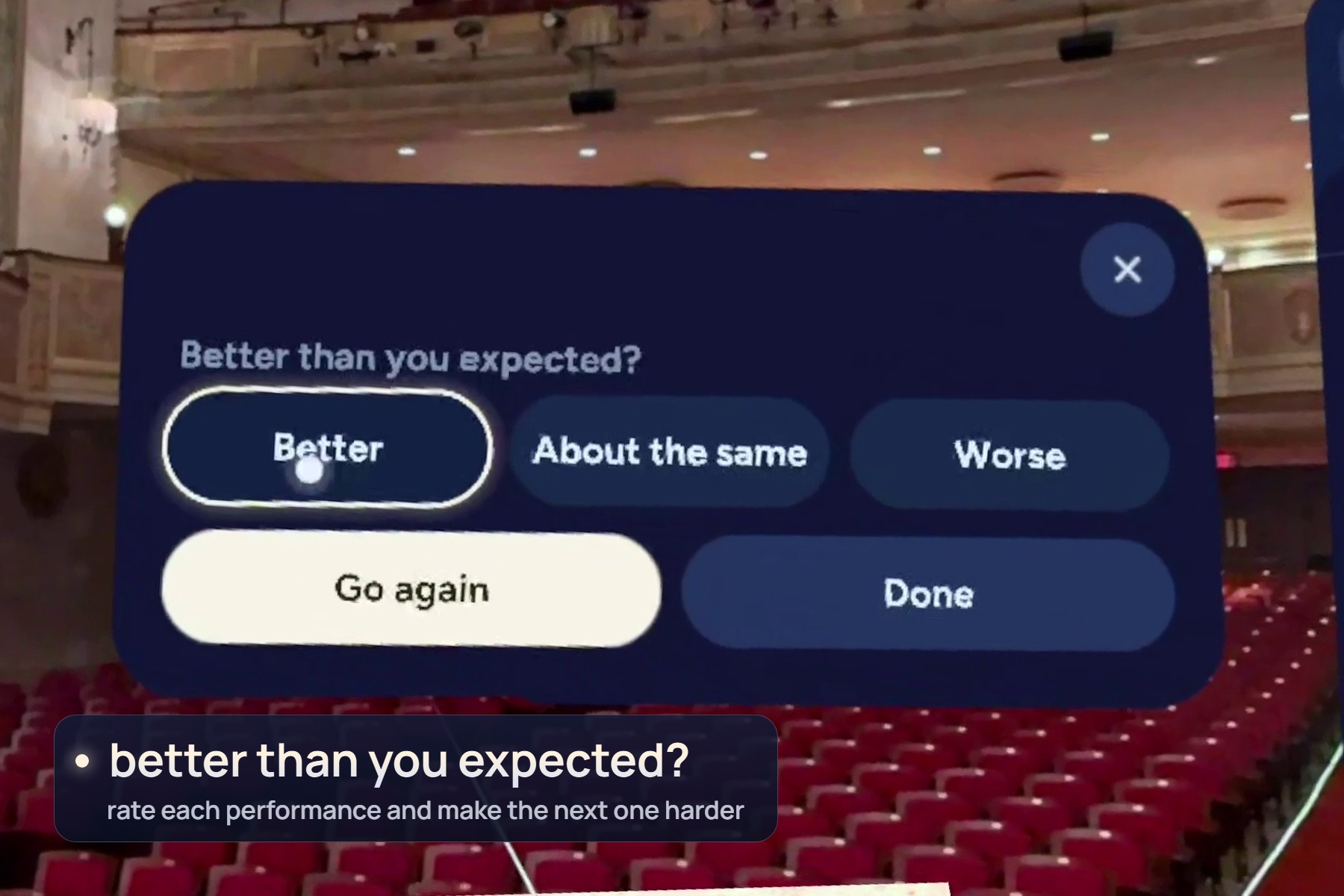
After each performance, say how it went and make the next one a little harder.
-
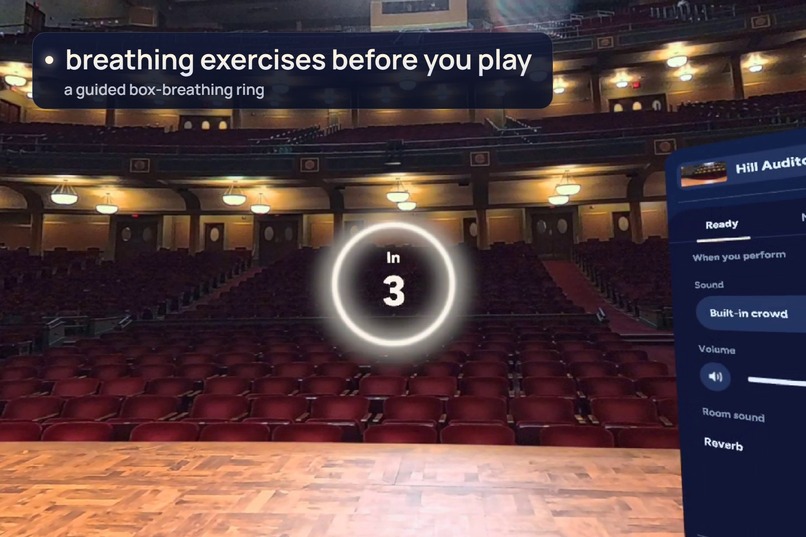
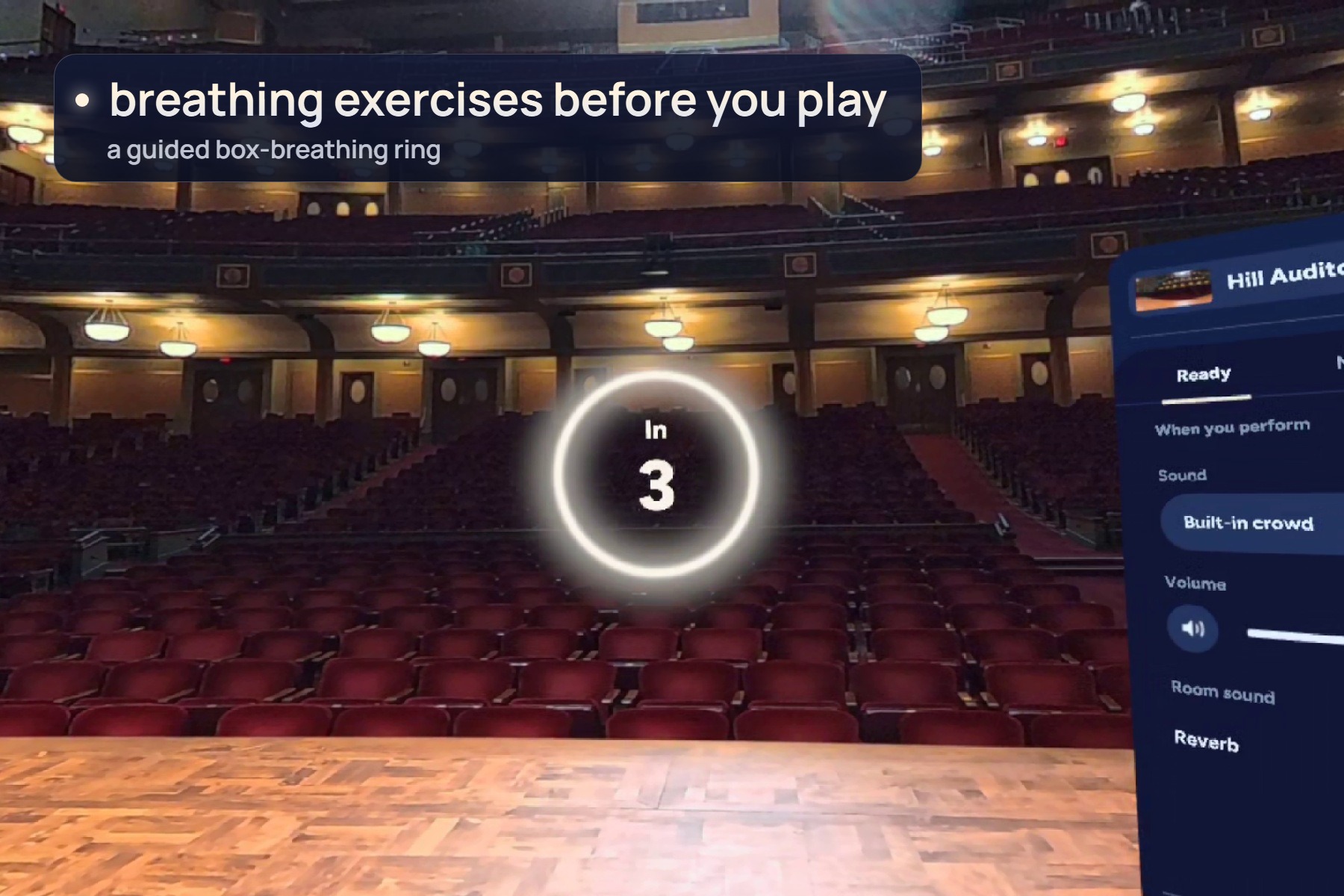
Box breathing with a guided ring, to calm your nerves before you play.
-
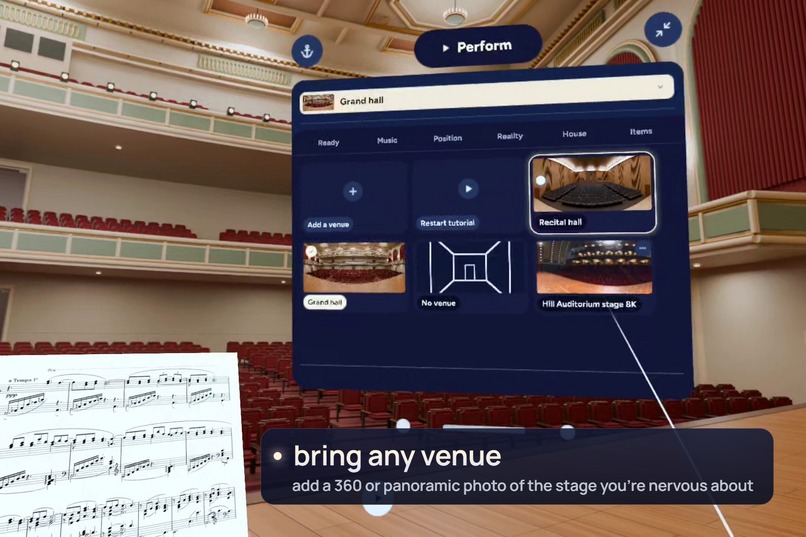
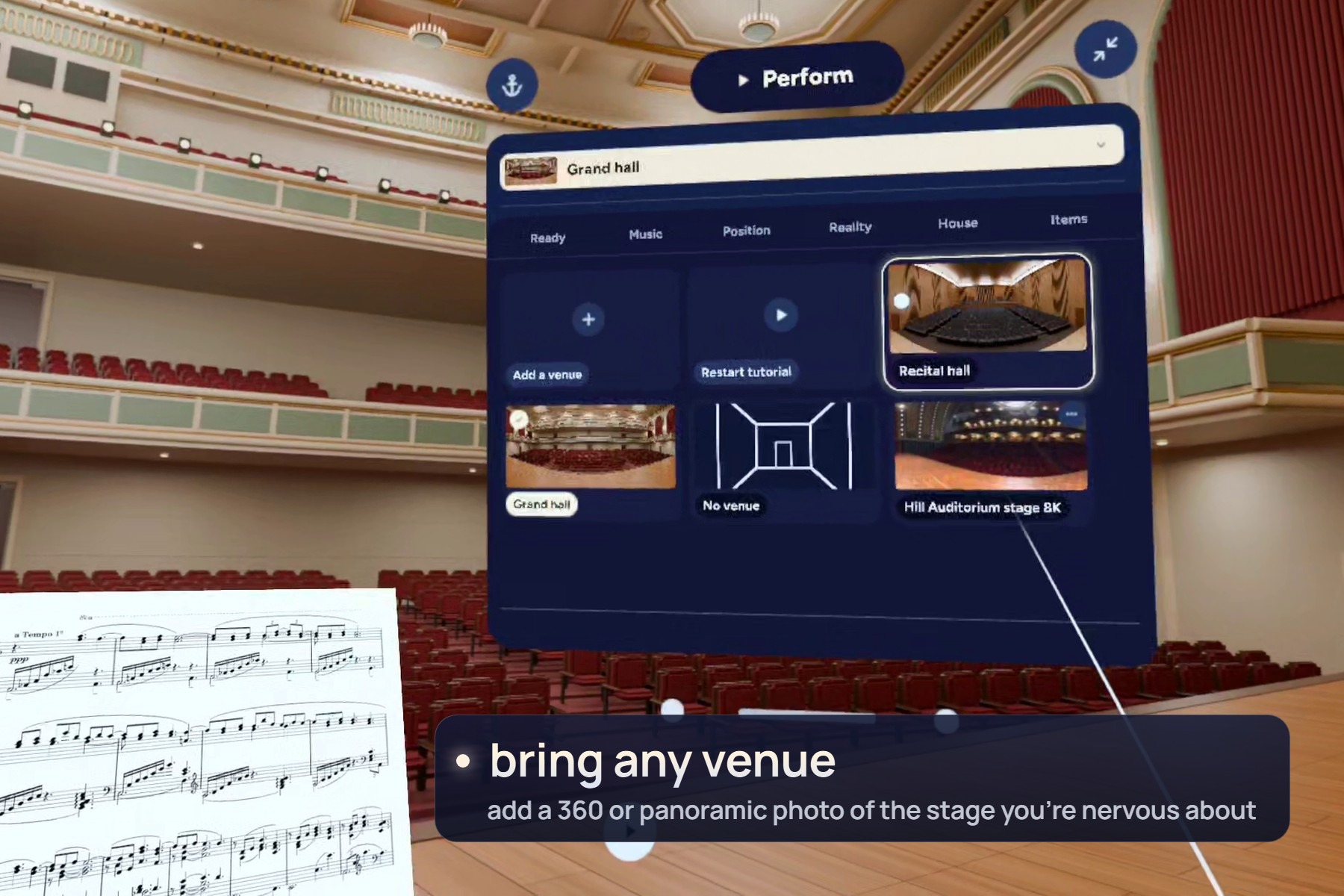
Bring any venue: add a 360 or panoramic photo of the stage you’re nervous about.
-
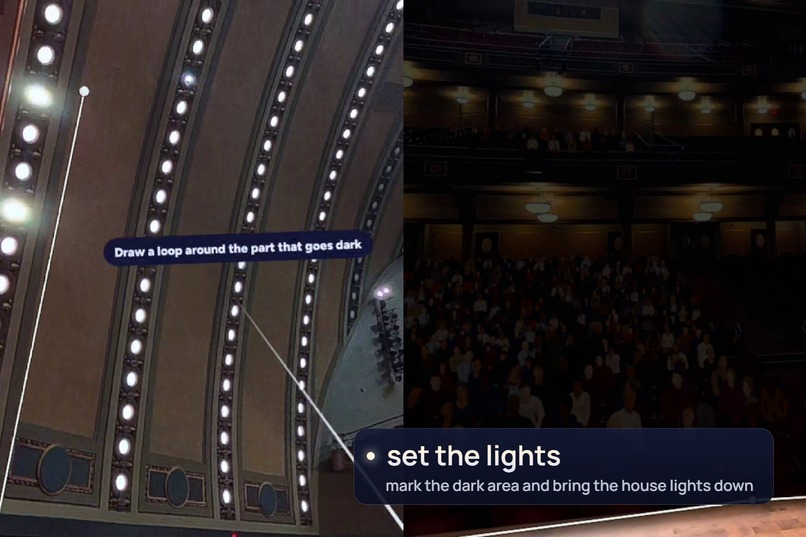
Mark the area that goes dark, then bring the house lights down.
-
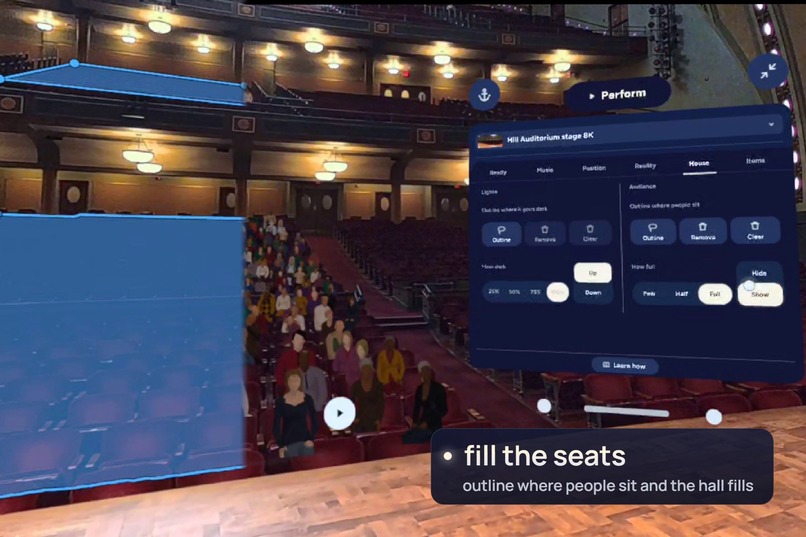
Outline where people sit, and the audience fills those seats.
-
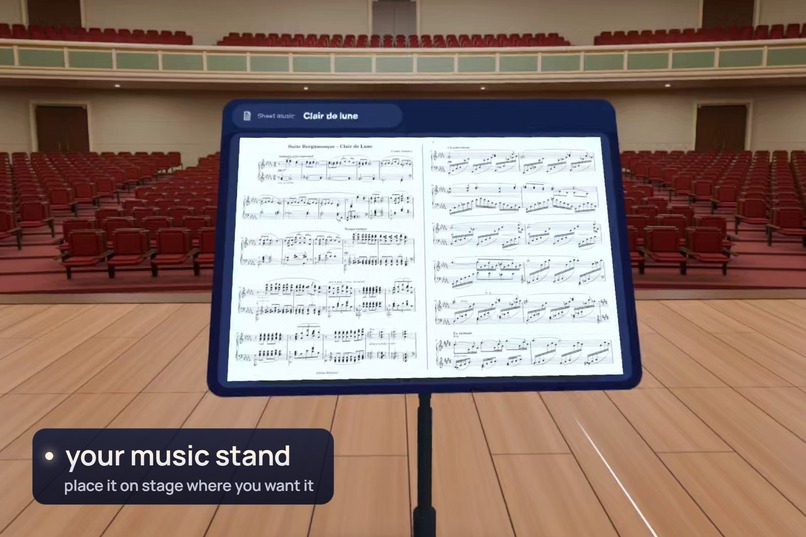
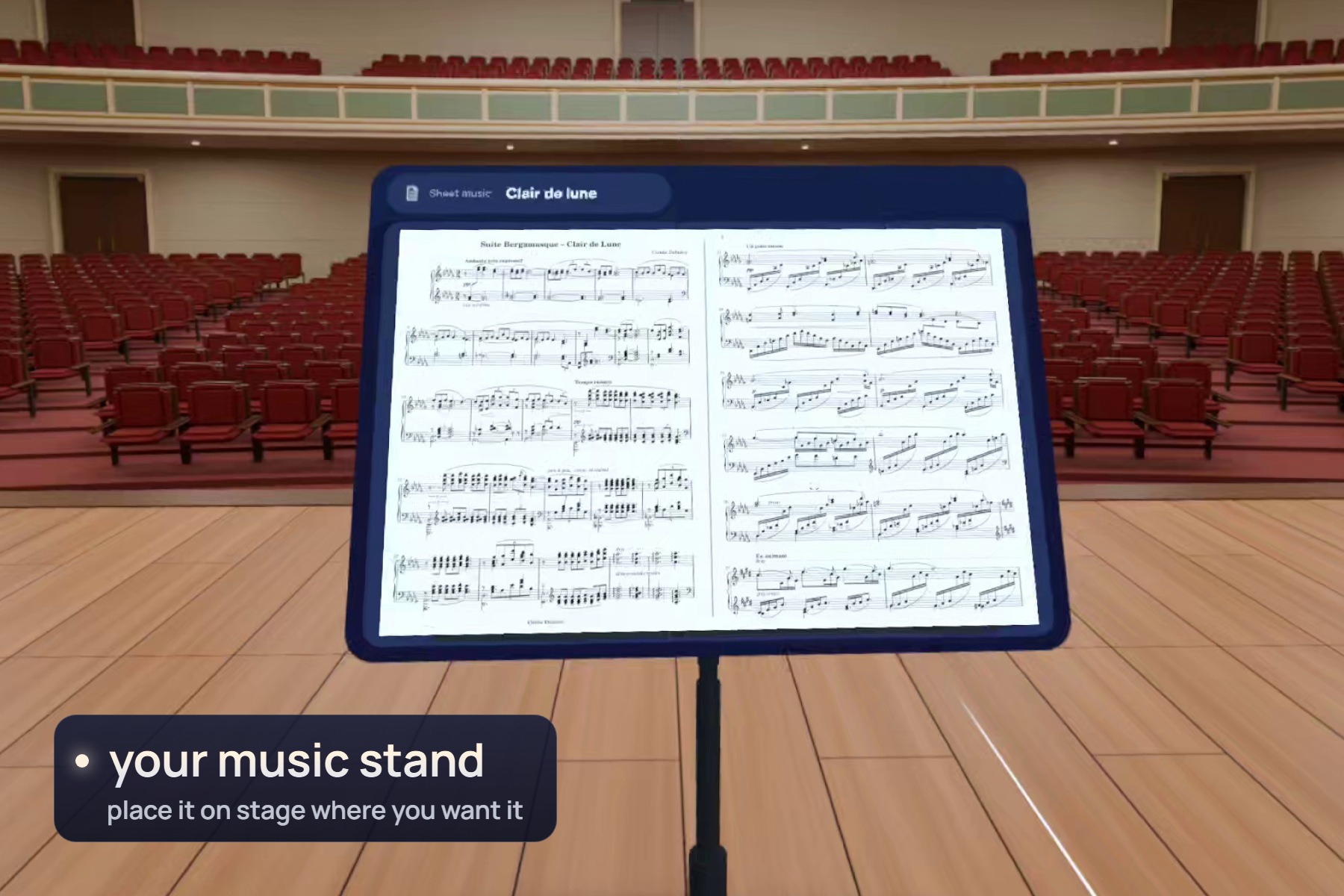
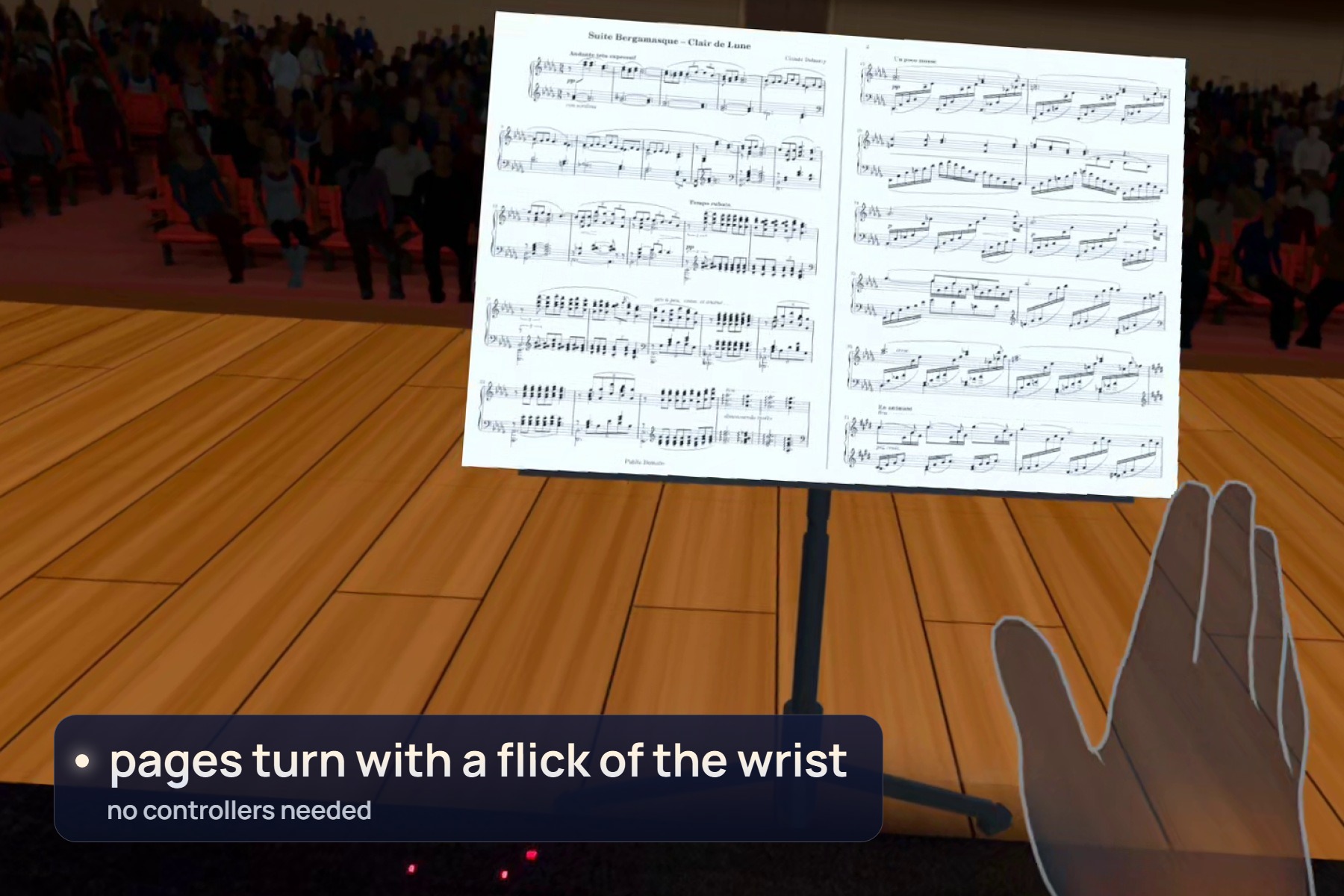
Add a music stand and place it where you want it on stage.
-
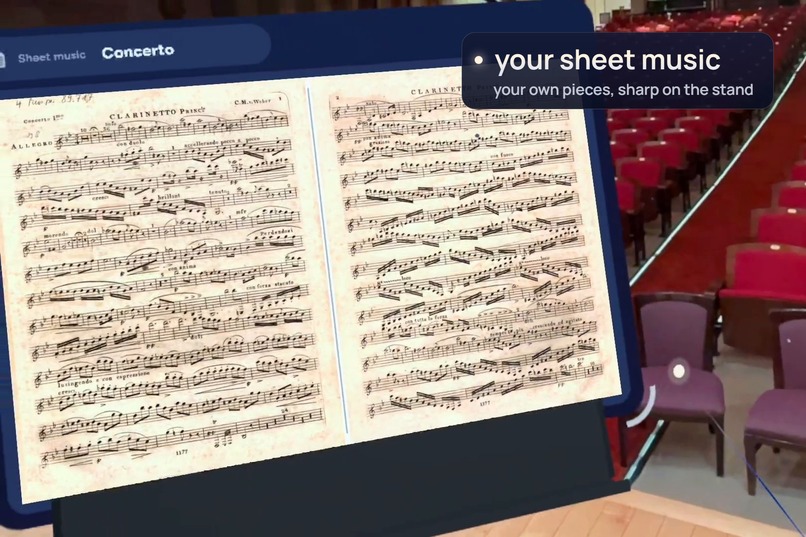
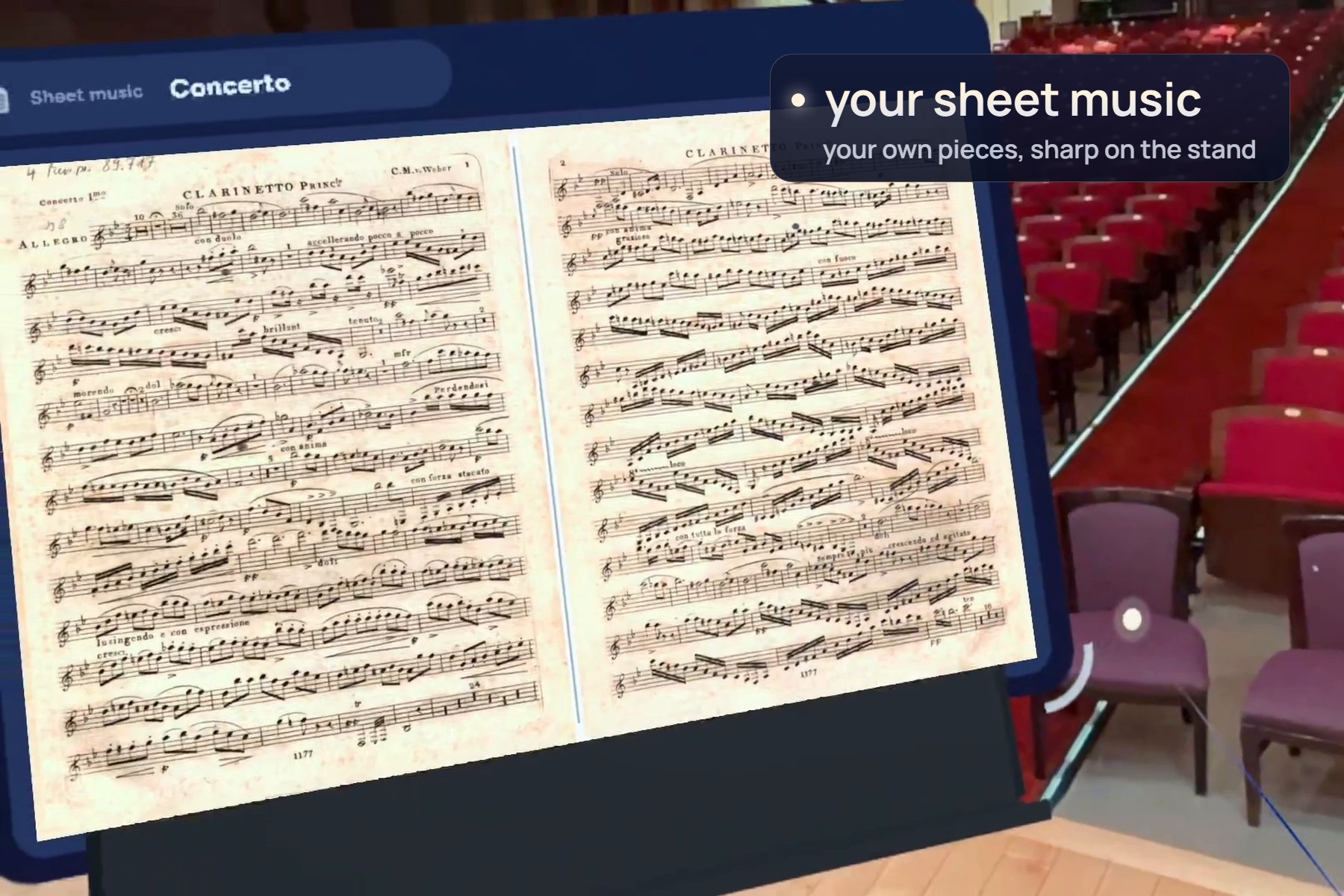
Bring a PDF or photos of your your own sheet music.
-
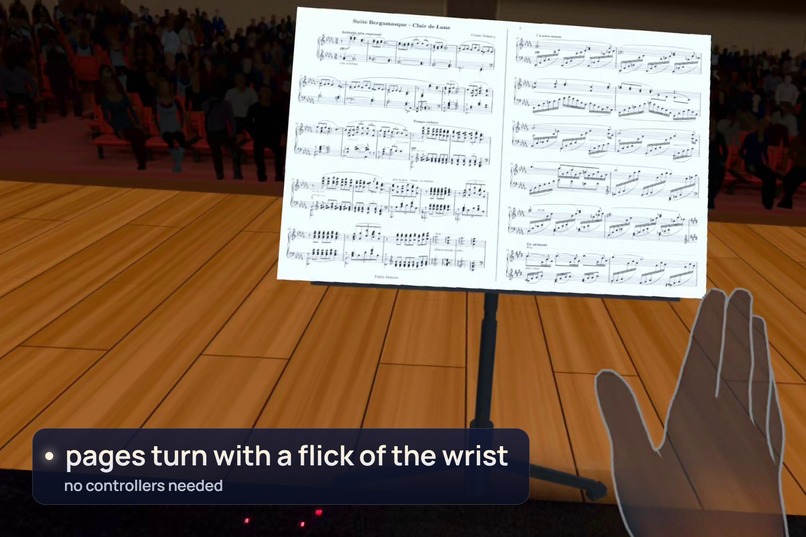
Turn pages with a flick of the wrist. No controllers needed.
-
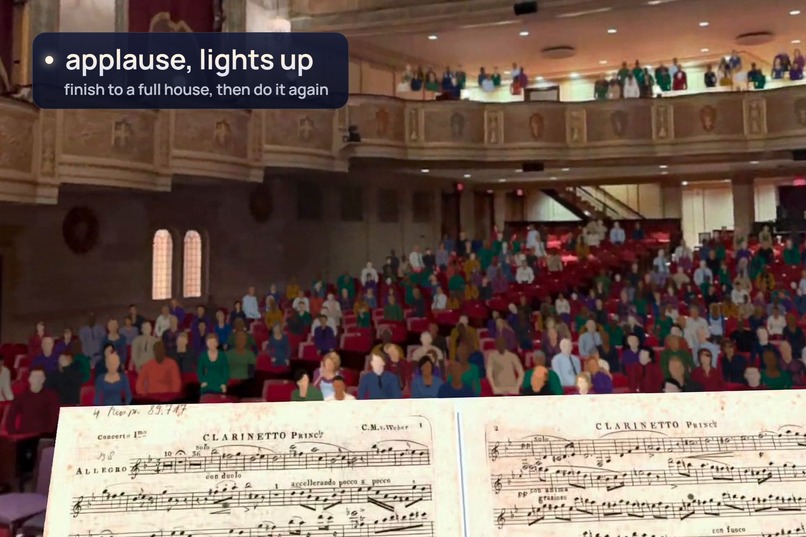
Finish to applause as the lights come up and the audience exits.
Inspiration
A music student walks onstage for an audition. She has played this excerpt a thousand times. Now her mouth is dry, her fingers are cold, and the hall is so quiet she can hear her own breath.
That student is why we built StageBright. Ralph Skiano, principal clarinetist with the Detroit Symphony Orchestra, coaches musicians like her, and when he met Amanda Cowell, the first thing he talked about was wanting to give his students a better way to prepare. Amanda has spent her career turning ideas like that into software, and she knew what he was describing was possible.
“I’ve been teaching visualization techniques for two decades, but I knew nothing would compare to an immersive visual and audio environment where one could really feel the nerves of performing in a huge concert hall in front of a live audience. The technology is finally available to create something that would be so helpful!” says Skiano.
His students practice every day, alone or in rehearsal, but they rarely stand on a real stage before the day it counts. So in October, we started StageBright from scratch for any instrument, on a headset accessible to students. It puts a concert hall in the Quest, where you can practice the stage as often as the notes.
That kind of gradual exposure is the best-supported way to ease performance nerves. StageBright takes that practice into a headset you can use at home.
What it does
You stand on a concert stage in your Meta Quest, with your own sheet music on the stand and your real hands and instrument in view through passthrough. Select Perform and the audience fills the seats, the lights go down, and they welcome you with applause before the hall falls quiet. Play for as long as you would like, turn the sheet music pages as you go, then hold a thumbs up when you're done, and hear applause. You can bring your own environment as a 360 photo or panoramic. It runs seated, hands only, offline and without an account.
How we built it
We built it in short loops of build, test, and learn. Amanda played through each new build on the headset, Ralph sent video feedback from his own practice, and the next build fixed what they found, usually running this iterative loop weekly. Many ideas did not survive testing, such as additional ways to turn the sheet music or methods for adding in an audience.
The tools we used:
- Unity 6 with the Meta XR Core, Interaction and Audio SDKs, at a fixed 72 Hz.
- Meta's MCP tools (Meta XR Operator and the Horizon OS developer server) let an AI coding agent use an automated test suite in the Meta XR Simulator before it reached the headset.
- Concert halls built in Blender, with crowd sound recorded from the stage at professional concerts.
Challenges we ran into
- Keeping the music sharp. Readable sheet music had to come first, and it was the weak spot of earlier versions. The music never leaves its compositor layer, so the menus, lasers and see-through windows are layered around it.
- Hands only: controllers are hard to juggle while you hold an instrument, so everything, from menus to page turns, works with your hands.
- The audience: photorealistic people and 3D avatars felt wrong, so we chose flat figures that felt right in a darkened hall.
Accomplishments that we're proud of
- A principal clarinetist with the Detroit Symphony Orchestra has stated that it helps him prepare. His audition students have asked when they can have it, and every professional musician we’ve shown it to has been blown away.
- You can practice in the hall you’ll actually perform in. Add a photo of it and your own sheet music, and StageBright seats an audience there.
- It helps performers grow. After each run it asks how it went and suggests a next step, often a little harder, with more people, the crowd’s sound or a darker hall, so each performance builds on the last.
What we learned
- Not everything had to be hyperrealistic in order to recreate the physical sensation of being nervous before a performance. The musician’s focus on the music means the environment is at the edge of their attention, and the suggestion of people and a hall was enough.
- Small timings matter. How fast the lights go down decides whether the quiet feels real.
What's next for StageBright
- Additional usability testing with musicians, so each feature becomes clearer and easier to use.
- Commonly requested features: recording yourself while you play, sending music straight from another device, and personal feedback after each performance.
- An audience that has a more realistic presence, such as reactions to how you played.


