-
-
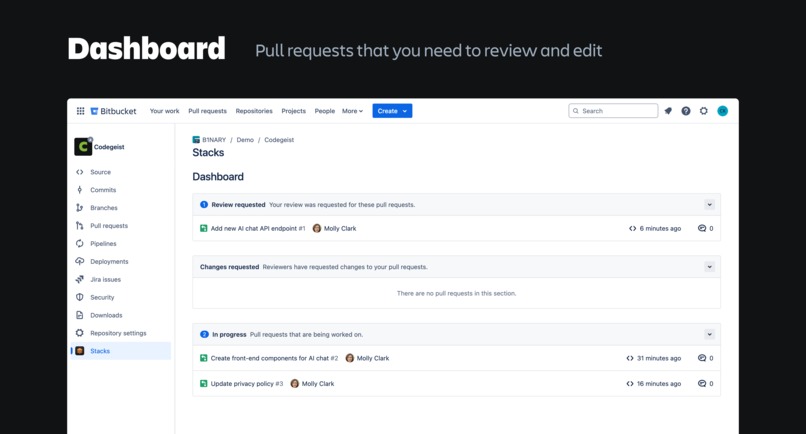
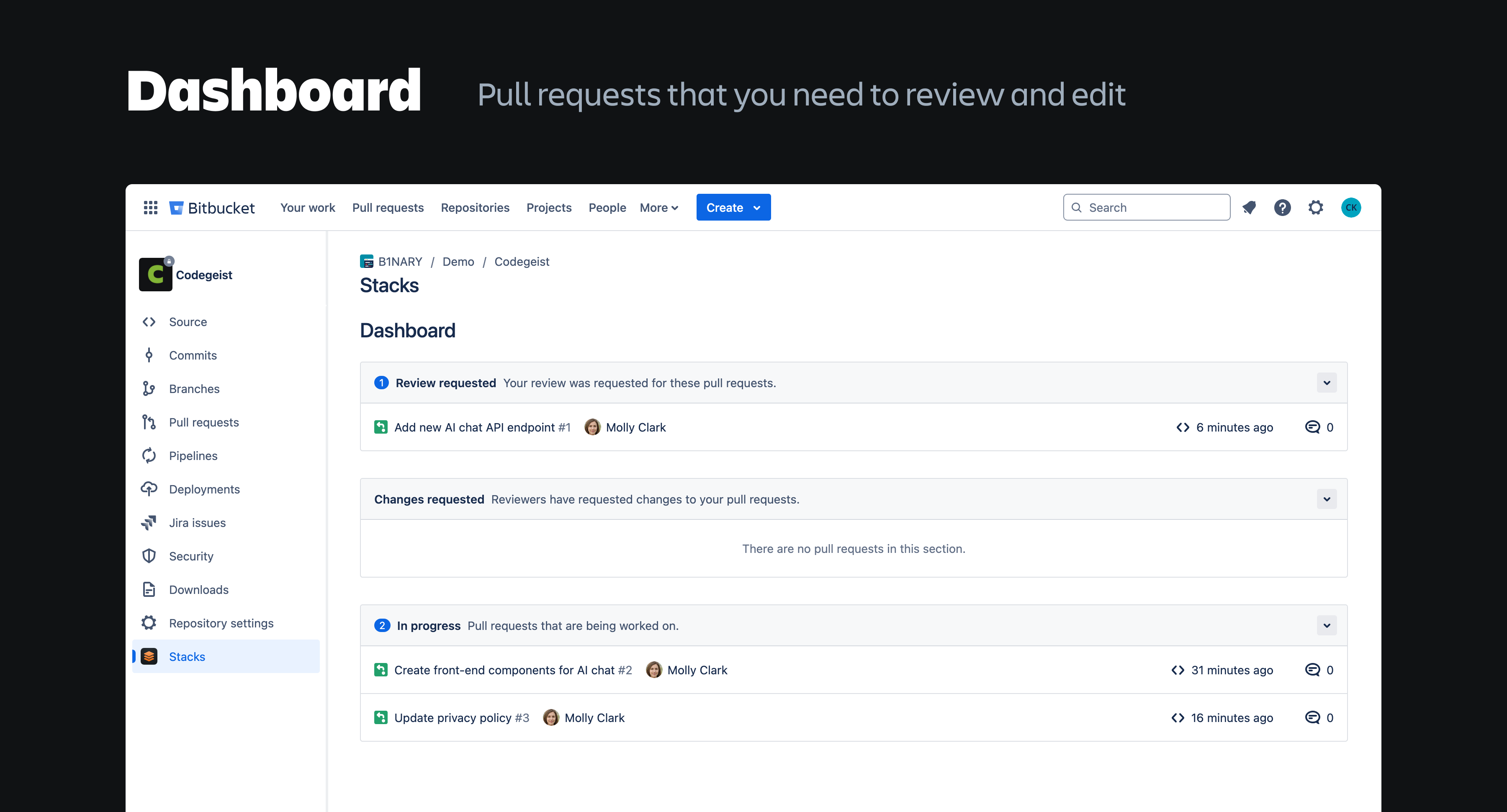
Dashboard – Pull requests that you need to review and edit
-
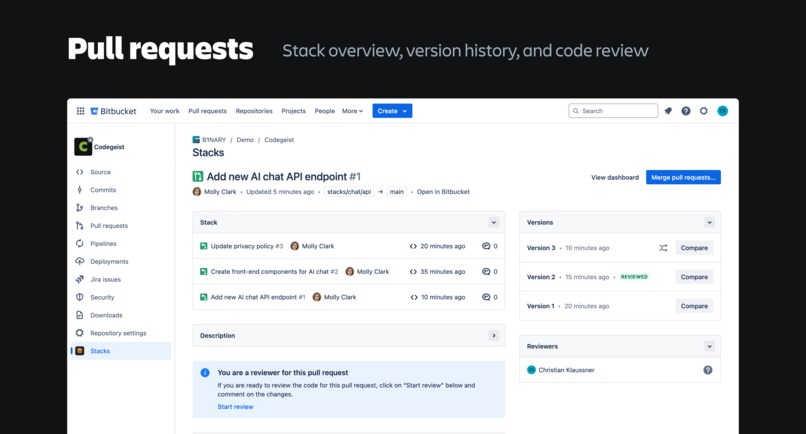
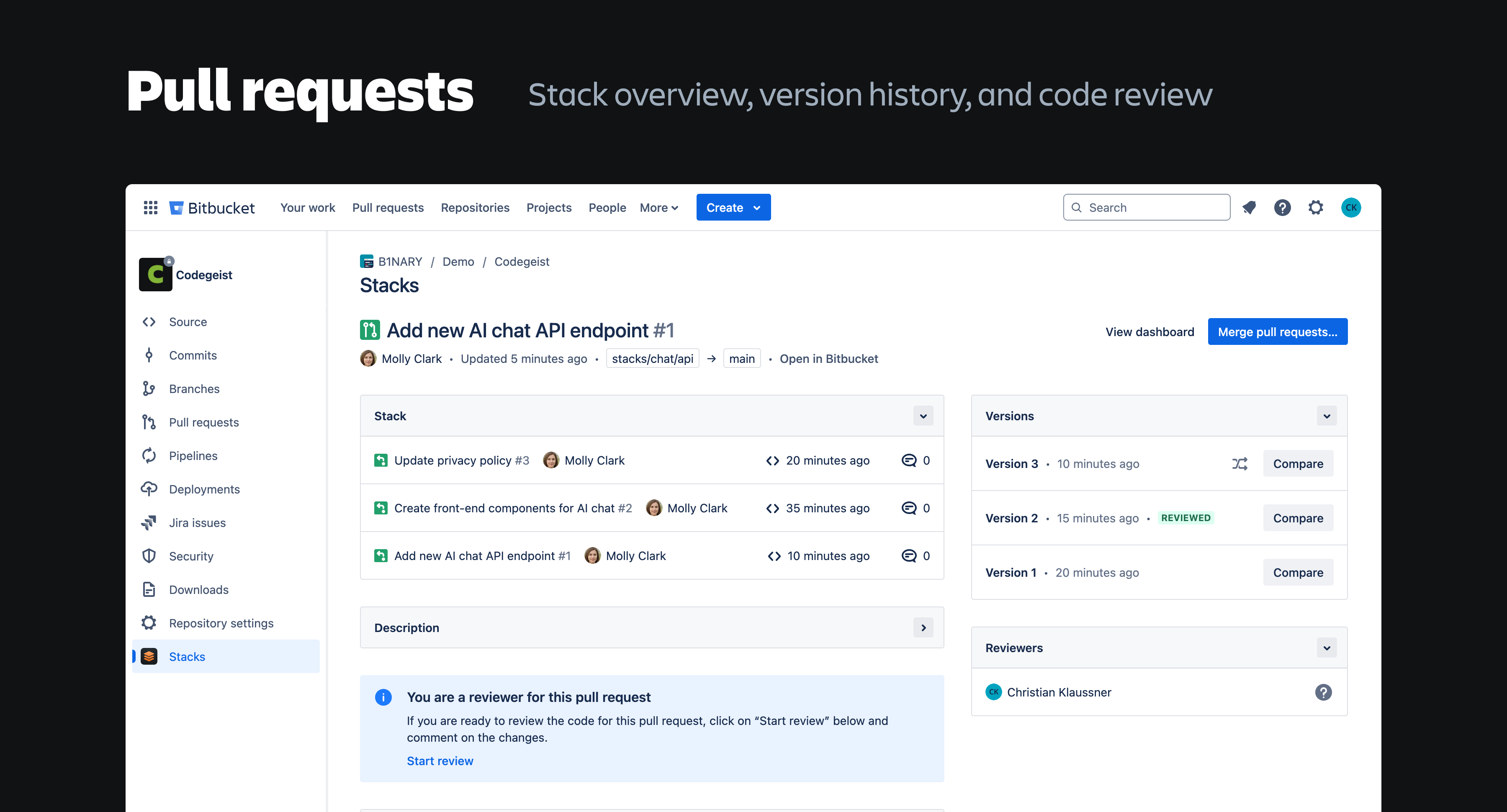
Pull requests – Stack overview, version history, and code review
-
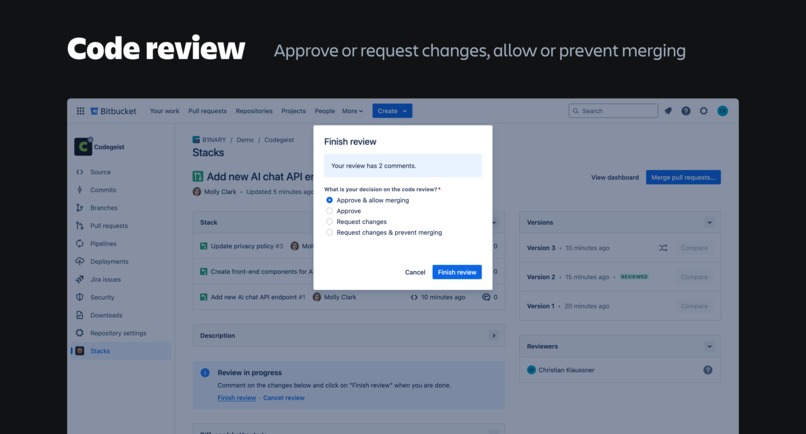
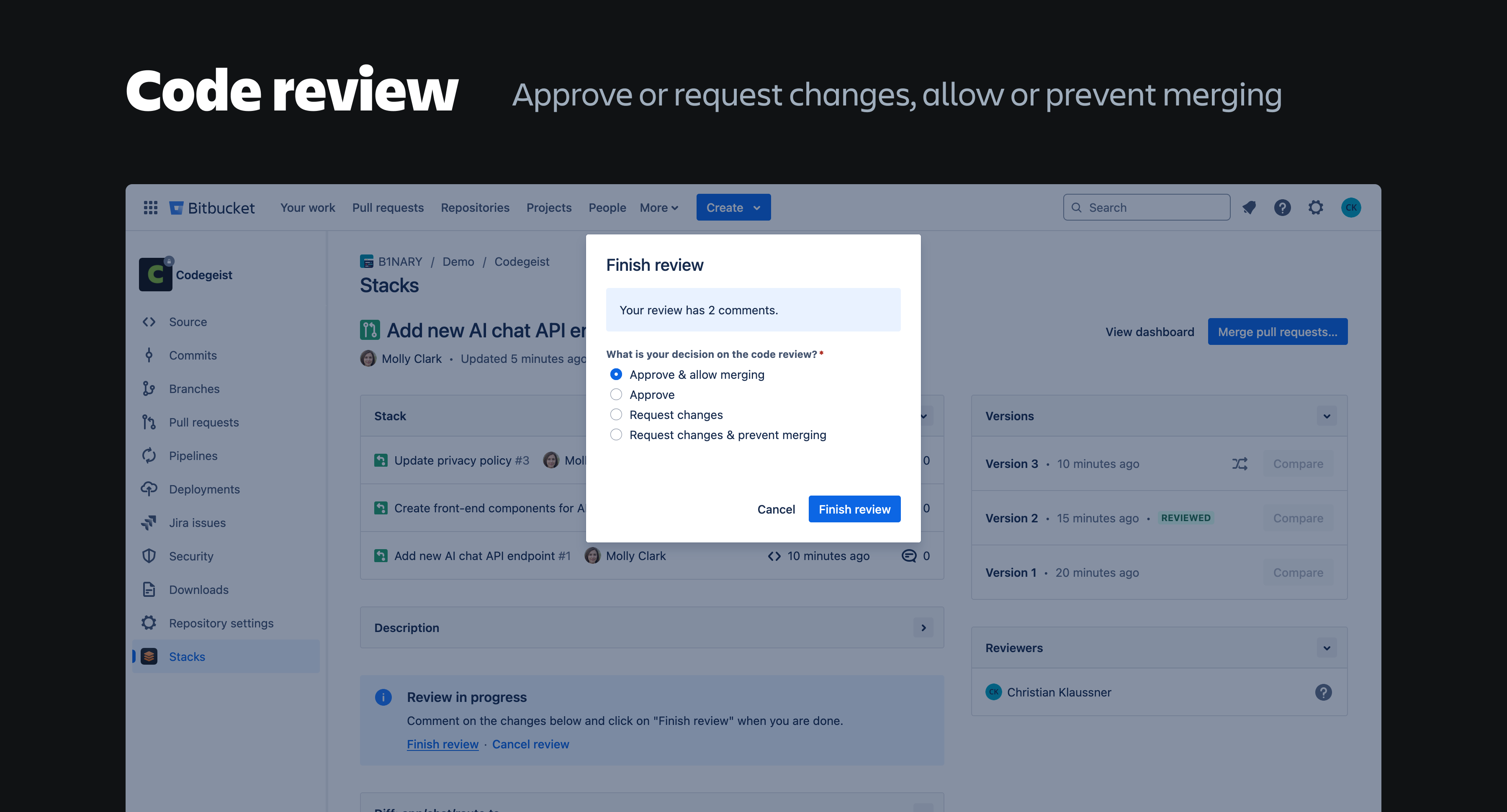
Code review – Approve or request changes, allow or prevent merging
-
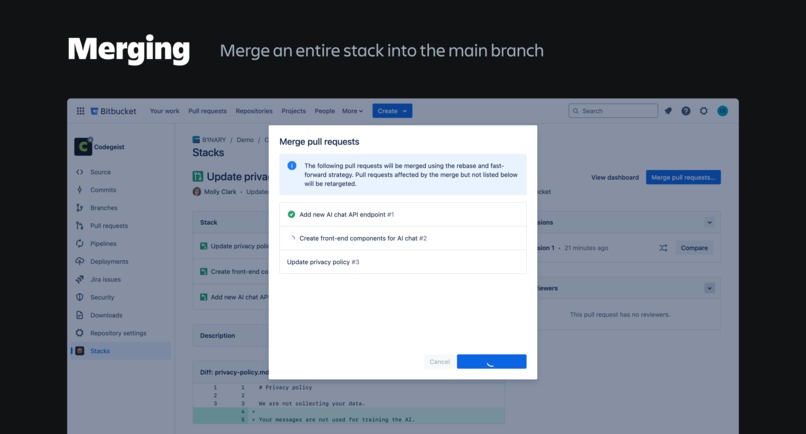
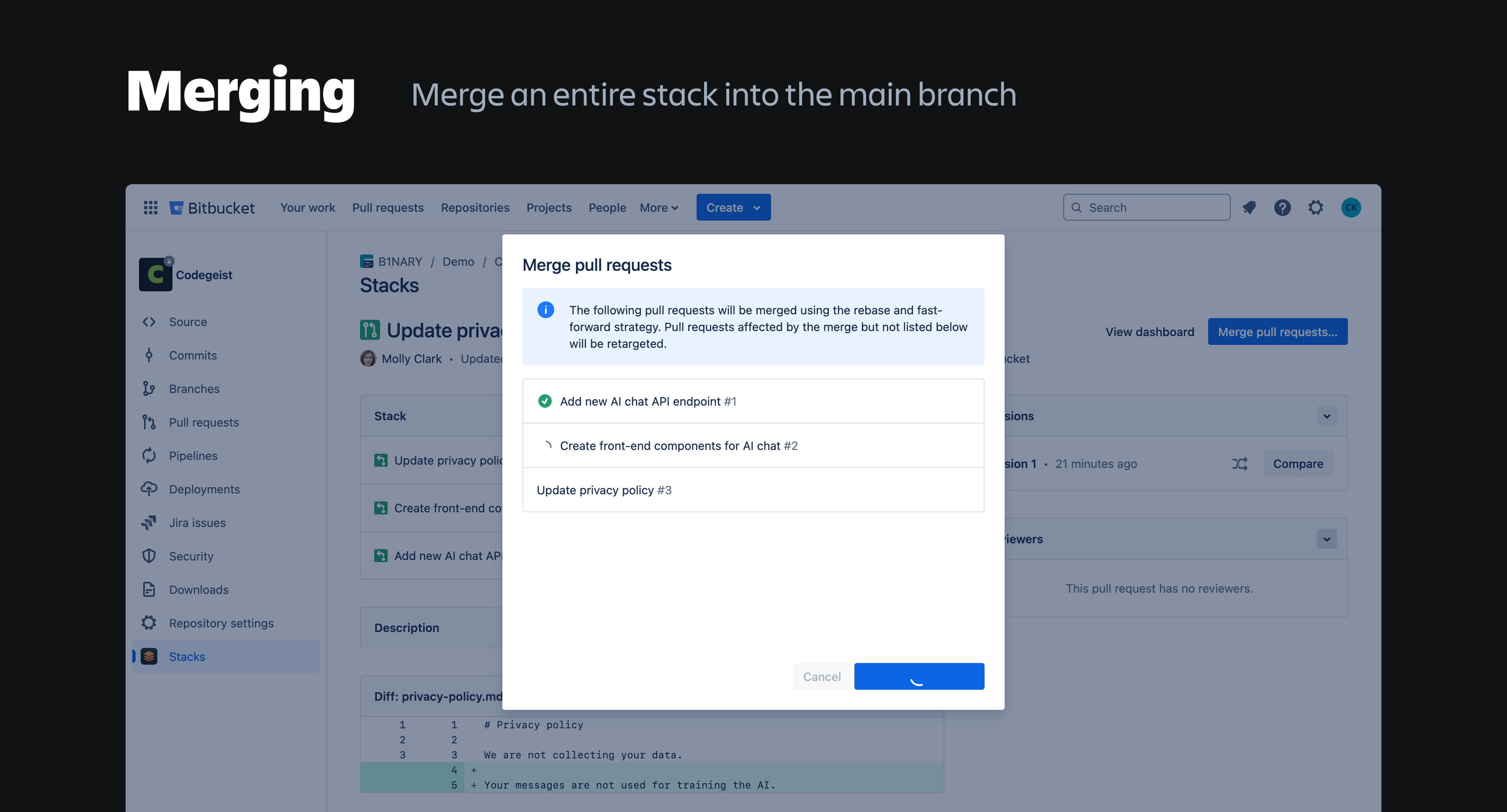
Merging – Merge an entire stack into the main branch
Inspiration
👋 Hi, I'm Christian! As a software developer, I write and review a lot of code, and I know that code reviews are often not the most enjoyable part of the job. In my experience, it's not just the code review process itself that can be discouraging, but also the tools we use. They don't help reviewers enough to better understand code changes and they don't encourage developers to create pull requests that are easy to review.
Pull request stacking is a great solution for these problems, and tools like Gerrit and Graphite have made this workflow more popular in recent years.
Stacking means splitting up code changes into small pull requests that are stacked on top of each other. They are easy to review and allow teams to develop and review code in parallel. In the video above, I explain stacking in more detail. You can also find a great explanation on the stacking.dev website.
The Stacks app brings stacked pull requests to Bitbucket, helping teams to write better code and reduce the time needed to review code changes!
What it does
The app offers four major features for the stacking workflow on top of Bitbucket pull requests:
Dashboard
The dashboards works like a to-do list by showing all stacked pull requests in a repository that the user needs to work on. For example, the "Review requested" section lists all pull requests that the user hasn't reviewed yet. The app passes pull requests back and forth between authors and reviewers automatically and keeps the dashboard always up to date.
Version history
When code is pushed to a branch, the app remembers the previous version, which allows users to time travel through all previous versions of a pull request. This helps reviewers identify the changes between different reviews and code updates.
Code review
In the Stacks app, code reviews are always concluded with the decision "approve" or "request changes." Additionally, users can decide to allow or prevent merging. To merge a pull request, at least one user must have a allowed it and no user must have prevented it. This enables more nuanced feedback, such as "It would be good to change this" versus "This definitely needs to be changed and cannot be merged as it is."
Merging stacks
In the stacking workflow, developers create more pull requests than in a traditional workflow. Merging each pull request individually would be tedious, which is why the app provides the option to merge all pull requests in a stack at once.
How I built it
I built the custom UI front-end with with React and components from the Atlassian design system, using Vite as the build tool.
The app runs entirely on the Forge platform and doesn't need external servers or egress permissions. The version history and review results are stored in Forge storage with custom entities. To respond to code and pull request updates, the app listens to Bitbucket events using Forge functions.
Challenges I ran into
The biggest challenge that I ran into was the version history. When Git commits are "overwritten" with a force push, their previous versions still exist in the repository as dangling commits. The app uses these commits for the version history, but keeping track of them took some time to get right.
Part of this challenge was that I didn't have direct access to Git operations. It's possible to access the repository with Forge remote, but then the app wouldn't qualify for "Runs on Atlassian" anymore. Instead, I had to use the REST API to create diffs between commits, but it doesn't offer some useful operations that would be available with direct Git acccess.
What I learned and what I'm proud of
This was the first app I built for Bitbucket, so I had to find out if Forge and the REST API provide all the features I needed to build my idea. I'm very happy with the final result because it works almost exactly as I've originally planned.
I use Git almost every day, but building a tool that uses Git is a whole different challenge, which is why I also learned a lot about Git, diffs, commit ranges and rebasing. The --update-refs parameter, for example, is really useful when you want to rebase a lot of branches.
What's next for Stacks
There are some more features I would like to build. For example, it would be helpful to have a CLI that can be used together with the app. Making changes to a stacked pull request locally requires a few Git rebasing commands that can be hard to remember. A CLI could make this easier so that users only have to memorize a single command.
Testing guide for judges
I've created a demo repository that you can use to test the app. Please import it into Bitbucket under "Create → Repository → Import repository" and make sure that "main" is set as the main branch. Then open the repository, go to the Stacks app, and click on "Generate demo data." After a few seconds, the page will refresh automatically and three pull requests (the same as in the video) should be shown in the dashboard.
Built With
- atlaskit
- bitbucket
- forge
- react
- typescript
- vite


Log in or sign up for Devpost to join the conversation.