-
-
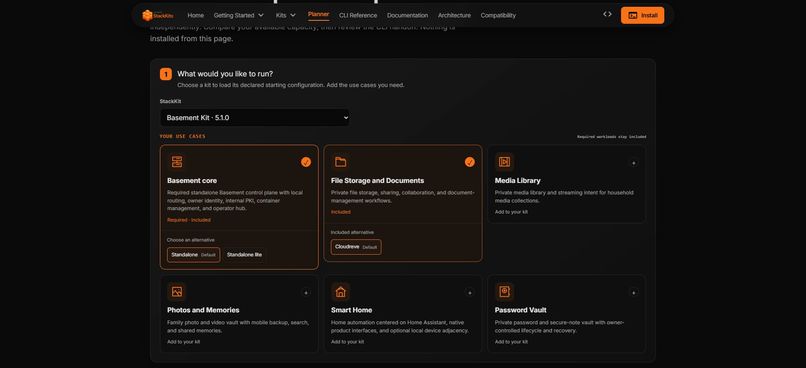
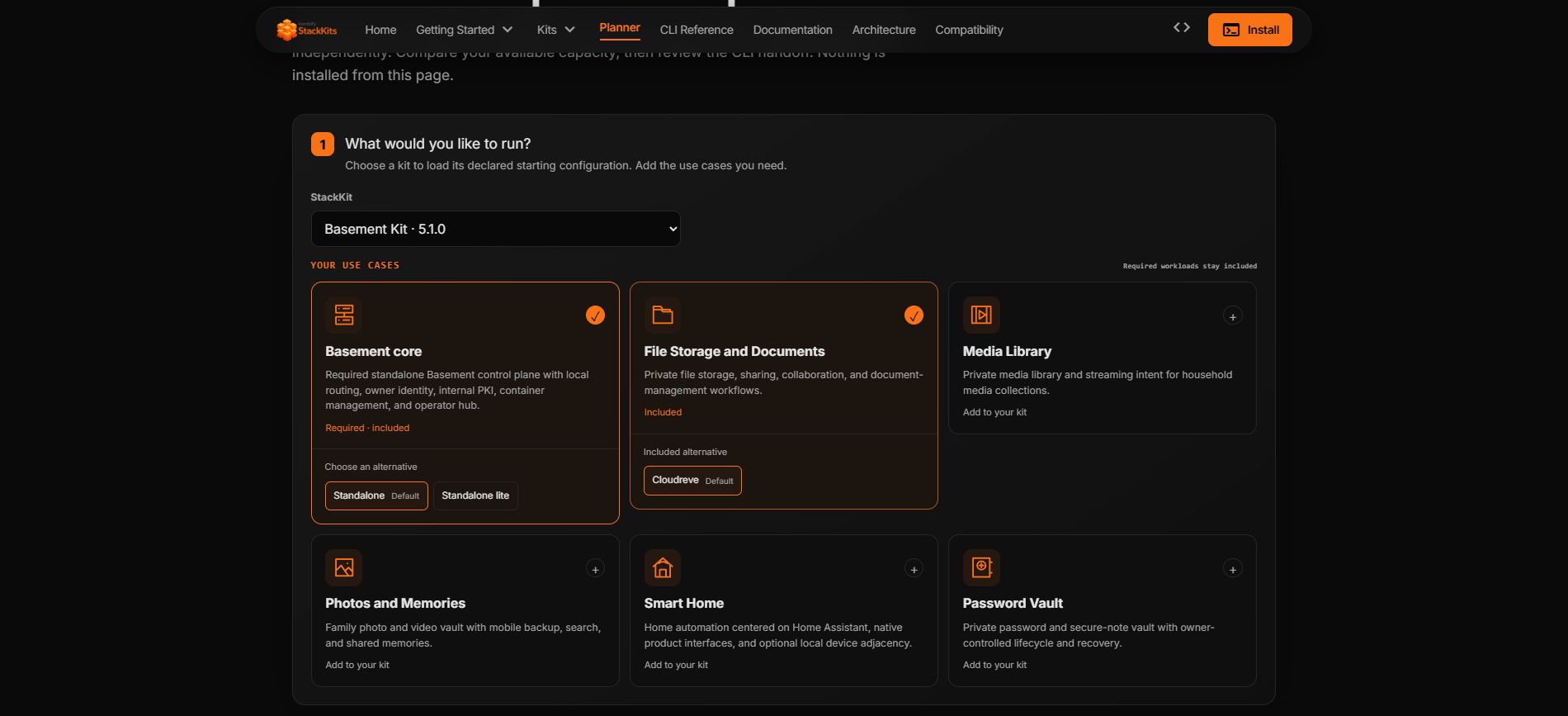
Choose your workloads: visual use-case tiles, declared kit defaults and explicit module alternatives.
-
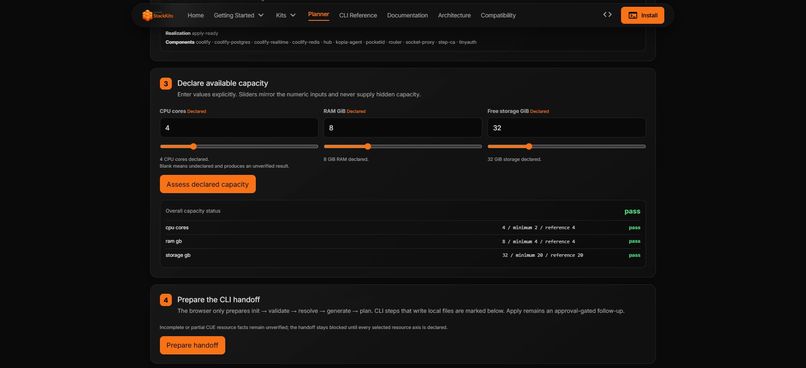
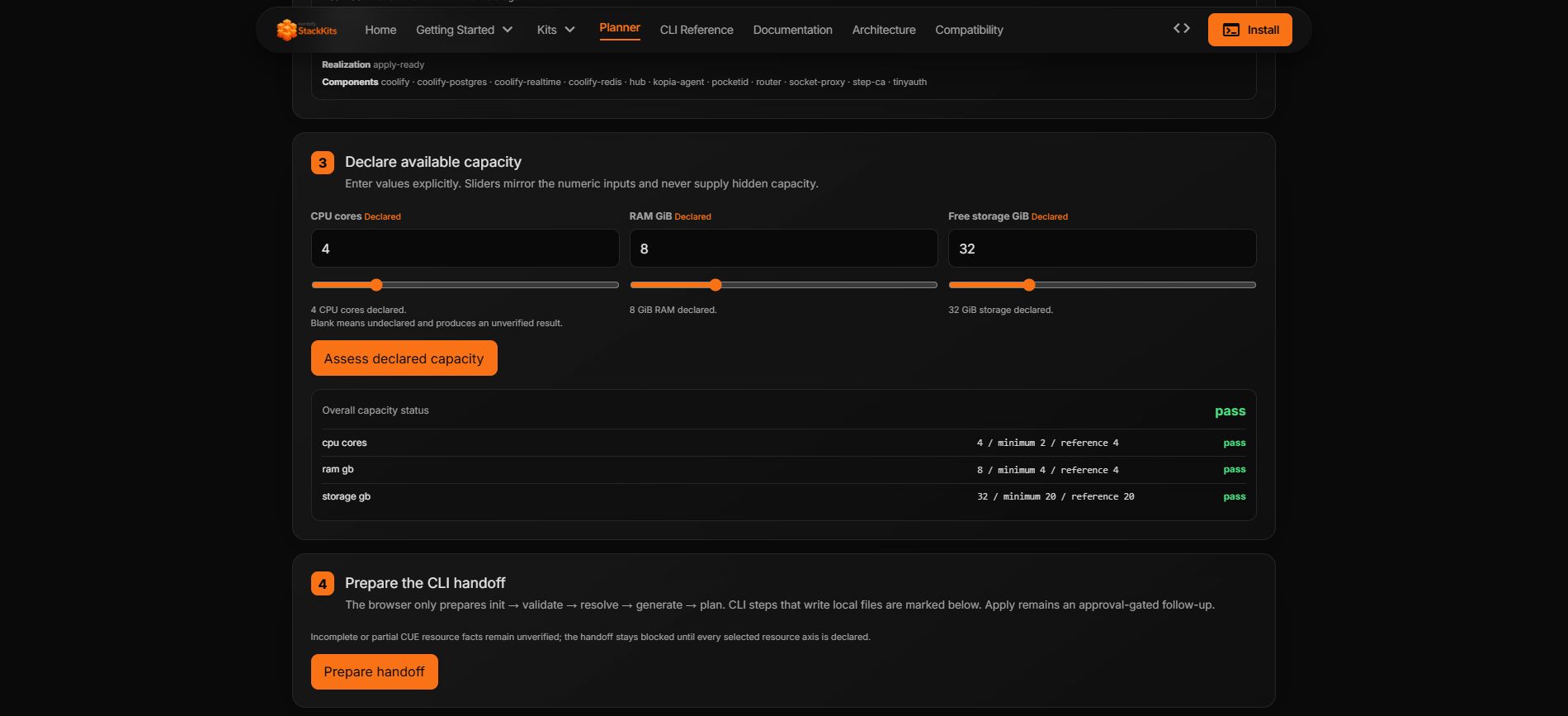
Declare capacity: CPU, RAM and storage sliders with a transparent per-axis assessment.
-
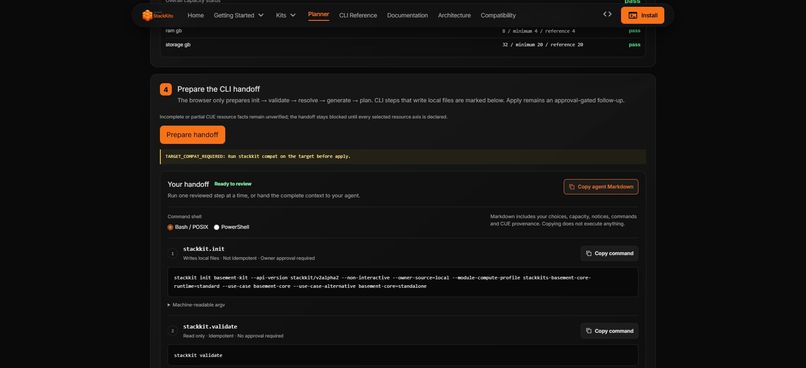
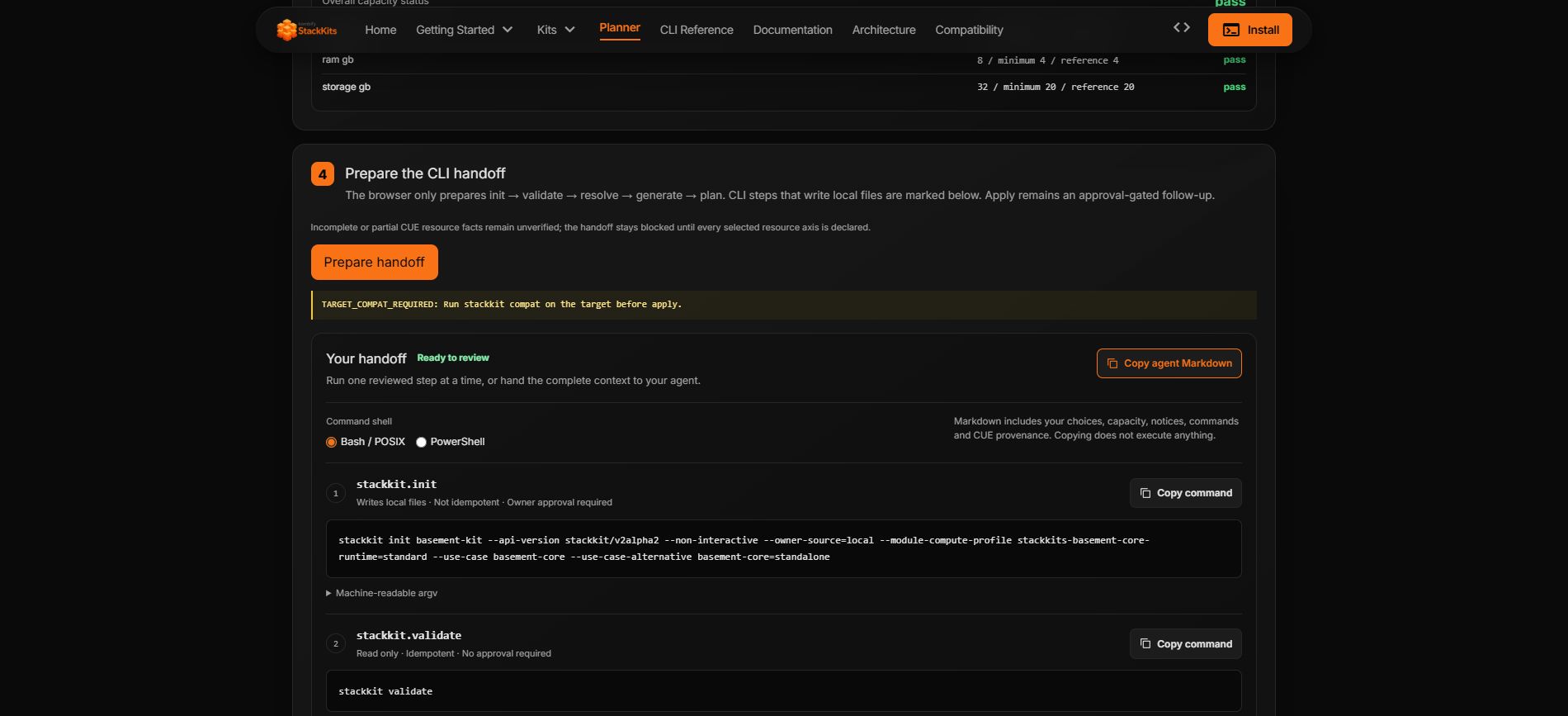
Review and copy: individual terminal commands or a complete Markdown handoff for your agent. Nothing runs in the browser.
Inspiration
Planning a self-hosted system should not require a browser agent to guess what a website means. StackKits already provides CUE-defined infrastructure blueprints and a standalone CLI. We built the WebMCP Planner to make those declared product facts directly usable by people and browser agents, in one visible workflow.
What it does
At https://stackkit.cc/planner, choose a StackKit, select compute profiles independently for its modules, and declare available CPU, RAM and storage with numeric inputs and sliders. The planner compares that capacity against declared requirements and prepares a reviewable CLI handoff.
Four read-only WebMCP tools share the same implementation and planner state as the human UI:
- stackkits_list_catalog
- stackkits_get_module_profiles
- stackkits_assess_capacity
- stackkits_prepare_handoff
Agent choices and results appear in the planner immediately. A small host can use a lighter module profile without forcing every module into one global tier. Missing declarations remain unverified; below-minimum capacity blocks the handoff. This is declared-capacity assessment, not a promise of host compatibility.
Why WebMCP fits
The useful action here is structured planning, not scraping prose or giving an agent a shell. Native document.modelContext.registerTool exposes narrow, validated operations with explicit read-only annotations. People can inspect and change the same selection an agent is working with. Without native WebMCP support, the complete human planner remains usable and explains why agent tools are unavailable.
How we built it
The public implementation includes JSON Schemas, generated TypeScript types, a deterministic catalog projected from the OSS CUE authority bundle, source and digest provenance, shared core logic, and a Svelte planner with a reproducible reference host. The production site is a thin host of that same component.
Tool execution is local and deterministic: no model inference, provider call, or per-request server analysis. Capacity checks are simple comparisons, and bounded outputs avoid repeating the full UI explanation. Targeted local benchmarks measured sub-millisecond p95 core execution for the four tools; that excludes page loading and browser-agent transport and is not an end-to-end latency guarantee.
The handoff describes init, validate, resolve, generate and plan commands. The browser executes none of them. Target-side stackkit compat remains mandatory, and apply is excluded from the executable handoff and requires a later owner decision.
Challenges and lessons
The most important architecture correction was separating per-module compute profiles from the kit's product selection. A uniform low or standard switch does not describe a real mixed workload. Another challenge was keeping incomplete capacity declarations honest rather than treating missing information as success.
We also separated native API availability, catalog verification and registration failures in the UI. Unsupported browsers must not be made to look agent-ready, and native integration must not be replaced with a production polyfill.
What is new for this challenge
StackKits, its CUE definitions and standalone CLI predate this entry. The contest work adds the shared WebMCP planner, browser-tool contract, module-profile workflow, capacity UI, read-only handoff, public reference host, and focused validation and performance evidence. The public source and commit history distinguish the existing platform from this extension.
Try it
Open https://stackkit.cc/planner. No account is required. Choose Basement Kit to load its declared default core module. Declare 4 CPU cores, 8 GiB RAM and 32 GiB free storage, assess capacity, and prepare the CLI handoff. Copy an individual Bash/POSIX or PowerShell command, or copy the complete agent Markdown including choices, notices and provenance. Nothing is executed by copying.
Add optional workloads with the visual use-case tiles and inspect their module-local profiles. Lower an axis below its declared minimum to see a blocked result, or leave it empty to see an incomplete assessment. Native WebMCP tools and the manual planner share the same implementation and visible state. The complete manual workflow also works without WebMCP support.
What's next
Broader declared module requirements and more agent evaluations can improve coverage without turning the browser into a second infrastructure compiler or installer.
Live planner: https://stackkit.cc/planner
Public source and build instructions: https://github.com/kombifyio/stackKits
Built With
- cue
- go
- json-schema
- node.js
- svelte
- typescript
- vite
- webmcp

Log in or sign up for Devpost to join the conversation.