-
-
start
-
summary
-
stack
-
stack-bottom
-
edit
Inspiration
I enter a lot of hackathons, often several at once, and I build on an 8 GB laptop that crashes when Docker, Playwright and a few AI agents run together. Every time I asked an AI chat for a tech stack, it gave me the same answer from its training data, usually Next.js + Supabase, without asking what my project actually needed.
Then I'd hit the limits halfway through the build: Supabase pausing a project after a week without use, Render's free tier sleeping after 15 minutes, Vercel capping function run time, or a tool too heavy for my laptop. A simple project doesn't need a heavy stack. It needs the lightest tools that meet its needs and stay free.
So I wanted a tool that asks about the project first, then picks the stack, and checks the free tier limits live instead of trusting a model's memory.
What it does
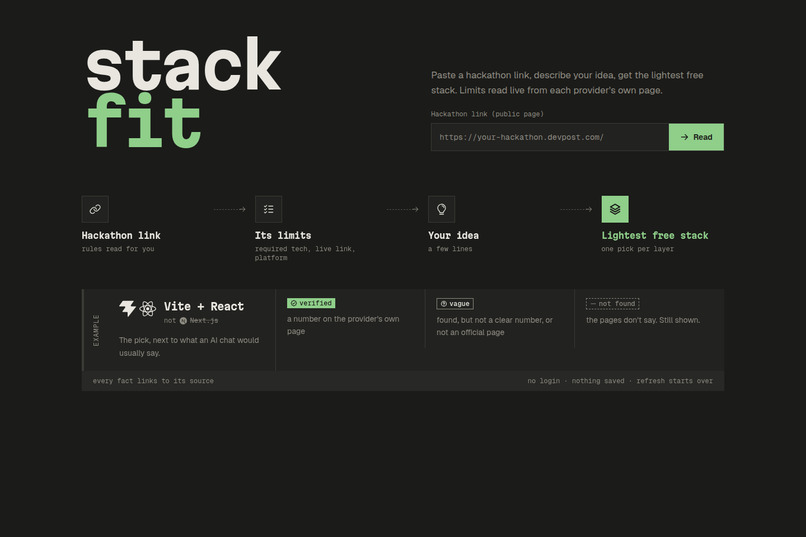
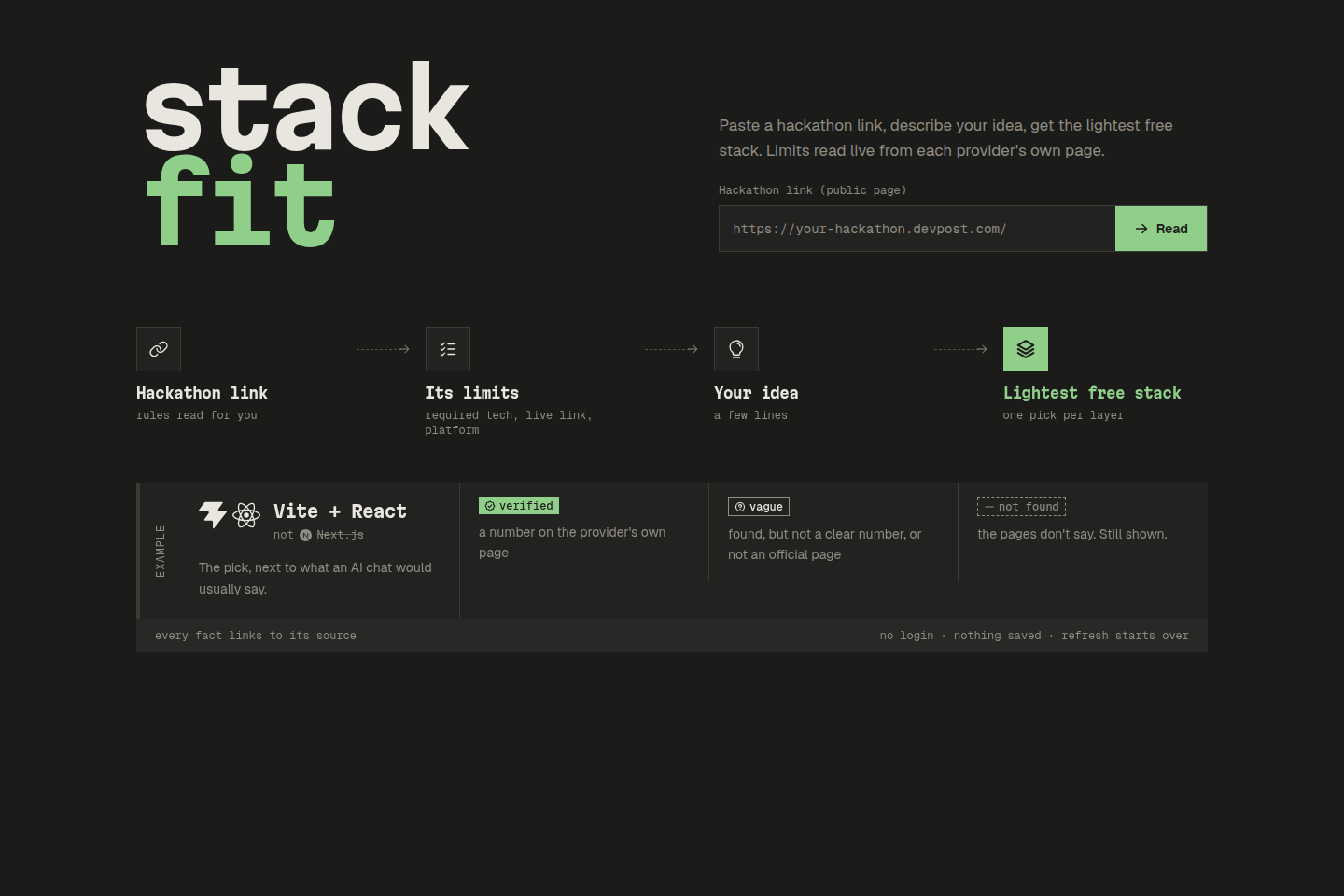
StackFit picks the lightest free tech stack for your hackathon project.
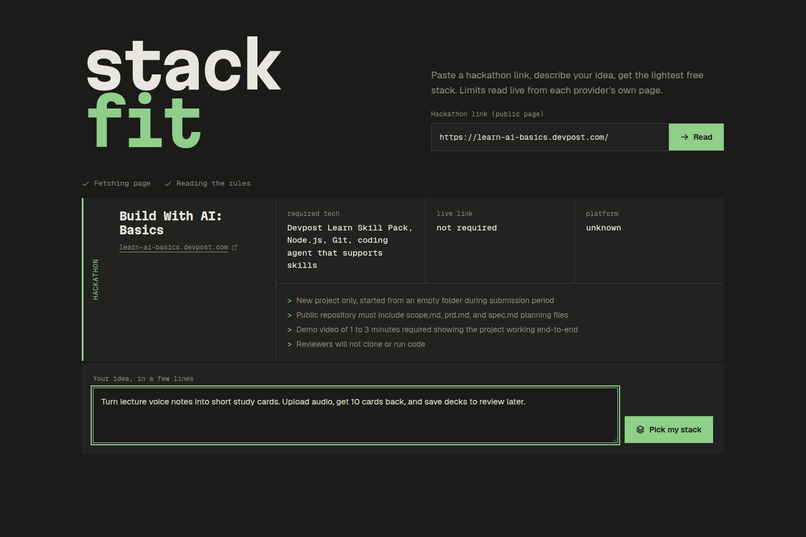
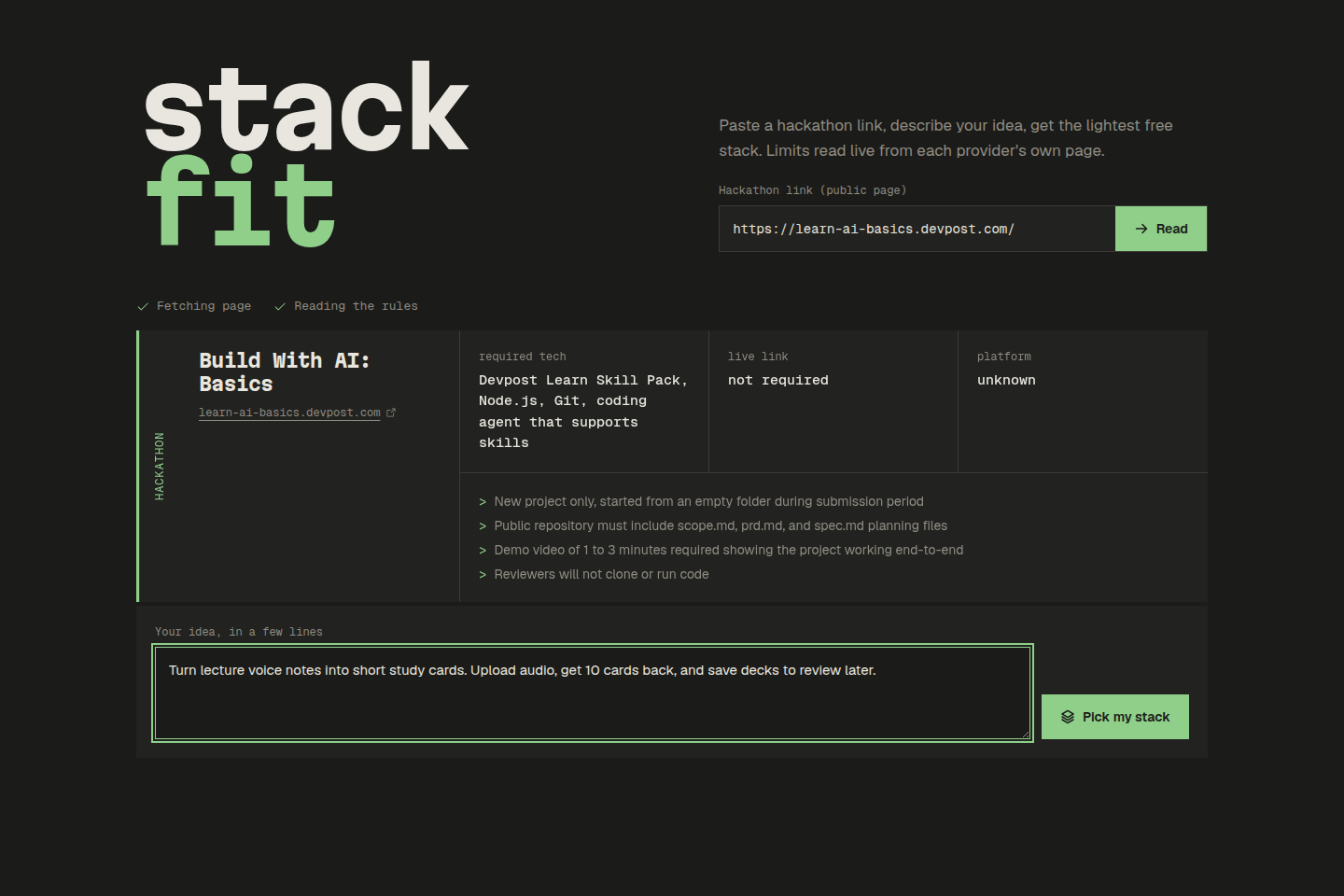
- Paste a hackathon link. StackFit reads the page and pulls out what limits your stack: required or sponsor tech, whether a live link is needed, and web or mobile. If the page can't be read (login walls, JavaScript-only sites), you paste the page text instead.
- Describe your idea in a few lines.
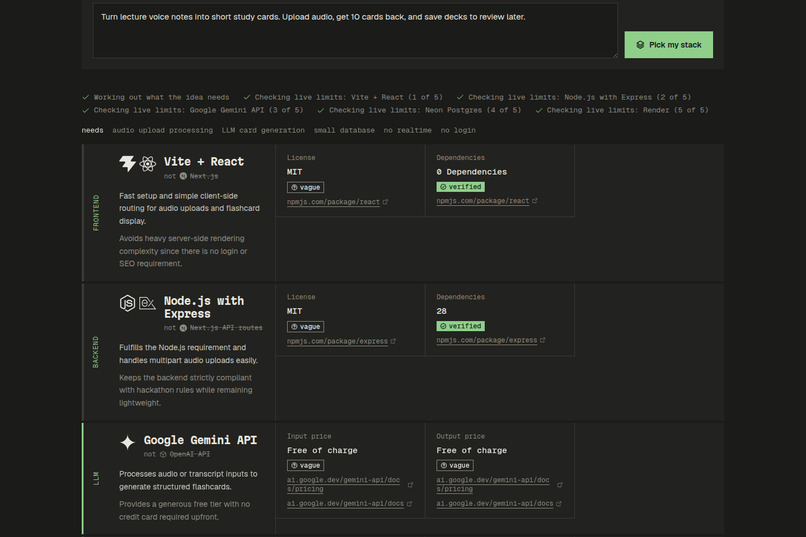
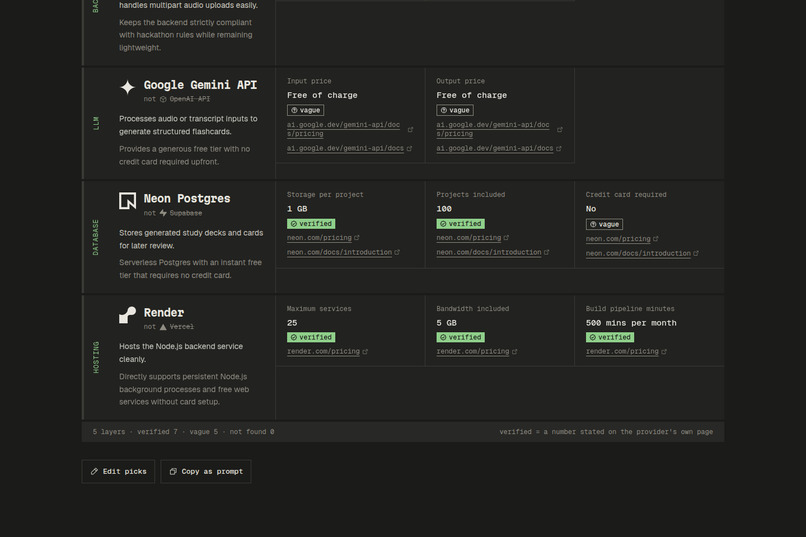
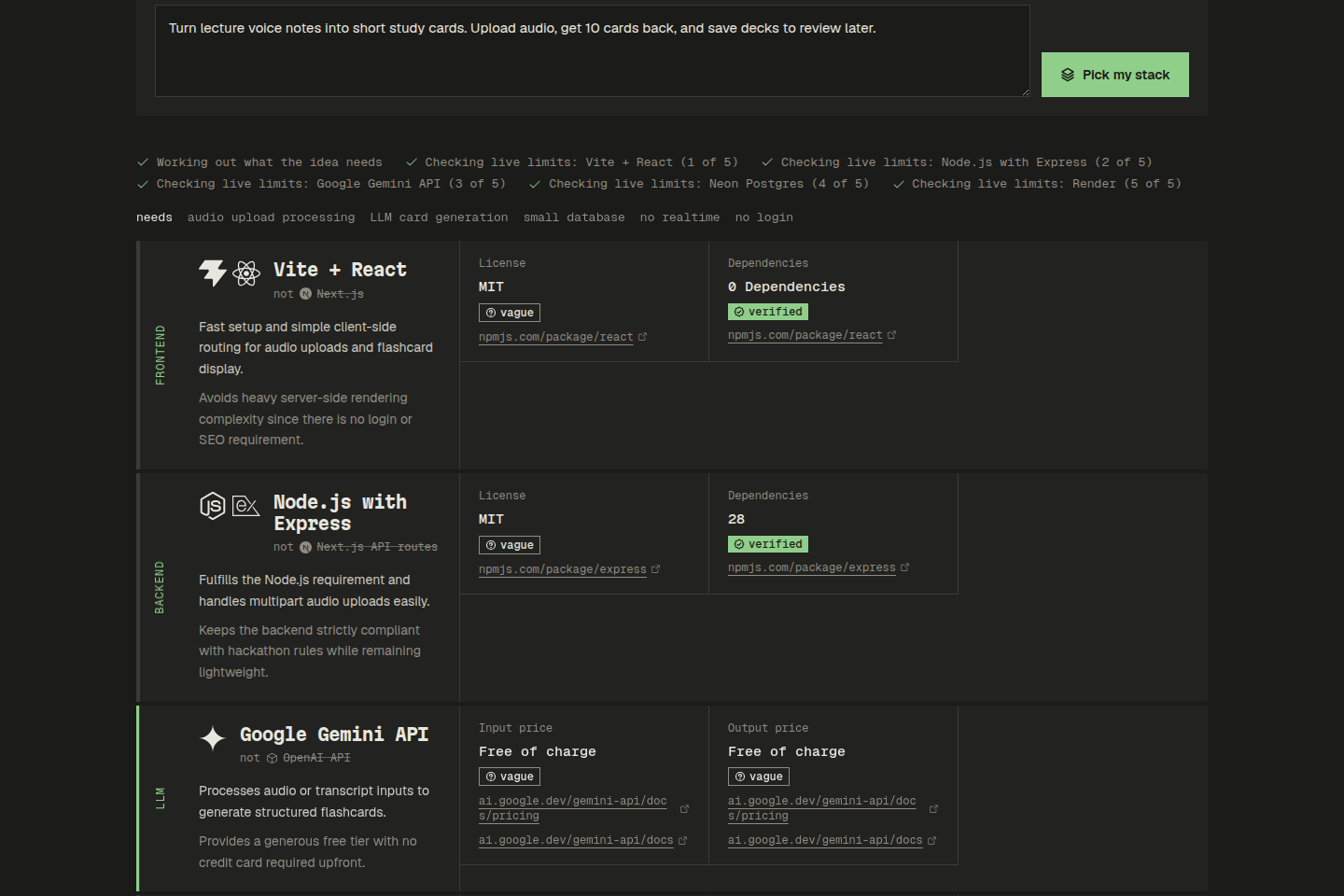
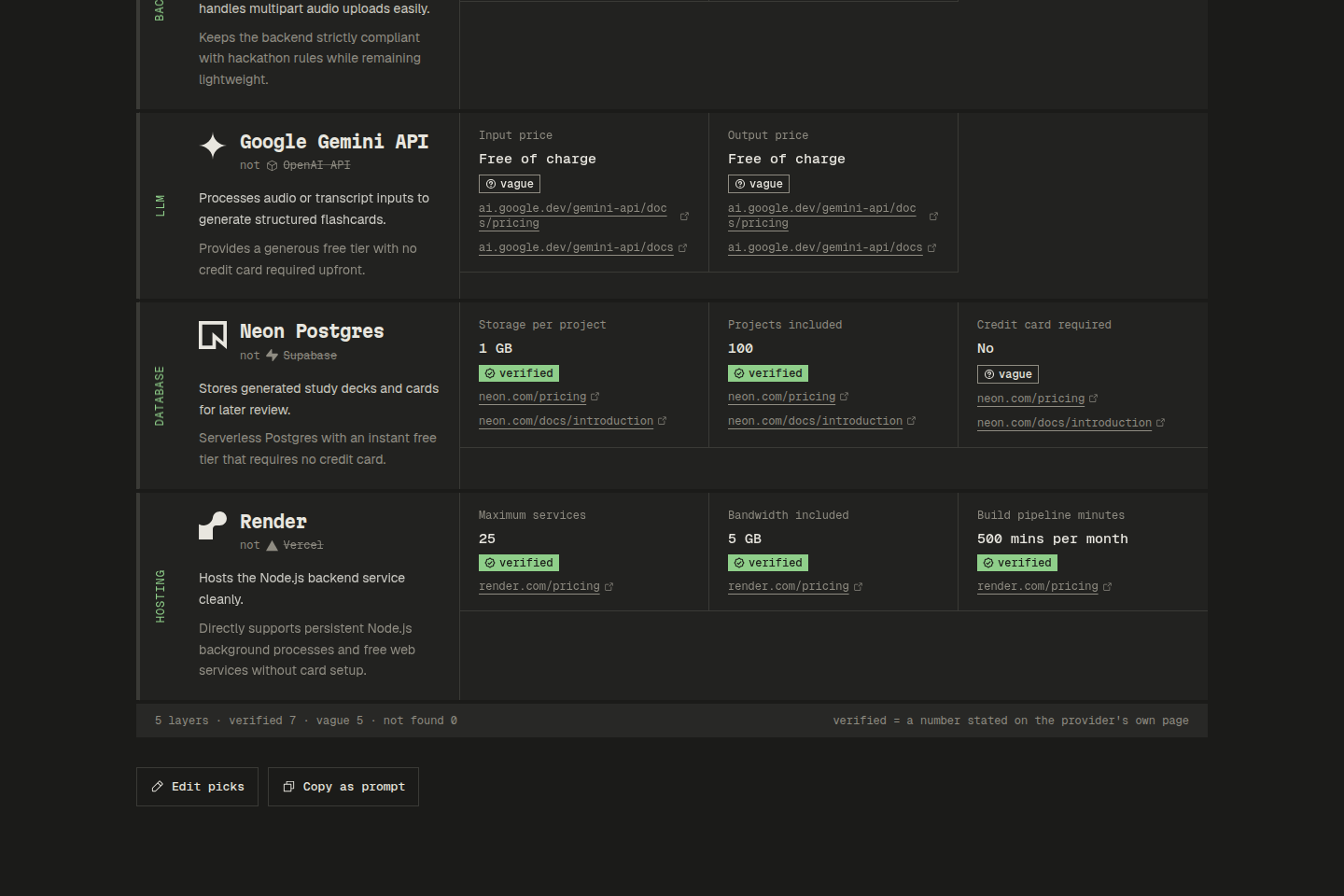
- Get one pick per layer (frontend, backend, database, hosting, and so on), shown next to what an AI chat would usually suggest, with a reason why it fits better.
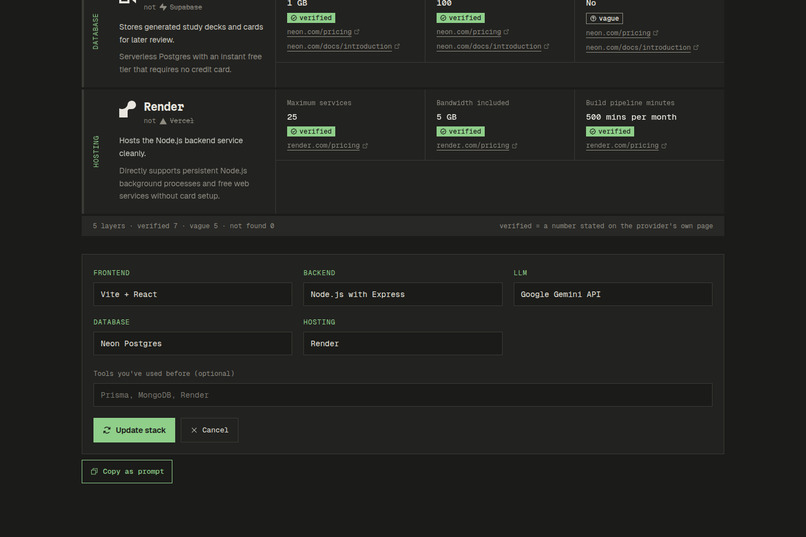
- Every free tier limit is checked live on the provider's own pricing or docs pages, tagged verified, vague or not found, and linked to its source so you can check it yourself.
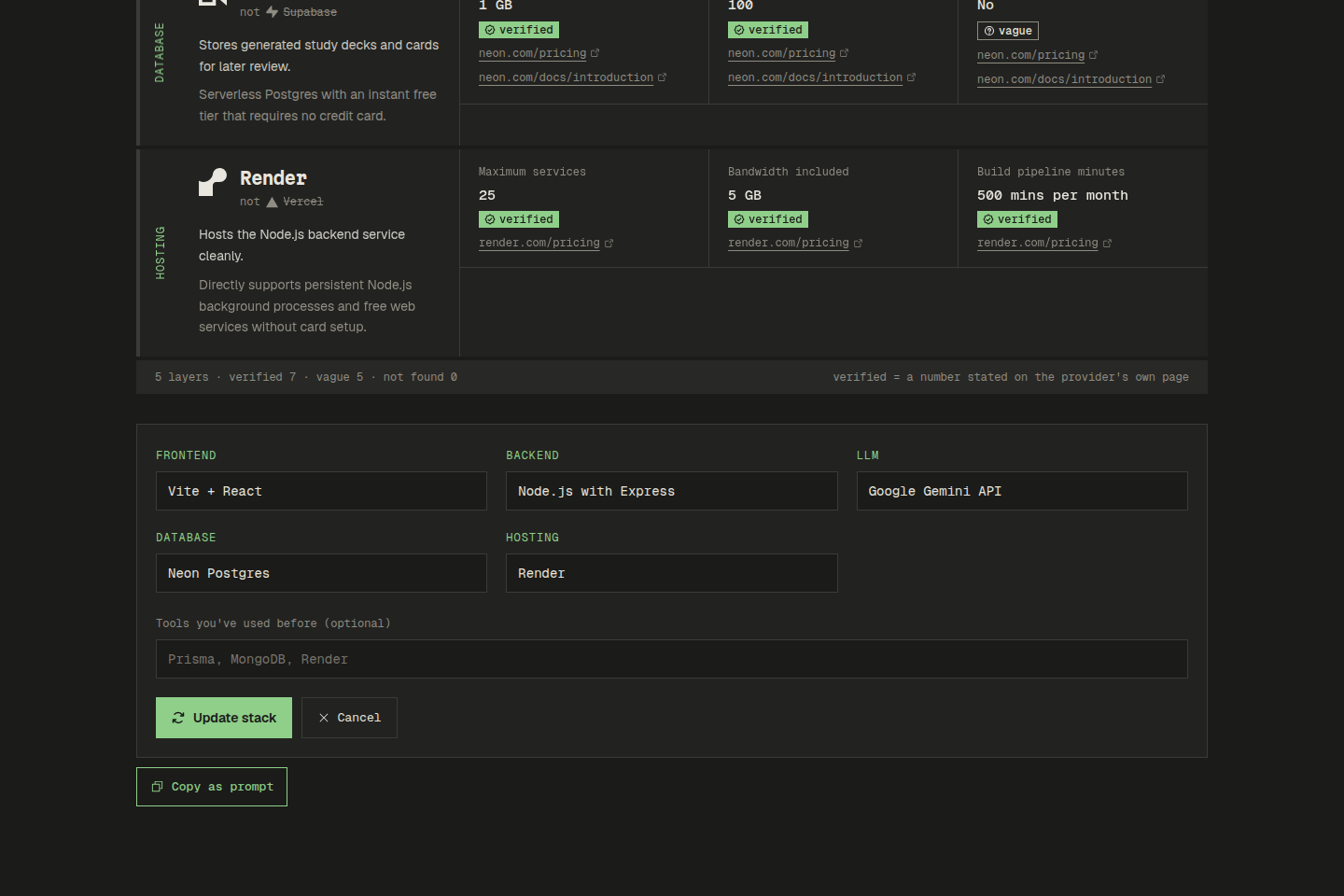
- Refine it. Swap any pick or list tools you've used before. Only the layers you changed get looked up again.
- Copy as prompt. One button gives you a prompt that makes any AI agent repeat the same process, so you don't have to come back to the site.
No accounts and nothing saved. It's live at https://stackfit-psi.vercel.app.
How we built it
- Frontend: Vite, React and Tailwind, with Phosphor icons and brand icons from Simple Icons. It's one page that moves through steps in place, with a terminal-style stage log so you can see what StackFit is doing.
- Backend: A Hono API that streams progress and results as NDJSON, so every stage shows up as it happens.
- AI: Gemini (
gemini-3.5-flash-lite, withgemini-3.8-flashas a retry) reads the hackathon page and picks the stack. For the live facts, Gemini's URL context tool reads the official pricing pages and returns structured JSON. Exa search is the backup when an official page can't be read. - Tag rules in code: The model doesn't get to decide what counts as verified. A fact is only tagged verified if it has a source URL on the provider's official domain. Otherwise it's vague or not found.
- Hosting: Vercel, with the whole Hono app behind a single function.
I planned and built it with Claude Code and the Devpost Learn Skill Pack. First a scope, PRD and technical spec, then 7 small build slices, each one tested by hand before moving on.
Challenges we ran into
- Free live lookups weren't what the docs said. My first plan used Google Search grounding, but it returned 429 errors on the free key, and Gemini 2.5 models were closed to new users. I wrote a small check script first to see what actually worked, and switched to Gemini's URL context tool plus Exa as a backup.
- The model was too generous with "verified". In one early run, a fact pulled from a consumer pricing page (not the developer one) got tagged verified. That's why the tag rules now live in code, not in the prompt.
- Not everything has a free tier. Asking about free tier limits makes no sense for a library like Vite. I split layers into services (free tier limits) and libraries (license, install size, speed).
- Bad picks in test runs. The picker suggested Claude API as a runtime layer, Express on Render, and Lucia Auth, which was deprecated in 2025. I tightened the prompt: services need a no-card free tier, build-only tools aren't runtime layers, and deprecated tools are out.
- Devpost blocks Vercel's servers. Locally the hackathon reader worked, but once deployed, Devpost returned 403. The reader now falls back to Exa's contents API before asking you to paste the text.
- Vercel and plain Node ESM. Relative imports needed
.jsendings, and the server code had to move so Vercel built just one function.
Accomplishments that we're proud of
- Every limit on screen has a confidence tag and a source link, so StackFit can't quietly make up a number.
- It's fast. On the live site, a full run took 7.1 seconds and an edit took 3.3 seconds, with only the swapped layer checked again.
- Edits are surgical: layers you didn't touch come back byte-identical.
- "Copy as prompt" means the idea isn't locked into my site. Any AI agent can run the same process.
- It runs entirely on free tiers, the same way it tells you to build.
What we learned
- Check the risky part first. The one-hour check script saved me from building the whole app on an API that wouldn't work on a free key.
- Don't trust an LLM to grade its own sources. Rules that matter belong in code.
- Docs and real API behavior often disagree, and so do local and deployed environments (the Devpost 403 only showed up after deploying).
- Small slices that each work end to end made it easy to change the plan when something broke, without losing working features.
What's next for StackFit
- Read your GitHub repos to learn which tools you already know, instead of typing them in.
- A Claude Code skill version of the same flow.
- Run real benchmarks (load time, cold start) on a deployed sample of the recommended stack against the usual default, and show the numbers.
- Stacks for mobile apps.
Built With
- bun
- claude-code
- devpost-learn-skill-pack
- exa
- gemini
- google-genai
- hono
- node.js
- phosphor-icons
- react
- simple-icons
- tailwindcss
- typescript
- vercel
- vite


Log in or sign up for Devpost to join the conversation.