Inspiration
AI assistants can explain how to troubleshoot a server, change a configuration, or run a deployment. I wanted to connect that conversation to the actual work.
That idea became StackCare: an extensible MCP execution gateway that lets an assistant inspect and operate a VPS, then connect to the applications and services running around it. The goal is to make everyday technical work accessible through natural-language requests while keeping execution state and permissions explicit.
What it does
StackCare gives MCP clients a practical set of capabilities:
- Inspect system health, processes, and logs.
- Search, read, create, and patch files.
- Move files to recoverable trash and restore them.
- Run commands and start, inspect, or cancel jobs.
- Manage systemd services and Debian packages.
- Discover and invoke configured application facilities.
Custom facilities are defined through YAML manifests using HTTP endpoints or fixed commands. This allows the gateway to connect to browser-control APIs, internal services, and other applications without adding a new top-level MCP tool for every integration.
The assistant interprets the request; StackCare handles the configured operations and returns structured results. Longer tasks provide a job ID and a next action so the client can follow their progress.
How I built it
I developed StackCare from my existing VPS Action Gateway project using Node.js.
The architecture separates a low-privilege MCP adapter from the execution backend through a local Unix socket. The backend handles operations, policy checks, and execution state. The recommended MCP endpoint exposes ten stable tools, with discoverable capabilities and usage guidance.
I included SHA checks to prevent stale file overwrites, idempotency support for selected mutations, bounded output, and redaction. Backend confirmation requirements are returned to the client without automatic approval.
The repository also includes official MCP SDK integration tests that exercise file operations and jobs over HTTP and Unix-socket communication.
Challenges I ran into
One challenge was supporting many operations without creating an overwhelming tool list. I addressed this with stable core tools, capability discovery, and manifest-based facilities.
Another was representing execution honestly. A task being accepted does not mean it has finished, and a successful command does not prove the application is healthy. Structured statuses and follow-up actions help the client distinguish these states.
Connecting conversation to system operations also required careful permission boundaries. Application-level checks complement the execution account’s operating-system permissions; they do not replace them.
Accomplishments
StackCare combines system inspection, file operations, command execution, job management, and application integrations behind one MCP interface.
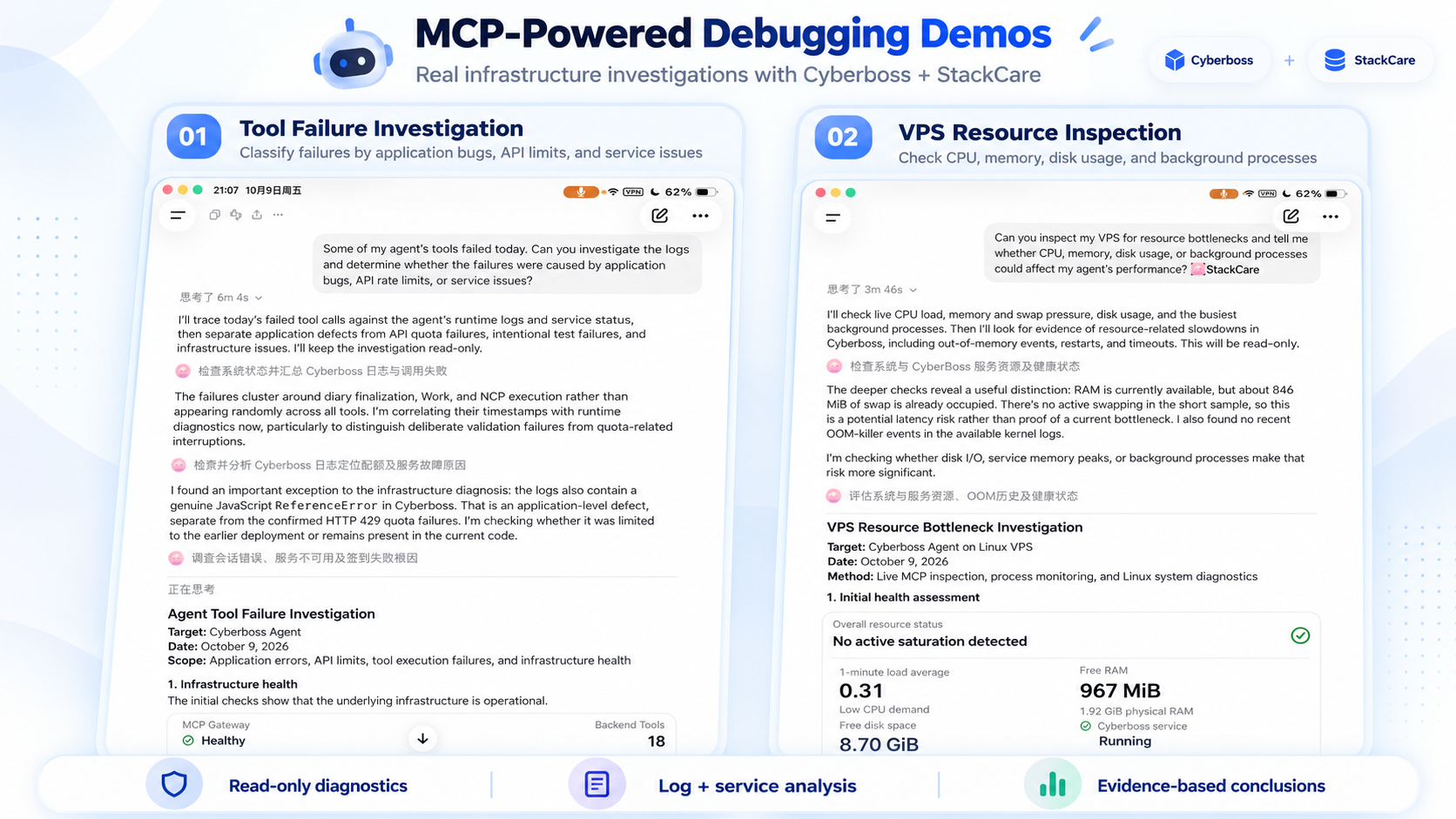
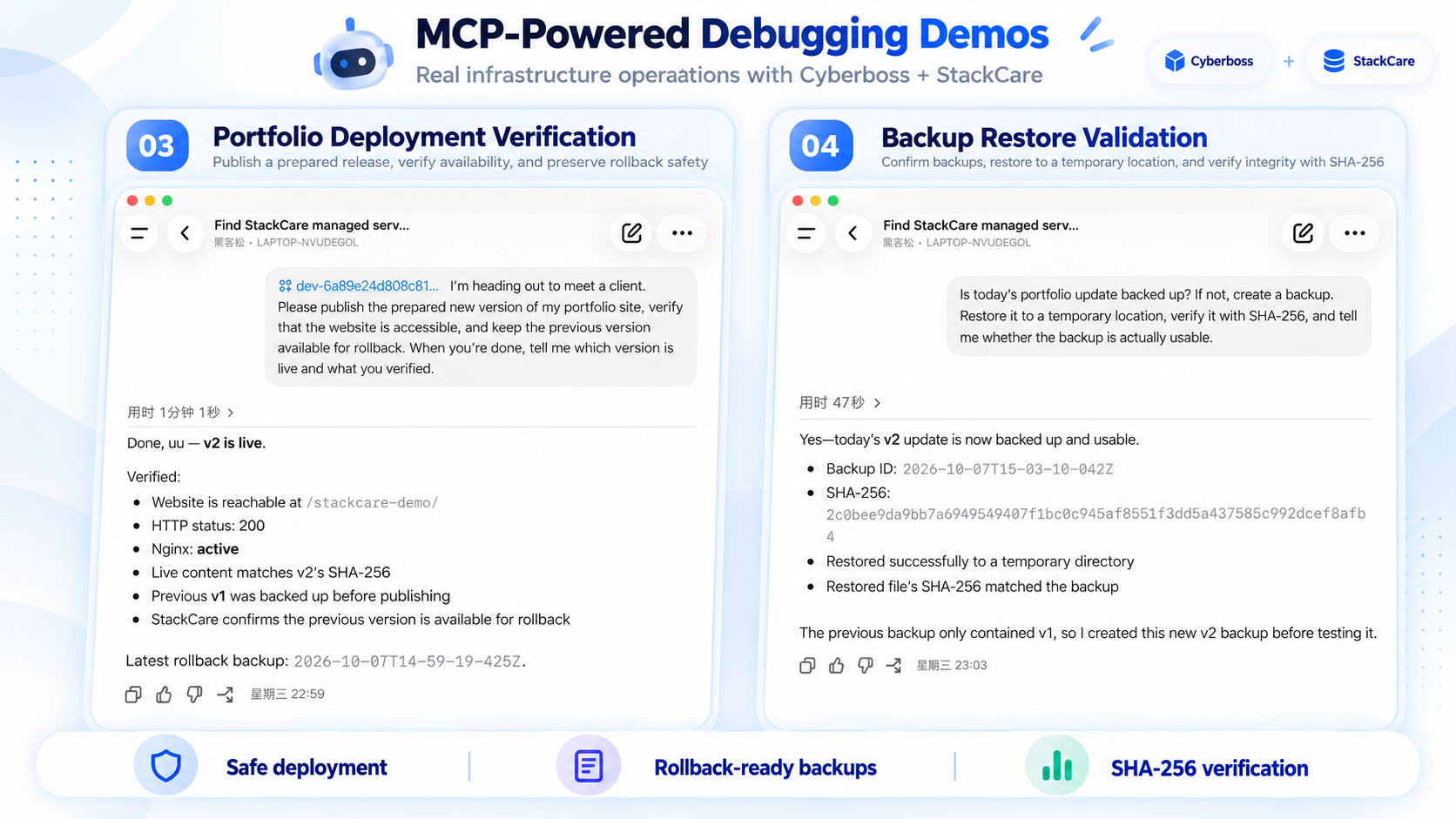
The recorded demonstration uses Codex to discover services, publish a portfolio update, preserve the previous release, and verify a current-release backup through a temporary restore and SHA-256 comparison. This is one concrete workflow built on the broader gateway.
What I learned
Building useful AI tools requires clear interfaces, discoverable capabilities, explicit execution states, and evidence that the requested outcome was achieved.
Extensibility matters just as much: each application should expose appropriate actions while sharing a consistent interface with the assistant.
What’s next
I plan to expand the reusable facility examples, improve deployment onboarding, and explore Alexa+ as a conversational entry point. The current working demonstration uses Codex; Alexa+ device integration remains a future step.
Built With
- javascript
- linux
- mcp
- nginx
- node.js
- oauth
- systemd
- yaml


Log in or sign up for Devpost to join the conversation.