-
-
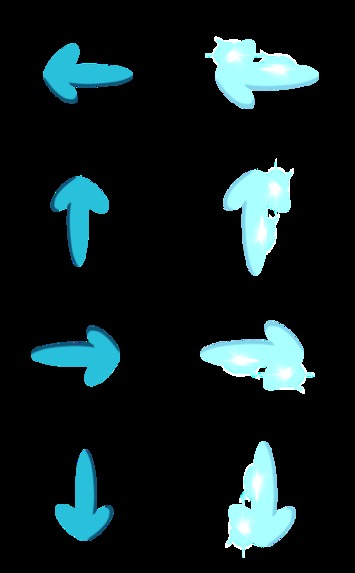
Arrow key sprites for both falling and controlling
-

Flashing text on intro
-

Octopus squishmallow selectable character
-

Pineapple squishmallow selectable character
-
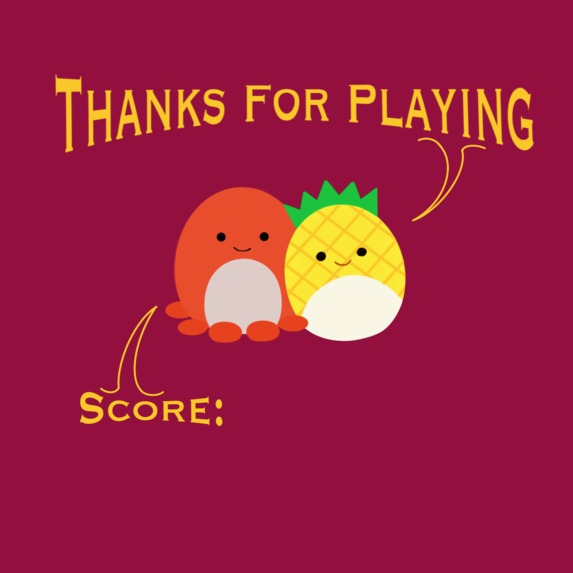
End screen
-

Background in-game
-
Intro screen animated
-

Flashing text on outro







Inspiration
Our prompt for inspiration was "Can we modernize past formats for games to bring a new spin?" To answer it, we brainstormed multiple game formats and decided on a rhythm game inspired by Dance Dance Revolution (DDR), a game developed by Konami in 1998. Our inspiration for merging DDR with Squish mallows was due to both our love for the stuffed animals and their growing popularity amongst all age groups. From kids to young adults, everyone adores these stuffed toys.
What it does
DDR is originally a physical game where your feet control the points you receive. However, we implemented our game to be more of like a rhythm game for your fingers. When the game first launches, you'll be greeted with a loading screen animated using Procreate. We gave instructions for the player to click on one of the game characters to start the game. Once the player has entered the game, they are able to use the up, down, left, and right, keys on the keyboard to interact with the squish (game character). There are 4 possible points the player is able to receive; miss, okay, good, and perfect. Okay gives 4 points, good gives 7 points, perfect gives 10 points, and miss gives 0 points to the player. For the demo of the game, we set the game to be around 100 arrows so that the end screen would be shown along with the “press enter to restart” text.
How we built it
As beginners with little experience, we decided to use a program called UVAGE (University of Virginia Game Engine) created by Luther A. Tychonievich, a professor at UVA. It is based on pygame and simplifies the game making process. We also used the mixer module from pygame in order to integrate the background music into the game to make it a true DDR experience. Utilizing knowledge from using UVAGE in a computer science class, we used the program to set up the framework of our game, coding logic as necessary. For our sprites, we came up with original designs, mimicking Squishmallows. Our backgrounds were also created by us, and we utilized UVAGE’s sprite support to animate these as necessary for an eye-catching design. To calculate a player’s score, when an arrow key is pressed to hit a falling arrow, the y-coordinate relative to the base arrow key is recorded. The distance between the falling arrow and the base arrow key is recorded, with a distance of 12.5 pixels or less generating a “Perfect!”, a distance of 25 pixels or less generating a “Great!”, a distance of 37.5 pixels generating an “Okay!”, and a distance of 50 pixels or larger generating a “Miss!” An accumulator list tracks the amount of “Perfect!”’s, “Great!”’s, “Okay!”’s, and “Misses!”’s and assigns points based on the count, which is presented to the player at the end.
Challenges we ran into
We were limited by our coding experience. Whenever we had an idea to implement, we had to figure out the simplest way to code it in. This limited the complexity of our game and caused us to modify our original game design. Similarly, this was our first time using GitHub, so we lagged behind when it came time to get started, and were unable to fully make use of all of GitHub’s features.
Accomplishments that we're proud of
All of the sprites and artwork (loading screen, background, arrows, squish mallows, ending screen) are hand-drawn! This means all designs are original, and it gives us true flexibility for implementing or adjusting them. Also, creating a full-functioning game within 24 hours is something we are incredibly proud of.
What we learned
Through this experience, we learned that having a team of people with different abilities is very important. Our team had someone experienced with Procreate, an art program made for the iPad that allows users to work with layers and create art pieces or even animations. This allowed us to create good-looking art for our game. We also had someone who knew how to code using UVAGE, so it allowed us to even create the game in the first place. Something else we learned is that since we are beginners, we would not have been able to add everything we wanted to, so it would have been a good idea to brush up on the language or program we were thinking of using during the hackathon.
What's next for Squish Squish Revolution
There are still many implementations and changes we want to make to Squish Squish Revolution. First off, the gameplay might feel constant or static as the arrows do not get faster throughout the duration of the run. So, one of our thoughts for the future of SSR would be to code a way for the arrows to gradually pick up in speed to make the game more challenging. Another change would be to create different modes such as: easy, medium, and hard where each following mode would increase the starting speed and up the frequency of multiple arrows occurring. For some, their gameplay may be interrupted by life, so we also want to also create a play/pause button for better user experience. One of the “negatives” that we saw with our game was that once the player choose a squish, they were brought into the gameplay immediately. So, for possible future implementation, we would like to include a count down (3, 2, 1) after the player chooses a squish.


Log in or sign up for Devpost to join the conversation.