-
-
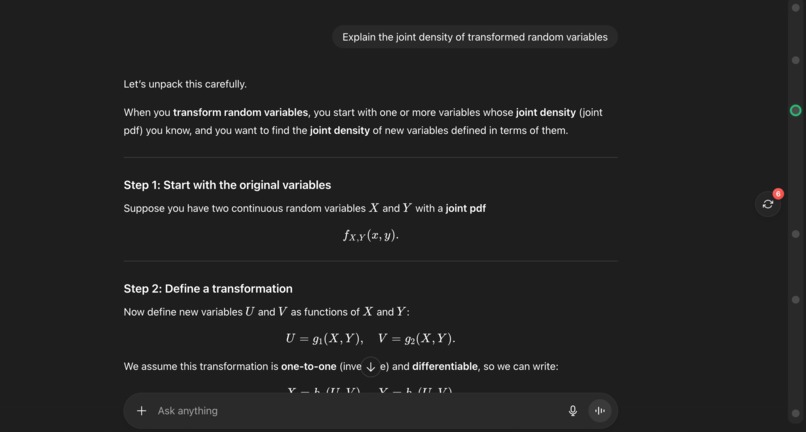
Supports dark mode; Initial screen: click the button to summarize messages
-
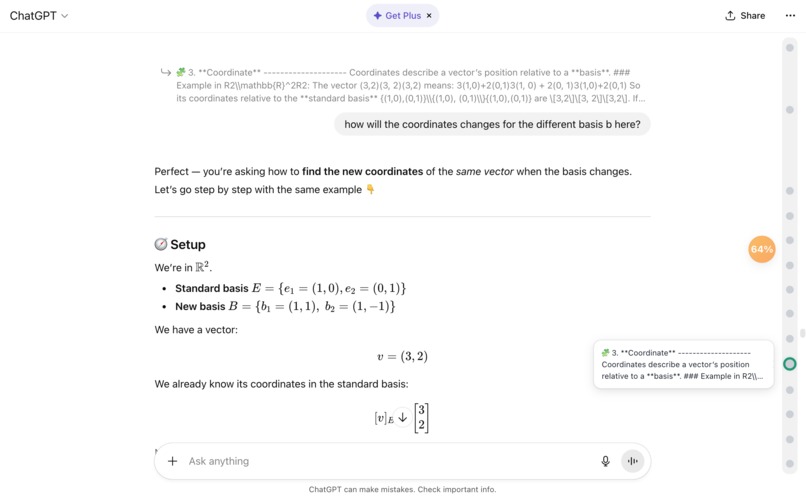
Summarizing stage: the button shows percentage of messages summarized
-
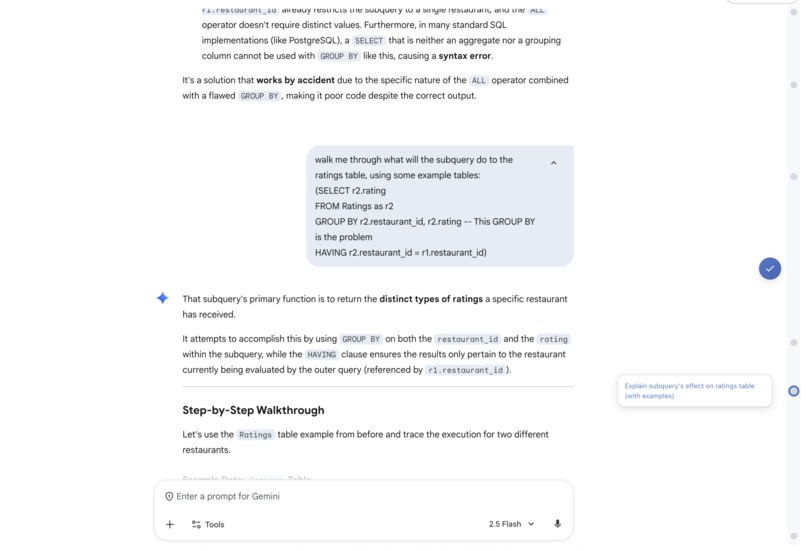
Finished summarizing: move the mouse to the node to see summary
-
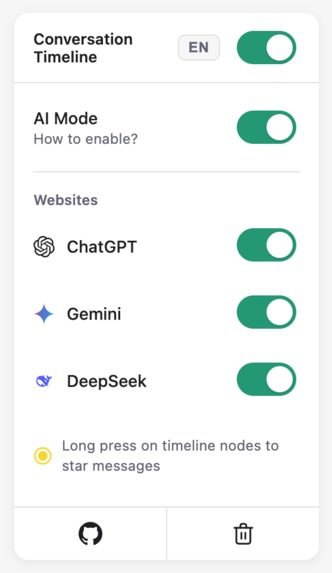
popup: can toggle AI mode off; link to Github for instruction; Option to delete summary data
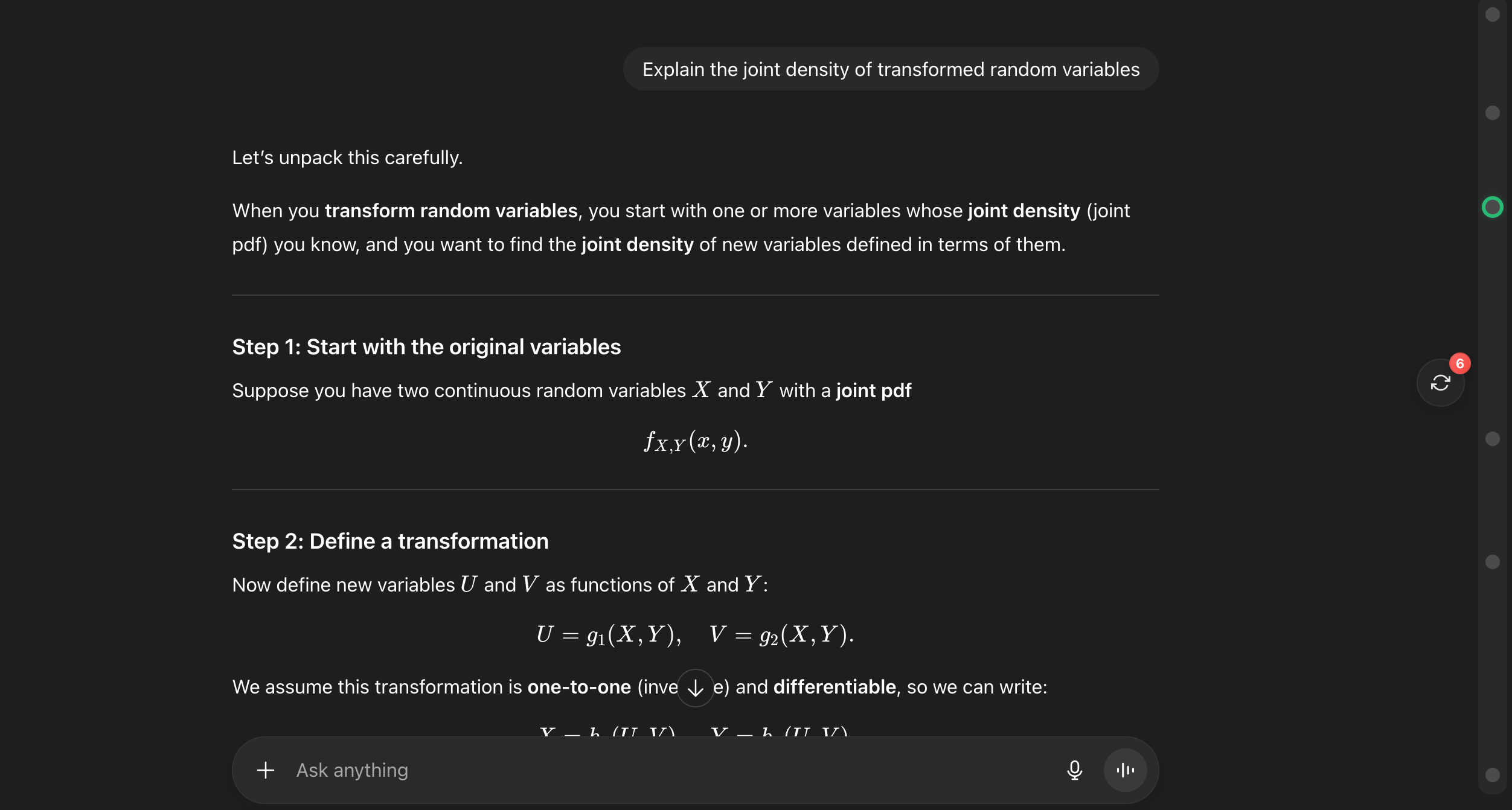
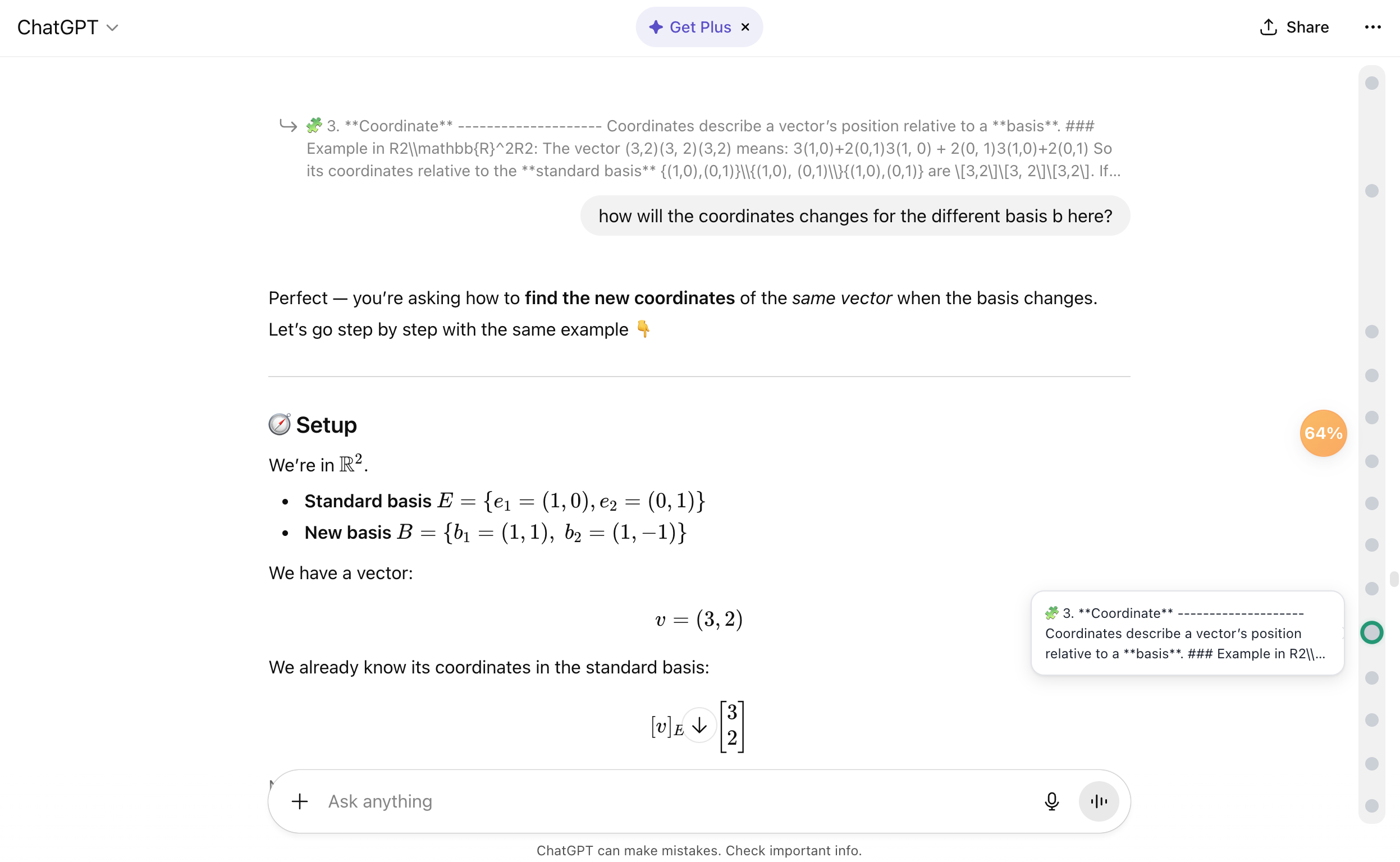
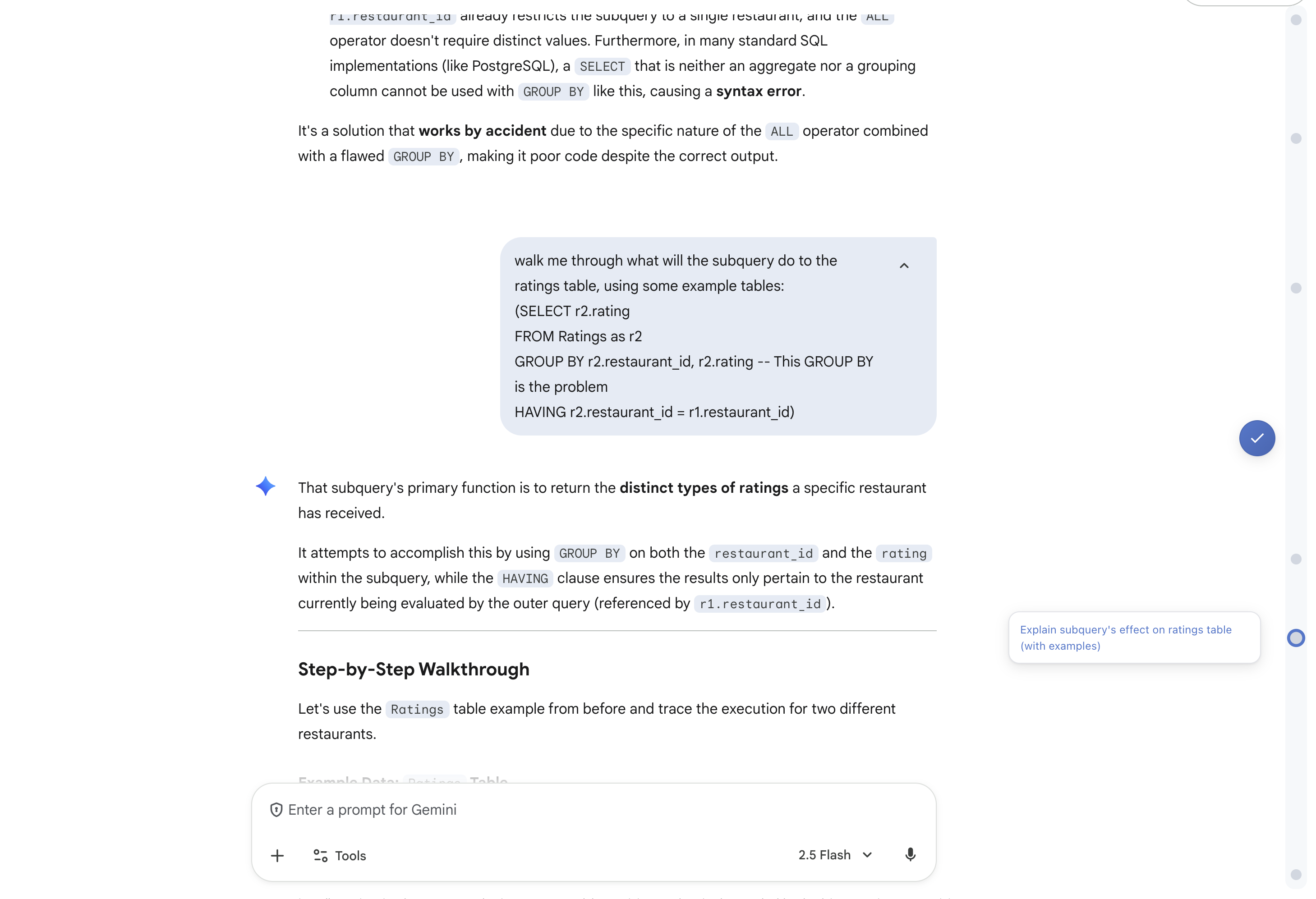
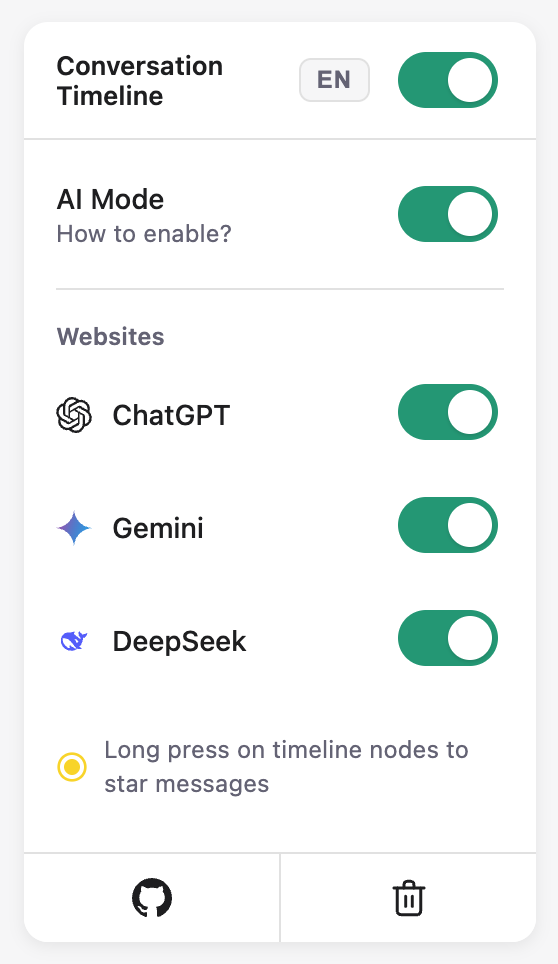
Inspiration
When interacting with AI chatbots, chats can quickly become long and difficult to navigate. Inspired by Google AI Studio, we built an interactive timeline that lets users easily jump between messages and revisit specific points in a chat.
Our project is adapted from chatgpt-conversation-timeline.
What it does
Squirrel Jump adds a smart, interactive timeline for Gemini, ChatGPT, and DeepSeek.
Each message becomes a clickable node on a visual scrollbar, allowing users to jump instantly to any point in the conversation.
Unlike Google AI Studio, which truncates long messages, Squirrel Jump uses Chrome’s built-in API to summarize each user input, ensuring that even lengthy messages are easy to navigate.
Key Features
- Interactive timeline for quick navigation
- AI-powered summarization of user messages
- Long-press to star messages for easy bookmarking
How we built it
We used Chrome’s Built-In Prompt API to summarize every user message.
Originally, we experimented with the Summarizer API, but it often summarized only the context rather than the actual request.
- JavaScript, CSS, HTML for the extension interface
- Chrome Local Storage to cache summaries and starred messages for faster reloading
Challenges we ran into
- The Summarizer API (headline or tl;dr format) often omitted user intent, so we switched to the Prompt API for better control.
- Very short messages (~5 words) sometimes produced longer summaries — resolved by only summarizing longer messages.
- The Prompt API occasionally answered questions instead of summarizing them — resolved by providing strict instructions and input/output examples.
Accomplishments that we're proud of
- Clean and intuitive UI design
- Short, accurate, and meaningful summaries
- Smooth and responsive user experience
What we learned
- Chrome extension development
- Prompt engineering and API tuning
What's next
- Implementing RAG-based message classification to create a tree-like structure showing message relationships
- Color tagging for different message types
- Adding advanced in-chat search (currently users can use Ctrl/Cmd + F as a quick alternative)
- Currently content extraction works best on ChatGPT. We will make changes to Gemini and DeepSeek soon.
Built With
- css
- javascript
- promptapi


Log in or sign up for Devpost to join the conversation.