Inspiration
Many older couples keep their pills together on the kitchen counter: his blood pressure tablets, her blood thinner, a shared bottle of Tylenol. Most days that works. But say she takes her blood thinner at 8, gets pulled into a phone call, and by 9 can't remember if she took it. So she takes it again.
That kind of mistake sends a lot of seniors to hospital. In Canada, about 1 in 200 seniors is hospitalized each year for a reaction to their own medication, and blood thinners are the most common cause.
Their kids often call to ask "did you take your pills?" but have no way to check the answer.
Pill organizers and dispensers exist, but they mean giving up a routine people have had for decades, and many won't. We wanted something that works with the routine they already have.
What it does
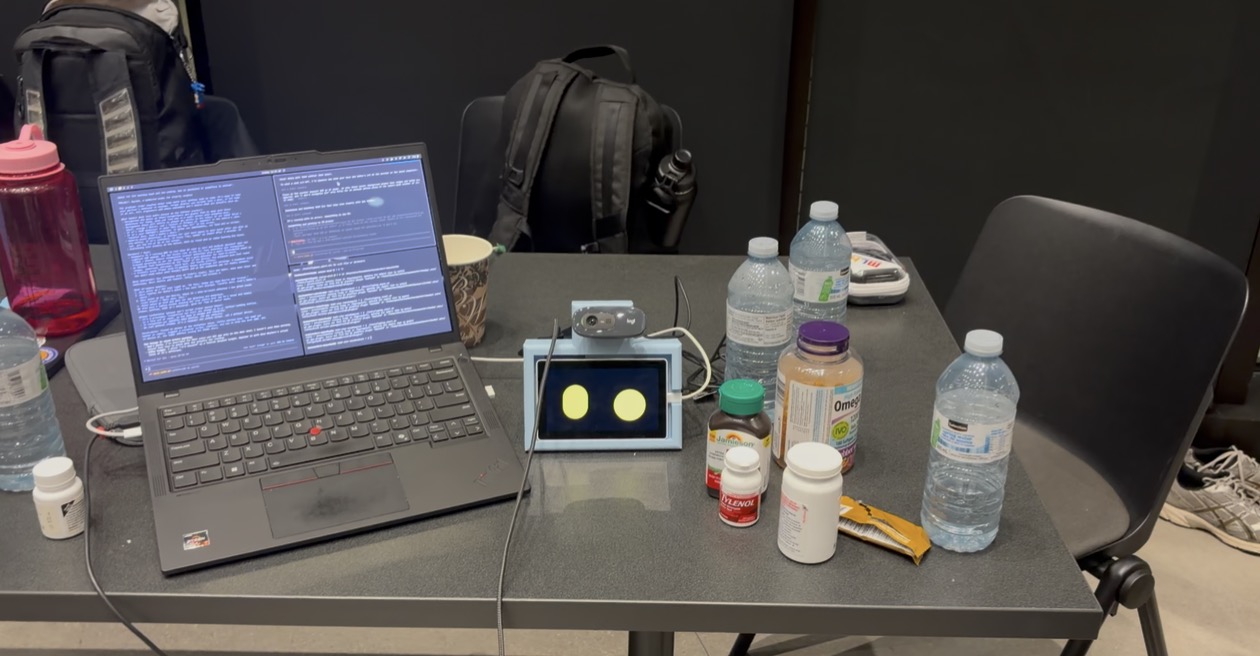
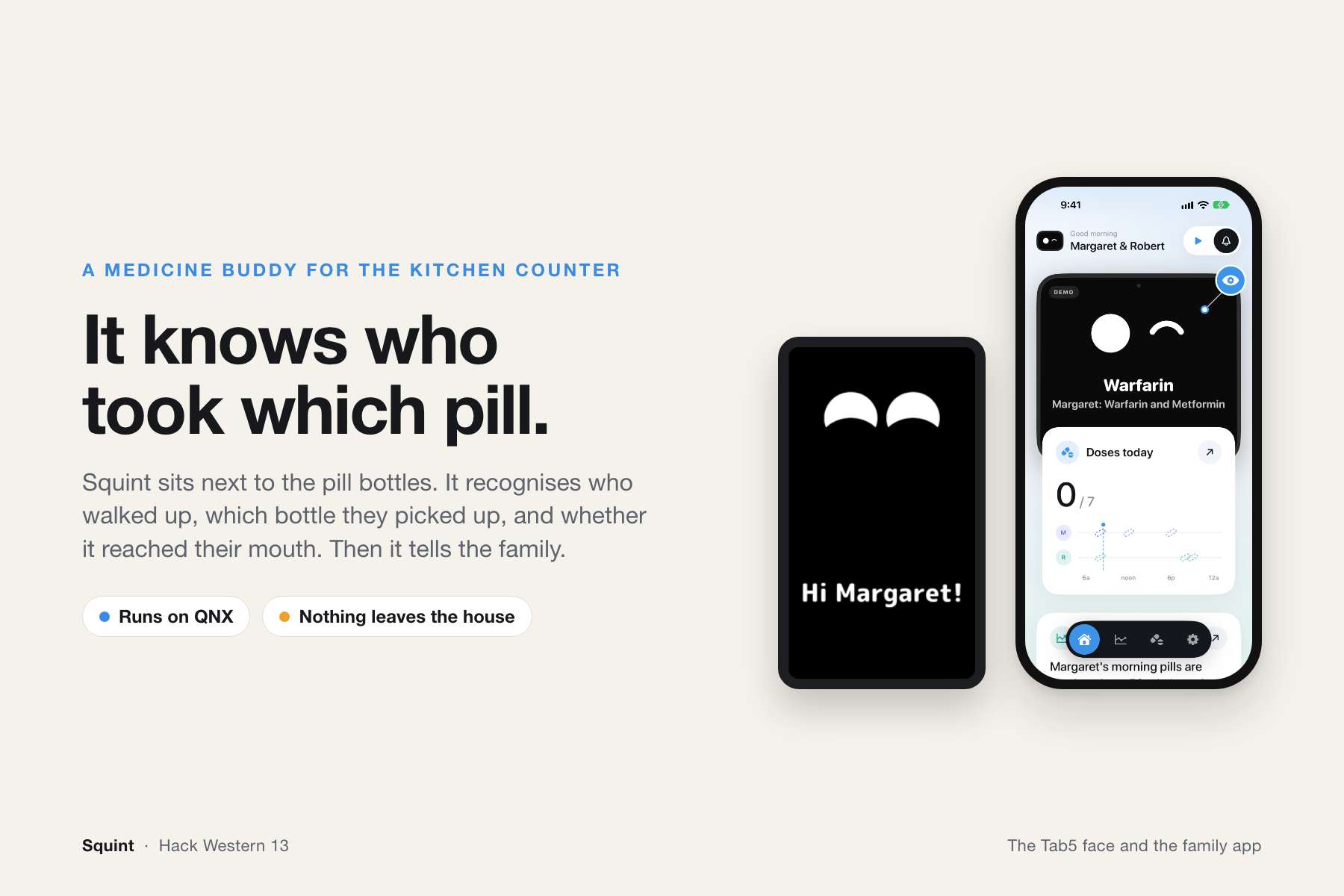
Squint is a small device with an animated face that sits next to the pill bottles.
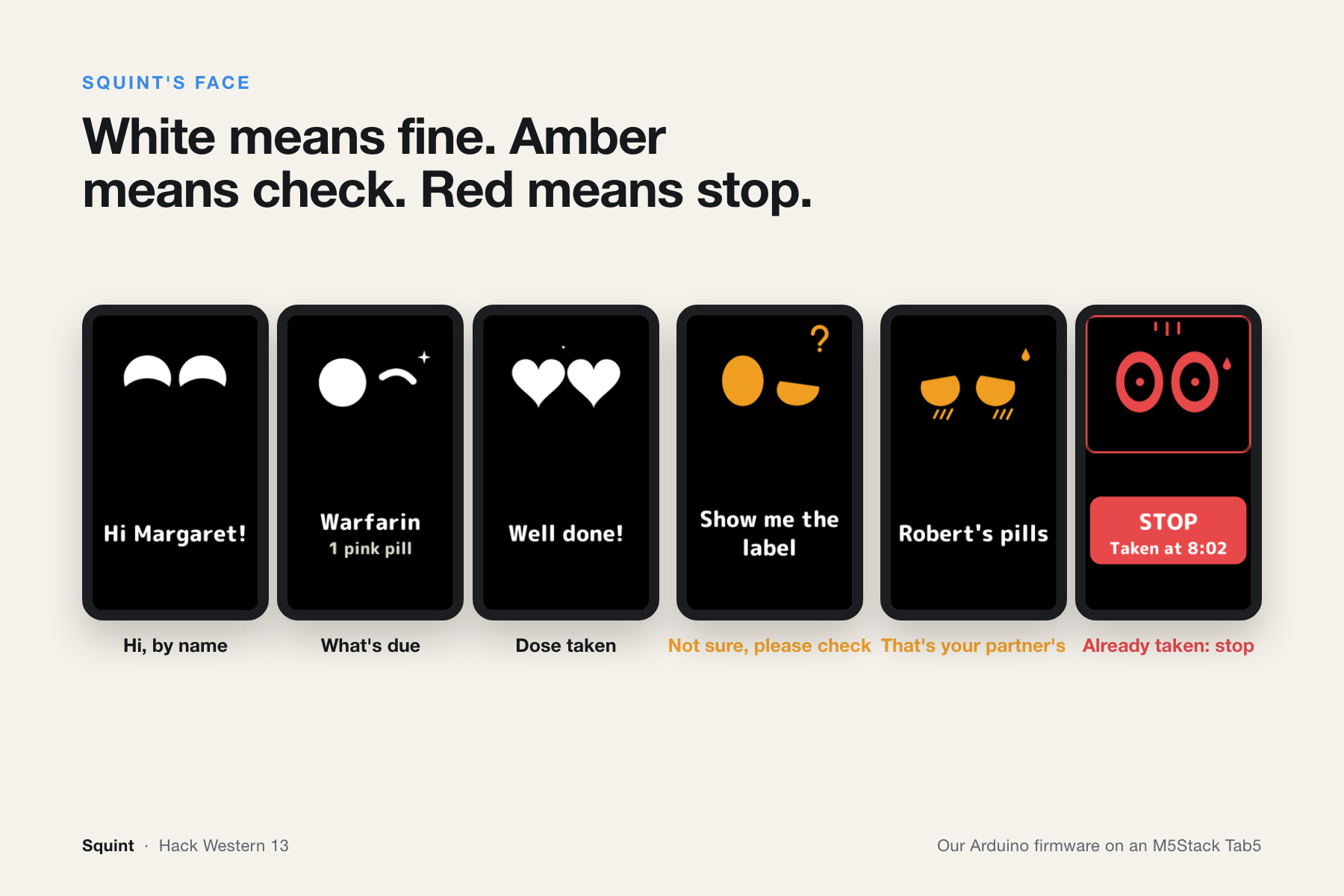
- Recognizes you. When you walk up, it greets you by name through a Google Home and tells you what you take today.
- Checks the bottle. When you pick one up, it reads the label and checks that it's yours, that it's due, and that you haven't already taken it today.
- Logs the dose. When your hand goes to your mouth, it records the dose. If it's unsure, it asks you to confirm on screen.
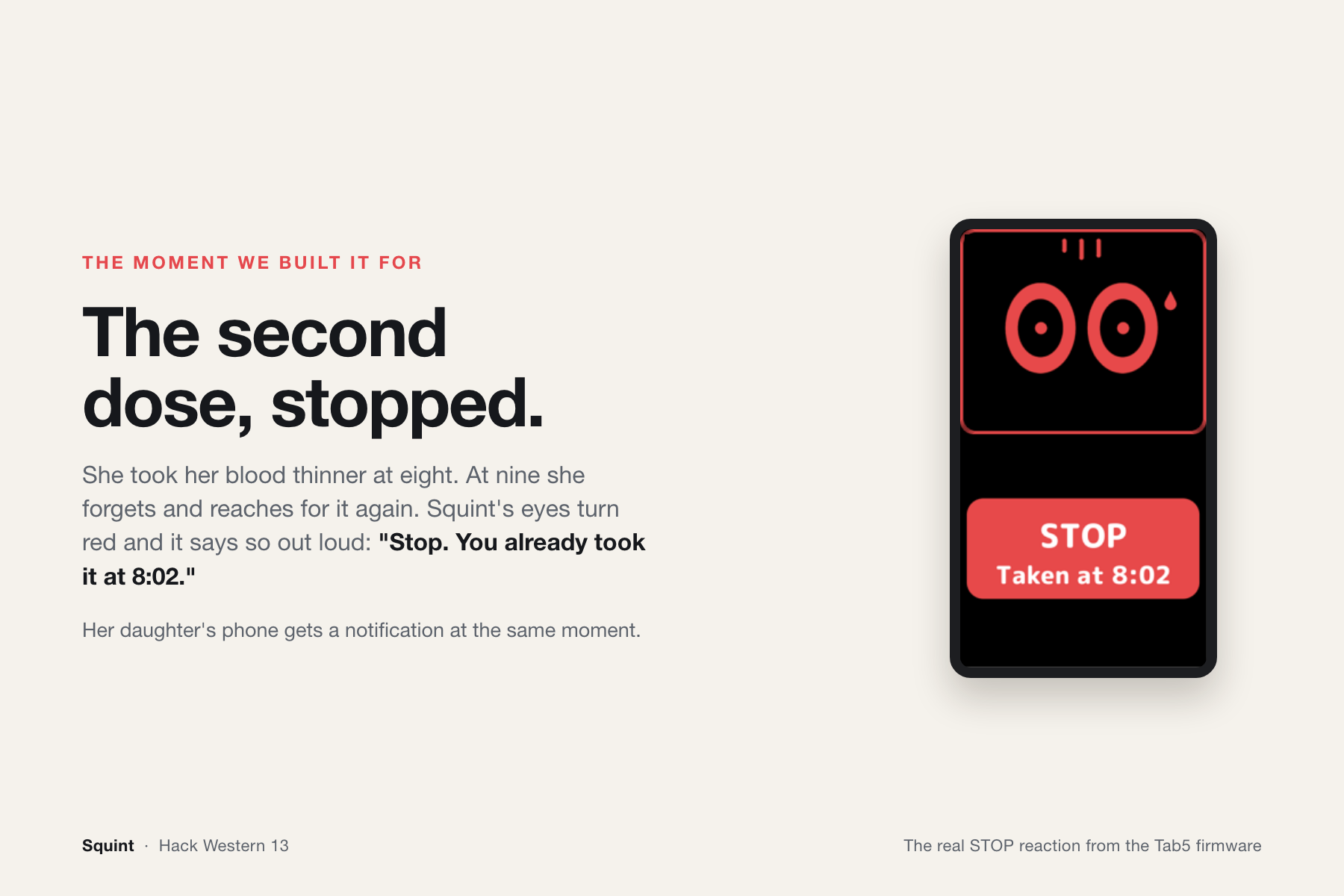
- Stops double doses. If you reach for a high-risk medication you already took, its eyes turn red and it says, "Stop, Dinu. You already took your Tylenol at 8:02." It also warns you if you grab your partner's bottle.
- Doesn't guess. If it doesn't recognize you, it stays quiet.
Family app (iPhone)
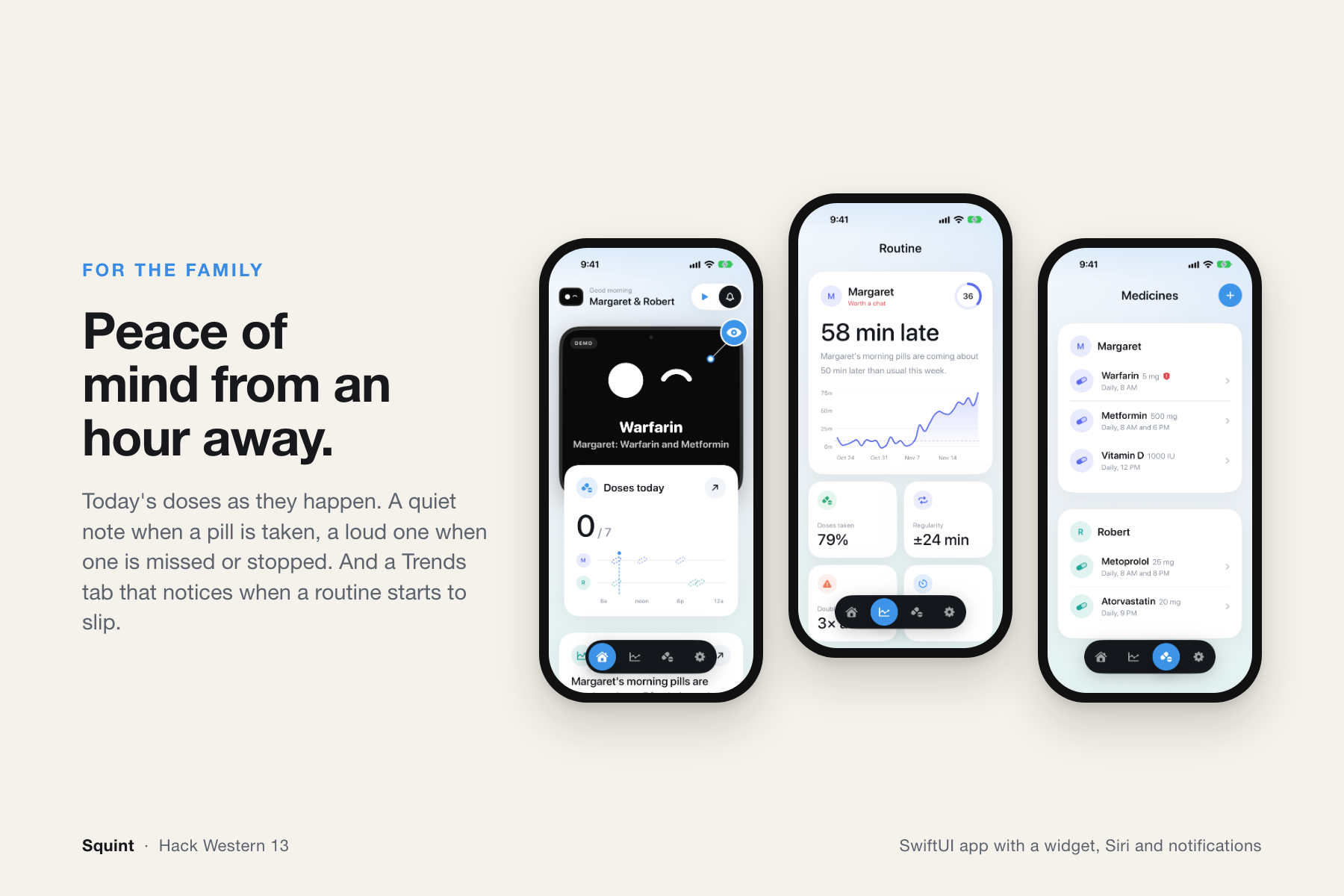
- Today's doses as they happen, plus a live copy of Squint's face
- Notifications: a quiet one when a dose is taken, a louder one for a missed dose or a blocked double dose
- Ask Siri: "Has Dinu taken his pills in Squint?"
- A Trends tab compares each person to their own normal over the weeks and flags changes, like doses drifting later or more mix-ups than usual, and suggests talking to their doctor. It doesn't try to diagnose anything.
How we built it
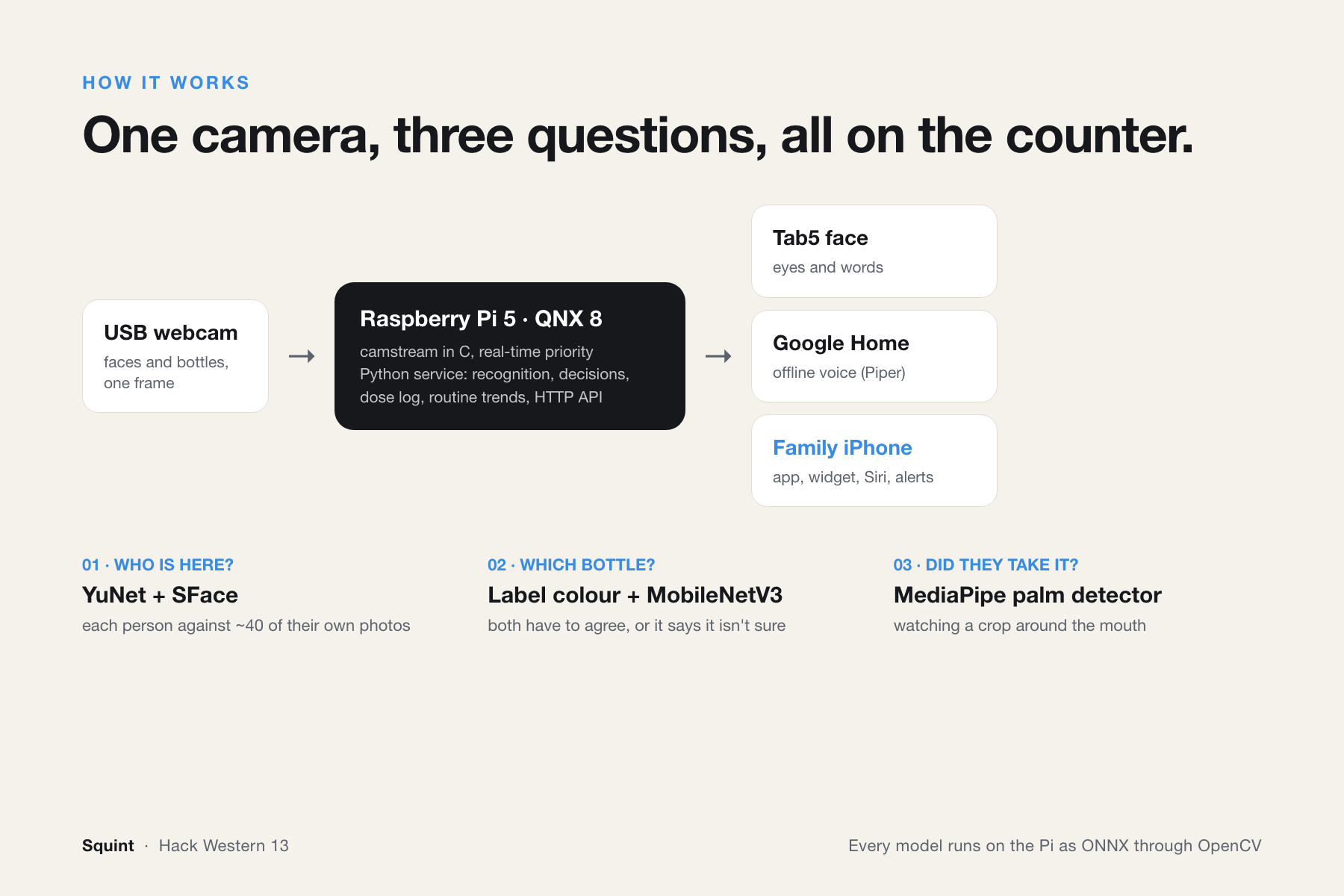
Hardware: Raspberry Pi 5 running QNX 8, one USB webcam, an M5Stack Tab5 for the face, and a Google Home for the voice.
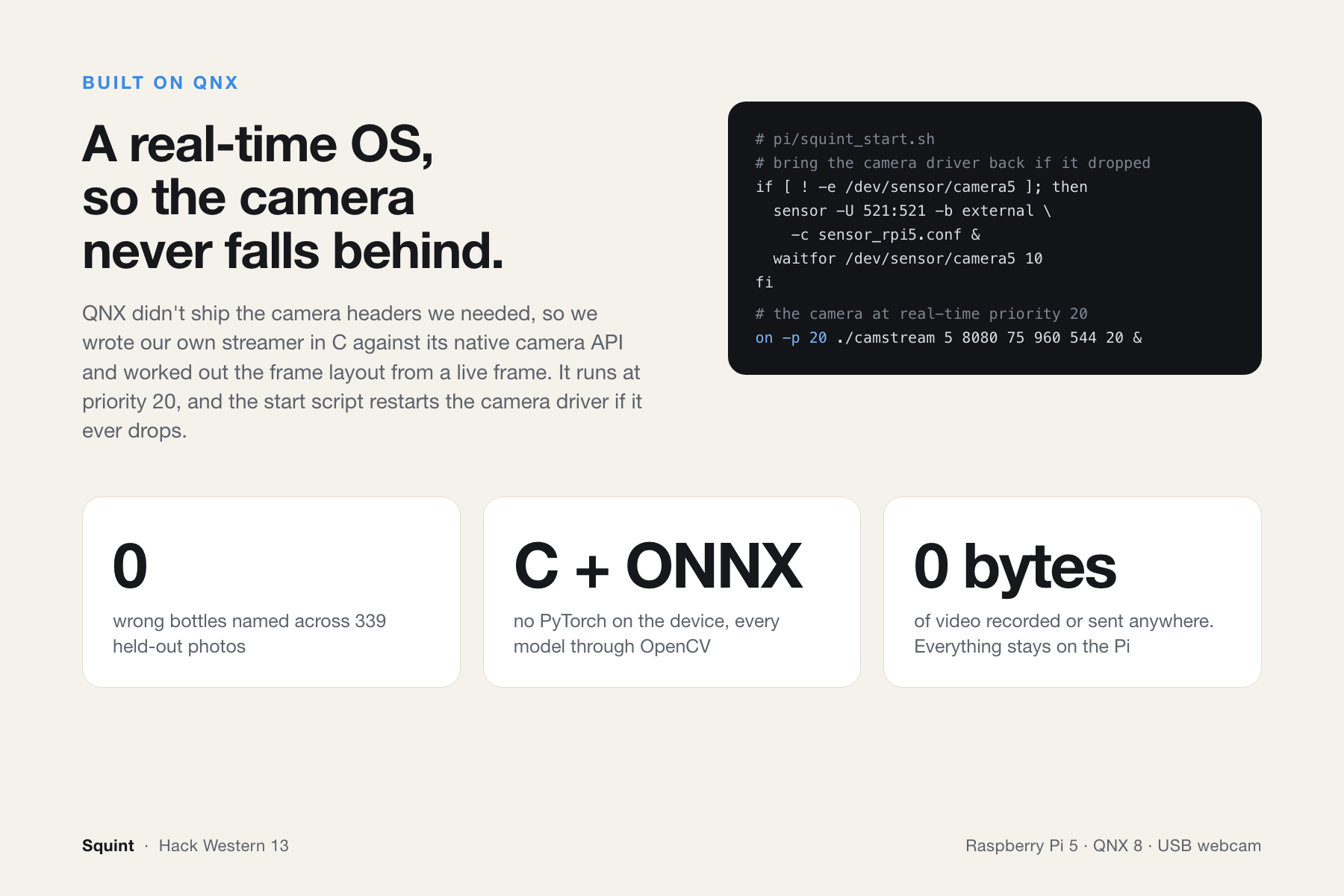
Camera on QNX. QNX didn't have the camera headers we needed, so we wrote our own camera streamer in C against QNX's native camera API. We declared the functions ourselves and figured out the frame format by dumping a live frame and reading the raw bytes. The streamer runs at real-time priority, so the camera keeps up no matter how busy the models are. The camera driver runs as its own process, and our startup script restarts it if it drops out.
Vision (Python). One camera feed answers three questions:
- Who is it? YuNet finds faces, and SFace matches them against about 40 photos of each person.
- Which bottle? Label colour narrows down the candidates, and a MobileNetV3 we trained on our own label photos has to agree before Squint says anything.
- Did they take it? A MediaPipe palm detector watches a small crop around the mouth.
There's no PyTorch on QNX, so every model is exported to ONNX and run through OpenCV.
Face and voice. The Tab5 runs our own Arduino firmware. The eye colour shows status: white means all good, amber means double-check, red means stop. Speech is generated offline with Piper and played on the Google Home.
App. SwiftUI, with a widget, Siri shortcuts and notifications.
Challenges we ran into
- Getting a single frame off the camera. With no headers and no examples for our webcam on QNX, this took way longer than we expected, including a lot of late-night reverse-engineering of memory layouts.
- Never naming the wrong bottle. On its own, colour mistook hands, red shirts and lanyards for labels. The classifier on its own always gave an answer, even when it had no idea. Making the two agree, and tuning thresholds so Squint says "not sure" instead of guessing, took a lot of iteration.
- Tiny hands. In the full frame, a hand near the mouth is only about 15 pixels wide, which is too small to detect. Cropping around the mouth using the face detector's landmarks fixed it.
- Two cameras down to one. We started with two cameras, but the USB connection couldn't keep up with both.
Accomplishments that we're proud of
- On recordings we held out from training, Squint never named the wrong bottle. When it wasn't sure, it said so.
- The whole loop works live: you walk up, it greets you, you take your pill, and a few seconds later the family's phone gets the update.
- Everything runs on the device. No video is recorded or sent anywhere, and the photos Squint uses to recognise each person never leave the Pi.
What we learned
- "I'm not sure" is a feature. Once we decided Squint should never be confidently wrong, a lot of other design decisions got easier.
- QNX's strict priorities and separate processes made the system much more reliable once we got past the camera.
- For spotting changes in someone's routine, simple statistics that compare a person to their own history were clearer, and easier to explain to families, than a trained model.
What's next for Squint
- Two people at once. Squint knows who's at the counter but not whose hand is holding the bottle. Matching the bottle to the nearest hand is just geometry on what we already detect.
- Any medication. Match the bottle to the pharmacy label scanned in the app, so a new prescription doesn't need new training photos.
- A better app. Instant notifications even when the app is closed, secure access from outside the home network, and full setup from the phone, including adding new faces.
- More QNX. Split recognition into separate processes with their own priorities, talking to each other over QNX message passing.
- Real-world testing. Put Squint on a real kitchen counter with a real couple and see what we got wrong.
Try it
- Family app, in your browser with sample data: https://appetize.io/app/b_yzatlsilxxj7evpjwh3tvedppy
- Code: https://github.com/dinud2/Squint


