-
-
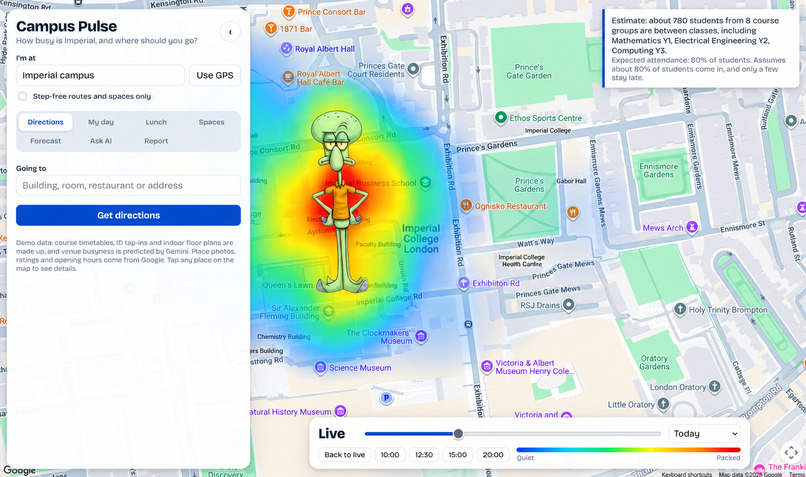
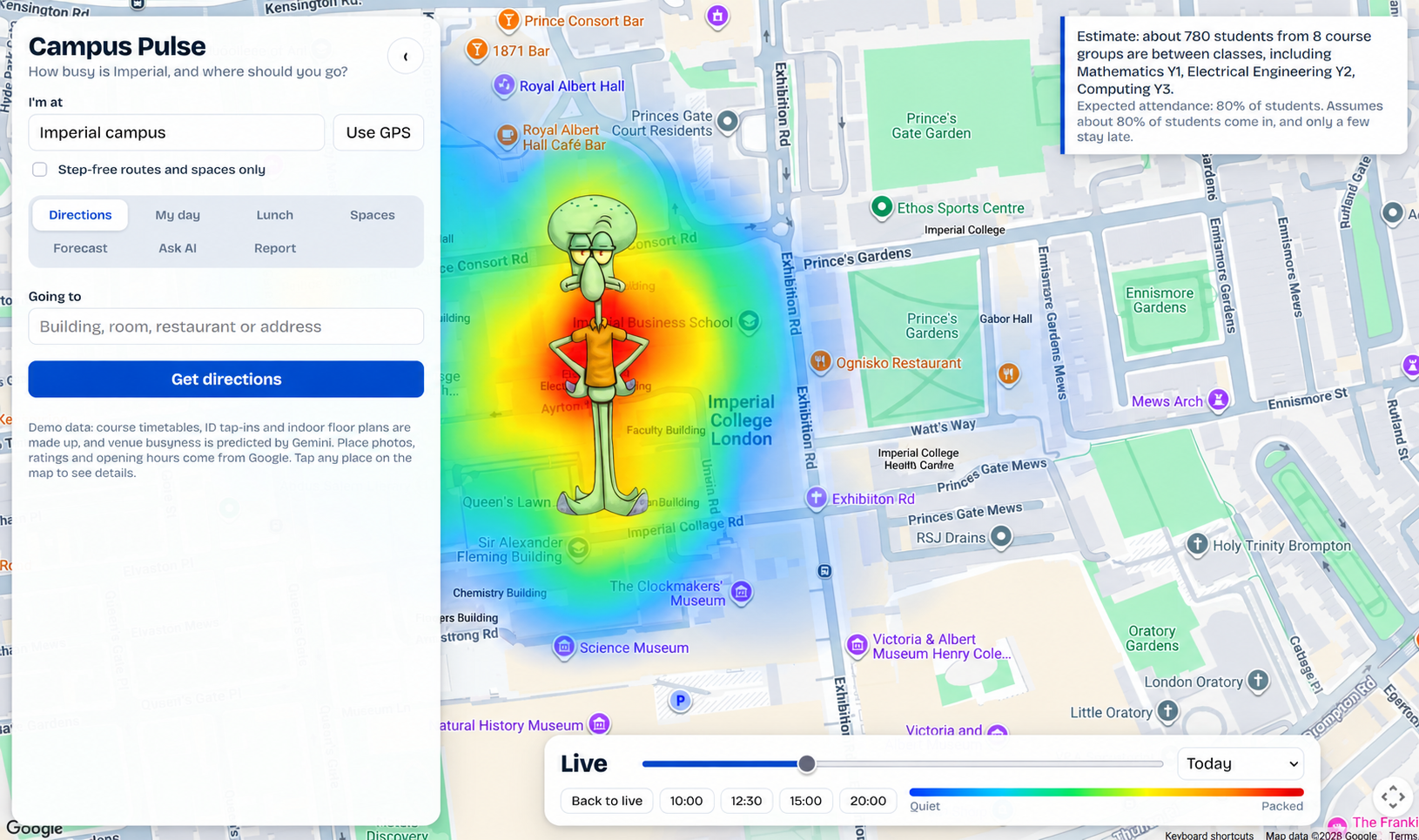
Initial Page
-
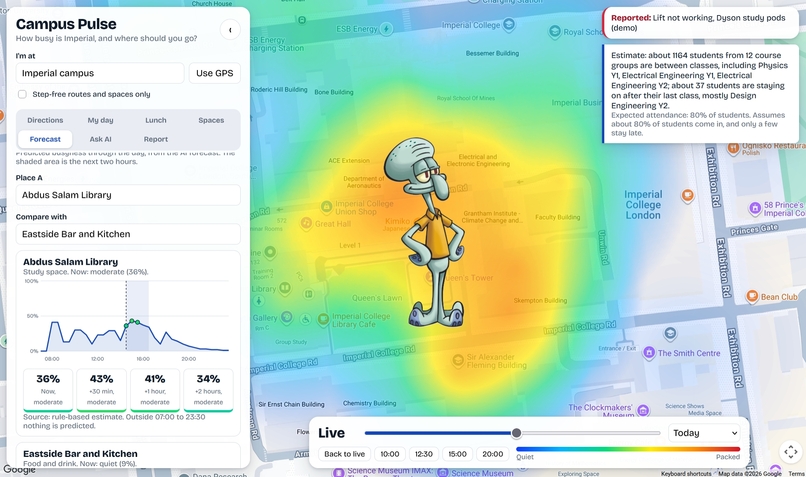
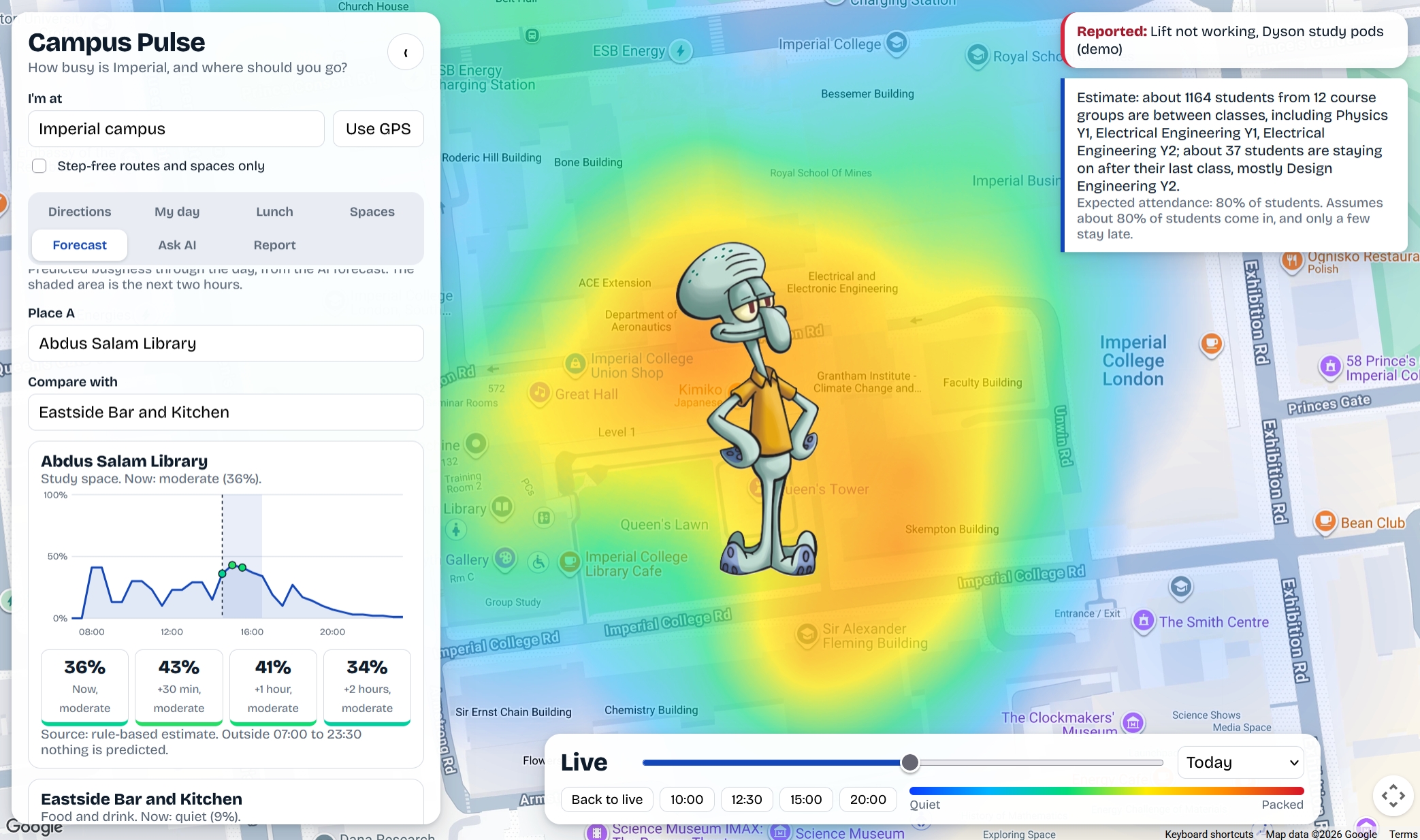
Forecast Page
Inspiration
Coming from our own experiences as students, we know the frustration of walking across campus to a library floor or a cafe, only to find it completely full. With a one-hour break between lectures, we would spend half of it queuing, a quarter walking, and the last quarter rushing our food. If you are new to a university, or new to the city, you have no way of knowing in advance where it is quiet, where there are free plugs, or where the queue is out of the door. We wanted that question answered with a single tap, by the students who are already there. A live, crowdsourced map of campus spaces that tells you exactly where you can actually sit, study, or eat right now, without the guesswork.
What it does
Map with a Study / Food toggle. Each space has a glow (traffic light system) that gets bigger and darker as it fills. Green = Quiet or Okay, amber = Busy, red = Packed, grey = no check-ins yet, faded = closed now. Interactive to show nearby student spaces, cafes and restaurants. One-tap check-in. Quiet, Okay, Busy or Packed. No account, no location stored. One check-in per space every 10 minutes per device. Best time to go and next-hour prediction (predict availability, every 30 / 60 min), built from check-in history. Until a space has enough check-ins it says so instead of guessing. Weekly timetable import (.ics or .csv) with gap-aware suggestions, smart filters. Campus Digital Twin. Interactive visualizationn of study spaces & occupancy across the campus. Ask in plain English, by typing or speaking: "somewhere quiet with plugs, open after 10pm". It shows what it understood as chips. Where should I go? Say how long you need a seat. It picks a space, keeps watching, and changes its pick when new check-ins arrive.
How we built it
We split the work by tool. In the initiation phase we used DeepSeek to develop and stress-test ideas. Gemini produced the figures that show why students need this. Claude and Codex built the first prototypes: three different UI designs, from which we kept the best features of each. The final app is a single-page web app. The map uses MapLibre with CARTO / OpenStreetMap tiles. The spaces are the 64 real University of Leeds spaces from the open Leeds Spacefinder dataset (coordinates, facilities, noise levels, opening hours). Busyness comes from student check-ins, which can be shared through one small Netlify Function with Netlify Blobs. Typical times and 30/60-minute predictions are calculated from that check-in history. Read-aloud and voice input use the browser’s built-in speech APIs. We tested the check-in rules, the plain-English parser and the backend with automated checks.
Challenges we ran into
Initially, we wanted to make it for UCL. But UCL did not have any publicly available information about availability, nor historical data for social spaces/cafes/libraries, for the predictive availability. We tried UCL API github (had history endpoints), but could not access any historical data, they needed a UCL-affiliated token we couldn’t get. We tried BestTime.app but could not receive the suitable API Token to use. Most of the data we needed were hidden behind logins or files, and chasing it cost us much of the hackathon. Hence, we looked at Imperial’s timetables were only visible to its own students, which we would then be able to imply the busy times on campus, or certain buildings. We also wanted to incorporate the side tracks like Presage (a camera for the timetable scanning, real time biometrics connected to your apple watch/fit bit to track heartbeat/stress so the software could suggest de-stress/quieter places), Incident.io (to include a "Where should I go?" agent that changes its recommendation when new reports arrive) and ElevenLabs (to ask by voice and hear the answer read back. To increase accessibility). However, due to lack of time, and a lot of time spent on trying to find the historical data and API Tokens, we were unable to incorporate them. Hence they would be future features.
Accomplishments that we're proud of
- We designed before we built, 3 times over. 3 different UI directions were created first (2 with claude, 1 with codex), then we combined the strongest ideas from each into one coherent interface (such as a heatmap using the traffic light system and a personalized timetable). It meant that the final design wasn’t “the first thing that worked”, it showed that it was the best pieces of 3 attempts.
- Privacy By Design. No account, no login, no stored location. A check-in is a spot ID and a timestamp in the browser. Nothing Else.
- Honest By Design. Every number on the map is either a real published data source for Leeds study and food spots, or a live student check-in. When a spot has no recent check-ins, the app would say so (“No recent check-ins”) instead of guessing. We would rather admit uncertainty than fake confidence.
What we learned
- Publicly Available Data is Rare. There is no open, reliable feed of "how busy is this library right now" for campus spaces. The real asset isn't data, it's the crowd. That changed how we thought about the product: the users are the data source.
- The first users need to see value before anyone has checked in. We learned that an empty map has to still be useful, so we leaned on typical hourly patterns and honest empty states until real check-ins arrive.
- An app that admits "not enough data yet" earns more trust than a confident fake. We would rather show "No recent check-ins" than invent a colour. Trust compounds; fake data destroys it.
- Check the data sources before designing the product. We started the other way round, we designed first, then went looking for data to fit the idea. Next time: verify the data exists, then design around it. This was the single biggest process lesson of the weekend. Designing three UI directions and combining them was slower than picking one, but the final product felt more intentional than any single sketch.
What's next for Squidwardz
Student Discount. For cafes & restaurants to display if they have student discount. Accessibility info. Report broken lifts and step-free routes, so students who need them can plan around outages. Community notes. A bulletin board of short opinions about each café and study space. Timetable-aware suggestions. Import a timetable and get recommendations for where to study or eat in each gap. Study buddy and food partner matching. Opt-in matching for people with the same schedule. Smart filters, by distance, availability, price and type of study space (plugs, adjustable tables etc.). Presage (a camera for the timetable scanning, real time biometrics by your wearable API to track heartbeat/stress so the software could suggest de-stress/quieter places). Incident.io (to include a "Where should I go?" agent that changes its recommendation when new reports arrive). ElevenLabs (to ask by voice and hear the answer read back). To increase accessibility. Read aloud for spaces, the agent's pick and search replies.
Built With
- claude
- codex
- css
- html
- html5
- javascript

Log in or sign up for Devpost to join the conversation.