-
-
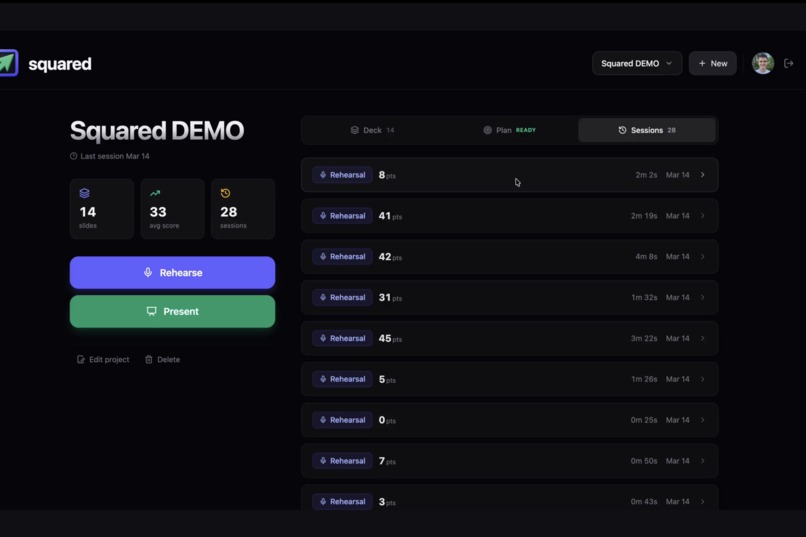
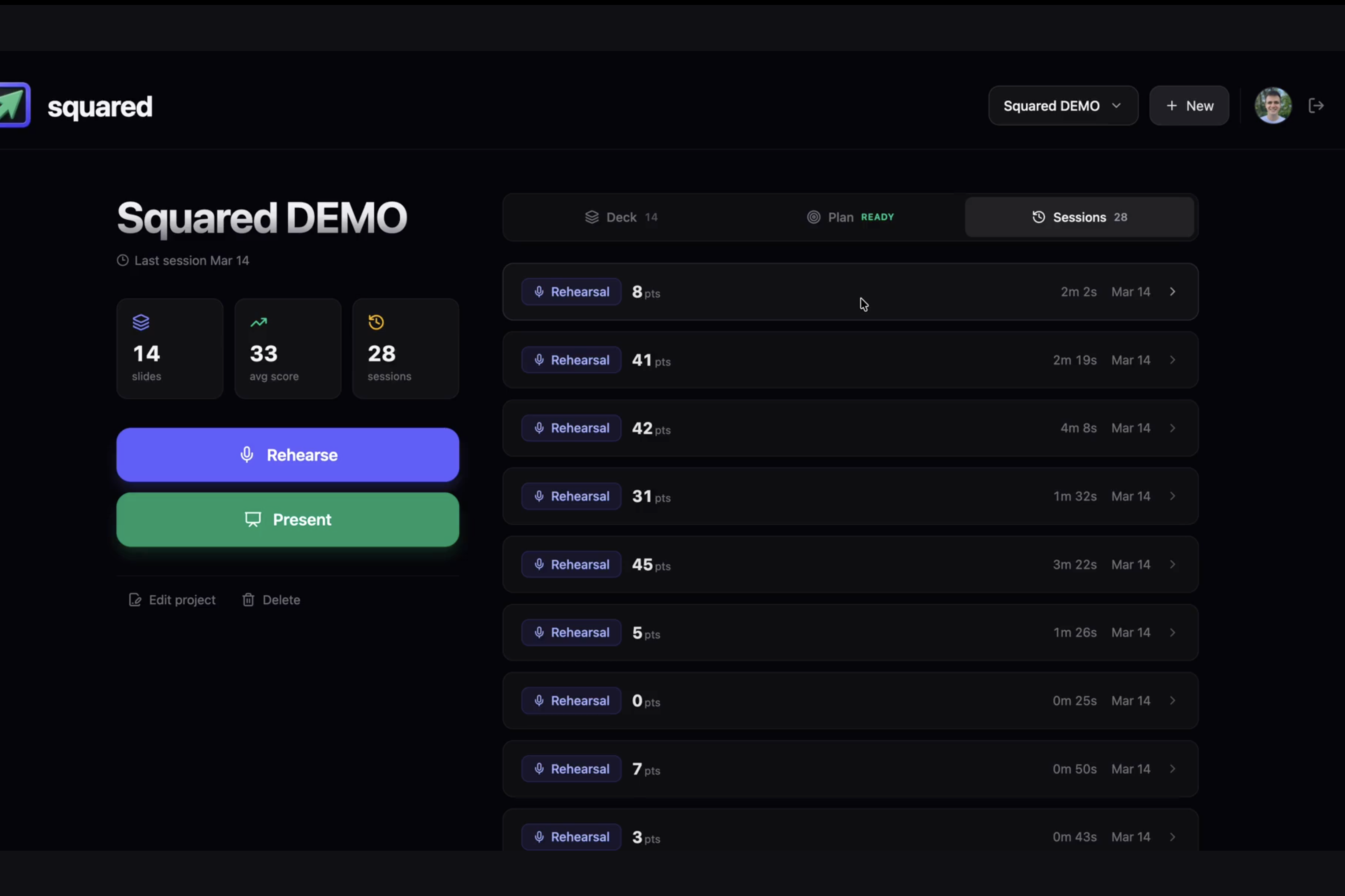
The Sessions' list
-
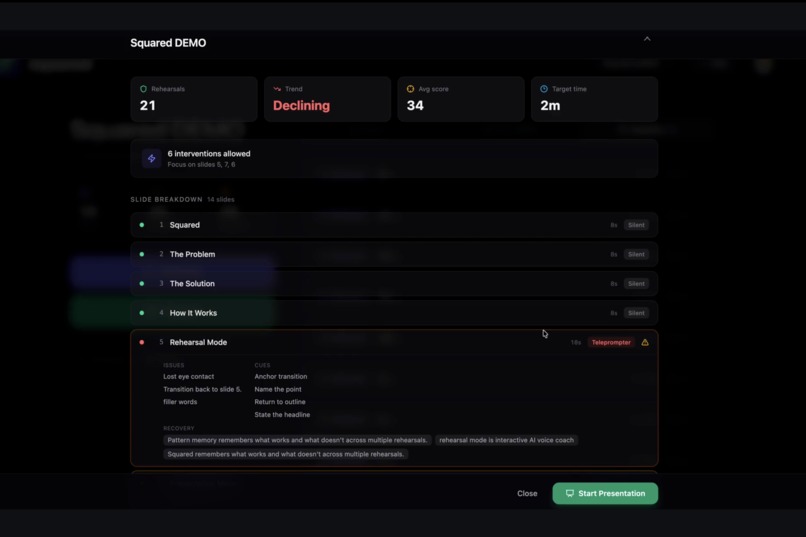
The Presentation Plan
-
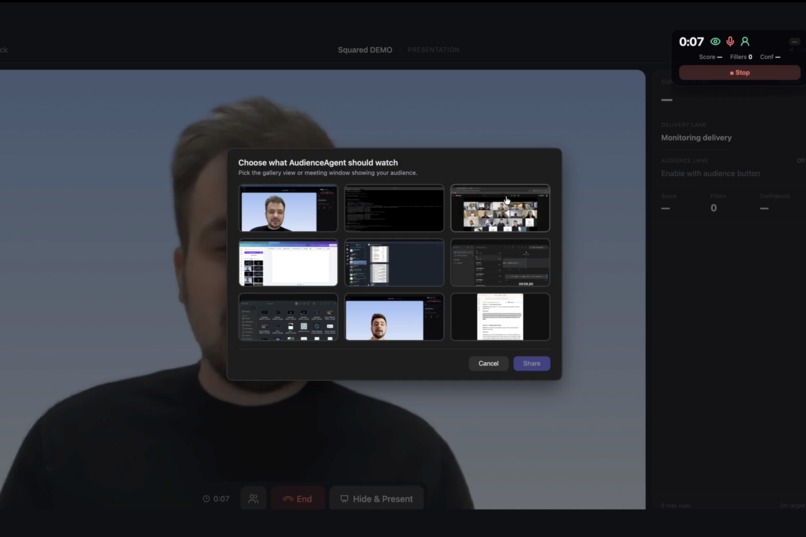
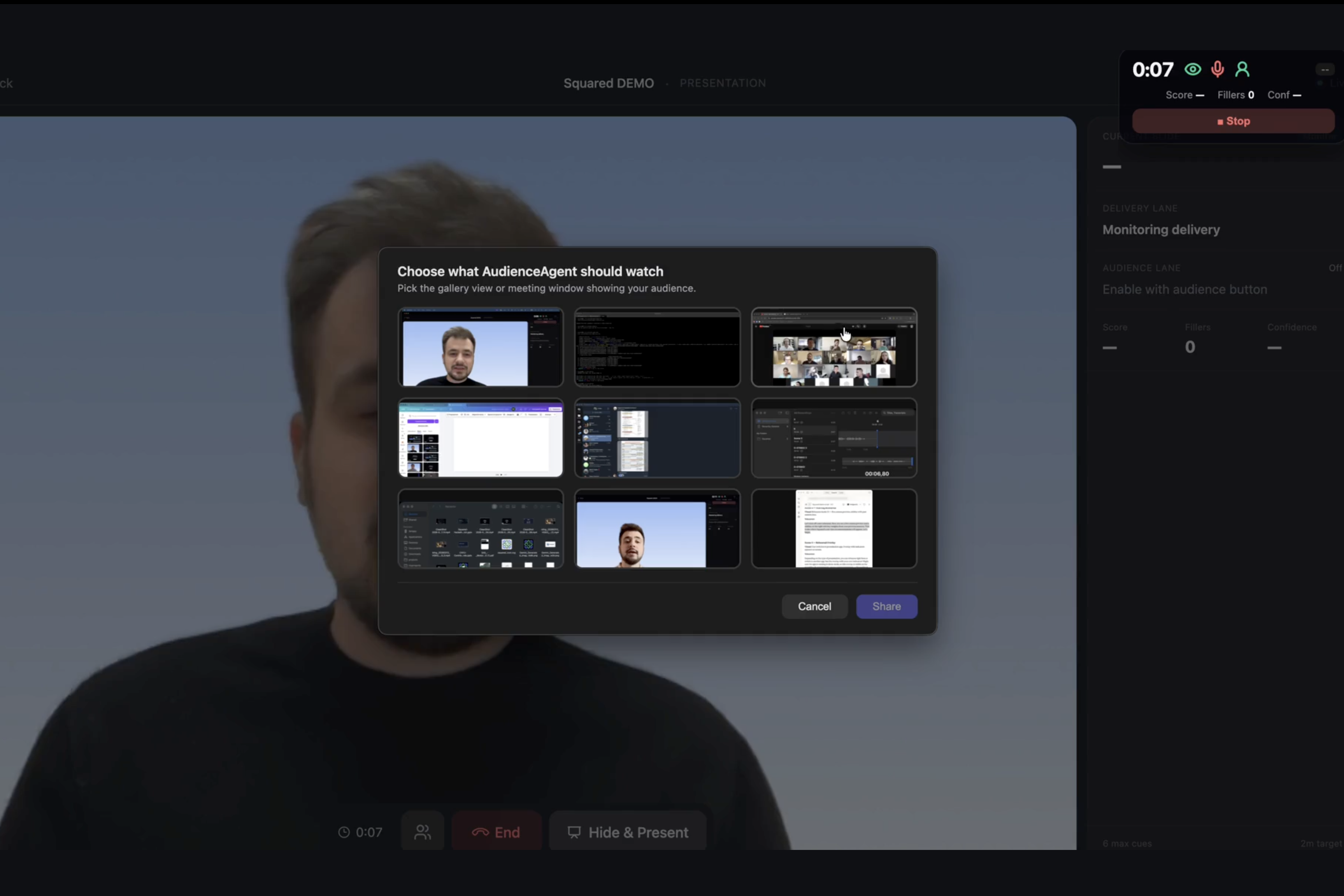
The Audience Agent Run
-
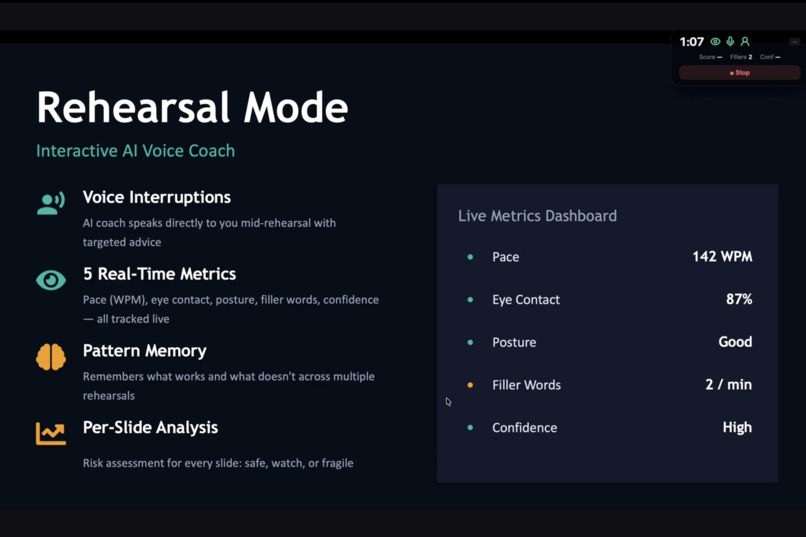
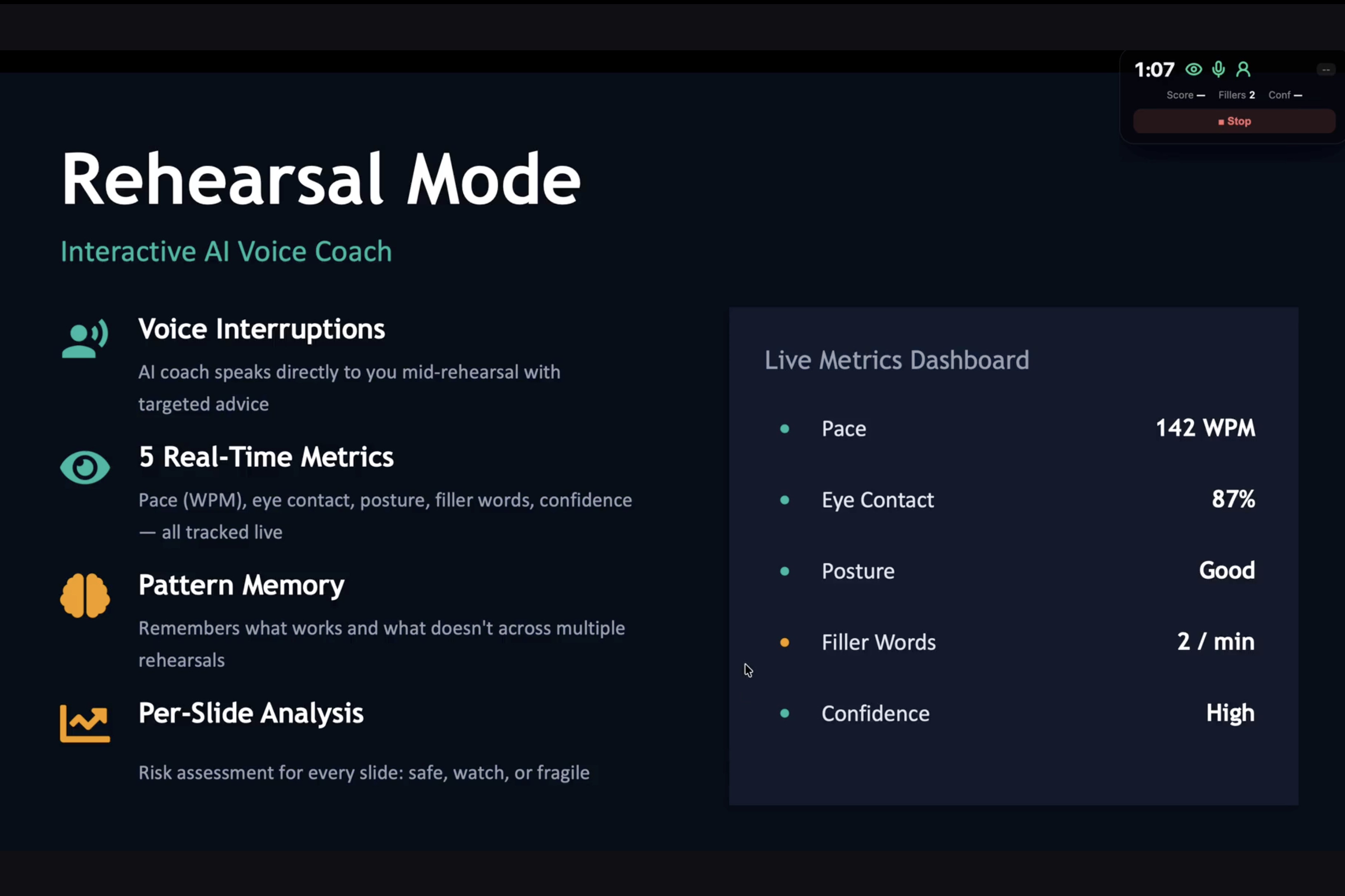
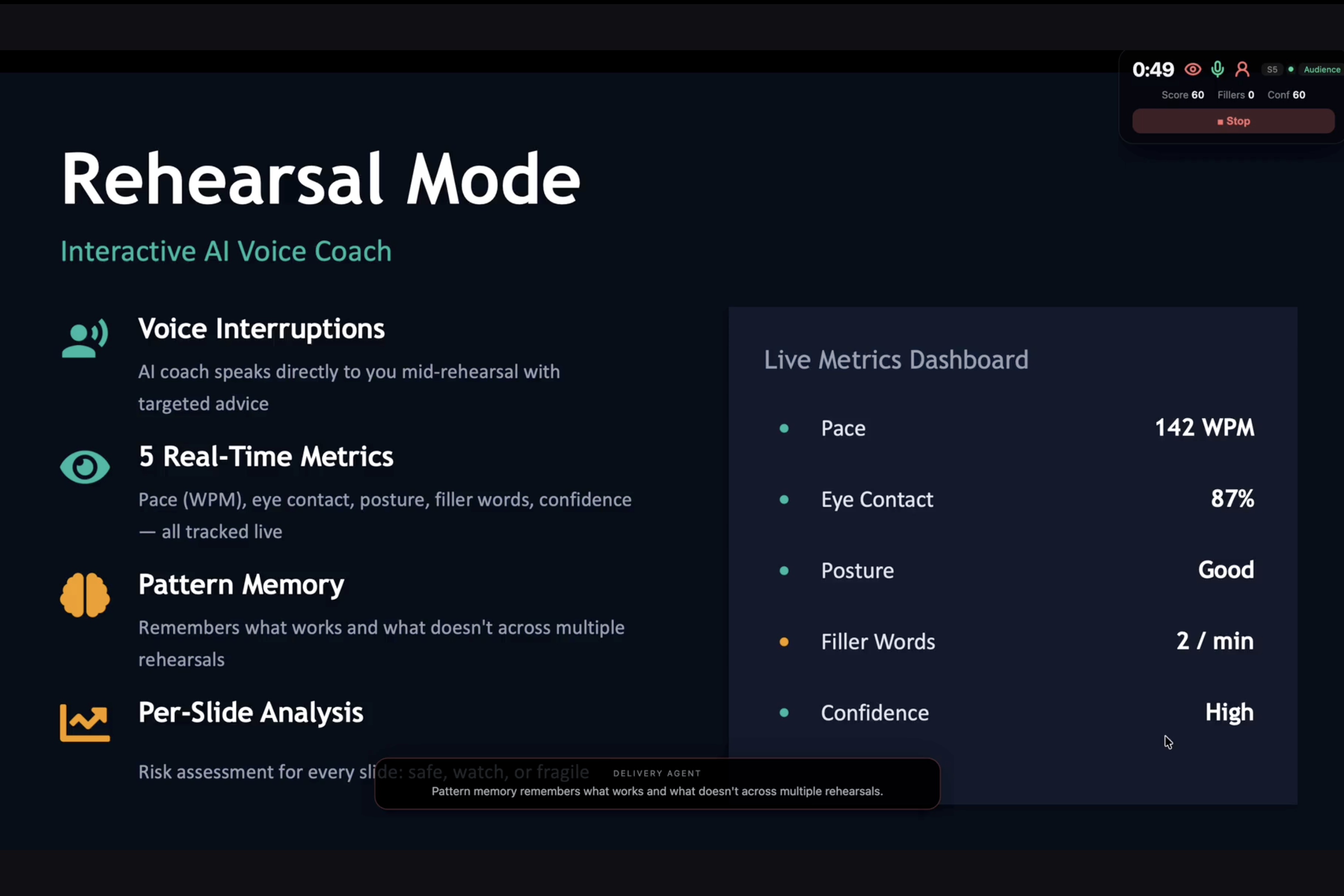
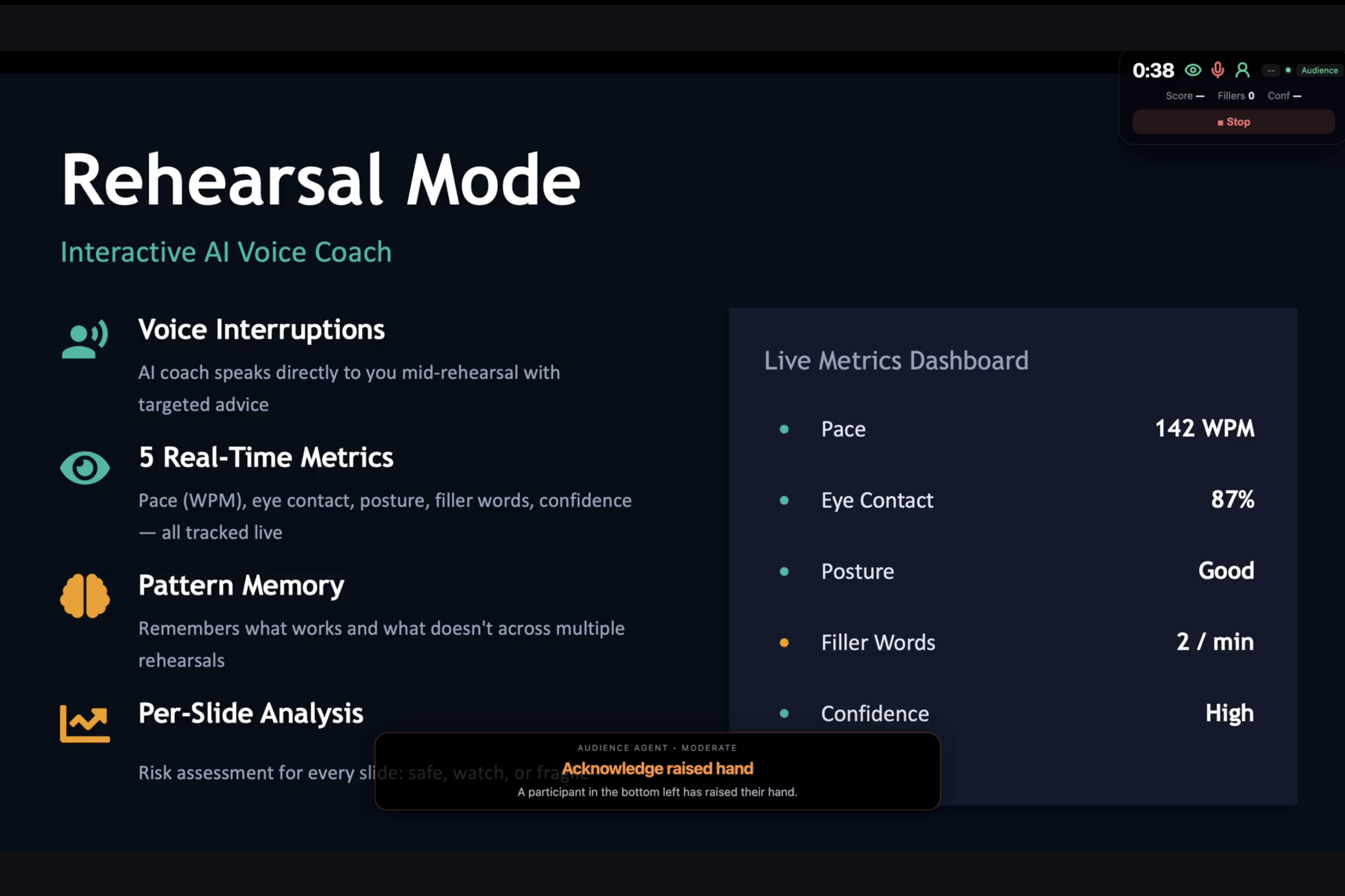
The Rehearsal Mode Demo
-
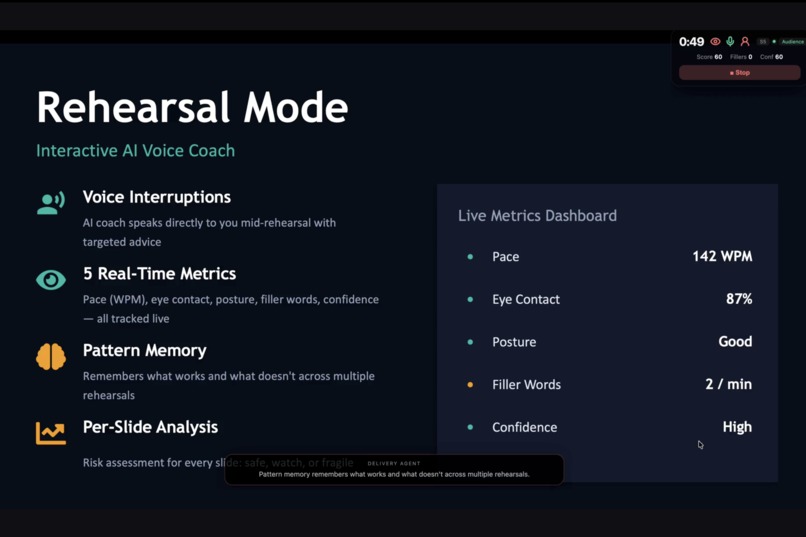
The Presentation Mode Demo 2
-
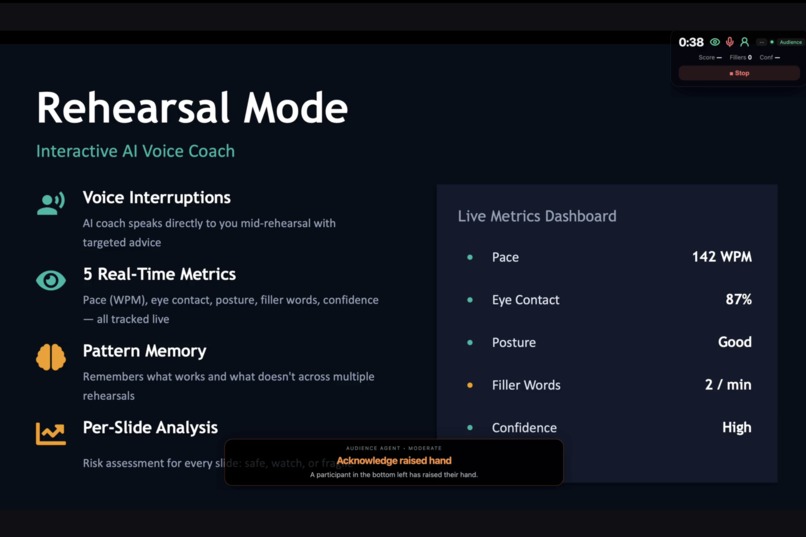
The Presentation Mode Demo 1
-
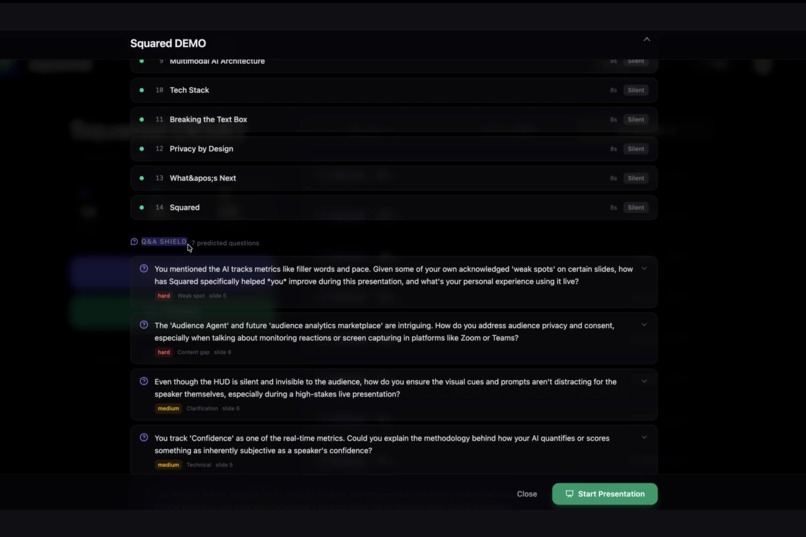
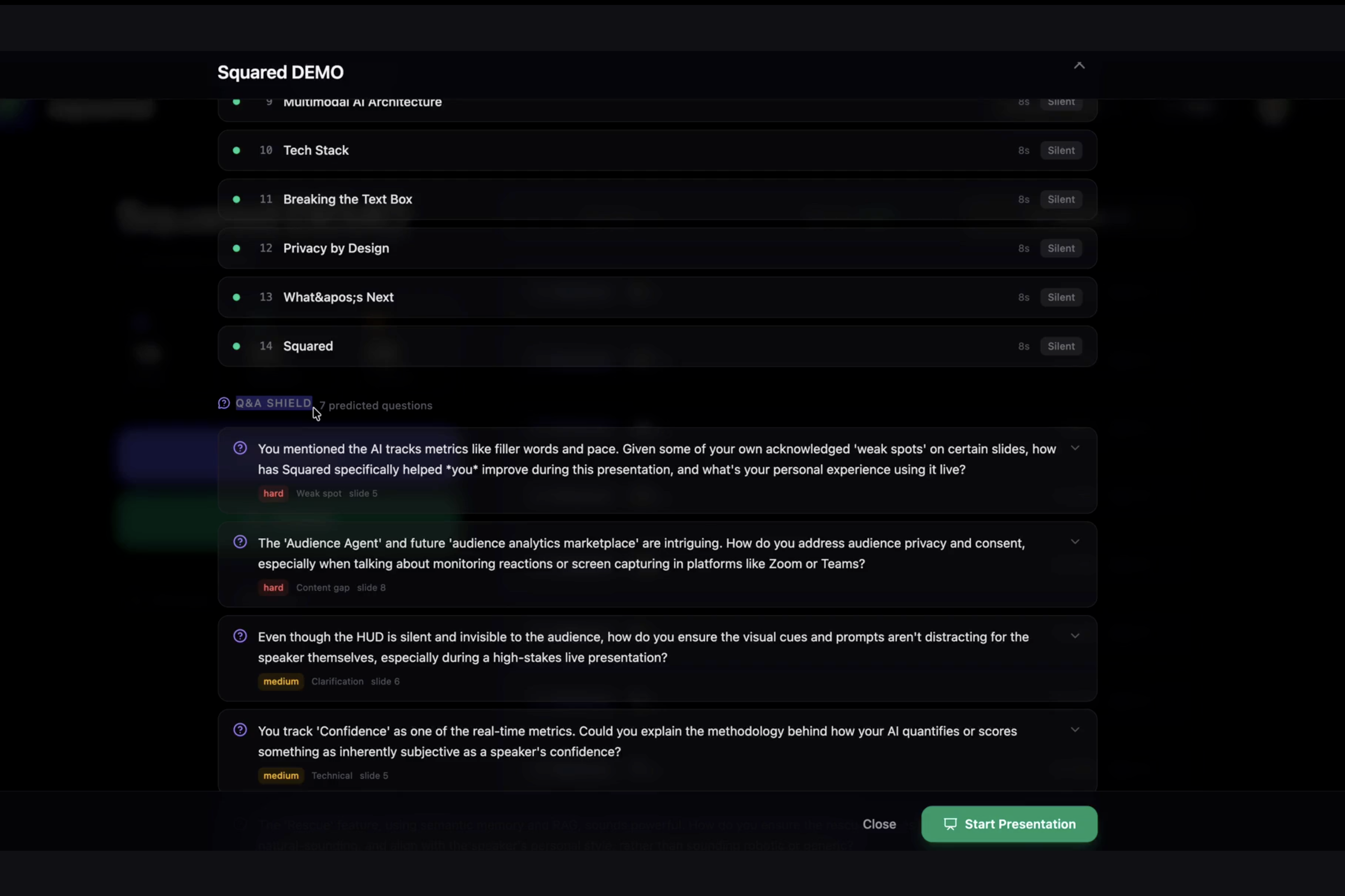
Q&A Shield
-
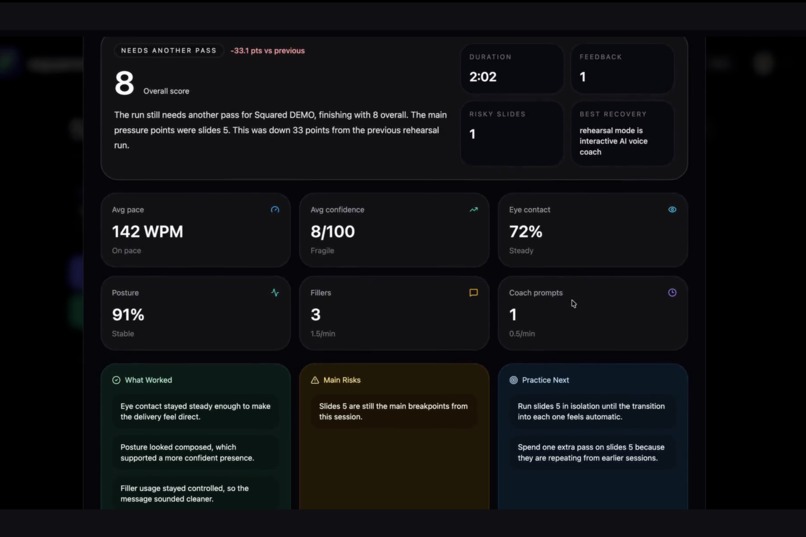
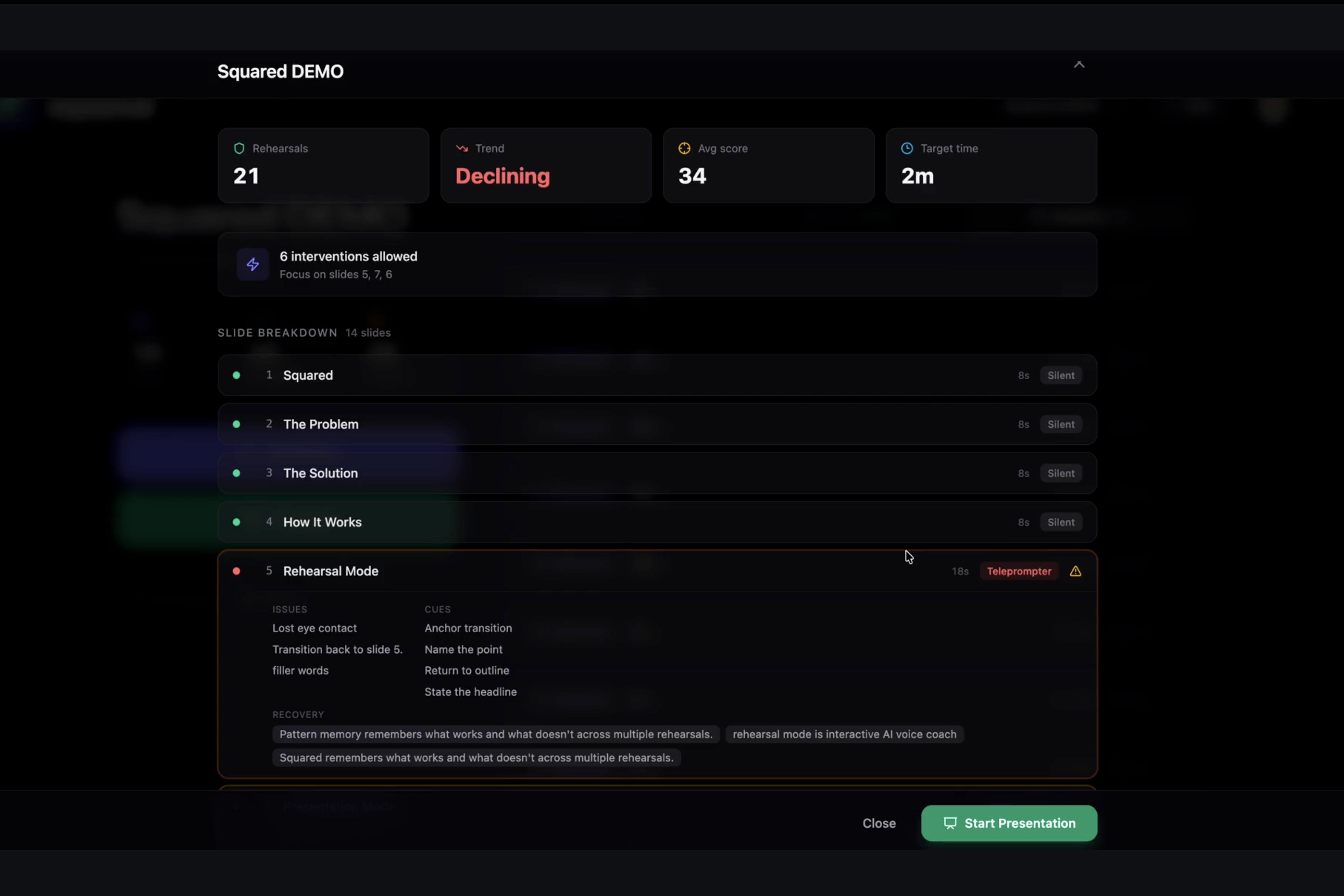
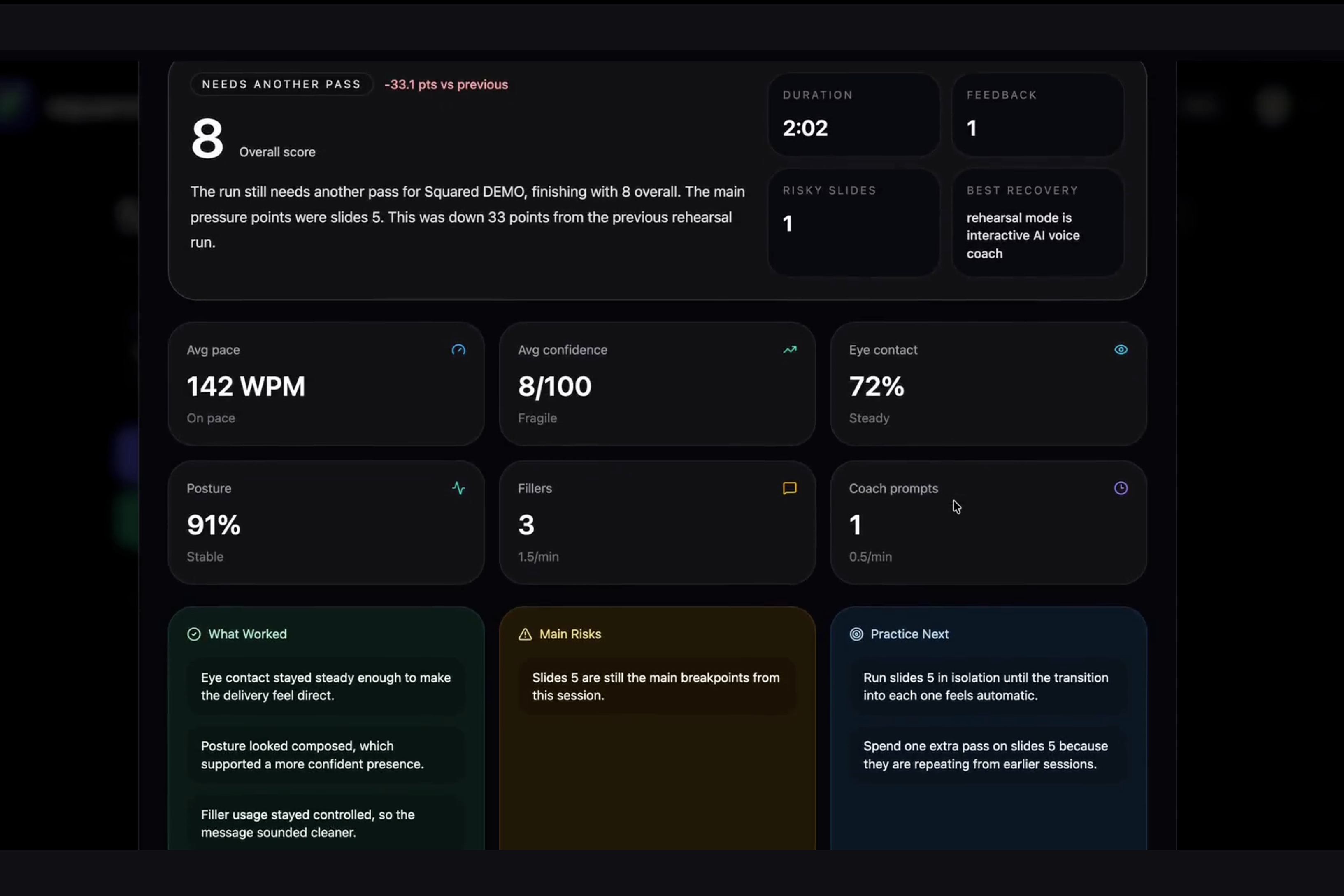
The Rehearsal Report
-
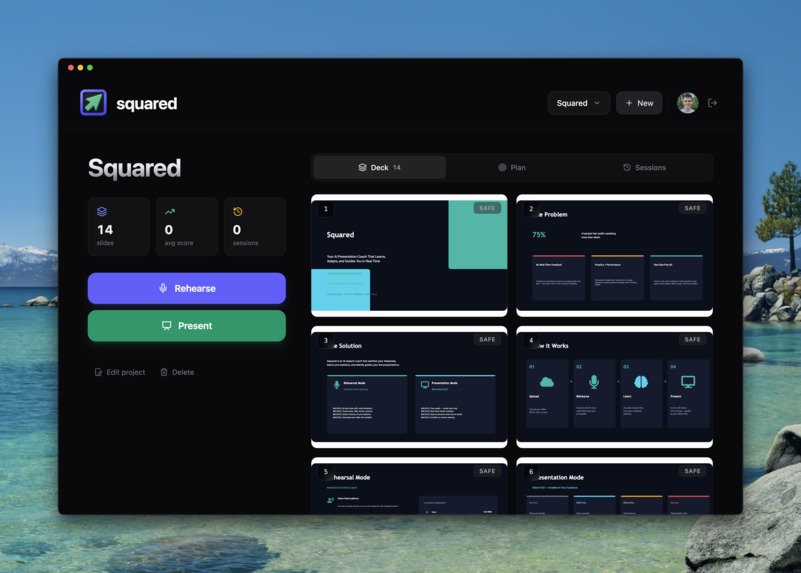
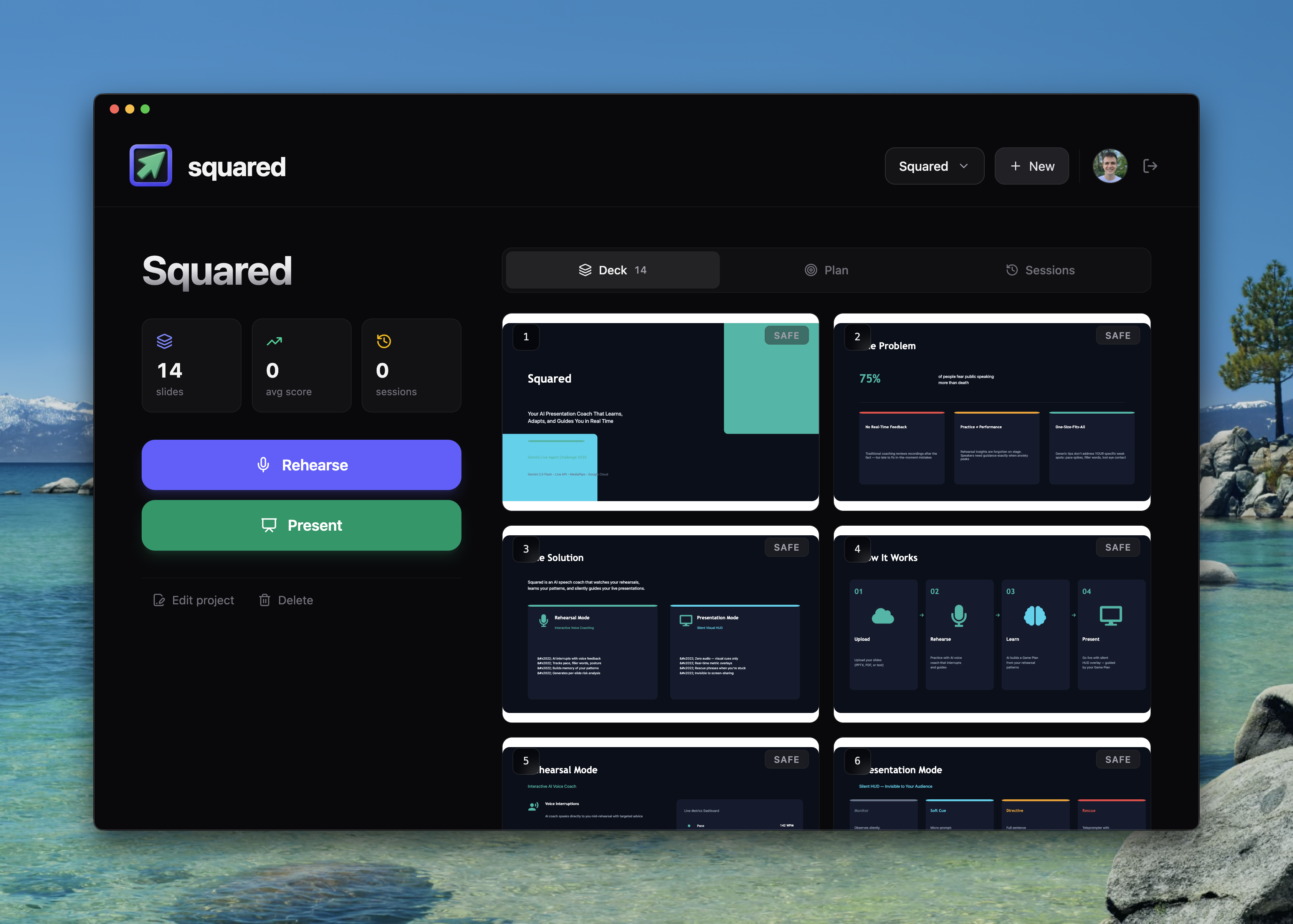
The project screen
-
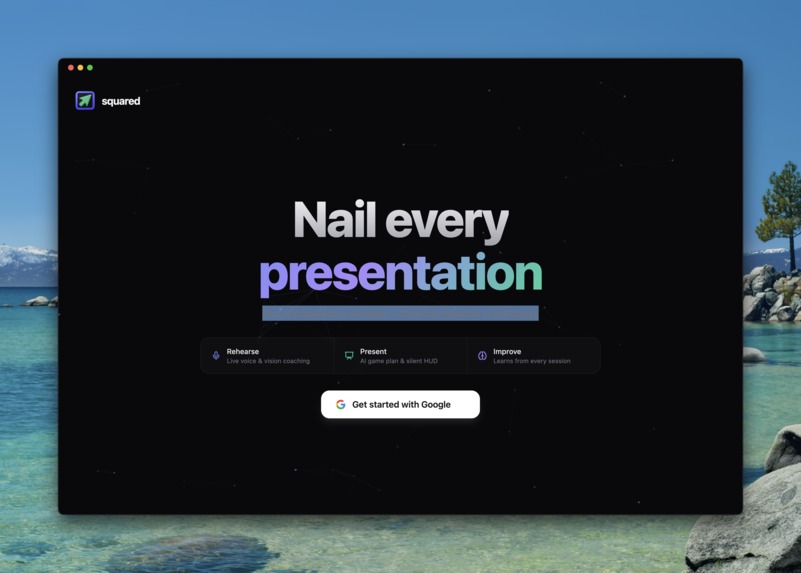
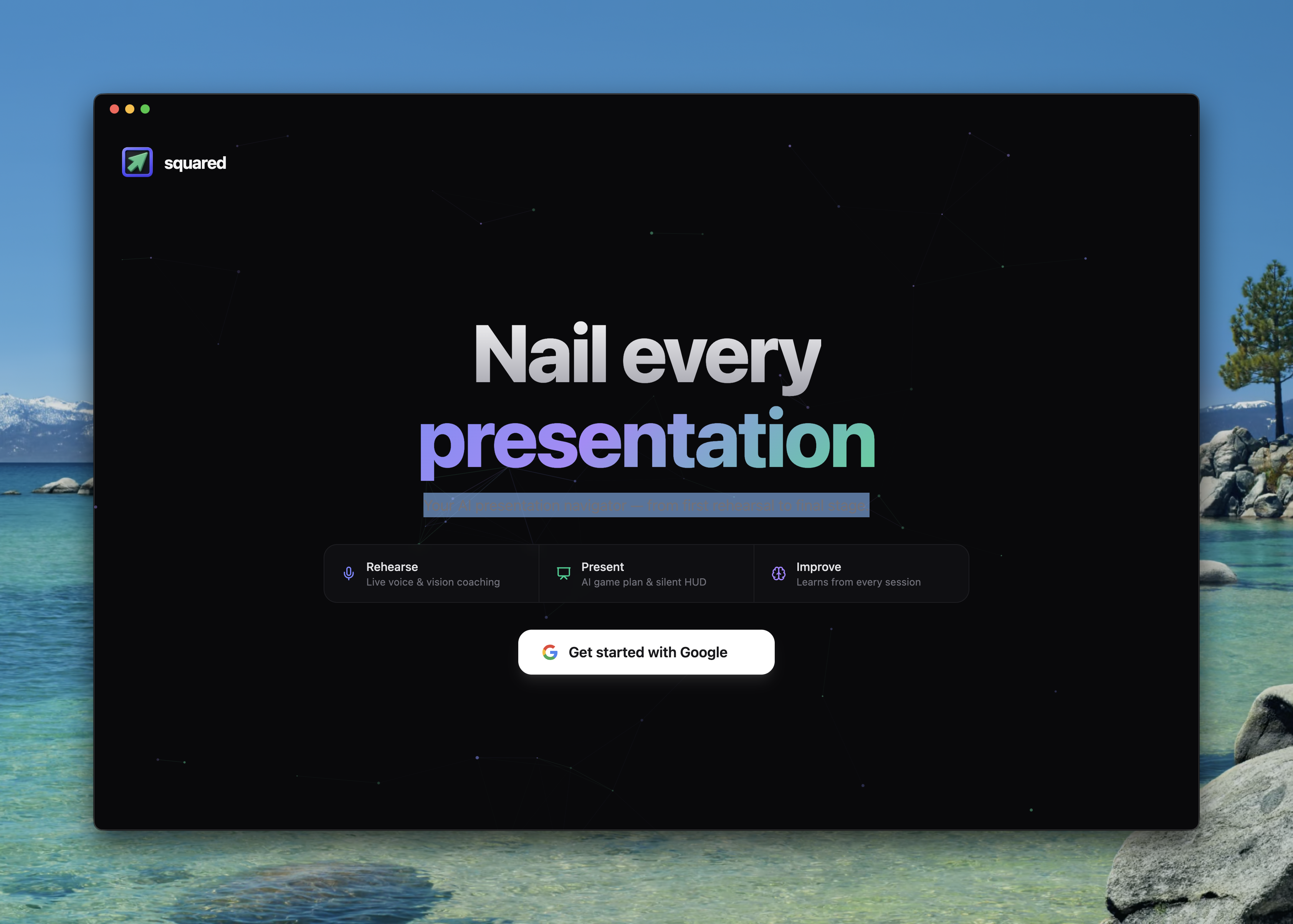
The first screen
-
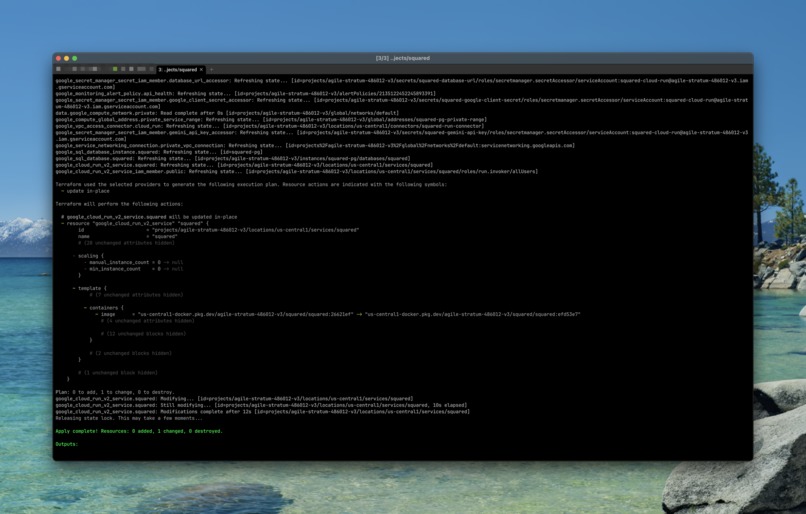
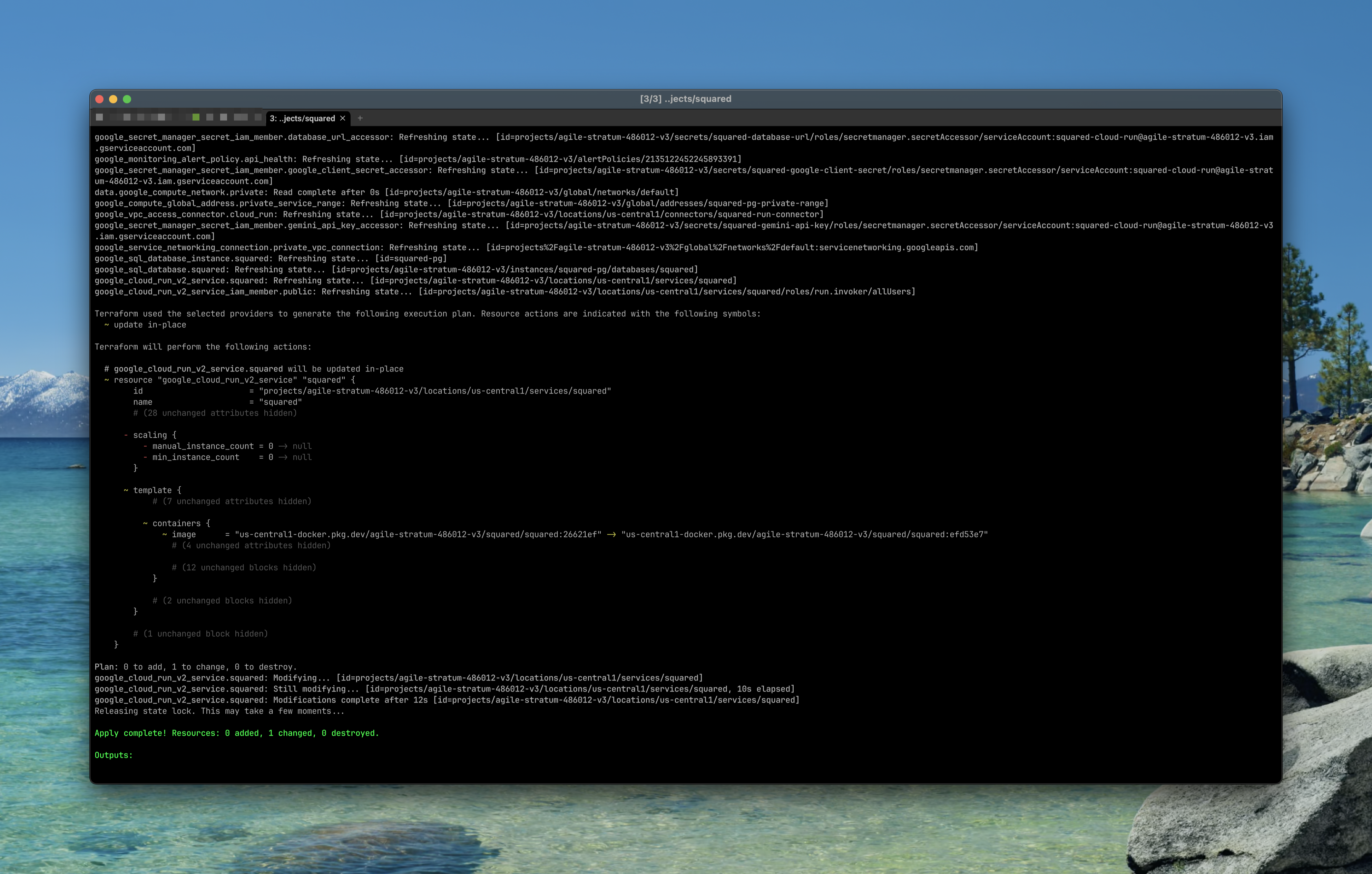
Terraform deployment to the Google Cloud
-
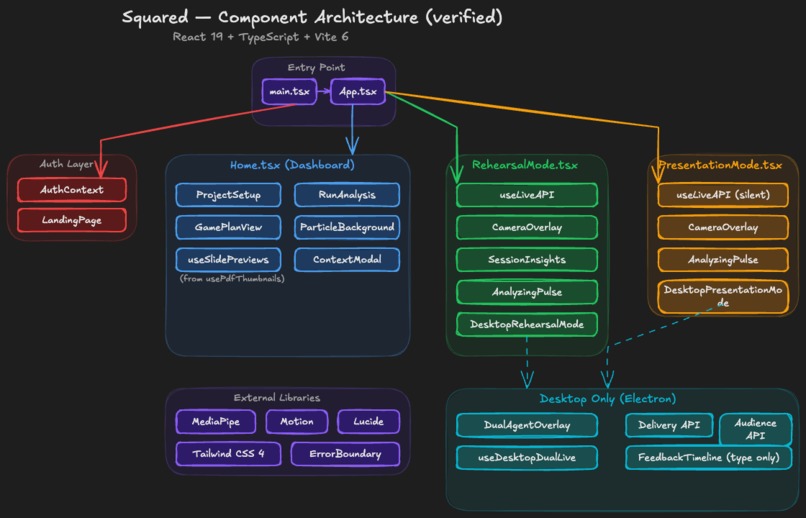
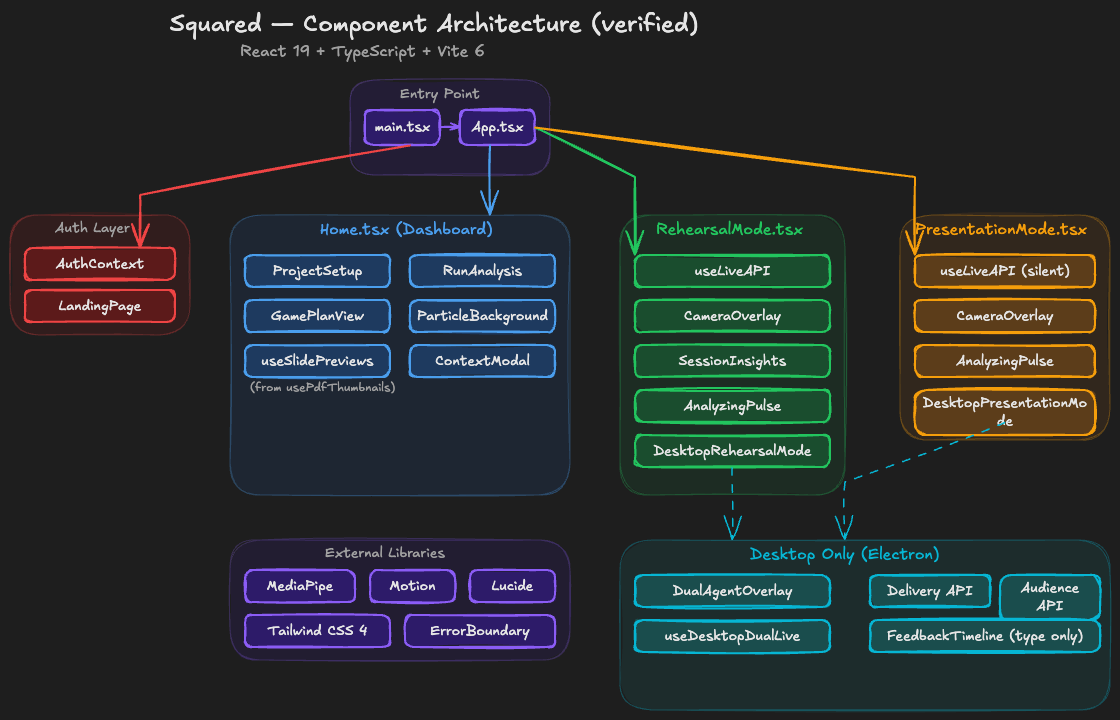
Squared — Component Architecture
-
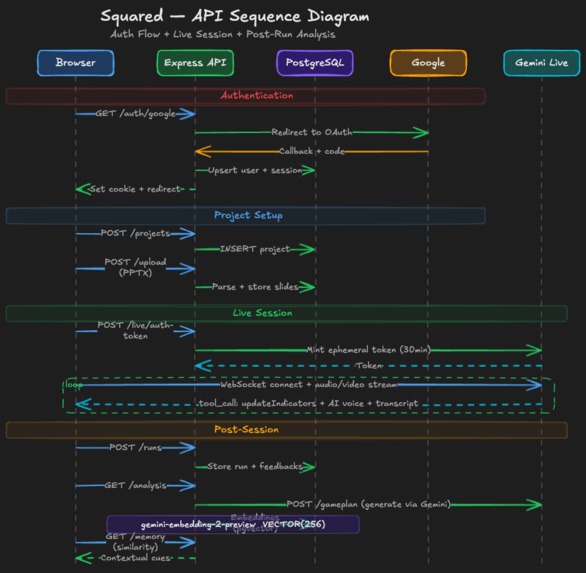
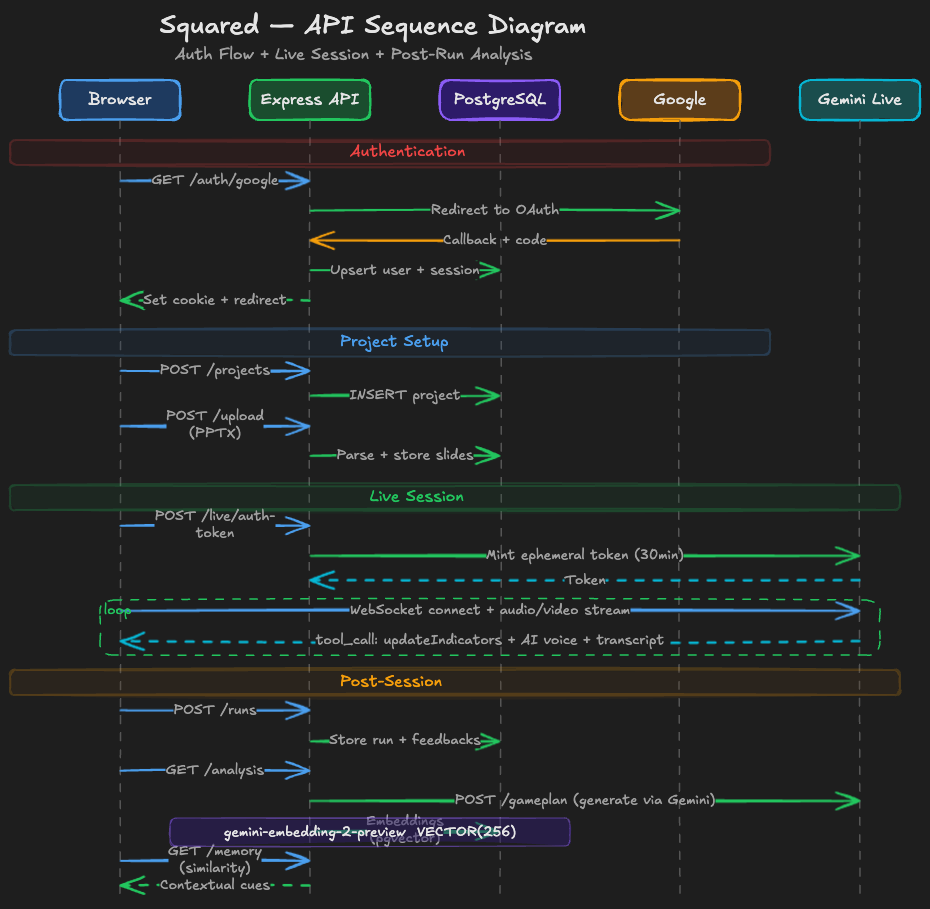
Squared — API Sequence Diagram
-
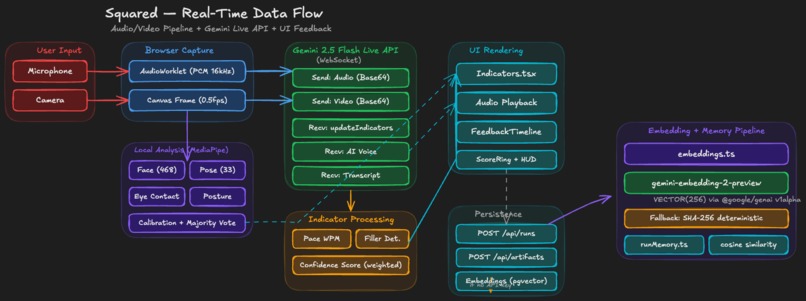
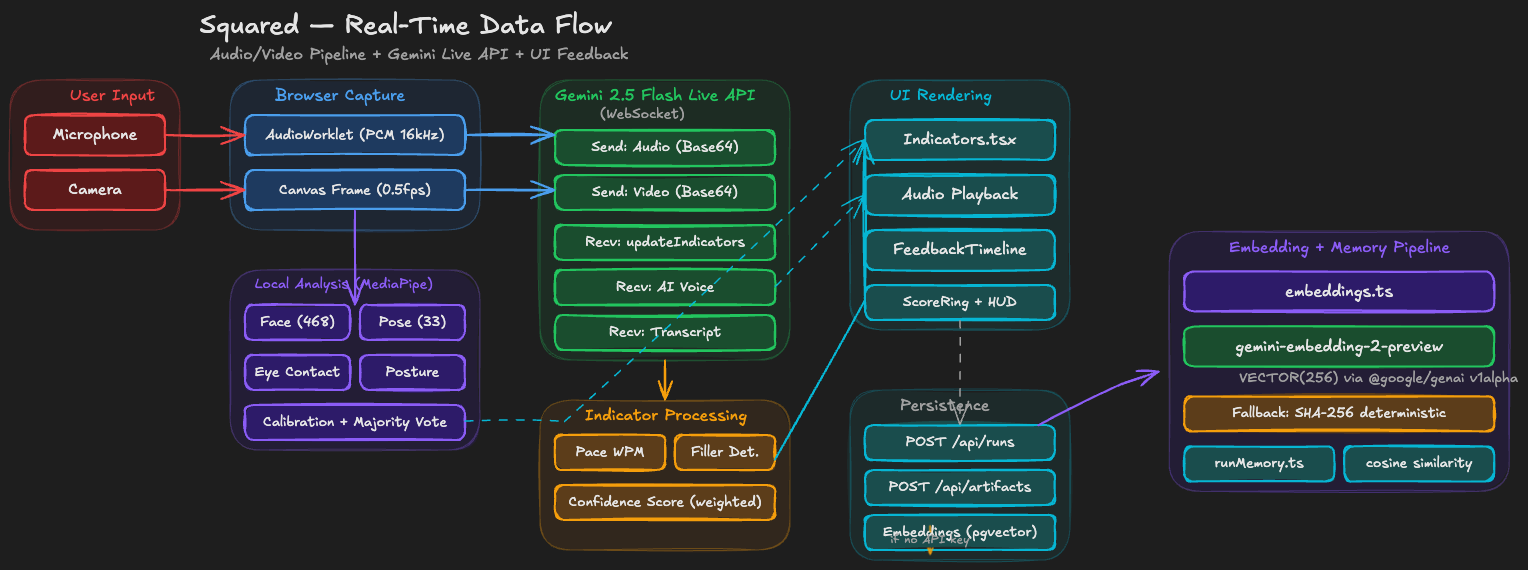
Squared — Real-Time Data Flow
-
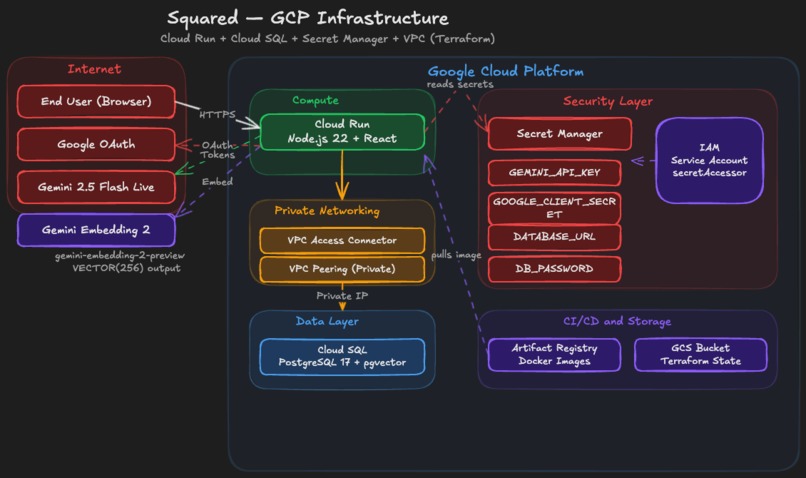
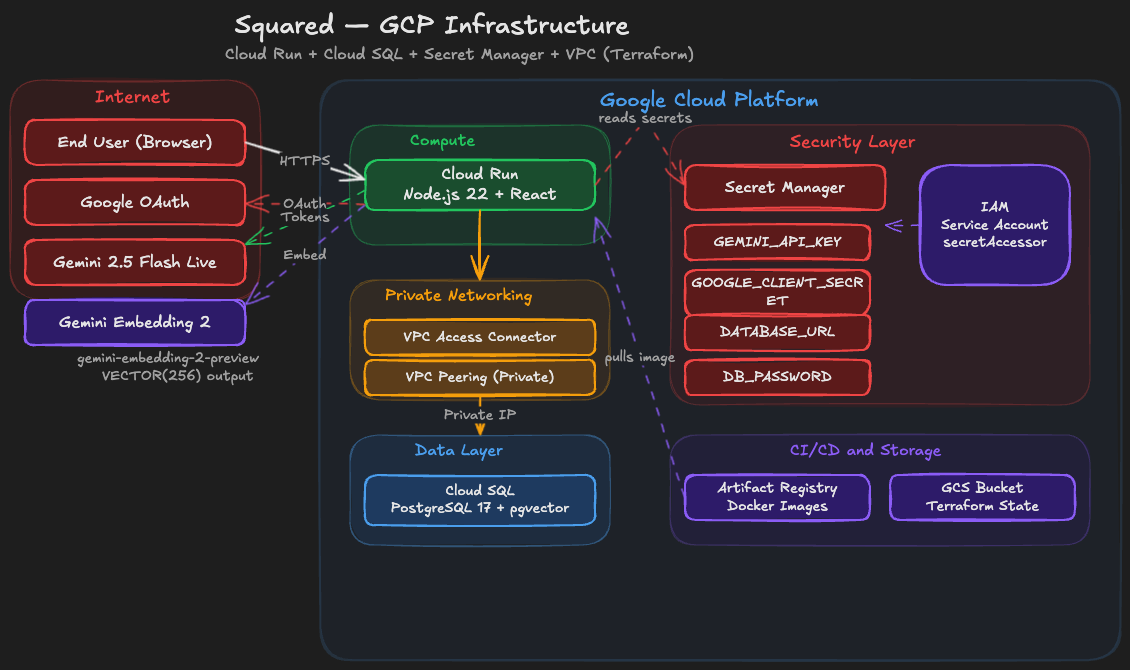
Squared — GCP Infrastructure
Inspiration
Everyone who presents online — pitch calls, job interviews, sales demos, conference talks — knows that moment: you lose your train of thought, forget a key point, start talking in circles, and nobody can help you. You're alone with the camera.
Existing tools offer post-factum analytics — "here are your filler words from the last 30 minutes" — or generic advice like "slow down." That's a postmortem of a presentation that already happened. No product helps you in the moment your talk starts falling apart.
I wanted to build something different: a real-time AI coach that watches you, listens to you, and gives feedback as you speak. Not a dashboard you review afterward — a navigator that's with you on stage. Google's Gemini Live API made this possible: bidirectional multimodal streaming that processes audio and video simultaneously with sub-second latency. For the first time, an AI agent can interrupt you mid-sentence when you rush — just like a real coach would.
What it does
Squared is a presentation navigator — an AI agent that learns from your rehearsals and silently guides your live presentations.
Rehearsal Mode — Practice your talk with an AI coach that actively interrupts you with spoken feedback. It watches your body language via camera and listens to your delivery. When you rush through a tricky section, it stops you: "That's the same transition where you stumbled last time — pause before the first sentence." When you haven't looked at the camera in a minute, it nudges you. It tracks which slides consistently trip you up, remembers your best phrasings, and builds a detailed risk map of your entire presentation.
Presentation Mode — Go live in front of your real audience with an invisible co-pilot. The AI watches and listens but never speaks. Instead, it displays a silent HUD visible only to you — micro-prompts when you need a nudge ("Pause," "Camera," "Slow down"), directive cues when you start drifting ("Skip the details, jump to the demo"), and full rescue phrases when you freeze ("This cuts setup time from two hours to ten minutes" — a phrasing that already worked in your rehearsal). On macOS, the overlay floats above your video call but is invisible to screen-sharing participants.
Between sessions, the AI remembers. Each rehearsal generates structured artifacts — per-slide analysis, flagged moments, successful recovery phrases. These are embedded as 256-dimensional vectors and stored for cross-session retrieval. Your third rehearsal is coached by an agent that saw the first two. By presentation day, it has a Game Plan: a pre-computed strategy with risk scoring per slide (safe/watch/fragile), an intervention policy (when to stay silent vs. when to rescue), prepared cues, an attention budget (limited interventions allocated to the most critical moments), and a timing strategy for the entire talk.
The system also runs a dual-agent architecture in desktop mode: a Delivery Agent coaches the speaker while a separate Audience Agent monitors video call participants for engagement, feeding observations back into the coaching context in real time.
How I built it
The core of Squared is a ~1,500-line custom React hook (useLiveAPI) that manages bidirectional WebSocket connections to the Gemini 2.5 Flash Live API (gemini-2.5-flash-native-audio-latest). Audio streams in via a custom AudioWorklet at 16kHz PCM; video frames are captured at 0.5fps from the camera canvas. The API returns structured coaching feedback through Gemini tool calling — updateIndicators pushes real-time metrics (pace, eye contact, confidence, filler count) to the HUD, while saveSlideAnalysis logs per-slide risk assessments.
For visual analysis, I initially planned to rely on Gemini's vision capabilities, but discovered that START_OF_ACTIVITY_INTERRUPTS mode cancels ongoing generation when new user activity arrives — making continuous background analysis unreliable. I moved body language tracking to MediaPipe FaceLandmarker + PoseLandmarker running locally in the browser. Raw landmarks jitter heavily, so I built a stabilization layer: majority voting over 12-frame rolling windows with a 25-reading per-user calibration phase that normalizes baselines using median absolute deviation.
Session memory is powered by the Gemini Embedding API (gemini-embedding-2-preview). Coaching moments are chunked into 45-second windows, classified as transcripts, flagged moments, or recovery phrases, embedded as 256-dimensional vectors, and stored in PostgreSQL with pgvector for cosine similarity retrieval. When a new session starts, relevant cues from past sessions are injected into the agent's context.
The browser never sees the Gemini API key. The server mints ephemeral Live API tokens via ai.authTokens.create() with a 30-minute TTL and a 3-use limit. Session resilience is handled through resumption handles with exponential backoff (up to 3 reconnection attempts), so network drops don't break the coaching flow.
Stack: React 19 + TypeScript + Vite 6 | Tailwind CSS 4 + Motion | Express 5 | Electron (macOS desktop with floating overlay) | GCP Cloud Run + Cloud SQL + Secret Manager, all provisioned via Terraform.
Full technical deep-dive: Building Squared — how I used Gemini Live API to build a real-time presentation coach
Challenges I ran into
Audio pipeline — AudioWorklet PCM capture to Gemini required careful buffer management and a custom worklet processor to stream without dropouts at 16kHz.
Two modes from one API — Rehearsal needs Gemini to actively interrupt (START_OF_ACTIVITY_INTERRUPTS); Presentation needs complete silence (NO_INTERRUPTION). Getting both behaviors from the same Live API with mode-specific system instructions and activity handling was one of the trickiest parts of the build.
Session resilience — Live API WebSocket sessions drop mid-speech. I built seamless resumption using handles and auto-reconnect with exponential backoff, so users don't lose coaching context on network hiccups.
Noisy visual signals — Raw MediaPipe landmarks are unstable frame-to-frame. I implemented majority voting with a 12-sample window (60% threshold) plus per-user calibration (25 readings) to produce stable eye contact and posture metrics.
Dual-agent coordination — Running two independent Gemini Live sessions simultaneously (Delivery + Audience) without context pollution required careful state forwarding — the Audience Agent's observations are injected into the Delivery Agent's context as [AudienceAgent] tagged messages.
Embedding fallback — Not every deployment has Gemini API access, so I built a graceful fallback to deterministic SHA256-based local embeddings that maintain the same vector interface.
Accomplishments that I'm proud of
The real-time coaching loop works — audio and video stream to Gemini, structured tool calls stream back, and the HUD updates, all with sub-second latency. It feels like having a coach in your ear during rehearsal and a co-pilot on your shoulder during the real thing.
I'm most proud of the session memory system. It's one thing to build a speech coach; it's another to build one that remembers you. Your third rehearsal is fundamentally different from your first — the agent knows where you struggled, what recovery phrases worked, and which slides need the most attention. The Game Plan that gets generated before presentation mode isn't generic advice; it's a strategy built from your actual practice history.
The dual-agent architecture running two parallel Gemini Live sessions — one watching the speaker, one reading the audience — with real-time context forwarding between them felt ambitious, and it works.
On the security side: zero API key exposure to the browser, ephemeral tokens with TTL and usage limits, and the entire GCP infrastructure (Cloud Run, Cloud SQL, Secret Manager, VPC) managed through 379 lines of Terraform.
And a moment I didn't plan: during the demo recording for this submission, Squared was coaching me through the presentation about Squared. It caught me rushing through the technical explanation — the same section it had flagged in rehearsal. Recursive proof of concept.
What I learned
The gap between "upload a recording and get feedback" and "get coached while you speak" is not incremental — it's transformative. Bidirectional multimodal streaming enables interaction patterns that simply weren't possible before the Gemini Live API.
Designing tool-call schemas turned out to be as much a UX problem as a technical one. The schema shapes what the model can express — fields like microPrompt and rescueText only worked after careful prompt engineering to teach the model when each intervention type is appropriate.
Pattern memory — the feature that became Squared's defining capability — wasn't in the original plan. Gemini Embedding 2's release mid-development made it possible, and it changed the entire product direction. Sometimes the best architecture decisions come from timing, not planning.
The biggest lesson: when you hit API constraints, don't fight them — design around them. Moving visual analysis from Gemini to local MediaPipe wasn't a compromise; it turned out faster, more reliable, and freed the Live API to focus on what it does best: real-time conversational coaching.
What's next for Squared
Audience Q&A surfacing — Let the Audience Agent capture and prioritize audience questions in real time, presenting them to the speaker at natural pause points.
Post-session analytics — Trend visualization across sessions: pace improvement curves, filler word reduction, confidence trajectory, and slide-by-slide risk heatmaps.
Team coaching — Enable human coaches and mentors to observe live sessions and layer their own cues on top of the AI feedback.
Mobile companion — A lightweight mobile HUD for speakers who present away from their laptop.
Built With
- electron
- gemini-2.5-flash-live-api
- gemini-embedding-2
- google-cloud-run
- mediapipe
- pgvector
- react
- terraform
- typescript


Log in or sign up for Devpost to join the conversation.