-
-

Welcome Page
-
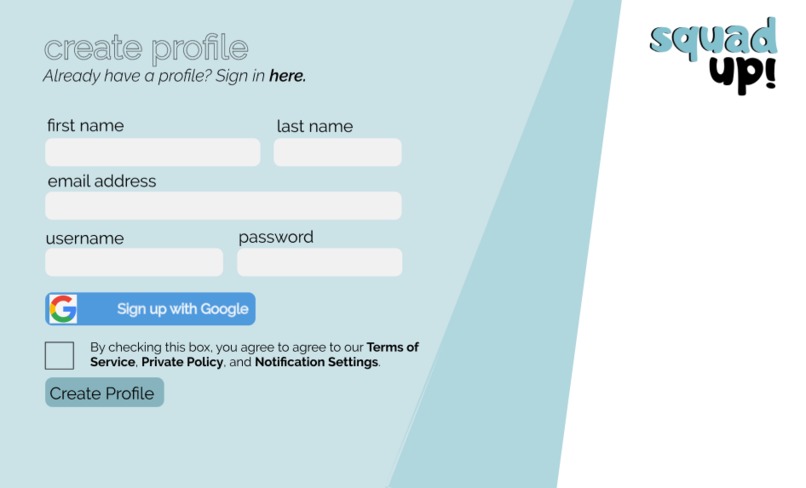
Create Profile Page
-
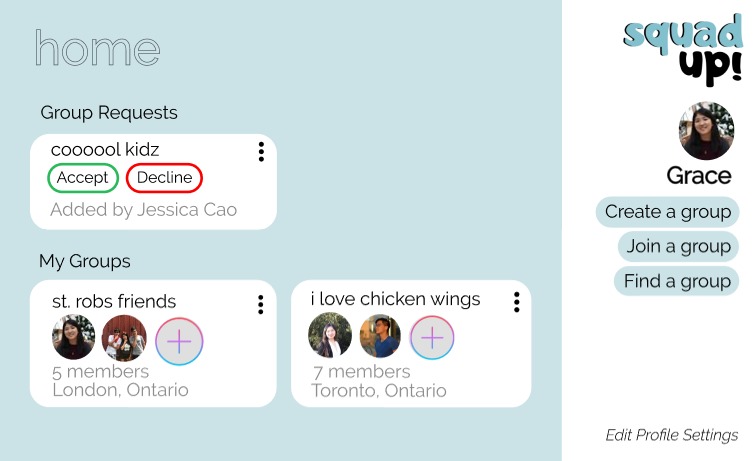
My Groups Home Page
-
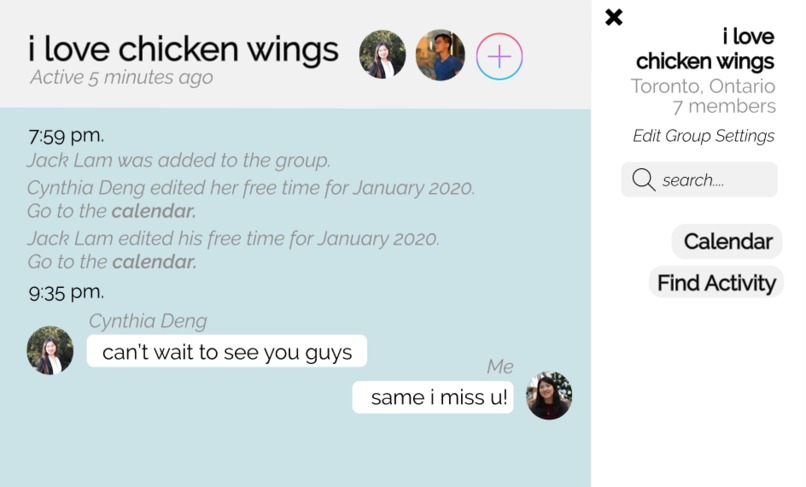
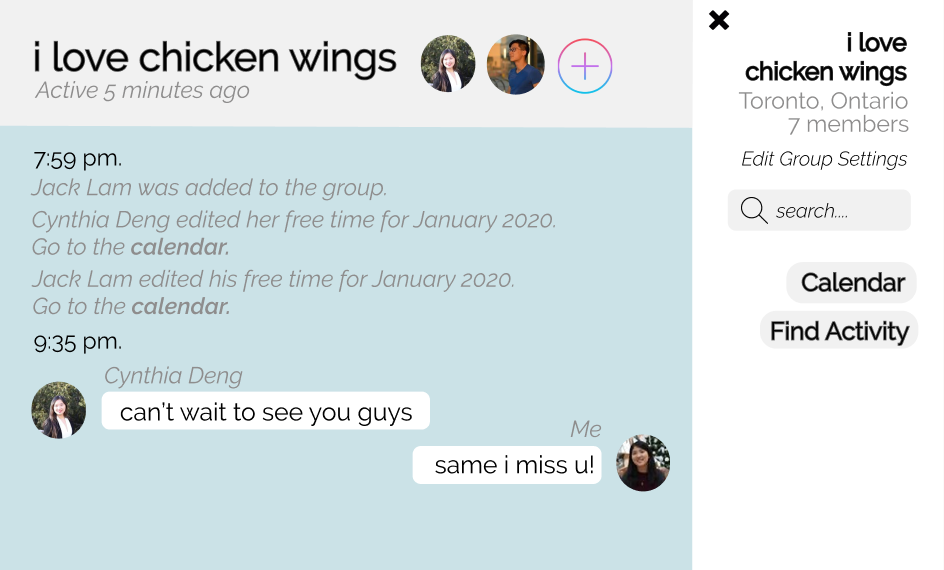
Group Page
-
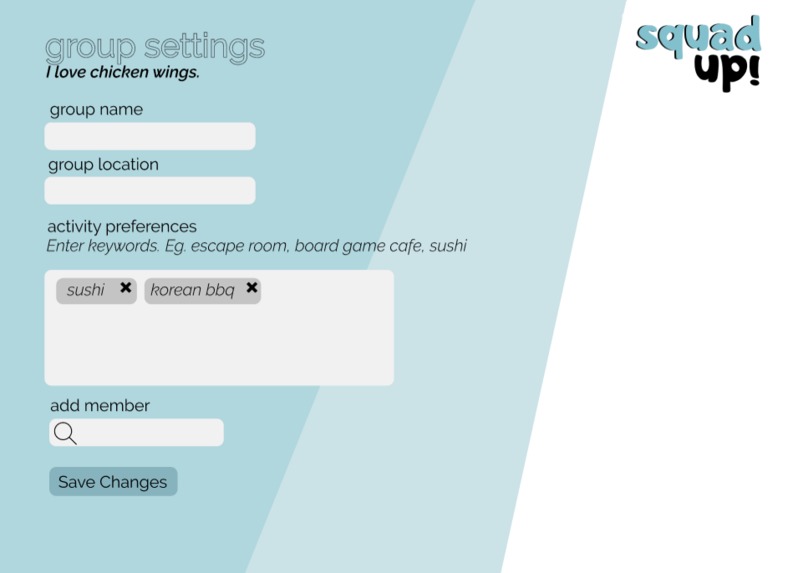
Group Settings Page
-
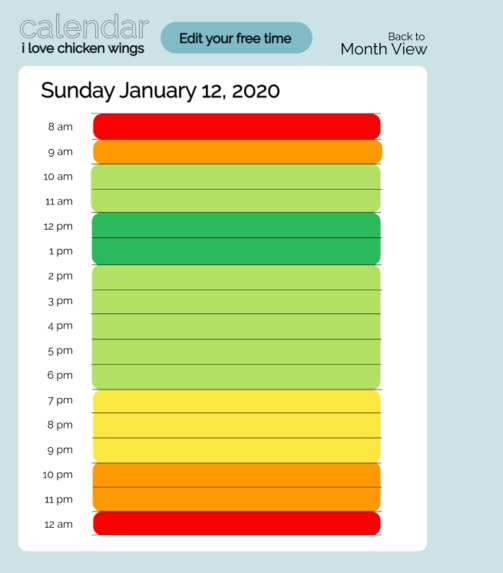
Day Calendar View
-
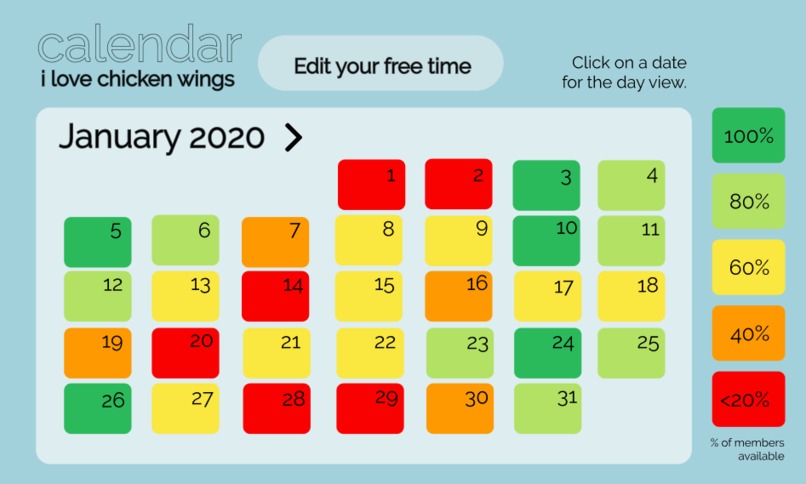
Monthly Calendar View
-
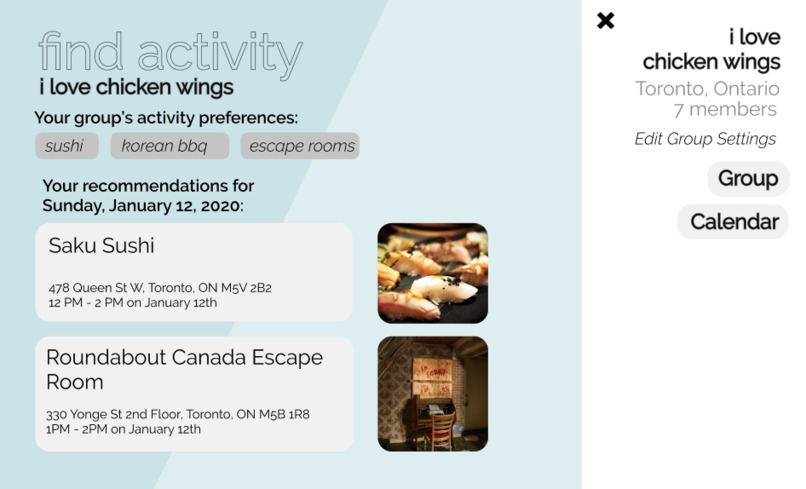
Find Activity Page




Inspiration
As high school and university students, hanging out with our friends is a large part of our lives. But between school, work/co-op, extra-curriculars, vacations, and family commitments, it's difficult to schedule a time when everyone's free to meet up. Our current way to schedule meetups involves either finding everyone's free time by asking them personally, or using many, many polls to determine dates, times when everyone is free, and where everyone wants to go. Often in a group chat, the polls get lost in the chatter, and people don't pay attention to them. We found many professional/workplace solutions to this problem, but none that were informal enough to be used for recreational and entertainment purposes. The current process takes lots of unnecessary time, is a huge headache and all-around difficult and tedious experience, especially for the event planners of every friend group, like us, so we decided to create an application, Squad Up! that is playful and minimal, to take the stress out of planning meetups.
What it does
Our web application, Squad Up!, takes the fuss and hassle out of scheduling meetups with your friends. You create a profile, and either create a group by searching for your friends to add, join a group your friends already made, or find a group nearby to you. Within your group, there is a chat, and a calendar where every group member adds periods of time where they are free and our algorithm calculates when the highest percentage of group members are free, and displays it on a colour scale. You also create group settings where you set your group's location, activity preferences, and we run a data-scraping algorithm on websites to find the data matching your preferences and availability and recommend activities for your group. We make it easier for you to Squad Up! with your friends, and spend more time hanging out with them instead of wasting your time scheduling.
How I built it
Squad Up! is built as a web app. The front end was implemented using React.js, Bootstrap, and HTML, and the back end was created by leveraging Google Firebase as a database. When users enter our website, they are able to either create an account or login with their existing Google account. When they create an account, their login credentials are stored in a Firebase database, which handles login authentication. Upon successful login, the user is then free to enjoy the full set of Squad Up!'s features. One of the features is a function that matches users's schedules with activities that are open then. The data scraping to acquire this information was done by UI Path. It used actions in sequences to collect data from Google Maps in order to determine data such as operating hours, and location based on the activity preferences in the group settings. The data is then put into a data table, transferred into a .csv file and used to recommend optimal activities for groups.
Challenges I ran into
In terms of data scrapping, the learning curve with UI Path was fairly steep, and it was difficult to become accustomed to the software and familiar with all that you could do with the platform. The configuration of the tools was initially confusing, making initiating the project UI path one of the most difficult tasks in the project. In terms of front end, getting familiarized with React.js was difficult because the features and syntax differed from regular JavaScript. At times the behaviour of the framework worked drastically different from what we assumed. We only had three group members, so when dividing the tasks up, we each had to do more work that we were accustomed to doing in hackathons, and managing our time efficiently was a challenge.
Accomplishments that I'm proud of
We're proud that we successfully brainstormed many ideas, built off each others' ideas, found an idea we all liked, and worked together effectively as a group. We are proud that we effectively used the limited time we were given very well, came up with all the functionalities of the web application and designed them with Figma. We're very proud to have successfully used UI Path to put together a working sequence along with eight pages of our web application UI/UX Design in Figma. Lastly but not least, we're proud of incorporating sign up procedures and user authentication for a web application by leveraging Firebase, making our app more secure
What I learned
We learned more advanced functionalities of Figma, prototyping with Figma, and better UI/UX design skills in colour theory, intuitiveness, typography, and vectoring. We learned how to read documentation for UI Path, the platform as a whole, and robotic automation processing in general. We also learned to set up, configure, and manage a Google Firebase database, and incorporating it with a web app. to effectively parse through a large amount of documentations and existing code to devise the most efficient and logically sound piece of code.
What's next for Squad Up!
We hope to integrate Squad Up! with Facebook Messenger, and input another parameter for the activities - price, as price is often a major factor in choosing an activity for groups of friends.
Built With
- bootstrap
- figma
- firebase
- html5
- javascript
- uipath


Log in or sign up for Devpost to join the conversation.