Inspiration
My wife and I have three kids (two biological, one foster) and our day-to-day is a lot. Between track practice, cheerleading, gymnastics and tumbling, foster visits, sibling visits, volunteering at the elementary and middle schools, work, friend groups, and somehow still figuring out what's for dinner tonight... things fall through the cracks constantly.
We've tried shared calendars, group chats, reminder apps, grocery list apps. None of them talk to each other, and none of them really solve the core problem: everyone in the family (and the other groups we're part of) needs to see the same information, get reminded at the right time, and be able to snooze or dismiss without digging through an app. I kept wishing for one app that handled all of it, worked on both iOS and Android, and was simple enough that everyone would actually use it. So I built it.
What it does
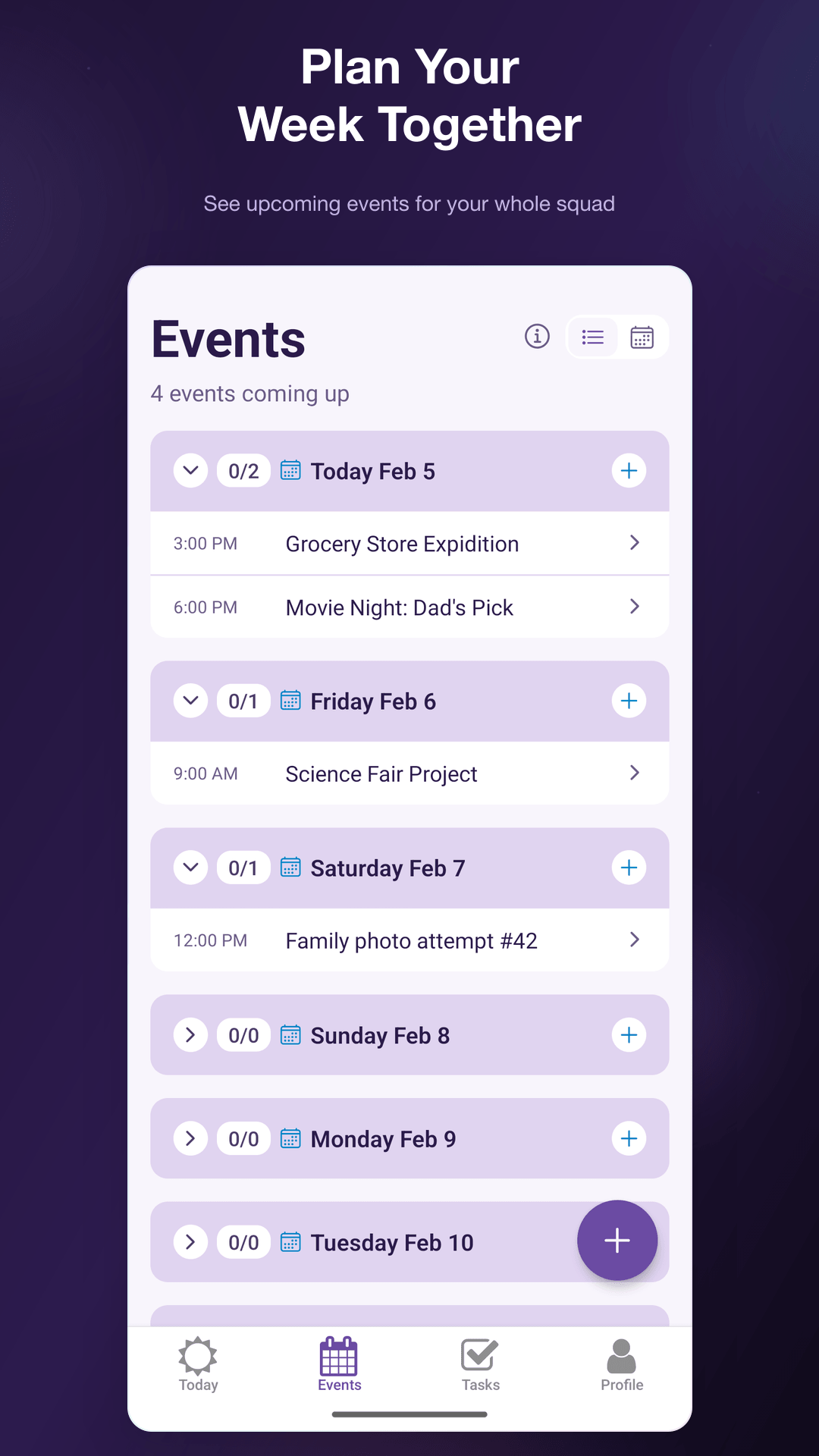
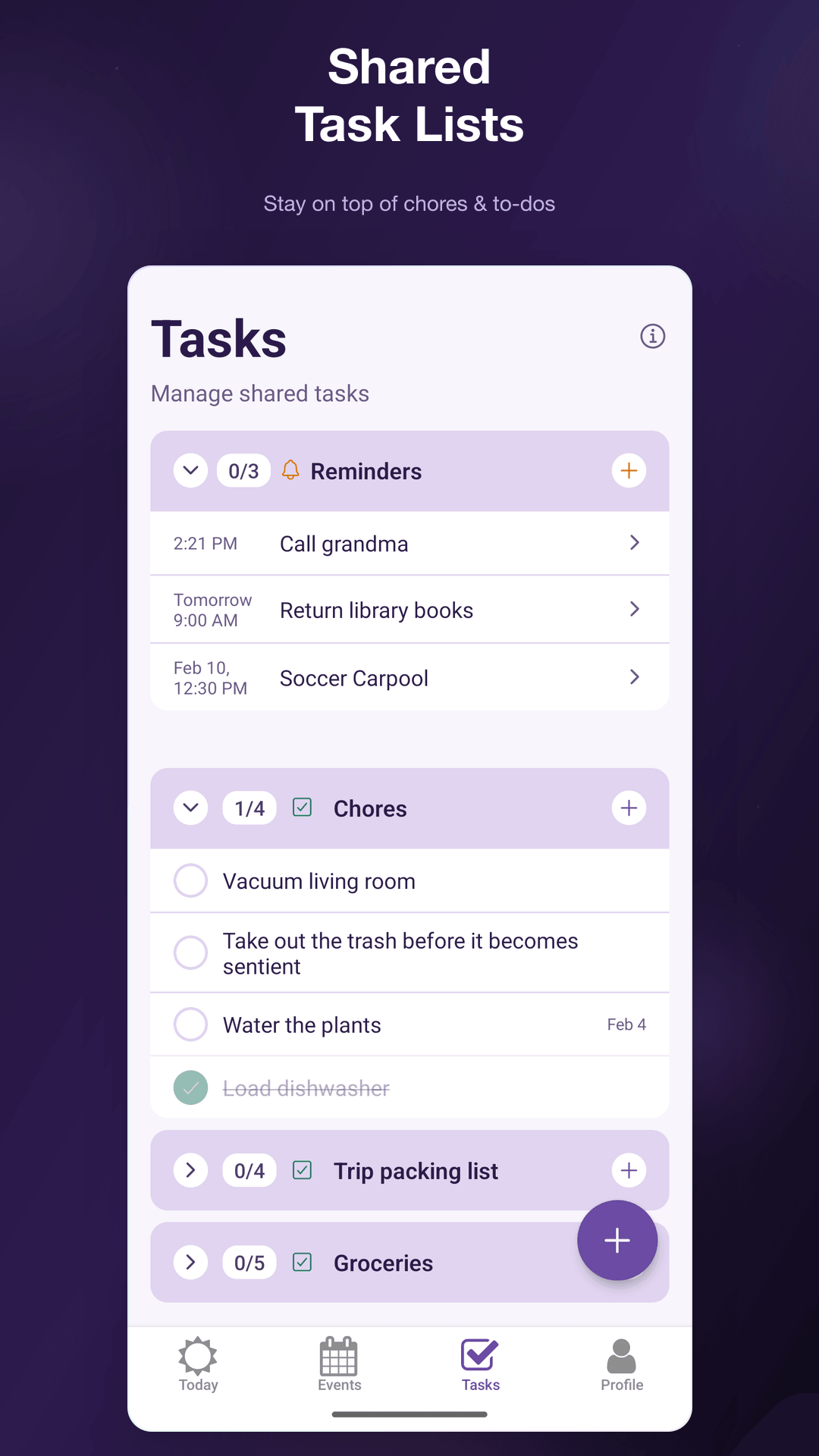
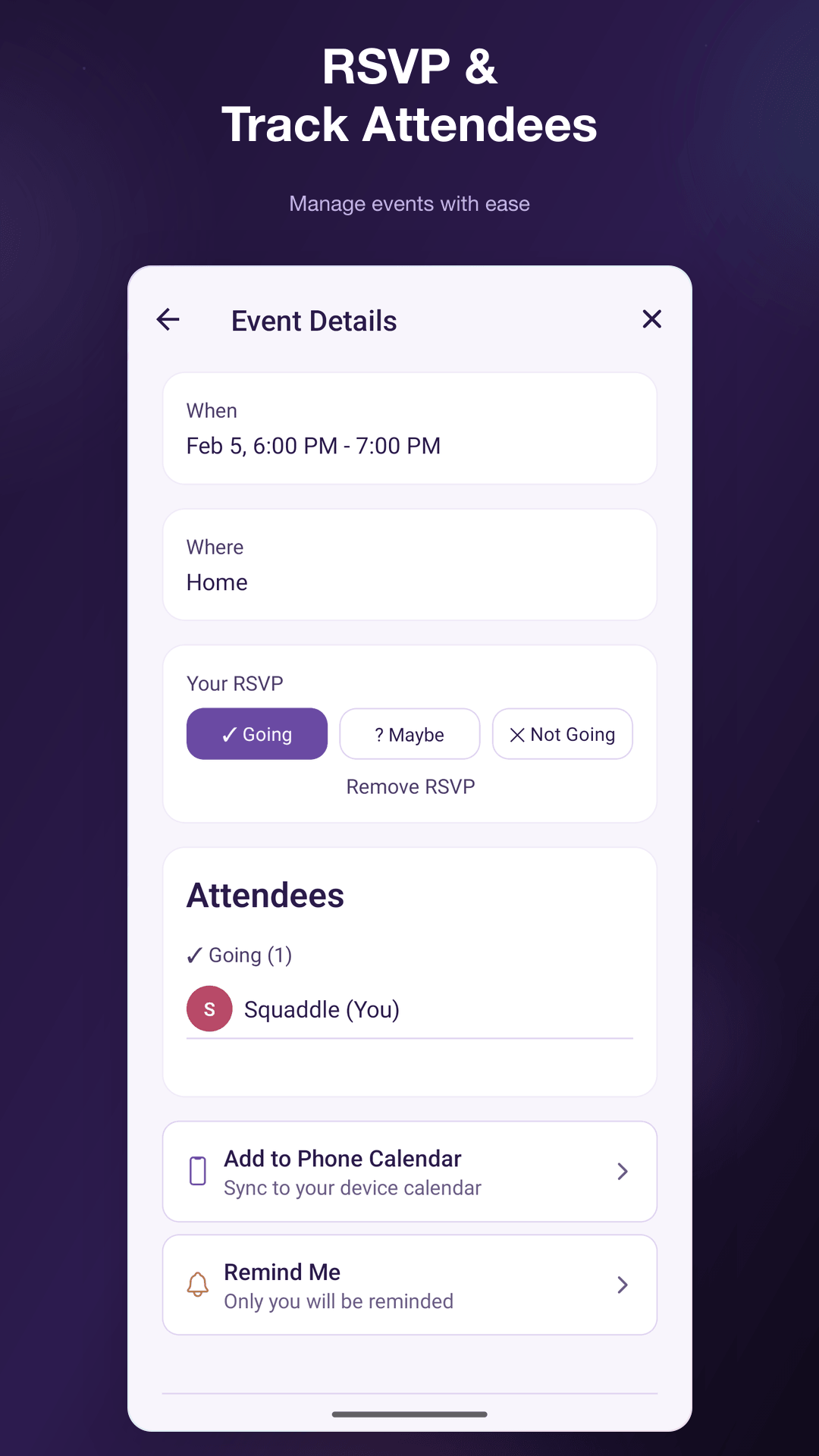
Squaddle is a group coordination app built around shared calendars, task lists, and smart reminders. The reminders and cross-platform sync are where it really shines for this category:
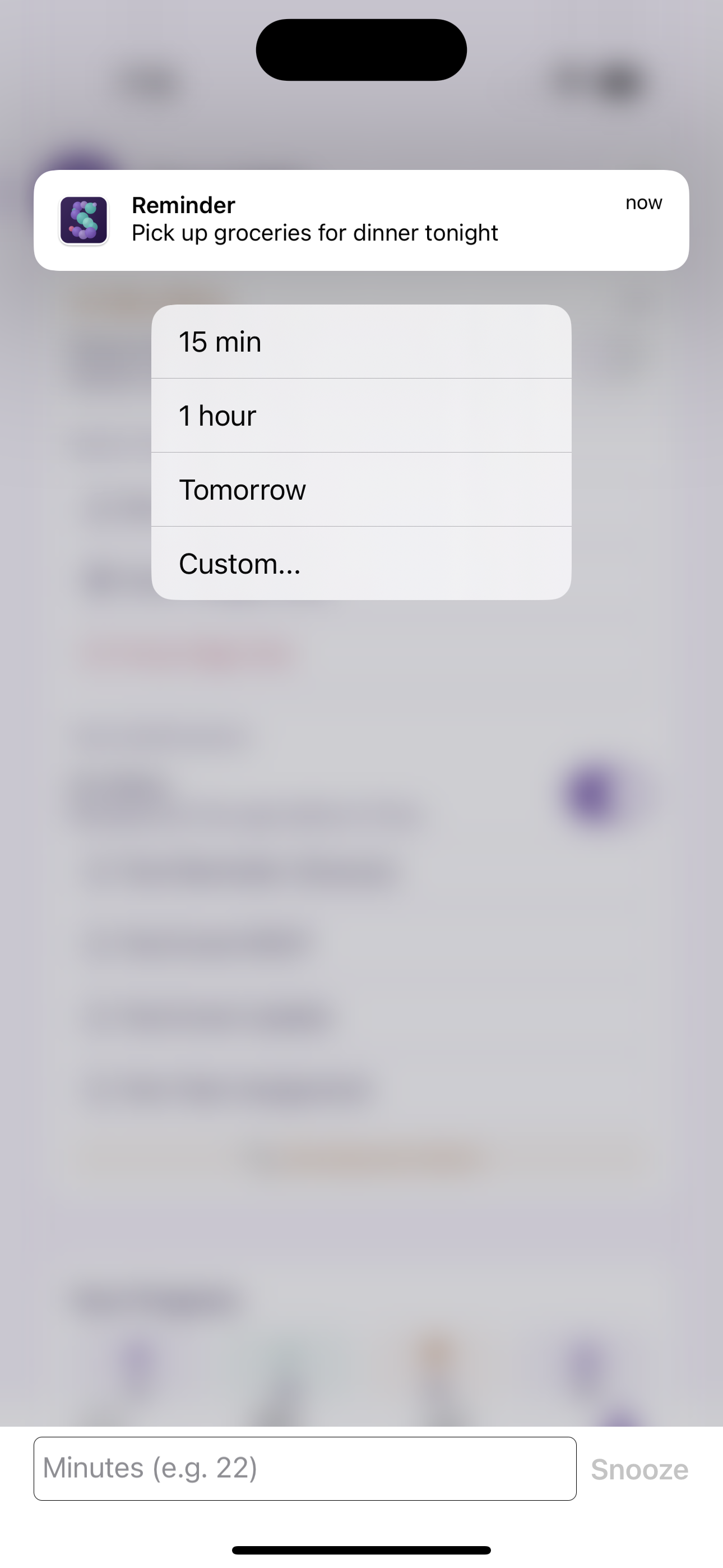
- Custom snooze from notifications: Long-press a reminder notification and pick 15 minutes, 1 hour, Tomorrow, or type in a custom number of minutes. All without opening the app.
- Powerful recurring rules: Daily, weekly, monthly, custom intervals. Set it and forget it.
- Cross-platform sync: Dismiss a reminder on your iPhone and it clears on your Android tablet. Snooze on one device and the new time shows up everywhere, powered by real-time Supabase subscriptions.
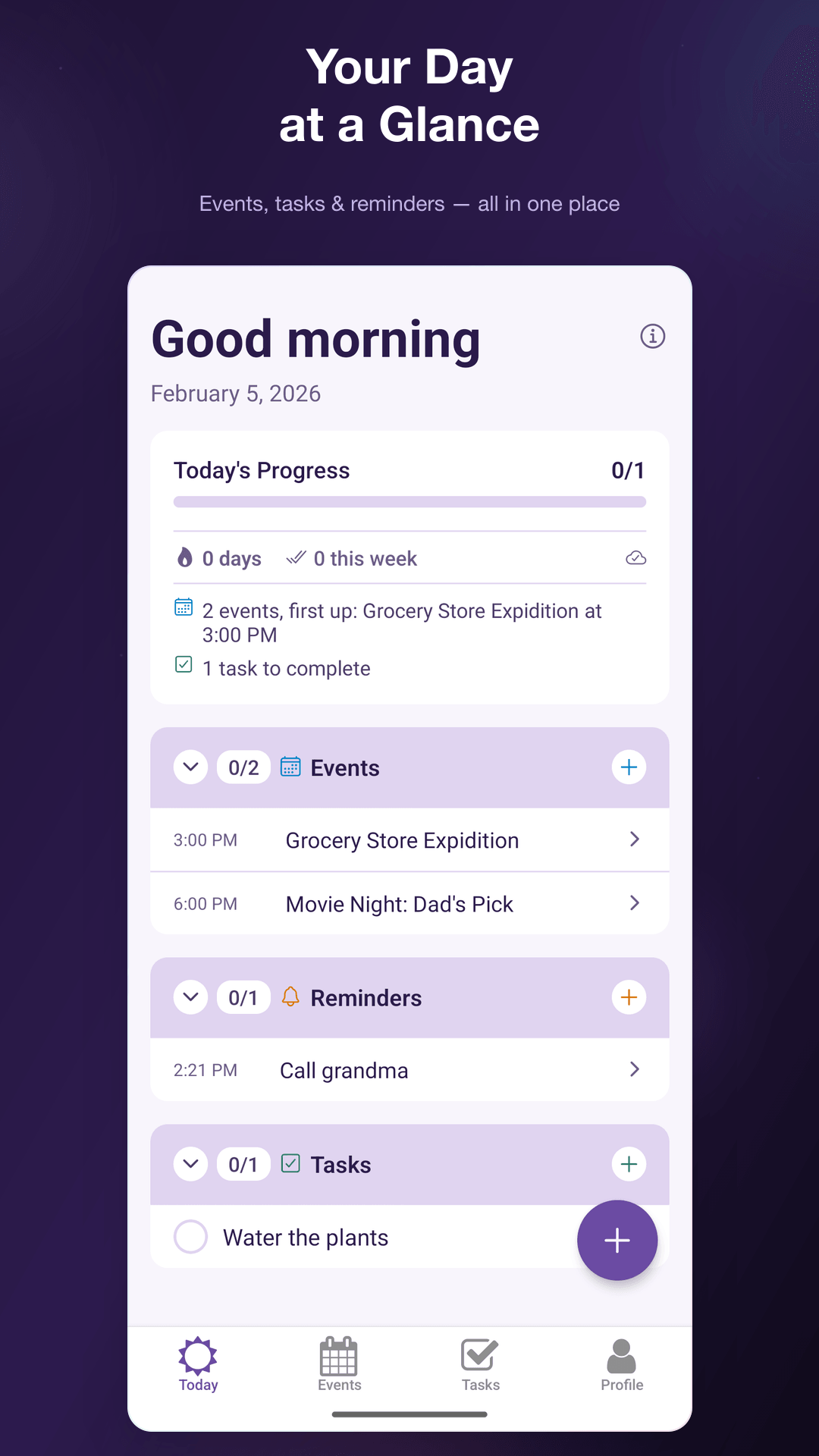
- Today View: A single screen showing everything that matters right now. Events, tasks, reminders, all in one place.
- Device calendar overlay: Opt-in to see your personal iOS or Android calendar events alongside your group events for scheduling context. Your personal calendar data stays on your device and never syncs to the backend.
- iOS Widgets + Live Activity: Glanceable info on your home screen and lock screen without opening the app.
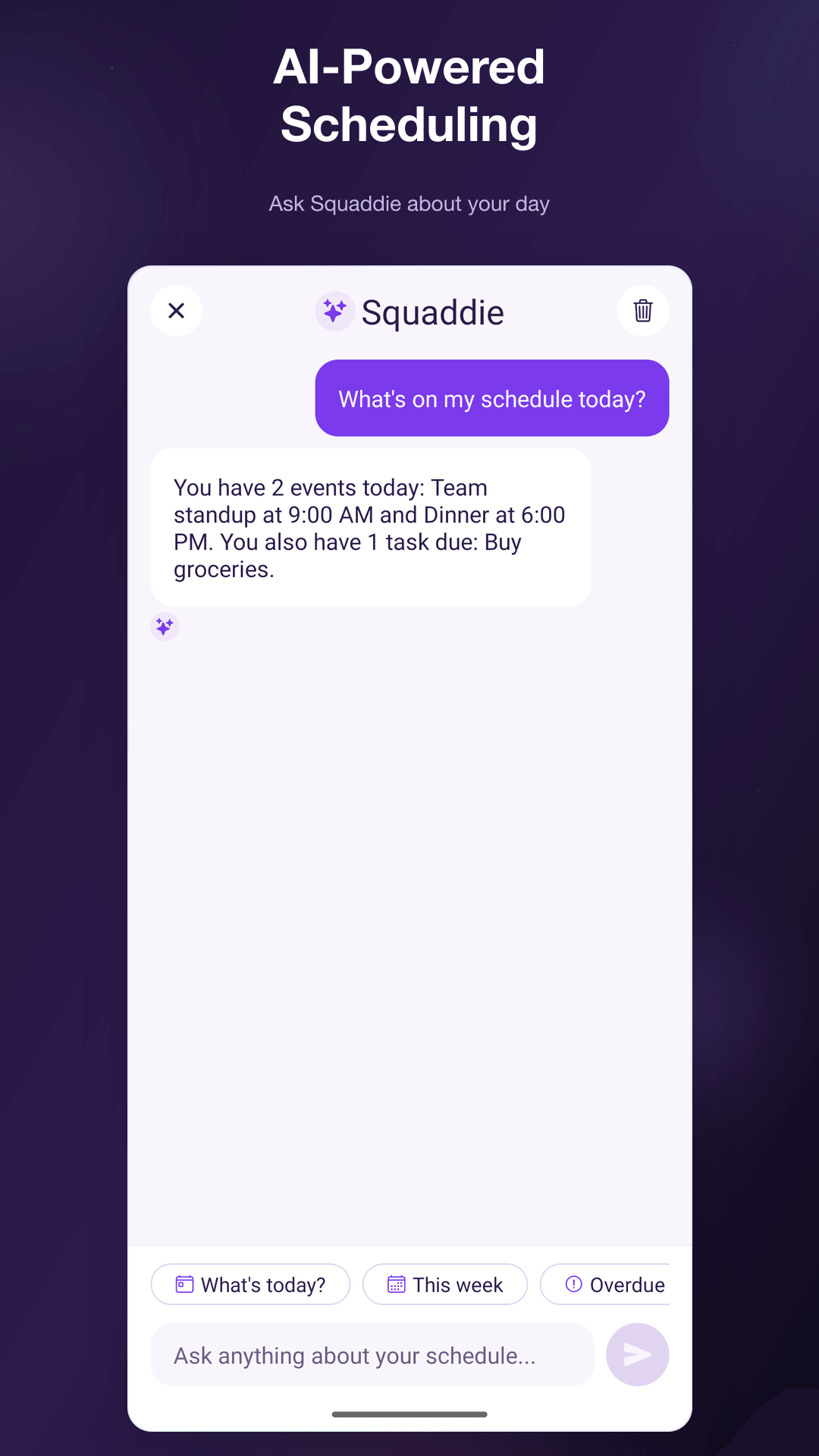
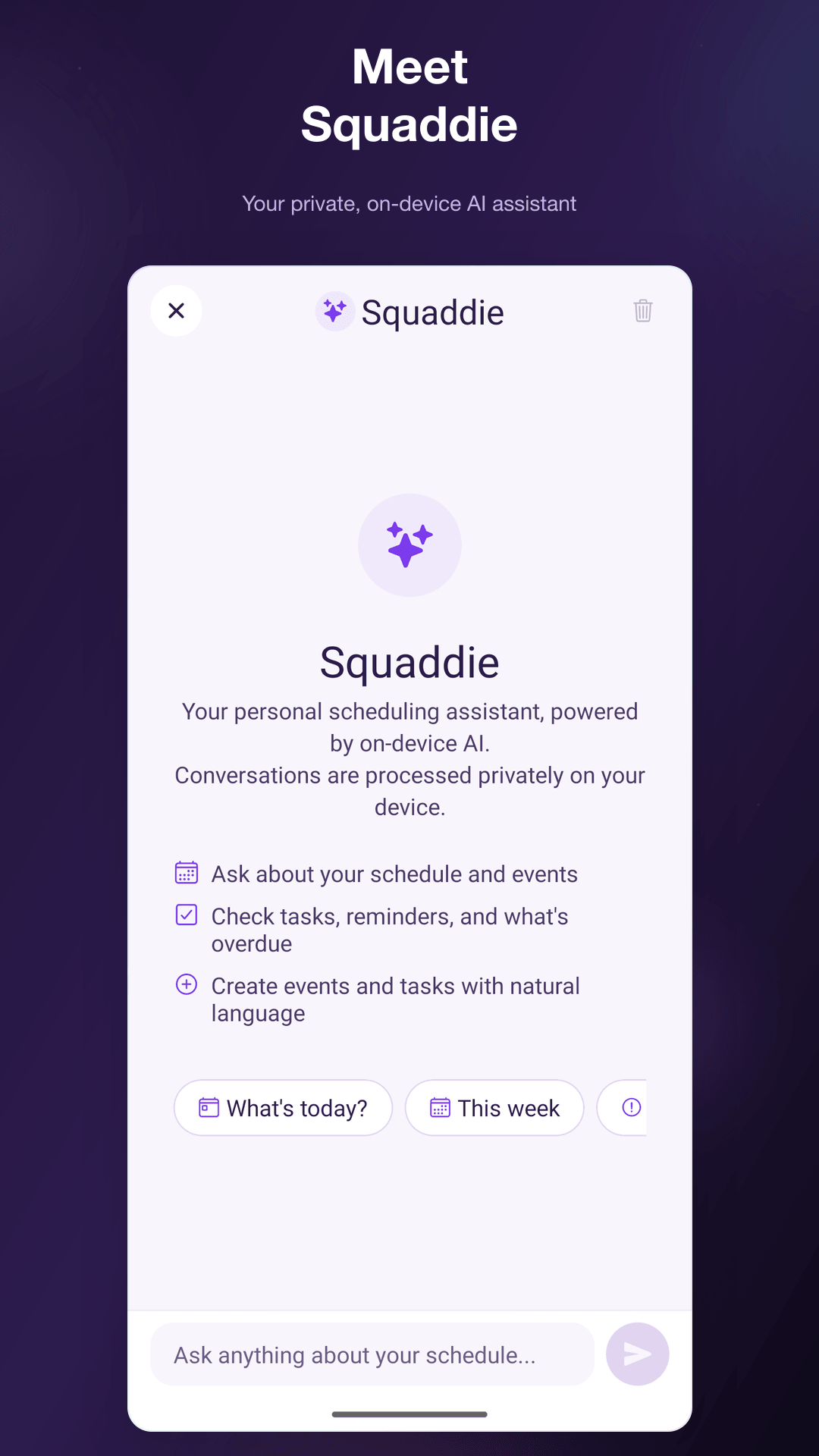
- Squaddie (on-device AI assistant): Ask questions like "What do I have tomorrow?" or "Am I free Thursday afternoon?" and get answers based on your actual schedule. Create events and tasks through natural language. Runs entirely on-device using Apple Intelligence or Google Gemini Nano, so your data never leaves your phone.
- Privacy-first: Device calendar data stays local, AI processing happens on-device, non-personalized ads only, and full account deletion is immediate. Your personal data is yours.
- Offline support: Create events and reminders with no connection. They sync when you're back online.
How I built it
React Native with Expo Router gives me a single codebase for both platforms. Supabase handles the backend: PostgreSQL with Row Level Security for data isolation between groups, real-time subscriptions for instant sync, Edge Functions for server-side push notification delivery, and Auth with Apple/Google sign-in.
Reminders are delivered server-side via a Supabase Edge Function that processes upcoming reminders and sends push notifications through Expo's push service. The custom snooze actions are registered as notification categories on both platforms, so the OS renders the action buttons natively. When someone snoozes, it writes back to the database, which triggers the real-time subscription to update every connected device.
For offline, I built a mutation queue that stores changes locally with temporary IDs, applies them optimistically to the UI, then replays them when the network comes back and swaps in the real IDs.
RevenueCat handles the Pro subscription (removes ads, unlocks AI scheduling and unlimited groups). TypeScript strict mode across the entire codebase keeps things from falling apart as it grows.
Challenges I ran into
The biggest challenge wasn't any single feature, it was information architecture. Squaddle does a lot: events, lists, tasks, reminders, groups, profiles. Figuring out how to organize all of that so it feels simple and not overwhelming took more iteration than any technical problem. I redesigned the Today View three times before it felt right.
Custom notification snooze was tricky cross-platform. iOS and Android handle notification categories differently, and getting the "type a custom number" text input action to work reliably on both platforms took some trial and error. The fallback system for offline snoozing (local notification scheduling when the DB write fails) added another layer of complexity.
Widgets and Live Activity on iOS required a native app extension with its own shared data layer. Passing data between the React Native app and the widget through app groups and shared UserDefaults was one of those things that sounds simple in the docs but has a dozen edge cases in practice.
Real-time sync with conflict detection was another rabbit hole. When two people edit the same event at the same time, you need to handle that gracefully without losing anyone's changes or showing stale data.
Accomplishments that I'm proud of
The snooze-from-notification flow works exactly how I wanted it to. You get a reminder, you long-press, you tap "1 hour" or type "22" for 22 minutes, and it just works. No app launch, no loading screen. And it syncs.
I'm also proud of the offline system. You can create events, check off tasks, and snooze reminders with airplane mode on, and everything syncs cleanly when you reconnect. The optimistic updates mean you never feel like you're waiting.
And honestly, I'm proud that it's a real app. It's on TestFlight, it's in Google Play testing, subscriptions are configured, ads are integrated. It's not a demo, it's something I will actually use with my own groups.
What I learned
Notification categories are way more powerful than most apps use them for. The ability to register custom actions with text input fields opens up a lot of UX possibilities that don't require the user to context-switch into your app.
I learned that information architecture deserves as much time as engineering. A feature that's hard to find might as well not exist. Spending time on the Today View layout and tab organization paid off more than adding extra features would have.
I also got a crash course in app store compliance for both platforms simultaneously. Privacy, data safety sections, content ratings, subscription metadata, sandbox testing. Doing it for iOS and Android at the same time really highlights how different the two ecosystems are despite solving the same problems.
What's next for Squaddle
- Data export for full GDPR compliance (JSON/CSV export of all your data)
- Smarter recurring rules like "every other Tuesday" or "first Monday of the month"
- Notification summary digest so groups with lots of activity don't blow up your phone
- Shared reminder ownership so a group can assign reminders to specific members
- Continued polish based on beta tester feedback from both platforms
Built With
- expo.io
- react-native
- revenuecat
- supabase

Log in or sign up for Devpost to join the conversation.