-
-
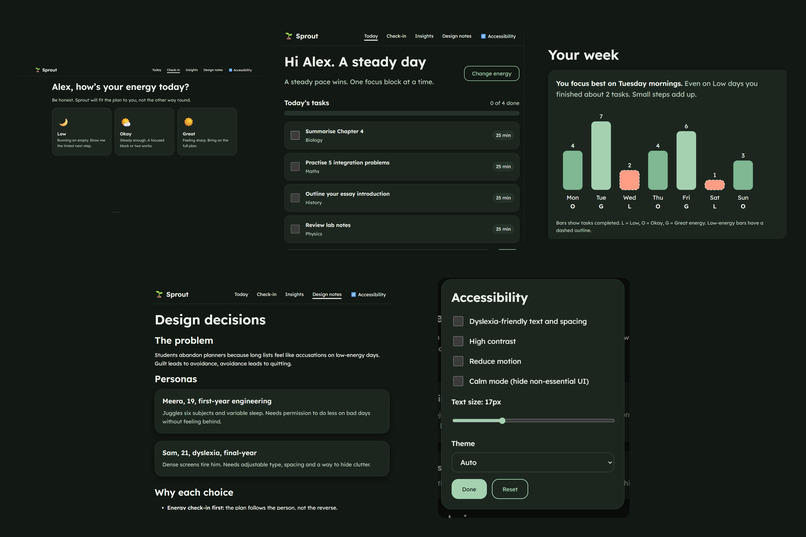
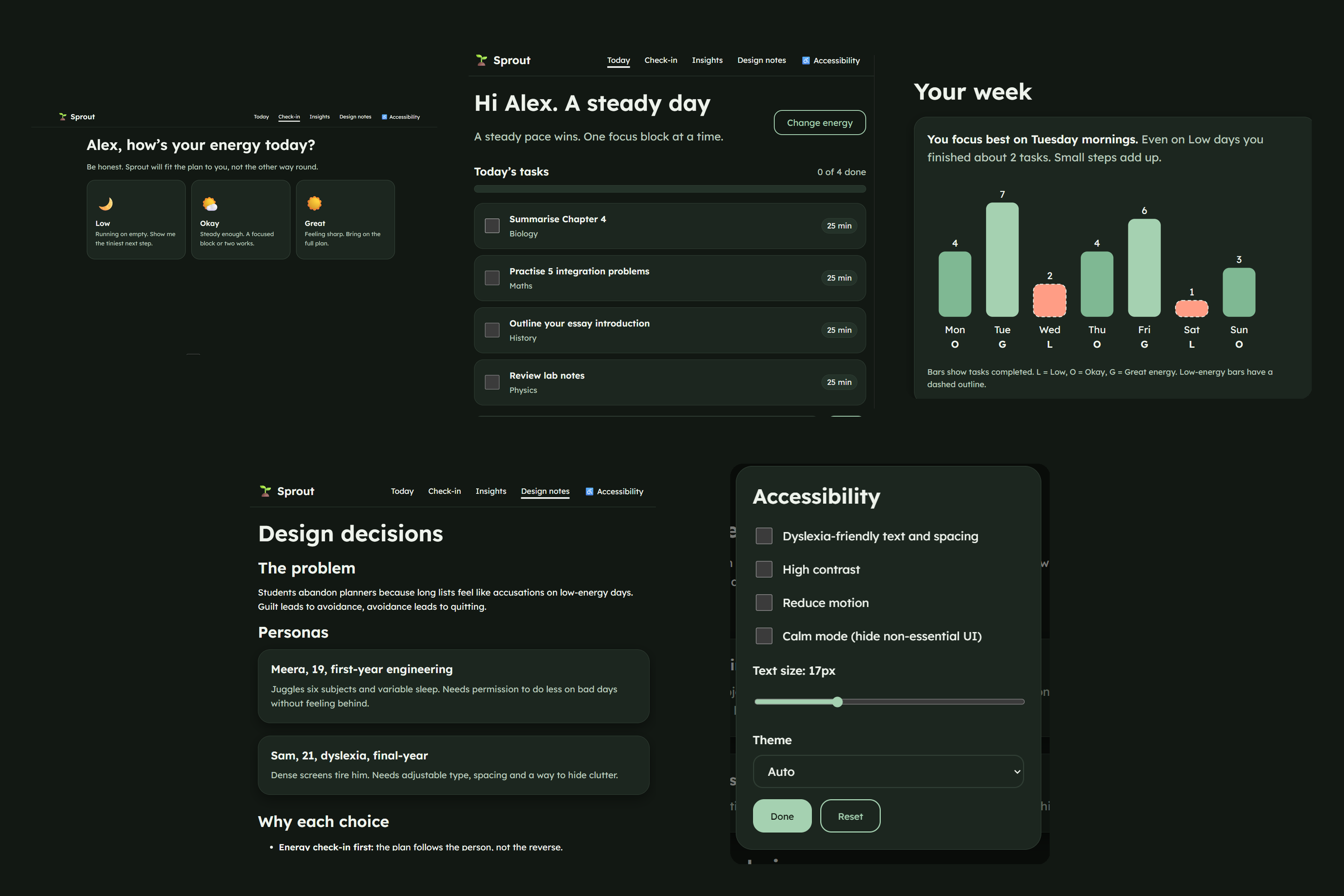
some images of the Sprout
Inspiration
Most study planners hand you a long to-do list and quietly judge you when you can't finish it. On low-energy days that list feels like an accusation, and guilt leads to avoidance and then to abandoning the planner. We wanted a planner that meets students where they are, so Sprout asks how you feel first and fits the day to you.
What it does
Sprout is an adaptive study planner that changes its interface and workload based on your energy level.
- Daily check-in: choose Low, Okay or Great.
- Low: two tiny 10-minute steps, soft surfaces, extra whitespace and encouraging copy.
- Okay: four tasks and a 25-minute focus block.
- Great: the full task list, a stretch goal and a streak card.
- A growing plant: it evolves through five stages as you finish tasks, so feedback is gentle and never guilt-driven.
- Focus mode: a full-screen timer with a large countdown, pause/resume and an "I need a break" button.
- Weekly insights: a chart of energy versus tasks completed, with a friendly insight such as "You focus best on Tuesday mornings."
- Accessibility panel on every page: dyslexia-friendly text and spacing, adjustable text size, high contrast, reduced motion, a calm mode that hides non-essential UI, and light/dark themes. Settings persist.
- Demo mode: one click loads sample tasks and a week of history.
How we built it
A frontend-only web app in plain HTML, CSS and JavaScript, with no backend. State and settings are saved in localStorage. The plant, timer ring and chart are hand-built inline SVG. Colours, themes (light, dark, high contrast) and spacing come from CSS variables on an 8px grid, with Lexend for typography. Accessibility was designed in from the start: semantic HTML, a skip link, visible focus rings, full keyboard navigation, aria-live announcements for the timer and task updates, 44px+ touch targets, and prefers-reduced-motion and prefers-color-scheme support.
Challenges we ran into
- Making the low-energy view feel calmer rather than merely smaller.
- Never relying on colour alone: chips show a check mark, done tasks say "Done", and chart bars carry letters and dashed outlines.
- Keeping keyboard focus in place when the UI re-renders after ticking a task.
Accomplishments that we're proud of
Accessibility is the core feature, not an afterthought, and the Low versus Great contrast shows the idea clearly in seconds.
What we learned
Good UX is often about subtraction. Showing less, at the right time, is a design decision.
What's next for Sprout
- Learn each student's energy patterns over time
- Calendar sync and reminders
- Shareable study streaks with friends
- A mobile app with offline support
Built With
- css3
- google-fonts
- html5
- javascript
- lexend
- localstorage
- responsive-design
- svg
- wcag

Log in or sign up for Devpost to join the conversation.