Inspiration
Pixel art is at its best when constraints are visible. SpriteSmith was built fresh in November 2026 as a small offline forge for the kind of sprite work that usually gets scattered across a paint program, a text editor, and hand-written atlas math. The goal was to make the constraint system itself feel creative: a fixed palette, exact pixels, visible frames, and export math that can be inspected instead of trusted blindly.
This entry is intentionally browser-native. It does not use Adobe Photoshop, Photoshop automation, Nano Banana, or any account-bound creative suite.
What it does
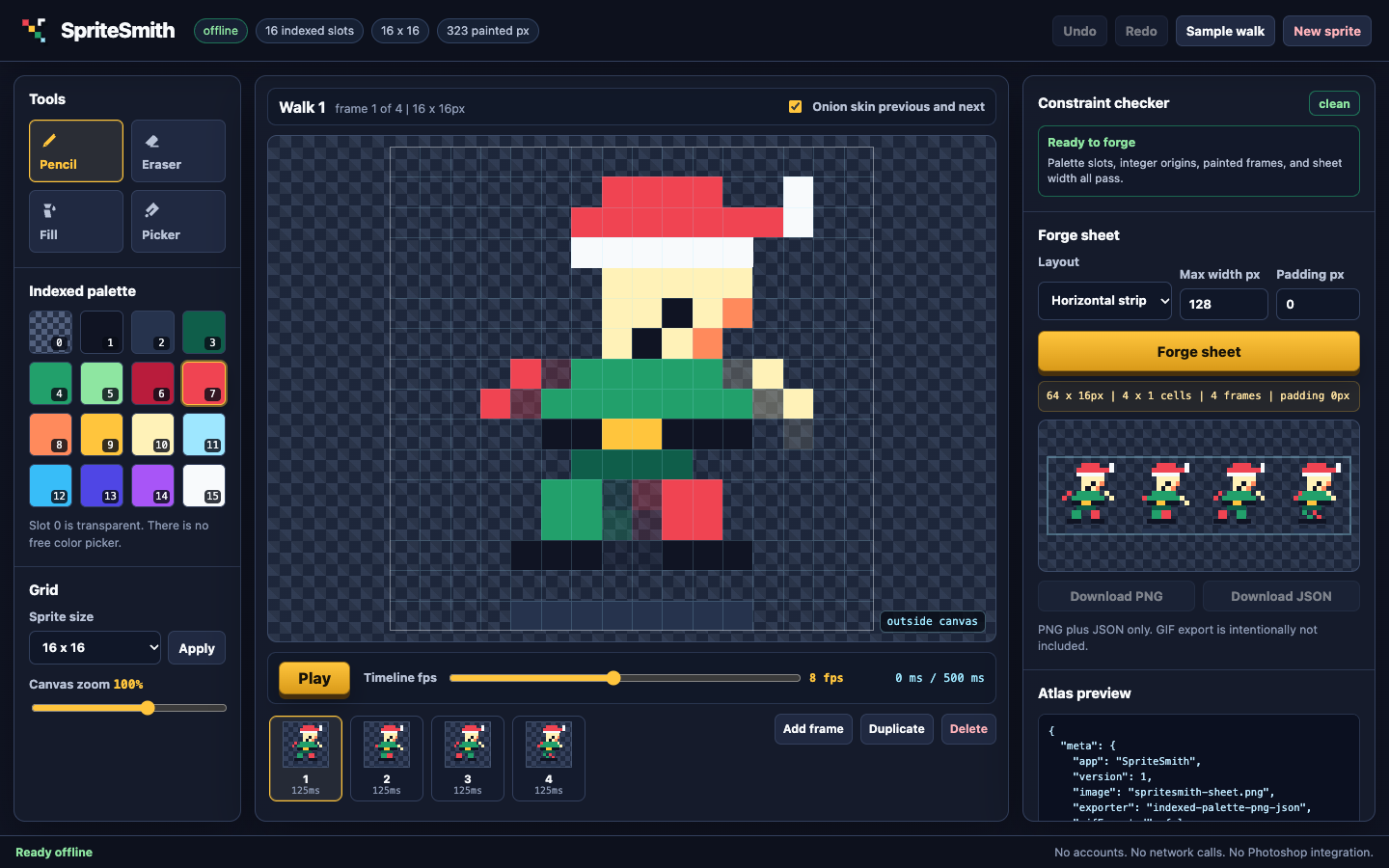
SpriteSmith is a zero-dependency pixel-art sprite animator and sprite sheet forge. It opens with a four-frame walk cycle, so the whole loop can be tested immediately.
A user can draw on an 8 x 8, 16 x 16, or 32 x 32 grid with a fixed 16-slot indexed palette. Slot 0 is transparent and the other 15 slots are fixed colors. There is deliberately no free color picker. The editor includes pencil, eraser, fill, picker, onion skin for previous and next frames, frame duplication, a thumbnail timeline, playback at a chosen fps, and undo/redo.
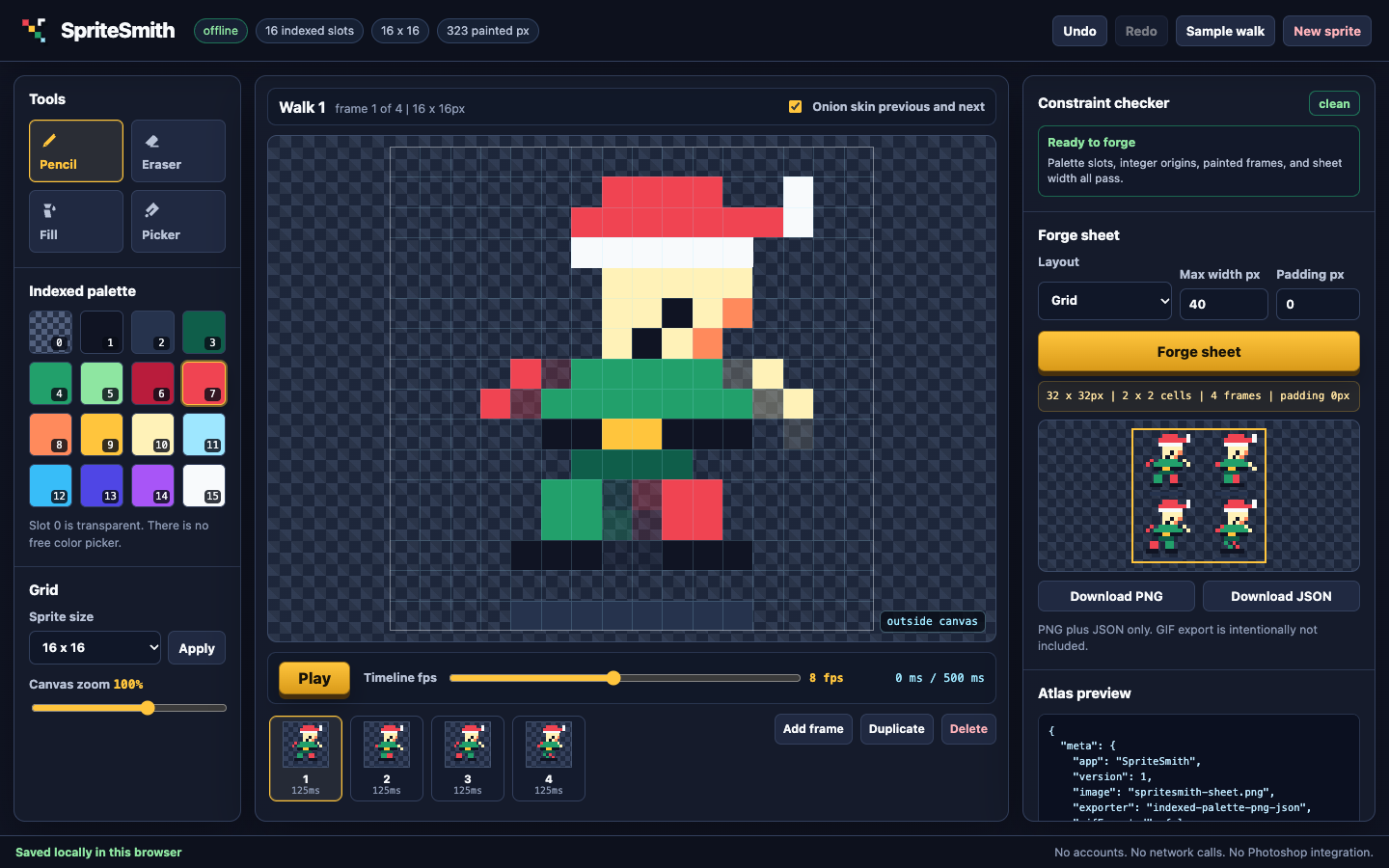
The forge packs frames into either a horizontal strip or a grid. It shows exact sheet dimensions, rows, columns, frame count, and padding before export. The app then downloads a real indexed-color PNG plus a JSON atlas containing frame rectangles and durations.
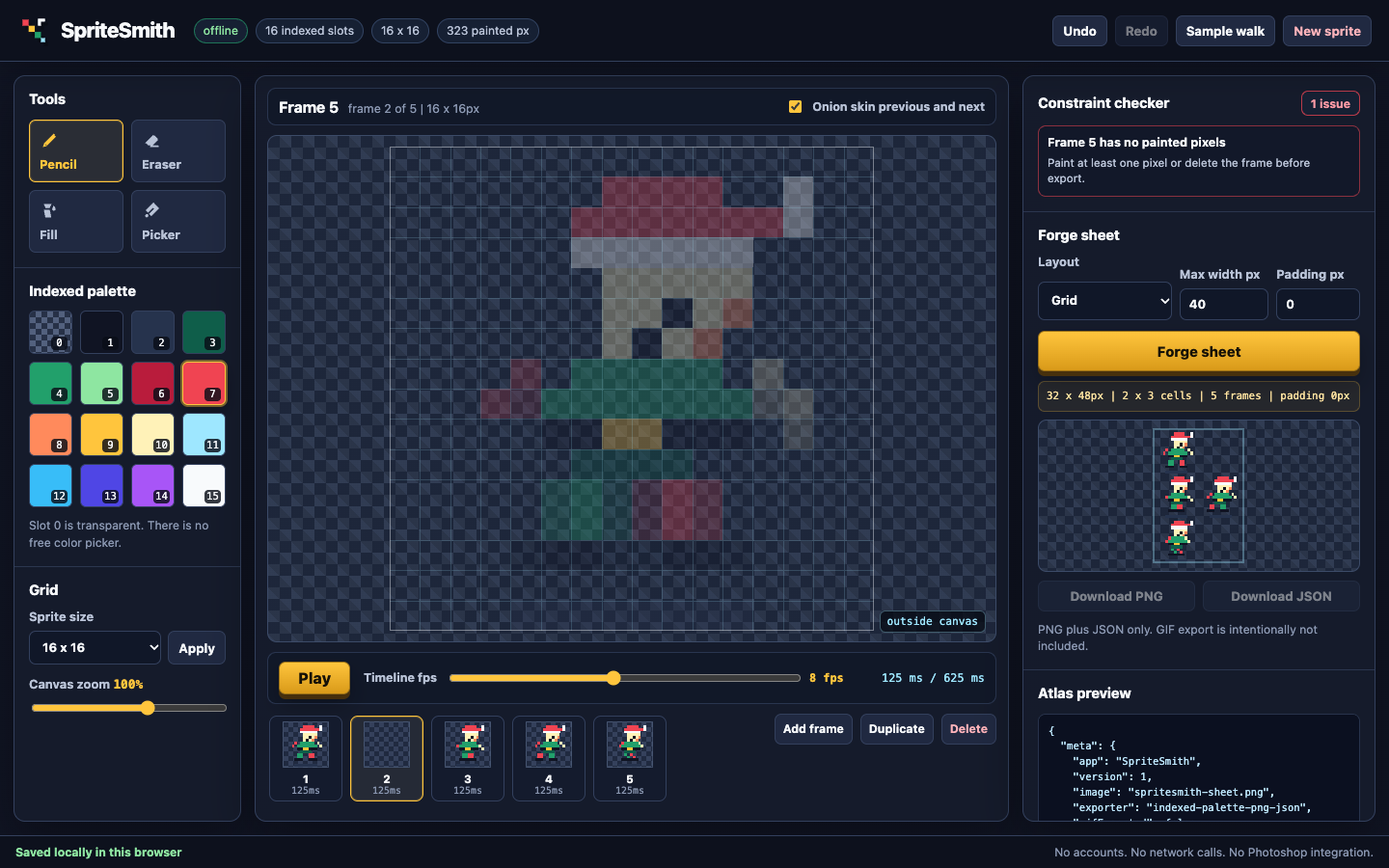
A live constraint checker reports palette violations, fractional off-grid origin metadata, empty frames, and sheet overflow over the chosen maximum width. Every violation includes a fix hint.
How we built it
The app is plain HTML, CSS, JavaScript, and Canvas. It has no runtime dependencies, accounts, keys, network service, tracking, or build step. The model code is split into small ES modules for the palette, frames, timeline, packing, atlas generation, and PNG encoding.
The PNG writer is implemented in the repository. It emits a color type 3 indexed PNG with a 16-entry PLTE chunk and a 16-entry tRNS chunk. Scanlines use filter zero, then a valid zlib stream made from stored deflate blocks. This is intentionally simple and deterministic. The tests verify exact output length, chunk order, scanline inflation through Node's real zlib decoder, and every chunk CRC with an independent bitwise CRC implementation.
Sheet packing uses exact integer formulas. Horizontal output is n*w + (n-1)*p pixels wide. Grid output derives columns from the maximum width, then derives rows and exact dimensions. Frame rectangles are copied without overlap or fractional coordinates.
The automated suite uses Node's built-in test runner. It contains 37 deterministic test cases with 205 assertion statements covering palette validation, frame math, flood fill, malformed input, timeline boundaries, undo/redo, horizontal and grid packing, atlas shape, PNG bytes, CRCs, and zlib round trips. A separate browser harness adds 21 checks with real pointer clicks for drawing, duplication, history, constraints, forging, playback, and console hygiene.
The demo assets were generated locally. Three screenshots were captured at 1440 by 900 in headless Chrome. The narration was synthesized locally, and the demo video was captured from the real running page.
Challenges
The main technical challenge was making the export honest instead of merely visual. Drawing colored squares in Canvas is easy. Producing a valid indexed PNG with correct chunk CRCs, alpha transparency, exact frame rectangles, and deterministic bytes is stricter. The test suite therefore checks the generated file as a file format, not just as pixels on a canvas.
The second challenge was making constraints useful. A warning that only says something is wrong does not help a beginner. The checker names the exact problem and gives the next repair, such as snapping an origin to a whole pixel, painting or deleting an empty frame, or changing layout when the sheet is too wide.
The interface also had to stay compact without hiding the important state. The final layout keeps the fixed palette, editor canvas, timeline, constraint panel, sheet preview, export buttons, and atlas preview visible in one working surface.
Accomplishments
SpriteSmith is a complete offline loop rather than a mockup. A sprite can be drawn, duplicated, animated, validated, packed, previewed, and exported without leaving the page.
The PNG export is not a screenshot trick. It is a real indexed-color PNG generated byte by byte in the app, and the accompanying atlas is machine-readable JSON. The project is explicit that GIF and APNG export are not included.
The test evidence is substantial for a small tool: 37 deterministic unit test cases with 205 assertion statements, plus 21 browser-level checks. Three real 1440 by 900 screenshots and a narrated demo video are included in the repository.
What we learned
Constraints are easier to understand when they are part of the interface rather than a hidden export rule. Putting the palette slots, sheet dimensions, overflow limit, empty-frame warning, and atlas preview beside the canvas makes the format teachable.
The work also showed how much correctness lives below the visual layer. A valid PNG is more than a width, height, and pixels. Chunk order, filter bytes, zlib framing, Adler-32, and CRC-32 all have to agree before the export is trustworthy.
What's next
Useful next steps are JSON project import, per-frame duration editing, transparent PNG visual diffing in the browser, sprite flipping and rotation helpers, additional packed-layout modes, optional compressed deflate output, and a tiny example game that consumes the exported atlas. A future version could also validate imported atlases against the same constraint checker.
Built with
HTML, CSS, JavaScript, Canvas, Node.js, the Node test runner, headless Chrome, FFmpeg, and local OmniVoice narration synthesis.
AI disclosure
AI coding assistants were used during implementation, debugging, test design, documentation, and video-production scripting. The pixel format, sheet math, PNG bytes, tests, screenshots, and final claims were checked with deterministic automated tests and real browser captures. Local voice synthesis was used for the demo narration. SpriteSmith itself is browser-native and was not made with Adobe Photoshop.
Built With
- pixel-art
