Inspiration
I'd been interested in 2d animation in Horizon since I saw an animation done by swapping textures, however, it also turns out that swapping textures can create a cascade of issues. I set out to make a more efficient animation display by reimagining an old idea: Sprite Sheet Animation!
What it does
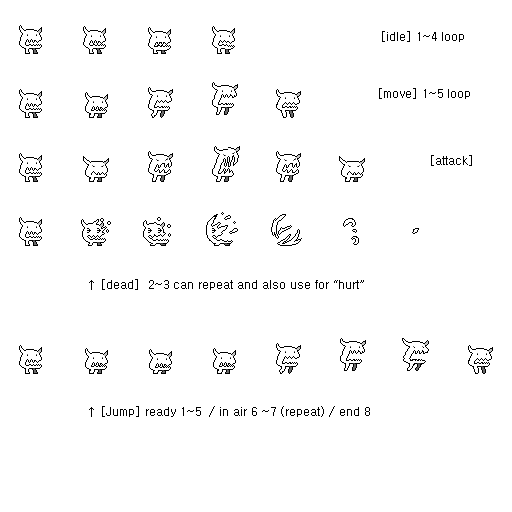
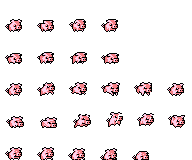
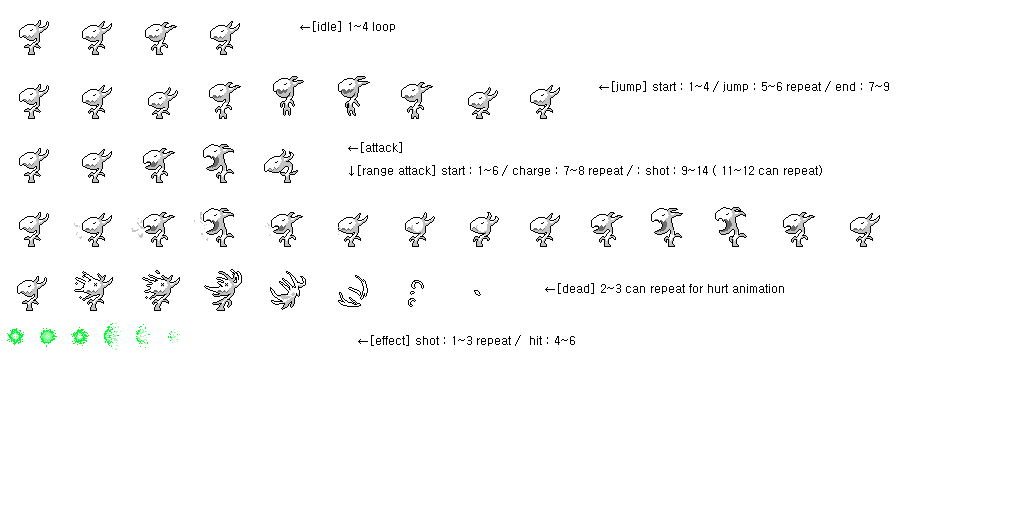
Using a mask to isolate a single image of a sprite sheet on a Custom UI and then moving the sprite sheet position to change the displayed image, I was able to create single image animations! The player controls our central monster and can attack the pig and plant monster.
How we built it
A SpriteAnimation script holds the animation breakdown of each character and their actions. By splitting the sprite animation into its corresponding rows and columns and labeling each row with its associated action, we can call specific animations. Linking the sprites XY position to the player's XZ position, we're able to interpolate the sprite's screen position and simulate player control.
Challenges we ran into
Masking a CUI was not intuitive. Creating a reusable method of defining spritesheet animations was difficult. Making a player controller for a Custom UI took some creativity.
Accomplishments that we're proud of
It's 2D animated sprites, a Player controller with movement reactive animations, a custom input attack, and NPC interaction in Horizon! Cmon! That's pretty unique! And I'm pretty sure it works with multiplayer, which means, my default development workflow is inherently multiplayer compatible at this point. It also auto randomizes the update cycles per CUI to ease the update loads.
What we learned
How to make sprite sheet animations!
What's next for Spritesheet Animator and Controller Public Asset
I think there's some pretty fun ways this could work its way into Horizon Worlds. I'm going to keep them to myself for the time being.
Built With
- customui
- horizondesktopeditor
- typescript


Log in or sign up for Devpost to join the conversation.