-
-
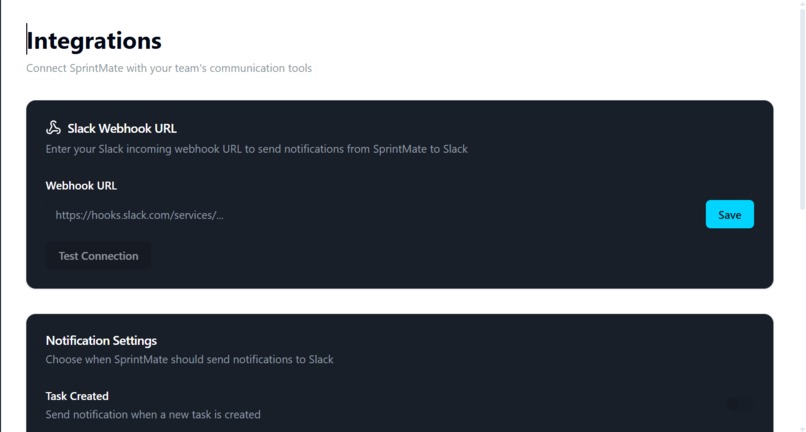
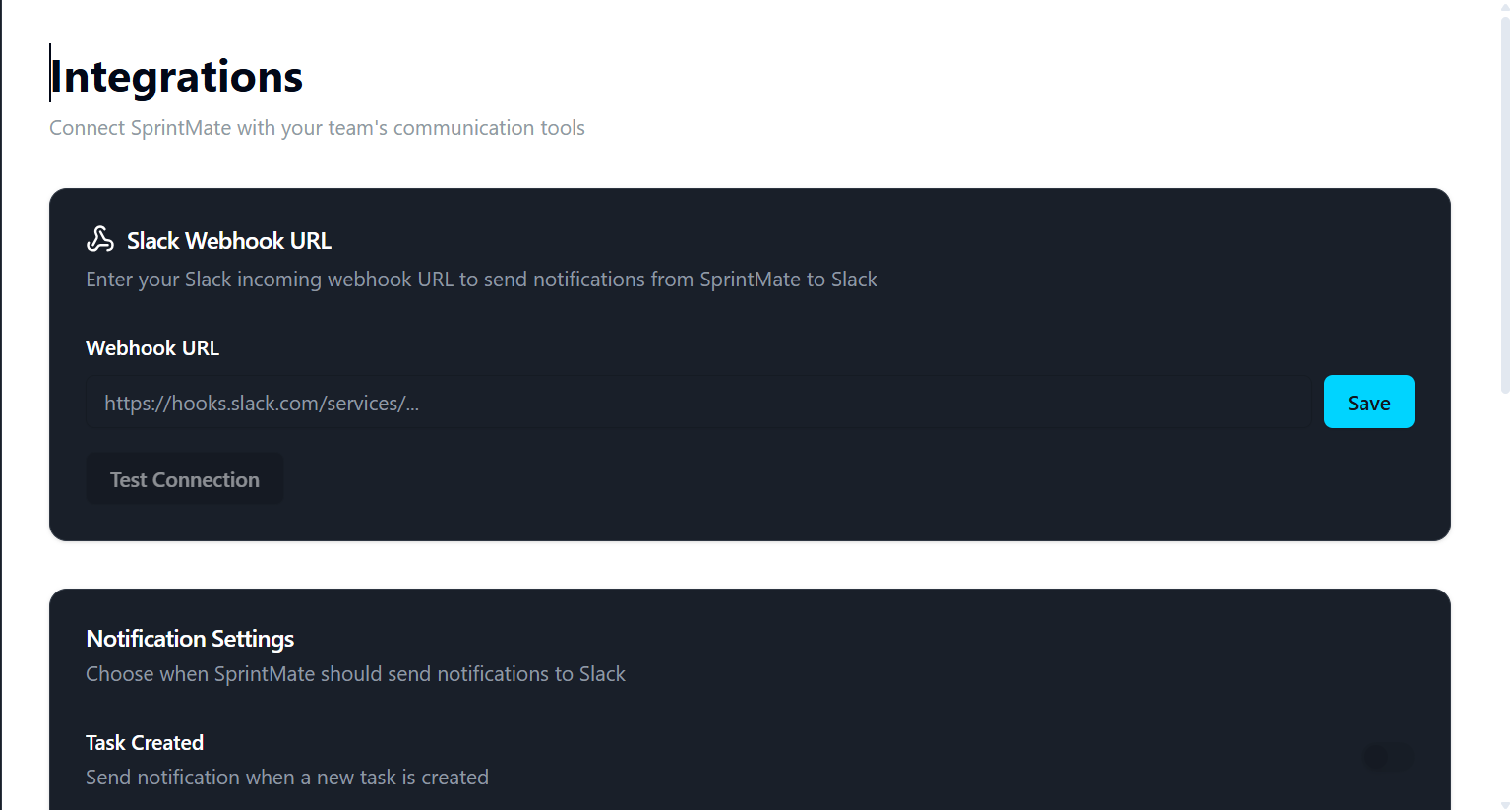
Connect SprintMate to Slack and get instant notifications when tasks are created, updated, or completed.
-
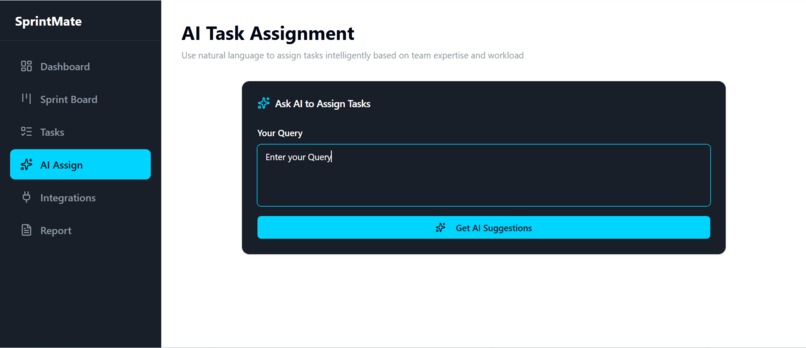
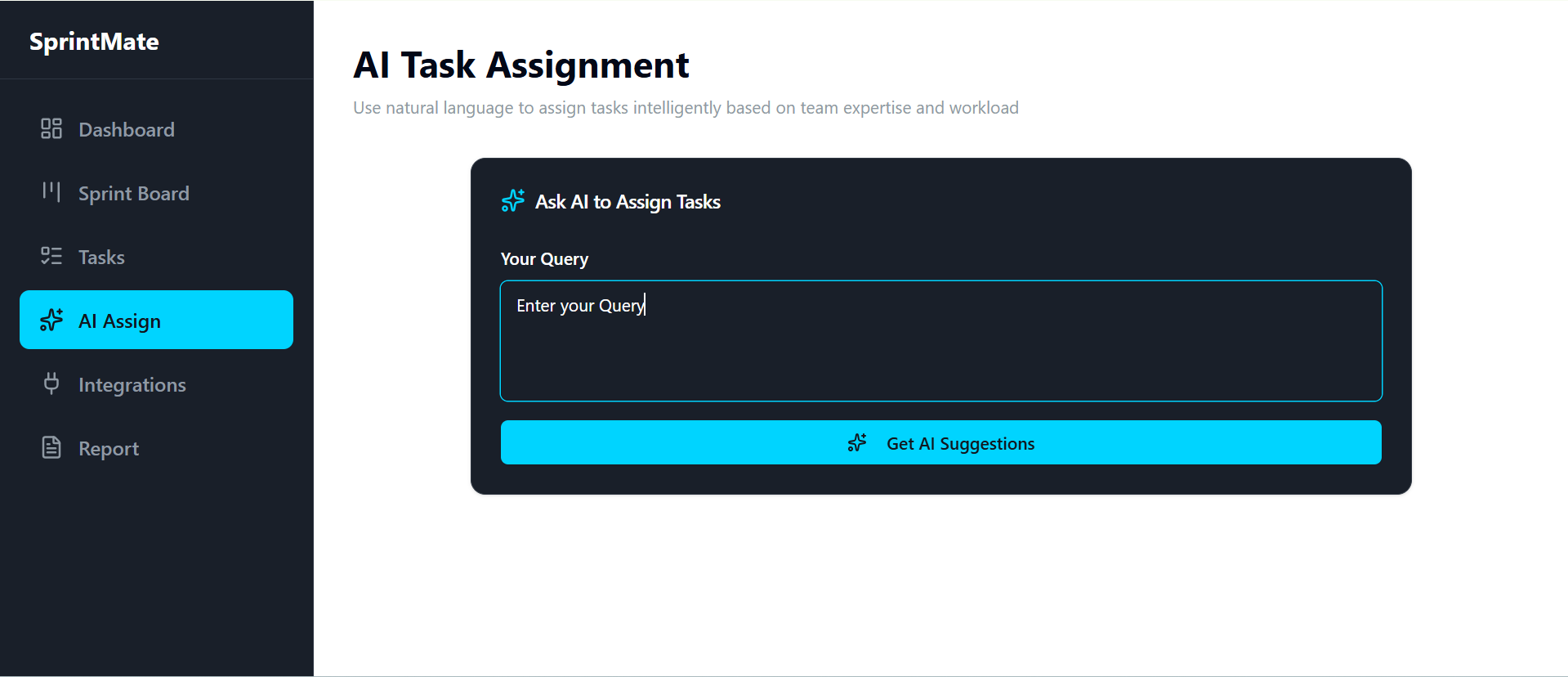
Just type what you need in plain English — SprintMate's AI assigns tasks intelligently based on team workload.
-
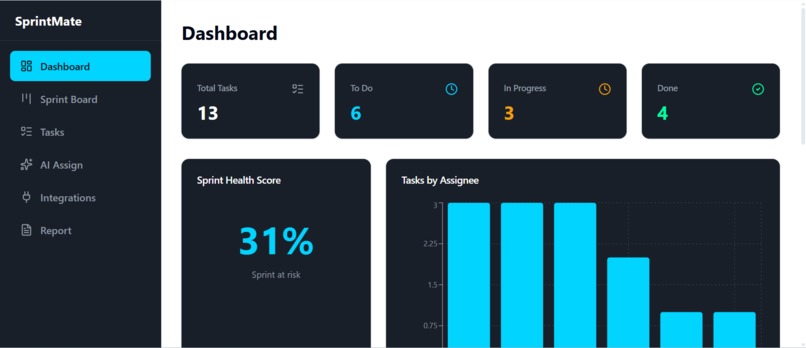
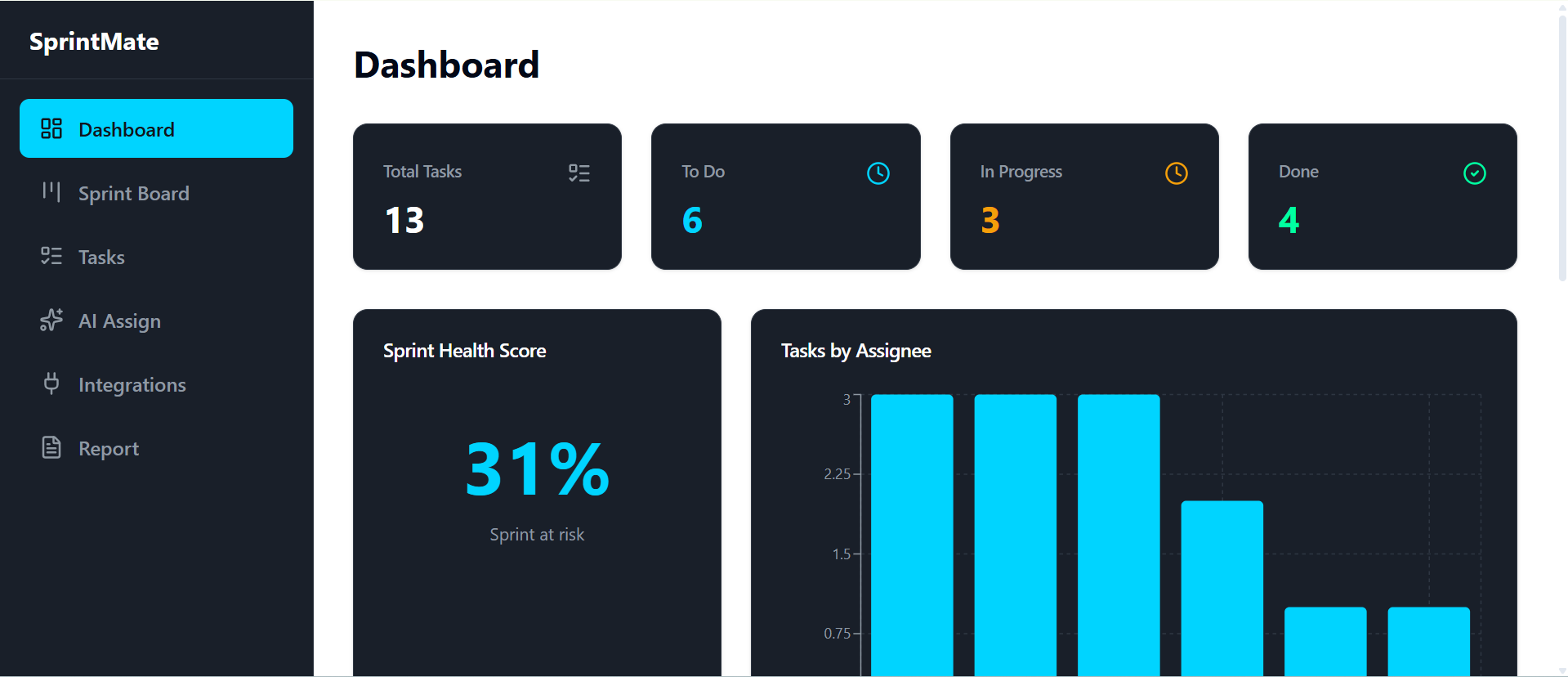
Real-time sprint overview — track total tasks, health score, and workload distribution across your team at a glance.
-
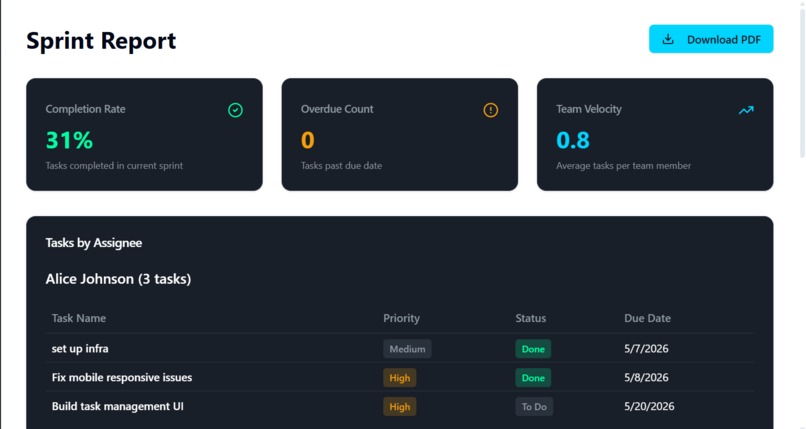
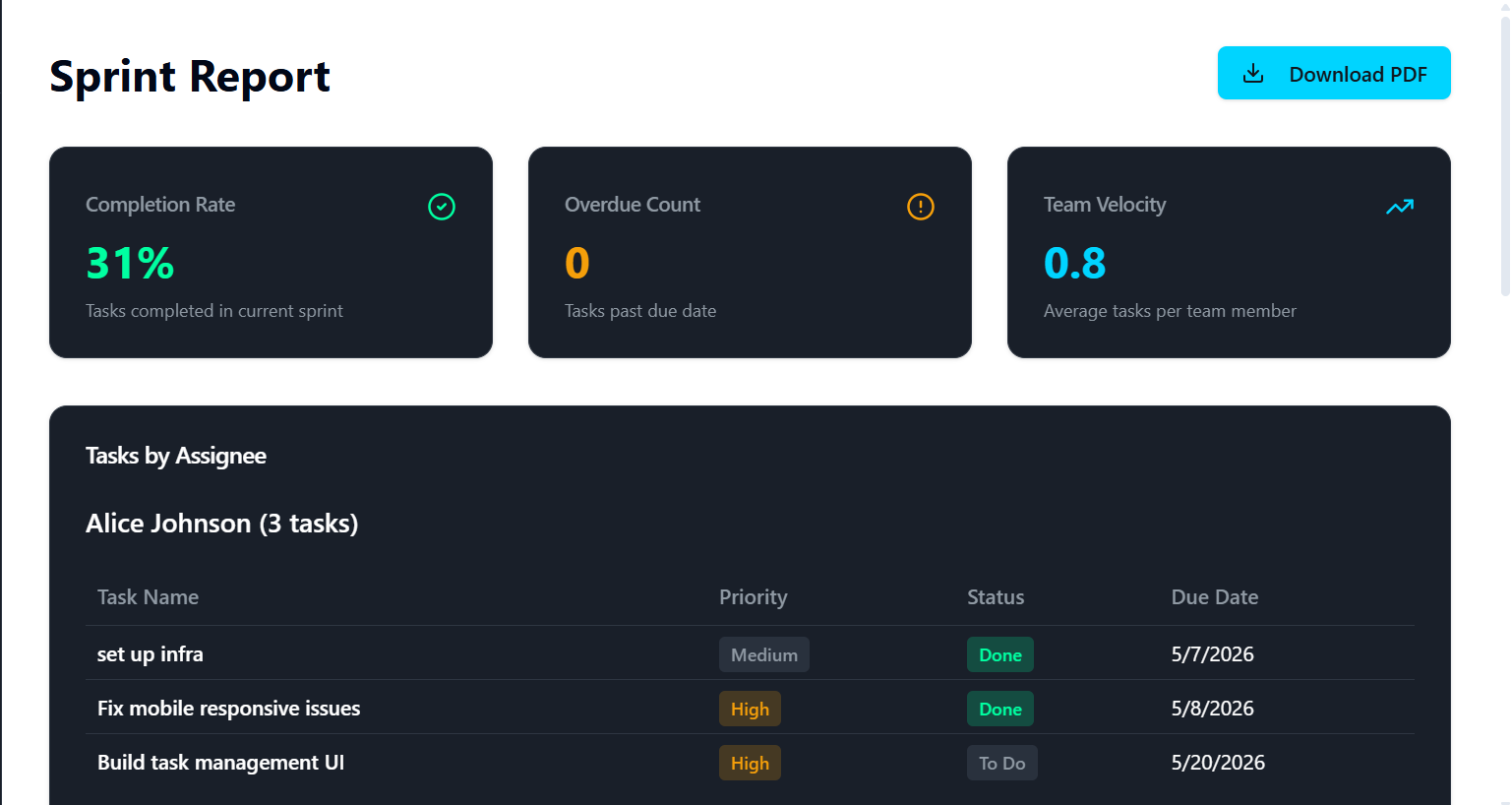
One-click PDF sprint report — completion rate, team velocity, overdue count, and tasks per assignee, all in one place.
-
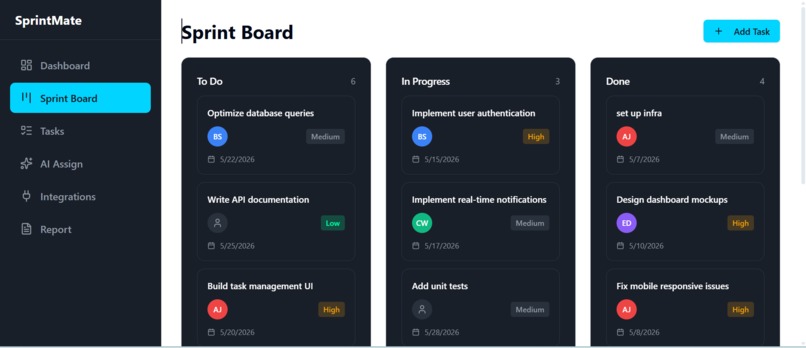
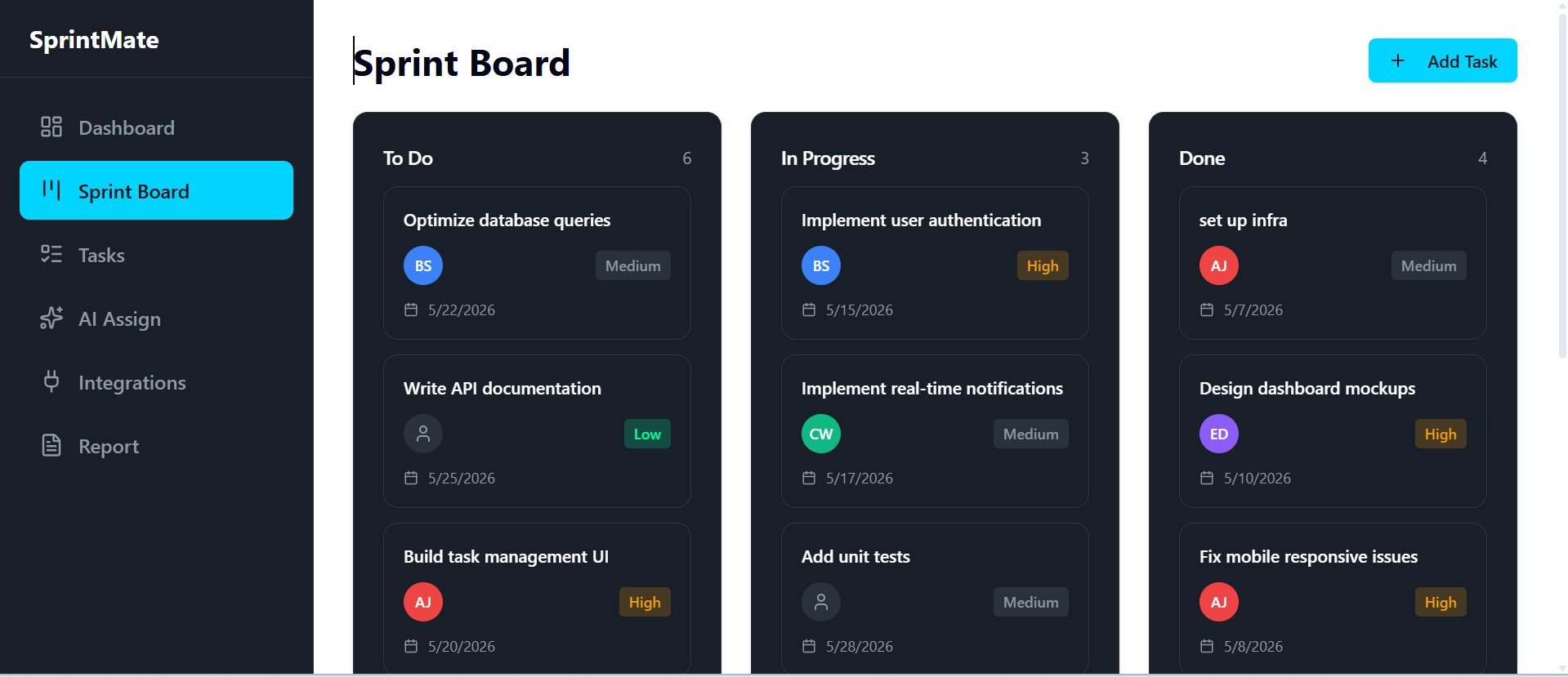
Visual Kanban board showing tasks across To Do, In Progress, and Done — with priority tags and due dates on every card.
-
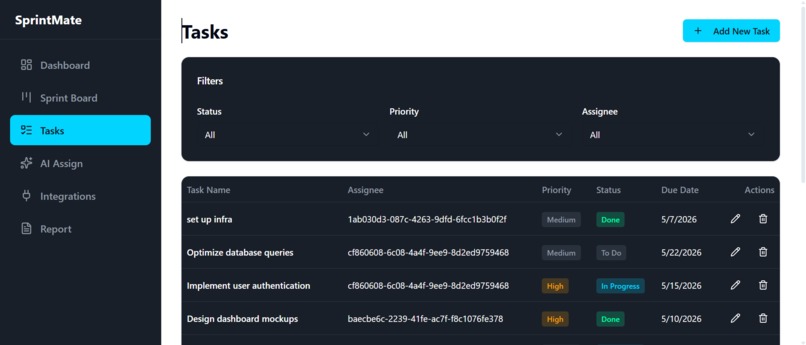
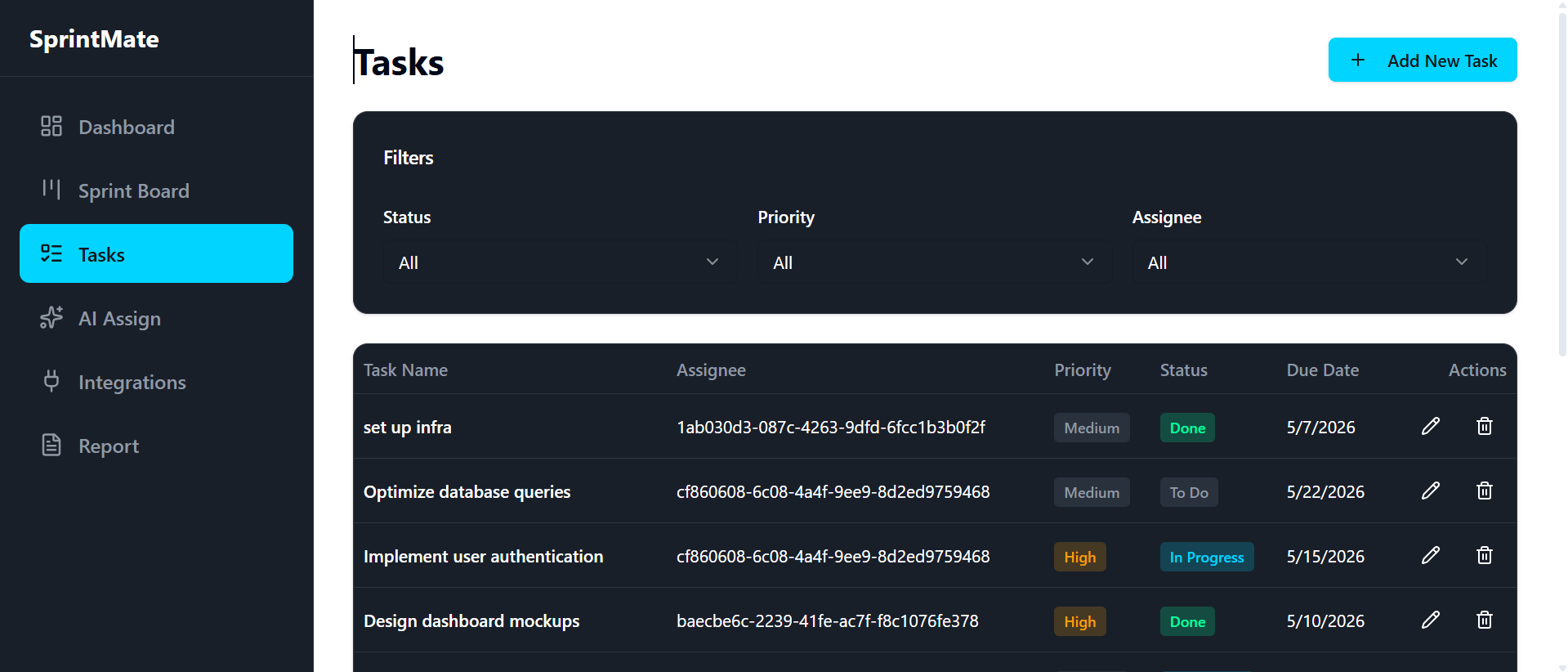
Filterable task list by status, priority, and assignee — full visibility into every task in your sprint.
-
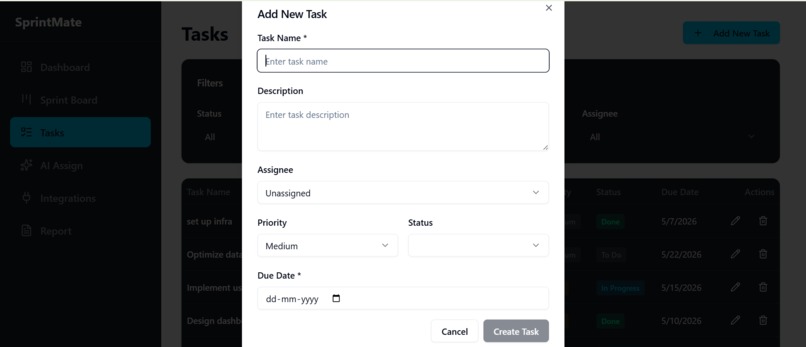
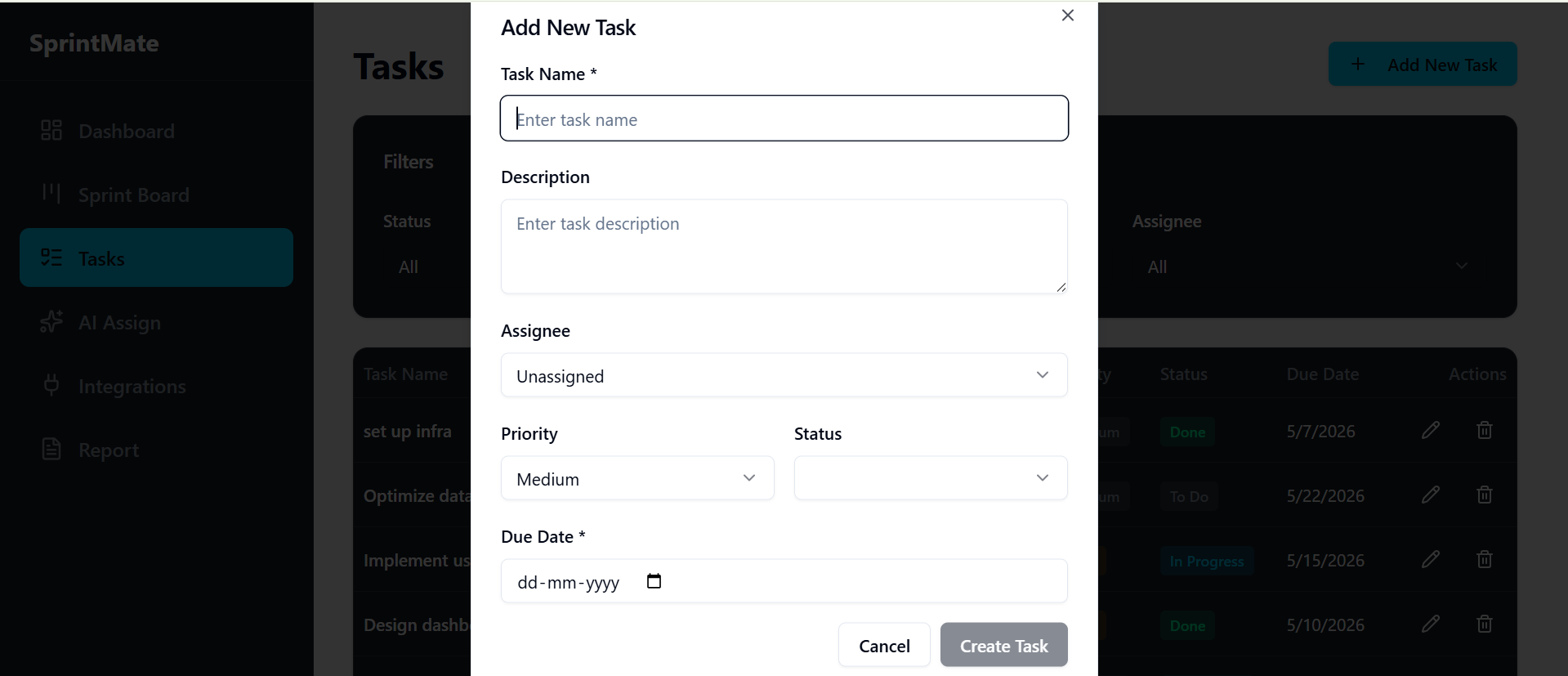
Add tasks in seconds — set the name, description, assignee, priority, status, and due date all in one simple form.
SprintMate
Inspiration
Managing sprints is chaotic. Teams juggle Notion docs, spreadsheets, and Slack threads just to answer "who's doing what?" — and by the time a sprint ends, no one has a clear picture of what got done. We wanted to build something that removes that overhead: a tool that not only tracks your sprint but actively helps you run it.
What it does
SprintMate is an AI-powered sprint management tool for agile dev teams. It includes:
- Sprint Board — a visual Kanban board to track tasks across To Do, In Progress, and Done
- Tasks View — filterable task list with priority, assignee, status, and due date
- AI Assign — natural language task assignment that intelligently distributes work based on team workload
- Dashboard — real-time Sprint Health Score, team velocity, and task breakdown by assignee
- Sprint Report — one-click PDF export with completion rate, overdue count, and per-member breakdowns ## How we built it SprintMate was built entirely using Medo, an AI-powered app builder where we described what we wanted in plain English prompts — no coding required. From the Sprint Board to the AI Assign feature to the PDF reports, every screen and feature was shaped by iterating on prompts until the product worked exactly the way we envisioned it. The entire app — UI, logic, data, and AI features — came to life through conversation.
Challenges we ran into
- Crafting the right prompts to make the AI Assign feature behave reliably — getting it to balance workload intelligently took many iterations
- Describing the Sprint Health Score logic precisely enough in prompts so it calculated meaningfully, not just as a vanity number
- Prompting for a UI that felt information-dense but still clean — getting the layout, colors, and flow right through iteration
Accomplishments that we're proud of
- Built a fully functional, production-quality product entirely through prompts — zero code written
- The AI Assign feature works end-to-end — type a plain English query and tasks get assigned intelligently
- The Sprint Report PDF is polished enough that a real team could hand it to a manager today
- Proved that with the right AI tools, a complete SaaS product can go from idea to working app in a hackathon timeframe
What we learned
- Prompt engineering is a real skill — being specific, iterative, and clear in your prompts directly determines the quality of what gets built
- You can build a fully functional, polished product without writing a single line of code — the barrier to building is now just the clarity of your idea
- Sprint health metrics are harder to define well than they look — even when prompting for them, you have to think carefully about what actually matters
What's next for SprintMate
- GitHub & Jira integrations — auto-create tasks from issues and PRs
- Team profiles — track individual expertise so AI Assign can match tasks to skill sets, not just availability
- Sprint retrospective AI — summarize what went well, what didn't, and suggest improvements for the next sprint
- Multi-sprint tracking — compare velocity and health scores across sprints over time
Built With
- medo


Log in or sign up for Devpost to join the conversation.