-
-
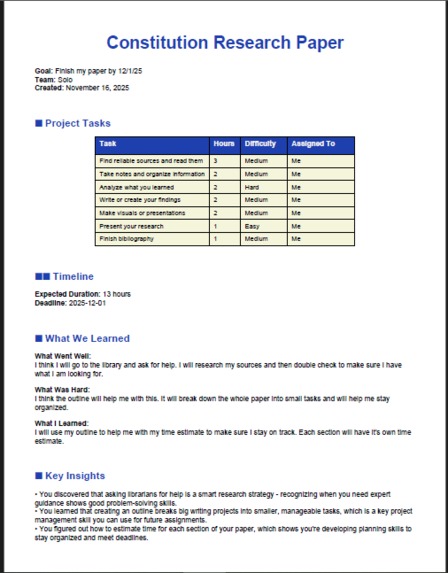
Completed project overview with tasks, timeline, and key insights.
-
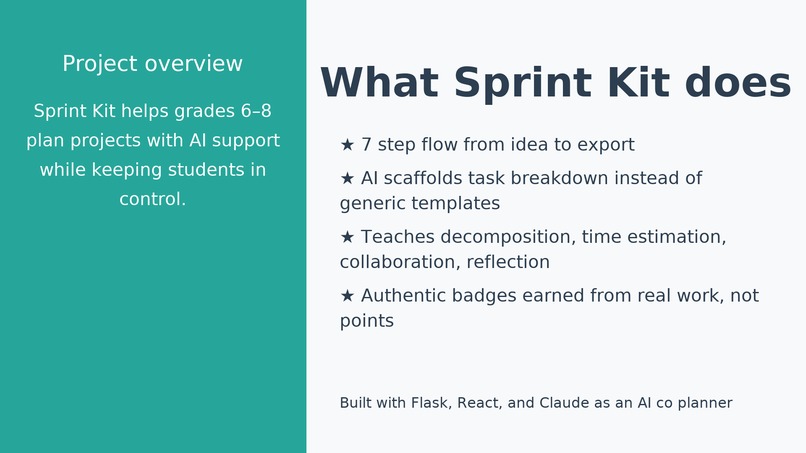
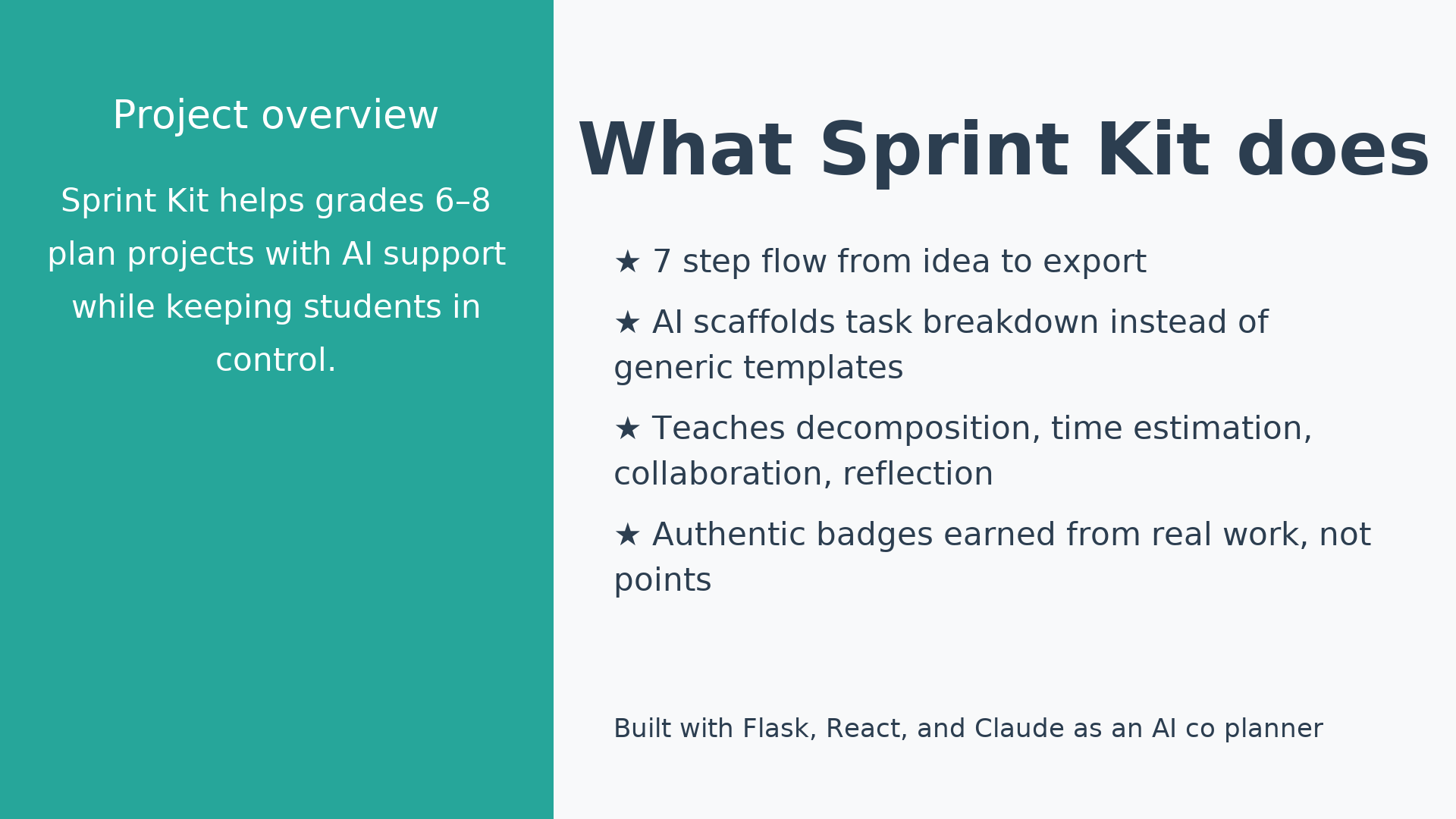
What Sprint Kit does.
-
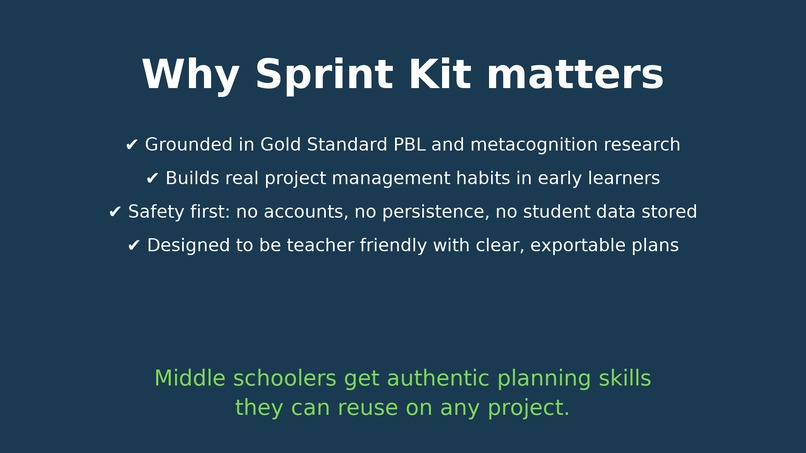
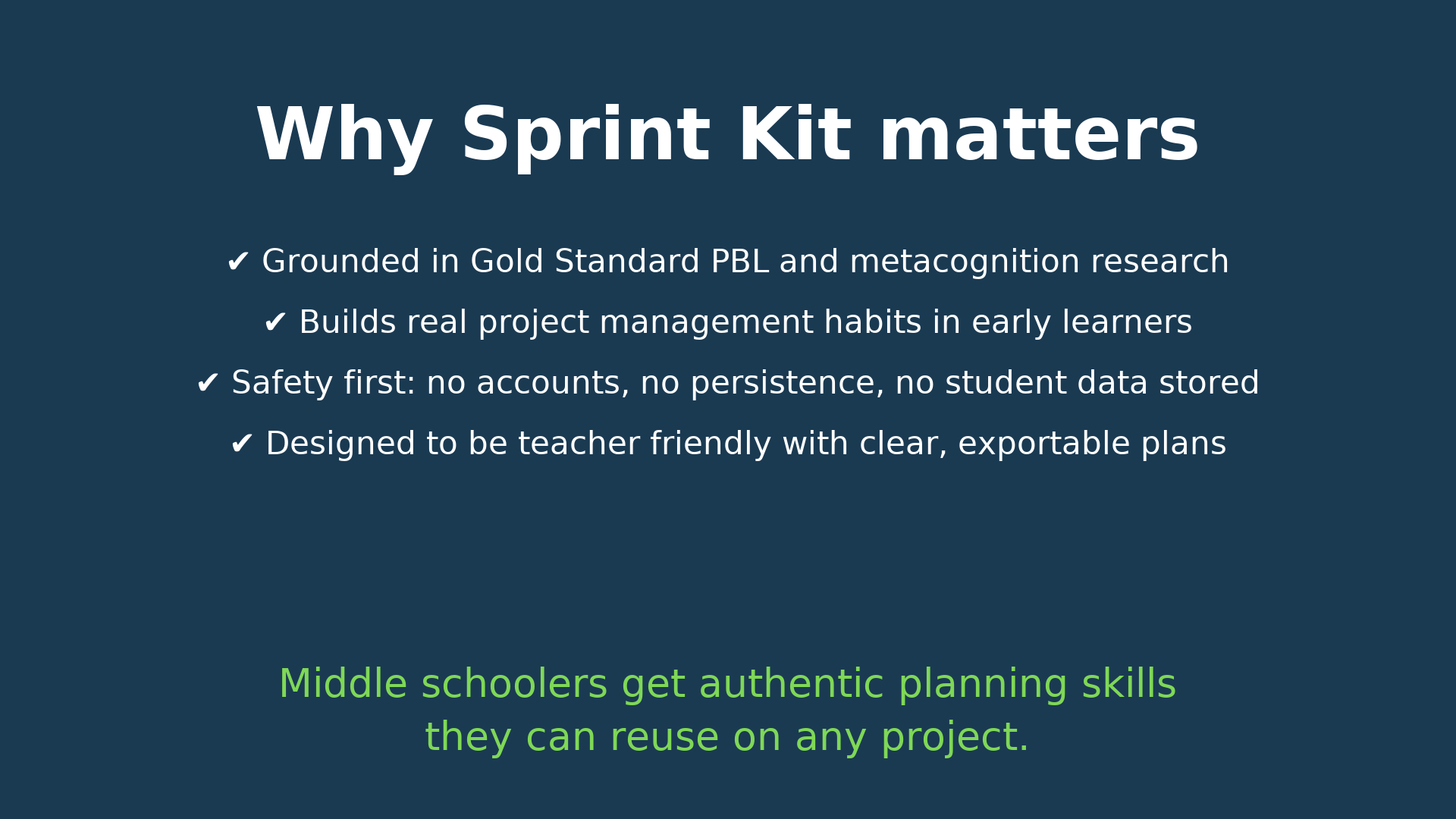
Why Sprint Kit matters.
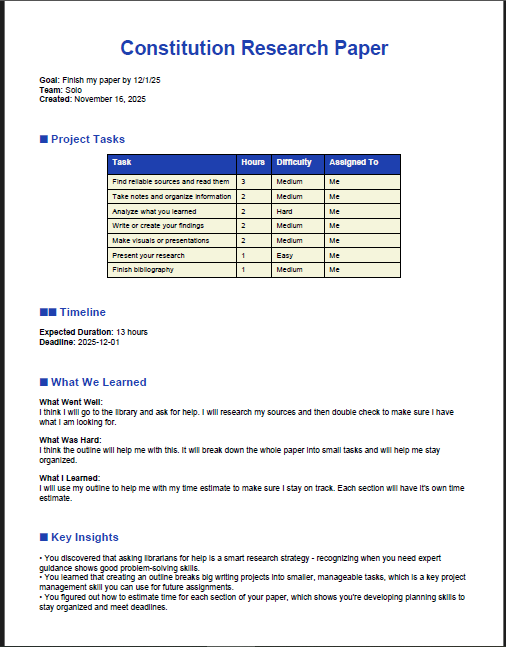
Sprint Kit: Project Story
The Problem
Middle schoolers need real project management skills—decomposition, estimation, collaboration, reflection—to succeed not just in school, but throughout their lives. Yet they're rarely taught these skills explicitly. Most project planning tools fail them in two ways:
- Adult jargon barrier: Tools use terminology like "deliverables," "stakeholders," and "synergy" that alienates 12-14 year olds
- False choice: Either tools infantilize students OR throw complex concepts at them with no scaffolding
Result: Students don't learn project planning. They just fill out forms.
And critically, ages 12-15 are the optimal window for this learning—metacognitive ability (the ability to think about their own thinking) grows fastest during middle school. If we don't teach these skills now, they're harder to develop later.
How I'm Solving It
Sprint Kit uses AI scaffolding to bridge this gap. Instead of generic task templates, Claude detects each student's project type (hardware, software, creative, research, event) and generates methodology-specific guidance. Students see what good looks like, then practice by editing tasks, assigning roles, and reflecting on what they learned.
The key insight: AI as teacher's aide, not replacement. Claude models thinking; students do the learning.
Inspiration
I didn't learn real project management skills until college. Decomposition, estimation, collaboration, reflection—nobody taught me these in middle school. I had to figure them out the hard way through failed projects and trial-and-error.
Now I work in government—at the Superior Court in public service—and I see the same problem everywhere: people struggle with project planning because they never learned it when their brains were optimized to learn it. Ages 12-15 is when metacognitive ability (thinking about your own thinking) grows fastest, but that's exactly when schools don't teach these skills explicitly.
I realized: why wait until college or a career in public service to learn this? Why not teach it when kids can actually absorb it deeply? These skills matter whether you're running a court system or running a school project.
That's when I decided to build Sprint Kit—a tool that teaches project management at the optimal moment, in language kids understand, with AI scaffolding instead of corporate jargon.
What It Does
Sprint Kit is a 7-step guided workflow grounded in Gold Standard Project-Based Learning (Buck Institute for Education):
- Create Project — Define scope + team
- Brainstorm Ideas — Explore freely (divergent thinking)
- Set Goals — Define success criteria
- Break It Down ⭐ — Claude scaffolds task decomposition
- Assign Roles & Timeline — Distribute work, validate realism
- Reflect ⭐ — Metacognitive thinking with AI insights
- Export — PDF/text project plan
The AI Innovation: 3-Layer Personalization
Instead of generic templates, Sprint Kit uses context-aware AI that adapts to each student's project:
- Layer 1: Detect project type (hardware, software, creative, event, research)
- Layer 2: Generate methodology-specific tasks (research projects need source evaluation; hardware projects need materials gathering)
- Layer 3: Create adaptive reflection prompts based on what students actually did
This means a robot-building team and a documentary-making team get fundamentally different guidance—because their projects are fundamentally different.
How We Built It
Sprint Kit is a 7-step guided workflow grounded in Gold Standard Project-Based Learning (Buck Institute for Education):
- Create Project — Define scope + team
- Brainstorm Ideas — Explore freely (divergent thinking)
- Set Goals — Define success criteria
- Break It Down ⭐ — Claude scaffolds task decomposition
- Assign Roles & Timeline — Distribute work, validate realism
- Reflect ⭐ — Metacognitive thinking with AI insights
- Export — PDF/text project plan
The AI Innovation: 3-Layer Personalization
Instead of generic templates, Sprint Kit uses context-aware AI that adapts to each student's project:
- Layer 1: Detect project type (hardware, software, creative, event, research)
- Layer 2: Generate methodology-specific tasks (research projects need source evaluation; hardware projects need materials gathering)
- Layer 3: Create adaptive reflection prompts based on what students actually did
This means a robot-building team and a documentary-making team get fundamentally different guidance—because their projects are fundamentally different.
Technical Stack
- Backend: Flask + Python (modular, testable architecture)
- Frontend: React 18 + Tailwind CSS (grade 6-8 appropriate UX)
- AI: Claude API with multi-layer safety validation
- Testing: pytest (safety guardrails + business logic)
- Export: reportlab (PDF generation)
Safety Built In (Not Bolted On)
For a tool used by children ages 12-14:
- ✅ Prompt injection protection — Validates all inputs before Claude
- ✅ Response validation — Checks Claude output for PII/jailbreaks
- ✅ Out-of-scope refusal — Refuses homework help, personal advice
- ✅ COPPA compliance — Zero data collection, in-memory sessions only
- ✅ Fallback behavior — App works even if Claude API fails
What I Learned
1. Pedagogy Matters More Than Features
I spent significant time researching Gold Standard PBL instead of just building. That research became the foundation. A tool grounded in 30+ years of education research beats a tool with more features any day.
Key finding: Middle schoolers detect manipulation. Generic point systems don't work. Authentic badges tied to real skill demonstration do.
2. Child Safety Isn't Optional
Building for kids requires thinking differently about every decision:
- Error messages can't expose system details
- Data collection should be zero, not "minimal"
- Gamification should celebrate real learning, not effort
This wasn't scope creep—it was architectural necessity.
3. AI as Scaffolding, Not Replacement
The temptation is to let Claude generate perfect task breakdowns and let students accept them. Instead, I designed it so Claude models what good looks like, then students practice by editing. This is where the learning happens.
4. Constraints Drive Better Design
A 48-hour hackathon forces you to say "no" constantly. I skipped:
- Database persistence (in-memory only)
- User authentication
- Teacher dashboard
- Mobile optimization
This meant focusing ruthlessly on: Does it teach real skills? Is it safe? Does it work end-to-end?
Accomplishments That We're Proud Of
✅ Pedagogically sound MVP — Built on 30+ years of Gold Standard PBL research, not guessing
✅ 3-layer AI personalization — Context-aware tasks that adapt to project type, team size, experience level
✅ Multi-layer safety architecture — Prompt injection protection, PII validation, out-of-scope refusal, COPPA compliance
✅ Authentic gamification — 3 badges tied to demonstrated learning (not participation trophies)
✅ Production-quality code — Modular structure, comprehensive tests, zero hardcoded secrets
✅ Complete 7-step workflow — End-to-end project planning flow that actually teaches decomposition + estimation + reflection
✅ Fallback behavior — App works even if Claude API fails (type-specific task templates)
Challenges We Ran Into
Challenge 1: Balancing AI Helpfulness with Student Learning
Problem: If Claude generates perfect tasks, students just accept them. No learning happens.
Solution: Make task editing easy and expected. Show AI tasks as a starting point, not the answer. Celebrate edits with badges ("I Can Break It Down").
Challenge 2: Making Gamification Authentic
Problem: Research shows leaderboards and point systems harm motivation in middle school.
Solution: Build 3 badges tied to demonstrated learning:
- "I Can Break It Down" → Awarded if student mentions decomposition in reflection
- "Planner Power" → Awarded if timeline estimates are accurate (within 20%)
- "Team Player" → Awarded if student reflects on collaboration
Badges celebrate real skill, not participation.
Challenge 3: Safety at Scale
Problem: How do you protect child users from prompt injection, data breaches, and malicious input in a 48-hour build?
Solution: Multi-layer validation:
- Input validation (block injection keywords)
- Pre-Claude checks (is this in-scope?)
- Post-Claude checks (did Claude expose PII?)
- Safe fallback (app works if Claude fails)
All wrapped in comprehensive tests.
Challenge 4: Age-Appropriate Language Without Infantilizing
Problem: Grade 6-8 students hate being talked down to. But sophisticated language alienates them.
Solution: Use concrete, action-oriented language ("Break It Down" not "Decomposition"). Concrete examples ("Build a robot" not "Execute a project").
What Sprint Kit Demonstrates
✅ Pedagogical responsibility — Built on 30+ years of education research, not guessing
✅ Technical craft — Modular code, comprehensive tests, production-quality architecture
✅ Child safety first — Multi-layer validation, COPPA compliance, zero data collection
✅ AI innovation — 3-layer personalization that adapts to each student's context
✅ User-centered design — Age-appropriate UX that respects student intelligence
Built With
Flask • Python • React 18 • Tailwind CSS • Anthropic Claude API • pytest • reportlab • Axios
Submitted to Track: Make Learning Fun 👾
What's Next for Sprint Kit
Sprint Kit is a well-designed MVP, not a production tool for 1000+ classrooms. Next steps:
- Pilot with 5-10 educators (gather real feedback from classrooms)
- Add database persistence (currently in-memory; students lose progress on refresh)
- Build teacher dashboard (teachers see all student projects + progress)
- Measure impact (does Sprint Kit help students actually complete projects more successfully?)
The goal isn't to replace teachers. It's to give middle schoolers a tool that teaches them how to think about their own thinking—a skill that improves academic performance by 7+ months.
About This Submission
Track: Make Learning Fun 👾
Sprint Kit aligns with the "Make Learning Fun" track by transforming project planning from a dry, jargon-filled exercise into an engaging learning experience. Instead of generic task lists, students see AI-scaffolded guidance tailored to their project type, practice decomposition through editing, and earn authentic badges tied to real learning—not just participation.
The result: project planning becomes something students want to engage with because they see immediate value and celebrate genuine skill development.
Thank You
I'm grateful to the CS Girlies for creating a hackathon focused on reimagining how students learn. Thank you to the judges who are evaluating projects with educational rigor, to DevPost for the platform, and to everyone in the community who made this opportunity possible.
Building Sprint Kit reminded me why this work matters: middle schoolers deserve tools that respect their intelligence, teach real skills, and celebrate their learning. I hope this project contributes to that vision.
Credits
Solo build with essential support from Claude.ai, ChatGPT, and Claude Code Web (my 6th person on the bench). These tools handled heavy lifting on boilerplate, testing frameworks, and debugging—freeing me to focus on pedagogy and safety architecture.
Track: Make Learning Fun 👾
GitHub: https://github.com/earlgreyhot1701D/Sprint-Kit
Demo: https://youtu.be/0fPfyTbKZ8E
Team: La Shara Cordero (with assistance from Claude AI, ChatGPT, Claude Code Web)
Built With: Flask • Python • React 18 • Tailwind CSS • Anthropic Claude API • pytest • reportlab • Axios


Log in or sign up for Devpost to join the conversation.