Inspiration
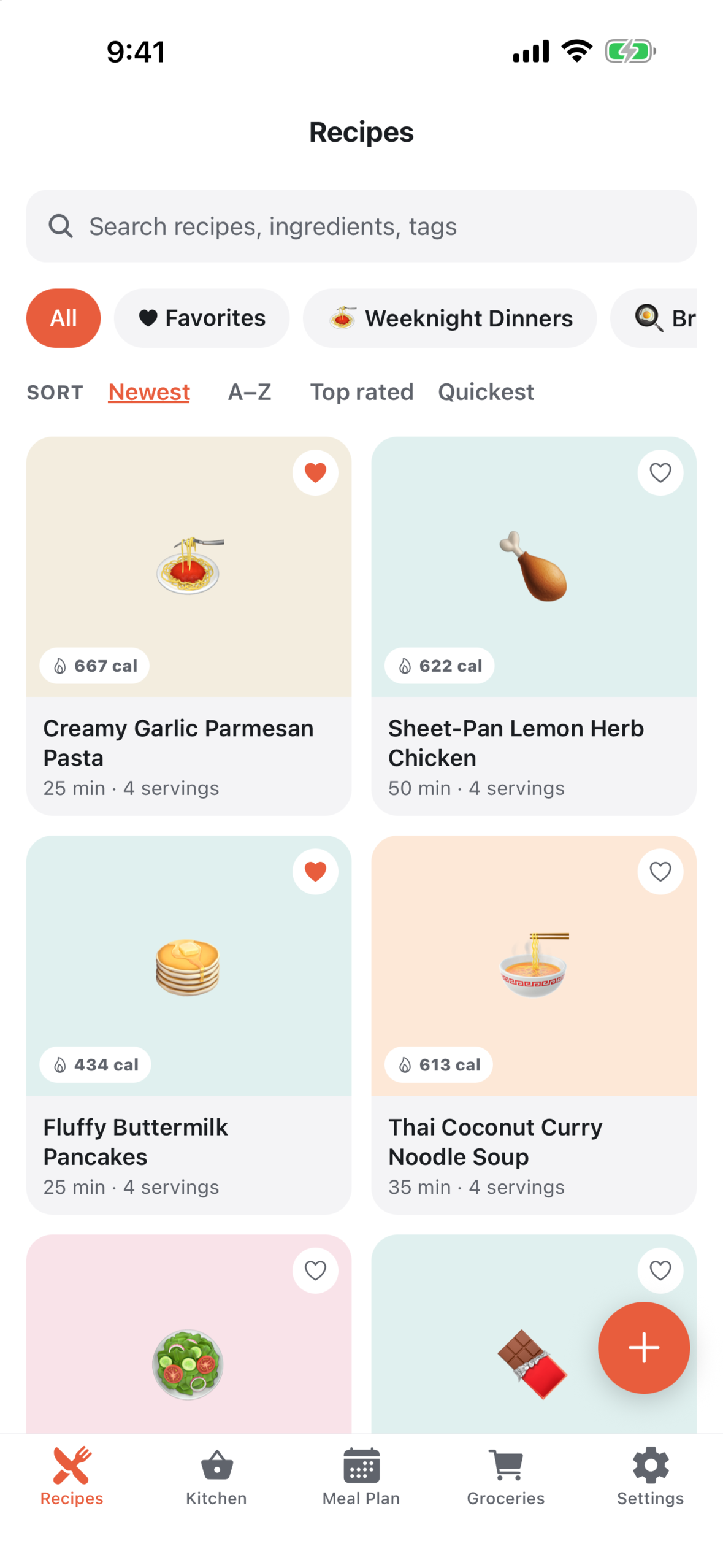
Recipes end up everywhere: bookmarked sites buried under life stories and ads, screenshots, notes, captions. None of those places helps you cook. You cannot scale a screenshot, a bookmark will not tell you what to buy, and a note will not start a timer. Sprig began as a single place that takes a recipe from wherever it was found and makes it usable in the kitchen: saved, scaled, planned and shopped for. It also had to work without an account and without a connection once the recipe is saved.
What it does
Sprig is a local-first recipe box built with Expo and React Native for iOS and Android. The Android app is live on Google Play (the iOS build is not yet released): https://play.google.com/store/apps/details?id=com.sprigapp.recipes
- Save from a link. Paste a recipe link and Sprig fetches the page on the phone and reads its schema.org recipe markup: title, photo, servings, times, ingredients, steps and, when the site publishes it, nutrition. Pages without recipe markup fall back to AI extraction, which is why link import asks for AI consent once. The import screen also accepts YouTube and TikTok links, and Sprig registers as a share target, so a link or photo can be sent to it from a browser or another app.
- Save from text or a photo. Pasted text (from a note or a caption) is split into ingredients and steps by an on-device parser, with no AI involved. A photo of a cookbook page, recipe card or screenshot is read by AI.
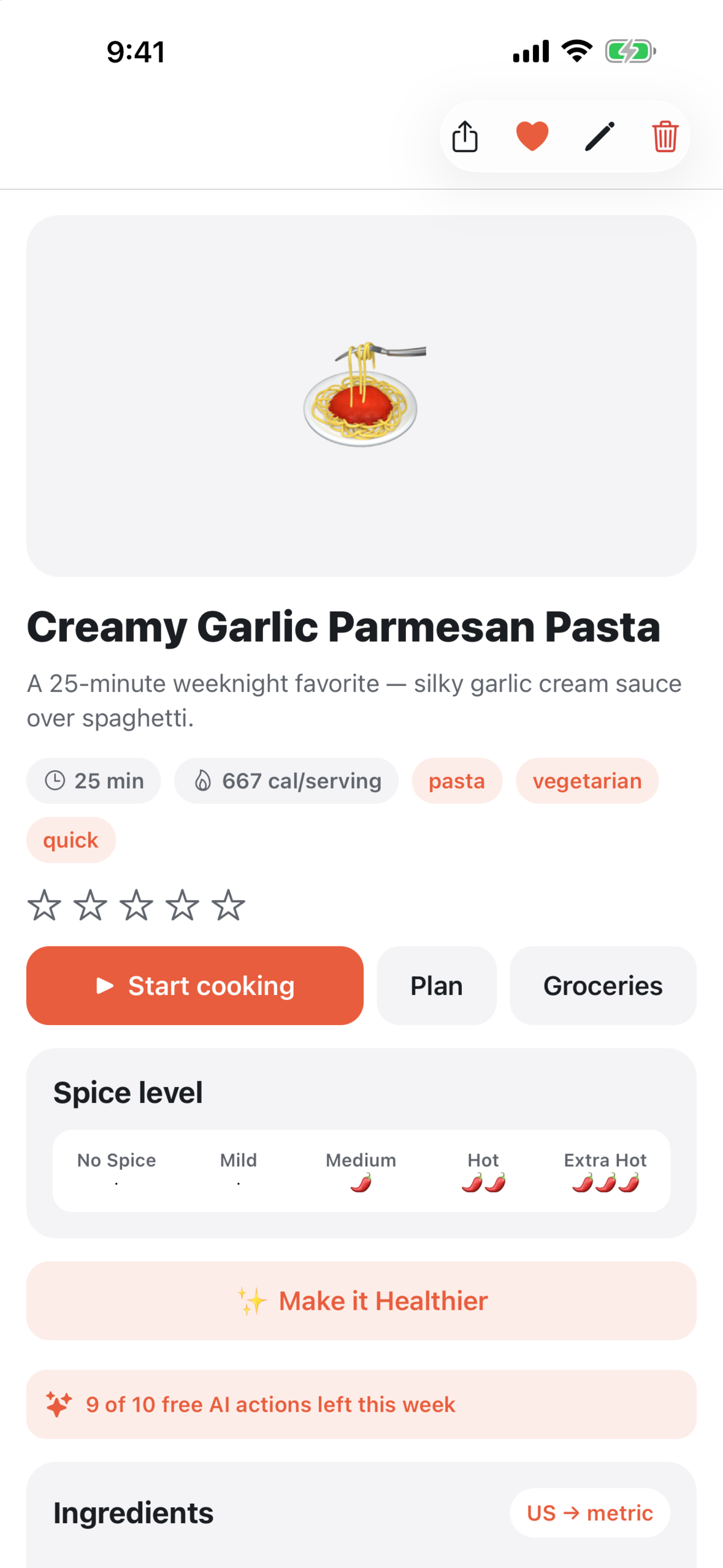
- Scale and convert. Every ingredient is parsed, not just stored. Step the servings up or down and every quantity recomputes. Flip the whole recipe between US units (cups, ounces) and metric (millilitres, grams).
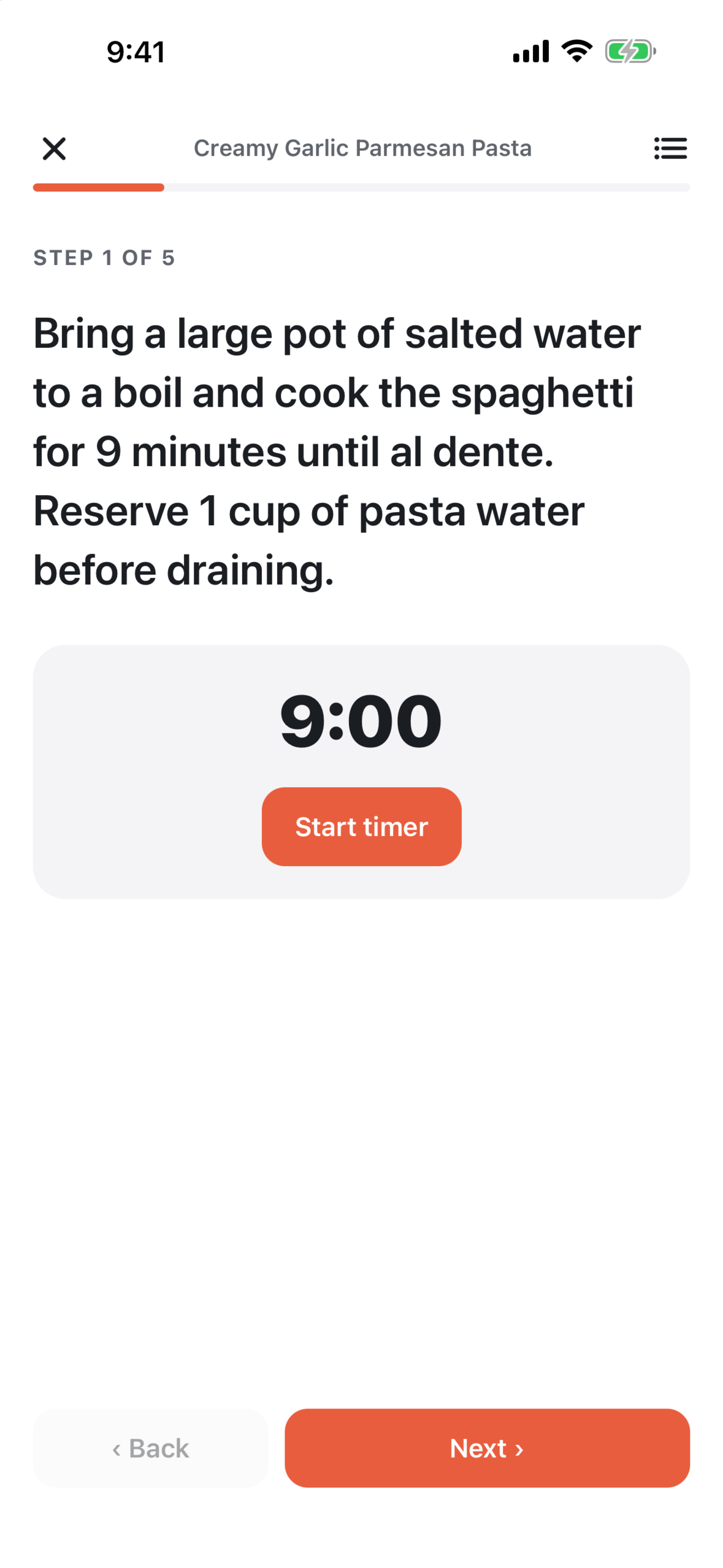
- Cook Mode. A fullscreen, step-by-step view that keeps the screen awake and finds the timers written into the steps: "cook the spaghetti for 9 minutes" becomes a 9:00 countdown that starts with one tap.
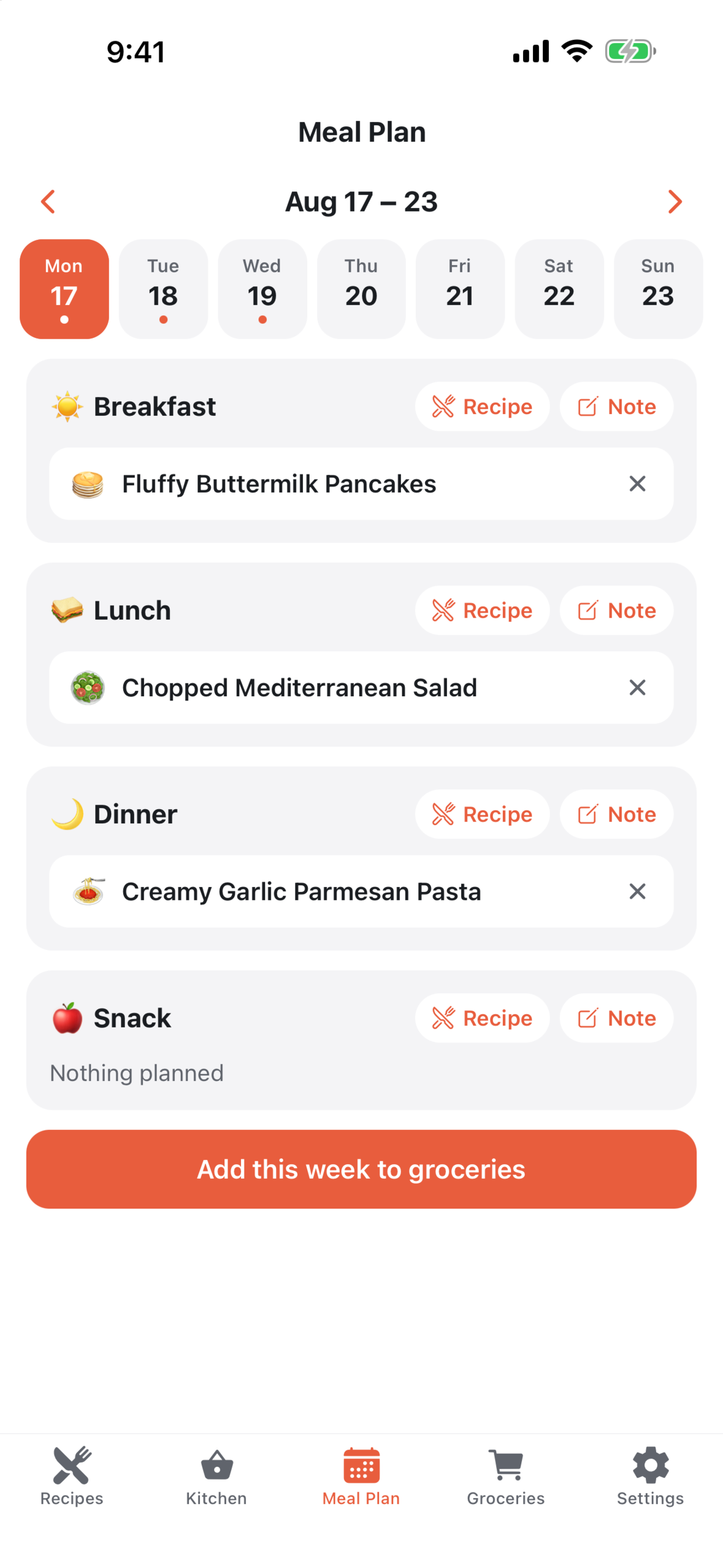
- Plan the week. A Monday-to-Sunday planner with breakfast, lunch, dinner and snack slots. "Add this week to groceries" sends every planned recipe's ingredients to the list in one tap, including any swaps you made.
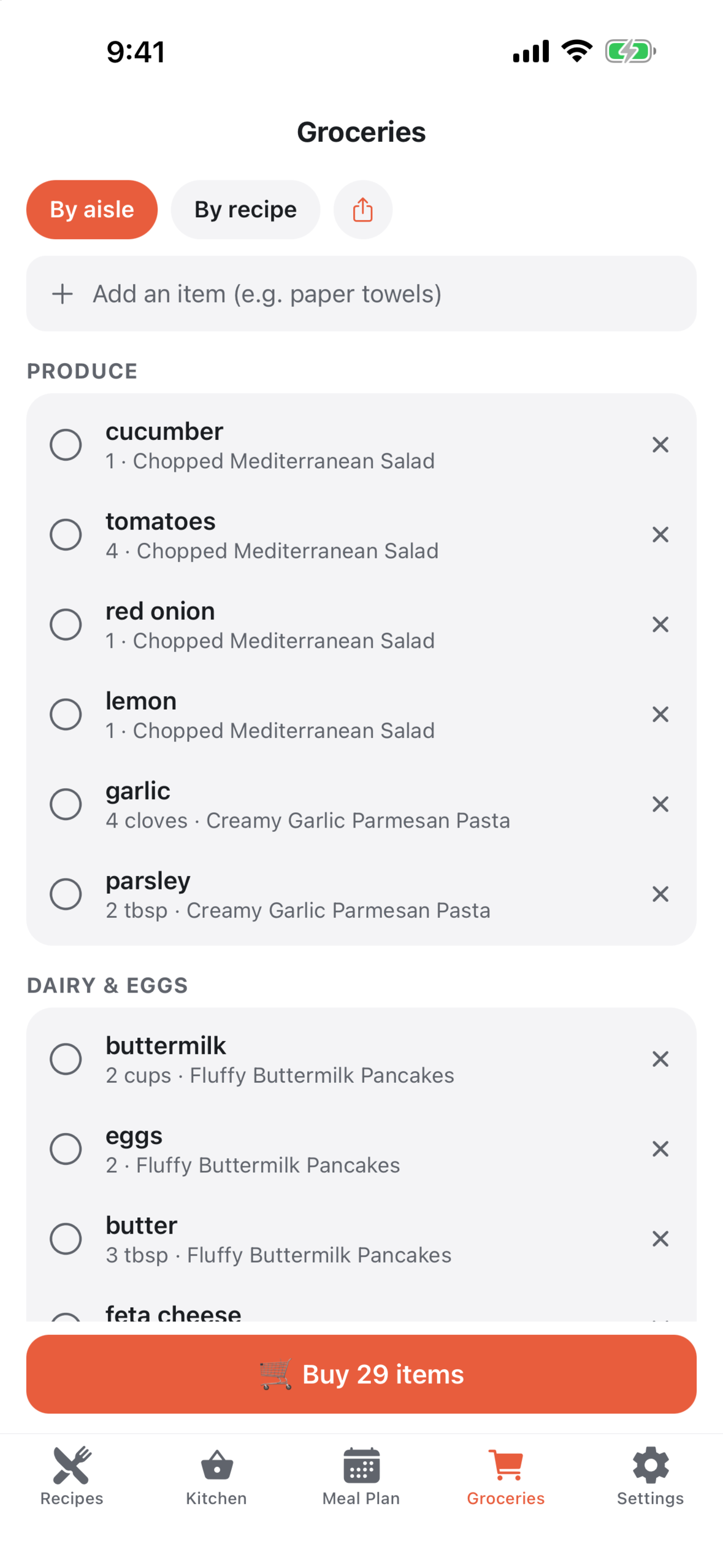
- Shop by aisle. The grocery list groups itself by supermarket aisle (or by recipe). The same item in the same unit merges into one line that lists its recipes, so garlic from two recipes becomes one line of 7 cloves. Share the list, or search Whole Foods, Amazon Fresh or Walmart for each item.
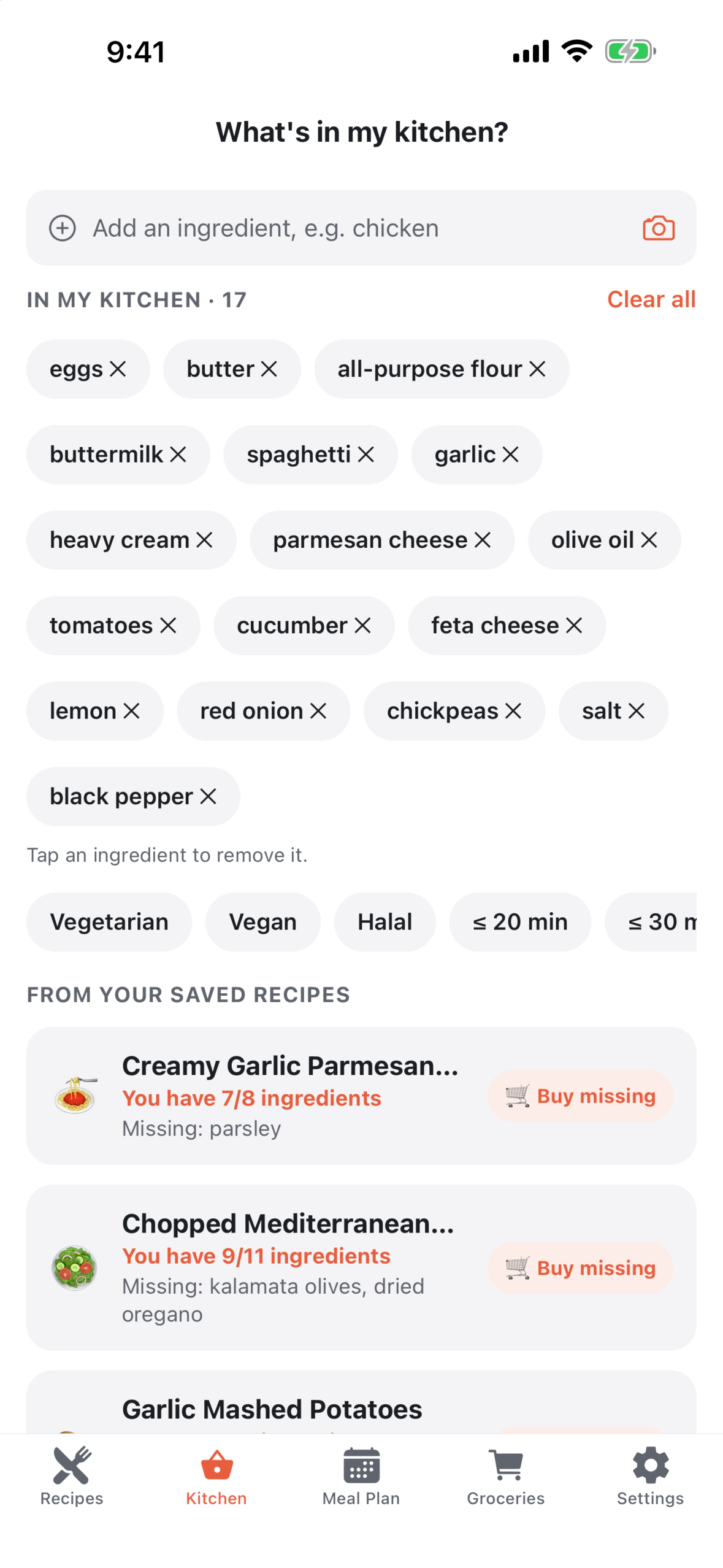
- Kitchen. Keep a pantry list, typed or scanned from a photo, and see which saved recipes you can already make and what is missing. Ask "What can I cook?" for AI ideas, with diet and time filters.
- Optional AI. "Make it Healthier" swaps, "Make it without…" (pick what to avoid, such as dairy, gluten, eggs, nuts, soy, shellfish or meat, and get targeted swaps that revert with one tap), spice-level tuning, pantry photo scans, recipe ideas and recipe-from-photo. AI runs through a Supabase Edge Function, so no AI key ships in the app, and nothing is sent until the user agrees on a consent screen.
- Local-first. Recipes, the meal plan, the grocery list and Cook Mode work offline. Link and photo imports and AI need a connection (pasted text is parsed on the device). No account is needed for anything; signing in (Google on Android, Apple or Google on iOS) only backs recipes up and syncs them between devices.
How RevenueCat powers it
- SDK:
react-native-purchases. Every RevenueCat call lives in one module,src/lib/purchases.ts; the rest of the app never calls the SDK (the paywall imports only a type). It is configured at startup with the platform's public SDK key. Development builds use RevenueCat's Test Store instead, and nothing in a release build can grant Premium without a store transaction (the demo toggles are compiled out by__DEV__). - Entitlement: a single
premiumentitlement is the only source of truth.premiumFromCustomerInfo()readsCustomerInfo.entitlements.active.premiumand derives the plan (monthly, annual or lifetime) and purchase date from it. - Offering and packages: the
defaultoffering carries$rc_monthly,$rc_annualand$rc_lifetime. The app usesofferings.currentand falls back to thedefaultoffering if the dashboard's Current flag ever moves. Plan prices come from the store product, localized, and the annual per-month figure is computed from the store price rather than hardcoded. - Paywall: purchases go through
Purchases.purchasePackage(). Cancelled, pending (Play's deferred payments) and completed purchases each get their own handling, so a paid-but-pending purchase is never treated as a cancel. "Restore purchases" callsPurchases.restorePurchases(), iOS also offers Apple's offer-code redemption sheet, and the auto-renew terms plus Terms and Privacy links sit on the paywall itself. The paywall opens when the weekly import or AI allowance runs out, at the free cookbook limit, from the allowance banners, and from Settings → Membership → Go Premium 👑. - Introductory offers from the store: the paywall reads
product.introPrice. If a free trial exists, it badges that plan FREE TRIAL, selects it, changes the button to "Start 7 days free" (or whatever the store says) and prints the trial disclosure. On iOS it first checkscheckTrialOrIntroductoryPriceEligibility; on Android, Play resolves eligibility in its own sheet. A trial can therefore be switched on in the store with no new build. - Live entitlement state:
getCustomerInfo()runs at cold start andaddCustomerInfoUpdateListenerhandles every later purchase, renewal and expiry, so an upgrade takes effect mid-session with no restart. - Identity: signing in calls
Purchases.logIn()with the Supabase user id and signing out callslogOut(), so Premium follows the account to a new device. Users who never sign in keep an anonymous RevenueCat id, and "Restore purchases" re-applies Premium after a reinstall. - Honest store errors:
storeFailureReason()maps RevenueCat error codes (the Android and iOS spellings differ) to network, billing, store, configuration and receipt failures, so the paywall and restore give advice that matches the real cause. Play's BILLING_UNAVAILABLE, for example, is reported as "Purchases are not available on this device right now — this is not your connection", which the demo video shows on an emulator with no Google account. - What Premium unlocks: unlimited recipe imports (free: 3 per week), unlimited AI actions (free: 10 per week, a photo counts as 2), unlimited personal cookbooks (free: 3), and no ads.
- Server side: there is no RevenueCat webhook and no server-side entitlement check. Premium and the free-tier allowances are enforced in the app; the AI Edge Function applies its own rate limits (per user, or per IP when signed out).
Monetization model
Sprig is free to download and use, with no account. The free tier is supported by Google AdMob ads (a banner on the Recipes, Meal Plan and Groceries tabs, plus an occasional full-screen ad after finishing Cook Mode) and has weekly allowances for imports and AI. Sprig Premium, sold only through RevenueCat as a monthly or annual subscription or a one-time lifetime purchase, removes the ads and every free-tier limit. Prices are set in the store and shown to each user in their local currency.
How we built it
Expo SDK 57 and React Native 0.86 in TypeScript, with Expo Router (typed routes) and the React Compiler. State lives in Zustand, persisted on the device. Supabase provides sign-in, sync and the Edge Function that proxies AI requests to OpenAI. RevenueCat (react-native-purchases) handles subscriptions and the lifetime purchase, Google AdMob serves the free tier's ads, expo-share-intent makes Sprig a share target, and expo-keep-awake keeps Cook Mode on screen. Recipe import is an on-device parser for schema.org JSON-LD, microdata and common recipe-plugin markup, with AI only as a fallback. The project has over 800 Jest tests.
Testing instructions for judges
- Install Sprig Recipes from Google Play: https://play.google.com/store/apps/details?id=com.sprigapp.recipes. No account or login is needed. A short onboarding asks about diet, cooking time and units (you can tap Skip), and the library starts with sample recipes.
- The core features work offline on the free plan. Open a recipe, change the servings, tap "US → metric", then tap "Start cooking" and start a timer. In Meal Plan, add a recipe to a slot, tap "Add this week to groceries" and open Groceries.
- To import, tap + → Paste a link and paste a recipe page URL. Sprig asks for AI consent once. The free plan allows 3 imports a week.
- To open the paywall, go to Settings → Membership → Go Premium 👑, or try a 4th import in the same week.
- Premium: buy it on the paywall through Google Play (monthly, annual or one-time lifetime). There is no promo-code field in the Android app. If Google Play offers your account an introductory free trial, the paywall badges that plan FREE TRIAL and the button changes to start the trial.
- What to check once Premium is active: Settings → Membership shows a 👑 "Premium active" row, imports and AI actions are unlimited, more than 3 personal cookbooks can be created, and the ads are gone. "Restore purchases" on the paywall re-applies Premium after a reinstall, and Settings links to Google Play to manage or cancel the subscription.
Built With
- admob
- expo-router
- expo.io
- openai
- react-native
- revenuecat
- supabase
- typescript
- zustand

Log in or sign up for Devpost to join the conversation.