-
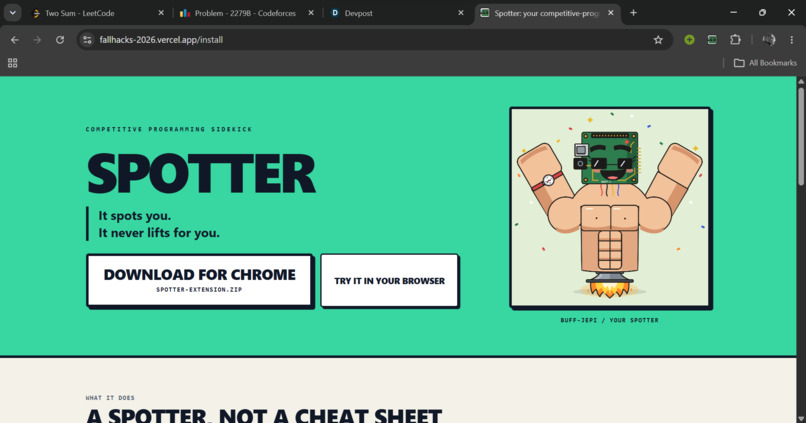
Landing Page
-
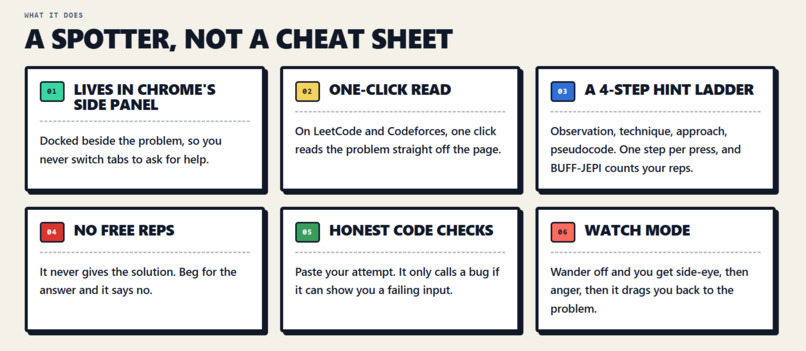
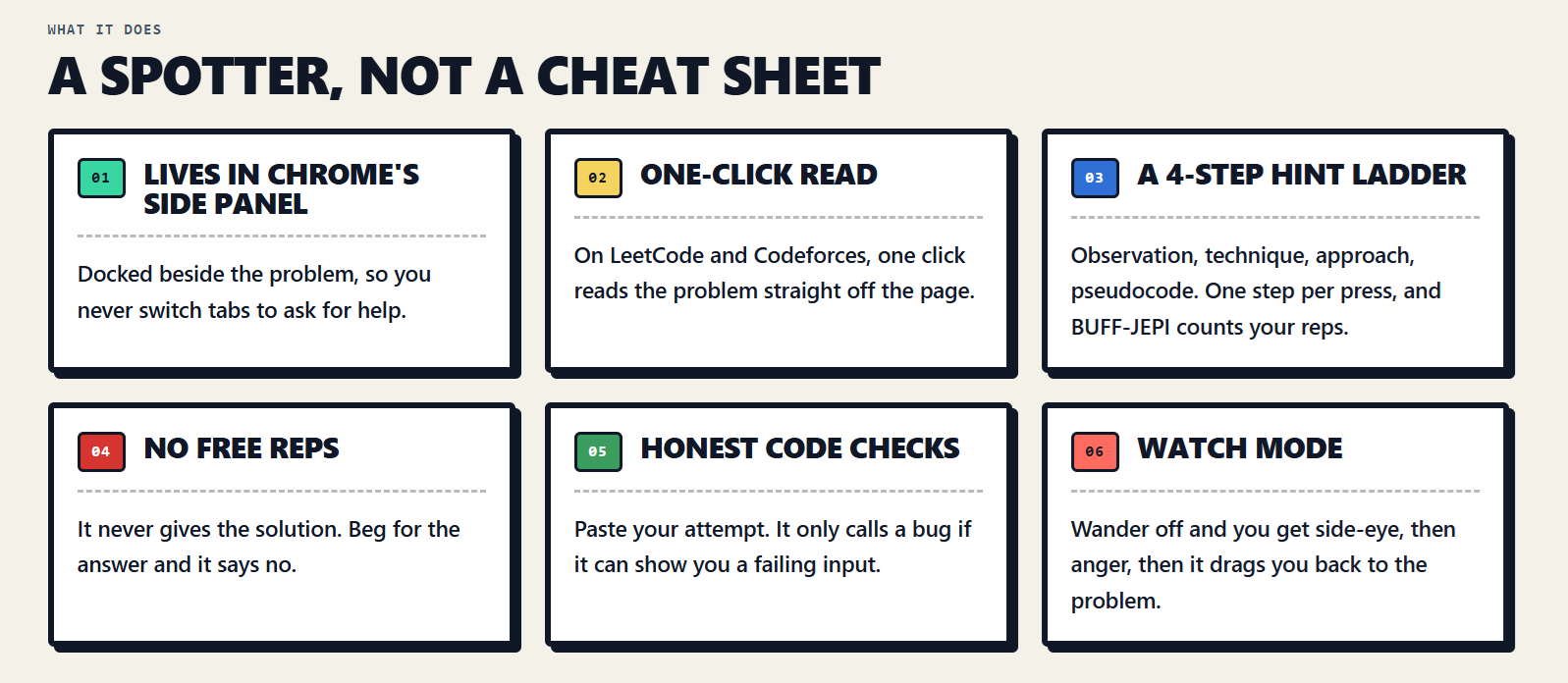
What BUFF-JEPI does
-
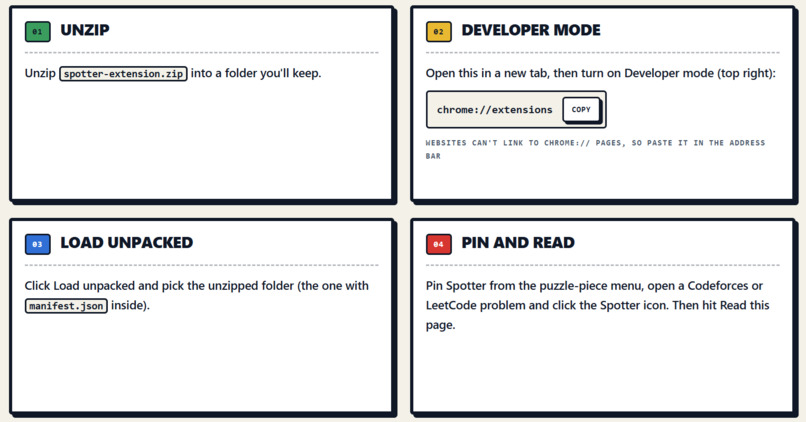
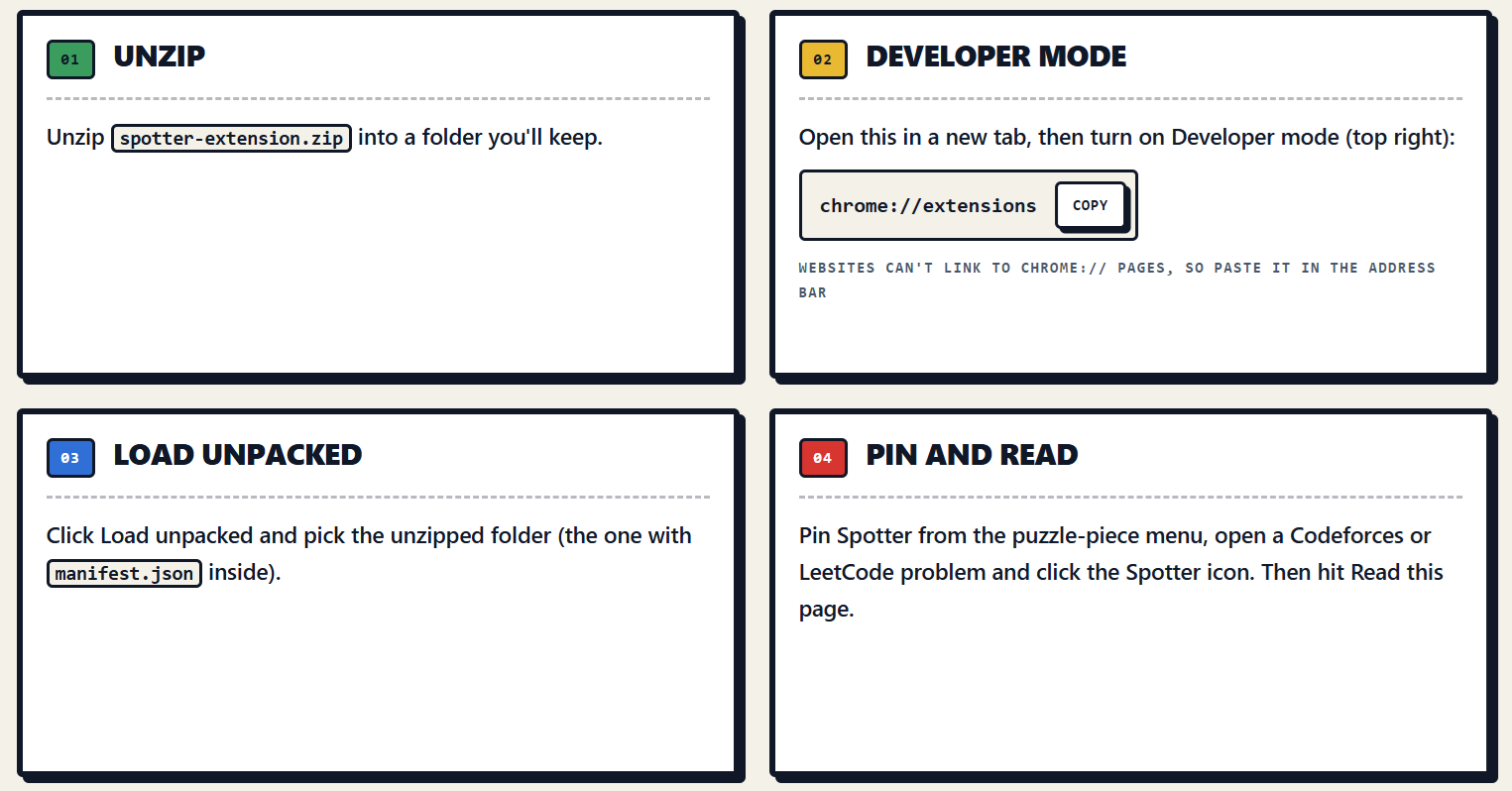
Setup tutorial
-
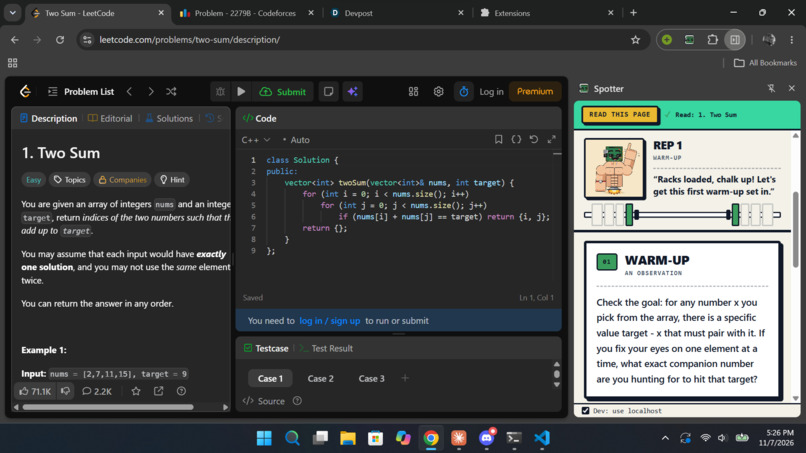
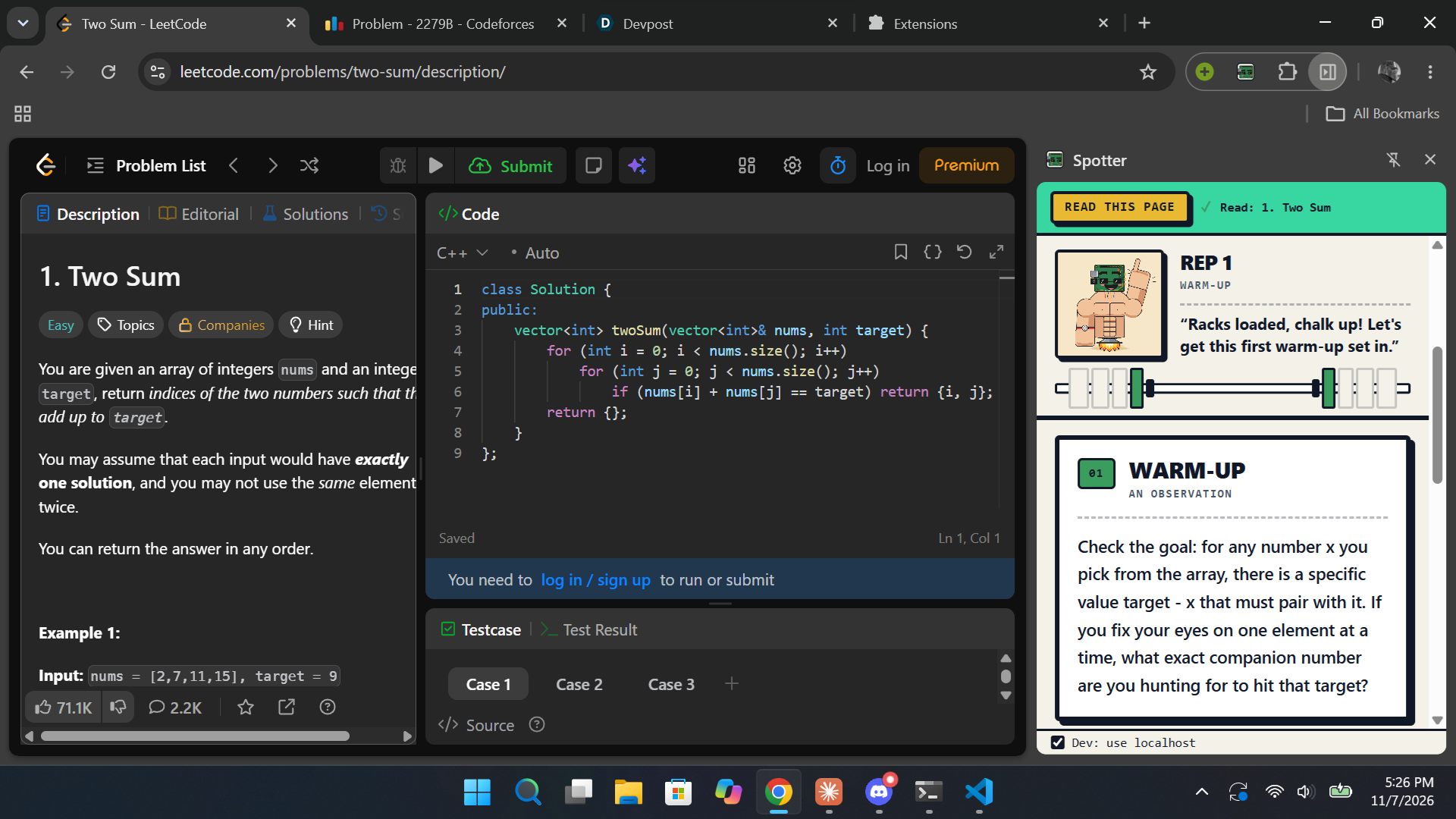
LeetCode demo
-
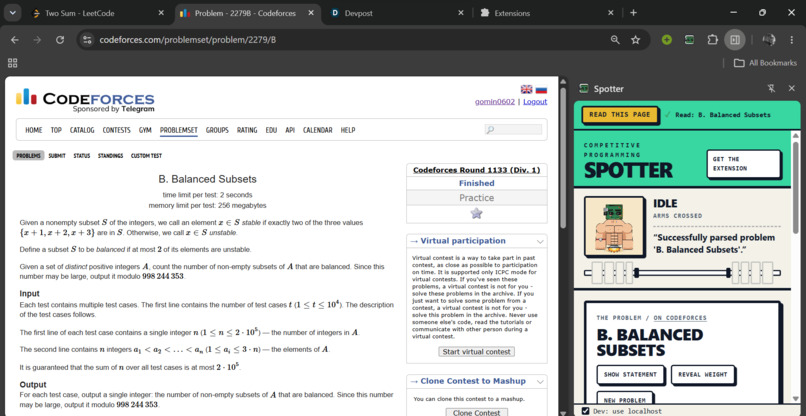
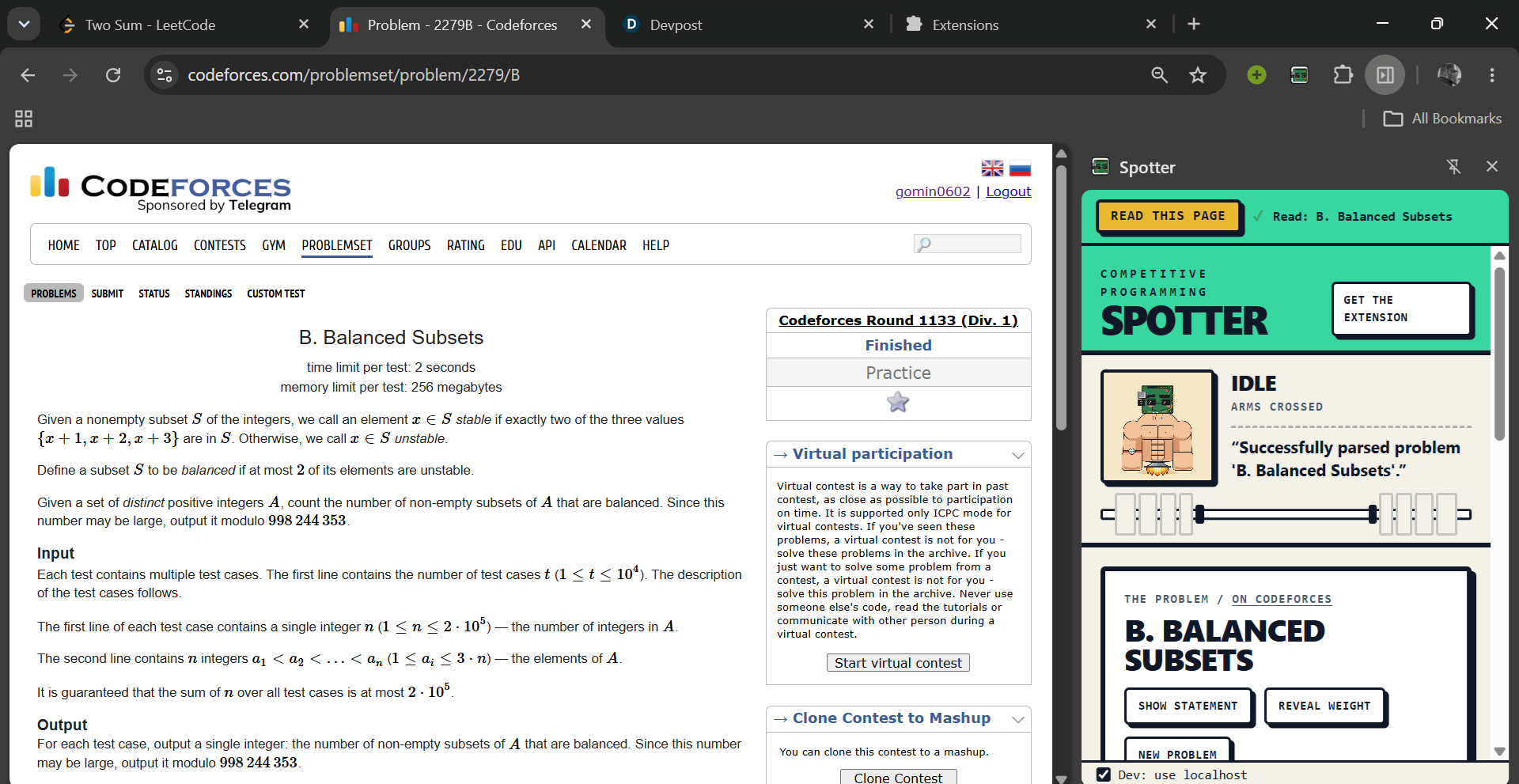
Codeforces demo
-
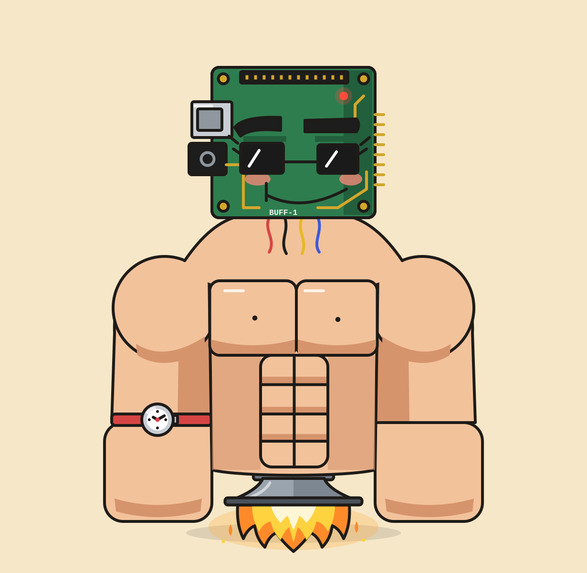
BUFF-JEPI
Our first hackathon, built in one day by two first-time hackers, powered by the Google Gemini API.
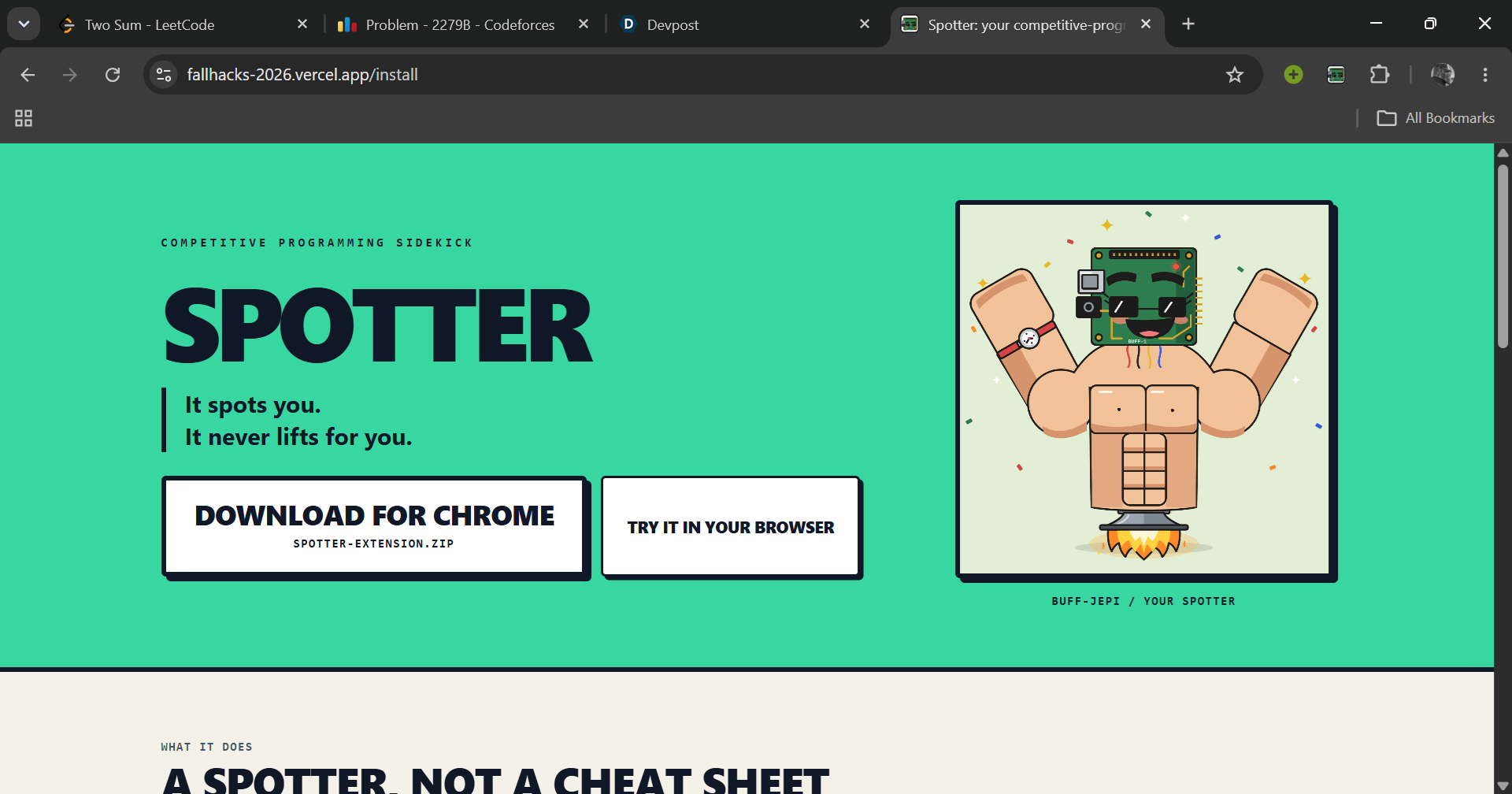
Try it: install the Chrome extension in about a minute at fallhacks-2026.vercel.app/install, or use the website directly.
Inspiration
We both do competitive programming and are prepping for ICPC on the 14th, so we wanted to build something we'd actually keep using after today. When you're stuck on a LeetCode or Codeforces problem you have two bad options: stare at it for two hours, or open the editorial and learn nothing. Somewhere in between, YouTube happens. AI chatbots make it worse: one prompt and they hand you the full solution. We looked for a tool that gives graduated hints right next to the problem and keeps you honest, and couldn't find one. That's exactly what a sidekick is: someone at your side who has your back but lets you be the hero. So we built a training partner that works like a gym spotter: it helps exactly as much as you need and never lifts the weight for you.
What it does
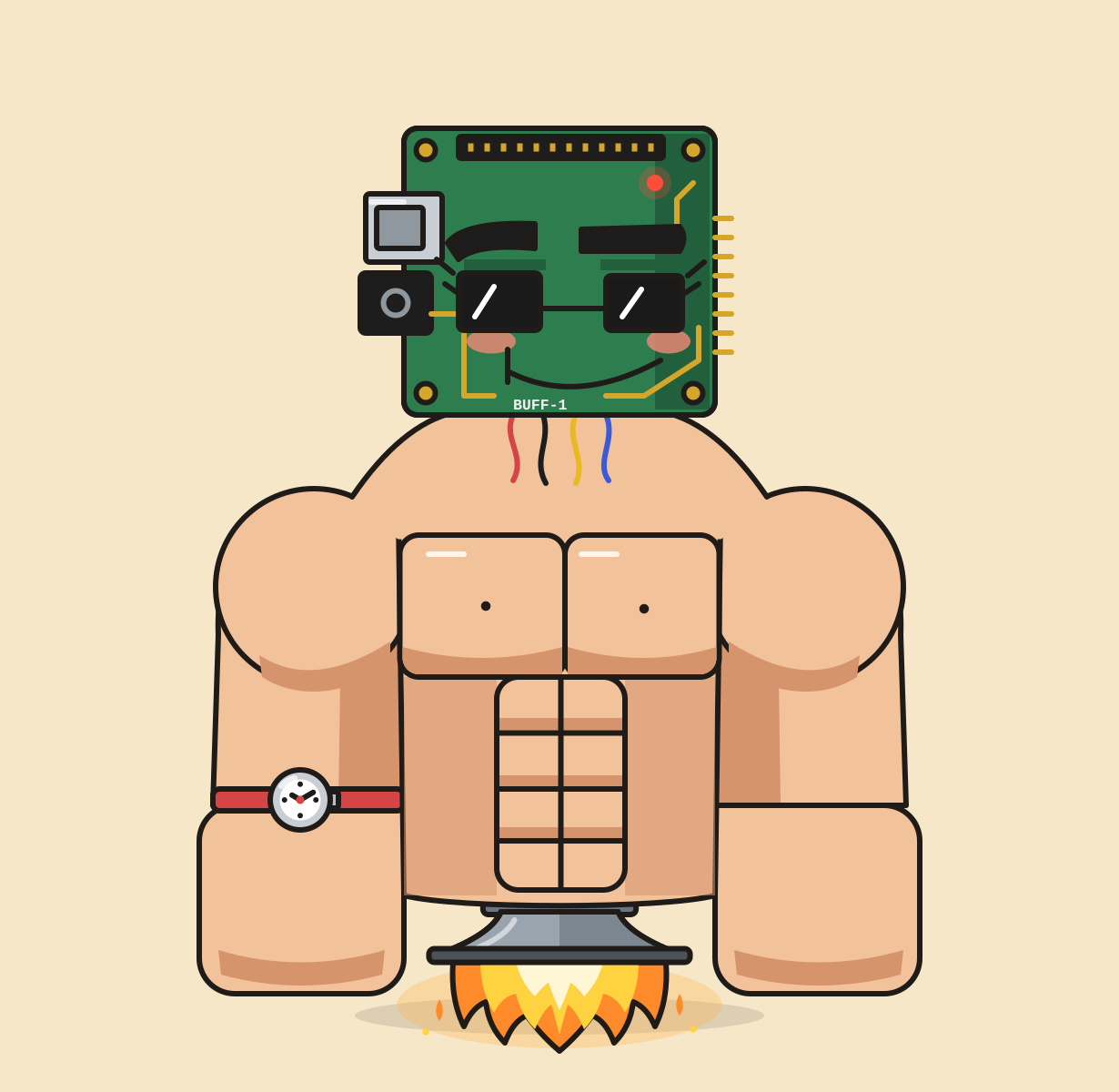
Spotter is a Chrome extension that lives in the browser's side panel, right next to the problem. It's literally a side-kick. Your spotter is BUFF-JEPI, a hand-drawn robot gym bro whose mood changes with what you do.
- Read this page: one click pulls the problem statement, title and difficulty off LeetCode or Codeforces. You can also paste a screenshot with Ctrl+V, paste the text, or grab your screen.
- Hint ladder: four steps, revealed one at a time: Warm-up (an observation), Form check (the technique), Spot (the approach) and Assisted rep (pseudocode with blanks). Each step loads a plate on the barbell, and BUFF-JEPI counts your reps on his fingers.
- No free reps: ask for the answer and BUFF-JEPI refuses.
- Talk to Spotter: ask about the problem or your code at any time without using up a step.
- Honest code checks: paste your code and Spotter only says it's wrong if it can show a concrete input that breaks it. Otherwise it says your logic looks right and suggests edge cases to test.
- Reveal weight: the official Codeforces rating, LeetCode's difficulty, or a Gemini estimate with a confidence level, hidden until you ask because it's a spoiler.
- Watch mode: share your screen and Spotter checks in regularly. After 15 minutes with no progress it offers you a spot. Drift off task and BUFF-JEPI gets suspicious after 15 seconds, angry after 45, and then the extension drags your browser back to the problem tab.
- I solved it: BUFF-JEPI flexes and tells you how many spots you needed.
Gemini does the thinking behind every feature: it reads the problem from text or a screenshot, writes each hint step, checks your code, judges your screen in watch mode, and estimates difficulty when there's no official rating.
How we built it
- Next.js 16, TypeScript and Tailwind, deployed on Vercel. A Manifest V3 Chrome extension hosts the app in the side panel, reads the problem straight from the LeetCode or Codeforces page, and can switch you back to that tab.
- The Gemini API (gemini-3.8-flash) runs behind four server routes: read problem, hint, watch and rating. Every call uses structured JSON output with a response schema, and vision handles screenshots and screen frames. Fast calls use low thinking; harder hint steps and code checks think longer.
- Watch mode compares two screen frames at a time to tell real progress from staring at the same code, and the browser decides when you're stuck or distracted.
- Official difficulty comes from the page on LeetCode and from the Codeforces API (cached on the server) on Codeforces.
- Hint safety has four layers: a system instruction, a schema with a single hint field, one step generated per request, and a server check that retries or blocks hints with too much code or, on step 1, named techniques.
- Privacy: watch mode only runs when you turn it on, screen frames are sent to Gemini and never stored, and Spotter is instructed never to repeat names or content it sees.
- The UI is a sticker-style design based on a Figma Make reference, with BUFF-JEPI drawn by our team.
- We built it with Claude Code and coordinated our two agents through a pinned GitHub issue used as a message board, with clear file ownership.
Challenges we ran into
- Gemini's warm-up hints kept naming the technique ("bipartite!"), so we added a banned-term check with a retry.
- The code checker once "found" a bug in correct code. We now require a concrete failing input before it can call anything a bug.
- Watch mode called people stuck after a few seconds of reading, so we switched to tracking real progress between frames.
- Watch mode flagged Spotter's own panel as a distraction.
- The extension couldn't read problem pages until we added the right host permissions.
- Codeforces rejected our first API request, so we switched to the full problem list and cached it.
- Firefox only allows screen capture if it's requested immediately inside the click handler.
Accomplishments that we're proud of
This is the first hackathon for both of us, and in one day we shipped a Chrome extension, a web app and a landing page with five Gemini-powered features. The whole day of building and testing cost about 54 cents of Gemini credit. We built the tool we wanted for our own ICPC prep, and it teaches instead of cheating.
What we learned
Structured outputs, why prompts alone aren't guardrails (you need server checks too), how to make an AI admit when it doesn't know, Chrome extension permissions, screen-capture APIs, and how to run two AI coding agents without them stepping on each other.
What's next for Spotter
Publishing to the Chrome Web Store, "Break my code" (it generates a test case your code fails), session stats, a personality slider from supportive to drill sergeant, and more online judges like AtCoder and Kattis.
Built With
- chrome
- claude-code
- codeforces-api
- figma
- gemini
- github
- google-genai
- javascript
- next.js
- node.js
- react
- tailwindcss
- typescript
- vercel

