-
-
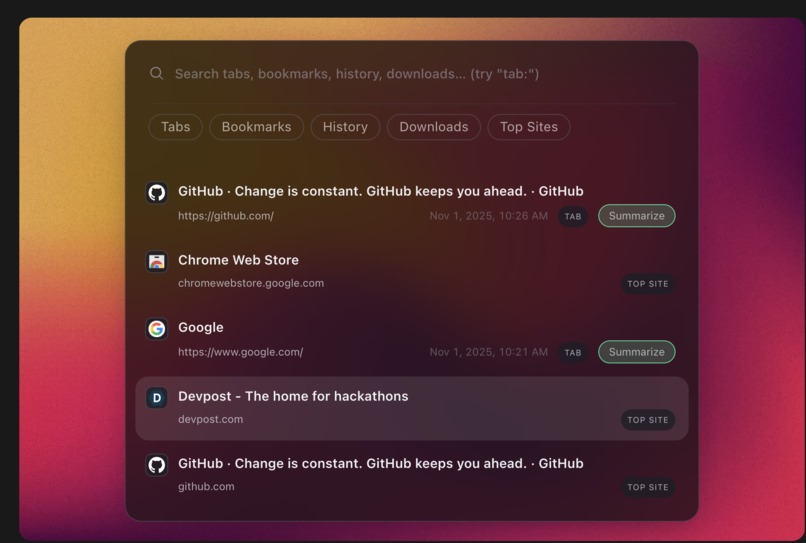
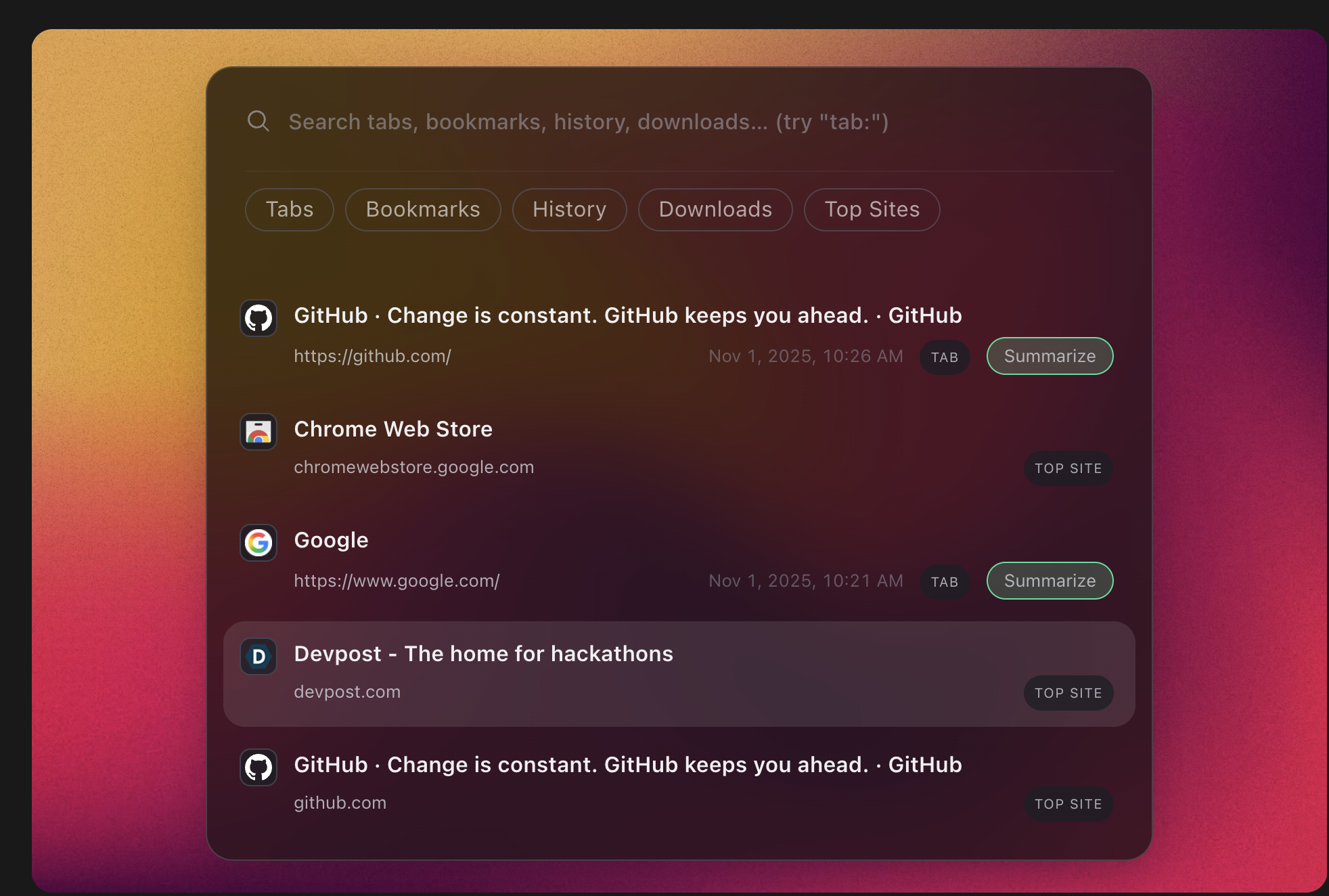
spotlight user interface
-
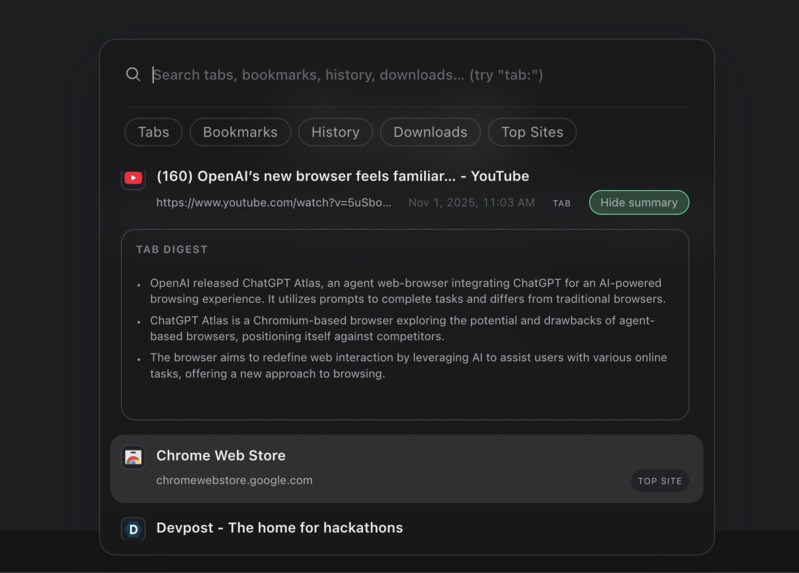
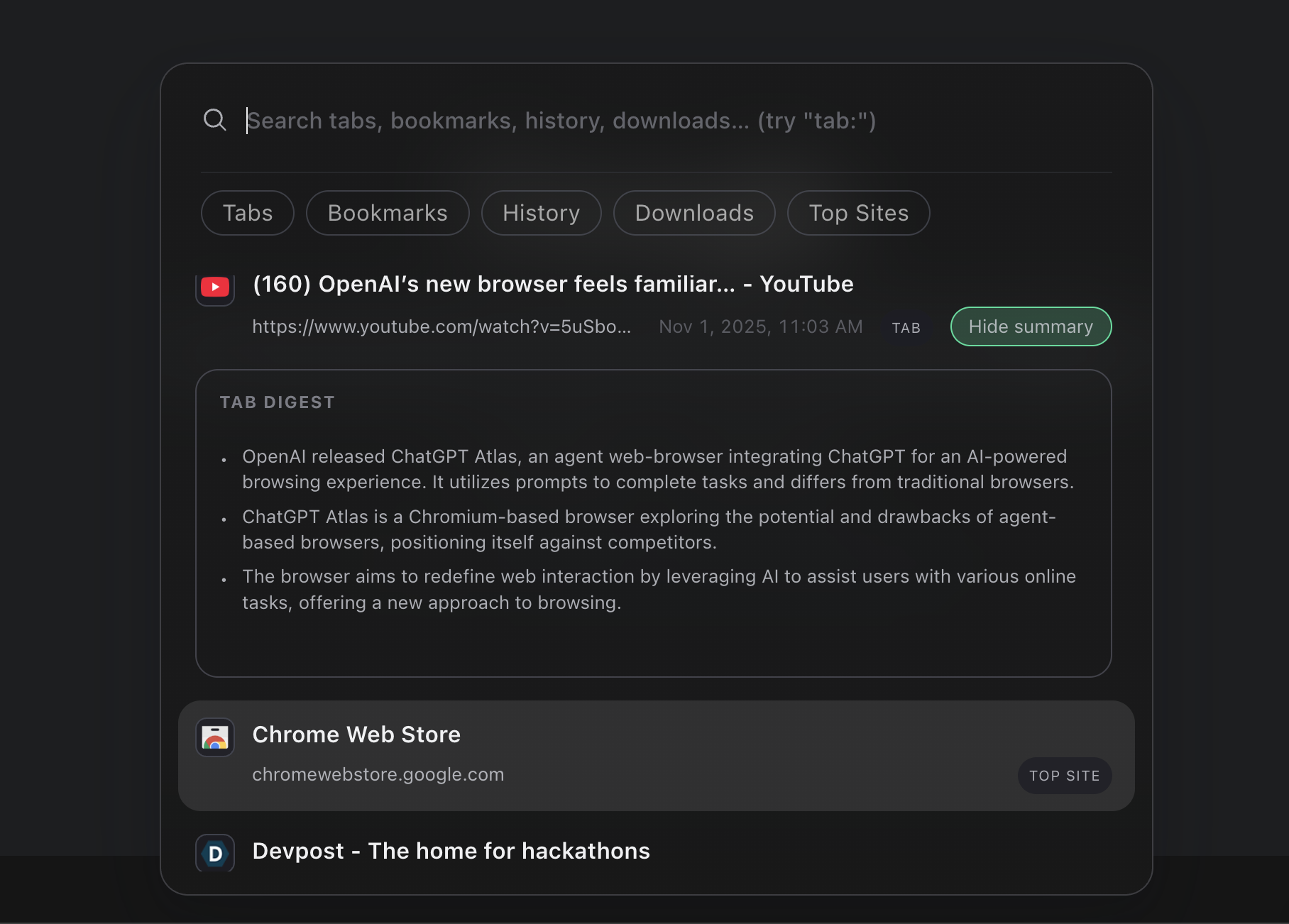
Summarize any tab, anywhere, anytime — with a single click
-
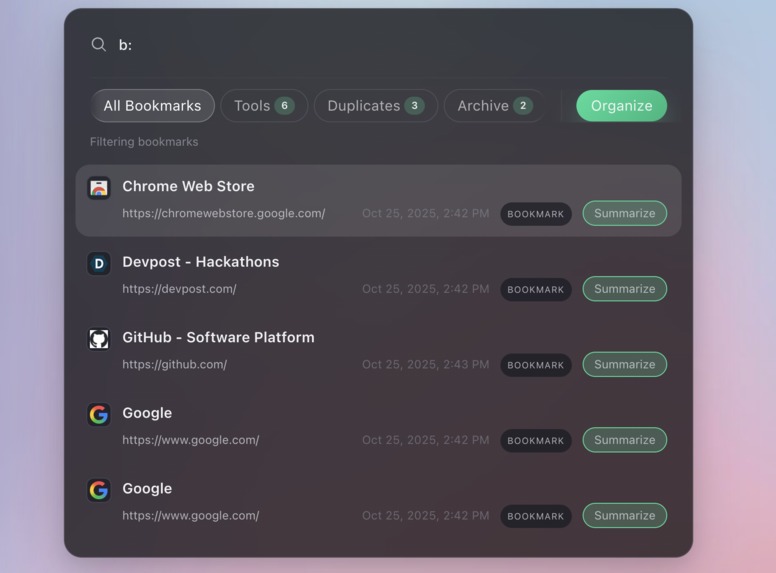
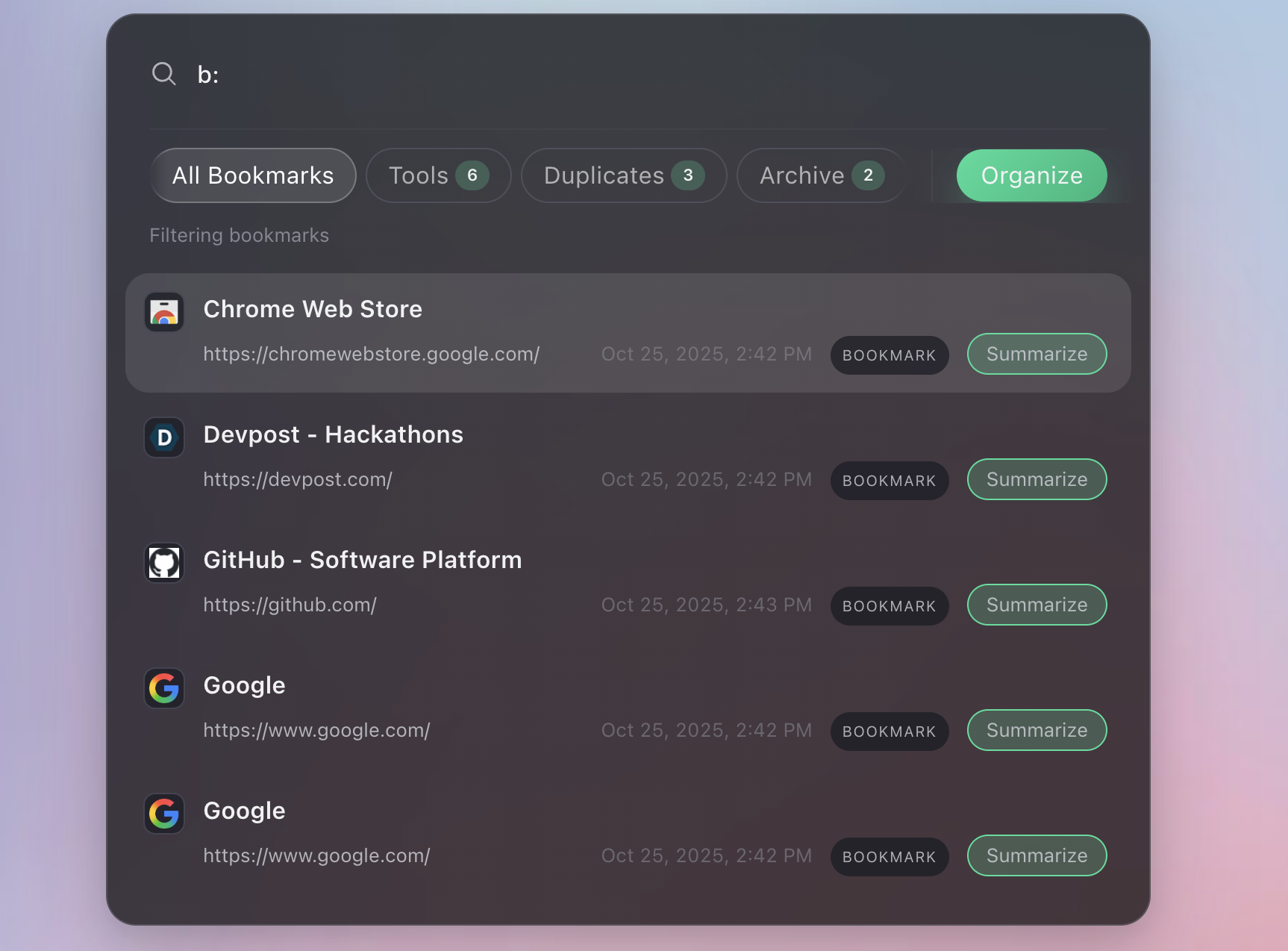
Organize your messy bookmarks into neatly arranged folders using AI.
-
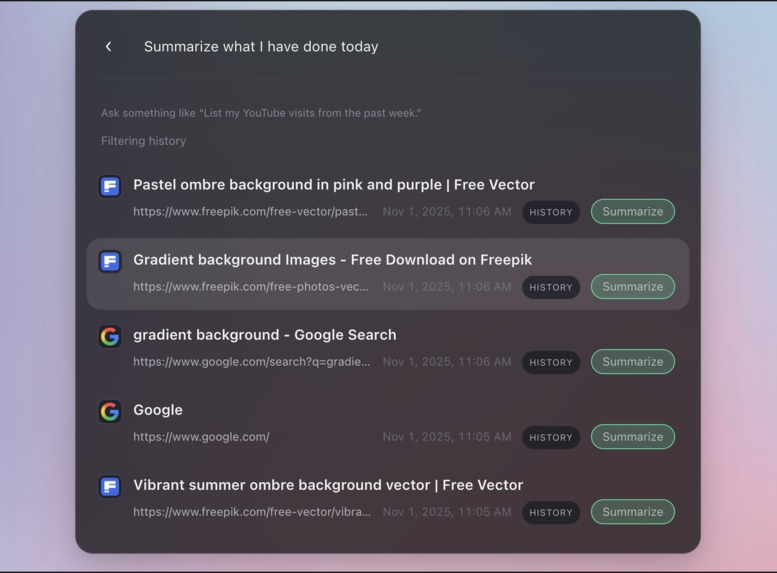
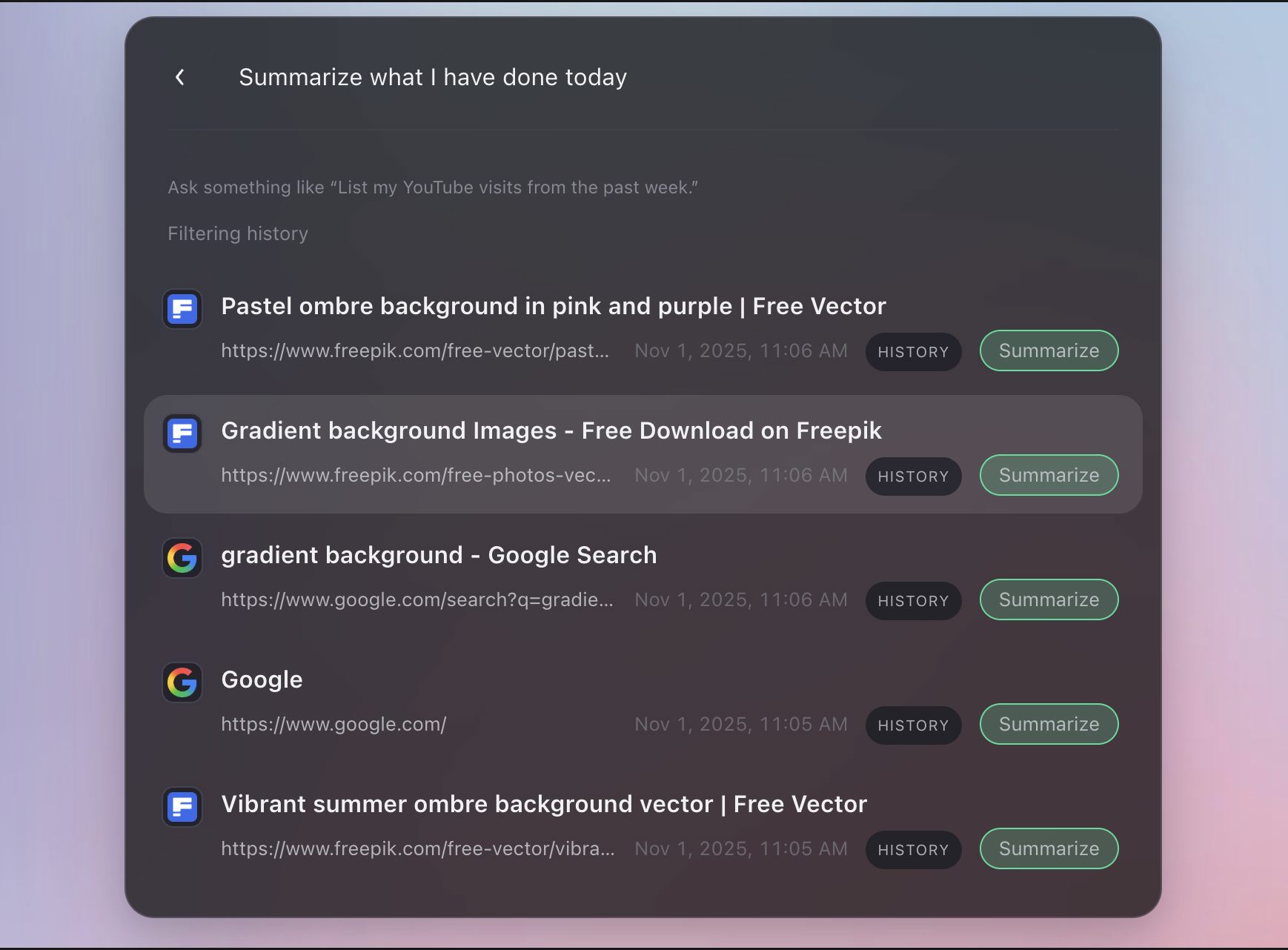
Perform tasks with Smart History Assistant — summarize your day or delete entertaining YouTube videos from the past 24 hours
-
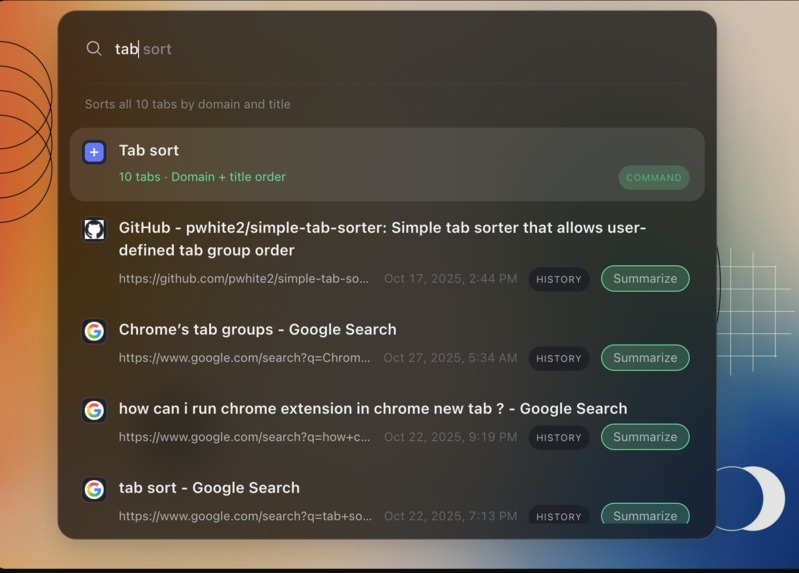
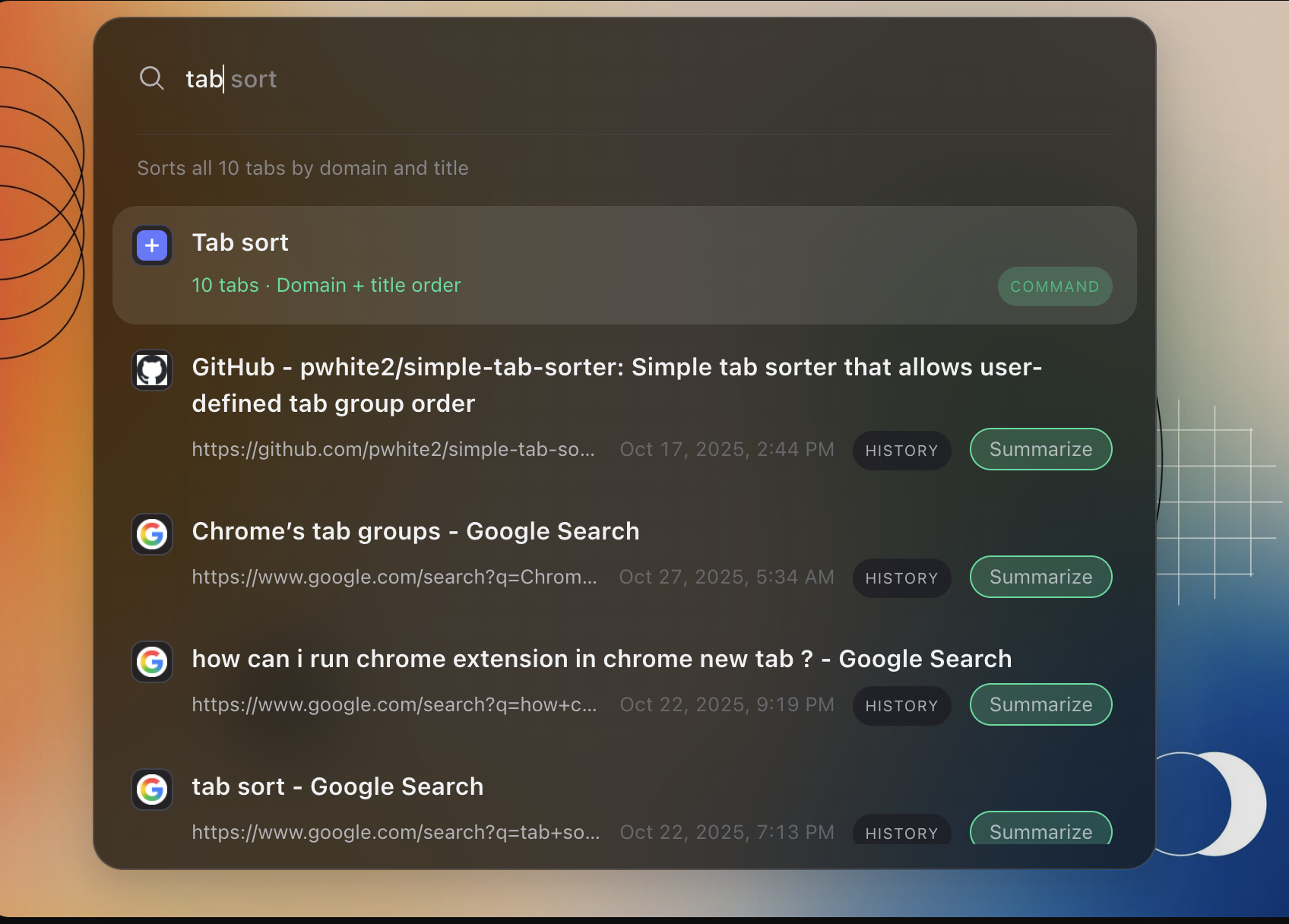
Sort your messy tabs with just one command
Chrome Spotlight: A Universal Search and Command Palette for Your Browser
I’ve always loved how macOS Spotlight feels — fast, elegant, and completely focused on what matters.
That smooth, keyboard-first flow inspired me to bring a similar experience to Chrome.
With Command + K (or Control + K on Windows), you can instantly search through your tabs, bookmarks, history, and downloads — all without ever touching the mouse.
Overview
Chrome Spotlight is a Chrome extension that adds a Spotlight-style command palette to your browser.
It’s designed for people who prefer speed, focus, and privacy.
Everything runs locally inside your browser, powered by a lightweight in-memory index that keeps your data secure and your searches lightning fast.
Under the hood, it’s built using Manifest V3, with a background service worker handling Chrome APIs and a content script overlay that renders the polished, macOS-like interface.
The overlay includes scoped prefixes, contextual chips, and a built-in web search option that keeps navigation entirely keyboard-driven.
No external calls. No tracking. Just instant results.
Complete Feature Set
Core Search
The search engine is built for performance and precision. It can instantly scan open tabs, bookmarks, and up to 500 recent history items.
You can narrow your search using scoped prefixes like tab:, bookmark:, or history:.
Results are sorted using a weighted scoring system that combines exact matching, prefix matching, and fuzzy matching for near-perfect accuracy.
Every interaction is keyboard-first: use arrow keys to move, Enter to open, and Escape to close.
You can even assign an Alt + Space shortcut for launching Spotlight anywhere.
Spotlight also supports ghost command suggestions, helping you discover actions as you type, and includes a simple > reindex command for refreshing your data instantly.
Everything happens locally, ensuring zero delay and total privacy.
Workspace Utilities
Your browser can get messy fast — Spotlight helps you clean it up.
You can sort tabs by domain to organize your workspace, shuffle tabs to get a fresh view, or use a single command to close every tab that’s playing audio.
It’s like having a productivity assistant built right into your browser.
Contextual Subfilters
Spotlight offers powerful subfilters to help you refine results without typing long queries.
You can quickly filter your history by time ranges like Today, Yesterday, Last 7 Days, or Last 30 Days.
Tab-domain chips automatically reflect your current browsing session, and bookmark-folder chips let you jump into specific collections like Work, Personal, or Reading Lists.
Web Search and Engine Picker
If you want to go beyond local results, you can use Command + Enter (or Control + Enter) to open your query in a new tab.
Typing a special trigger opens an elegant engine picker, where you can switch between Google, Bing, DuckDuckGo, Brave, Yahoo, or even YouTube.
You can select one with the keyboard or click to preview, then press Escape to return to your local search results.
The experience feels fluid, minimal, and natural — just like Spotlight on macOS.
AI-Powered Features
Smart History Assistant
Spotlight includes an AI-powered History Assistant that understands natural language.
You can type things like “Show my YouTube visits from last week” or “Find articles I read about Web3.”
The assistant then returns curated results and can perform bulk actions like opening or deleting multiple entries.
It uses an on-device language model, meaning all processing happens locally with full privacy.
It’s fast, private, and surprisingly conversational.
AI Tab Summaries
Every search result can include a Summarize button that uses the browser’s Summarizer API to generate a short overview of the page’s content.
The summary streams live within the Spotlight overlay, and it’s cached automatically so you can revisit it later without reloading.
This makes browsing faster and helps you recall what a tab was about without opening it again.
AI Bookmark Organizer
Spotlight can also help you clean up your bookmarks with AI.
When you choose Organize Bookmarks with AI, it intelligently groups bookmarks into folders, suggests tags, and removes duplicates.
After organizing, it automatically reindexes everything so your searches stay up to date.
It feels like your bookmarks are tidying themselves up.
Inspiration
The project started with a simple idea — bring the calm and speed of macOS Spotlight into Chrome.
I wanted something that kept me in flow while working or browsing, without breaking my concentration.
The result is a local-first command palette that blends design and performance, giving users a more focused and private browsing experience.
What It Does
Chrome Spotlight acts as a universal search bar for your browser.
It brings together your tabs, bookmarks, history, and downloads into a single, beautifully minimal interface that feels native to Chrome.
It’s fast, private, and designed to fade into your workflow — not interrupt it.
How It’s Built
Spotlight is built with Manifest V3 and structured for efficiency.
A service worker handles Chrome APIs like tabs, bookmarks, and history, while a content script overlay manages the interface.
The UI uses Shadow DOM and CSS variables for smooth transitions, translucency, and adaptive light or dark themes.
The extension communicates through message passing between the background and content layers, ensuring real-time synchronization.
Everything is modular and framework-free, keeping the architecture simple, scalable, and future-proof.
Challenges
Some of the toughest challenges included keeping response times under 100 milliseconds even with large datasets, balancing AI interpretation with local performance, and fine-tuning fuzzy matching so it feels natural and intuitive.
We also had to manage Manifest V3’s service worker lifecycle carefully and ensure that animations and gradients matched Spotlight’s signature smoothness.
Accomplishments
We successfully built a privacy-first launcher that runs entirely offline while integrating powerful AI capabilities.
We achieved instant search performance across multiple Chrome APIs, recreated Spotlight’s aesthetic and fluidity using web technologies, and developed a command system that feels elegant and coherent.
All of this was done while maintaining the principle of local-first privacy.
What We Learned
Building Spotlight taught us that small details — like animation timing, micro-interactions, and transition flow — can have a huge impact on user experience.
We also deepened our understanding of Manifest V3, Chrome’s modern extension model, and how to design scalable, efficient background tasks.
Ultimately, we learned how to merge technical performance with thoughtful design to make everyday browsing feel effortless.
What’s Next
The next steps include expanding the Smart History Assistant with deeper natural language understanding, adding more AI-driven utilities like intelligent tab grouping, and allowing users to customize commands, shortcuts, and themes.
We also plan to add secure cloud sync for preferences while keeping all indexing local to maintain privacy.
Finally, we’ll refine the animation and loading system even further, using live gradients and interactive progress states to make every transition feel alive.
Our vision is to make Chrome Spotlight feel like a native productivity layer for Chrome — fast, elegant, intelligent, and entirely yours.


Log in or sign up for Devpost to join the conversation.