Inspiration
I'd shipped an iPhone app with RevenueCat subscriptions before, but I'd never touched ads. Honestly, I've always disliked how ads work in most mobile games. The game stops, a video plays, and you wait for the little X. Nobody enjoys that, probably not even the advertiser.
So I started with one question: what if the ad felt built-in the gameplay?
Spot-the-difference seemed like the perfect genre for it. The whole game is about looking closely at a picture, and an ad is a picture someone paid for you to look at. That felt like a match worth trying.
What it does
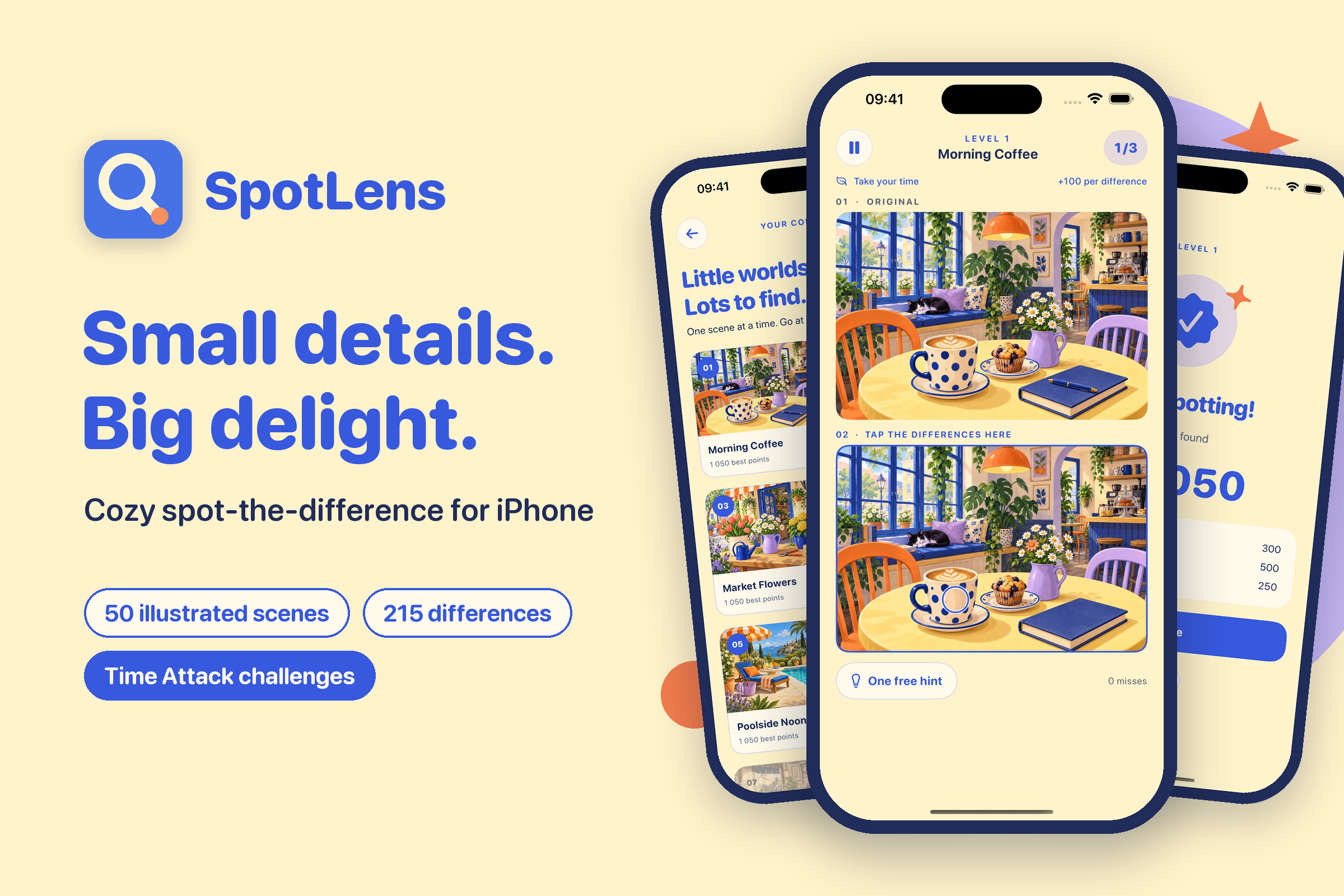
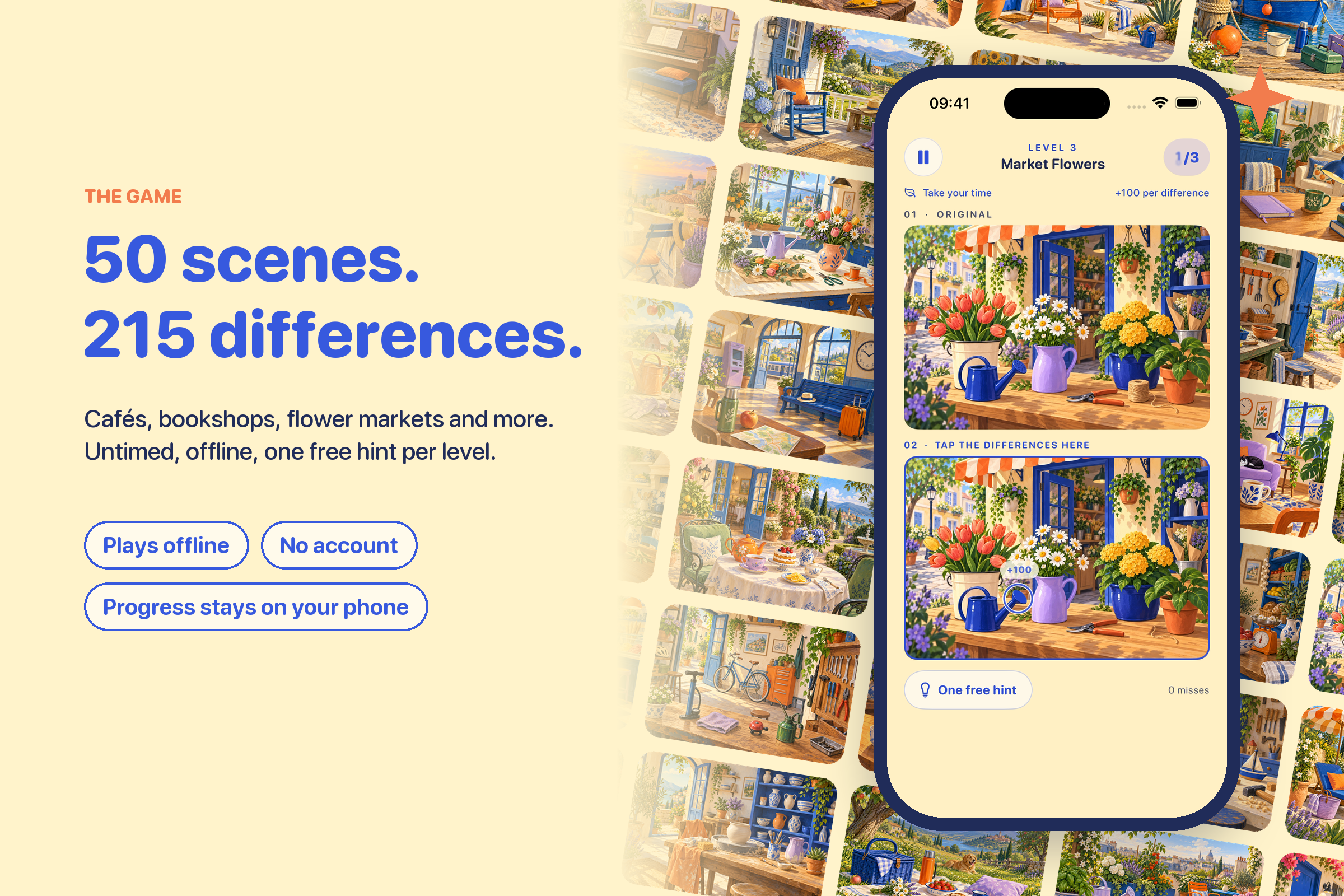
SpotLens is a cozy spot-the-difference game for iPhone. It has 50 illustrated scenes (a café, a bookshop, a flower market, a poolside and more) with 215 differences in total. Everything plays offline, there's no account, and your progress stays on your phone.
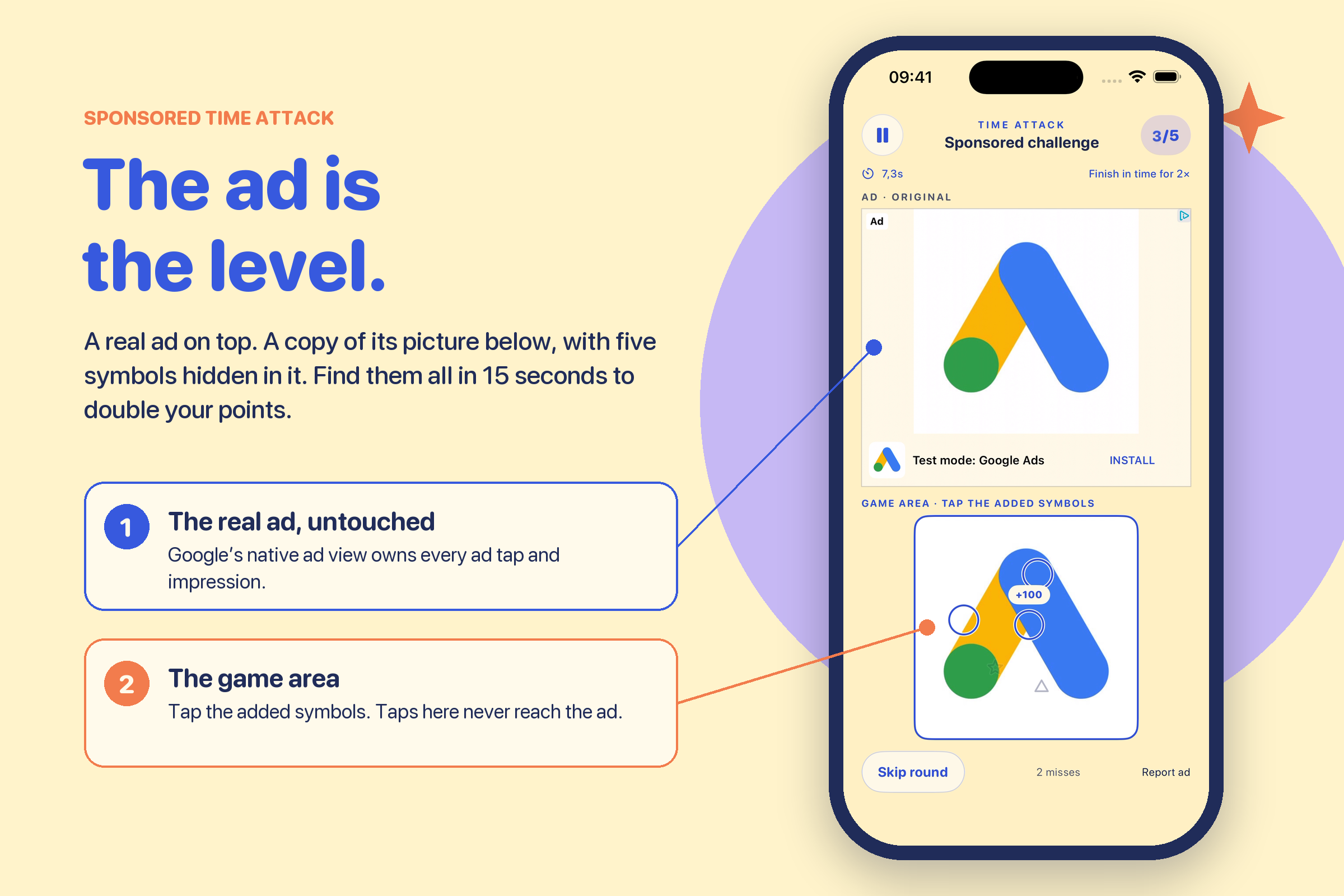
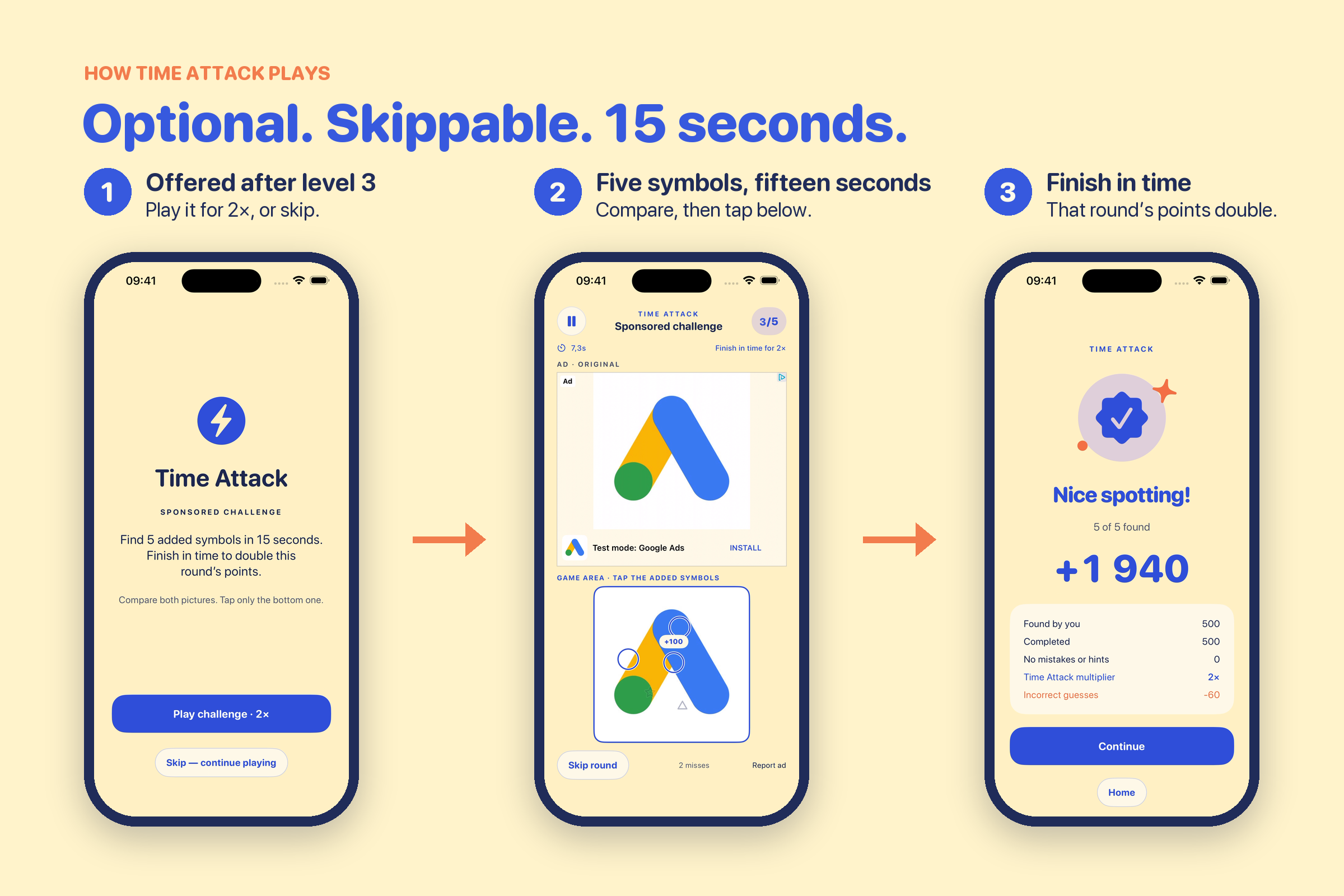
After every few levels you're offered an optional Time Attack. The top half of the screen shows a real, untouched native ad. The bottom half shows a copy of the same image with five small symbols added. You have 15 seconds to find them all. Finish in time and that round's points are doubled. You can skip it at any point.
Scoring is simple: 100 points per difference, 500 for finishing and 250 for a clean round with no misses or hints. Misses get a little more expensive each time:
$$\text{penalty}(m) = \sum_{k=1}^{m} 10k = 5m(m+1)$$
So a round is worth
$$S = \max\bigl(0,\ (100f + 500c + 250p)\cdot k \;-\; 5m(m+1)\bigr)$$
where $f$ is the differences you found yourself, $c$ and $p$ are 1 for a completed and a perfect round, $m$ is your misses, and $k = 2$ for a completed Time Attack.
How I built it
- SwiftUI for the app, with UIKit bridges where SwiftUI wasn't enough: the native ad view and a transparent touch layer.
- SpotLensCore, a separate Swift package for the rules, scoring, tap geometry and saving.
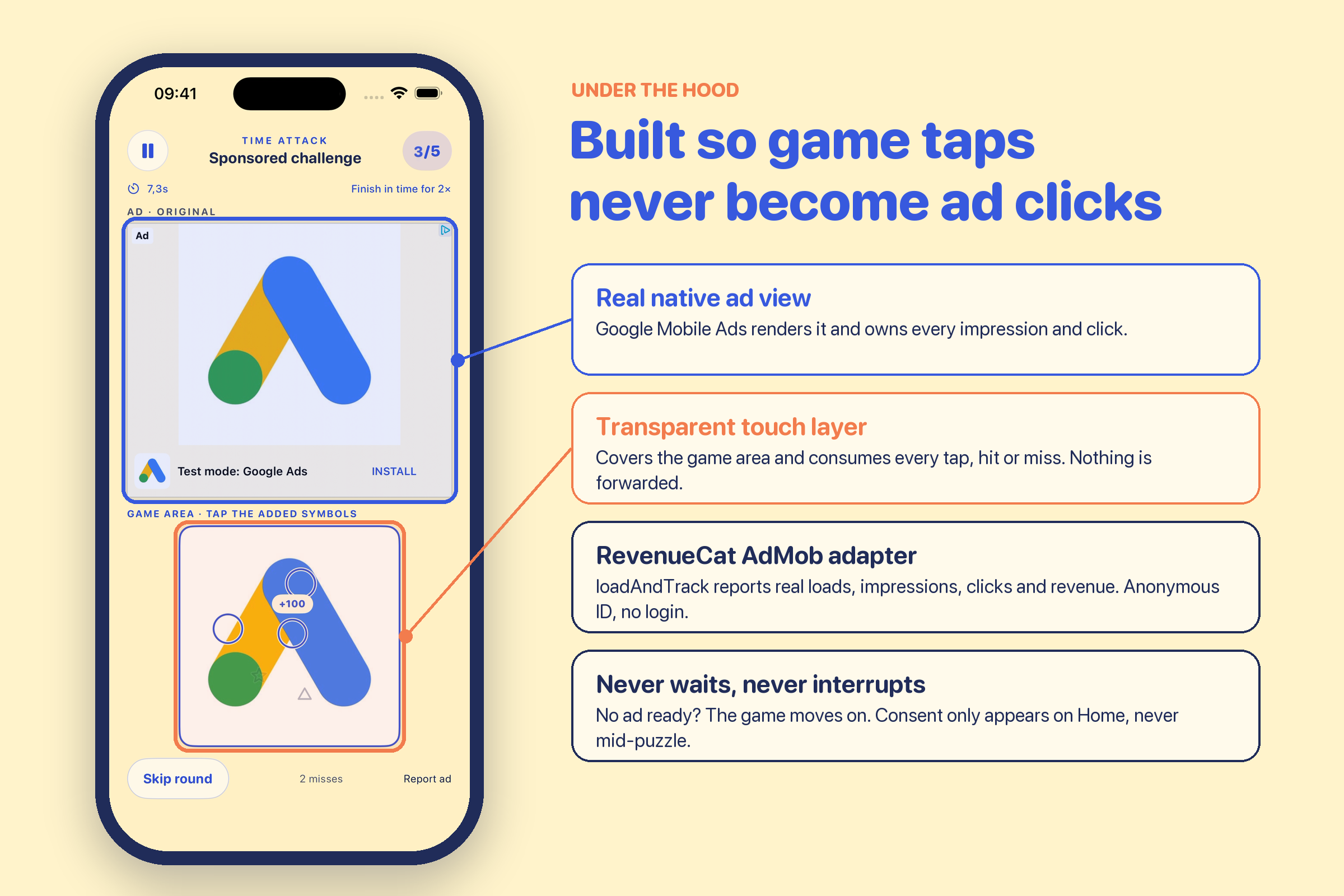
- Ads: Google Mobile Ads serves the native image, and RevenueCat's AdMob adapter (
loadAndTrack) tracks the real events: loads, impressions, clicks and revenue. Consent goes through Google's UMP. There's no login, so RevenueCat just uses its anonymous ID. - Art: the scenes started as generated illustrations. Every difference is a local edit made with a feathered mask. A small Python pipeline (Pillow, NumPy, OpenCV) checks that every pixel outside those masks matches the original exactly.
- Saving: progress is a versioned JSON file, written atomically with a backup of the last good copy.
Challenges
Keeping the ad honest. The obvious risk with this idea is accidental ad clicks, because you're tapping all over an ad image. So the top view is the genuine native ad, and only it handles ad interaction. The bottom panel sits under a transparent layer that swallows every tap, hit or miss. A game tap can never become an ad click or a fake impression. The timer also pauses if the advertiser's page opens.
Ads come in every shape. A creative can be wide, square or tall. Two copies of it plus the game controls still have to fit on a small iPhone. The layout measures itself instead of guessing heights, and the symbols are placed randomly each round so you can't memorize them.
Never make the player wait. If an ad isn't loaded, won't decode, or turns out to be a video or animation, the game quietly moves on to the next level. There's no spinner and no blank promo screen. It sounds obvious, but it touched a surprising number of code paths.
Consent timing. The consent form can only appear on the home screen, never in the middle of a puzzle, and consent requests are queued so two screens can't trigger them at once. While recording the demo I found one more edge case: if the app launched while the phone was locked, ad setup silently skipped and nothing loaded until you went back home. That's fixed now.
Fair puzzles. Generated images have tiny bits of noise everywhere, which can create "differences" nobody meant to add. Checking every level pixel by pixel was the only way I could trust that each level has exactly the differences it claims.
What I learned
- RevenueCat isn't only for subscriptions. The AdMob adapter sits right next to the ad SDK, and my ad events landed in the same dashboard I already used, with very little extra code.
- Consent, ad policy and App Review took more of my time than the ad code itself.
- Putting the game logic in a plain Swift package paid off. Most of my bugs showed up in tests instead of on the phone.

Log in or sign up for Devpost to join the conversation.