-
-

The One Spot for All Your Cloud Needs
-
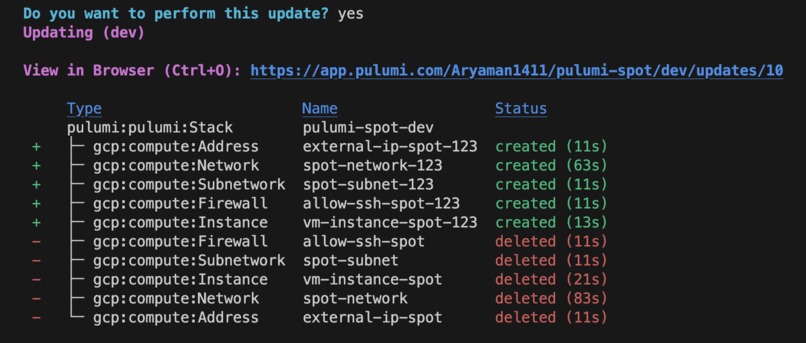
Image of Successful Deployment

Inspiration
Currently, the global cloud computing market is worth hundreds of billions of dollars. $593 billion was spent on cloud deployments this year alone. Many small businesses (66% of small tech companies) and individual developers tend to deploy their applications on the cloud in order to scale and cut costs. However, deploying incorrectly or using excessive resources can completely break one's bank - and unfortunately, it is very common. According to CloudZero, only 3 out of 10 organizations know exactly where their cloud costs are going. This is because of the vast and dense information associated with cloud resources and deployments, which many small businesses and developers cannot understand without significant experience in the field or without investing a lot of time in research. Ideally, the time and energy of developers should go to building and perfecting their applications and not worrying about the exponential cost of their cloud resources. Having an application that would automate customer deployments as well as recommend the optimal amount of resources needed and the optimal pricing would be ideal.
Furthermore, we faced challenges with cloud deployments in our internships and classes as well. A good anecdote of this is when we had to set up a SQL database in the cloud for our Databases course. We were going through the rather long setup on Azure and came across a seemingly insignificant field called subscription ID. The choices presented were "General" or "Standard" and although we believed the difference to be minimal, it ended up being a difference of $400 a month. For individual developers and businesses trying to cut costs, this kind of expense (especially for unnecessary resources) could really hurt one's business. We want to give our customers (small businesses and individual developers without too much background about the cloud) the ability to focus on their business logic and have the peace of mind that their cloud deployments are the most cost-efficient and auto-deployed for them.
Now all this is okay, but why not use other approaches that already exist?
Well, without our product, clients will tend to choose one of the following, 1) Write out a YAML file 2) Create an HCL script on Terraform (IAC) 3) Set up configurations through the cloud-specific consoles (example: GCP console)
Now to do any of the above, you need to either have cloud knowledge and also cloud-specific knowledge because every cloud provider has a separate deployment workflow. Thus it gets very complicated and time-consuming to first find an ideal cloud resource and then deploy the resource using complex configuration files. Also if the user makes a simple mistake, like simply choosing the wrong instance type for a VM, they could incur a massive loss every month. They might also need to hire a DevOps team to do this efficiently and this would become very hard for any small startup with a low budget. Now what if we automated everything? Our clients do not need to have any cloud knowledge. They only need to buy a cloud subscription and provide us with their credentials and desires and everything will be setup for them. It's literally a CI/CD workflow for cloud resources.
What it does
So our workflow is basically,
Actual Workflow: Query ----> LLM Agent ---> Resource Specification Recommender ---> Cloud Cost Optimizer ----> Automated Cloud Agnostic Deployment
Customer Workflow: Query ----> All Necessary Resources + Optimized Price for Resources ----> Automated Cloud Agnostic Deployment
LLM Agent:
- ### Resource Specification Recommender:
STEP 1:
Example Input: "I have a web application. It's a small e-commerce site. I expect around 10,000 visitors per day. What's the best cloud provider and instance type for me?"
Output:
{"Resource 1": Web Hosting Platform,
      "Resource 2": Database,
      "Resource 3": Content Delivery Network,
      "Resource 4": Load Balancer,
      "Resource 5": Auto Scaling,
      "Resource 6": Security,
      "Resource 7": Monitoring and Analytics}
- ### Choice of Cloud Platform + Cost Optimizer:
STEP 2:
Now the user has a choice. Either provide the cloud provider or opt for the most cost-effective cloud platform by considering monthly costs to deploy all resources. Each cloud provider requires different resources and dependencies so their costs could be wildly different.
Case 1: If the user provides their own cloud platform and let's say the platform provided is AWS,
Example Input:
{"Resource 1": Web Hosting Platform,
   "Resource 2": Database,
   "Resource 3": Content Delivery Network,
   "Resource 4": Load Balancer,
   "Resource 5": Auto Scaling,
   "Resource 6": Security,
   "Resource 7": Monitoring and Analytics}
Output:
{
    "Monthly Projected Cost": "$500",
    "Web Hosting Platform": [("AWS Compute Engine", "$200", "GCP Compute Engine", "$180", "Azure
     Virtual Machines", "$220")],
     "Database": [("Amazon RDS", "$150", "Google Cloud SQL", "$140", "Azure
      Database", "$160")],
     "Content Delivery Network": [("Amazon CloudFront", "$50", "Google Cloud
     CDN", "$45", "Azure CDN", "$55")],
     "Load Balancer": [("Amazon Elastic Load Balancing", "$30", "Google Cloud Load Balancing", "$28",
      "Azure Load Balancer", "$35")],
     "Auto Scaling": [("AWS Auto Scaling Groups", "$20", "Google Cloud Instance Groups", "$18", "Azure
      Virtual Machine Scale Sets", "$22")],
     "Security": [("AWS WAF and Shield", "$25", "Google Cloud Armor", "$23", "Azure DDoS
      Protection", "$28")],
     "Monitoring and Analytics": [("AWS CloudWatch", "$10", "Google Cloud Monitoring", "$9", "Azure
      Monitor", "$11")]
  }
Case 2: If the user opts for the most cost-effective cloud provider, list out the cheapest resource types for each cloud provider, aggregate the costs for each of them, and choose the cloud platform that ensures the lowest monthly costs,
Example Input:
{"Resource 1": Web Hosting Platform,
    "Resource 2": Database,
    "Resource 3": Content Delivery Network,
     "Resource 4": Load Balancer,
     "Resource 5": Auto Scaling,
     "Resource 6": Security,
     "Resource 7": Monitoring and Analytics}
Output:
{
    "Cost Cloud Provider": "AWS",
    "Monthly Projected Cost": "$16534/month",
    "Web Hosting Platform": [("AWS Compute Engine", "GCP Compute Engine", "Azure Virtual
     Machines")],
    "Database": [("Amazon RDS", "Google Cloud SQL", "Azure Database")],
    "Content Delivery Network": [("Amazon CloudFront", "Google Cloud CDN", "Azure CDN")],
    "Load Balancer": [("Amazon Elastic Load Balancing", "Google Cloud Load Balancing", "Azure Load
     Balancer")],
    "Auto Scaling": [("AWS Auto Scaling Groups", "Google Cloud Instance Groups", "Azure Virtual
     Machine Scale Sets")],
    "Security": [("AWS WAF and Shield", "Google Cloud Armor", "Azure DDoS Protection")],
    "Monitoring and Analytics": [("AWS CloudWatch", "Google Cloud Monitoring", "Azure Monitor")]
  }
STEP 3:
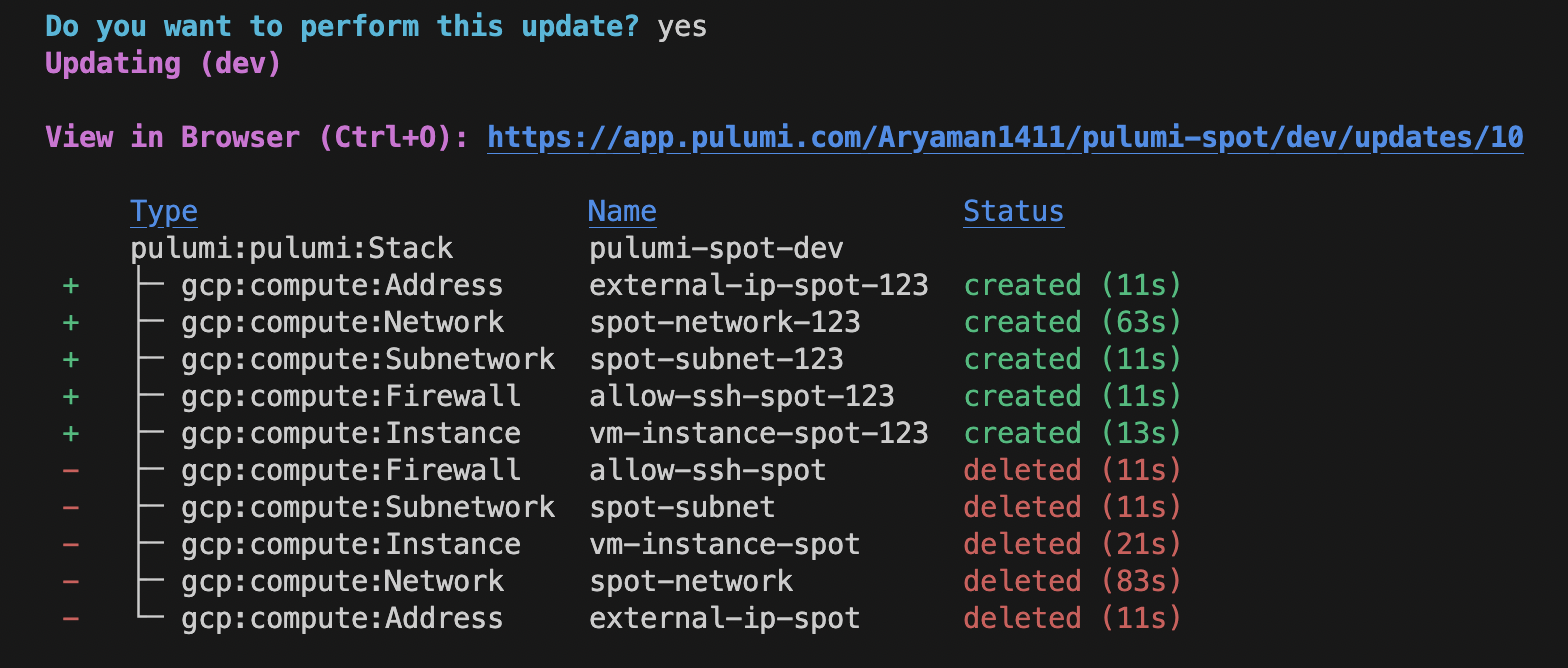
Once the optimal cloud platform and the cheapest resource have been determined, the resource types and cloud platform are passed into the automated cloud agnostic deployment system, which deploys all the infrastructure, sets up required firewall rules, puts the user's public key into the authorized_keys file of the resource, so that the user can now ssh into the resource simply using its external Ip.
Deployment Successful:
So we are selecting the cheapest cloud configurations and deploying them all to the desired cloud so that the user does not need to worry about any of these infra-deployment processes and only needs to communicate with our LLM bot
How we built it
LLM Agent is basically the Open AI API integrated with the rest of our system. It is trained on user queries like recommending cloud resources for a specific software application.
The Recommender System is the suggestion made by the cloud provider. If the user asks for some application the needs to be deployed in the Google Cloud, the recommender system might suggest things like containers or virtual machines to deploy the application in it.
The Cost Optimizer makes API calls to a database with on-demand and spot prices for all the cloud resources for all the different cloud providers (GCP/AWS/Azure). The Optimizer fetches the ideal resource that matches the desires of the client and also has the lowest cost. These resource costs are aggregated and the optimal cloud platform. is identified from a projected monthly cost
The database is created by making multiple cloud pricing API calls (GCP/Azure/AWS) to get these prices for all the resources.
Once the optimal resource types are fetched, we pass them into an abstract class built on the IAC platform Pulumi. The abstract class has separate implementations for each cloud provider. Once the ideal cloud provider and its cheapest resources are passed in, the cloud-specific implementation starts executing on Pulumi, and all the resources and their associated dependencies like firewall rules are all set up for the user so that the user only needs to run the ssh command to connect to the resource. Everything is automated and the user only communicates with the bot which supervises all these operations by acting as an Agent.
Here is a cloud-specific implementation for GCP:
class GCPInfrastructure(CloudInfrastructure):
    def __init__(self, gcp_project, number_of_vms, public_key, vm_size, cloud_platform, network_id, subnet_id, security_group_id, resource_group,
                 network_interface, count, instance_type, ami, vpc_name, resource_group_name, security_group_name, firewall_rule_name, subnet_name,
                 public_ip, network_interface_name, vm_name, computer_name, os_disk_name, allow_ssh_name, ig_name, rt_name,
                 pr_name, psa_name, ip_assoc):
        self.gcp_project = gcp_project
        self.number_of_vms = number_of_vms
        self.public_key = public_key
        self.vm_size = vm_size
        self.cloud_platform = cloud_platform
        self.network_id = network_id
        self.subnet_id = subnet_id
        self.security_group_id = security_group_id
        self.resource_group = resource_group
        self.network_interface = network_interface
        self.count = count
        self.instance_type = instance_type
        self.ami = ami
        self.vpc_name = vpc_name
        self.resource_group_name = resource_group_name
        self.security_group_name = security_group_name
        self.firewall_rule_name = firewall_rule_name
        self.subnet_name = subnet_name
        self.public_ip = public_ip
        self.network_interface_name = network_interface_name
        self.vm_name = vm_name
        self.computer_name = computer_name
        self.os_disk_name = os_disk_name
        self.allow_ssh_name = allow_ssh_name
        self.ig_name = ig_name
        self.rt_name = rt_name
        self.pr_name = pr_name
        self.psa_name = psa_name
        self.ip_assoc = ip_assoc


    def deployNetwork(self):
        network = gcp.compute.Network(self.vpc_name, auto_create_subnetworks = True,)
        self.network_id= network.id
        ssh_firewall_rule = gcp.compute.Firewall(self.firewall_rule_name,
                                                name=self.allow_ssh_name,
                                                network=network.self_link,
                                                allows=[{
                                                    "protocol": "tcp",
                                                    "ports": ["22"],
                                                }],
                                                source_ranges=["0.0.0.0/0"])
        pulumi.export(f"gcp_vpc {self.count}", network)
        pulumi.export(f"gcp_vpc_name {self.count}", network.name)
    def deployVM(self):
        self.count += 1
        if not self.network_id:
            print("Deploying VM " + self.vm_name[self.count - 1] + " in the region closest to your ip in the new VPC")
            print("------------------------------------------------------------------------")
            self.deployNetwork()
        else:
           print("Deploying VM " + self.vm_name[self.count - 1] + " in the region closest to your ip in the existing VPC")
           print("------------------------------------------------------------------------")
        region = find_closest_gcp_region(get_user_location_from_ip())
        eip_name = self.public_ip[self.count - 1]
        external_ip = gcp.compute.Address(eip_name,
                                          region=region)
        vm = gcp.compute.Instance(self.vm_name[self.count - 1],
                                machine_type=self.instance_type,
                                zone=region+"-a",
                                boot_disk={
                                    "initializeParams": {
                                        "image": "centos-7-v20230711",
                                    },
                                },
                                network_interfaces=[{
                                    "network": self.network_id,
                                    "access_configs": [{
                                        "nat_ip": external_ip.address
                                    }],
                                }],
                                metadata={
                                    "sshKeys": "aryaman2003:" + self.public_key,
                                })
        pulumi.export(f"gcp_vm_name {self.count}", vm.name)
        pulumi.export(f"gcp_vm_id {self.count}", vm.id)
        pulumi.export(f"gcp_vm_instance_type {self.count}", vm.machine_type)
        pulumi.export(f"gcp_external_ip {self.count}", external_ip)

        ......
Our frontend was made using simple HTML, CSS and vanilla JS.
Challenges we ran into
Integrating the LLM model in our app was quite challenging as well as training it. A good training run would require a large number of parameters and a lot of time (days) which we didn't have for the hackathon. We also spent a lot of time getting the automated deployments to work due to various nitty-gritty cloud provider specifications (each cloud provider will have a different method for deployment, will take in different parameters, etc.).
Accomplishments that we're proud of
We're proud that we achieved functionality (at least in the individual components of our application). We are also quite pleased with how we are able to integrate all these separate parts together to an extent with the limited time we had. Of course, this is something that we need to develop further, but we did make significant progress.
What we learned
We learned a lot more about cloud deployments and how big the market opportunity truly is. We delved deep into the pricing options on the cloud and saw how developers are susceptible to making choices that will cost them unnecessarily. We also learned a lot about integrating LLMs with our website as well as automating cloud deployments that are cloud provider agnostic.
What's next for Spot
We want to build an MVP of the application as soon as possible and integrate the different parts of the application fully. We also want to conduct market tests and see how viable this product actually is and garner some essential feedback from potential customers. That way, we can streamline the way we build our app and make sure that our efforts are not wasted in building something that does not satisfy our customers.
Built With
- ai
- css
- javascript
- llms
- openai
- react
- react-native


Log in or sign up for Devpost to join the conversation.