Inspiration
I watch baseball a lot, but don't recognize many players other than a few big name players. It's always more fun to watch baseball knowing how good of a player the current at-bat hitter is and how much of a pitcher the currently playing pitcher is.
I go to baseball reference page while watching game, which kind of affects my game watch flow, I though it would be convenient to see their stats right away when they are at bat and pitching.
What it does
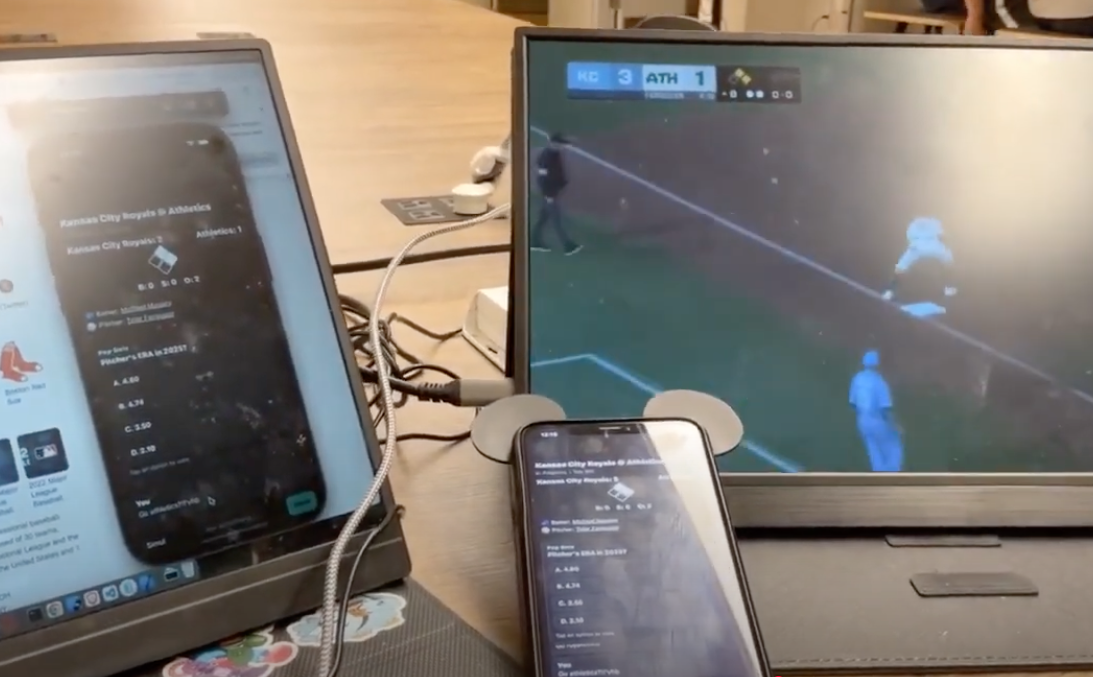
Our mobile application fetches real-time Major League Baseball game data to visualize the bases and provides the game data to users and also our platform allows users to chat with each other and we throw a pop quiz about the current batter/hitter.
More importantly, we give you the data of who is at bat and who pitches at real time and users can see their MLB stats with a fingertip.
Problem Statement - User Story 1
When I watch baseball game, I don't know all the players and I get curious if the batter/pitcher is a good player. So while watching the baseball game,
I pull up a phone - > Search the batter on google -> Basketball Reference Stat -> Then continue watching the baseball game
This was a bit inconvenient for sports fans and other than big name players, even a solid baseball fan may not recognize some players. It is time-consuming to look up a player while watching the game, TVs only show partial stats in a blink of a second.
Solution - User Story 1
Our react-native mobile app provides solution that user can click on the batter/pitcher to see their stats based on each year.
Problem Statement - User Story 2
When I go to a sports bar, it is very difficult to see a score or who makes the homerun or earn RBIs from distance while people are packed in the bar.
Solution - User Story 2
Our react-native mobile app provides real-time data fetching solution to provide the visualization of bases and batter status such as strike, ball, out as well as the score.
Problem Statement - User Story 3
User wants to be engaged rather than watching a ball game himself.
Solution - User Story 3
We throw a pop quiz about a player and allows users to chat with each other, it's more fun watching baseball game with each other!
How we built it
We started with the react native kit, React Native project, bootstrapped using @react-native-community/cli.
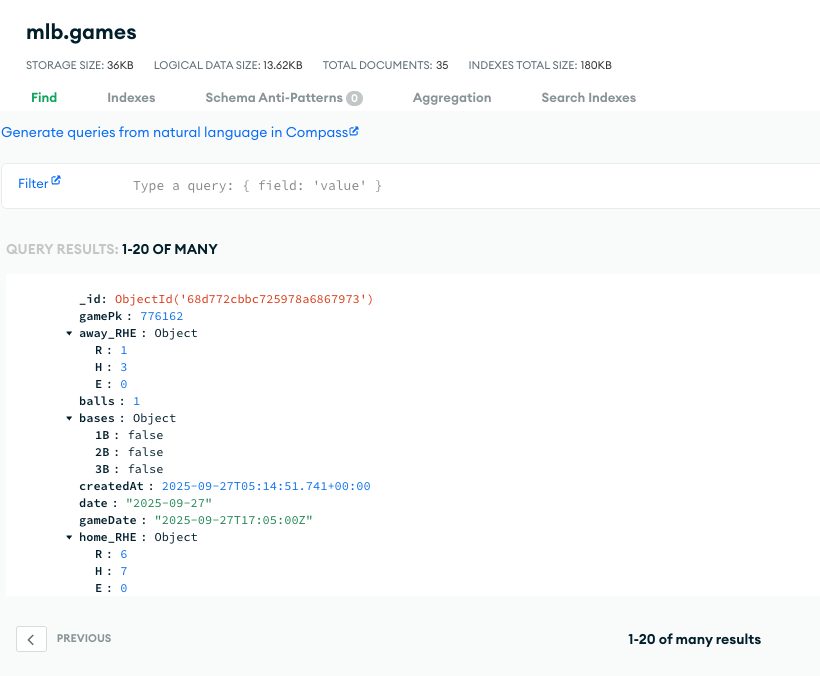
We built a Next JS Typescript backend server that interacts with statsapi offered by MLB so we can store game data and player statistics and so more into our MongoDB rea-time database. We update the game data every 5 second calling the API. Currently, our mobile application scoreboard and bases could be even a couple seconds faster than broadcasted MLB game.
We also feed the data off our MongoDB database to our front-end, which is the react-native mobile application.
Our Backend Server
https://github.com/hlee18lee46/hackgt
livesports-beta.vercel.app
Our backend server is the cornerstone of our project that handles data using API and storing it and recalling it to front-end for efficient API calling. Excessive API calls could be flagged by API provider so we want to minimize the API calls using our own database.
How can start with React Native
npx react-native start
Step 1: Start Metro First, you will need to run Metro, the JavaScript build tool for React Native.
To start the Metro dev server, run the following command from the root of your React Native project:

Using npm
npm start
OR using Yarn
yarn start Step 2: Build and run your app With Metro running, open a new terminal window/pane from the root of your React Native project, and use one of the following commands to build and run your Android or iOS app:
Android
Using npm npm run android
OR using Yarn
yarn android iOS For iOS, remember to install CocoaPods dependencies (this only needs to be run on first clone or after updating native deps).
The first time you create a new project, run the Ruby bundler to install CocoaPods itself:
bundle install Then, and every time you update your native dependencies, run:
bundle exec pod install For more information, please visit CocoaPods Getting Started guide.
Using npm
npm run ios
OR using Yarn yarn ios If everything is set up correctly, you should see your new app running in the Android Emulator, iOS Simulator, or your connected device.
This is one way to run your app — you can also build it directly from Android Studio or Xcode.
Source of Data - Stats API MLB(Major League Baseball)
This is real-time MLB(Major League Baseball) game data. We used Next JS Typescript backend Server and deployed it to Vercel, this server fetches the real-time Major League Baseball game data and put the data into MongoDB Atlas. Then, with 5 second period, it updates the game data.
Challenges we ran into
It was a difficult to configure the dependency issues as this is my first time developing cross-platform mobile application although I'm proficient in native Swift and Kotlin.
Accomplishments that we're proud of
We are proud of making our first react-native application as I have background only in native mobile development such as Swift for iOS and Kotlin for Android. It was a good experience to get to use cross-platform mobile development.
What we learned
We learned the dependency could be hell with react-native.
What's next for SportsLive
We want to scale to NFL, NBA, MLS, NHL and other leagues.


Log in or sign up for Devpost to join the conversation.