Inspiration
Fans of amateur and minor-league sport get the worst apps. Scores are buried in phone menus, video is region-locked or full of ads, and nothing is designed for the couch. A Fire TV is the biggest screen in the house, but there was no calm, remote-first way to follow your local games on it. We built that.
What it does
Sport Overlay is a Fire OS app for live sport on the TV:
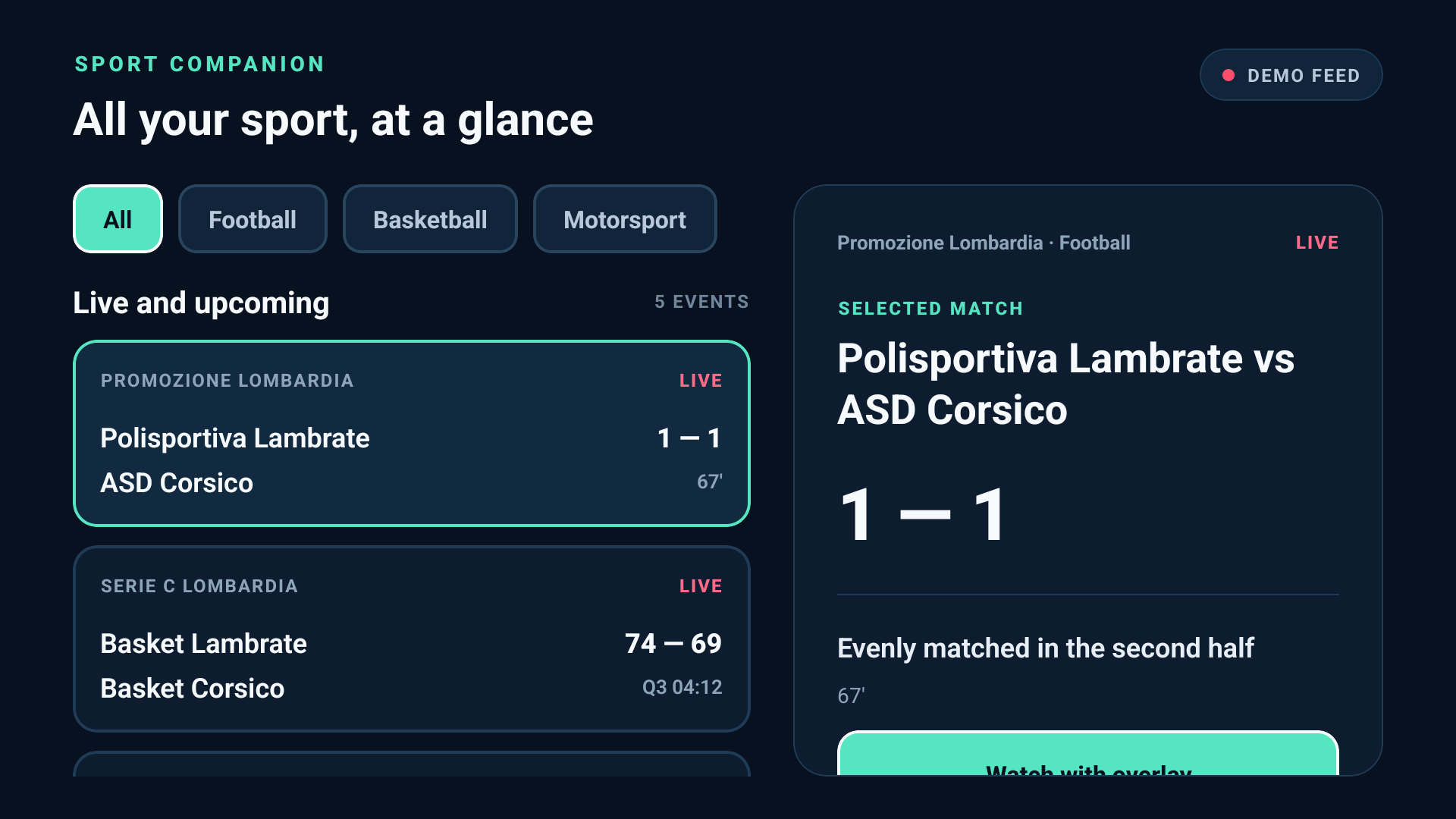
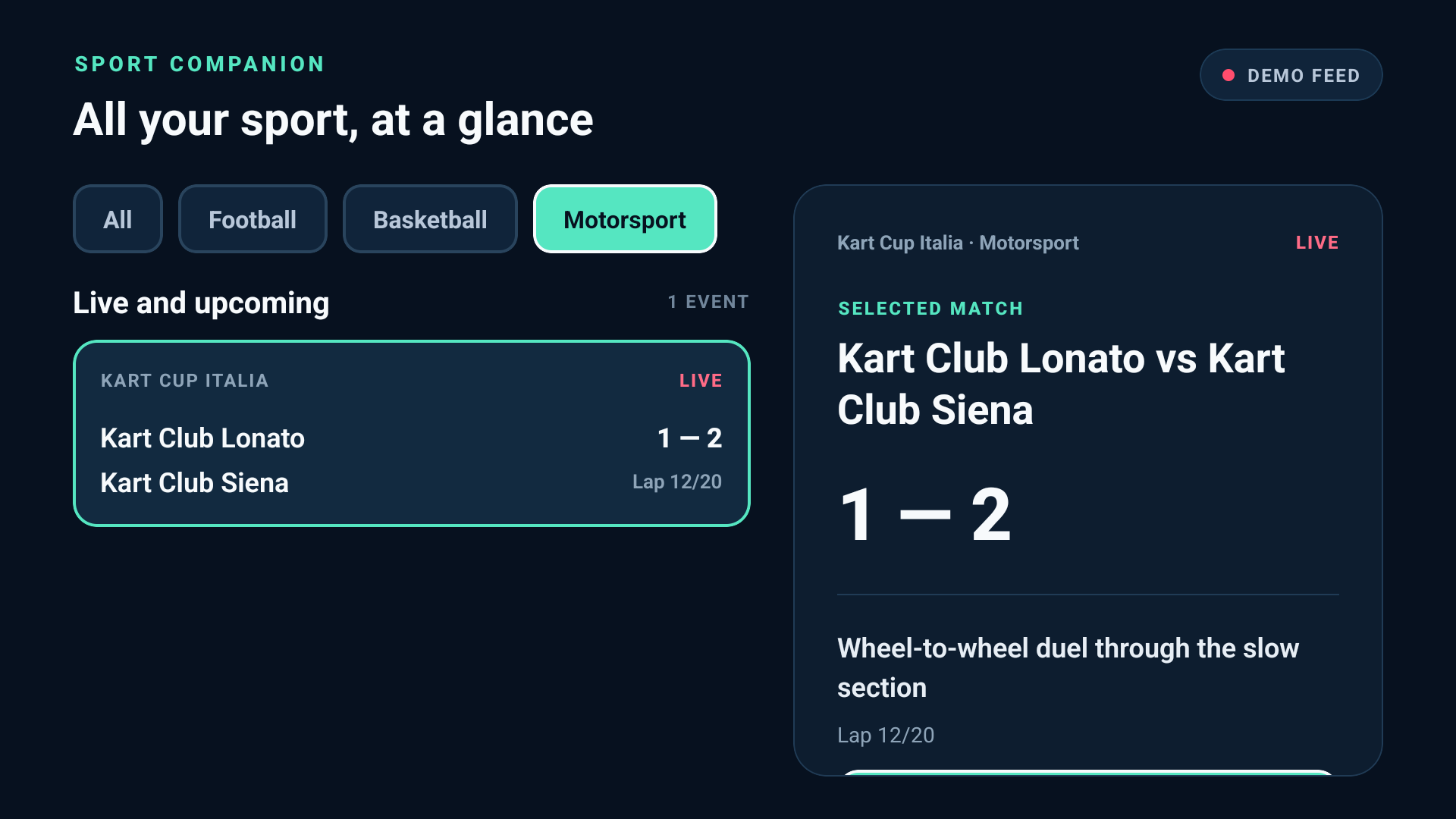
- Live dashboard (10-foot UI).
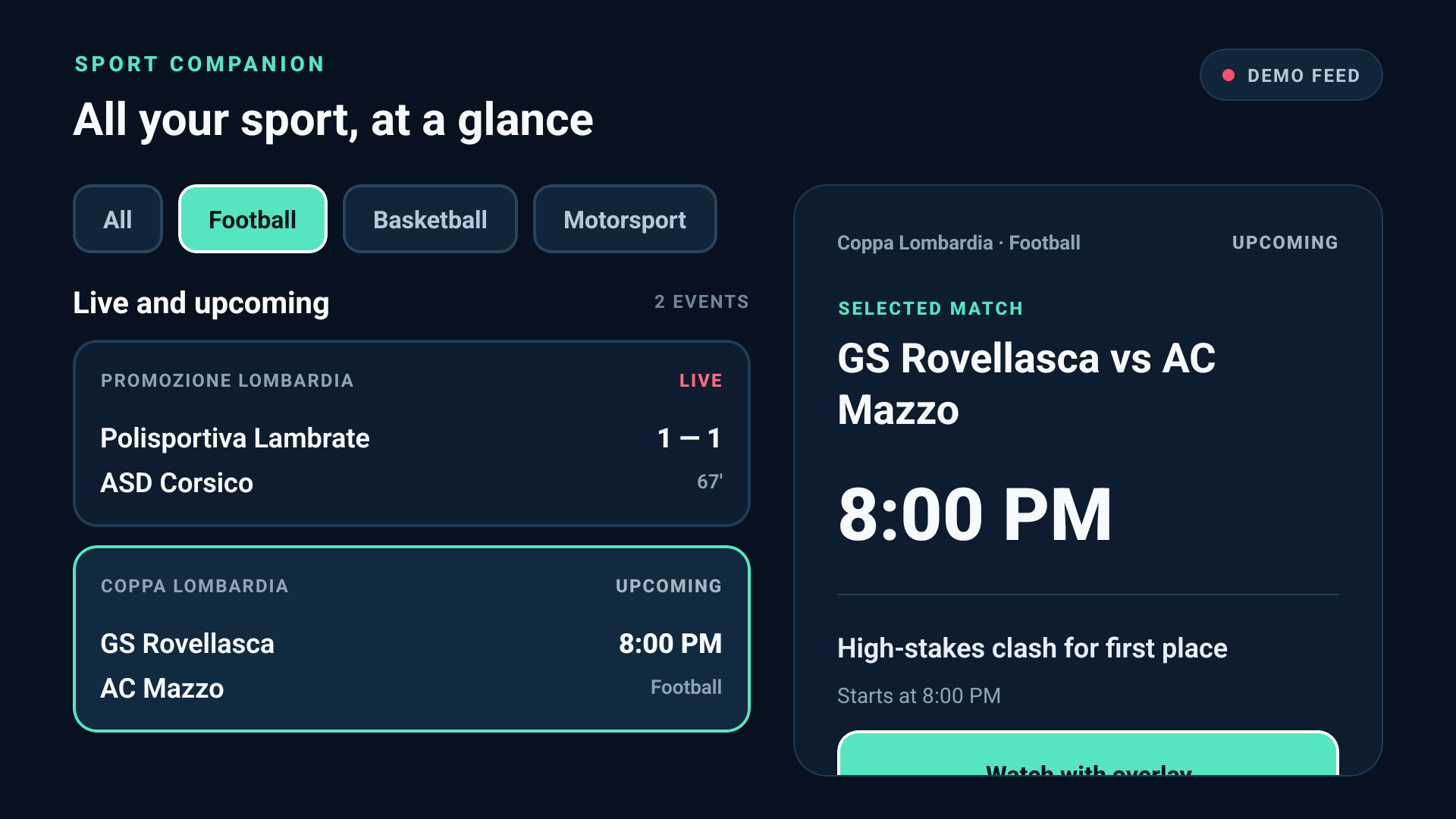
- Filters along the top: All, Football, Basketball, Motorsport.
- The live and upcoming events in a list on the left, and the selected match on the right.
- Each card shows competition, teams, score and period (67', Q3 04:12, Lap 12/20). Upcoming games show their kick-off time.
- D-pad native. Every control is focusable with a visible focus ring. Moving the focus over a card selects it straight away. OK opens the overlay, and the remote's Back key returns to the list.
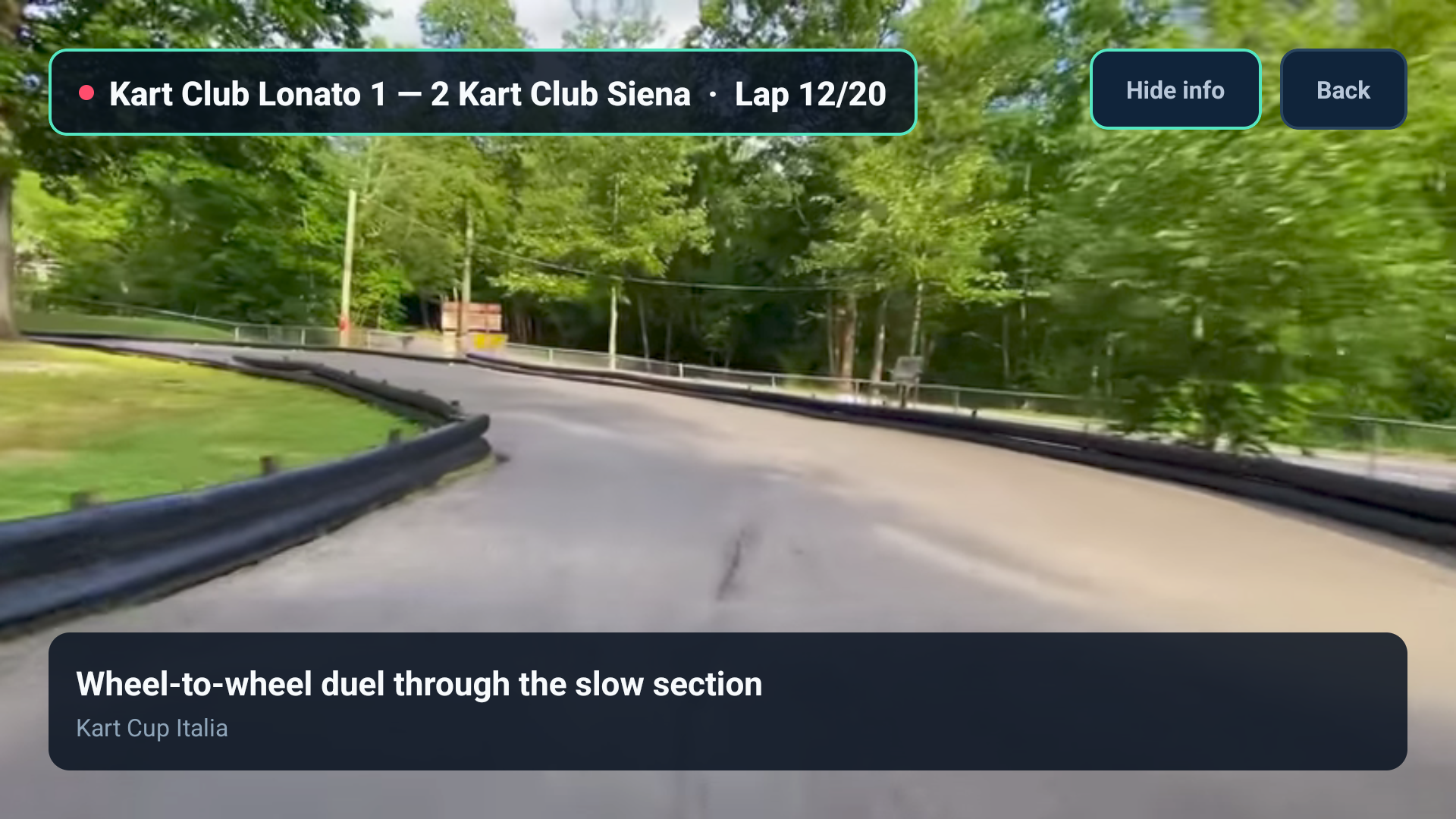
- Watch with overlay. The match plays fullscreen:
- a broadcast-style score bug at the top left (teams, score, period, live dot);
- a headline bar at the bottom (headline, competition, venue);
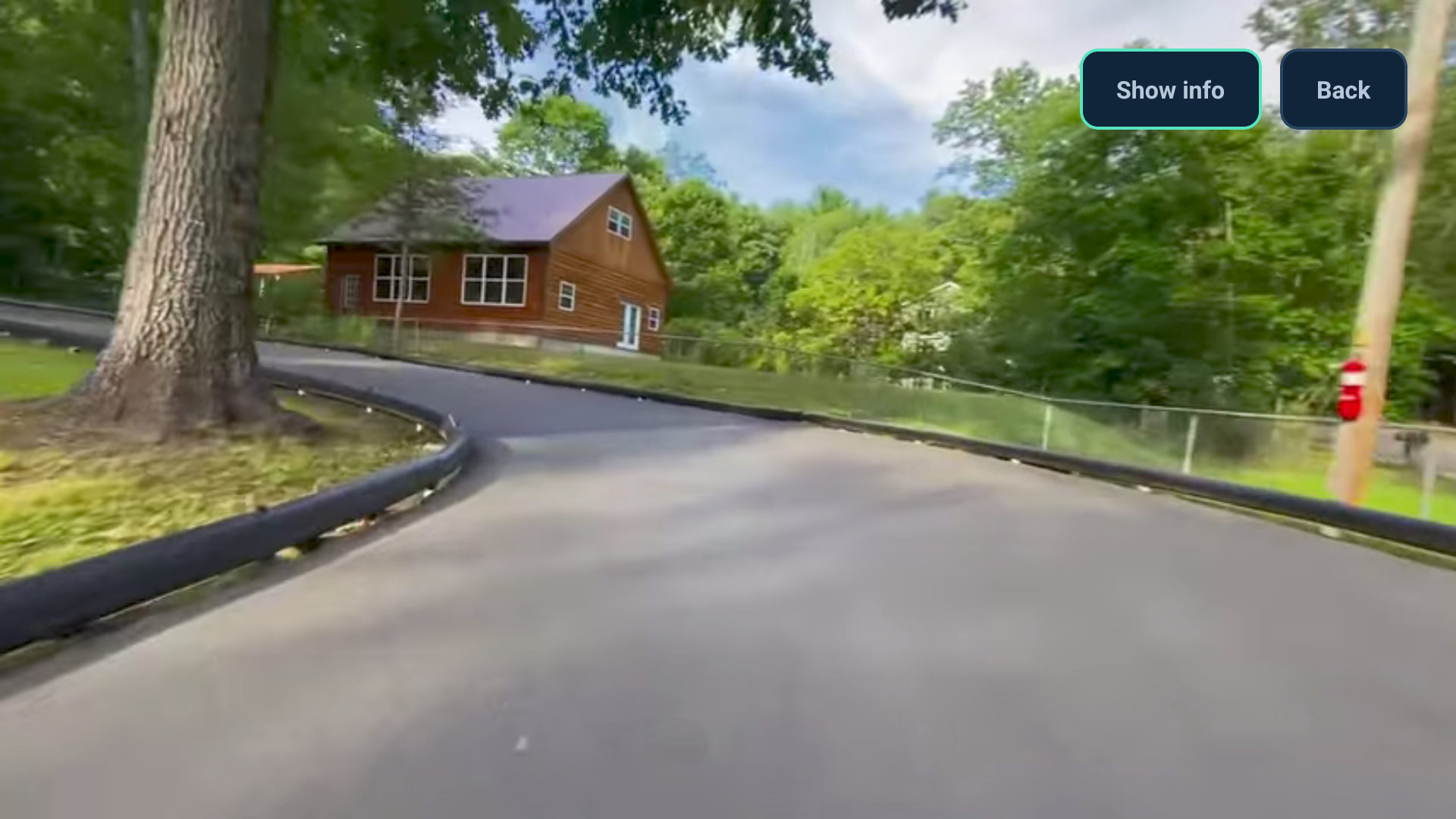
- Hide info for clean video and Show info to bring it back.
- Real footage per sport. Each sport plays its own freely licensed Wikimedia Commons clip (CC0 / CC BY-SA), so there are no region blocks, no ads and no professional-league footage.
- Zero setup. A demo feed is bundled. No account, API key or backend is needed to run it.
How we built it
- Expo SDK 57 + React Native TV (
react-native-tvos0.86) in TypeScript, with@react-native-tvos/config-tvfor the TV build.Platform.isTVswitches between the two-panel TV layout and a single-column phone/web layout, so the same code runs on Fire OS, Android phones and the web. - A custom Expo config plugin (
plugins/withFireTv.js) makes every prebuild Fire OS ready:- Leanback launcher category and a 320×180 banner;
- touchscreen not required;
- only the
INTERNETpermission, with cleartext traffic and backups disabled.
- The overlay engine uses
expo-videoon device and an HTML<video>(with a fallback source) on the web. The overlay is drawn by the app on top of the video, so any clip or stream gets the same score bug. - State is a small pure reducer (filter, select, wrap-around navigation). It is covered by 32 Jest tests together with the screens, the overlay and the Fire OS manifest plugin.
npm run verifyruns typecheck, ESLint and the tests. - Builds:
- a release APK from Gradle (on GitHub Releases);
- an EAS preview profile;
- a static web export on GitHub Pages for quick review.
Challenges we ran into
- No public Fire TV emulator image. We tested on an Android TV emulator (API 34, x86), the closest public stand-in for Fire OS; details are in our friction log.
- Vega OS vs Fire OS docs. As React Native developers it took a while to see that Fire OS (APK) and Vega (
.vpkg) are separate pipelines. - D-pad focus details:
- the detail panel had to scroll so the Watch button is reachable with the remote;
- a horizontal
ScrollViewshrank the filter chips until their labels were clipped on TV; - the hardware Back key initially left the app instead of closing the overlay. We fixed all three, with regression tests.
- Footage rights. Professional highlights are region-blocked and copyrighted, so we switched to minor-match clips from Wikimedia Commons with proper attribution.
Accomplishments that we're proud of
- A complete, coherent TV flow that works with five remote buttons: browse, focus, watch, hide info, back.
- One overlay engine for three sports, with no backend and no keys needed to try it.
- A reusable Fire OS config plugin and a test suite that guards the TV manifest.
What we learned
On TV, focus is the interaction model. Every screen needs a deliberate initial focus, a reachable primary action and a Back key that never surprises the user. We also learned that Fire OS lets a React Native team reuse almost all of its code.
What's next for Sport Overlay
- Live scores from local league feeds in place of the demo feed.
- An Alexa+ voice shortcut ("who's winning?").
- Favourites and kick-off reminders.
- Club-provided streams under the same overlay.
Try it
- Fire TV APK: https://github.com/AliceMessi/amazon-sport-overlay/releases/latest (sideload with
adb install; steps are in the README) - Web preview: https://alicemessi.github.io/amazon-sport-overlay/
- Code (MIT): https://github.com/AliceMessi/amazon-sport-overlay
Language note
The demo video was recorded in early October, before the interface was translated. The narration and the overlay buttons are in English, but some dashboard labels and demo headlines appear in Italian. The app now ships in English, and the README has a full Italian → English table. For example:
- Tutti / Calcio / Basket / Formula 1 → All / Football / Basketball / Motorsport
- Partita equilibrata nel secondo tempo → Evenly matched in the second half
- Comandi telecomando → Remote controls
Credits
The clips come from Wikimedia Commons:
- Latvia–Gibraltar football 2026-03-31 by Mārtiņš Bruņenieks (CC0);
- Girls football training by Evworo (CC BY-SA 3.0);
- Nabua street basketball by Yawrei (CC BY-SA 4.0);
- Go-karting at Cook Forest Fun Park by Andre Carrotflower (CC BY-SA 4.0).
Built With
- android-tv
- expo-video
- expo.io
- fire-tv
- jest
- react-native
- react-native-tvos
- typescript
