-
-
Title
-
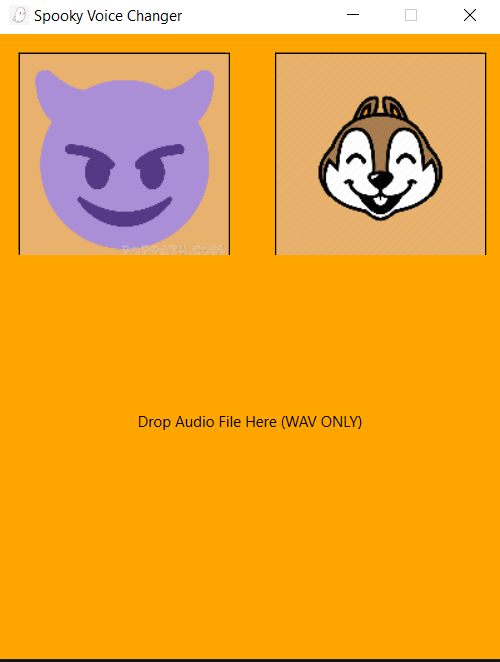
Before Dropping Audio
-
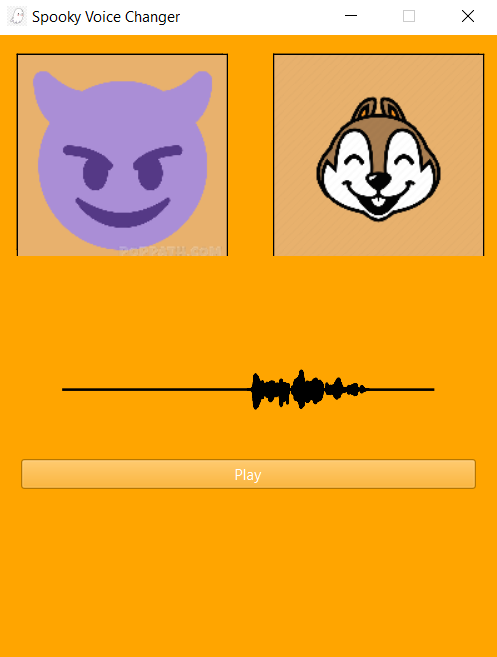
After Dropping Audio
Inspiration
I am a Junior, but I just started my computer science journey in May of this year, 2023. How did this happen? After 9 years of playing saxophone including 2 years as a music major at UNCG, I suffered from a debilitating jaw disorder known as TMJ. I couldn't sleep, eat, or focus and my grades started to suffer. In order to fix this I had to put down the horn for good. After deliberating my own life choices and what my future holds, I settled on computer science. Since then and for the past ~6 months, I have dove as deep as I can into this field. I attribute everything I've learned to awesome youtube videos, documentation, forums, and using ChatGPT like a personal teacher. I wanted to learn Unity so I started learning C#, and have made a few working prototypes. I have also been grinding leetcode, with over 60 problems complete, including 27 medium and 1 hard (Trapping Rain Water) with no help (profile shows 2 hard problems complete but I got help with one of them). Leetcode helped me build my logical reasoning skills as well as understanding basic data structures and OOP. Recently I wanted to build simple apps in Python, so I have been learning the Qt for Python Framework, and have built little more than basic GUI apps. At HackNC2023, however, I decided to go for something bigger. In addition to making music, I also love the math behind it, and have always wondered how many of the tools I use as a music producer worked. I knew I wanted to do something with audio processing at this hackathon. So with this as my inspiration, and in the spirit of Halloween, I decided to make a "Spooky Voice Changer". I came to this hackathon to prove to myself and to others that I am a problem-solver and have good logical reasoning skills, and that I have what it takes to become a professional software developer.
What it does
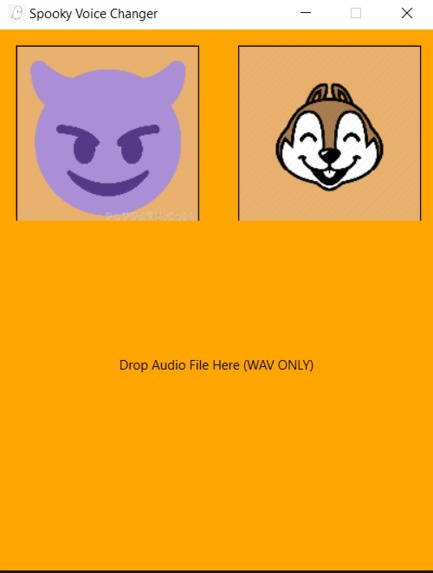
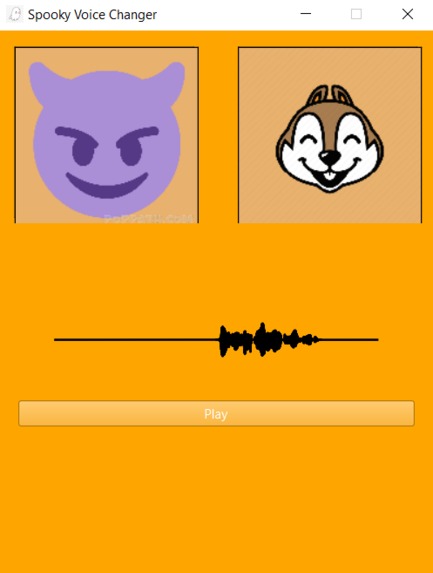
After watching a short intro, drag and drop your WAV file into the app to see the waveform visualized! Press the devil icon to hear your wav file pitched, low, like a spooky demon! Or raise the pitch with the chipmunk button to hear a squeaky rendition of your voice.
How I built it
The Widgets, buttons, and animations were made using very basic PyQt stuff, just prebuilt classes and methods.
Using this playlist as a guide, I used matplotlib with the Qt5Agg backend to visualize the waveform. I start by reading the wav file on the DropEvent (DropEvent already implemented by PyQt) using scipy.io.wavfile.read() which returns the sample rate and an array representing the audio data. I then take the left channel if the audio is stereo. I take the reciprocal of the sample rate to get the delta time. I use np.arange(len(audioData)) * deltaTime to create an array the length of the signal, evenly spaced by delta time. I then normalized the audio data and plot it using a subplot in a figure, which distributes the audio data by the new array I created and visualizes it (Qt5Agg).
The pitch shifting algorithm is my favorite part of this project. Using this video to gain a high level understanding of the algorithm, the phase vocoder algorithm can be broken up into 7 parts:
- Dividing the signal into several overlapping windows
- Taking the Short Time Fourier Transform of each window to put the signal into the frequency domain
- Scaling each frequency by a desired amount
- Taking the InverseShort Time Fourier Transform to revert back to the time domain
- Applying a taper (Hanning window function) to the edges of each window
- re-overlap the windows and sum the frequencies in the overlapped region
- Stitch back together the original waveform
These steps are necessary as simply taking the Fourier transform of the entire signal and scaling it will result in the time scale of the signal being affected due to an inherent symmetry between pitch and time (I won't pretend that I understand all the details, but I do understand enough to implement the algorithm)
Playing the audio was as simple as using the sounddevice library using sounddevice.play(audioData, sampleRate) and binding that functionality to a toggleable QPushButton.
Challenges I ran into
- Scope of the project not as big as intended I wanted to add more than just two options to change the audio, but the building process always seems to take longer than expected, so I had to reduce the scope of the project. - Pitching up creates artifacts There are more advanced time stretching algorithms that help reduce fluttering and other artifacts that are clearly noticeable when using my application. This was really disappointing because I knew that fixing this problem was beyond the scope of this project in this time frame. - Cannot drag and drop multiple wave forms currently Currently dragging and dropping another wave file on top of the current one breaks the program. The fix for this is probably simple but I ran out of time. - Buttons are finicky Spamming the devil and chipmunk buttons produces weird behavior and can get stuck easily. Right now you must be slow and intentional when clicking the buttons. Make sure to disable one button before enabling the other.
Accomplishments that I'm proud of
The fact that I didn't use a library to alter the pitch, although I did use numpy to take the FFT of the signals. The fact that I did almost 400 lines of code in 24 hours by myself as a beginner!
What I learned
How to take a high-level abstract understanding of an algorithm and break it down into code I had to learn some advanced math and signal processing to a degree where I could understand what I was coding. For example the fact that the resolution of the frequency domain array is determined by the length of the signal, which confused me as the length of my FFT arrays were different than the sample rate. Or for example understanding that you can't simply roll the frequencies by a set interval to adjust the pitch, as increasing the pitch of a frequency is a function of (Hz * 2^(pitch/1200)) where pitch is in cents (1/100th of a semitone).
What's next for Spooky Voice Changer
I would like to add functionality that allows you to export the adjust audio for use in other projects! I would also like to add functionality where you can record live audio into the program! Definitely improving and removing as much of the audio artifacts from the algorithm Fixing the buttons from being so weird Fixing the Drag and Drop Functionality Organizing/Refactoring my code way better and in a way that follows better design principles (right now its spaghetti code).


Log in or sign up for Devpost to join the conversation.