What's next for Spooky Dark Mode Timer
Inspiration
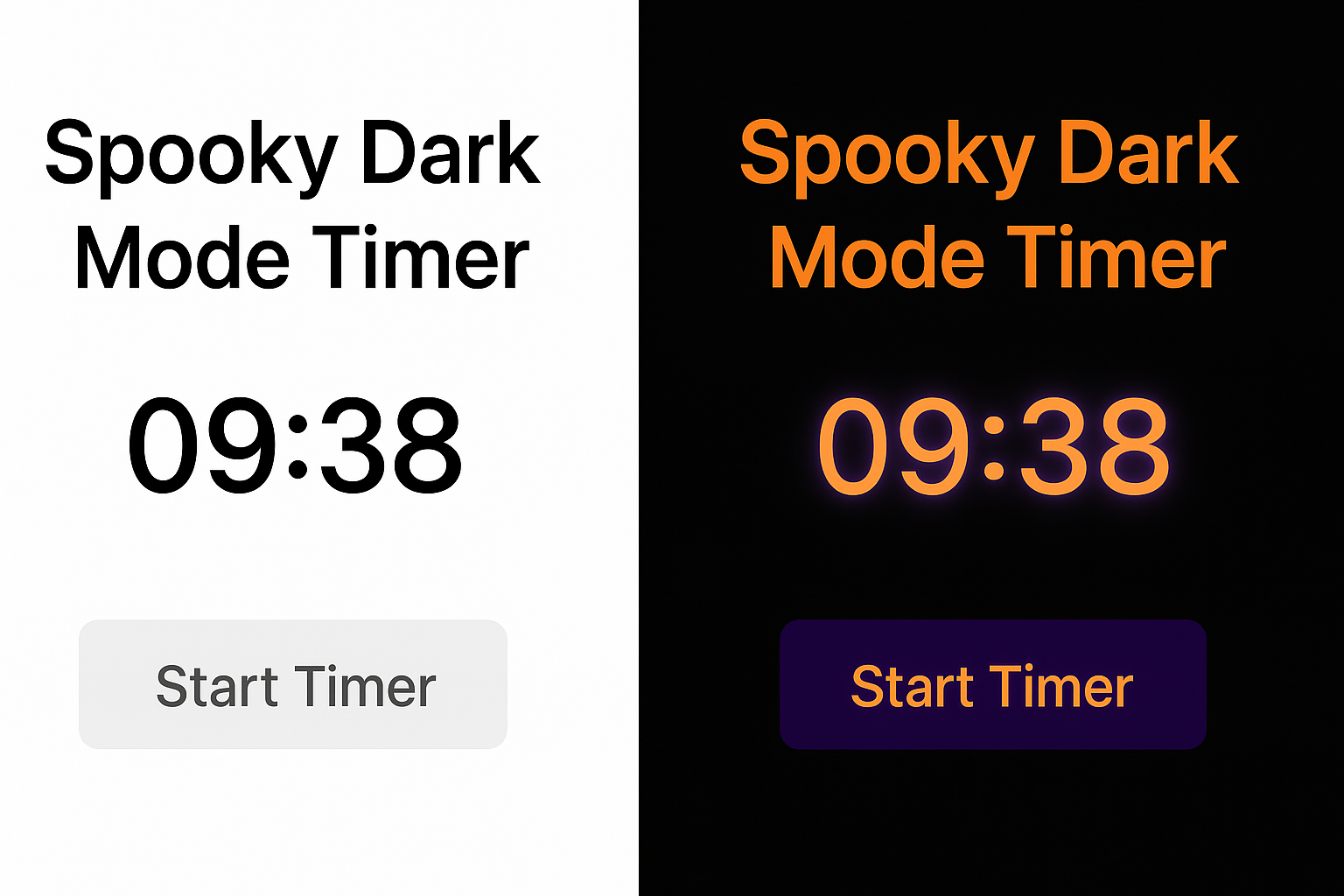
I wanted to create something simple, fun, and themed for Kiroween. Dark mode is a big part of this hackathon, so I thought: What if an app becomes spooky only when someone switches to dark mode?
This inspired me to build Spooky Dark Mode Timer — a small web app that changes colors, animations, and sounds depending on light or dark mode.
What it does
Spooky Dark Mode Timer is a minimal web app where:
- A timer counts down (or up)
- When the user switches their device/browser to dark mode, the app activates a spooky theme
🎃 Orange & purple colors
👻 Ghost fade-in animation
💀 Glowing text effects - In light mode, the app stays simple and clean
This makes it fun for the Kiroween theme while still being very beginner-friendly.
How I built it
I used basic web technologies:
- HTML for the structure
- CSS for themes, animations, dark mode detection
- JavaScript for timer logic and switching effects
The app listens for system theme preference using:
window.matchMedia("(prefers-color-scheme: dark)")
When dark mode is detected, it automatically switches to spooky mode.
Challenges I faced
- Learning how to detect dark mode using JavaScript
- Adjusting animations to look smooth
- Making the design simple enough for a short hackathon
- Making sure the theme switches instantly when the mode changes
What I learned
- Detecting dark mode with CSS and JS
- Adding small animations for better UI experience
- Keeping a project simple but still creative
- How to structure a project for a hackathon submission
What's next
- Add sound effects when dark mode activates
- Add more Halloween themes
- Add a stopwatch mode
- Add custom spooky backgrounds, ghosts, and pumpkins
Built With
- api
- css3
- dark
- github
- html5
- javascript
- mode
- vscode


Log in or sign up for Devpost to join the conversation.