-
-
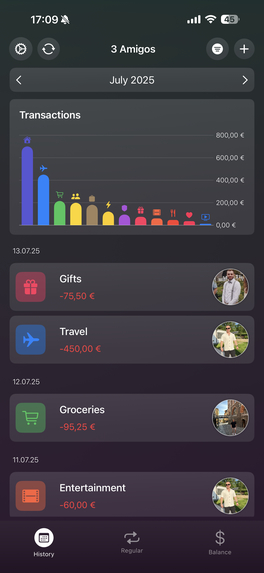
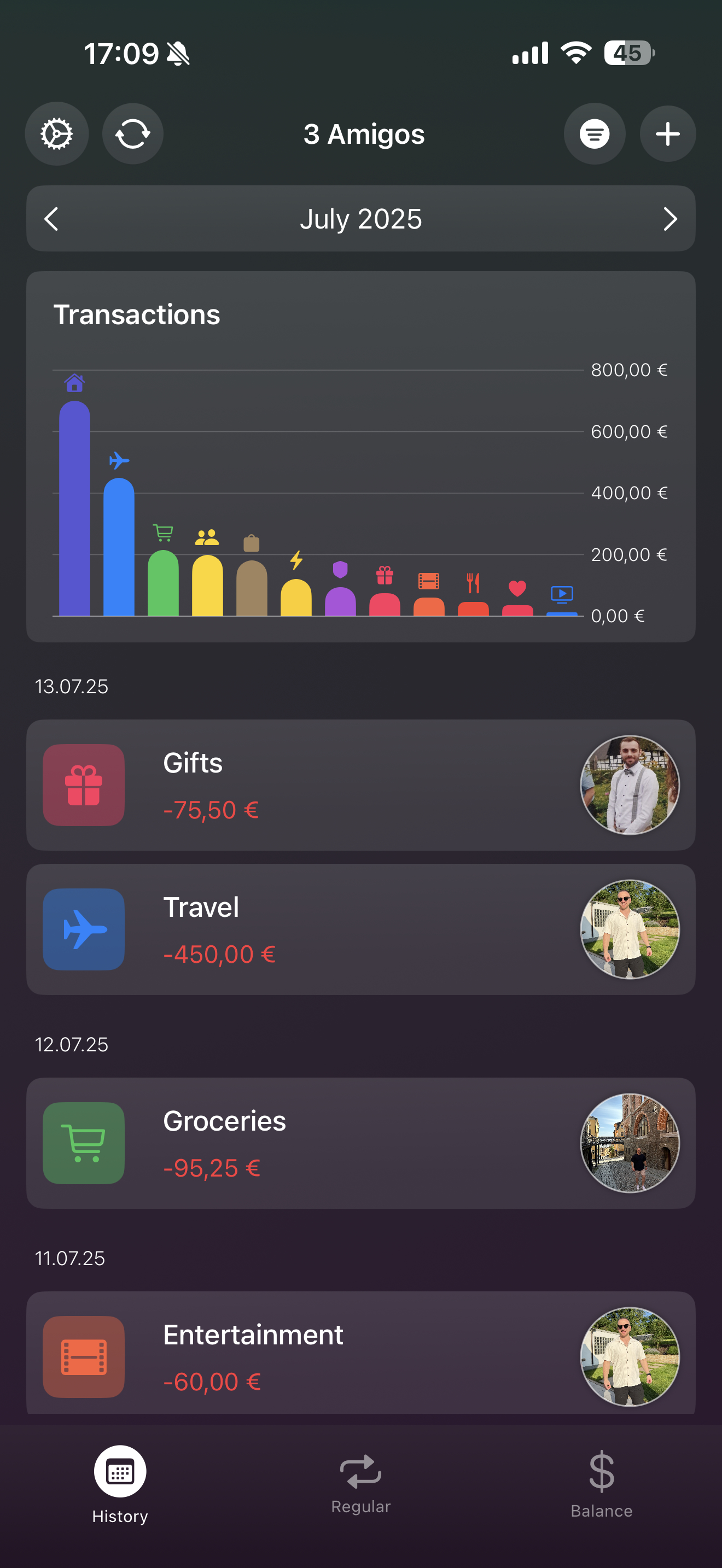
The overview of all transactions.
-
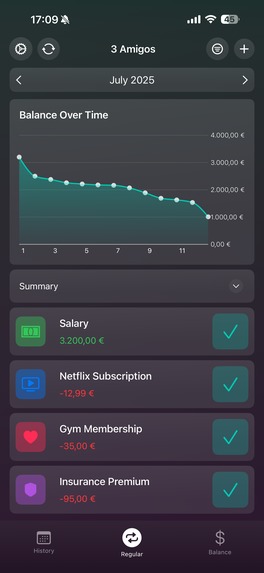
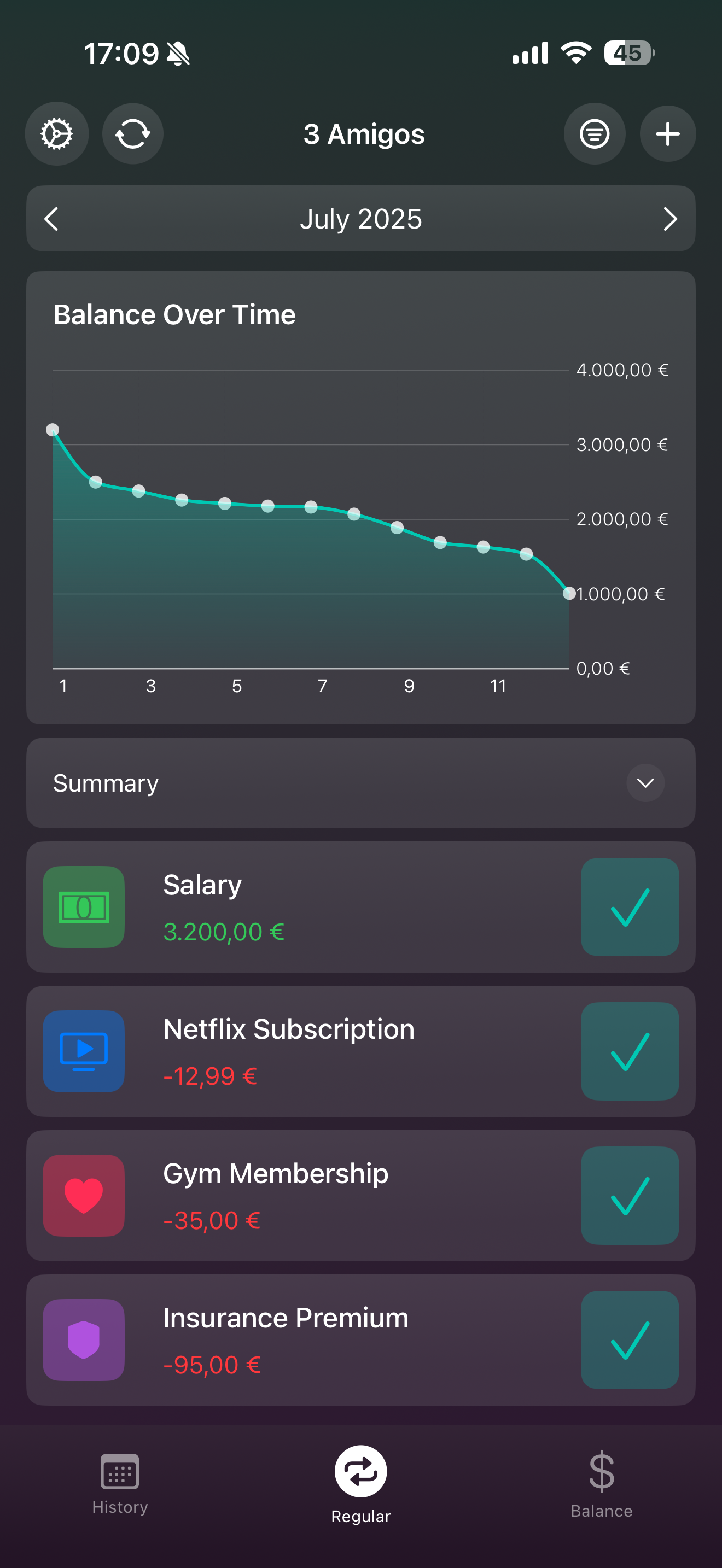
Regular transactions, so the user knows, how much he got left to pay for his/her regular expenses
-
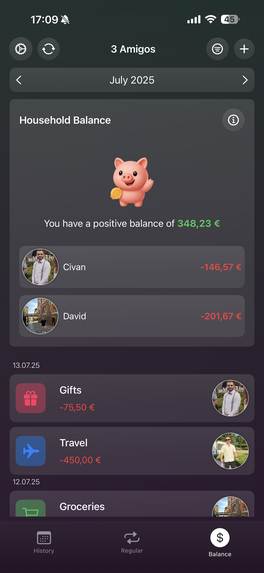
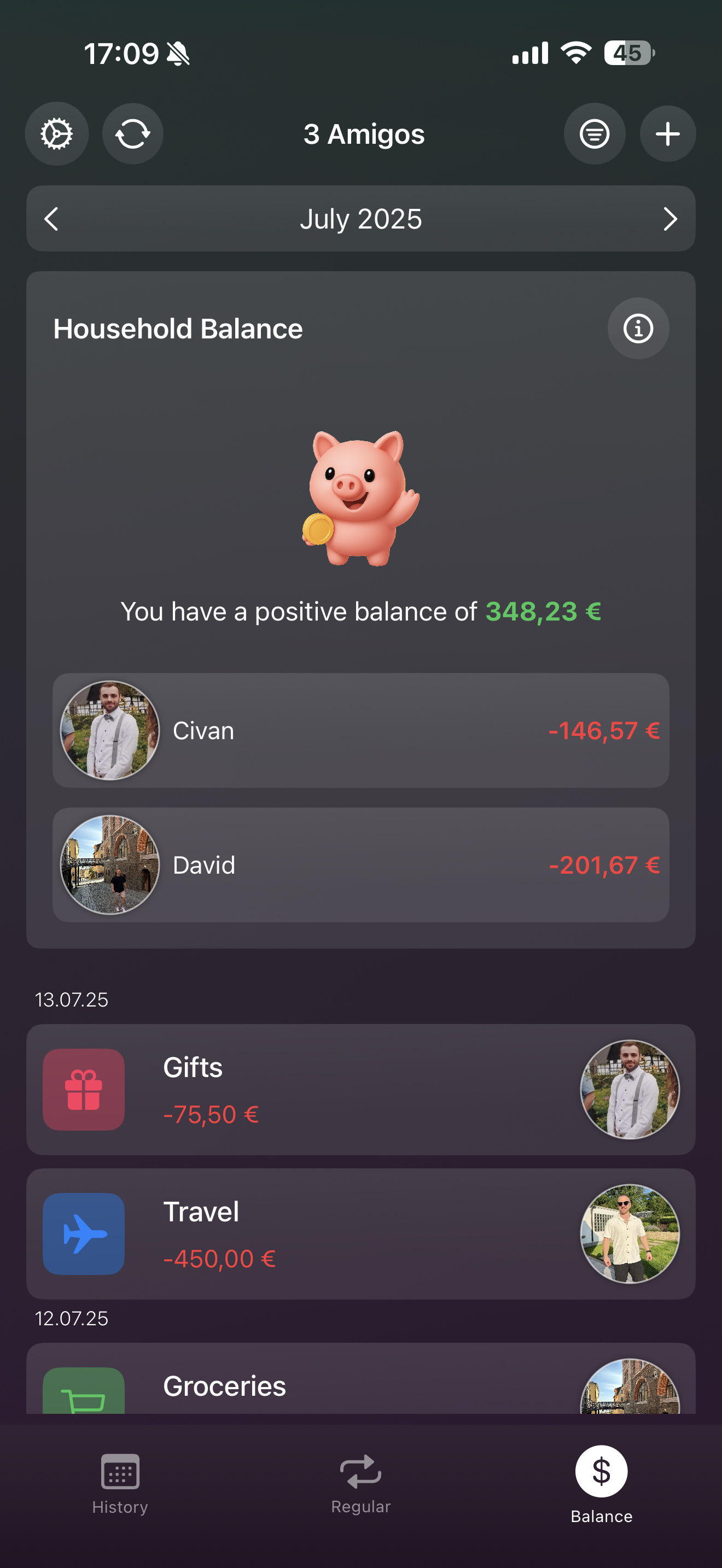
If used with multiple people, the balance overview shows how much someone owns the other people
-
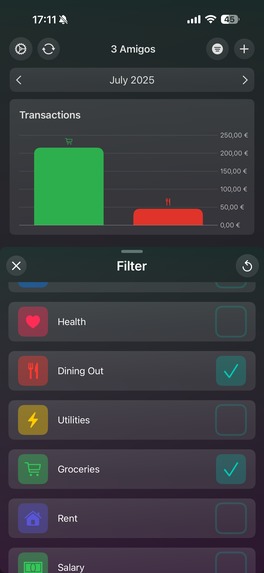
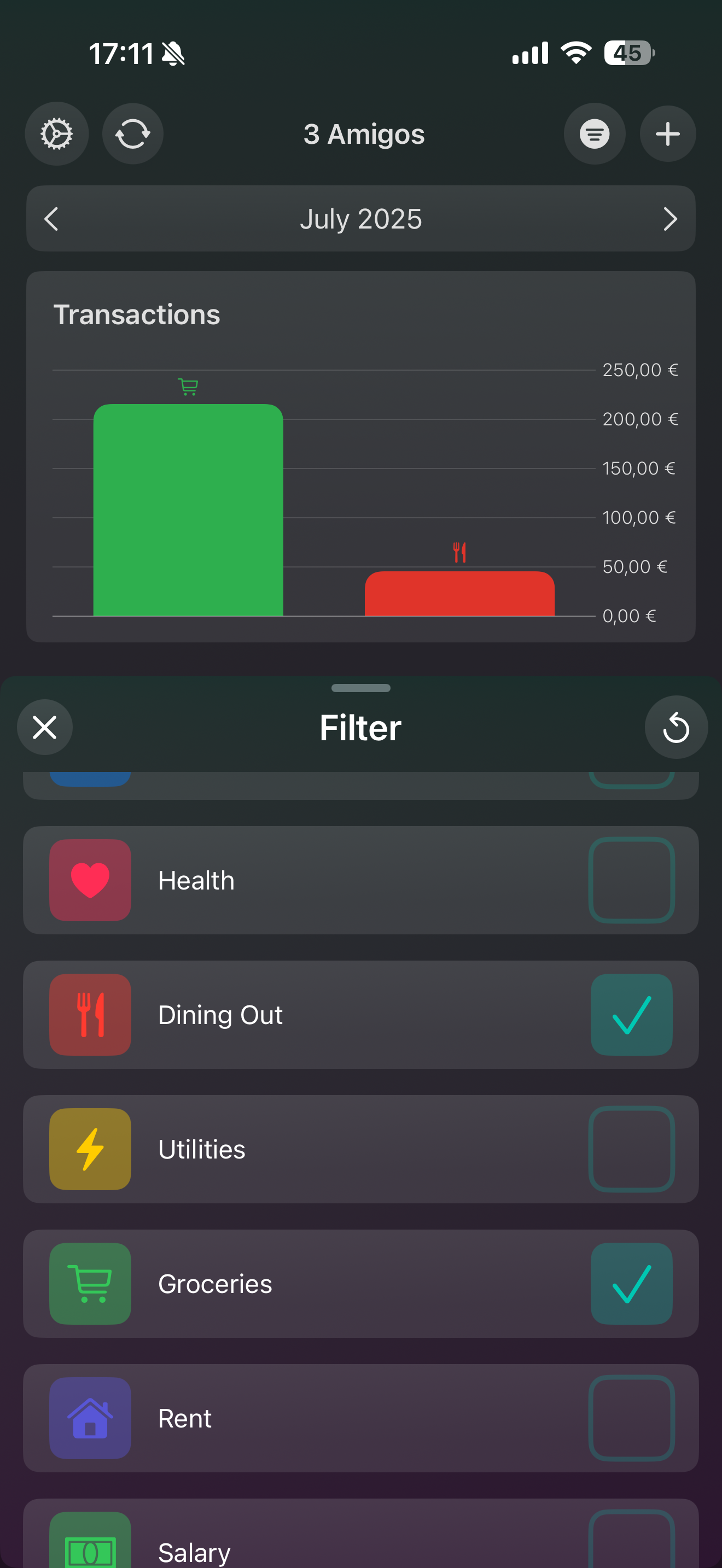
Filter your income and outcome to see, where to save money
Inspiration
While spending money on food, going out etc. me and my girlfriend always want to split correctly. Sometimes we lose the overview on who paid what, and who owes the other how much. Another big aspect for us is, to be aware of our expenses, that occur regularly. To master both of this, I came up with the Idea of combining my old Spreadsheet Tables into a modern, clean and easy to understand app.
What it does
It tracks all of your spendings and income sources. Additionally, you can set up regular income/expenses, so when they come up in the current month, you only need to set the checkmark and be done with it. You gain the overview of how much is still coming (if you might have spent too much money this month, this is very helpful :D) and on how much you already paid. The 3rd big feature is the splitting. On non-regular expenses, that are for the of both of us, like going to a movie, or eating out in a restaurant, the app splits the expenses for the one who paid, adds it to the overview and makes each user see, who he owes money to.
How I built it
I built the app purely with SwiftUI. For my backend, I use Supabase for shared households. With Supabase I can have Authorization, a Database and a way to send push notifications to the users. For my Paywall, I used RevenueCat.
Accomplishments that we're proud of
For me personally, it is always hard to build a good-looking UI. As a full-time backend engineer, I know how to build the logic, but not the sweet looking frontend/ UI. This time, I really am happy with the outcome of my UI/UX. I tested new things and this time it came out very good.
What's next for SplitBudget
First, I want to gather possible Bugs and feature requests submitted within my feedback formula. If there is nothing critical in there, my Plan for the future is to be able to connect bank accounts, to analyse regular expenses and Income, as much as other entries to automatically insert transactions into SplitBudget.
Built With
- revenuecat
- supabase
- swiftui

Log in or sign up for Devpost to join the conversation.