Inspiration
I originally built Split because I didn't like constantly switching between apps or browser pages when I wanted to do two things at once. The Android version of Split lets me keep two browser panes open together and organize them into different workspaces.
When I saw the WebMCP Challenge, I started thinking about Split differently. Instead of only asking how a person could use two browsers together, I wanted to know what would happen if an AI agent could work with that same workspace too.
The important part for me was that I didn't want to put a chatbot inside Split and call that AI integration. I wanted the AI to stay external and use WebMCP to understand and interact with Split through tools that the application intentionally exposes.
That became Split WebMCP.
What it does
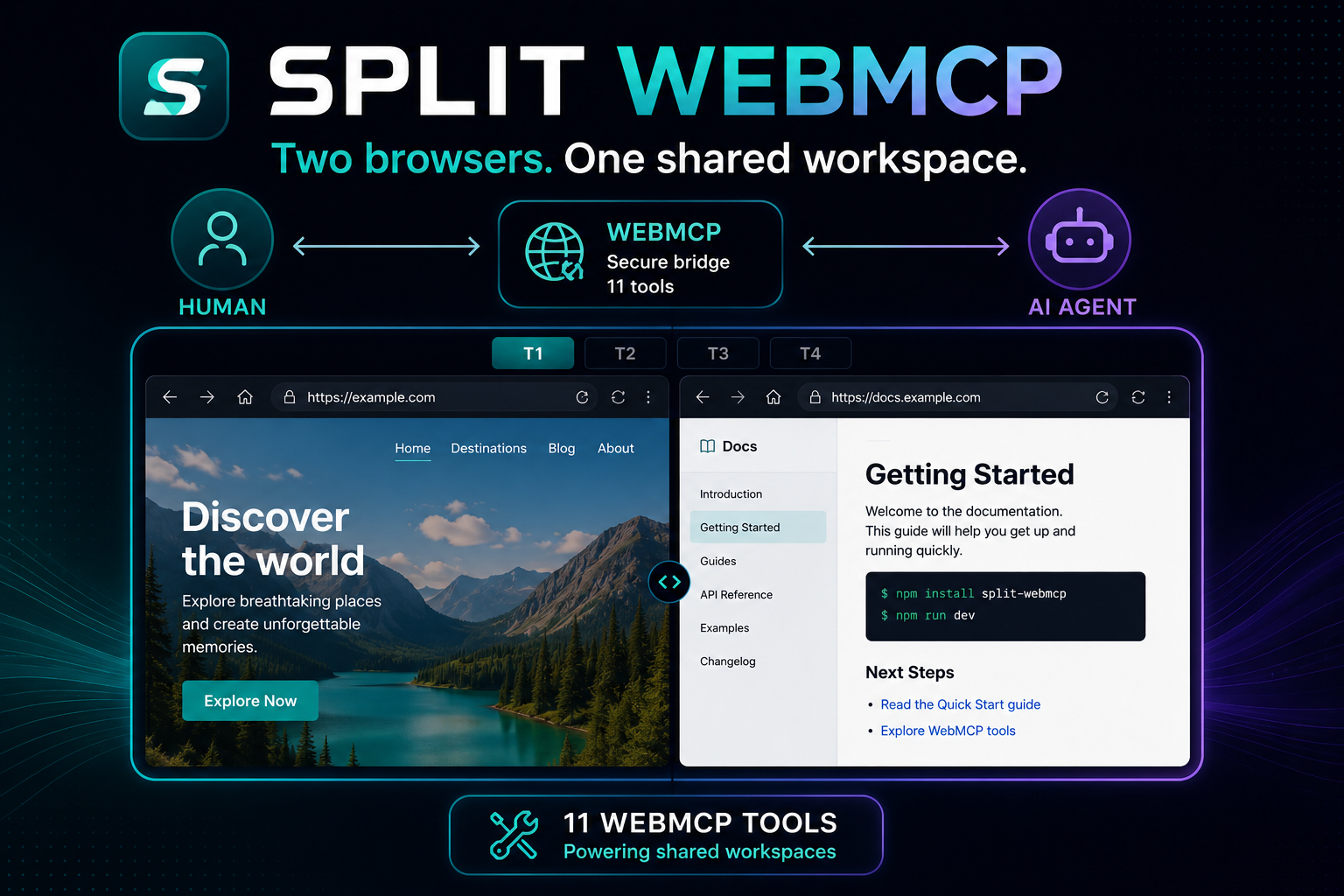
Split WebMCP gives you two browser panes at the same time and four workspaces: T1, T2, T3, and T4.
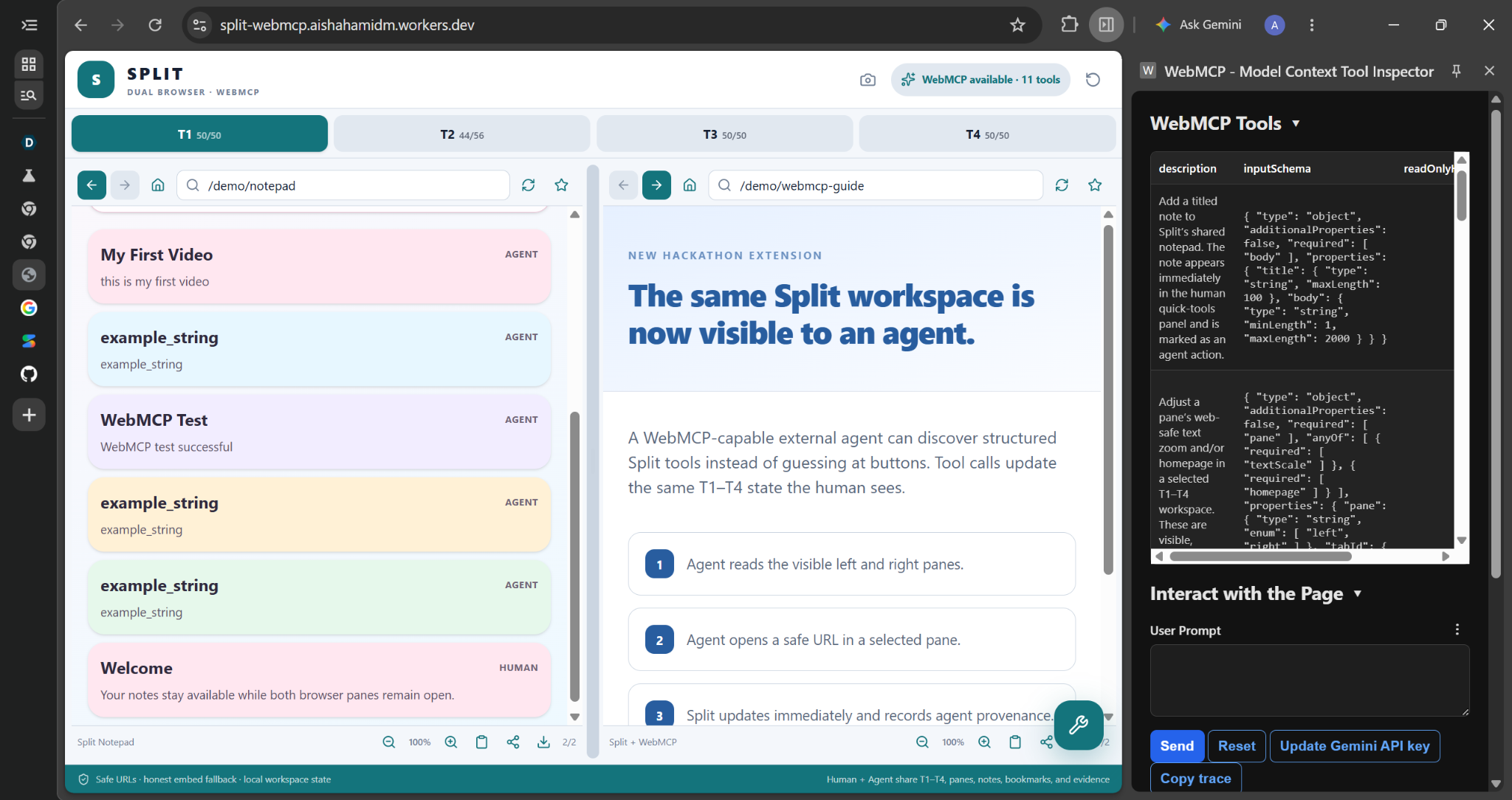
You can use Split normally as a human but when it is opened in a WebMCP-capable environment, an external AI agent can discover 11 WebMCP tools.
Those tools allow the agent to:
- check the current workspace and panes
- inspect the T1–T4 workspaces
- switch between workspaces
- open a resource in a selected pane
- configure pane preferences
- read and add notes
- read and save bookmarks
- create comparisons
The part I find most interesting is that the human and the agent are not working in two separate versions of Split. They work with the same application state.
For example, if the agent switches the workspace or adds a note through WebMCP, that change appears in Split for the human too. Agent actions are also marked with Agent provenance so it is clear where the action came from.
The AI itself is not built into Split. It stays external. WebMCP is what connects the agent to the application.
How we built it
The original Split Android app existed before this challenge. For the WebMCP Challenge, I built Split WebMCP as a separate web implementation. The original Android source was not copied into this project and is not included in the public repository.
I built the web version around shared state for the browser panes, T1–T4 workspaces, navigation, notes, bookmarks, comparisons, preferences, and activity.
Both normal human controls and WebMCP actions use that same state. This was important because I wanted an action performed by an agent to become a real part of the workspace instead of something happening in a separate AI demo.
The WebMCP tools are registered using:
document.modelContext.registerTool(...)
There are currently 11 registered tools. They have structured inputs and runtime validation, and the actions they perform are connected to the same state as the normal Split interface.
I also added URL validation, restricted URL schemes, local persistence, WebMCP feature detection, security headers, and same-origin demo pages that make the WebMCP behavior easier to test reliably.
I tested the finished public deployment with an external Codex browser agent. It discovered all 11 WebMCP tools and successfully called get_workspace. During integration testing I also verified actions such as switching workspaces and adding notes through WebMCP.
Challenges we ran into
One challenge was understanding what WebMCP should actually do for Split.
At first, it is easy to think that adding AI means putting an assistant or chatbot inside the application. But that isn't what I wanted to demonstrate. I wanted an external agent to be able to use specific parts of Split through WebMCP while I could still use the same interface normally.
Browser security was another challenge. Some third-party websites do not allow themselves to be embedded because of things like CSP and framing restrictions. I didn't want to bypass those protections or pretend every website could be embedded, so I added same-origin demo resources for reliable testing and kept a fallback for resources that cannot be displayed inside a pane.
I also had to think carefully about what an agent should be allowed to do. The WebMCP tools use defined schemas, validation, bounded inputs, and restricted URL schemes instead of giving the agent unrestricted access.
Another important challenge was separating my previous work from my hackathon work. Split already existed as an Android app, but Split WebMCP is the new web implementation I created for this challenge. The Android source remains separate.
Accomplishments that we're proud of
I'm especially proud that the WebMCP integration actually works with an external agent.
On the public deployment, an external Codex browser agent was able to discover all 11 tools and call Split through WebMCP.
I'm also proud that I didn't have to turn Split into an AI chatbot to make that happen. Split still works as a normal human-controlled dual-browser workspace. WebMCP adds another way of interacting with it when a compatible agent is available.
The human can do something, the agent can continue from that workspace and the human can continue again from the agent's changes.
That is the part of Split WebMCP that I wanted to prove with this project.
What we learned
Before working on this project, I mostly thought about AI interacting with software through chat interfaces or by trying to operate the interface like a person.
Working with WebMCP showed me another approach. A website can expose specific tools that tell an agent what it is actually allowed to do and what inputs those actions require.
I also learned why shared state matters. If the AI has its own separate state, it doesn't really feel like the human and agent are working together. Connecting WebMCP actions to the same state as the human interface made the collaboration much more real.
I learned a lot about WebMCP tool design, browser security, validation, shared application state, and the limitations that come with embedding external web content.
What's next for Split WebMCP
I want to keep exploring what happens when the agent can understand more useful workspace context while still having clearly limited permissions.
I would like to improve research and comparison workflows and give agents more useful ways to help organize a browsing session without taking control away from the person using Split.
For me, the interesting direction is not simply putting AI inside a browser. It is finding better ways for a person and an external agent to work with the same browsing workspace together.
Built With
- chatgptsites
- css3
- github
- html5
- javascript
- next.js
- react
- typescript
- webmcp

Log in or sign up for Devpost to join the conversation.