Inspiration
Split came from a simple problem I kept running into on mobile: I wanted to look at two things at the same time without constantly switching apps or browser tabs. Sometimes that means watching a lesson while taking notes, checking one website while using another or keeping a reference page open while working. On a phone, that kind of multitasking can feel cramped and distracting, so I built Split to make it feel more focused.
What it does
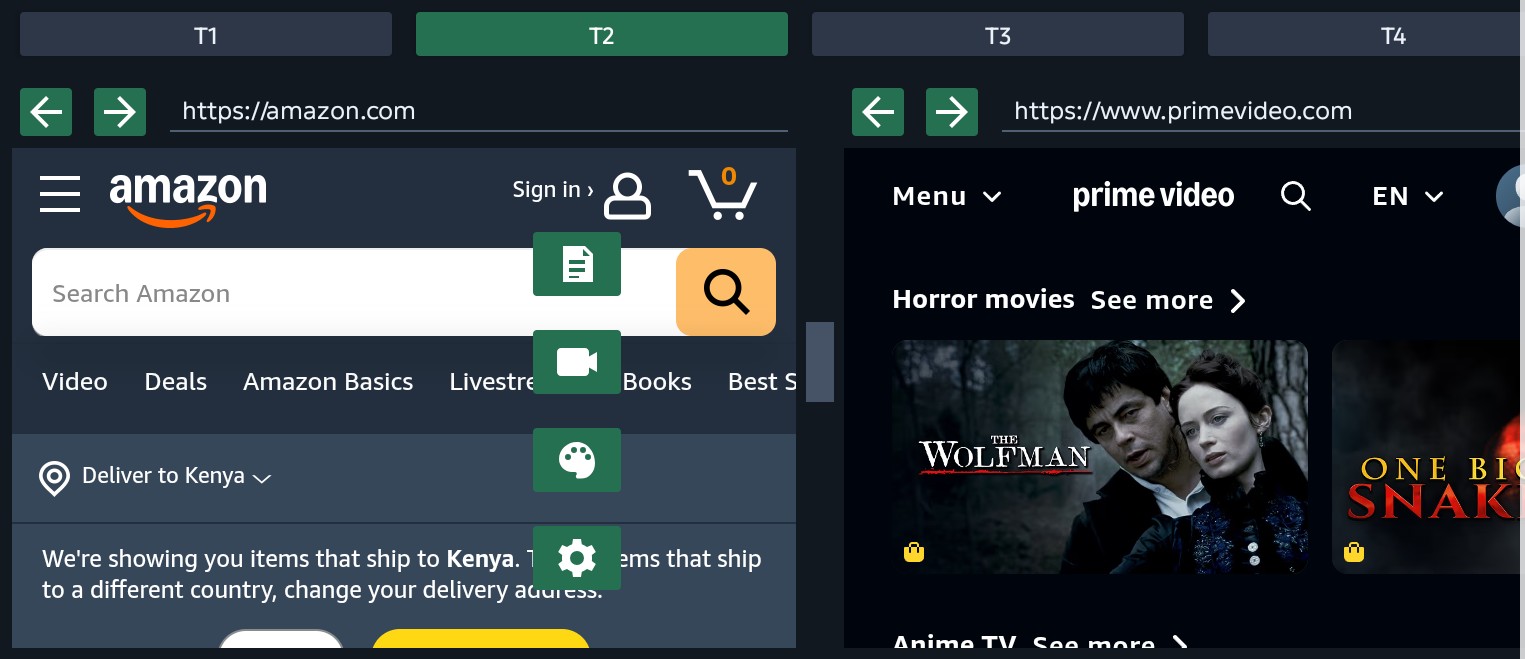
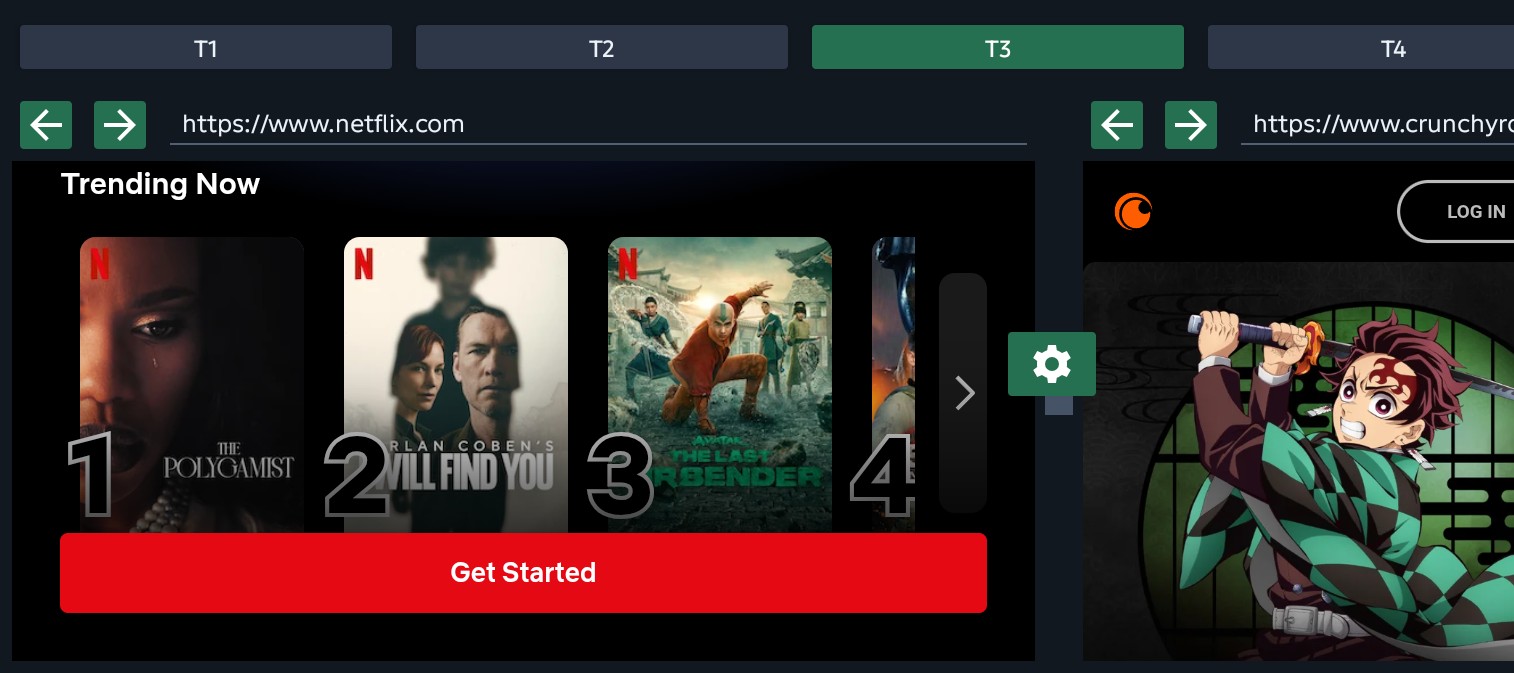
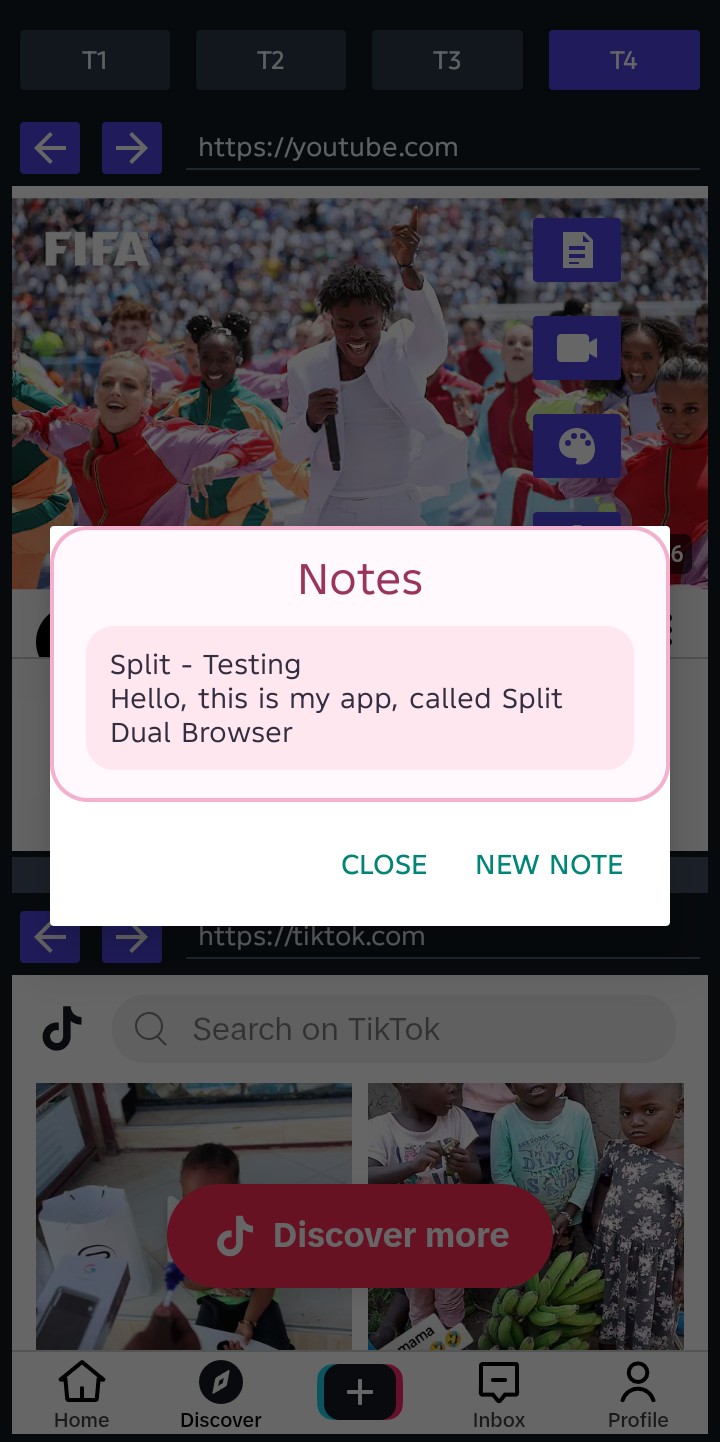
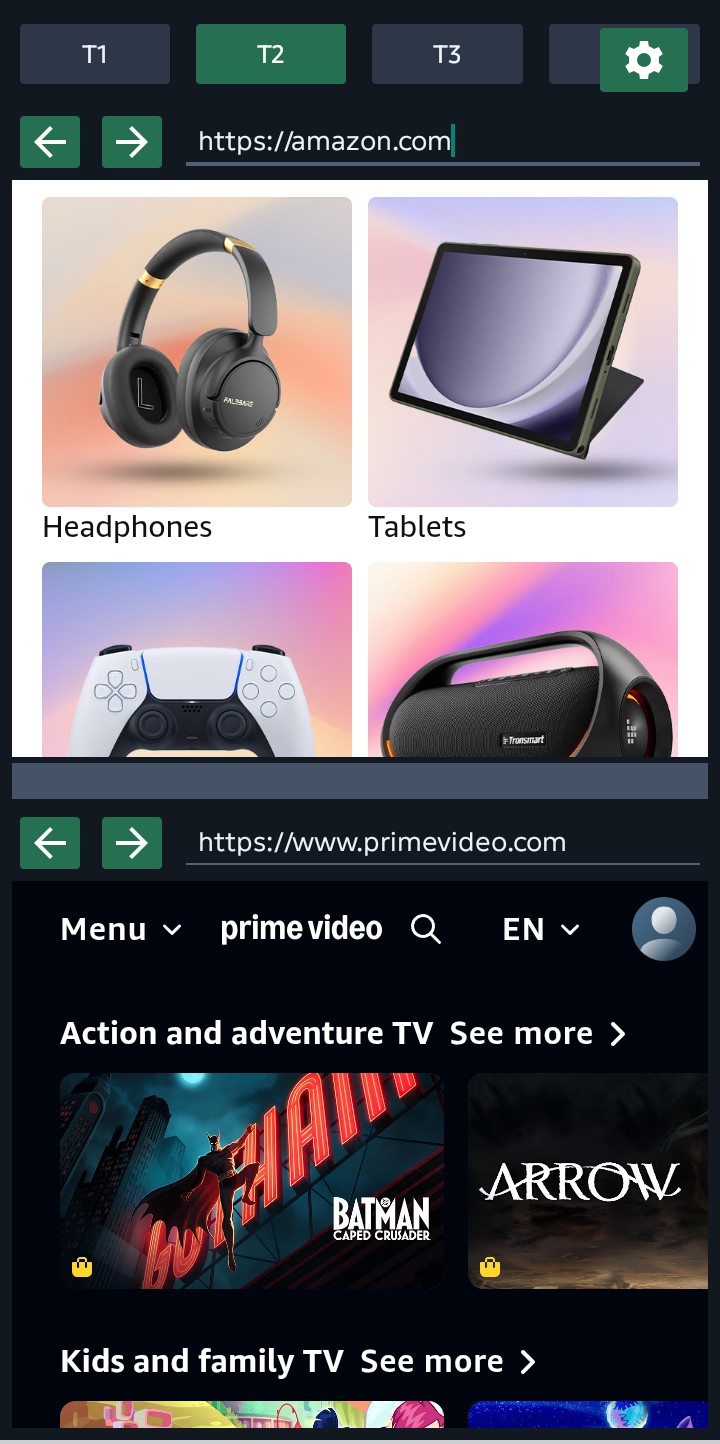
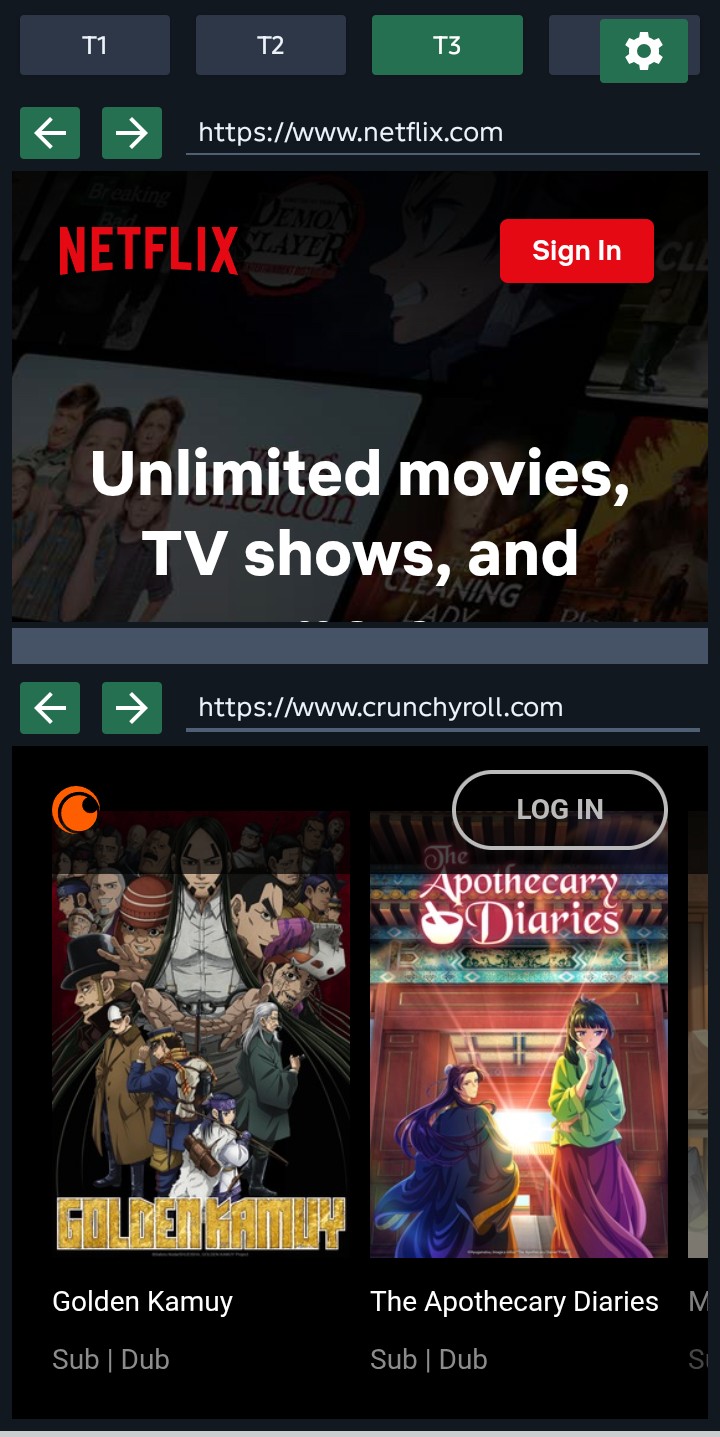
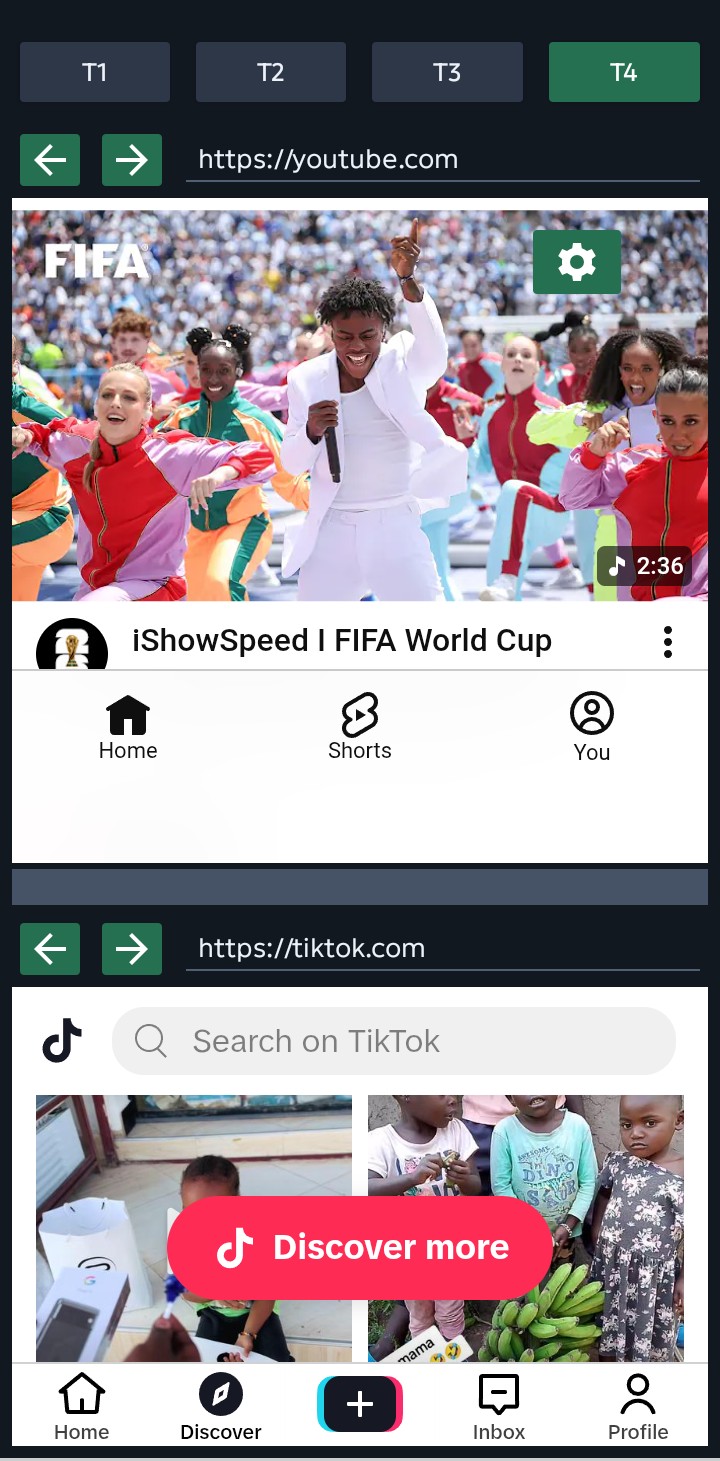
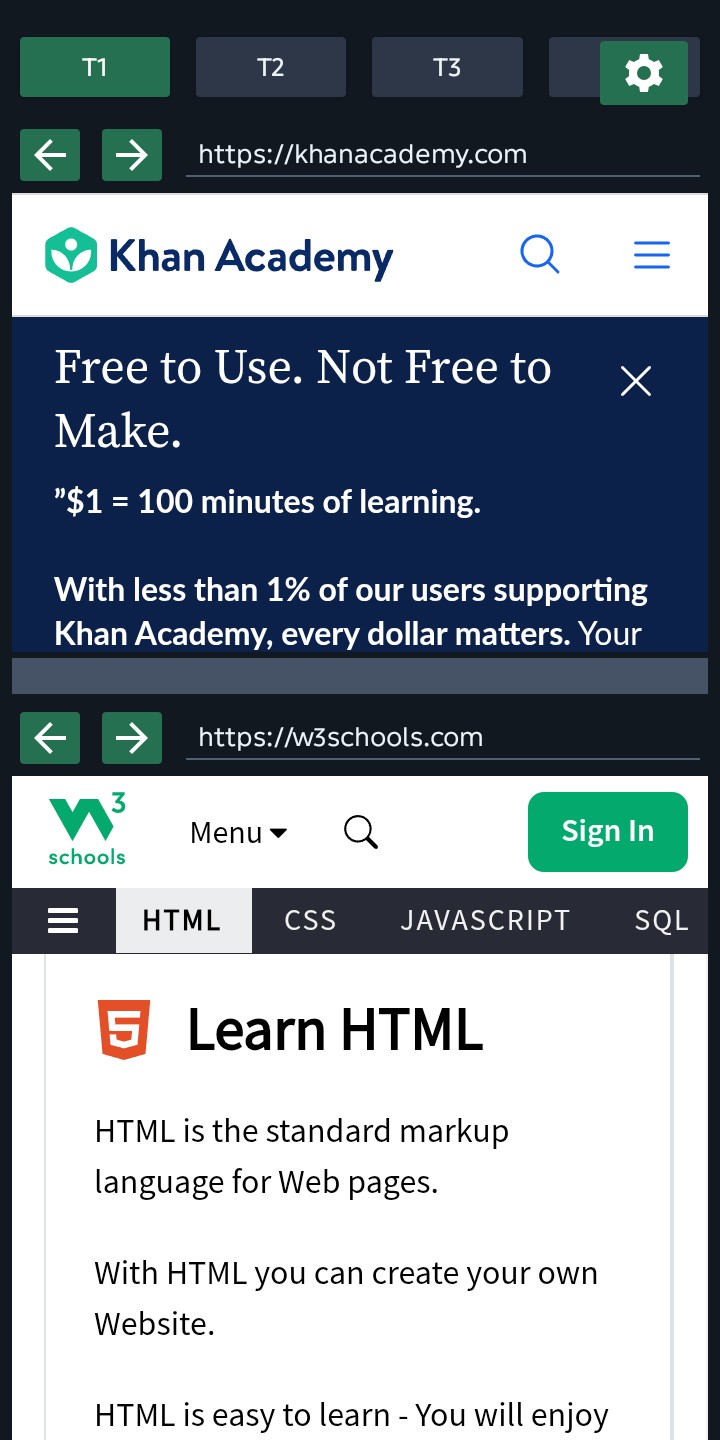
Split Dual Browser is an Android app that shows two browser views in one workspace. In portrait mode, the two pages appear top and bottom. In landscape mode, they appear left and right.
The app includes four saved workspaces, T1 through T4, so users can keep different pairs of websites ready for different tasks. Each workspace remembers its two URLs and split size. Each browser pane has its own URL bar and back/forward controls.
Split also includes a draggable divider, a quick tools menu, built-in notes, video shortcuts, color palettes, and dark mode. The goal is to help users study, work, research, watch and organize without constantly leaving the screen they are on.
How I built it
I built Split as a native Android project using Kotlin, Android WebView, AndroidX AppCompat, AndroidX WebKit and Gradle. The main app experience is handled in DualBrowserActivity, which manages the two WebViews, tab workspaces, saved preferences, browser controls, layout changes, notes, quick tools and theme palettes.
The app uses separate portrait and landscape layouts so the split feels natural in both orientations. Local preferences are used to remember the current tab, saved URLs, split ratios, notes, palette choice, dark mode setting and quick tool position.
I also built a project website for Split to explain the app, show screenshots, link to Google Play, and give judges a clear overview of the experience.
Challenges I ran into
One challenge was making two WebViews feel usable on a small phone screen. The layout had to balance browser controls, URL bars, split resizing, and page content without feeling too crowded.
Another challenge was supporting both portrait and landscape modes properly. Portrait needed a top and bottom layout while landscape needed a left and right layout with the same saved workspace behavior.
I also had to handle real mobile web behavior inside WebViews, including links that try to open external apps, video pages, scrolling behavior and keeping navigation inside the app when possible.
Accomplishments that I’m proud of
I am proud that Split is a real working Android app, not just a concept. It is already available on Google Play and has a working website.
I am also proud of the saved workspace system. Being able to switch between T1, T2, T3, and T4 makes the app feel more useful because each tab can become its own focused setup.
The built-in notes and quick tools menu are also important to me because they make Split more than just two browser windows. They make it feel like a small productivity workspace.
What I learned
I learned a lot about Android WebView behavior, layout handling, saved state, orientation-specific design and how much detail goes into making a simple idea feel usable on a phone.
Codex and GPT-5.6 helped me move through the hard parts of building Split: debugging, improving the layout, checking what was actually working and turning the app into a more complete mobile multitasking tool.
What's next for Split - Dual Browser
Next, I want to improve the polish of the browser experience, add more workspace customization, improve note organization and make the saved tabs easier to manage.
I also want to explore better onboarding, more useful shortcuts, and more refined layouts for different screen sizes. The long-term goal is for Split to become a practical mobile workspace for people who study, work, research, and multitask from their phones.
Built With
- android
- android-studio
- androidwebview
- androidx
- codex
- github
- gpt-5.6
- gradle
- kotlin
- netlify
- openai

Log in or sign up for Devpost to join the conversation.