-
-
Splatara Cloud Renderer: gigabyte Gaussian splats, streamed to Meta Quest
-
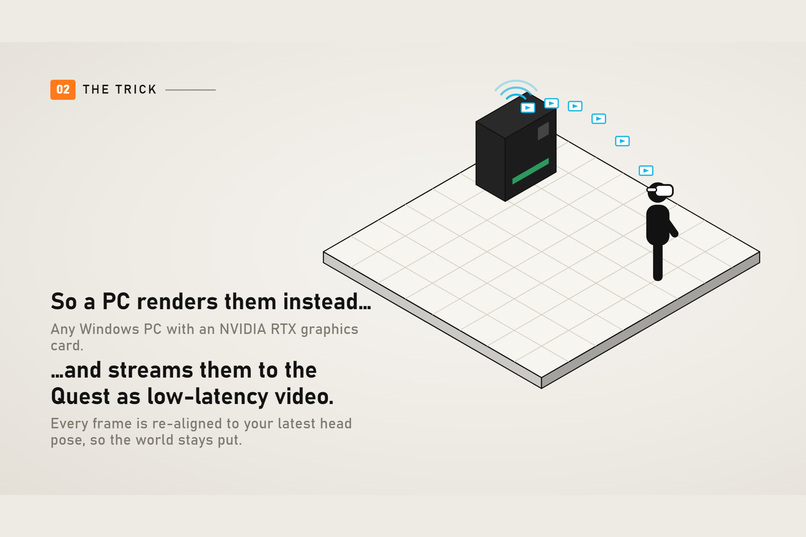
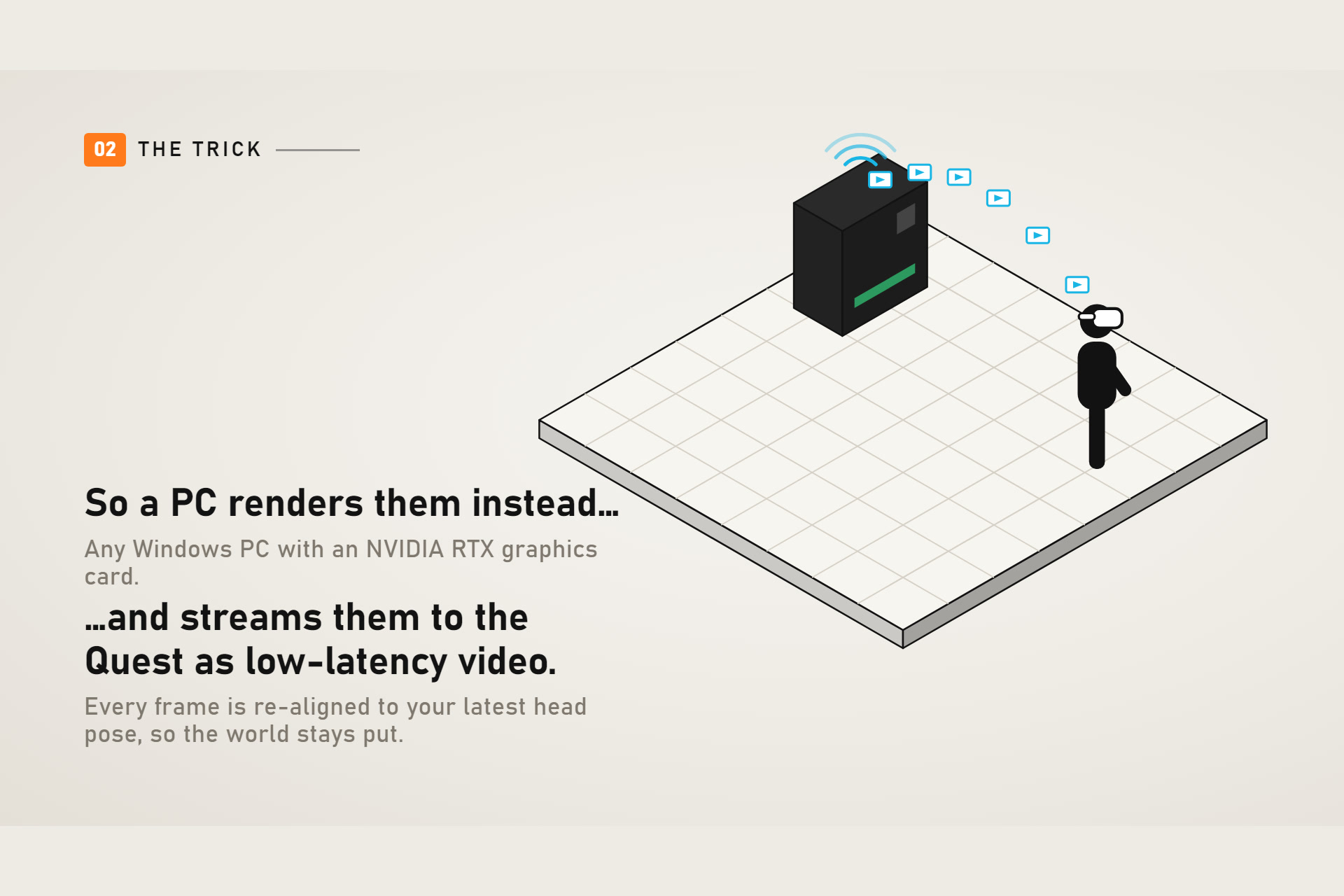
How it works: the PC renders, the Quest displays low-latency video
-
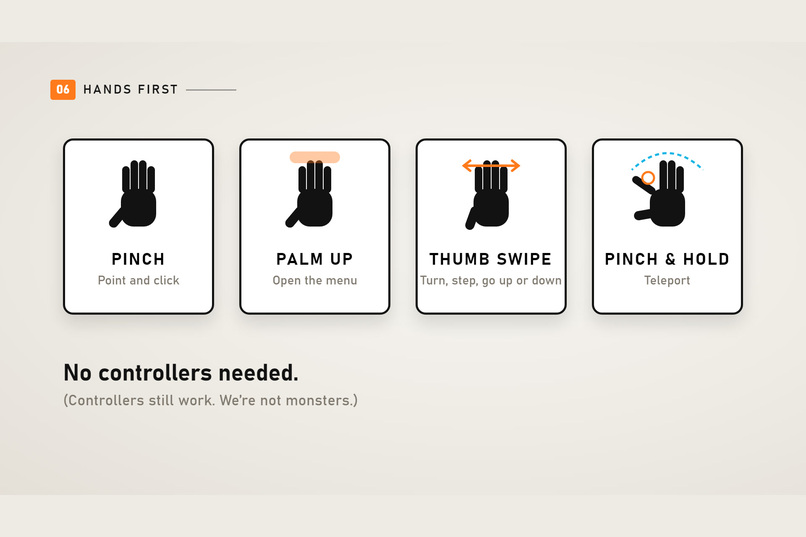
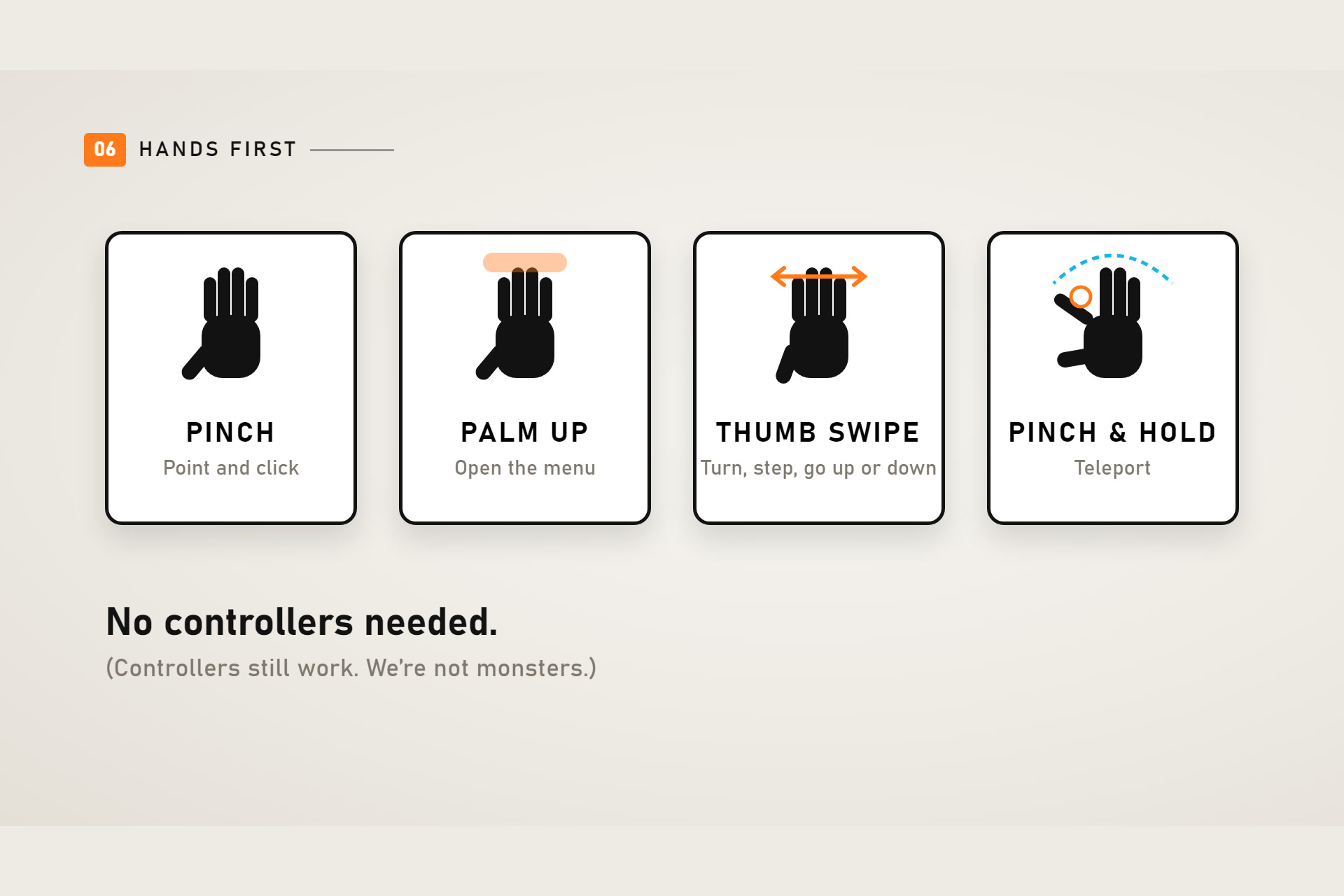
Hands first: pinch, palm menu, thumb microgestures, pinch-and-hold teleport
-
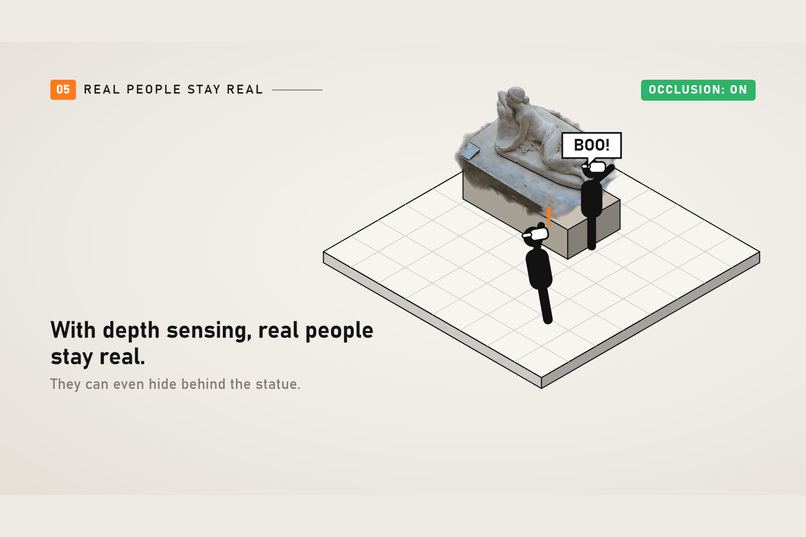
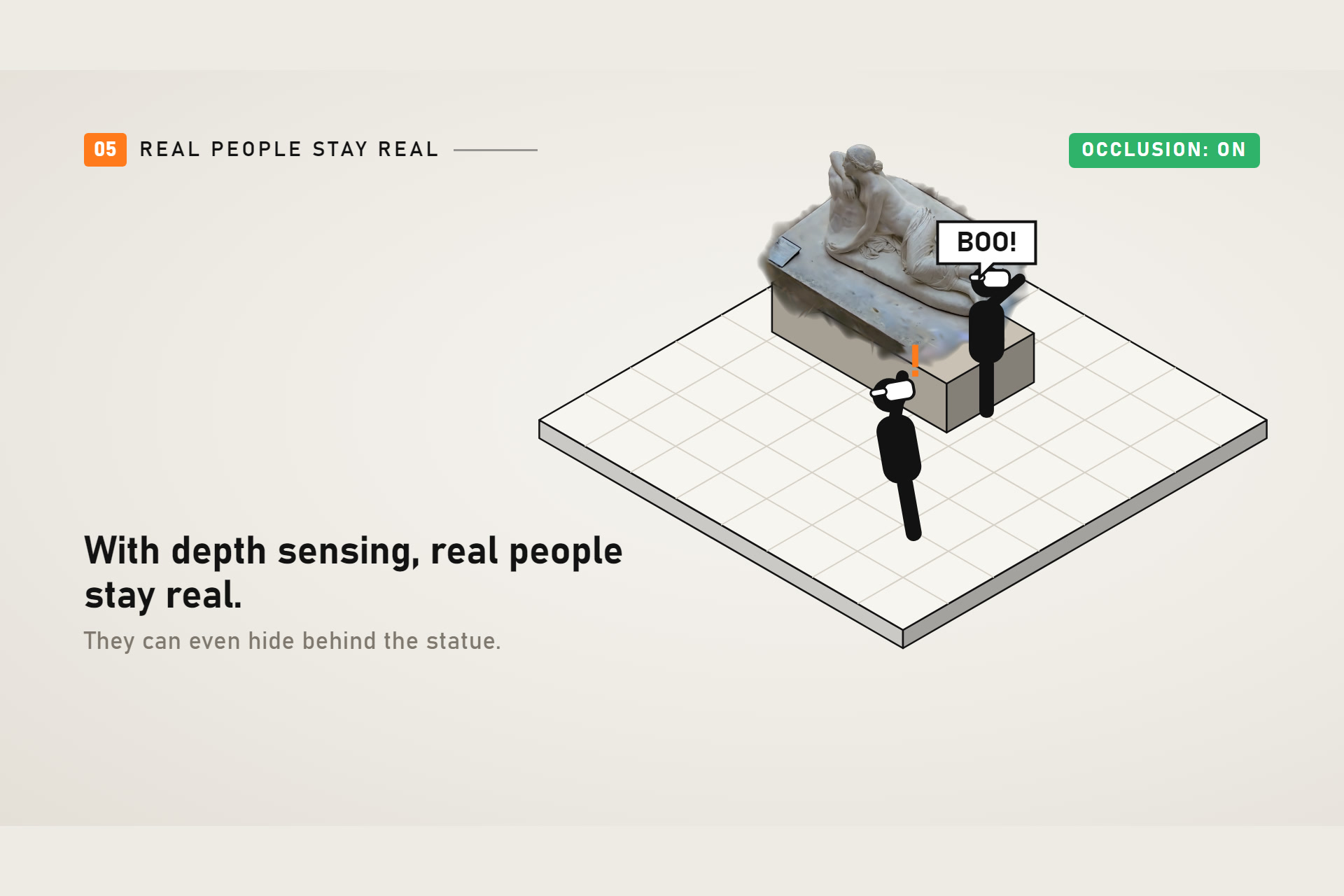
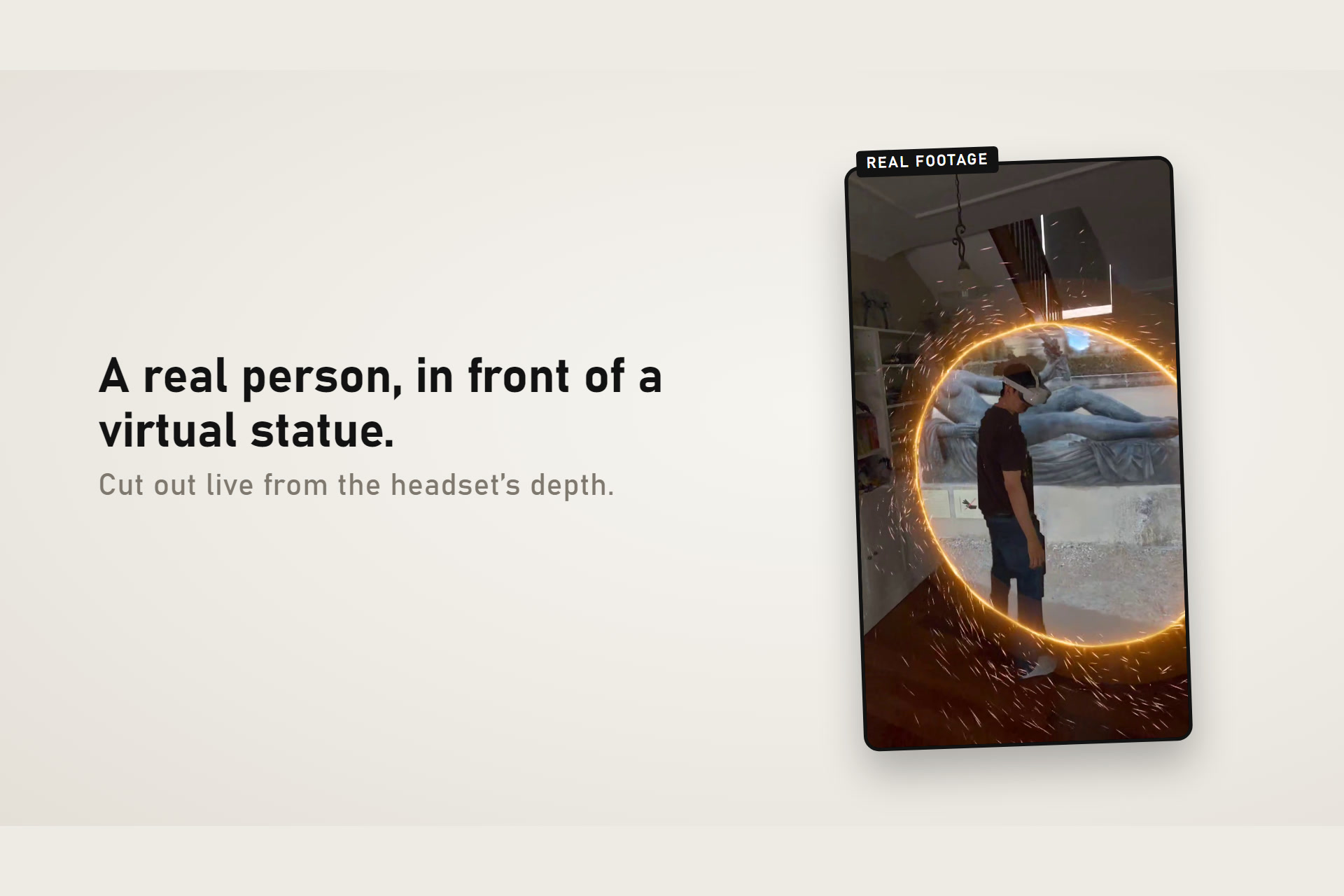
Dynamic occlusion: real people stay real, even behind virtual objects
-
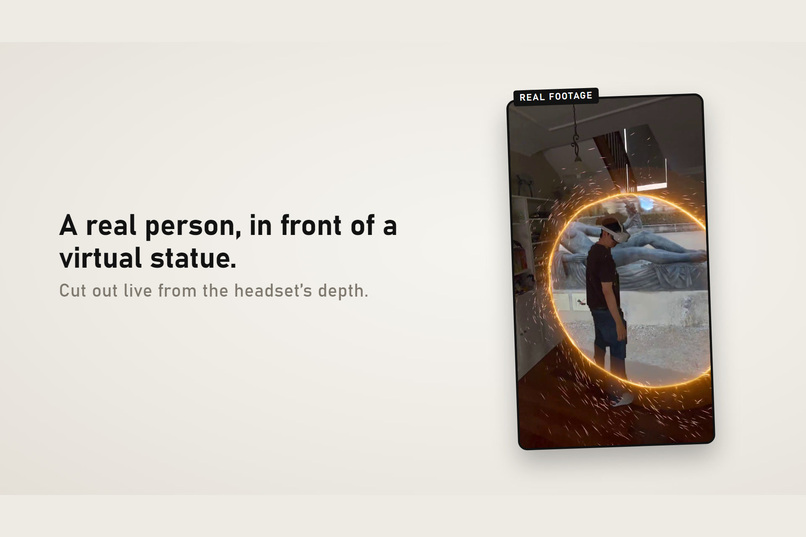
A real person in front of a virtual statue, cut out live from depth
-
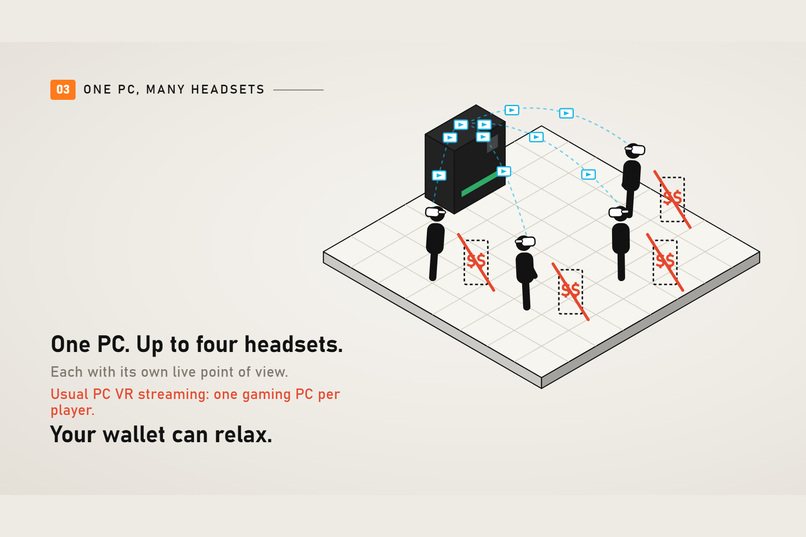
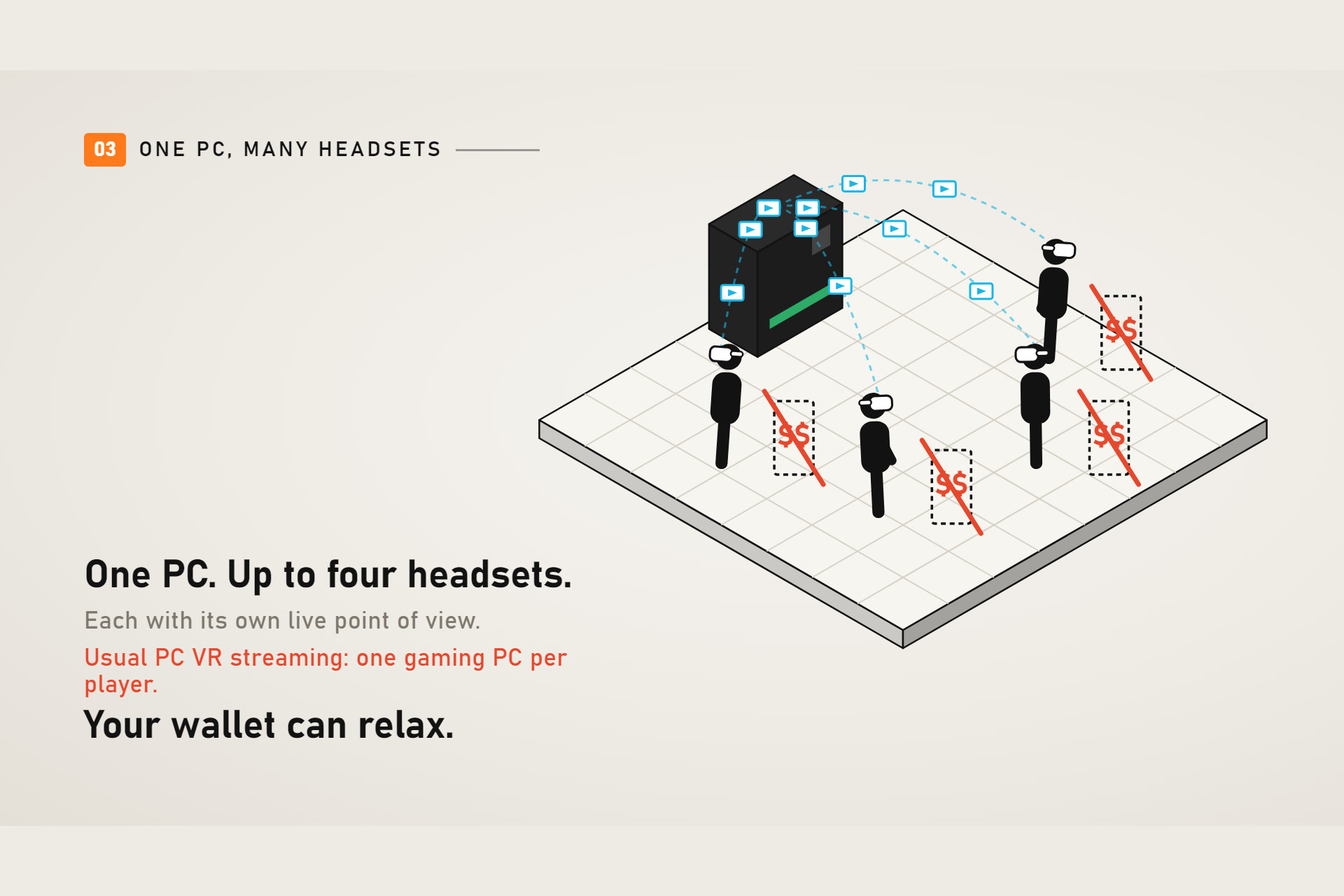
One PC streams to up to four headsets, each with its own viewpoint
-
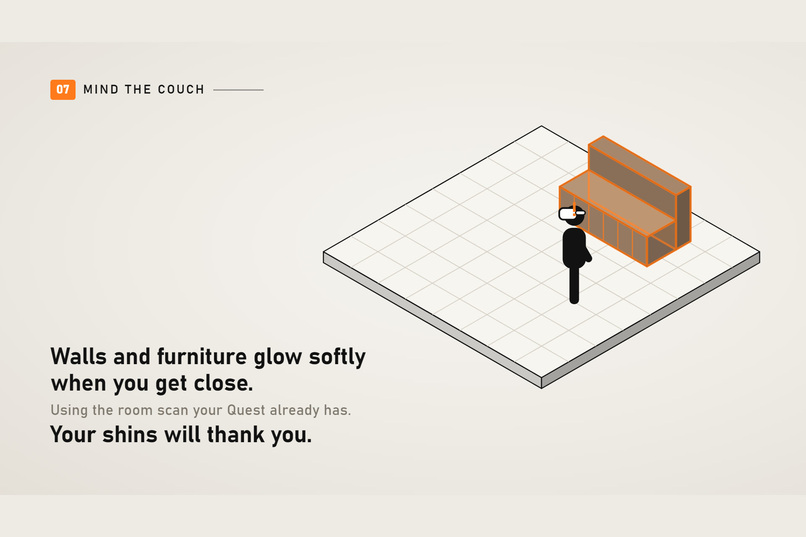
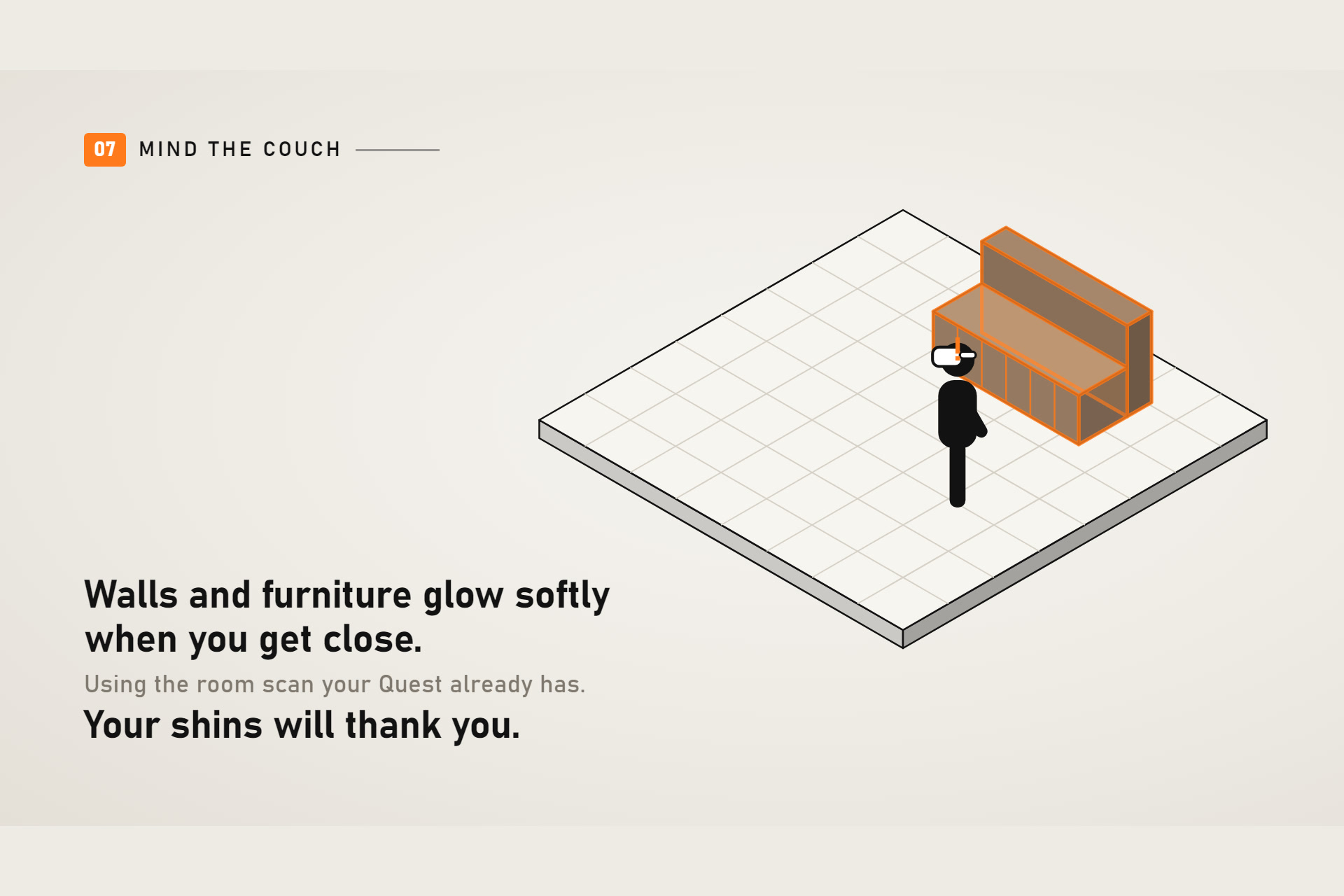
Room-aware safety: walls and furniture glow when you get close
-
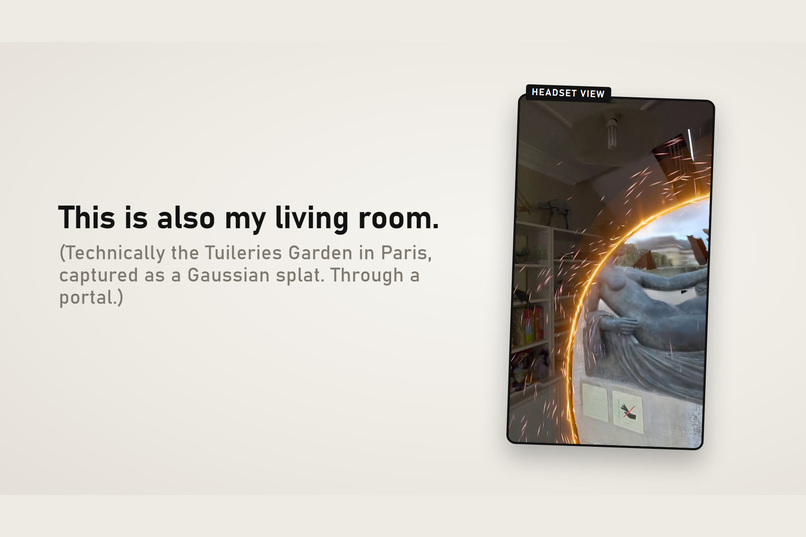
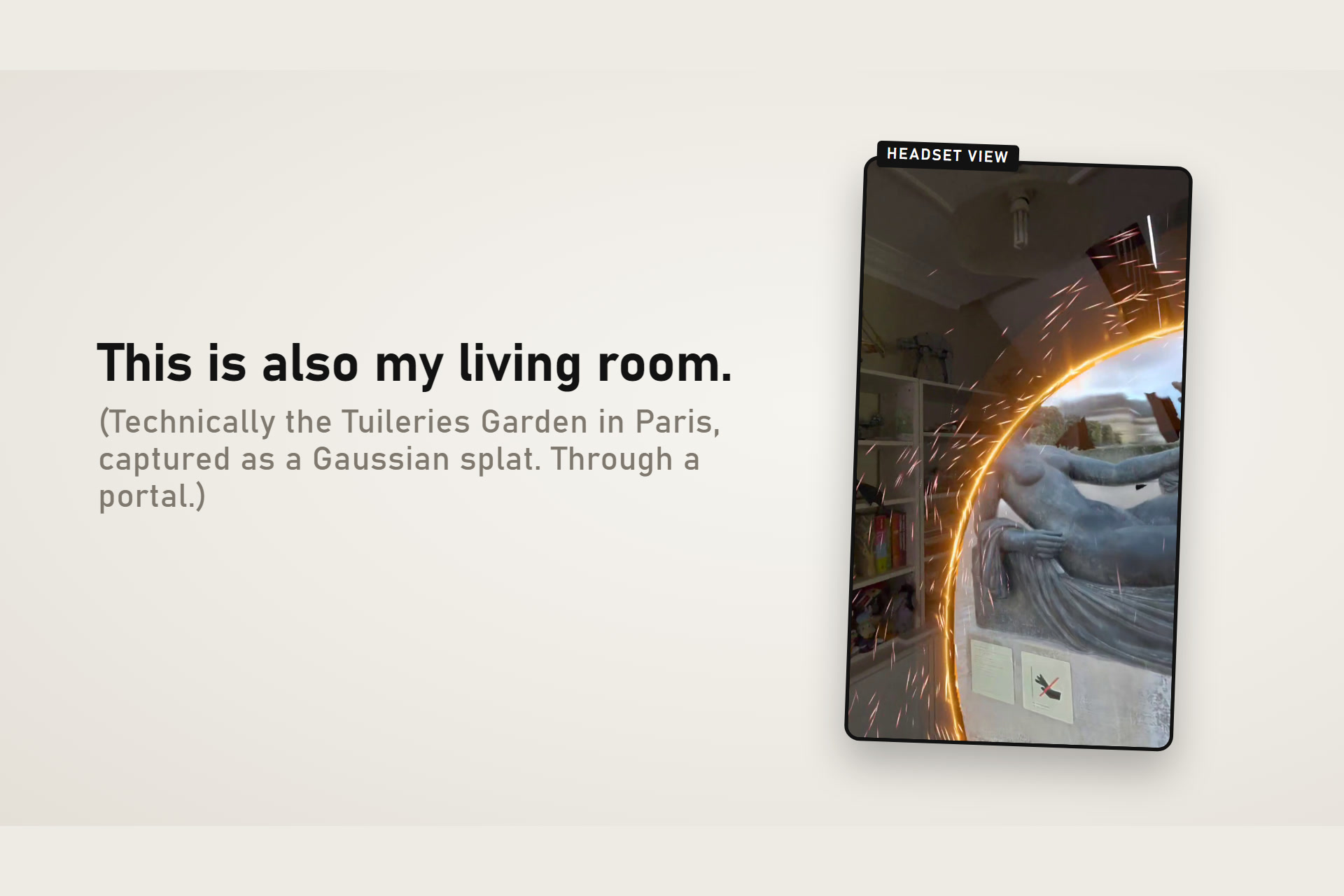
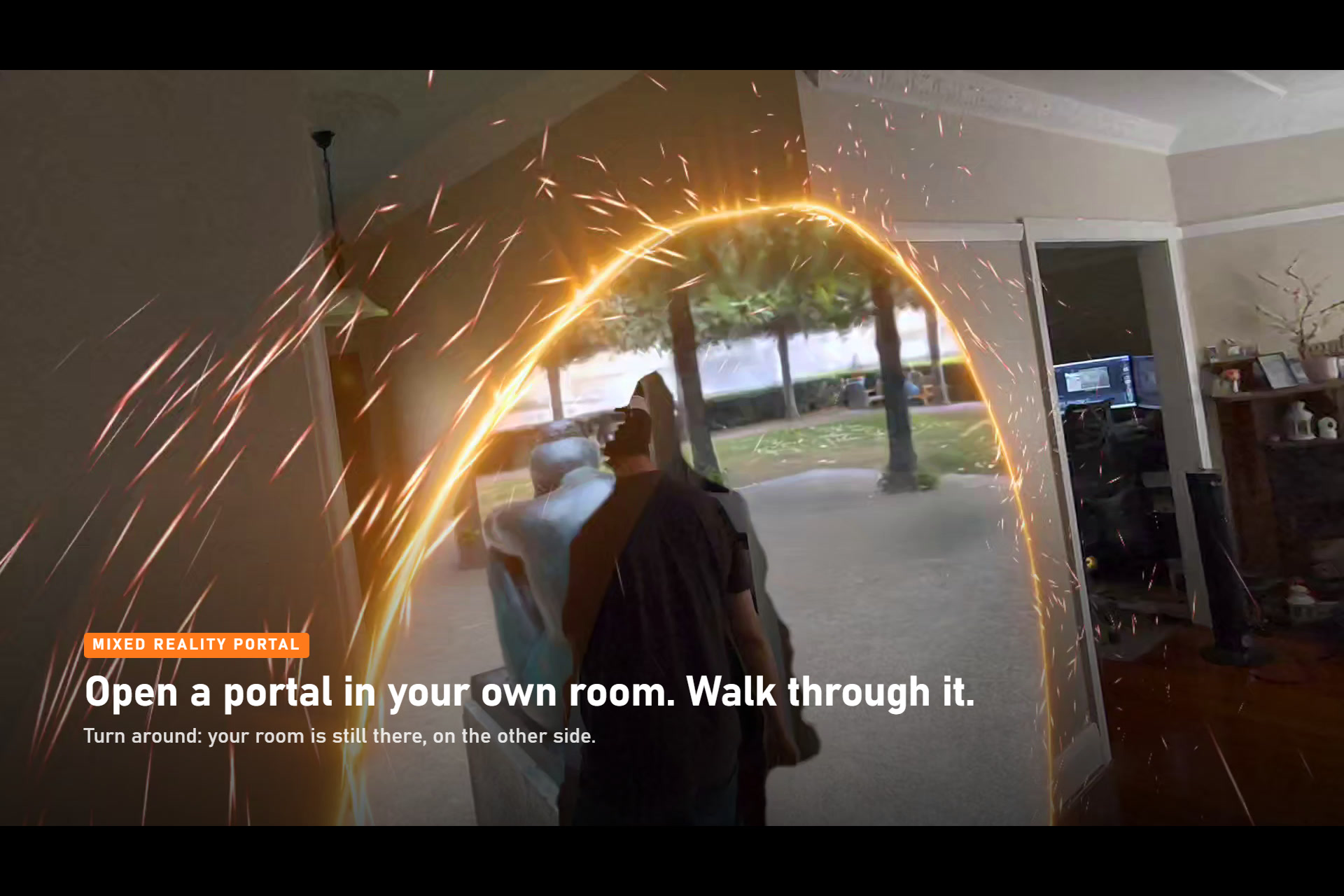
From your living room to the Tuileries Garden, through a portal
-
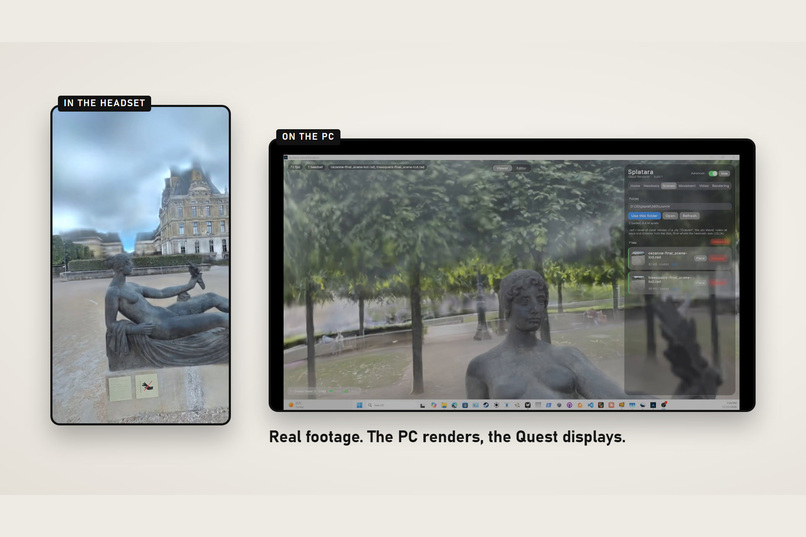
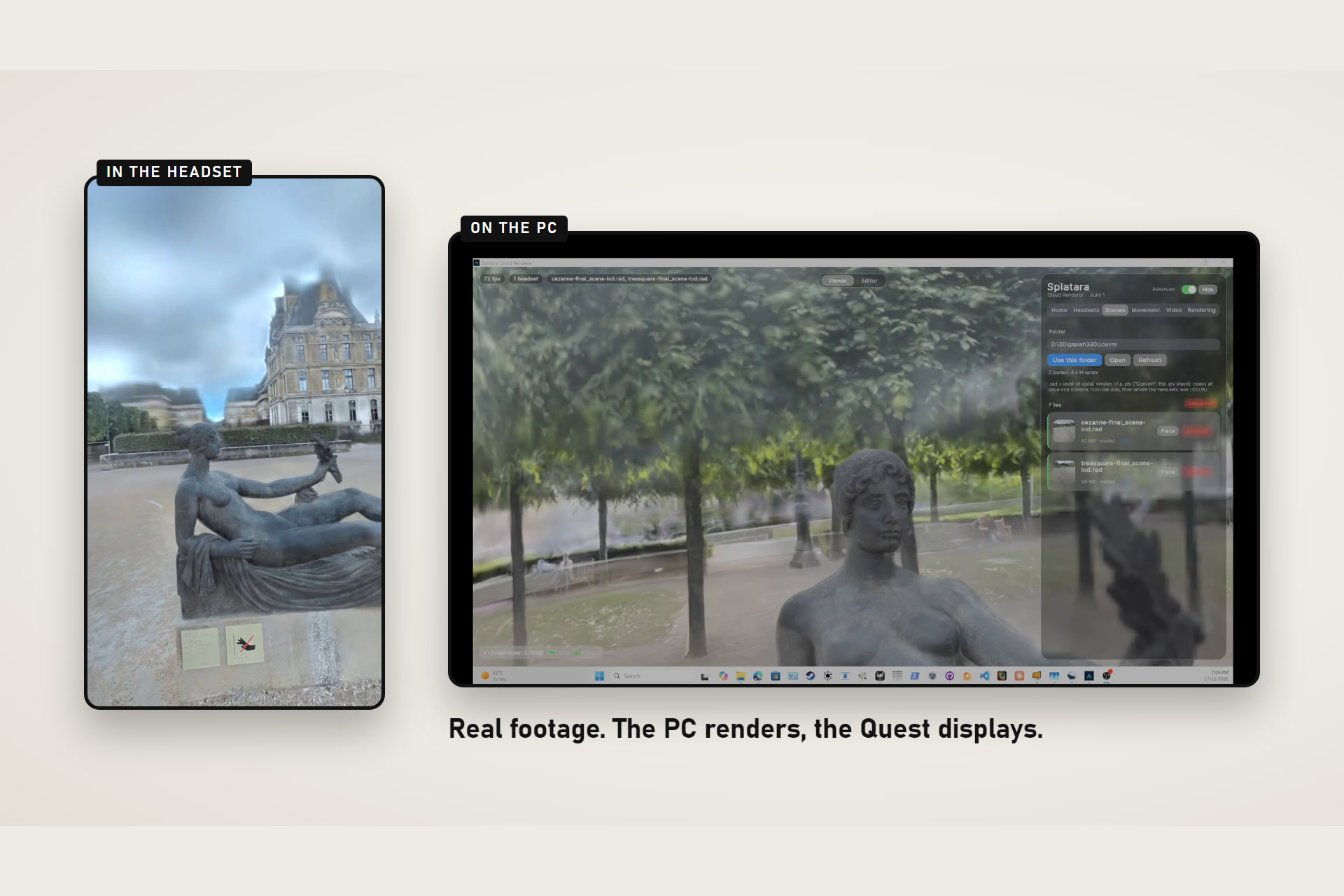
Real footage: headset view and the PC server side by side
-
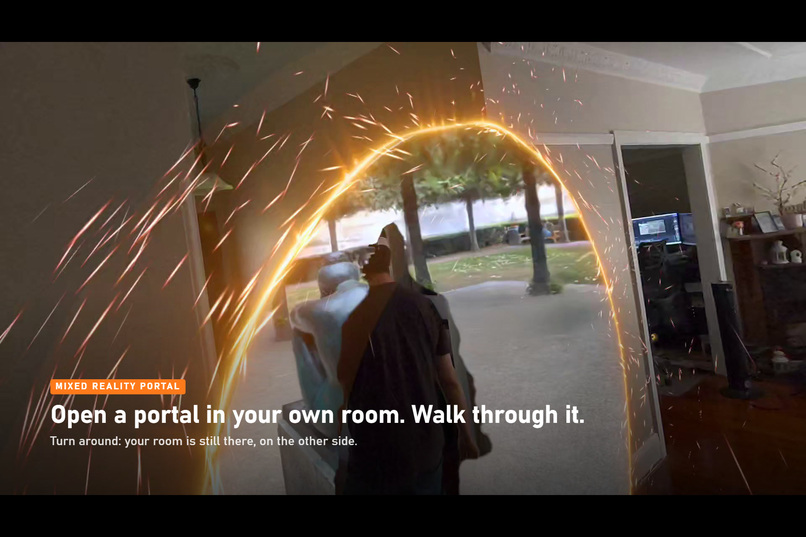
Open a portal in your own room and walk through it (real footage)
-
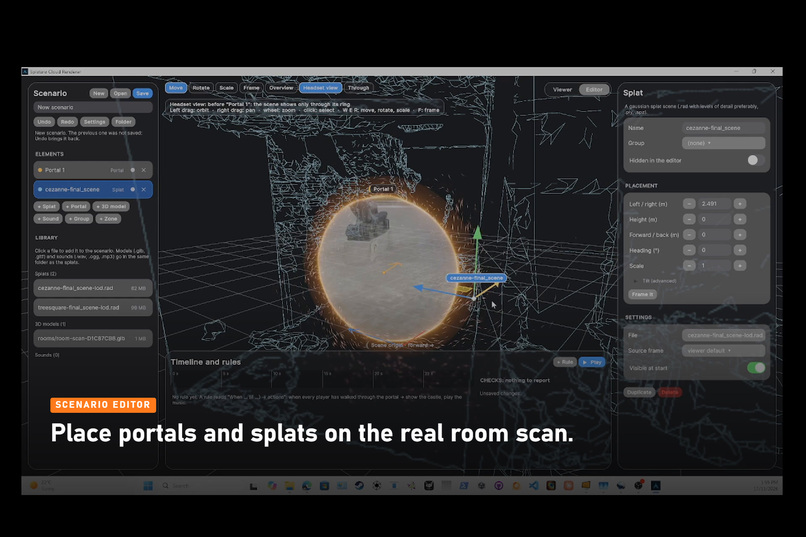
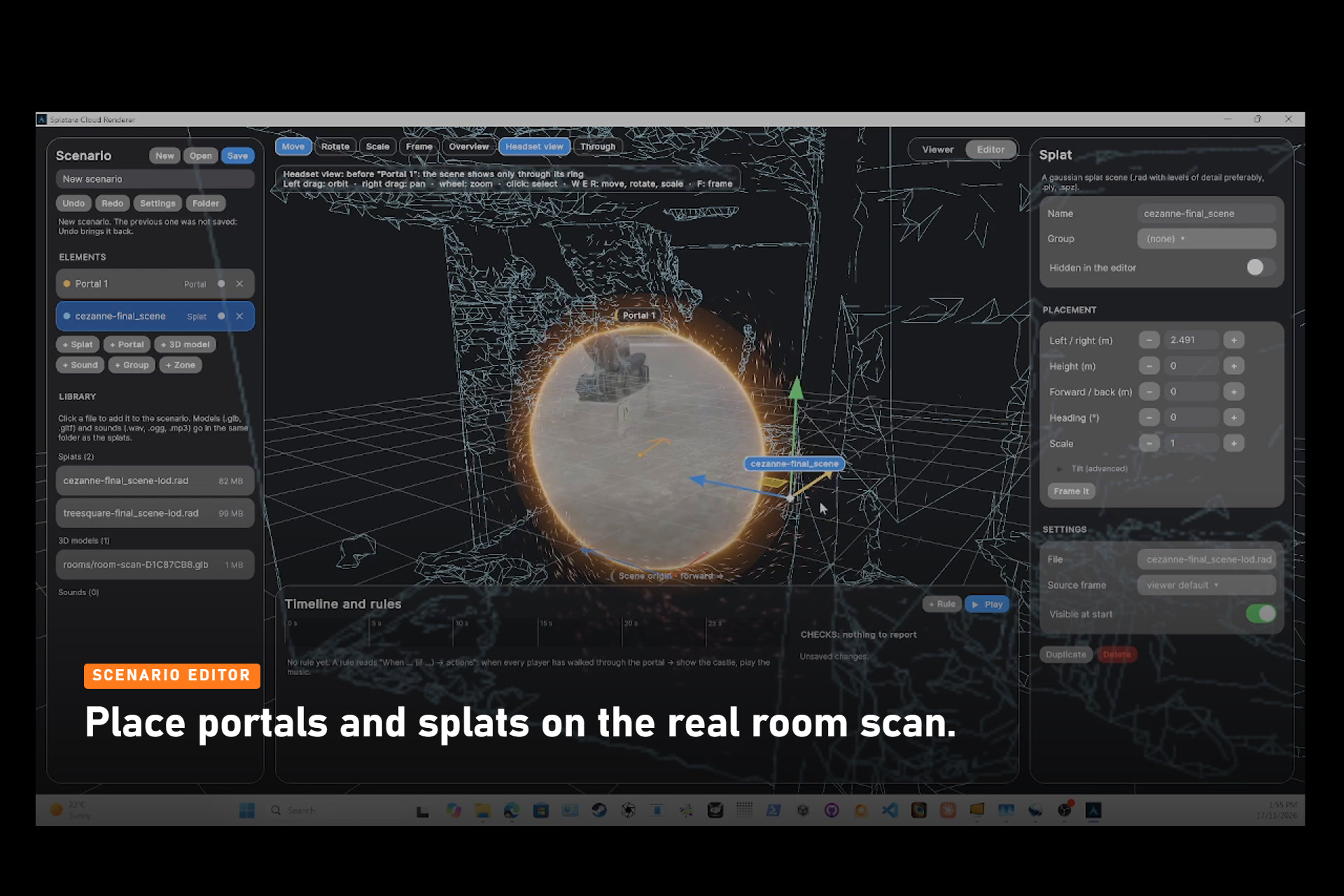
Scenario editor: place portals and splats on the headset’s room scan
-
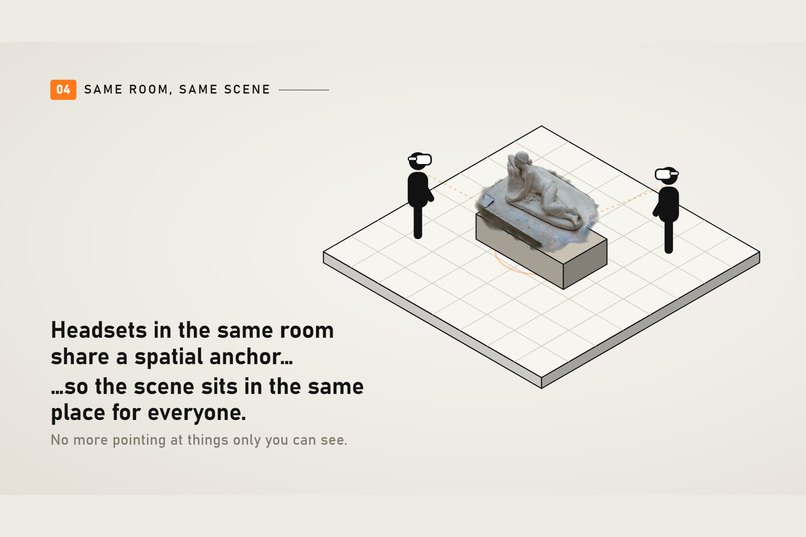
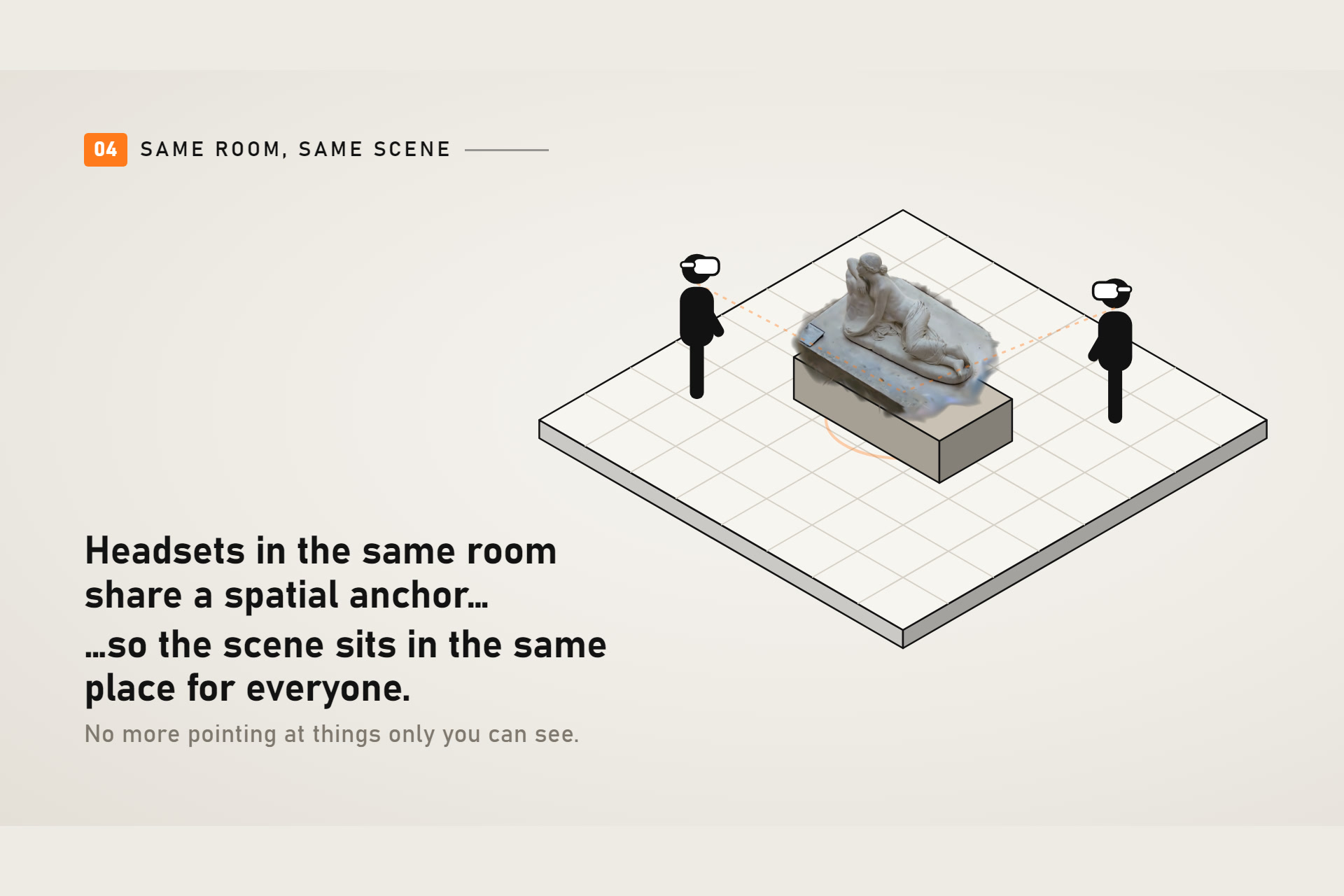
Colocation: a shared spatial anchor puts the scene in the same place for everyone
Splatara is where two of my earlier projects meet.
Two years ago, after working as a VR engineer at Disneyland Paris, I went independent and built a colocated VR escape game: players shared the same physical room and saw each other as live silhouettes, so the real people stayed part of the virtual world. The technology worked, but the commercial launch stalled and I moved on.
A few months later I started Splatara, a SaaS that used Gaussian splats to follow construction sites over time. My first attempts at capturing splats with a Quest 3 were disappointing, and I blamed the hardware. Then Meta released Hyperscape with excellent results: the headset was clearly capable, my pipeline was not. I reworked it and released Splatara Scan, an app that lets anyone capture and train their own splats locally, without sending their data to foreign servers. With Fred and Eugene, we took it as Team HypeD+Escape to the XRCC 2026 hackathon and came in Second for the IWSDK category (awarded by Meta crew member Alisa Kurt and Jianmin Zheng and also) won the "Best use of Gaussian Splat" award (Awarded by XRCC senior board member Dinesh Puni)
That left one wall: the scenes people capture are far too heavy for a standalone headset to render. When a friend told me about Kyber and its ultra-low-latency streaming, the next step was obvious: render the splats on a PC GPU and stream them to the Quest. And once the scenes were walkable, I wanted the people around you back in the picture, just like in the escape game: colocation, and real players visible in front of the virtual world. That meant one PC had to serve a whole group, not one headset: standard PC VR streaming pairs one PC with one headset, which makes a shared experience cost one gaming PC per player.
What it does
- A portal in your room. You start in passthrough, in your real room. A ring opens in front of you; the captured place shows through it, and you physically walk through to arrive inside.
- Photoreal scenes streamed from a PC. A Windows PC with an NVIDIA RTX GPU renders the splat scene for each eye and streams it to the headset as low-latency HEVC video over Wi-Fi. The headset reprojects every frame to the latest head pose, so the view stays locked to your head even though the image comes from the PC.
- Your room stays part of the experience. Using the headset's environment depth and the Space Setup room scan, anything real that is closer than the walls (your hands, a friend, the dog) appears in front of the virtual scene. Walls and furniture glow faintly through the scene when you get within 40 cm of them, so you can walk around without bumping into the couch.
- Hands first, controllers optional. Point and pinch to browse the scene library and click, pinch and hold to aim a teleport arc, bring up the home with Meta's palm menu gesture, and move with thumb microgestures (turn, step, go up or down). Every part of the app can be used without ever pairing a controller.
- Together in the same room. Several headsets in one room share a spatial anchor, so everyone sees the same scene in the same place and sees each other through passthrough while walking through it.
- Authoring. On the PC, a scenario editor arranges splat scenes, portals, 3D models, sounds and timed / conditional rules. The host headset sends its room scan to the editor, so a scenario can be laid out against the real walls and furniture of the room it will be played in.
How we built it
- Headset client: Unity 6 (URP, Vulkan), OpenXR with the Meta XR Core SDK (v207) and Unity OpenXR Meta: passthrough, environment depth, scene anchors / room mesh, shared spatial anchors and colocation discovery, hand tracking and microgestures. A native video bridge decodes the HEVC stream with the hardware decoder.
- PC server: Unity 6 on Windows, a CUDA Gaussian-splat rasterizer, NVENC HEVC encoding per headset, level-of-detail scene files for very large captures.
- Streaming: built on Kyber for ultra-low-latency video from the PC to each headset over Wi-Fi.
- Occlusion: the scanned room is rendered from the depth camera's point of view each frame; a per-texel "keep map" decides where the real world is in front of the room (and of the streamed scene), refined with temporal accumulation and motion prediction so moving people are cut out with less lag.
- Networking: headset / PC pairing with an X25519 key exchange and a short confirmation code, signed tracking packets, automatic server discovery on the local network.
Challenges we ran into
- Latency vs. realism. Streaming means the image is always a little old; positional timewarp and a depth stream were needed for the scene to feel solid while walking.
- Occlusion edges. The environment depth map is low resolution and arrives late. Thin seams between the room scan and the splats, flickering edges and lag on moving people each needed their own fix (room-depth dilation, edge sharpening, temporal accumulation, flow-based prediction).
- Scenes heavier than any headset. Captures of several gigabytes had to be split into level-of-detail scene files so the PC can keep one stereo stream per headset at the headset's frame rate.
- One GPU, several viewpoints. Each headset needs its own stereo render, its own encoder session and its own network stream, all from the same loaded scene and the same GPU, without one player's movement slowing down the others.
- Colocation in practice. Shared anchors behave differently from one headset model and network to another; the PC now shows, for every headset, exactly where anchor sharing stands so problems can be diagnosed on site.
Accomplishments that we're proud of
- Multi-gigabyte photoreal captures, walkable on a Quest at the headset's full frame rate.
- One PC for the whole group: a single PC streams to several headsets at once (2 by default, up to 4), each with its own live viewpoint, where standard PC VR streaming is one PC per headset. A shared experience no longer needs a gaming PC per player.
- Real people stepping in front of a virtual castle, in mixed reality, with no setup beyond Space Setup.
- A complete hands-only flow: pair, pick a scene, walk through the portal, move around, come back.
- Bringing back what made the escape game special (several people in one room, seeing each other inside the virtual world) on standalone headsets, with photoreal captured places instead of hand-built sets.
What we learned
- The hardware is rarely the real limit. Our first Quest 3 captures failed because of our pipeline, not the headset; Hyperscape proved it. Rendering was the same story: the headset can't hold a multi-gigabyte scene, but with low-latency streaming it doesn't have to.
- Seeing the real people matters as much as the virtual scene. In a shared experience, players relax and move naturally when they can see each other. That is why occlusion and colocation got as much work as the splat rendering.
- Edges are where mixed reality is judged. A few pixels of lag or a thin seam around a moving person is what the eye notices first; most of our occlusion work went into the last few centimetres around people's silhouettes.
What's next for Splatara
- Location-based entertainment: colocated, scenario-driven experiences (escape games, guided tours) in captured places, the market the original escape game was built for.
- Capture to walk-through in one chain: scan and train with Splatara Scan, then walk through the place with the Cloud Renderer.
- Construction and real estate: walk a site or a property as it was captured, together with the client, Splatara's original use case.


