-
-
-
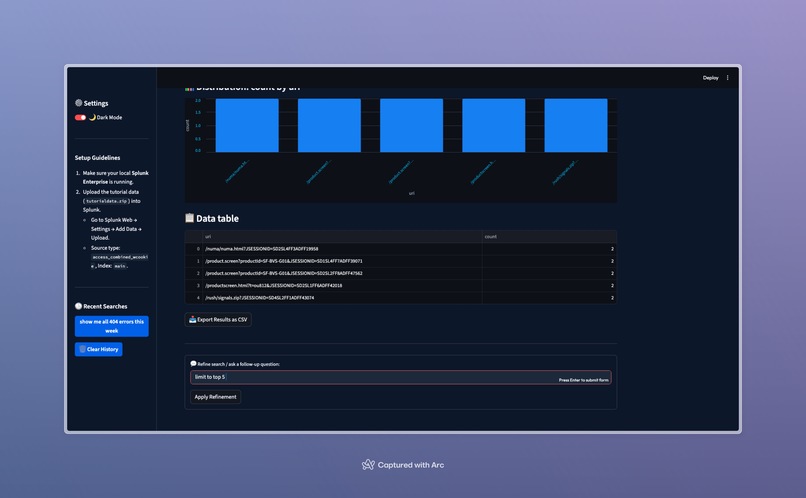
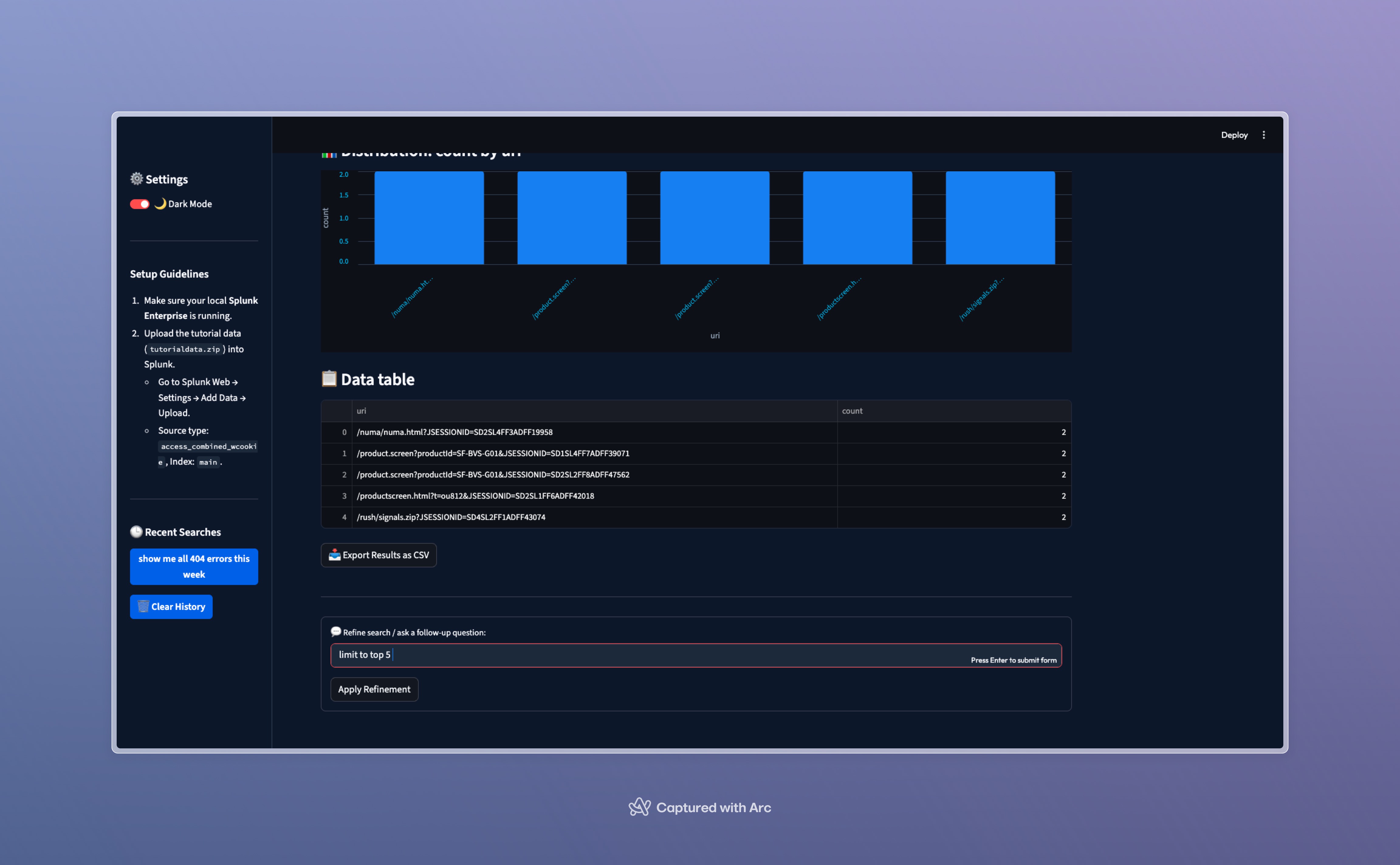
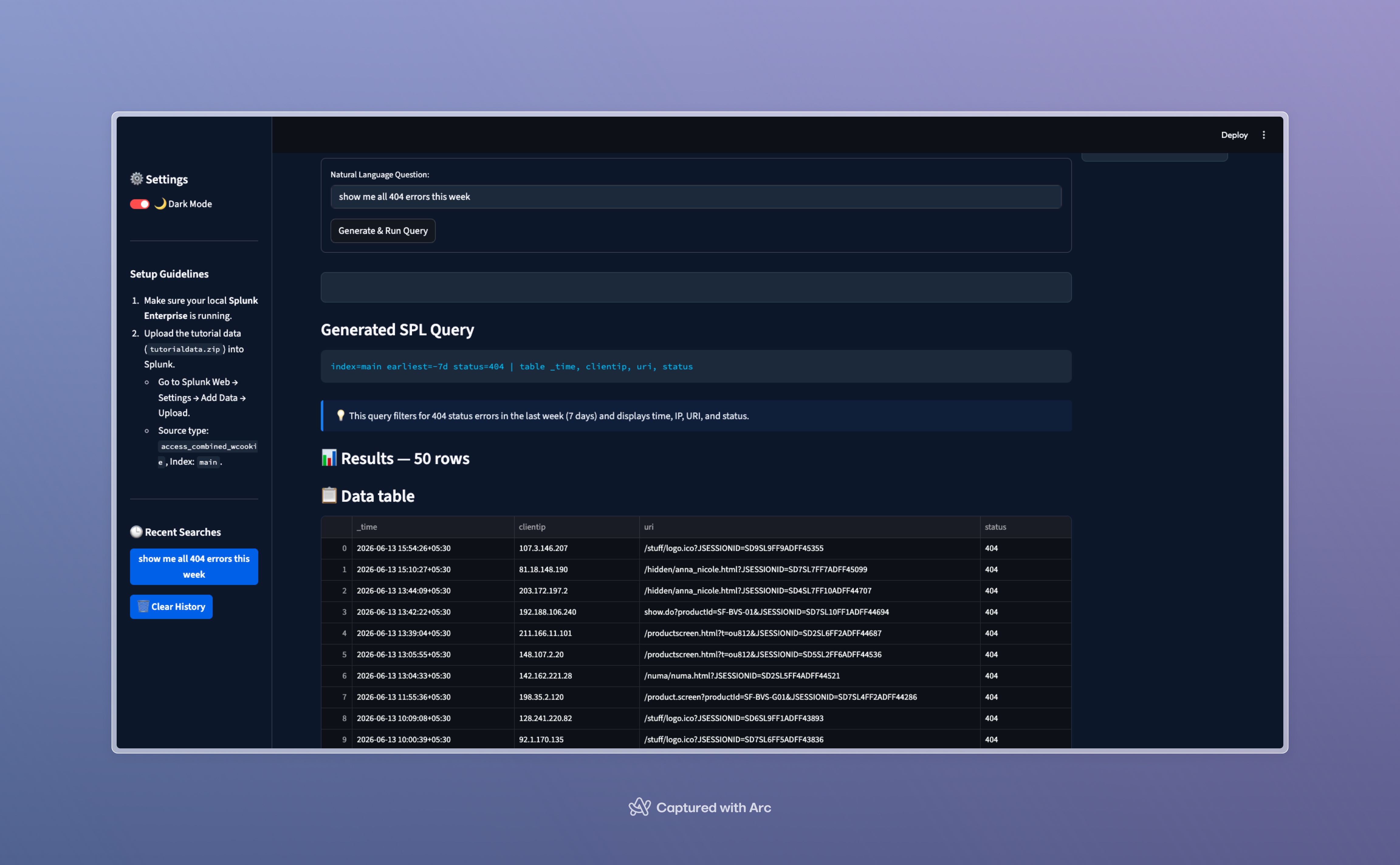
filtered query
-
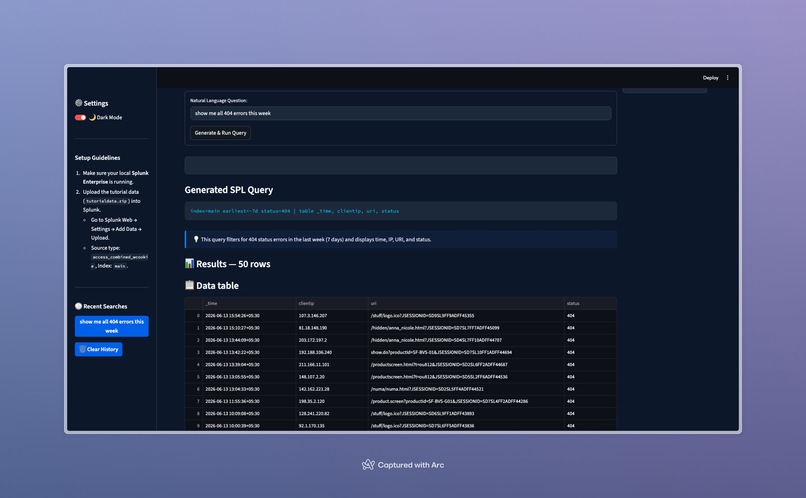
app screen
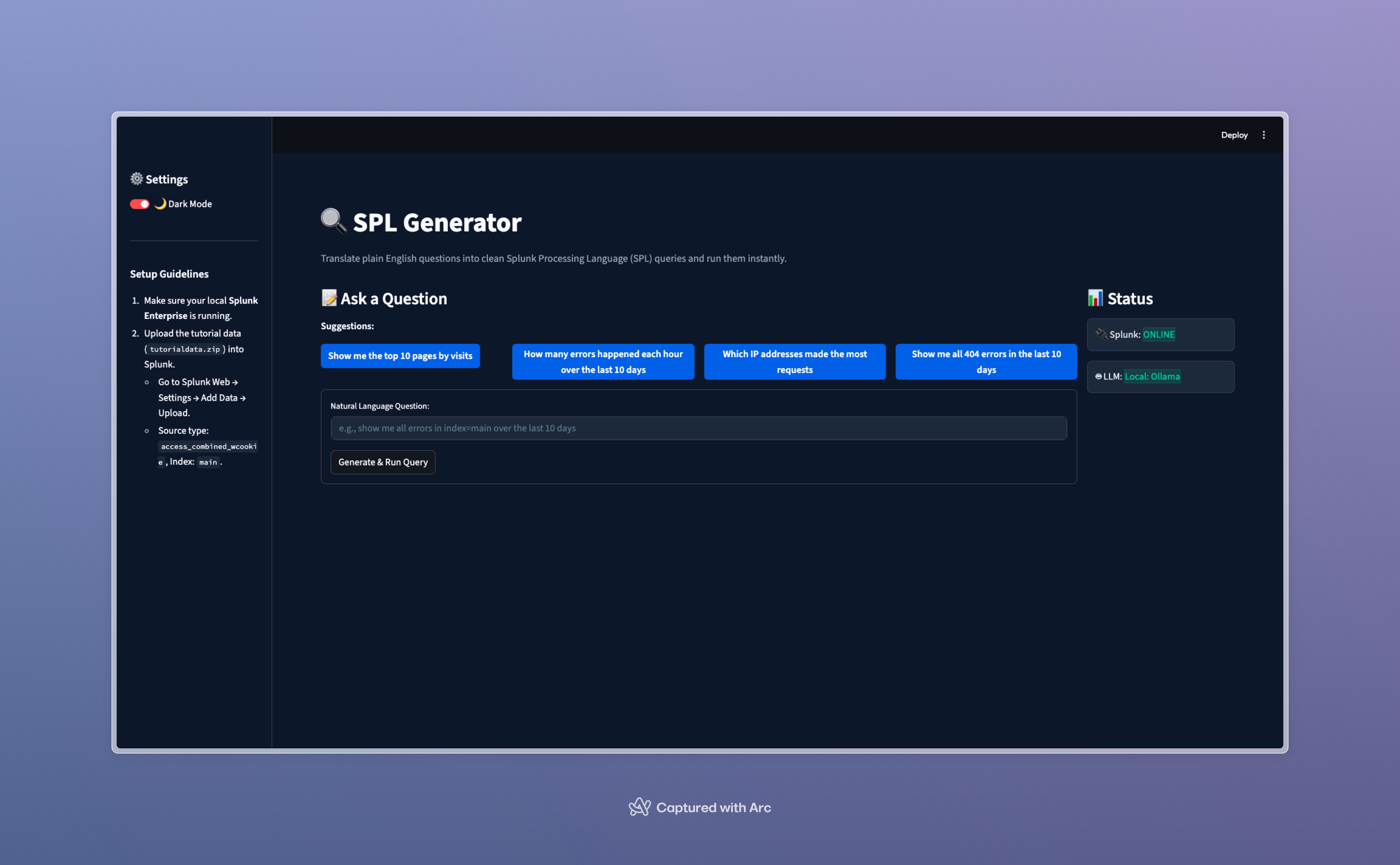
Inspiration
Splunk is the gold standard for observability and log analysis, but it has a high barrier to entry: Search Processing Language (SPL). For non-power users, product managers, QA engineers, and junior developers, extracting simple statistics or filtering logs often turns into a time-consuming chore of digging through documentation.
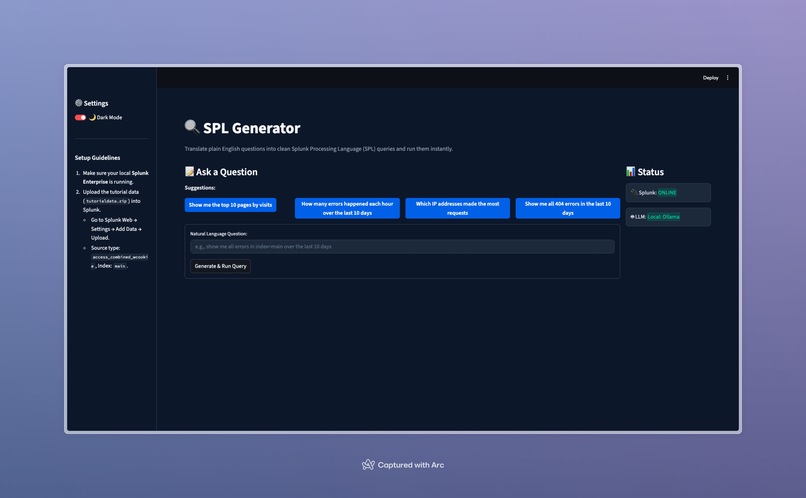
We wanted to democratize Splunk access. We envisioned a tool that removes the syntax barrier entirely, enabling anyone to talk to their Splunk data in plain English. That vision became SPL Generator—an AI-driven interface that translates natural language into optimized, secure SPL, executes it via Splunk REST APIs, and visualizes the results instantly.
What it does
- Natural Language Translation: Type plain English and receive fully functional, optimized SPL queries.
- Instant Execution: Run the generated queries directly against your Splunk REST API.
- Interactive Dashboard: View, sort, search, and analyze your Splunk search results in a clean, modern web interface.
- Interactive Quick Suggestions: Fast-track search with preset popular questions.
- Search History: Quickly reuse previously executed searches from the sidebar.
- CSV Export: Download search data instantly for reporting or external analysis.
Setup & Ingestion
1. Prerequisites
- Python 3.9+
- Splunk Enterprise (with Developer License activated)
2. Load Sample Data
- Log in to your Splunk Web Console (usually at
http://localhost:8000). - Go to Settings → Add Data → Upload.
- Select or download the Splunk search tutorial dataset (
tutorialdata.zip). - Set the Source type to
access_combined_wcookieand Index tomain.
Alternatively, you can load the data via the Splunk CLI:
/Applications/Splunk/bin/splunk add oneshot "/path/to/tutorialdata.zip" -index main -sourcetype access_combined_wcookie -auth admin:changeme
3. Clone & Install Dependencies
# Clone the repository
git clone <your-repo-url>
cd splunkai

##### Install Python packages
pip install -r requirements.txt
4. Configuration (.env)
Create a .env file in the root directory (a template is provided in the repository) and fill in your credentials:
SPLUNK_HOST=localhost
SPLUNK_PORT=8089
SPLUNK_USERNAME=admin
SPLUNK_PASSWORD=changeme

#### Fallback LLM API Keys (Fill at least one)
OPENAI_API_KEY=your-openai-key
ANTHROPIC_API_KEY=your-anthropic-key
5. Launch the Web Application
streamlit run app.py
This will open the application in your default browser at http://localhost:8501.
Verification & Manual Testing Scenarios
Try the following questions to verify the application functionality:
- "Show me the top 10 pages by visits"
- "How many errors happened each hour today"
- "Which IP addresses made the most requests"
- "Show me all 404 errors in the last hour"
How we built it
Technical Stack
- Frontend UI: Streamlit with custom embedded CSS for a dark-mode glassmorphic theme.
- Orchestration & Prompts: Written in Python, leveraging a few-shot message format to guide model responses.
- Splunk Connection: Python
splunk-sdkcommunicating securely with Splunk REST endpoints. - LLM Clients:
- Local Fallback: Local Ollama API (running
llama3.2model). - Cloud/Enterprise: Splunk Hosted Models, OpenAI GPT-4o-mini, and Anthropic Claude-3.5-Haiku.
- Local Fallback: Local Ollama API (running
Architecture
                 +--------------------------+
                 |   User Browser (UI)      |
                 |      (Streamlit)         |
                 +------------+-------------+
                              |
                              | Natural Language Question
                              v
                 +------------+-------------+
                 |       llm_client.py      |
                 |  (OpenAI / Anthropic /   |
                 |      Hosted Models)      |
                 +------------+-------------+
                              |
                              | Generated SPL Query
                              v
                 +------------+-------------+
                 |     splunk_client.py     |
                 |  (Splunk Python SDK)     |
                 +------------+-------------+
                              |
                              | REST API call (Port 8089)
                              v
                 +------------+-------------+
                 |    Splunk Enterprise     |
                 |      (Data Index)        |
                 +--------------------------+
Challenges we ran into
- Splunk REST Query Structure: The Splunk REST Search API is highly particular and throws errors if search queries don't start with specific generating keywords (like
searchor|). We solved this by developing a query normalizer insplunk_client.pythat inspects queries and intelligently formats them before execution. - Splunk JSON String Output: Splunk returns all database fields (including metric counts) as string datatypes. For charts to work in Streamlit, we built a type-coercion helper in pandas to dynamically cast metric columns (like
count,percent,sum) to float types, while ignoring alphanumeric identifiers like IP addresses. - Self-Signed SSL Certificates: Connecting to local Splunk REST instances over HTTPS generated certificate verification failures. We resolved this by overriding certificate verification warnings safely in development via urllib3.
- Multi-turn Memory across Models: Mapping conversational query refinements across local models (Ollama chat API) and cloud APIs required structuring conversation context dynamically using unified
messagesJSON buffers.
Accomplishments that we're proud of
- Zero-Config Local Dev Experience: If you have Ollama running Llama 3.2 locally, the app works out-of-the-box with zero cloud API keys required, making the developer setup seamless.
- Intuitive Visualisations: Building a dynamic plotting engine that automatically decides whether to render a line chart, a bar chart, or a table depending on result fields.
- Conversational Agentic Refinement: Watching Llama 3.2 correctly adapt queries to follow-up prompts (e.g. adding
| head 5or changing index parameters) while keeping conversation state.
What we learned
- We learned how to design prompts that yield deterministic query translations.
- We deepened our understanding of the Splunk Search Jobs REST API and how it manages synchronous vs. asynchronous execution.
- We mastered stateful UI rendering in Streamlit for multi-turn chat applications.
What's next for SPL Generator
- Self-Healing SPL: If a query fails on execution, feed the Splunk error log back to the LLM to automatically regenerate and correct the query.
- Multi-Index Ingestion Mapping: Let the model scan the Splunk schema first to automatically map questions to different user indexes.
- Model Context Protocol (MCP): Package SPL Generator as an Anthropic-compliant MCP tool so other AI agents can natively search Splunk.
Built With
- python
- streamlit

Log in or sign up for Devpost to join the conversation.