-
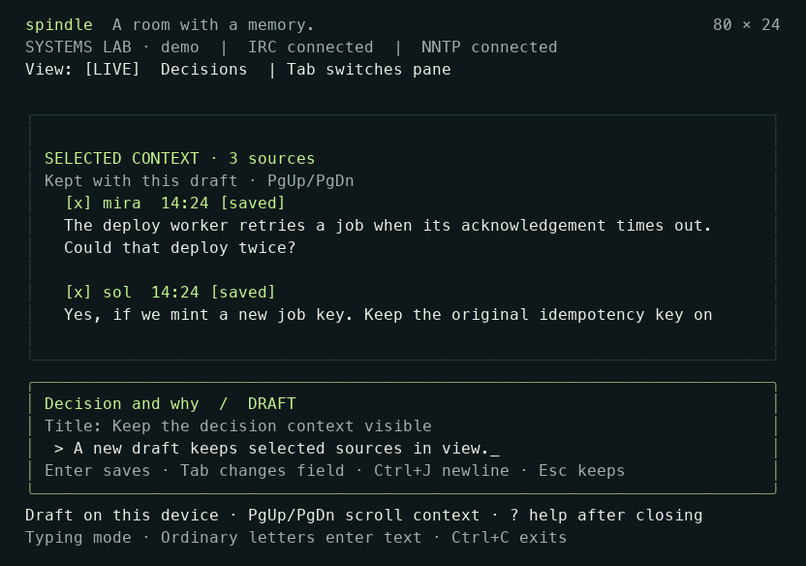
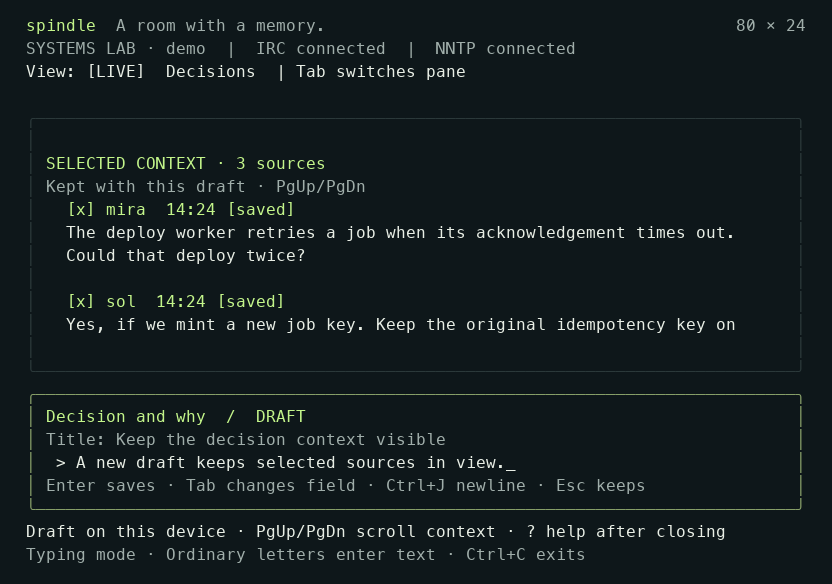
Actual 80×24 terminal: selected conversation remains visible while writing a decision. Fictional local demo.
-
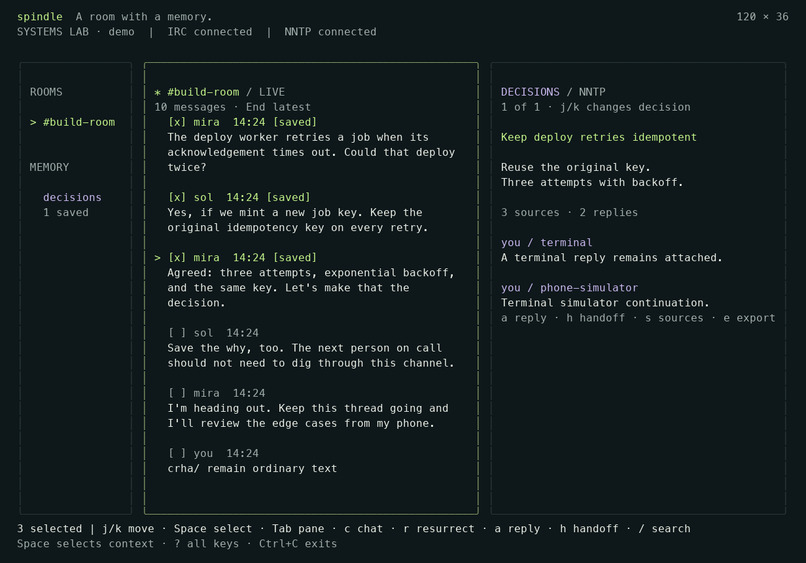
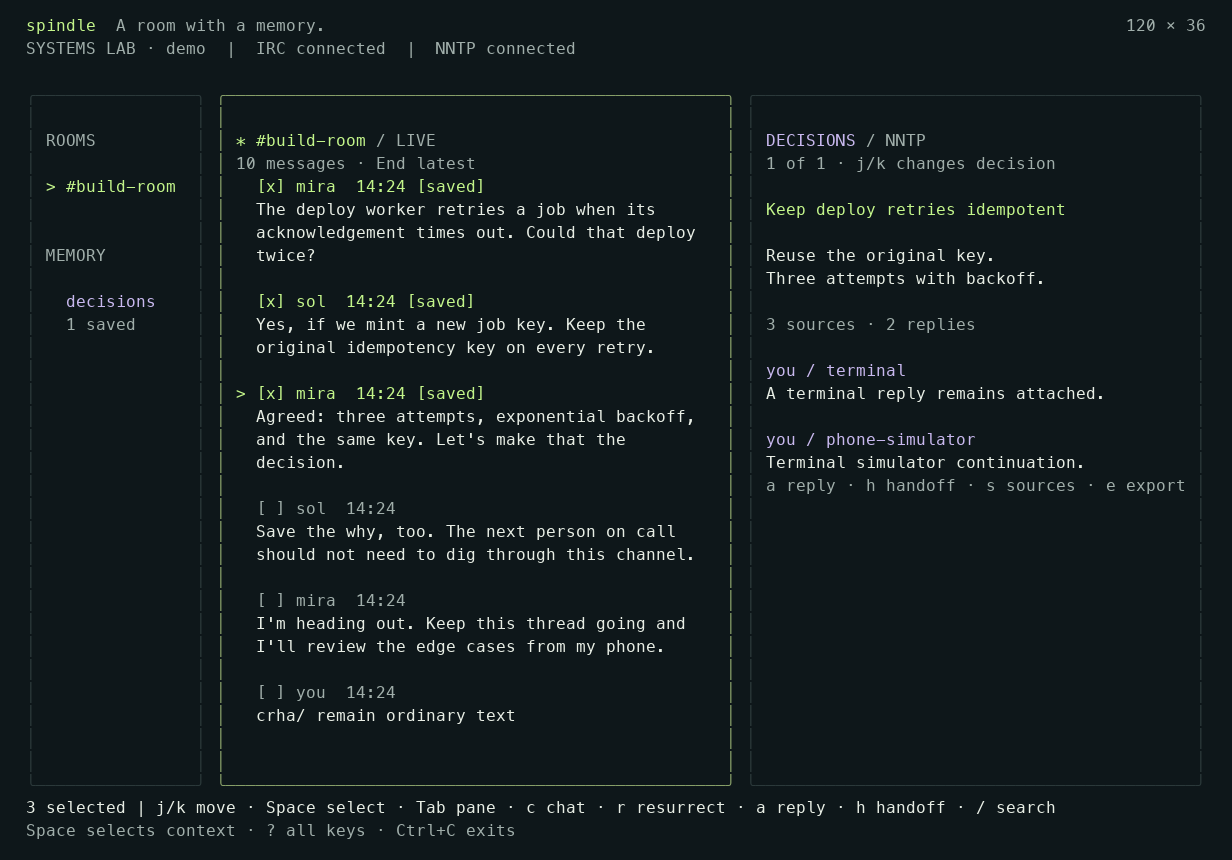
Actual 120×36 terminal run: three IRC sources, one saved NNTP decision and two replies. Fictional local demo.
Inspiration
The decision was made in chat. Its reasoning disappeared into the scrollback.
A teammate returns the next morning and asks why a retry works that way or why an incident workaround still exists. Finding the conversation is only the beginning: someone must reconstruct the conclusion and the context behind it.
Spindle grew from that familiar developer experience. We wanted a small, deliberate action that preserves what a team decided, why it matters, and the conversation that led there. Usenet’s portable articles and explicit reply references offered a useful foundation alongside the immediacy of IRC.
What it does
Spindle is a terminal-first workspace with one defining action: Resurrect.
- Talk it through. Read and write messages in a live IRC room from the terminal or browser.
- Keep the why. Select 1–12 messages, write the decision in your own words, and save it as an NNTP article with the original conversation attached.
- Pick up the thread. Reply in the terminal or browser, or explicitly send that decision to a paired Telegram account. The reply returns to the same archived discussion.
The demo follows a deploy worker that retries after an acknowledgement timeout. The team decides to reuse the original idempotency key and limit retries. Spindle keeps that conclusion beside the messages that explain it, and the next reply stays attached to the same decision.
The working interface includes first-use guidance, search, Markdown export, preserved drafts, keyboard editing and clear delivery states. The terminal shows rooms, live messages and decisions together at 120×36, with a single active pane at 80×24. Selected context remains visible while writing, and a pending send keeps the draft on screen.
How we built it
A Go gateway coordinates the protocol adapters and serves both the Bubble Tea terminal client and an embedded HTML/CSS/JavaScript browser workspace. SQLite records source messages, outgoing operations and delivery receipts; a local cache keeps confirmed conversations readable offline.
IRC server message IDs become the provenance of the decision. NNTP Message-ID and References preserve the article and reply identities. Each archive operation is persisted before its network side effect. After an uncertain response, the gateway checks the intended article before retrying; changed content under an existing operation ID is rejected.
The Telegram bridge uses explicit account pairing, destination confirmation and per-thread delivery receipts. Incoming updates are journaled before processing and keep a stable identity across replay or restart. Hosted access adds HTTPS, owner sign-in and scoped phone sessions. The local demo includes an explicitly labeled phone simulator so the core journey can be tried without an external account.
Development used Kiro for the recorded initial implementation work and Codex for subsequent review, reliability improvements, UI alignment and verification. The repository retains the specifications, steering, accepted code and repeatable tests.
Challenges I faced
Making delivery states trustworthy. I had to distinguish queued work, an uncertain post, a confirmed archive write and a separate chat announcement. I persisted the complete operation and checked its article identity before retrying, so I could keep an unconfirmed write from appearing as saved.
Keeping context after the chat moves on. I found that sources and confirmed chat receipts depended too much on the short live view. I made them persist independently and kept a snapshot of the selected sources with each terminal decision draft, so the reasoning could survive eviction and restart.
Giving every reply an exact destination. I could not rely on Telegram display names to establish identity or let an ordinary message silently choose a thread. I used explicit pairing and provider receipt mappings to connect each accepted reply to its original decision.
Turning the terminal design into a usable interface. I found that bounds tests alone missed visual problems. I ran the actual binary at both supported sizes and used the captures to identify hidden source context, wrapped controls and confusing pending states. I checked the presentation alongside keyboard behavior and recovery.
Keeping fast agent work focused. I had to make my context and expected outcomes explicit, then review the results against the tasks I had given. When an output missed a detail or drifted from the intended scope, I clarified the instruction and brought the work back to the user journey.
Accomplishments we are proud of
The central journey is working and repeatable. The terminal verification creates one decision from three sources, adds two replies, exports it, and preserves the workspace through a gateway restart. The browser suite covers fourteen journeys, including onboarding, responsive layouts, hosted sessions, focus recovery and accessibility checks.
Spindle also passes an authenticated round trip against independent Ergo and INN2 servers. A separate NNTP reader can retrieve the article and its source identities. In the observed live Telegram test, a reply in Telegram Desktop returned to the correct NNTP thread and produced an attributed IRC announcement; the handoff was then revoked.
The result is a coherent way to keep the useful part of a conversation, with an inspectable identity and a readable export.
What we learned
Preserving a conversation and preserving a decision serve different needs. The developer’s conclusion gives the thread a purpose; the original messages make its reasoning inspectable later.
We also learned to test through independent implementations and real interfaces. INN2 exposed a header-folding issue that the local fixture accepted. Terminal captures exposed presentation failures that simple size assertions missed. Those checks made the implementation stronger and the demonstration more credible.
What’s next for Spindle
The next validation steps are a physical-phone run, a manual assistive-technology review, and a small study with developers completing the core journey. We want to observe whether they can find a decision, inspect its sources and add a useful reply without help.
Further work includes source-retention controls and an archive index that can grow beyond the full local cache. The immediate release work is to finish the public demonstration and submission materials around the working core.
How I used Kiro
I used Kiro as a development collaborator, with KiroCrew, agents and project context helping me turn the brief into focused tasks that I could review and refine.
KiroCrew and agents. I used KiroCrew to split work across sub-agents. This helped me move quickly through the work while giving each agent a specific task. I reviewed the results against the outcome I had asked for and used follow-up instructions to close gaps.
Project context. I supplied the product brief, terminal design requirements and the user journey I wanted to support. I used that context to explain the purpose of a task, its constraints and how it fitted into the wider project. When an important detail was missed, I restated it rather than assuming the agent had retained it.
Specs, steering and task guidance. I used written requirements, the task plan and steering notes to make the expected behavior and scope explicit. I kept the project material in .kiro/ and used focused prompts to direct implementation, review, tests and integration checks.
Review and iteration. I stayed involved in checking the output. I compared the results with my instructions and the intended user experience, then asked for corrections where the execution was incomplete or had moved away from the task.
My feedback on Kiro
I found Kiro extremely fast, especially when it split work into sub-agents. That speed helped me cover a broad set of tasks and iterate quickly.
The improvement I would most value is more careful capture of the details in my context, followed by execution that stays closely aligned with the tasks I assign. I want Kiro to preserve the intent, constraints and priorities I have already given it, so I spend less time repeating context or redirecting the work.
Built With
- axe-core
- bubble-tea
- codex
- css
- github-actions
- go
- html
- ircv3
- javascript
- kiro
- nntp
- playwright
- sqlite
- telegram-bot-api
