-
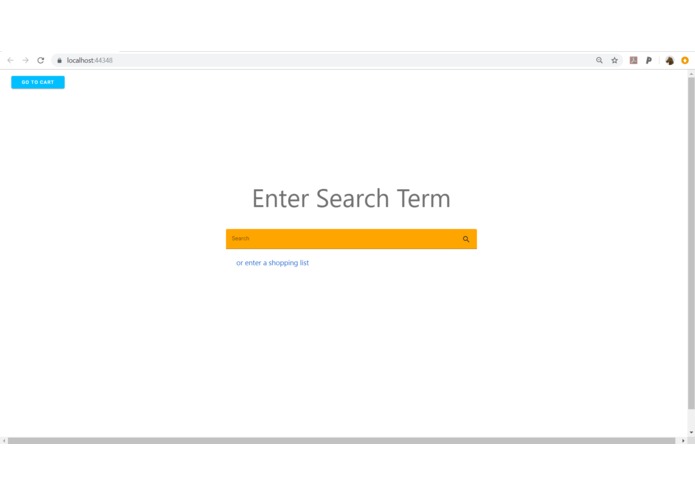
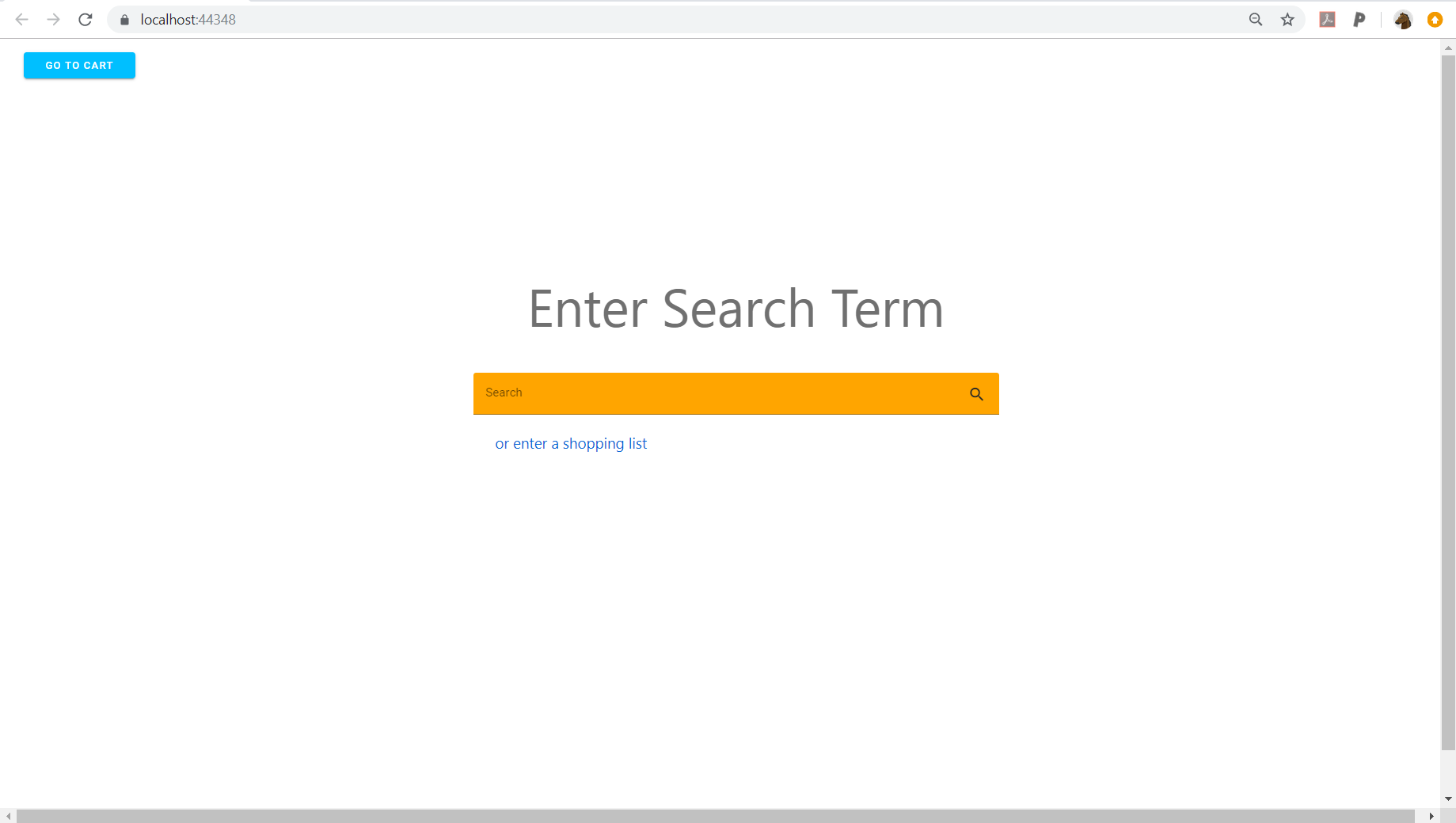
Single item search.
-
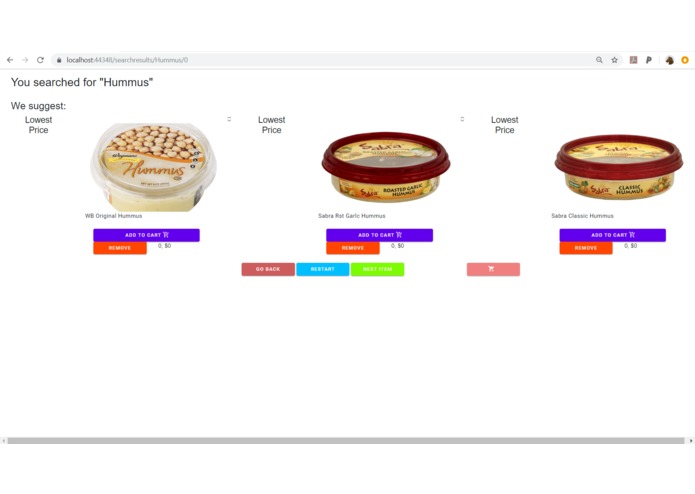
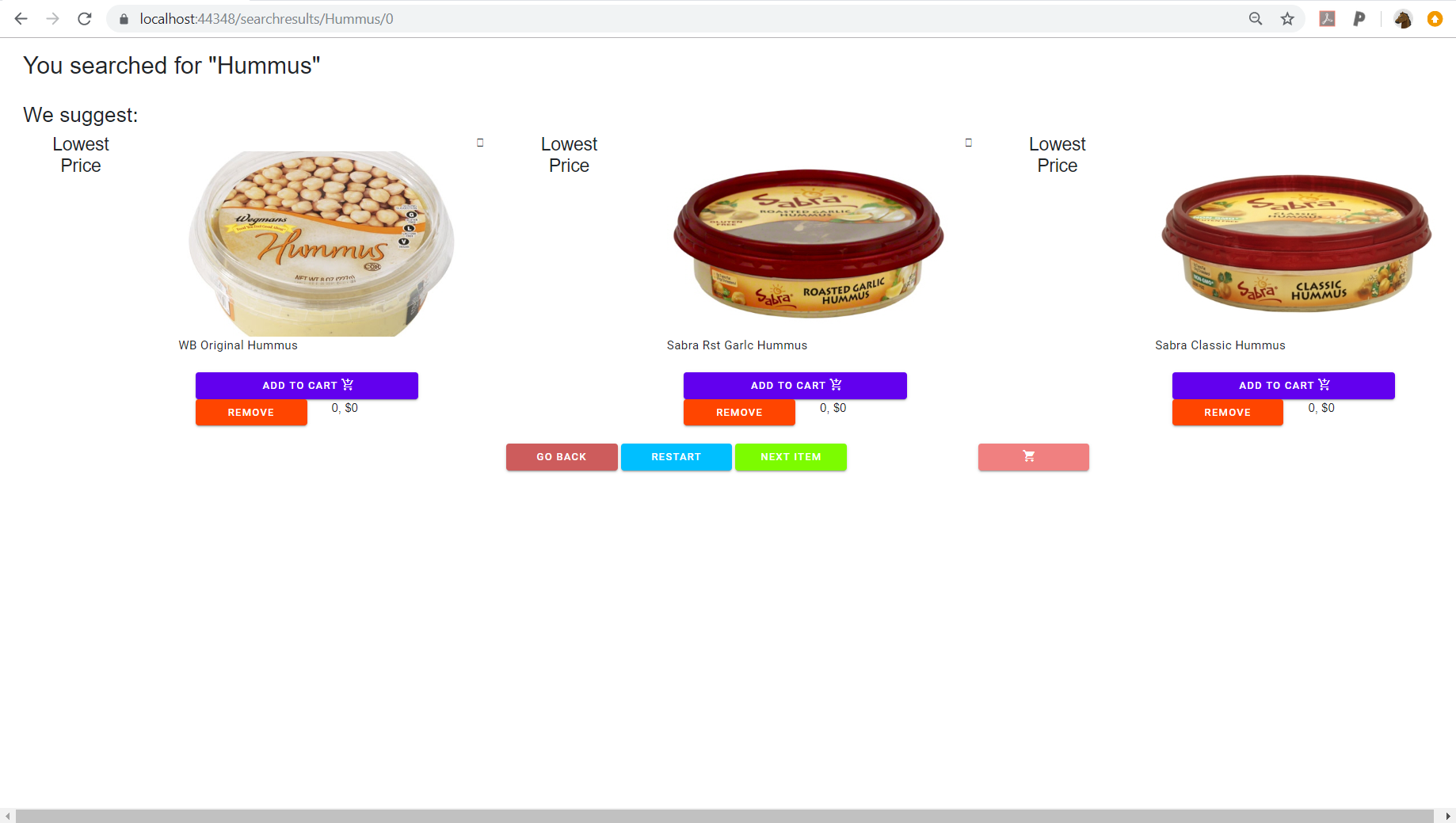
Results page, currently displaces 3 lowest priced items.
-
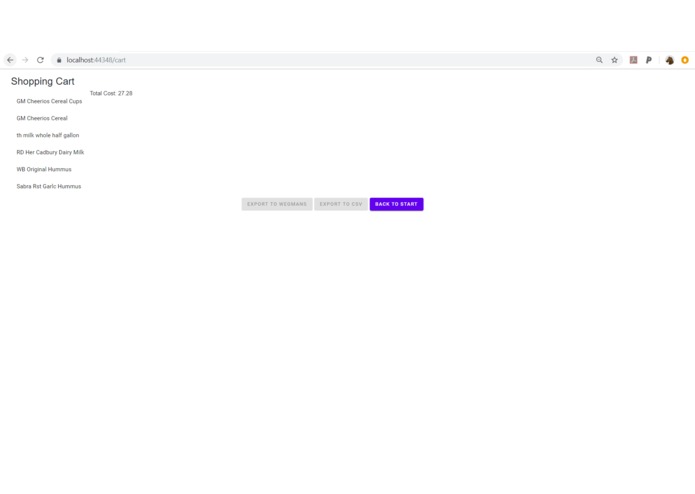
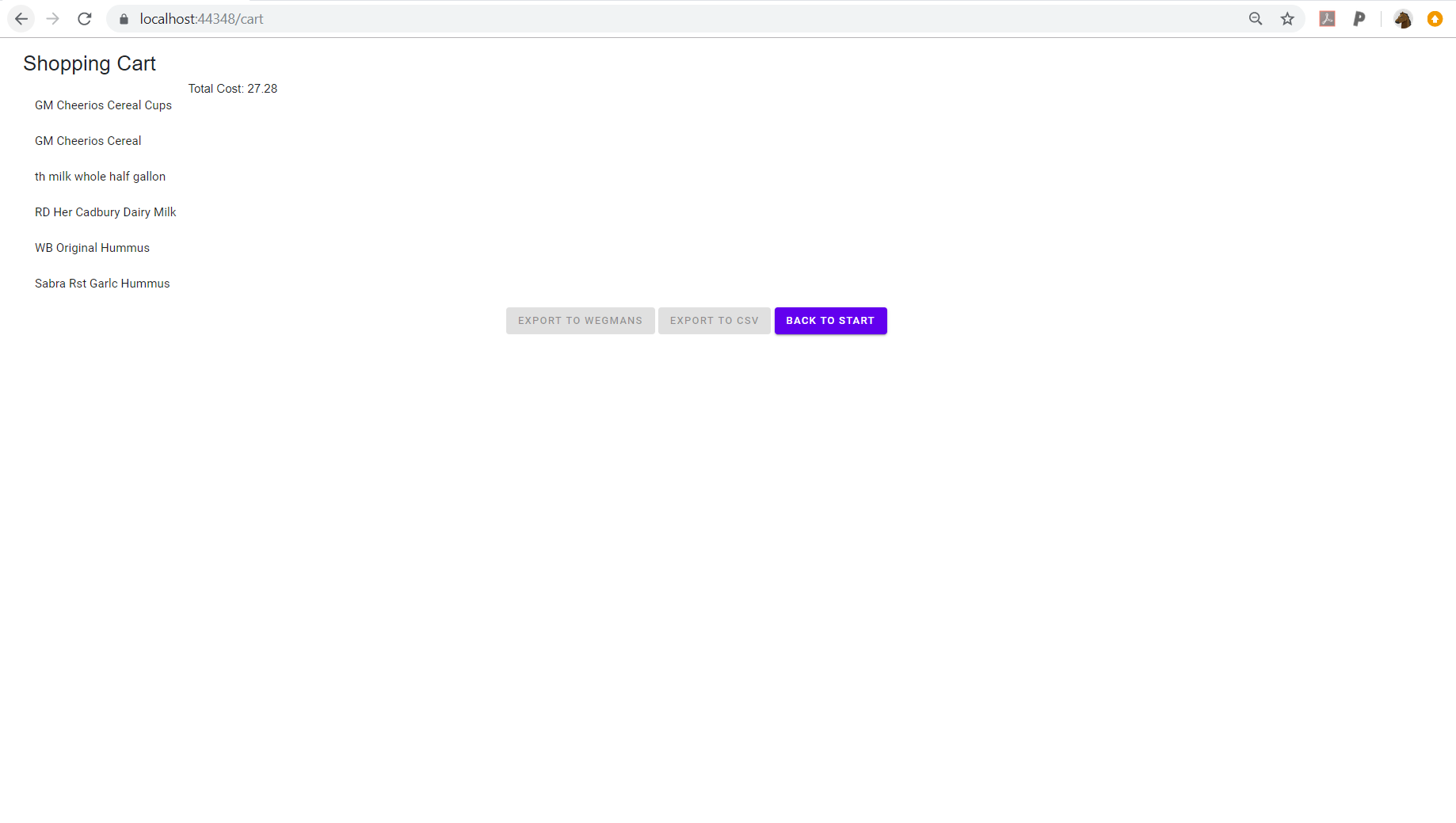
Cart, with options to export to Wegmans, an excel file, or start over.
-
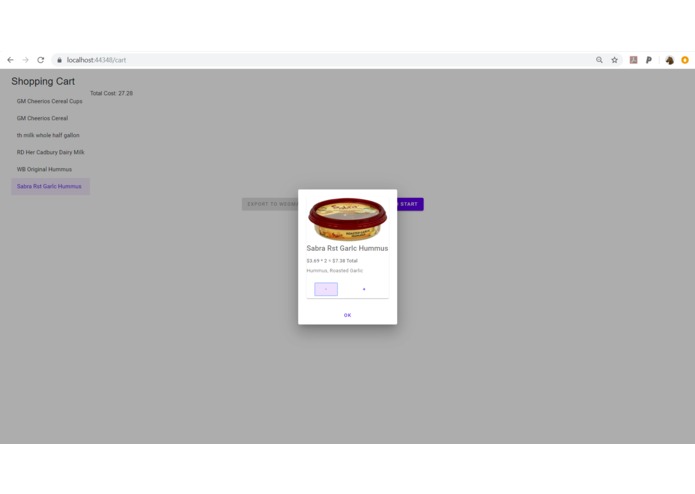
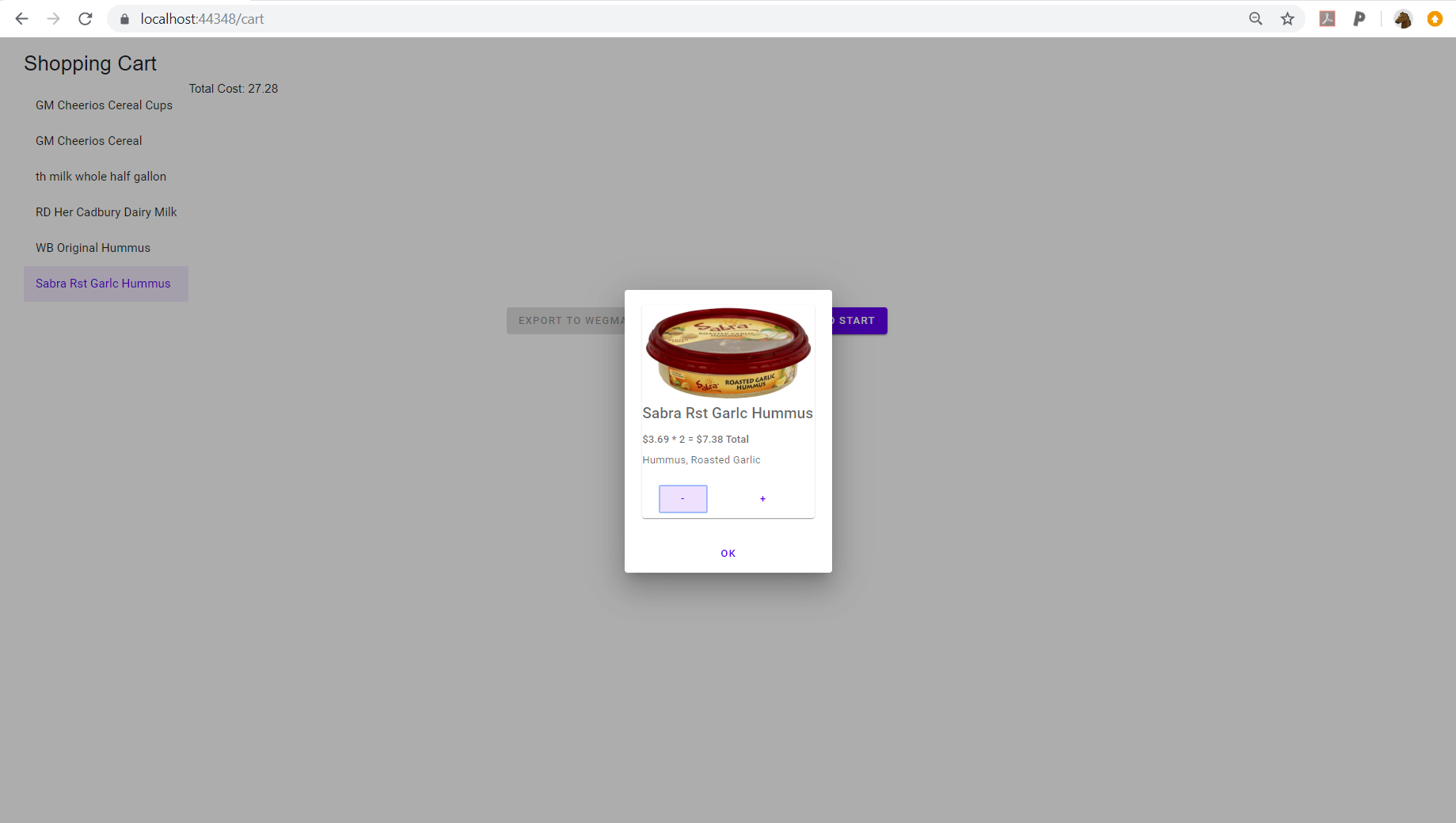
Cards inside the cart to change quantity or remove the item completely.
Inspiration
Student organizations, hall councils in particular, need to submit spreadsheets detailing exactly what each item they're buying is. With a long list of items, such as a snack list, this process of copying urls and typing out prices manually can take ages.
The original idea was to just make a way to put our Wegmans shopping cart into the form we needed to submit. We ended up saying "Why stop there?". We could easily find a way to make the whole process quicker.
We found that whenever we were shopping online we usually sorted by the same terms, and bought the best items in those categories. Instead of displaying dozens of search results, we would just offer the top item in different categories, saving ourselves the trouble of having to sift through search results.
What it does
"The Lazy Shopper" takes an item name, or a list of items. Users are then given 3 choices, each one the best in its respective category(ex: Lowest Price, Highest Rated, Best Price/Unit). They could pick one or more and add it to a cart, and move to the next item in their list or search again. After the shopping cart is completed, the final cart could be exported to the Wegmans website,a txt, or sent to an excel spreadsheet.
How we built it
We used a .Net framework in Blazor. Visual studio to connect to github.
Challenges we ran into
None of us have too much previous experience using HTML or CSS, so designing the actual UI was a real hurdle. The Wegmans api was also difficult to work with
Accomplishments that we're proud of
Being able to search the api and compile a list of the items. Assembling a functional shopping cart
What we learned
How to : better format webpages, use a card system to keep track of items, use the Blazor framework, Collect information from an api
What's next for The Lazy Shopper
Finish implementing planned features.


Log in or sign up for Devpost to join the conversation.