-
-
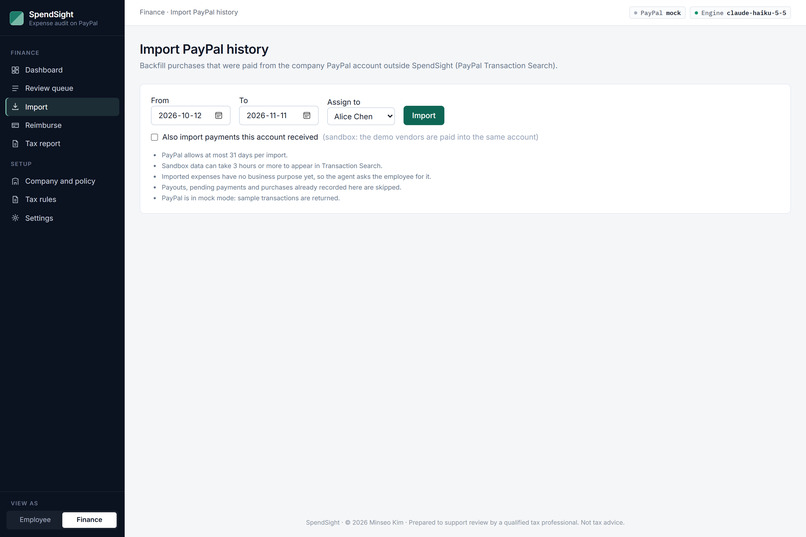
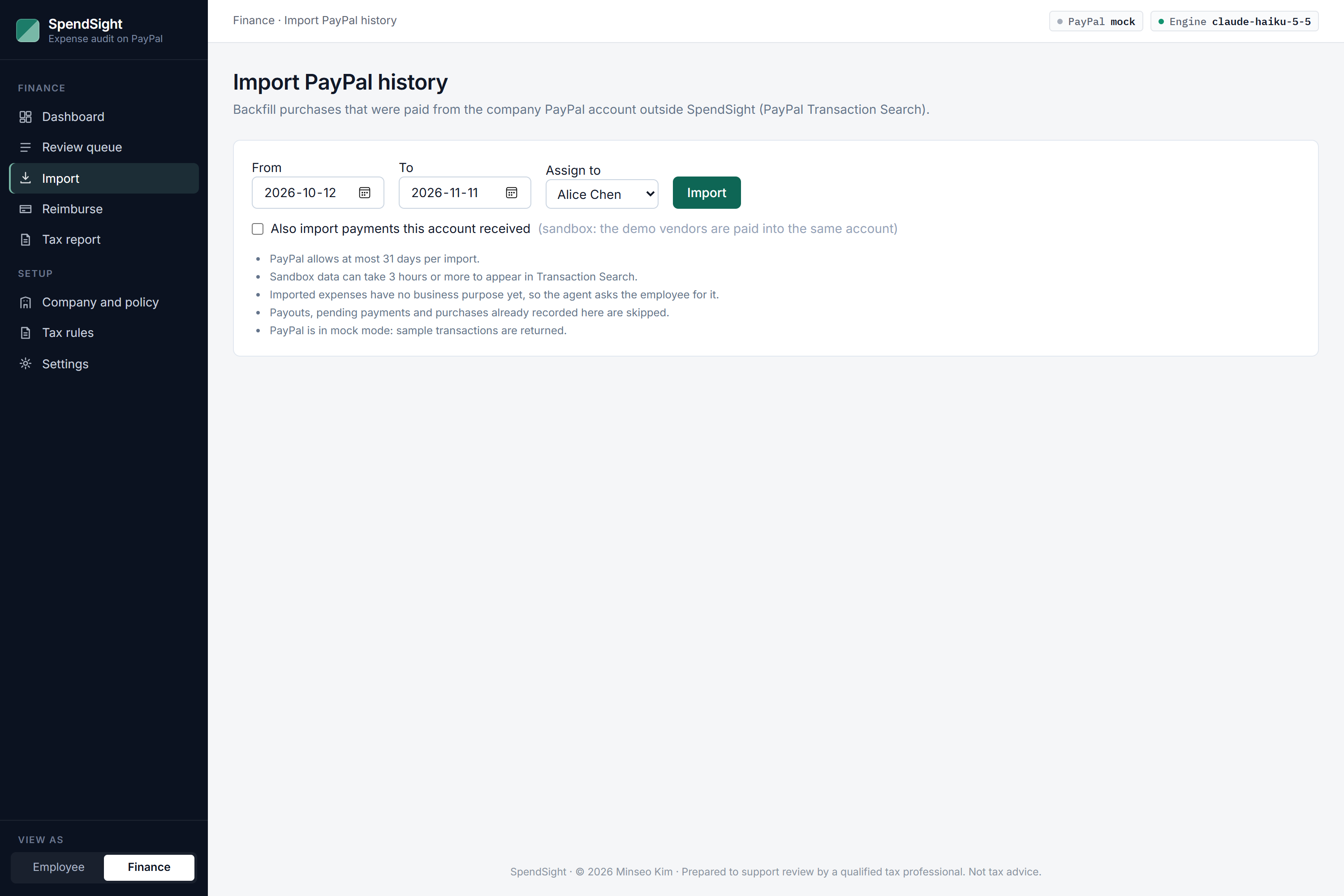
Import past PayPal transactions; SpendSight asks the employee for the business purpose of each one.
-
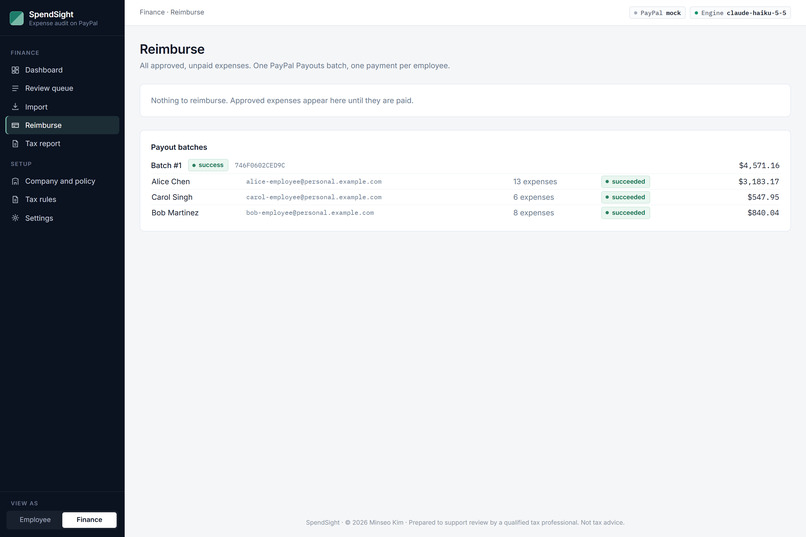
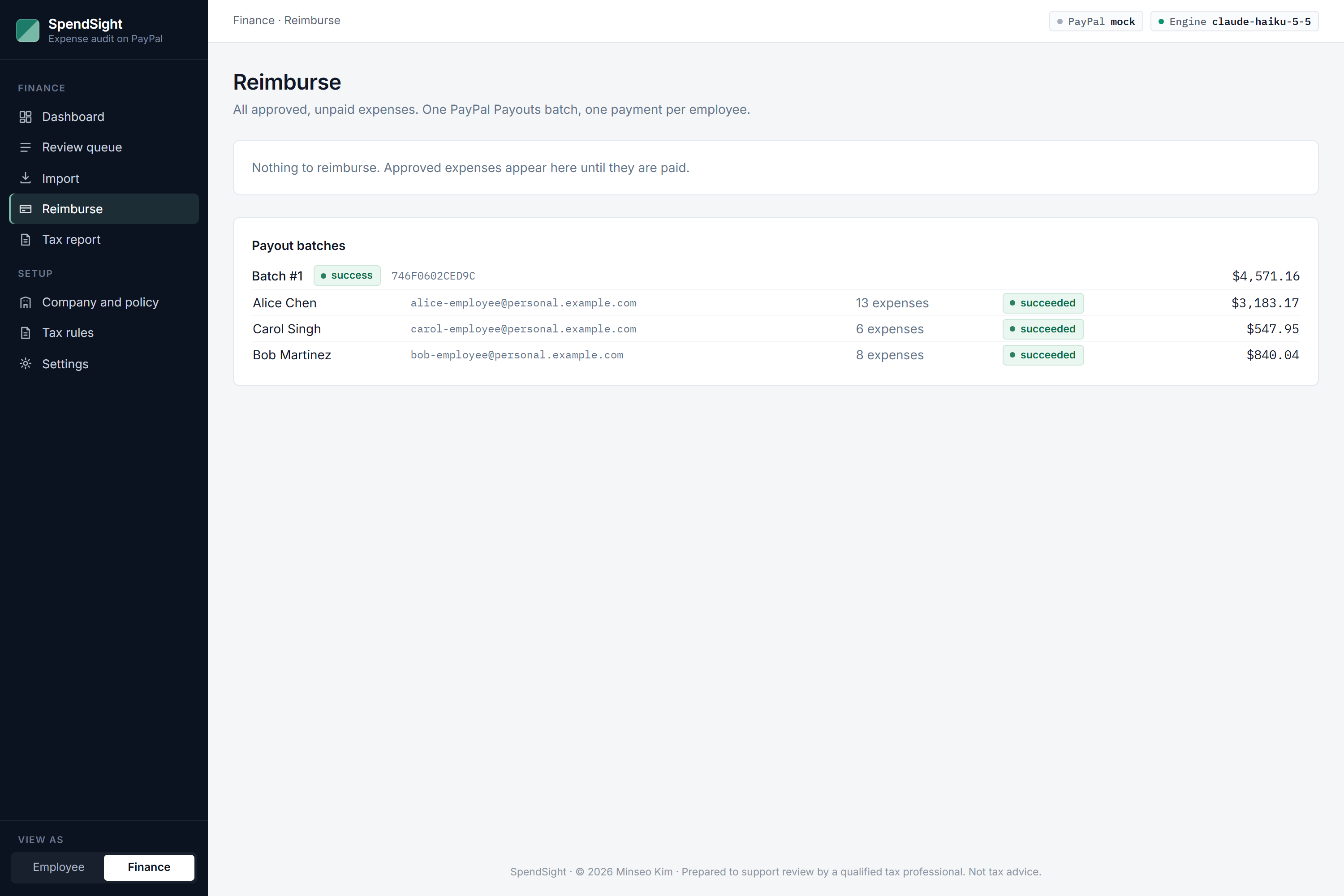
Approved expenses are reimbursed in one PayPal Payouts batch, one payment per employee, with live status.
-
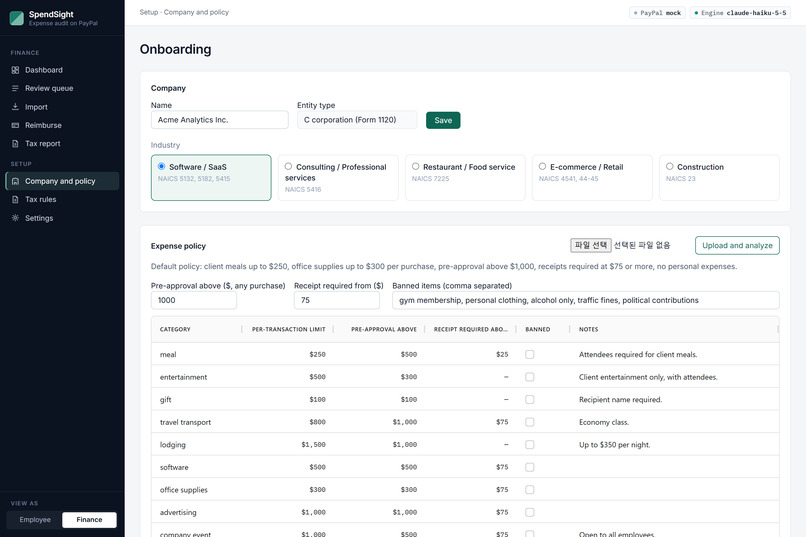
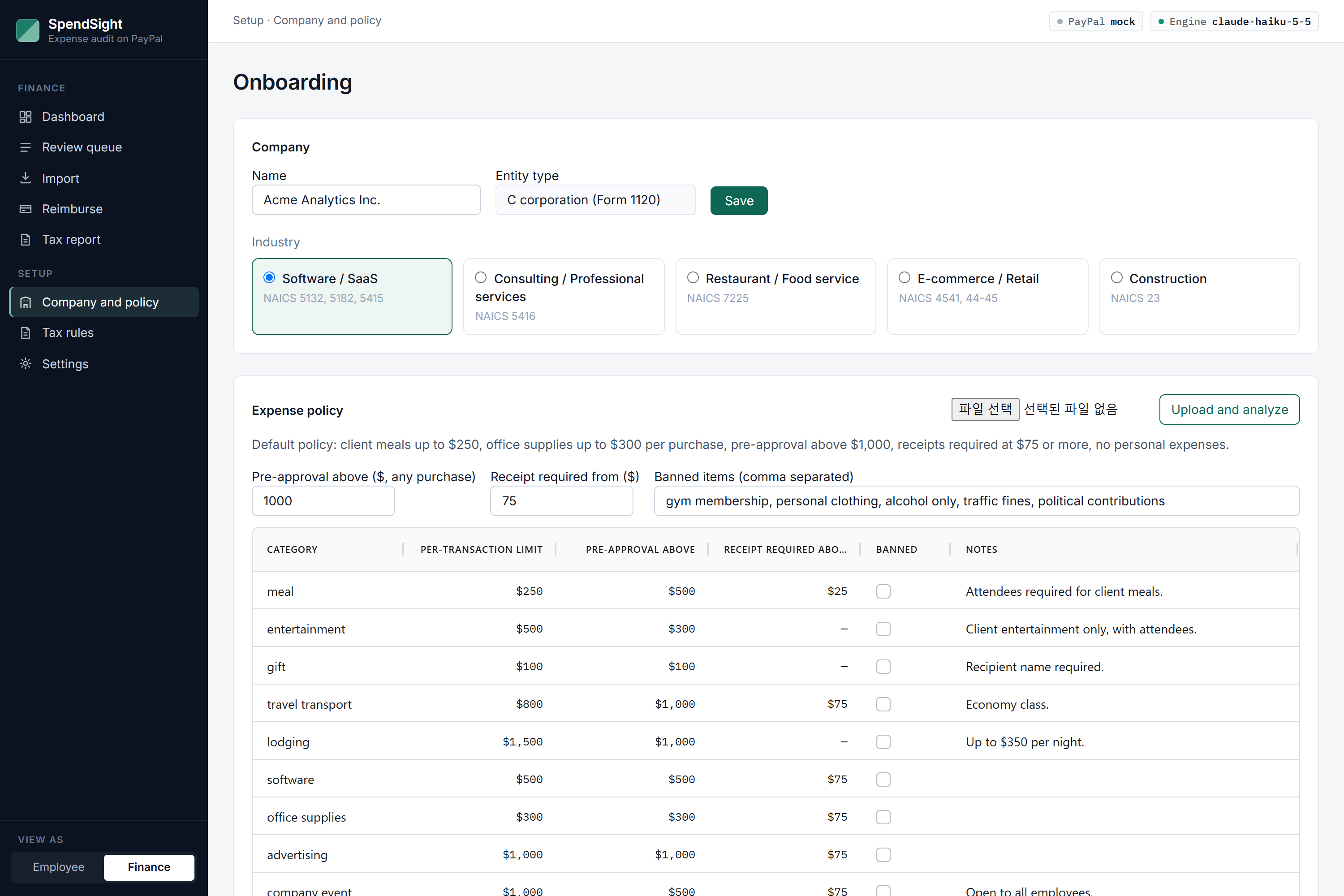
An uploaded expense policy becomes an editable rule table that every review is checked against.
-
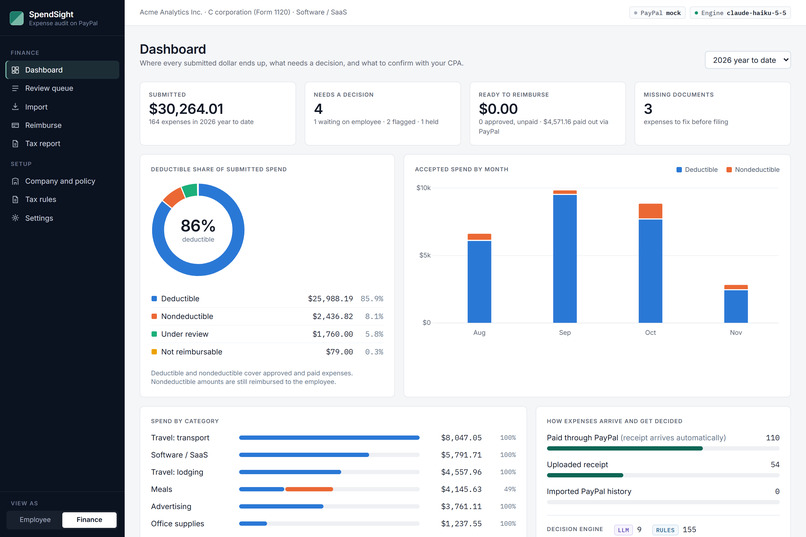
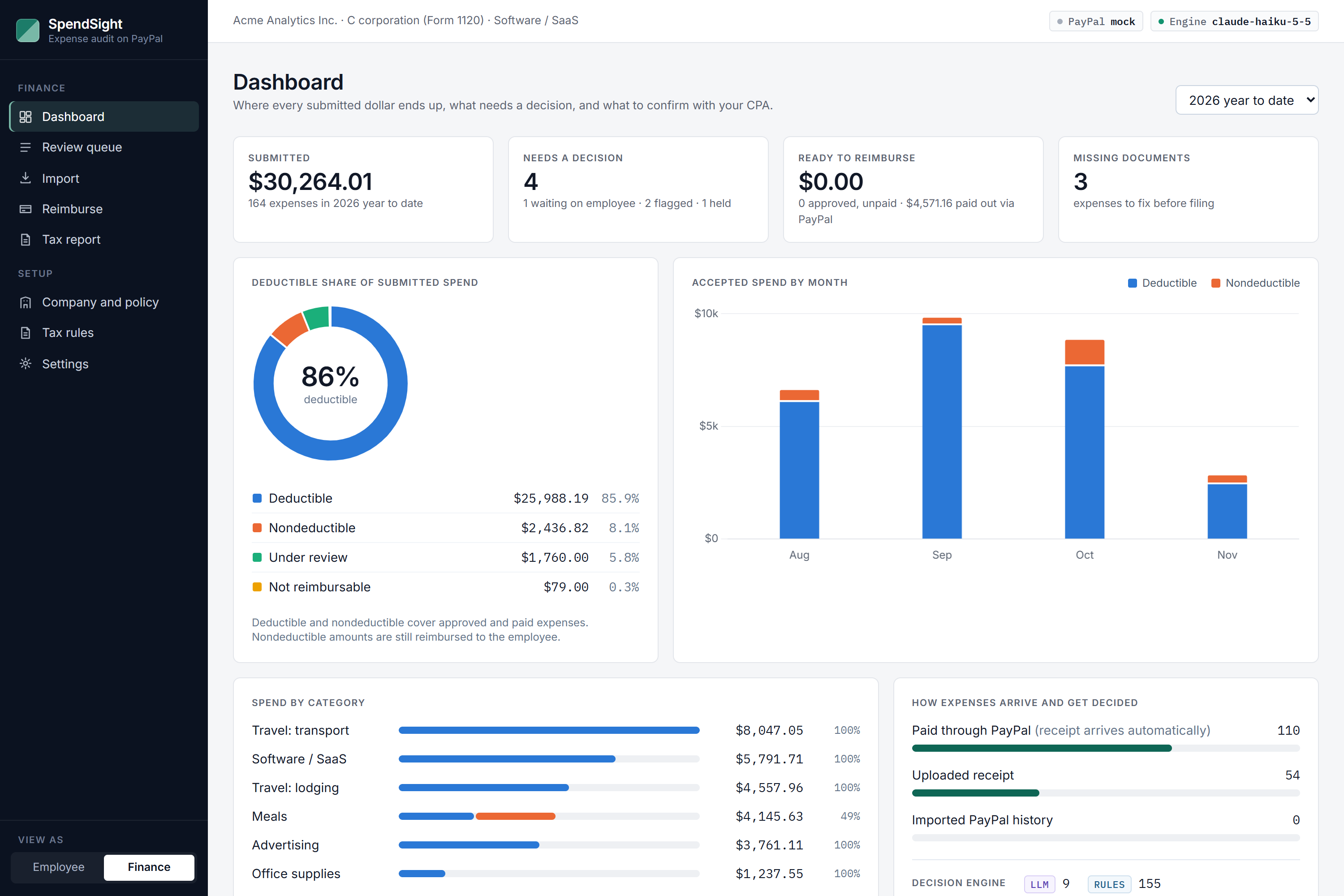
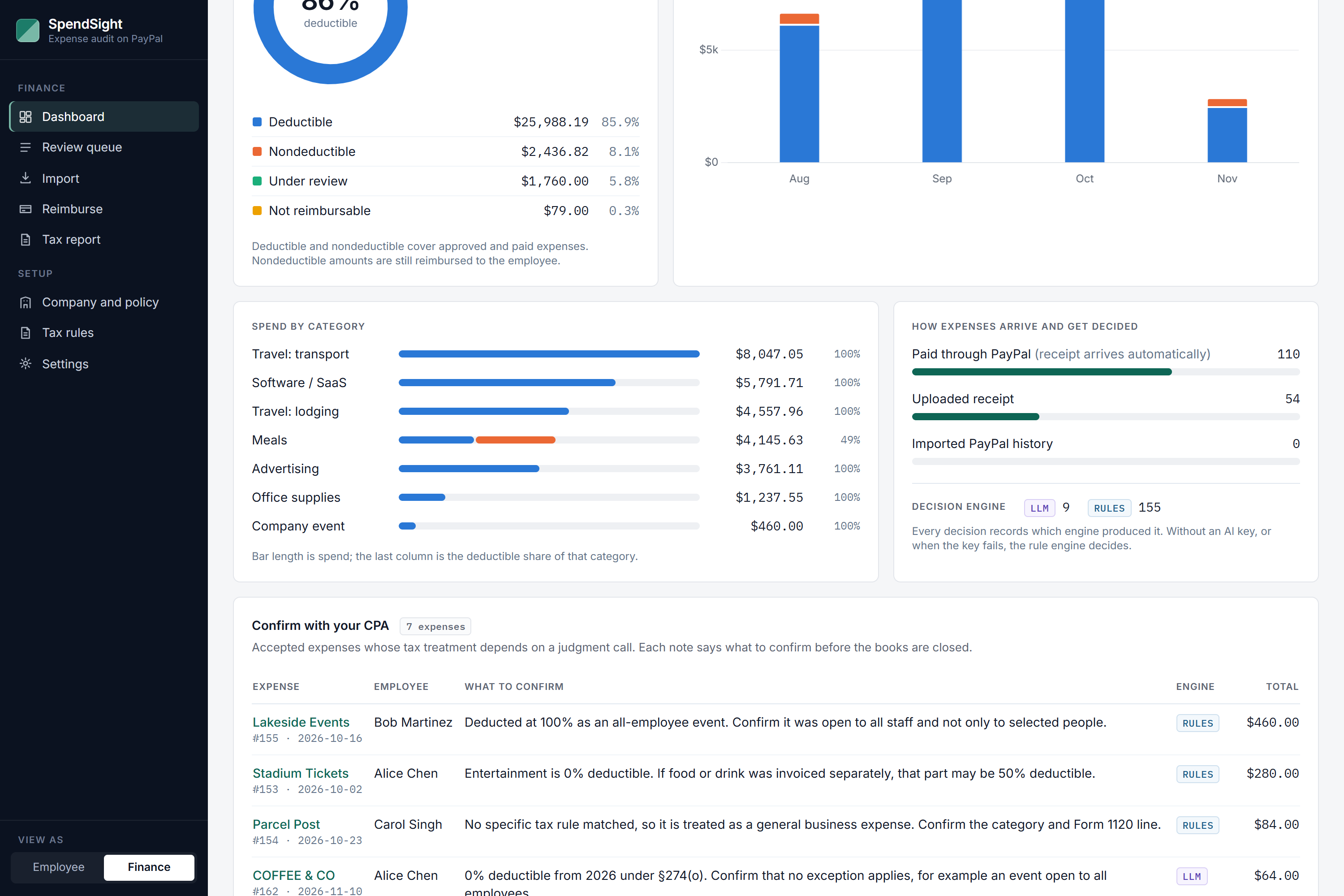
Finance dashboard: the deductible share of submitted spend, what needs a decision, and what is ready to reimburse.
-
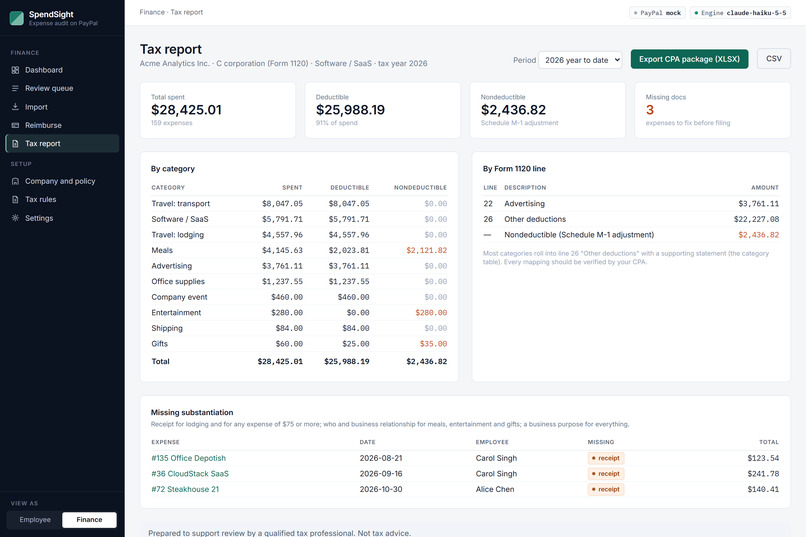
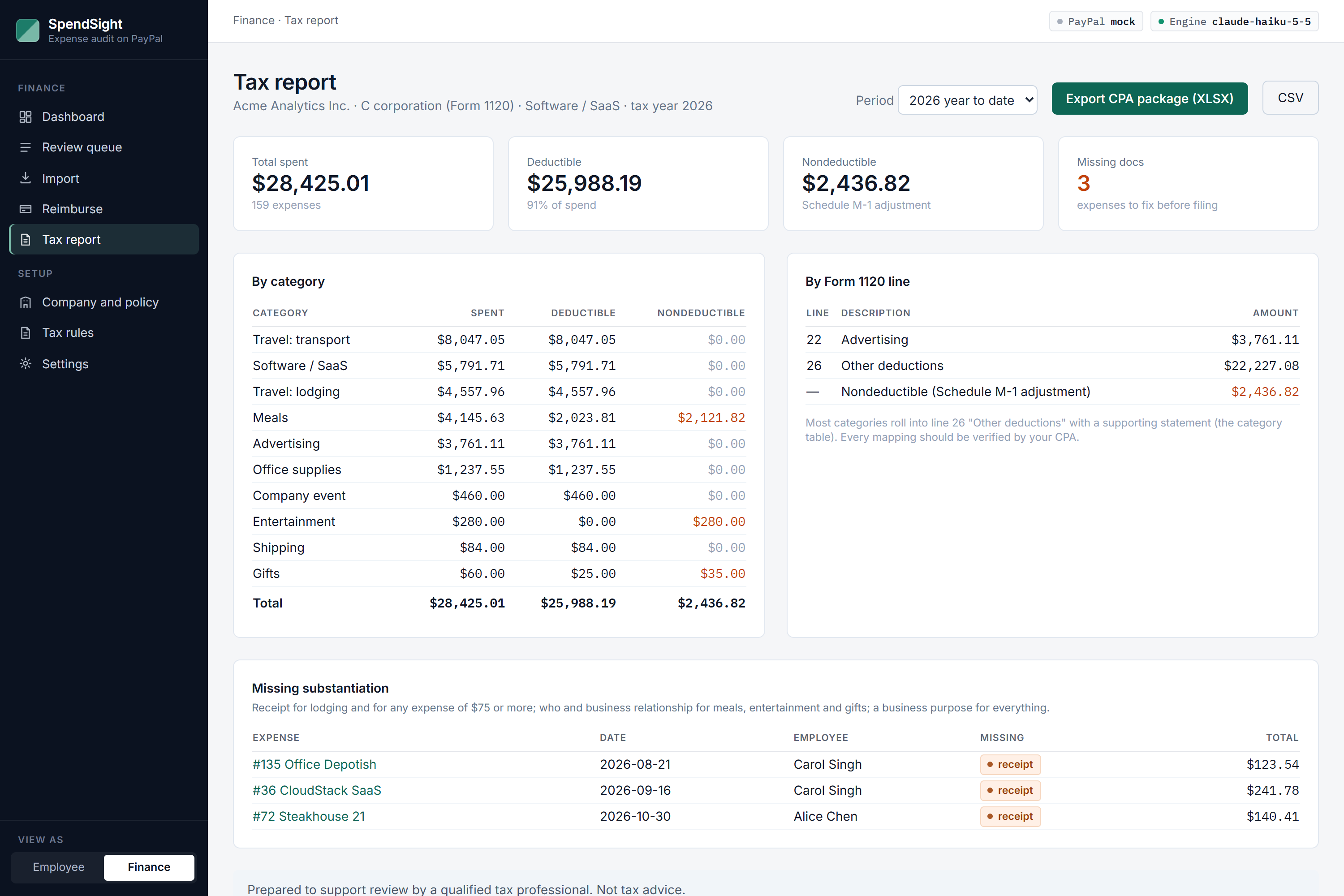
Tax report by category and Form 1120 line, with missing documents and a one-click CPA package export.
-
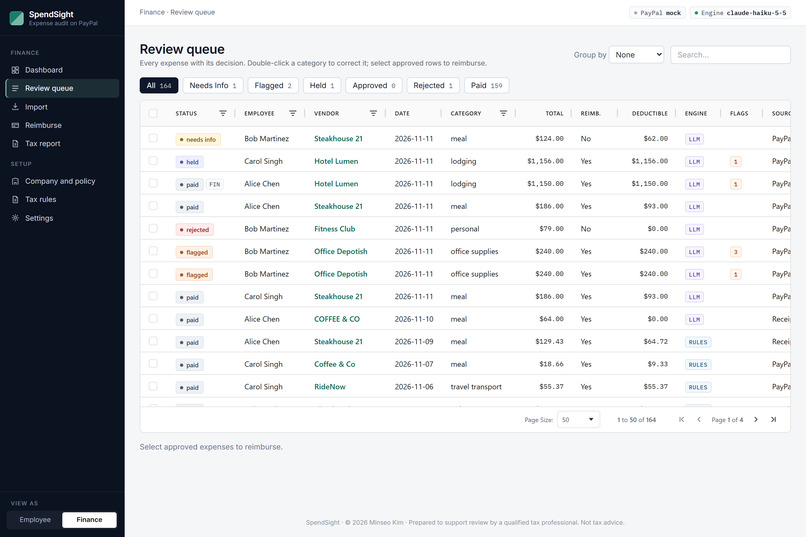
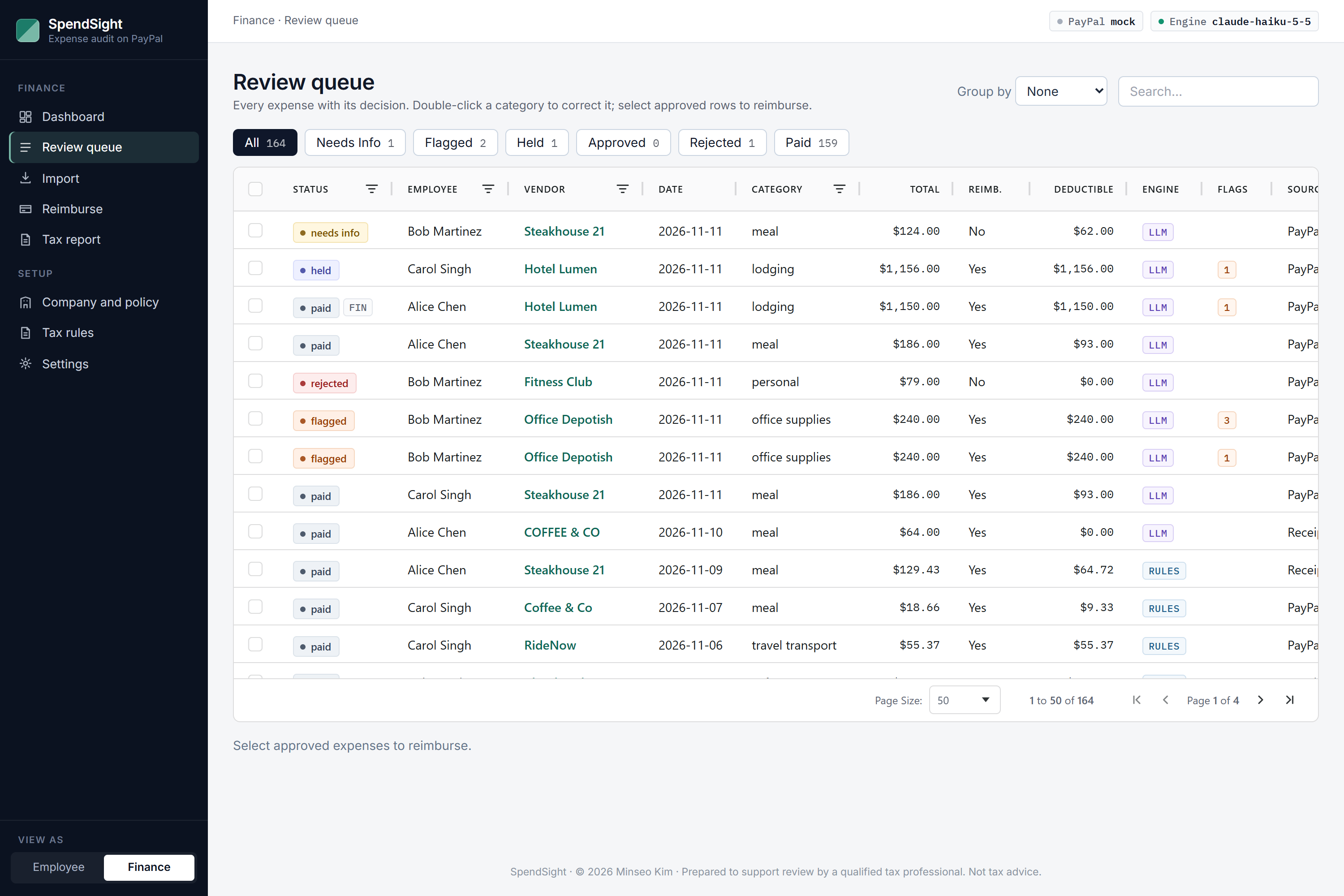
Review queue on AG Grid: every expense with its status, deductible amount, and the engine (LLM or rules) that decided.
-
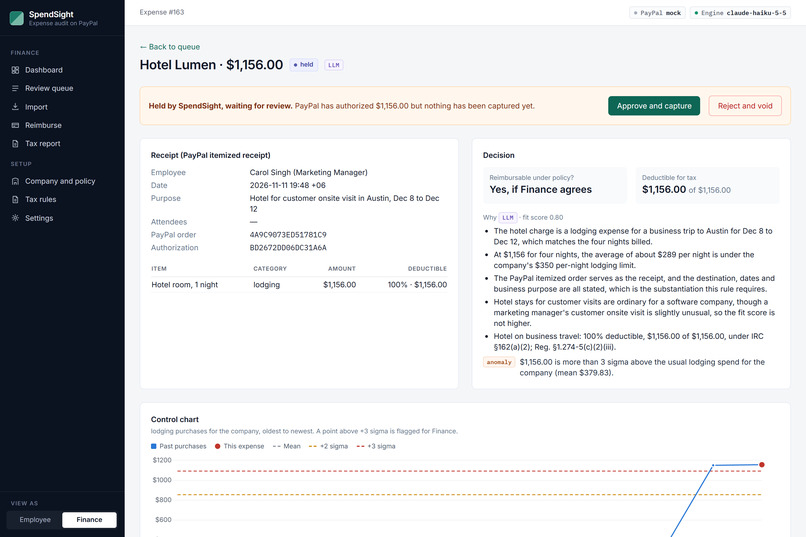
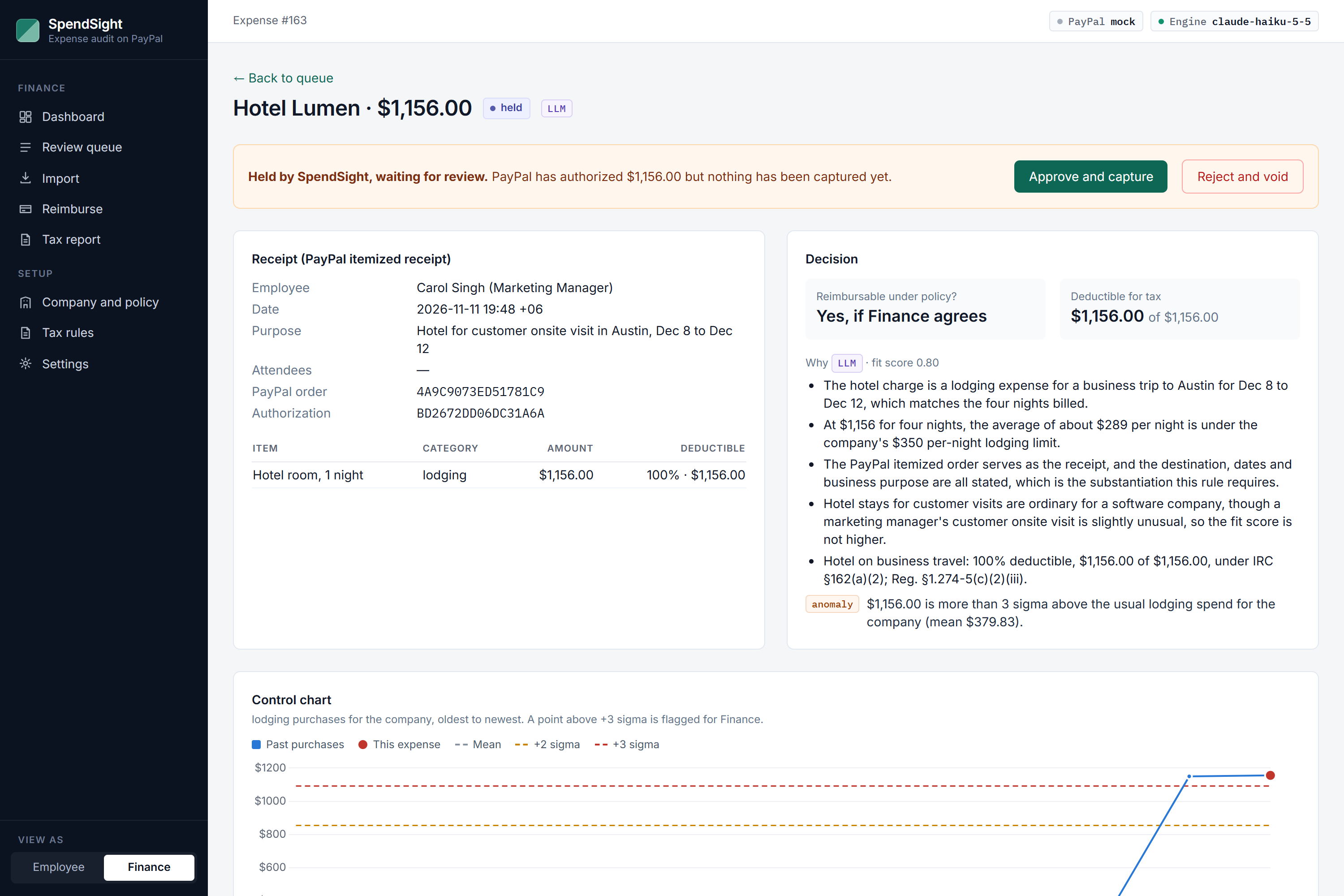
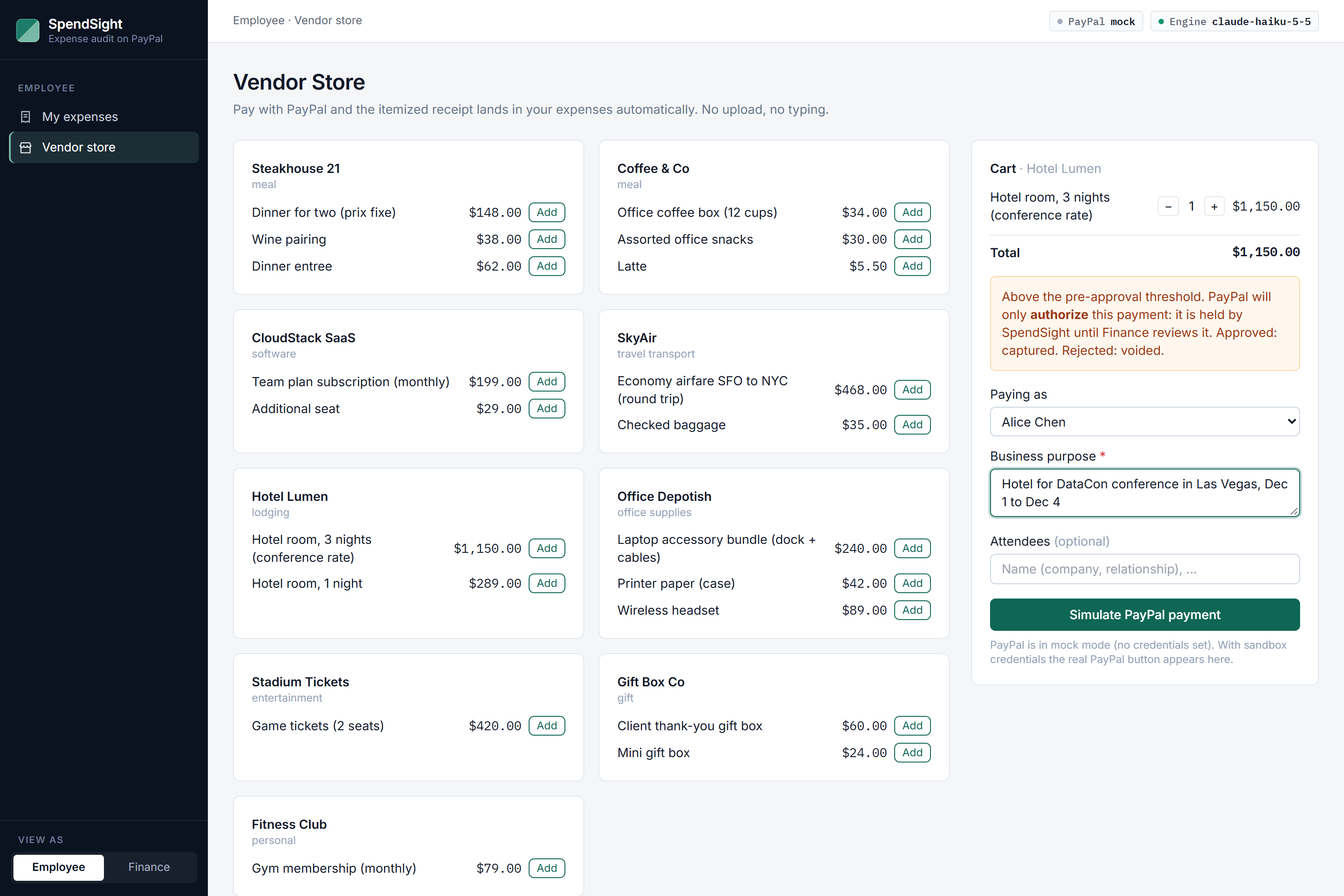
Above the pre-approval limit, PayPal only authorizes the payment. Finance approves to capture it or rejects to void it.
-
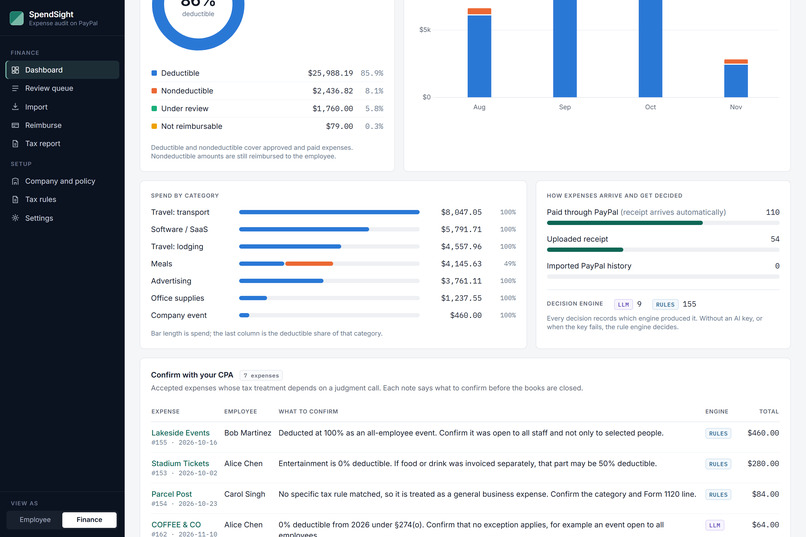
Confirm with your CPA: accepted expenses whose tax treatment needs a second look, each with the reason.
-
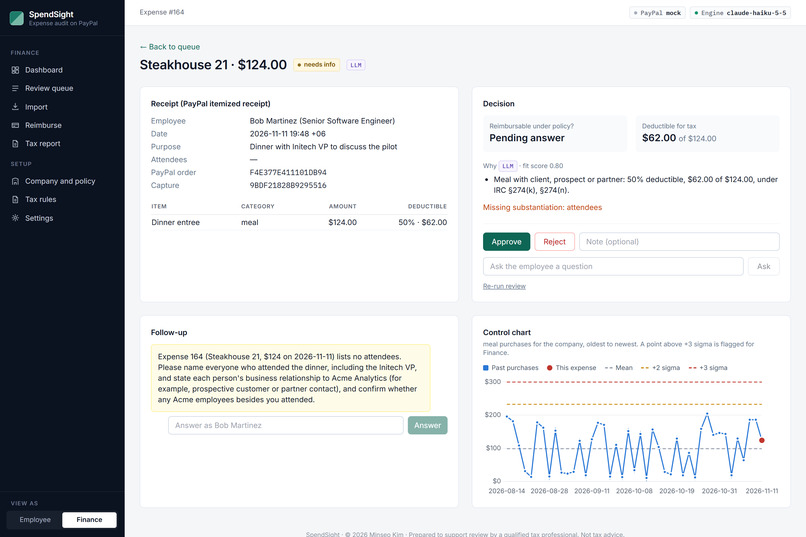
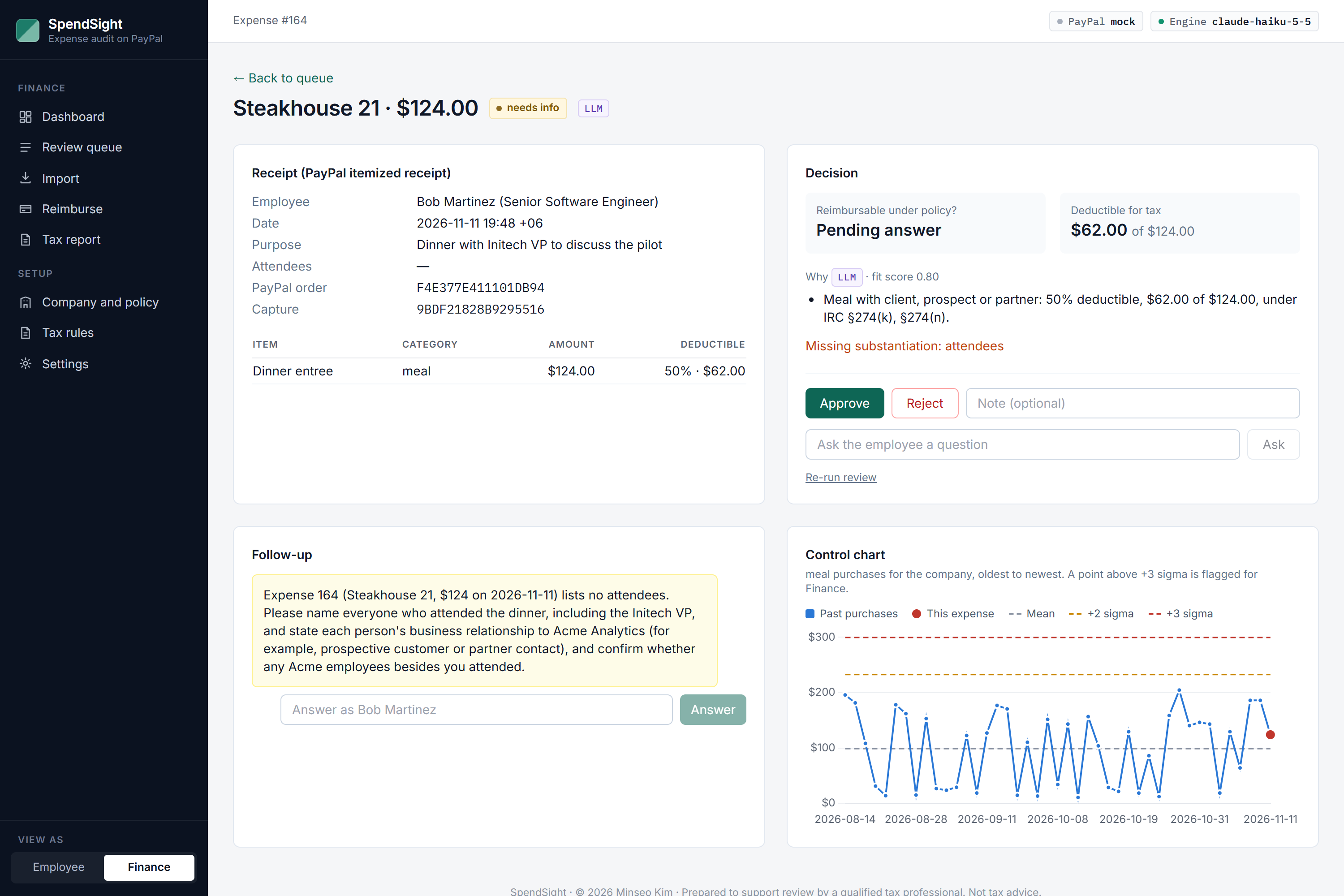
The AI agent asks instead of guessing: a client meal needs to know who attended before it can be approved.
-
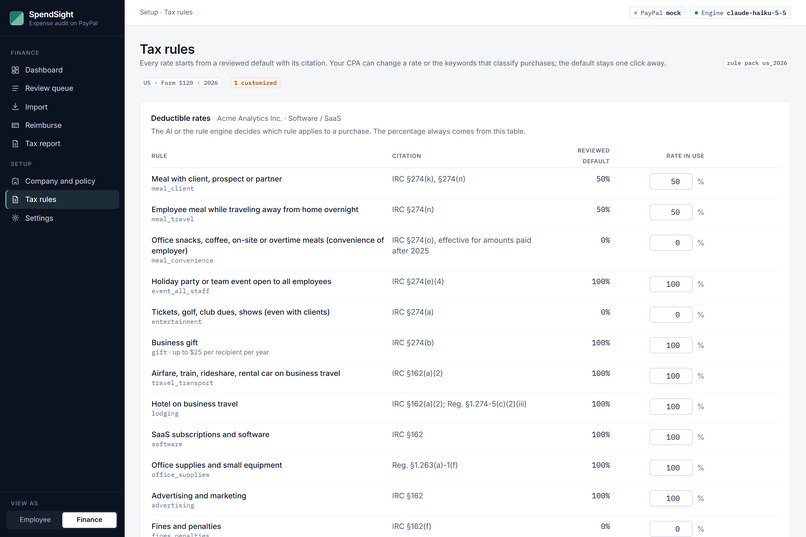
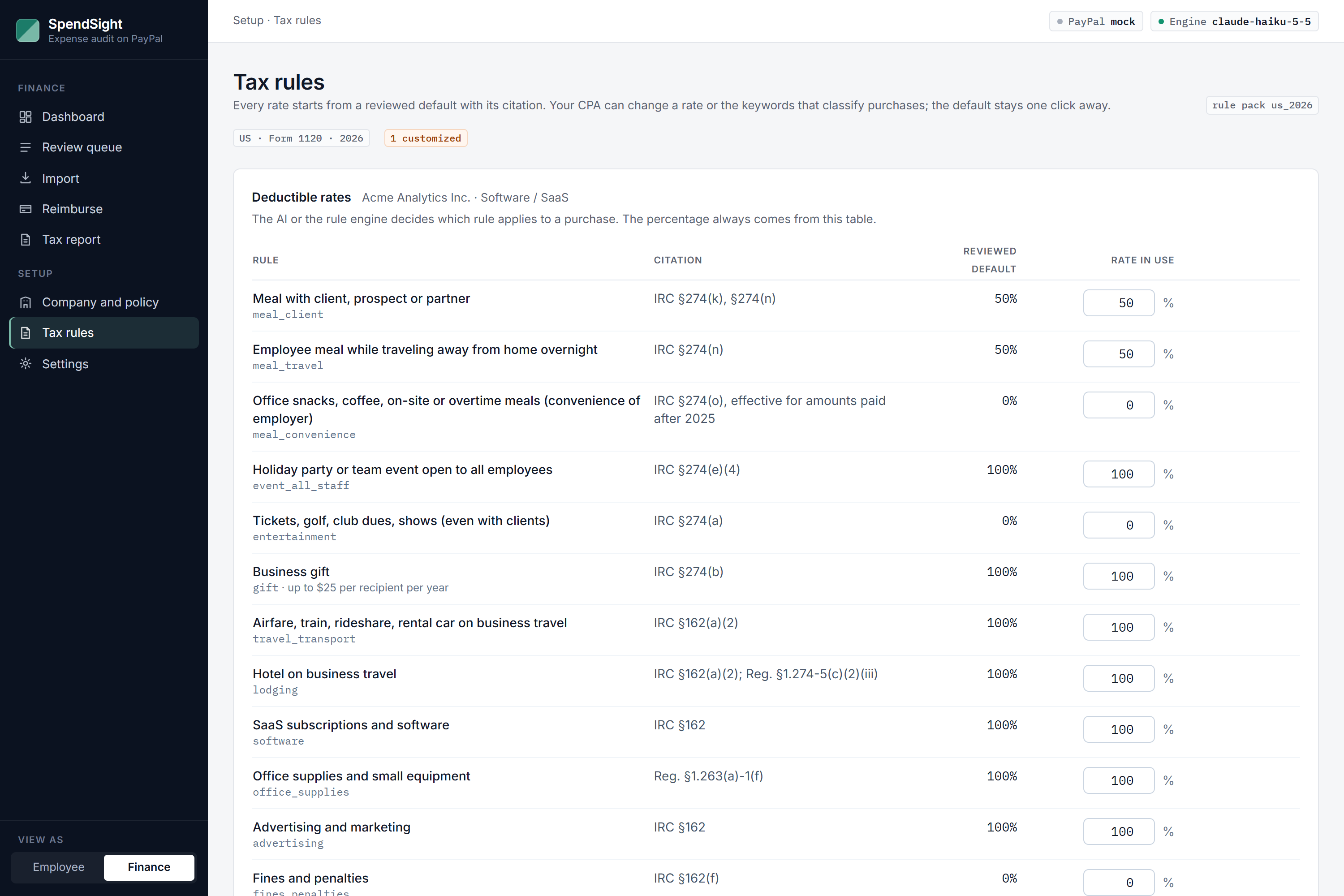
Tax rules are data: every deductible rate starts from a reviewed default with its legal citation.
-
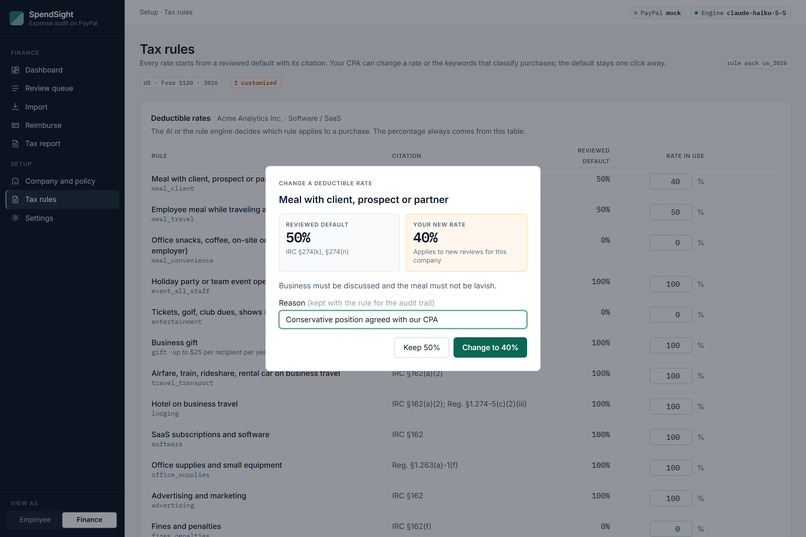
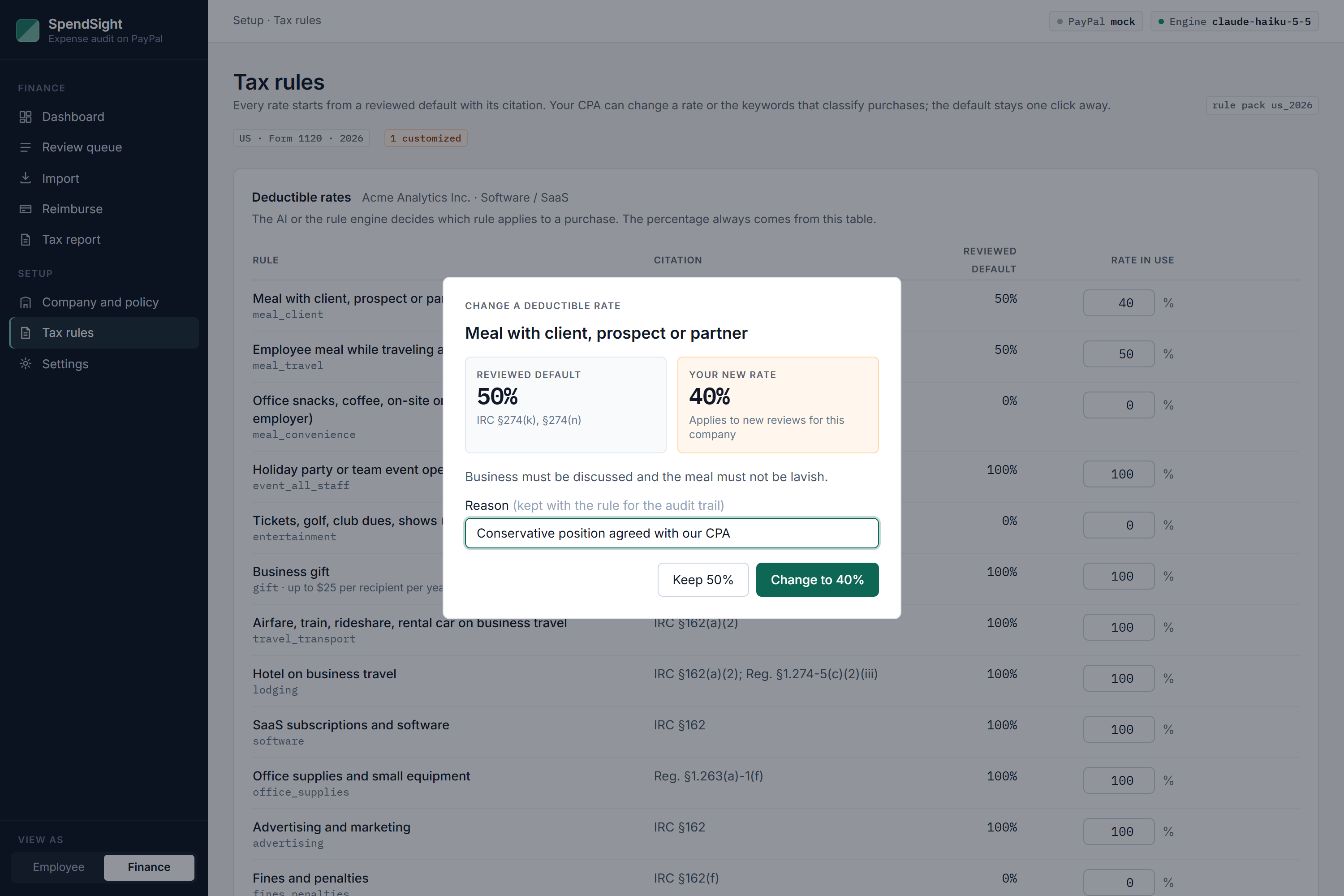
The CPA can change a rate. The reviewed default is shown first and the reason is kept for the audit trail.
-
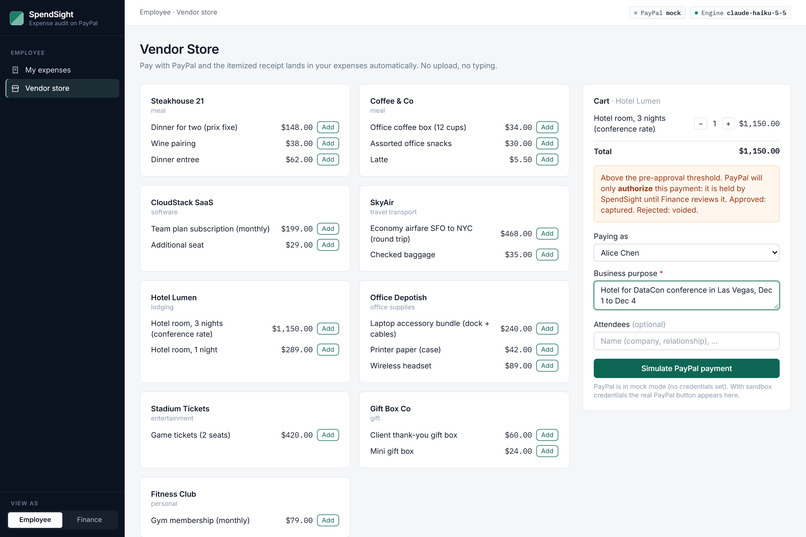
An employee buys through PayPal. The itemized order becomes the receipt: no upload, no typing.
Inspiration Companies give employees spending power, and soon AI purchasing agents will have it too. After the money is spent, someone in finance still has to open every receipt and answer two different questions: should the company pay this back, and how much of it can the company deduct on its tax return?
Those answers are often not the same. A $186 client dinner is fully reimbursable, but only half of it is deductible. Office snacks are reimbursable, but from 2026 they are 0% deductible in the US. I wanted a tool that answers both questions for every expense, shows its reasoning, and hands the accountant a clean package at the end.
What it does SpendSight is an expense auditor that runs on PayPal.
Buy through PayPal. An employee pays a vendor with PayPal. The itemized PayPal order becomes the receipt, so there is nothing to upload or type. Review. Each expense gets two answers: reimbursable under company policy, and deductible for tax, with a one-sentence reason and the rule it is based on. If something required is missing, such as who attended a client meal, SpendSight asks the employee a specific question instead of guessing. Hold before paying. A purchase above the pre-approval limit is only authorized at PayPal. Finance approves it (the authorization is captured) or rejects it (it is voided), so no money moves before the review. Reimburse. Approved expenses are paid back in one PayPal Payouts batch, one payment per employee. Close the books. A dashboard shows what share of spend is deductible, what still needs a decision, and a list of expenses to confirm with the CPA, each with the reason. The tax report breaks spend down by category and Form 1120 line and exports a CPA package. The CPA owns the rules. Every deductible rate starts from a reviewed default with its citation. The CPA can change a rate or the keywords that classify purchases. Before a rate changes, the app shows the reviewed default and asks for a reason, and one click restores it. Paper receipts and past PayPal history can be brought in as well.
How I built it The backend is Python with FastAPI and SQLite. The pages are server-rendered templates with Alpine.js and Tailwind, so there is no build step.
PayPal is the center of the flow. I wrote a thin REST client for Orders v2 (create, capture, authorize, void), Payouts, Webhooks with signature verification, and Transaction Search, plus the PayPal JS SDK for the buttons. There is also a mock client with the same interface, so a judge can run the whole thing locally with no PayPal account.
The AI part is an agent with tools. It can look up the company profile, read the PayPal order, look up a tax rule, check the employee's past spending, ask the employee a question, or submit a decision. I also use a vision model for receipts and an LLM to turn a company's expense policy document into a table of limits. It works with Anthropic Claude or OpenAI models, depending on which key is set.
I didn't want the app to stop working when the API key is missing or out of credit, so every AI step has a fallback: a rule engine, Tesseract for OCR, and an extractive summarizer for policy documents. The UI shows which one made each decision.
The tax rules are in a JSON file with citations. The AI decides which category an expense belongs to and explains why, but the percentage always comes from the rule file, and the company's CPA can adjust that file from the app. The expense list uses AG Grid, the charts use Chart.js, and it is deployed on Render with Docker.
I used Claude Code as my coding assistant while building it.
Challenges I ran into The hardest part was the tax percentages. LLMs answer tax questions with a lot of confidence, and they are sometimes wrong. That's why I moved the numbers into the rule file and let the AI only pick the category. When the two disagree, the app shows it.
The second problem was the opposite one: a fixed rule file is also wrong for some companies. A restaurant can deduct staff meals that a software company cannot, and a CPA may take a more conservative position than the default. So the rules needed layers: a reviewed default, an industry exception, and the CPA's own rate on top, with the default always visible.
PayPal's authorize-then-capture flow took some care. The JS SDK fixes the payment intent when it loads, but whether a cart needs pre-approval depends on what is in it, so the SDK is reloaded when the cart crosses the limit.
Finally, webhooks cannot reach a laptop. Every flow also had to work from the synchronous API response and from polling, with webhooks as a second source of truth rather than the only one.
What I learned Reimbursable and deductible are two separate decisions, and mixing them is where most of the confusion in expense review comes from.
An AI feature is easier to trust when it has a clear job. Here the model reads, classifies and explains. It does not decide the tax rate.
A structured PayPal order is better than any receipt photo. When the purchase goes through PayPal, the review starts from clean line items.
What's next Rule packs for other countries. Rates, keywords and citations are already data, so Korea is a new file rather than new code. Purchases made by AI agents, reviewed the same way before the payment is captured. Pre-approval requests that reserve a budget before the purchase. A direct export to accounting software. SpendSight supports review by a qualified tax professional. It is not tax advice.
