-
-
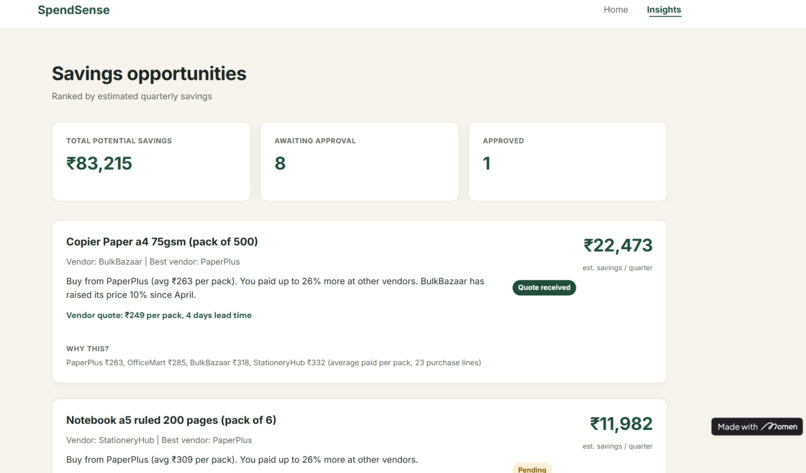
Insights Page
-
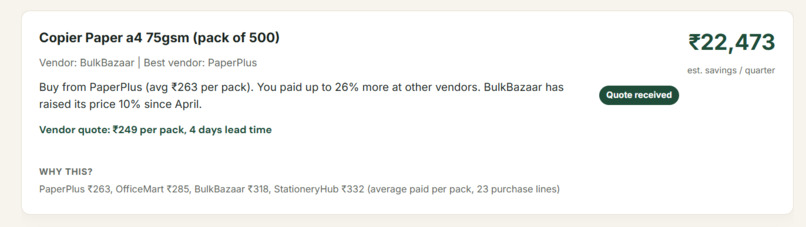
Approved Insight
-
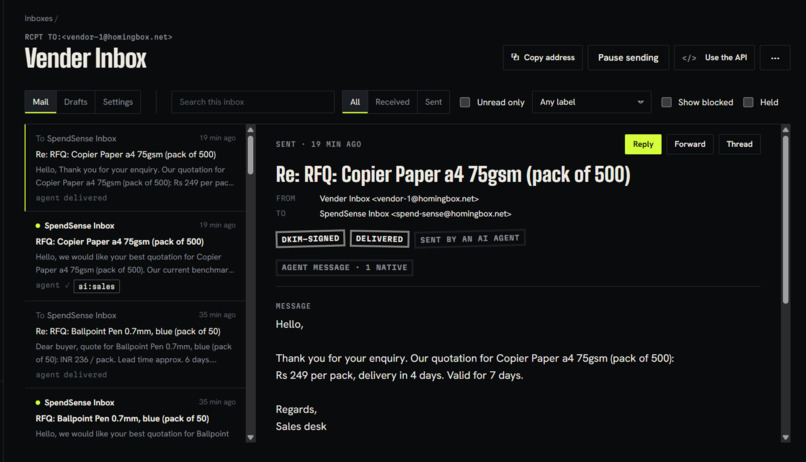
RFQ Agent
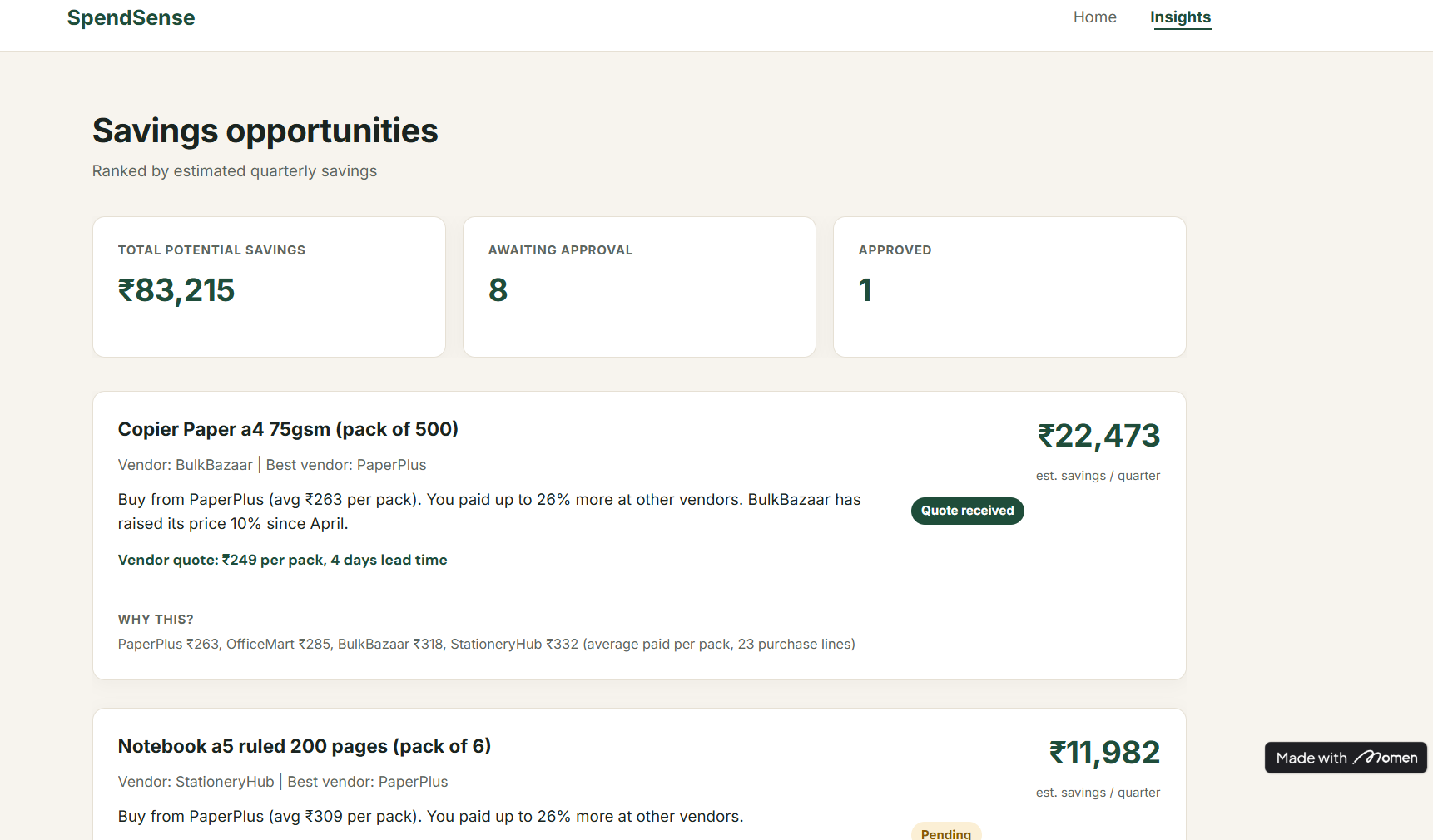
Inspiration
Procurement leaks money quietly. The same item is bought under many spellings ("A4 copier paper 75gsm 500 sht", "Copier Paper A4 (500)"), from several vendors, at prices that drift upward. Because nothing lines up, nobody notices that one vendor has raised its price by 10% since April. We wanted a copilot that turns those messy records into a ranked list of savings a buyer can act on in one click.
What it does
SpendSense takes raw purchase lines and:
- Cleans them. An open-source LLM reads each description and extracts the item type, colour and pack size.
- Compares vendors. Identical items are grouped, and the average price paid per pack is compared across vendors.
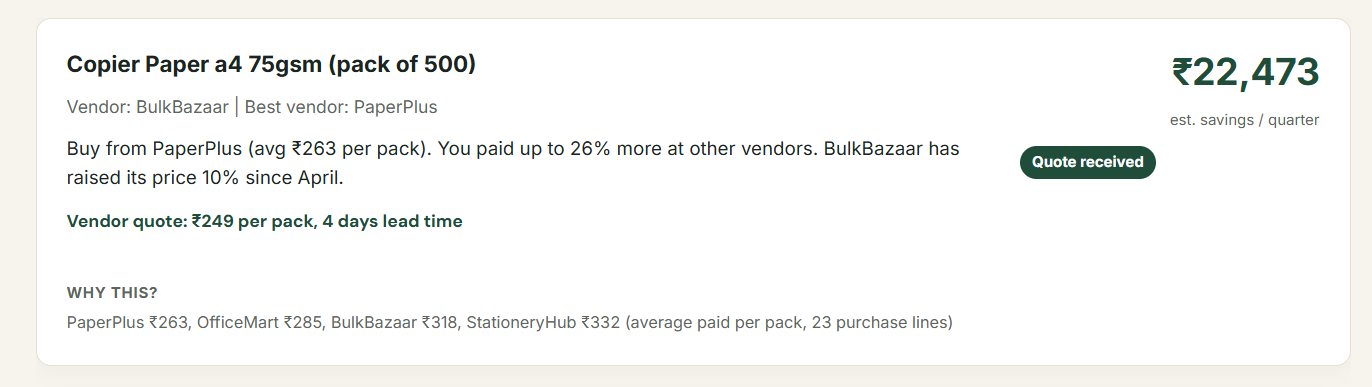
- Recommends. Each opportunity shows the best vendor, the estimated saving per quarter in rupees, and the evidence (each vendor's average price per pack and the number of purchase lines behind it).
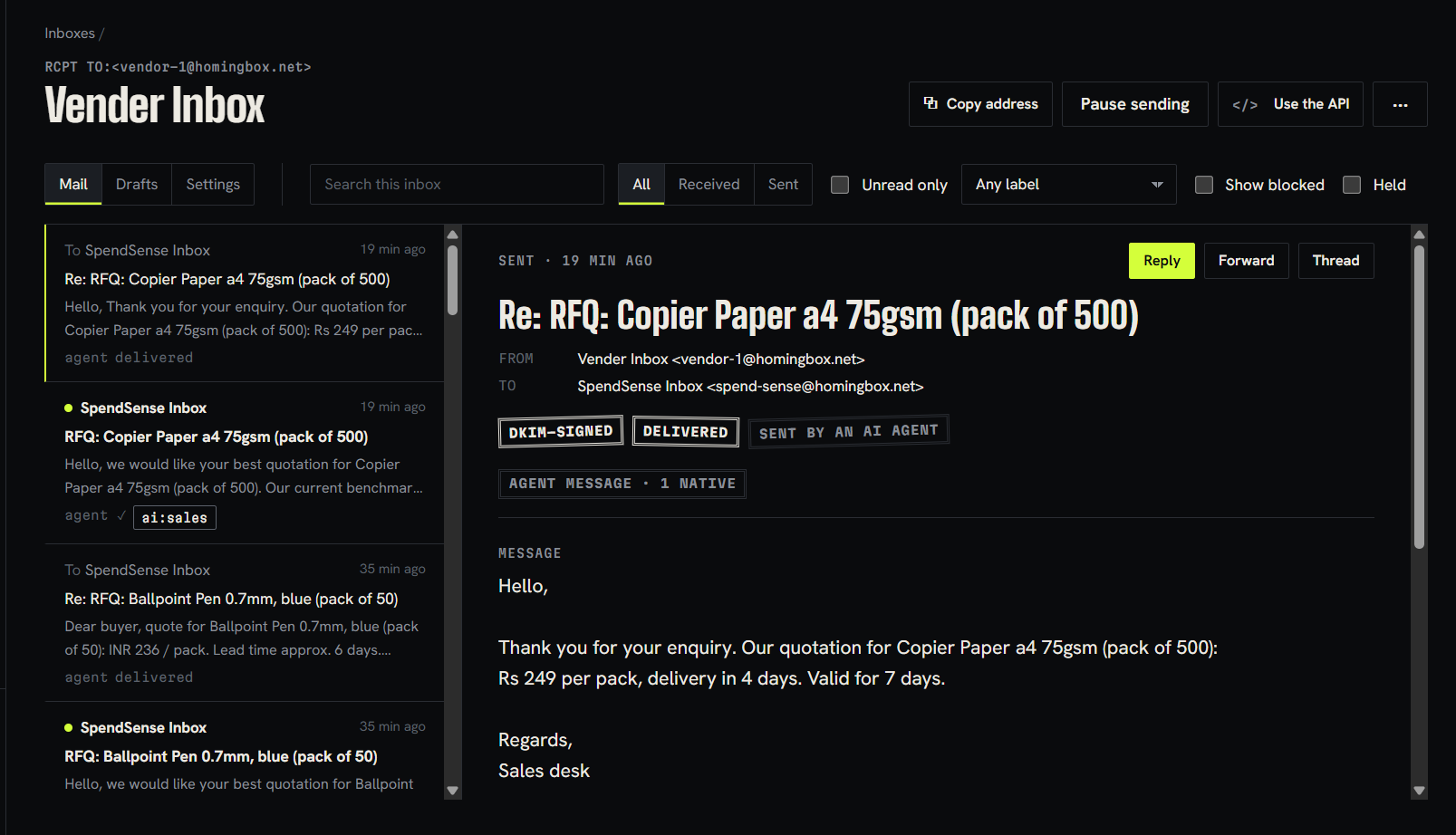
- Acts on approval. When a buyer clicks Approve, an RFQ email goes to the vendor from SpendSense's own inbox. The vendor's reply is read back, the price and lead time are extracted, and the quote appears on the card.
Nothing is emailed until a human approves.
How we built it
- Python pipeline (pandas, pydantic, requests): generates a controlled synthetic dataset, runs extraction, groups items, computes savings, and writes the results.
- Featherless AI (Qwen3.8-27B): extracts item attributes from messy descriptions, and also extracts price and lead time from vendor replies.
- Momen: the database, the Landing and Insights pages, and the Approve action. We load results through Momen's auto-generated GraphQL API.
- n8n: a webhook receives the approval from Momen and triggers the RFQ email.
- Agentboxd: real email inboxes for the SpendSense agent and for a simulated vendor. The RFQ goes out as a signed, AI-labelled email, and the vendor's reply comes back through the same API.
purchases.csv -> Featherless extraction -> group + compare -> actions -> Momen
Approve -> n8n webhook -> Agentboxd RFQ email -> vendor reply -> Featherless -> quote on the card
Challenges we ran into
- Inconsistent model output. Free-text extraction made "A4 paper" and "copier paper" look like different items. We fixed this with a controlled vocabulary: fixed lists for type and colour, with out-of-list answers rejected and retried.
- Honest price comparison. A simple average of prices is misleading when order sizes differ, so we compute total rupees divided by total packs.
- Picking the right "current vendor". Our first version flagged the vendor with the largest spend. The correct one is the vendor you overpay the most with, which we found when the savings figure didn't match the planted truth.
- Untrusted email. Vendor replies are untrusted input. We skip emails flagged by Agentboxd's checks, and the extraction prompt is told to ignore instructions inside a reply.
- Tool limits under time pressure. n8n Cloud had no Agentboxd node, so we used an HTTP Request node, and the workflow is exported in the repo.
Accomplishments that we're proud of
On our controlled benchmark (synthetic data with savings planted on purpose, so accuracy can be measured):
- 204 purchase lines and 45 distinct spellings resolved into the 9 real items
- 100% of lines grouped into the correct item
- 100% of the planted savings recovered: Rs 83,215 per quarter
- A complete loop from insight to approval to a real RFQ email to a parsed quote
This is a benchmark on generated data, not a claim about production accuracy.
What we learned
Constraining a language model (fixed vocabularies, validation, retries, caching) matters more than prompt cleverness for reliable extraction. We also learned to treat every inbound email as untrusted data, and to keep a human approval step before any outbound action.
What's next for SpendSense
- Connect real purchase data (ERP or accounting exports) and measure accuracy on it
- Real vendor negotiation threads, with the buyer approving each offer
- Role-based login for buyers and approvers
- Live updates in the app, so a quote appears without a reload
Limitations
The data is synthetic, the vendor is a simulated bot, the prototype has no login, and the card shows a vendor quote after a page reload.
Try it
- Code:https://github.com/raaghavdhiman/Spend_Sense
- Demo video: https://youtu.be/Fa3l93o6TyI
- Live preview (Momen): https://ed09ok818wgle.cave.momenapp.com/

Log in or sign up for Devpost to join the conversation.