-
-
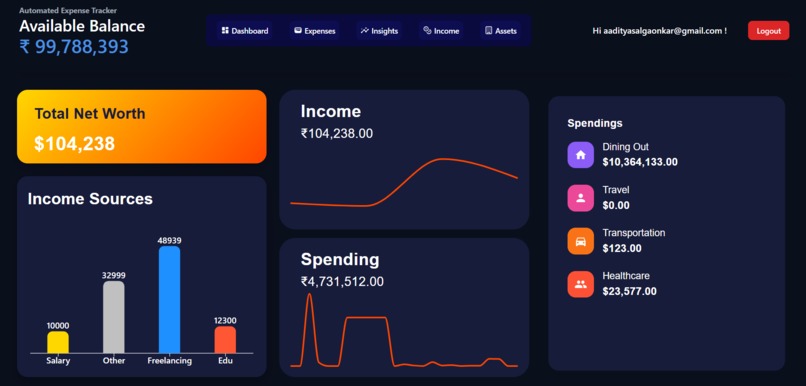
Dashboard
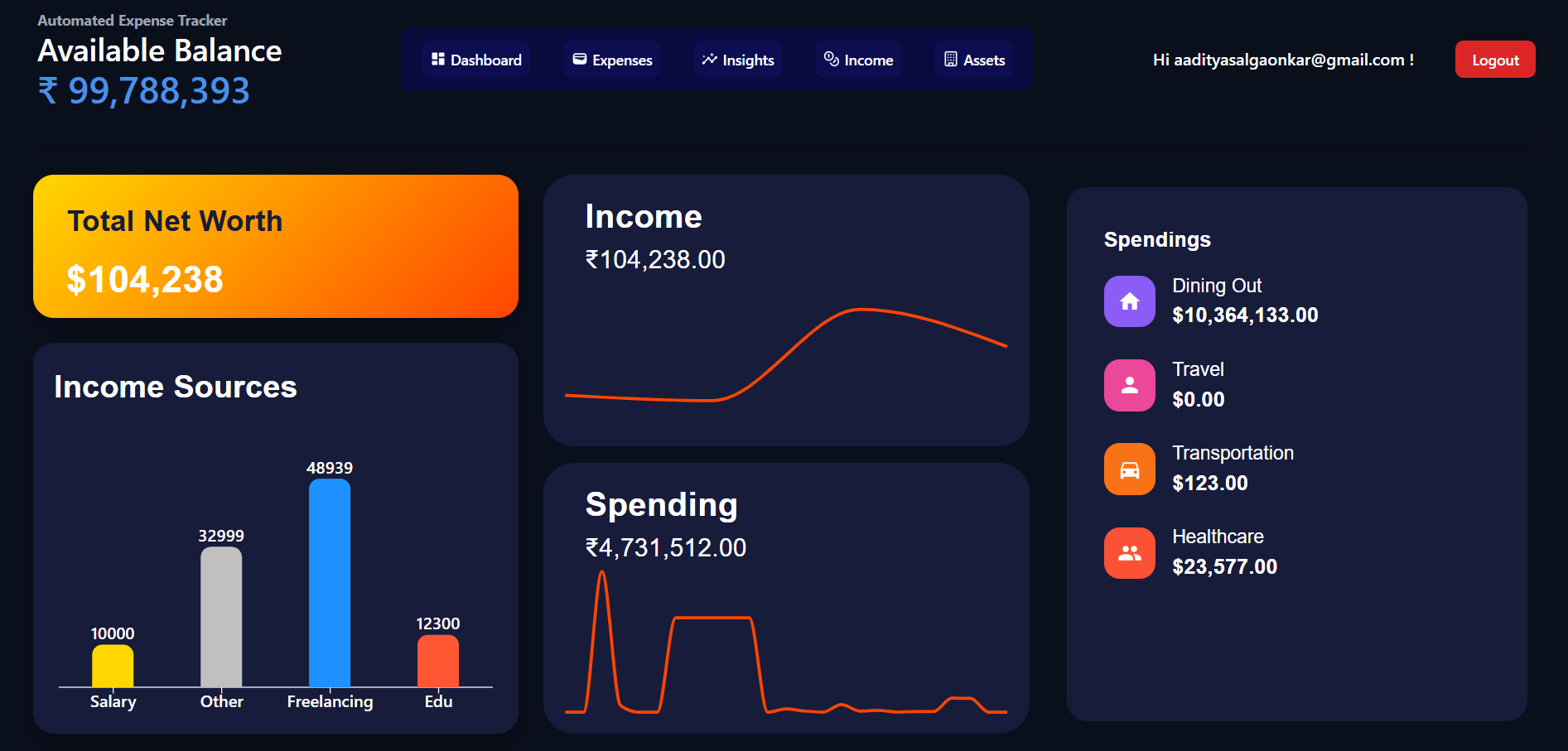
SpendoSense: Smart AI Financial Insights
Overview
SpendoSense is an AI-powered financial analytics and expense management application designed to help users make smarter financial decisions. Using AI-driven analysis, real-time data visualization, and predictive analytics, SpendoSense offers deep financial insights at your fingertips.
Features ✨
AI-Driven Financial Analysis
- Automatically categorizes income and expenses using machine learning algorithms.
- Tracks spending patterns and provides AI-powered recommendations to improve savings.
Intelligent Budgeting Assistant
- AI predicts future expenses based on spending trends.
- Custom budget tracking with real-time alerts.
Real-Time Data Visualization
- Interactive charts and heatmaps for easy financial tracking.
- Custom reports with insights on income, expenses, and savings trends.
AI-Powered Chatbot
- NLP-driven chatbot (Powered by Gemini API) to provide instant financial guidance.
- Users can ask: "How much have I spent this month?" or "What’s my biggest expense category?"
Secure & Scalable
- Built with Supabase (PostgreSQL-based scalable backend with authentication and real-time sync).
- Uses Supabase Auth for secure login & data privacy.
Tech Stack 🏗️
| Component | Technology Used |
|---|---|
| Front End | React + Vite, Tailwind CSS, Material UI, ShadCN |
| Back End | Supabase (PostgreSQL, Auth) |
| AI & Data | Gemini API (NLP-based chatbot & AI financial insights) |
| Data Visualization | Recharts (for dynamic financial dashboards) |
How It Works 🛠️
- User Authentication - Users log in securely using Supabase Auth.
- Data Input - Users enter their income & expenses manually or via API integration.
- AI-Powered Insights - AI analyzes spending behavior & provides personalized recommendations.
- Visual Dashboard - Users see real-time financial trends through interactive charts.
- Chatbot Assistance - Users interact with the AI chatbot for instant finance-related queries.
Installation Guide ⚙️
To run SpendoSense locally:
Clone the Repository:
git clone https://github.com/your-repo/spendosense.git
cd spendosense
Install Dependencies:
npm installSet Up Environment Variables: Create a
.envfile in the root directory and add:VITE_SUPABASE_URL=your_supabase_url VITE_SUPABASE_ANON_KEY=your_anon_key VITE_GEMINI_API_KEY=your_gemini_api_keyStart the Development Server:
npm run dev
Roadmap 🛤️
Future Enhancements:
- Automated transaction tracking via banking APIs
- Voice-enabled AI finance assistant
- Goal-based saving recommendations
- Multi-user budgeting & shared finance tracking
Team & Contributions 👥
- Aaditya Salgaonkar - AI Implementation, Frontend Development
Contact 📬
For queries or collaboration:
- Email: [email protected]
- LinkedIn: Aaditya Salgaonkar
- GitHub: Aaditya-Salgaonkar
We hope SpendoSense makes financial management easier for everyone! 🎯💰
Built With
- material-ui
- postgresql
- react
- shad-cn
- supabase
- tailwind-css


Log in or sign up for Devpost to join the conversation.