-
-
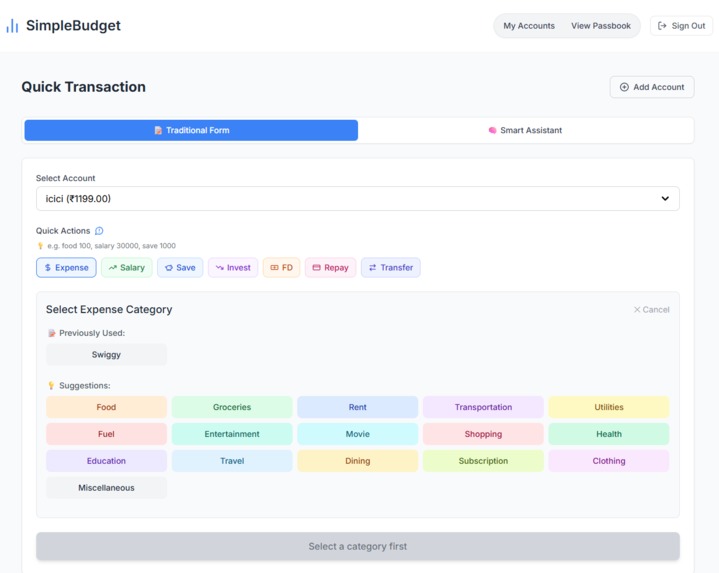
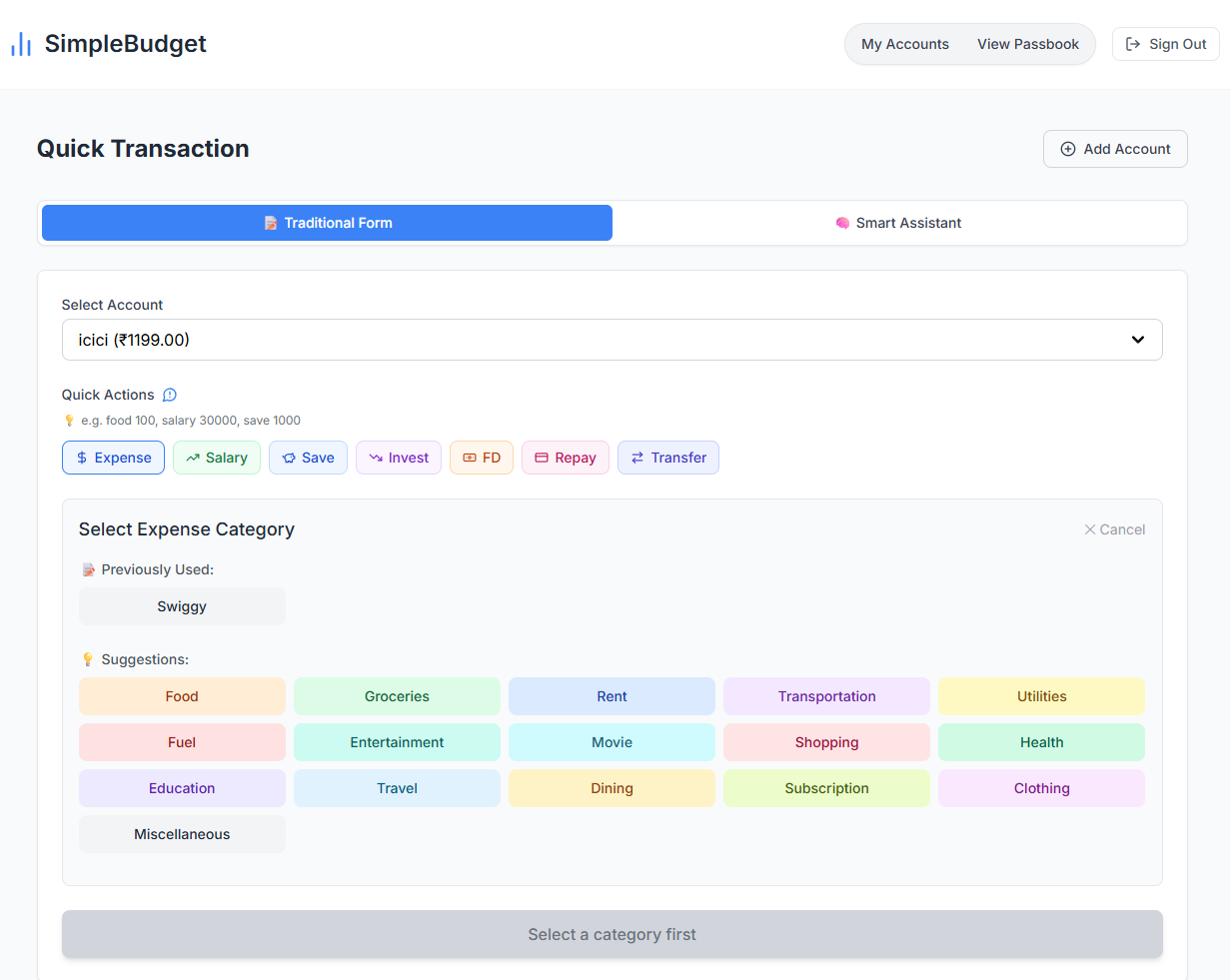
This is the expense input flow where users select chip buttons to specify the action—like add, repay, or transfer—for quick entry.
-
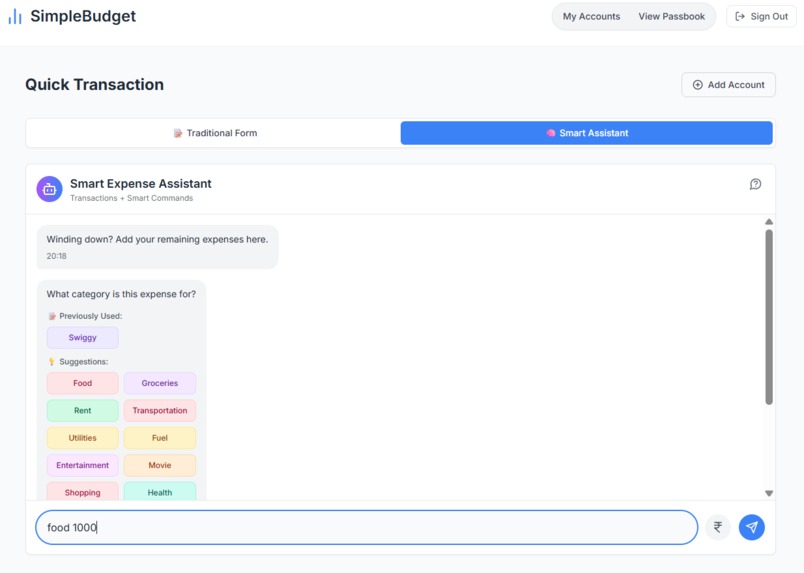
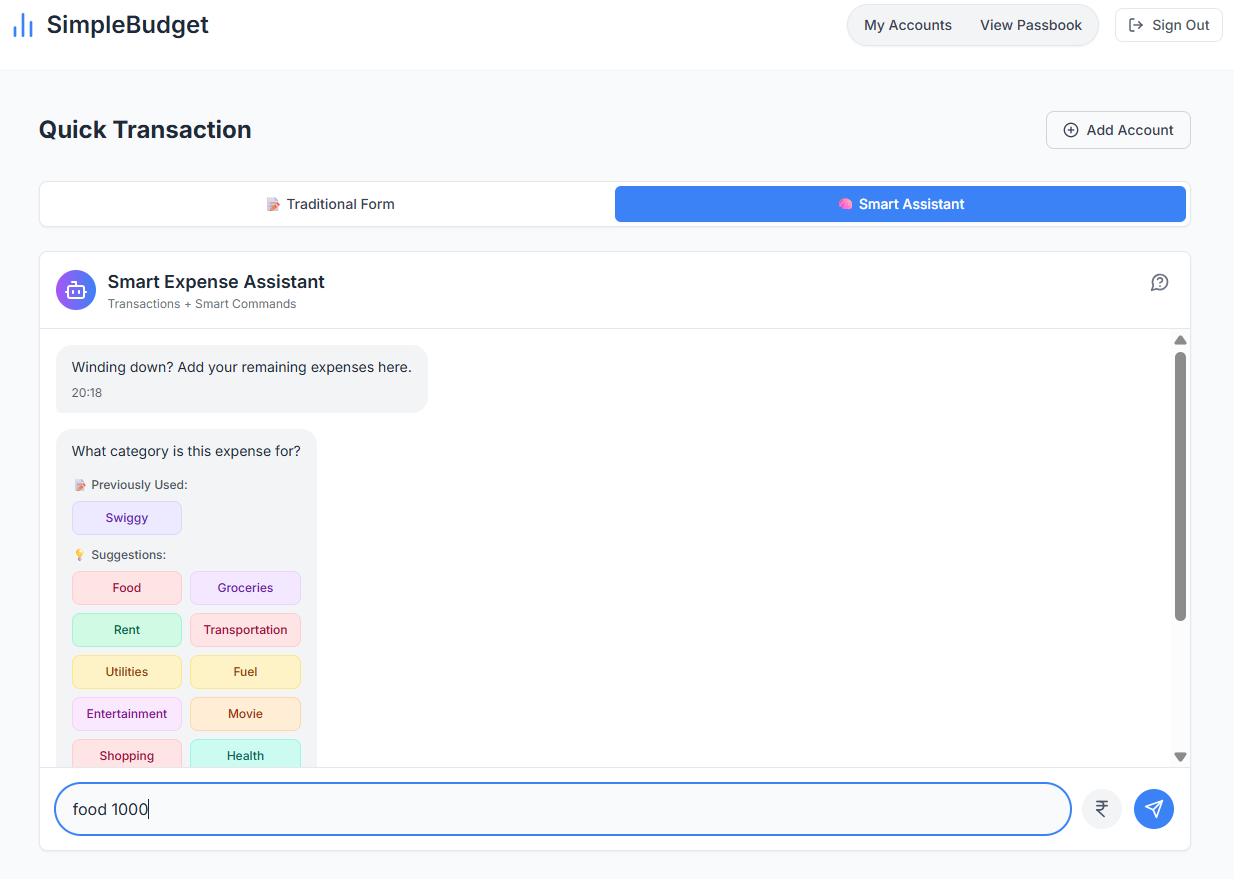
This is the chat box where users can quickly add expenses through conversation, making it faster than traditional input methods.
-
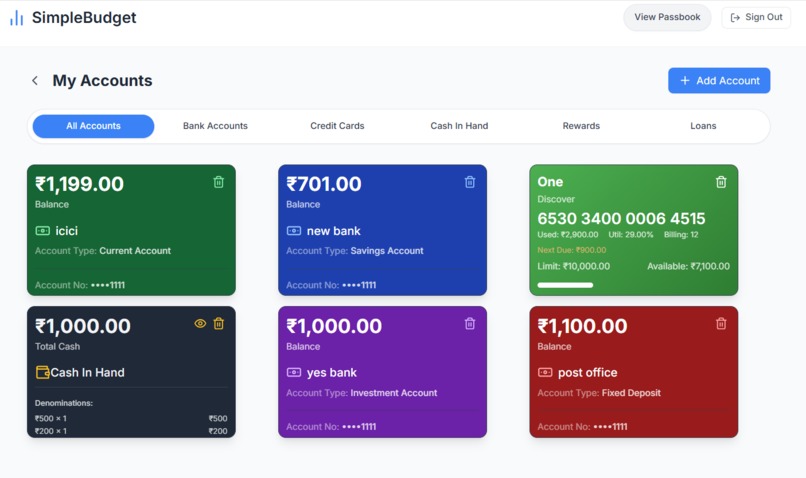
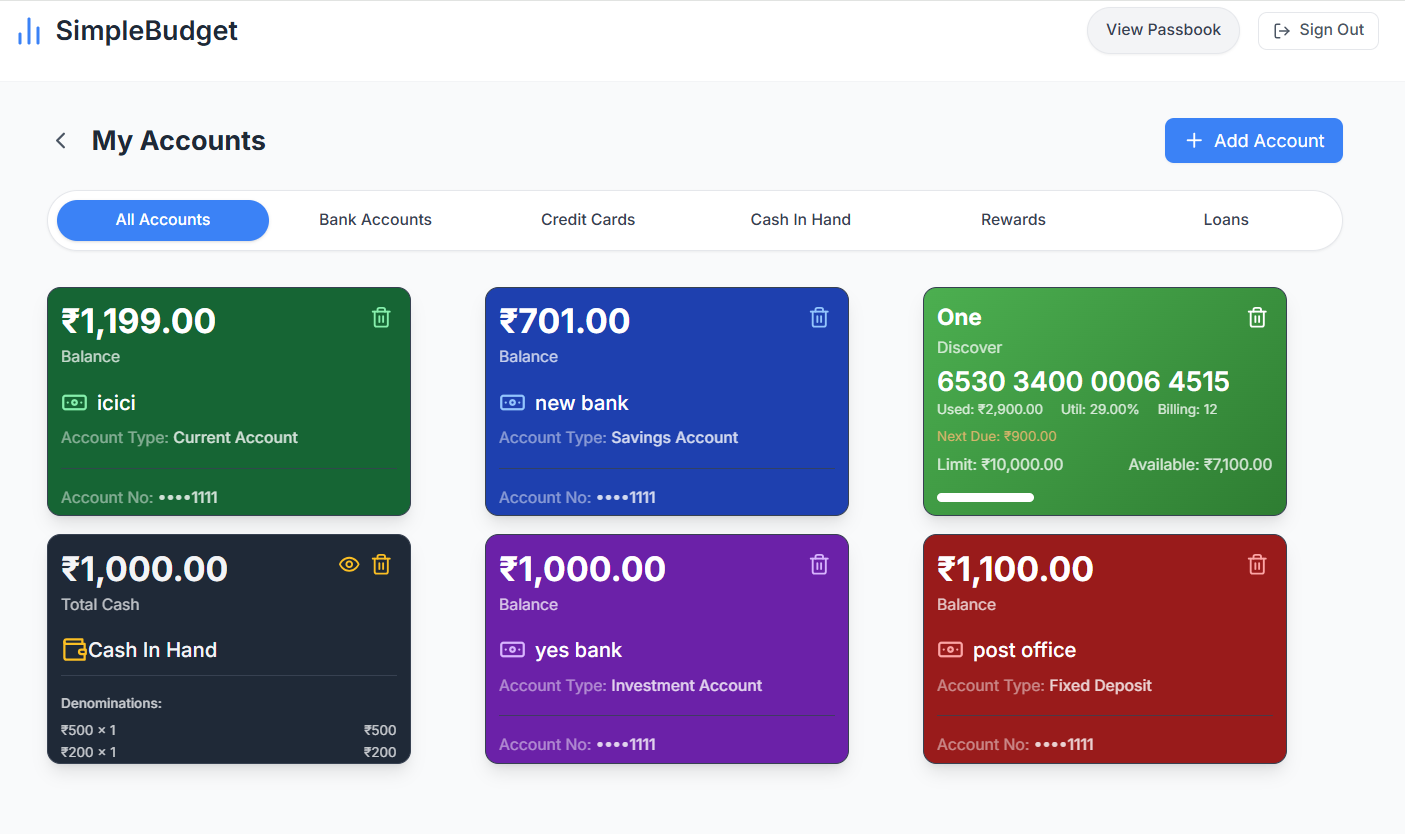
This is the account section displaying all user accounts, including credit cards, in a visually organized block-style UI.
-
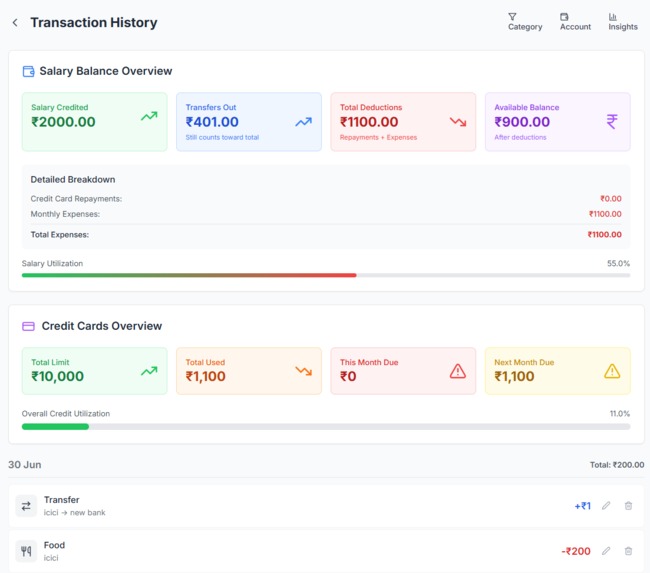
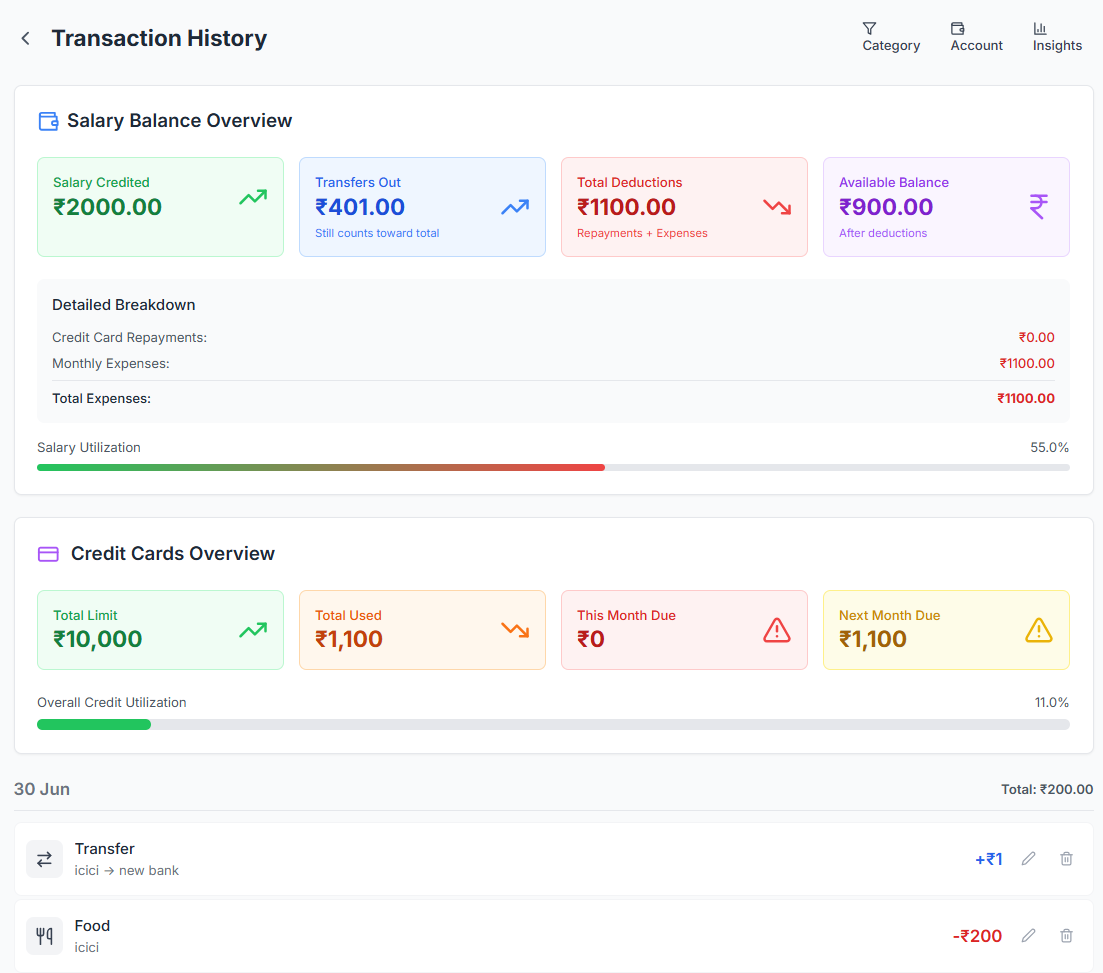
This is the passbook view showing a detailed overview and insights of all transactions made by the user.
Smart Finance Assistant
Manual-first. Privacy-respecting. Chat-powered expense tracker.
Manual control meets smart automation—track every rupee with ease, without compromising privacy.
Features
- 💬 Log transactions with natural text (
food 150) - ✍️ Add expenses using guided chat flows or one-click categories
- 📆 Smart billing cycle tracking for credit cards
- 💰 Real-time cash-in-hand management with denominations
- 👨👩👧 Manual bank account transfers, savings, FD, and investments
- 📚 Auto-learn new custom categories
- ✨ Built-in assistant for balance checks, summaries, and history
Why This Project?
Most finance apps rely on automatic SMS or email scanning, or require sensitive bank credentials. This introduces privacy concerns—especially when SMS access exposes personal or unrelated data. Instead, this assistant was built for users who value:
- Privacy-first design: No auto-fetching, no SMS parsing
- Full control: Manual inputs, fast and intelligent flows
- Smart UX: Use just a few taps or words to log transactions
Initially managed via Google Sheets, the concept evolved into a robust, chat-first web app that supports smart flows without compromising personal data.
Built With
- React.js – Interactive UI and modals
- TypeScript – Strong typing and structure
- Tailwind CSS – Rapid UI prototyping and responsiveness
- Custom NLP Engine – Understands chat inputs like
"food 150"or"repay 2000 from HDFC" - Context API – Manages account state and transaction logic
Key Components
| Component | Description |
|---|---|
| SmartChatInterface.tsx | Core UI for the assistant chatbox |
| enhancedNlpParser.ts | Understands freeform input and determines transaction intent |
| Calculator.tsx | Clean dialpad interface for precise amount input |
| TransactionCards | Visual confirmation with edit/delete for every transaction |
| AccountContext.tsx | Manages account balances, credit dues, and cash denominations |
| Modals | Modular views for category selection, account selection, denomination input |
Chat Examples & Commands
💬 Transaction Text
| Type | Example | Description |
|---|---|---|
| Expense | food 150 |
Food expense of ₹150 |
| Expense | groceries 500 |
Grocery shopping |
| Income | salary 30000 |
Monthly salary |
| Transfer | save 1000 |
Move to savings account |
| Credit Card | repay 2000 |
Credit card repayment |
| Bank Transfer | transfer 500 |
Bank-to-bank transfer |
🧠 Smart Commands
| Query | Response |
|---|---|
show my balance |
Displays total balance |
credit card balance |
Shows credit card dues |
open passbook |
Opens transaction history |
expenses this month |
Summarizes monthly spend |
top 5 expenses |
Highest value expenses |
Chatbox UI Overview
[ + ] [ ₹ ] [ Type input here... ] [Send ➤]
- +: Opens 8-action panel (Expense, Salary, Save, FD, Invest, Transfer, Repay, Cash)
- ₹: Opens amount dial pad
- Text Input: Type transactions or queries
- Send: Submit to chat
Transaction Color Cards
| Type | Color | Example |
|---|---|---|
| Expense | 🔴 Red | Spent ₹100 on Food from ICICI Bank |
| Save/FD/Invest | 🟡 Yellow | Transferred ₹1000 to FD |
| Transfer | 🔵 Blue | ₹500 transferred from SBI to HDFC |
| Repay | 🟣 Violet | Repaid ₹2000 to Axis Credit Card |
| Salary | 🟢 Green | Salary ₹30000 credited to HDFC |
| Cash | ⚪ Gray | Cash spent with denomination breakdown |
Built With
- date-fns
- eslint
- lucide-react
- react
- react-router-dom
- supabase
- tailwind-css
- typescript
- uuid
- vite


Log in or sign up for Devpost to join the conversation.