Inspiration
Managing money can feel overwhelming—especially when savings goals, everyday spending, groceries, and subscriptions all live in separate places. Our team was inspired by a simple question: what if one clear goal could guide every financial decision you make?
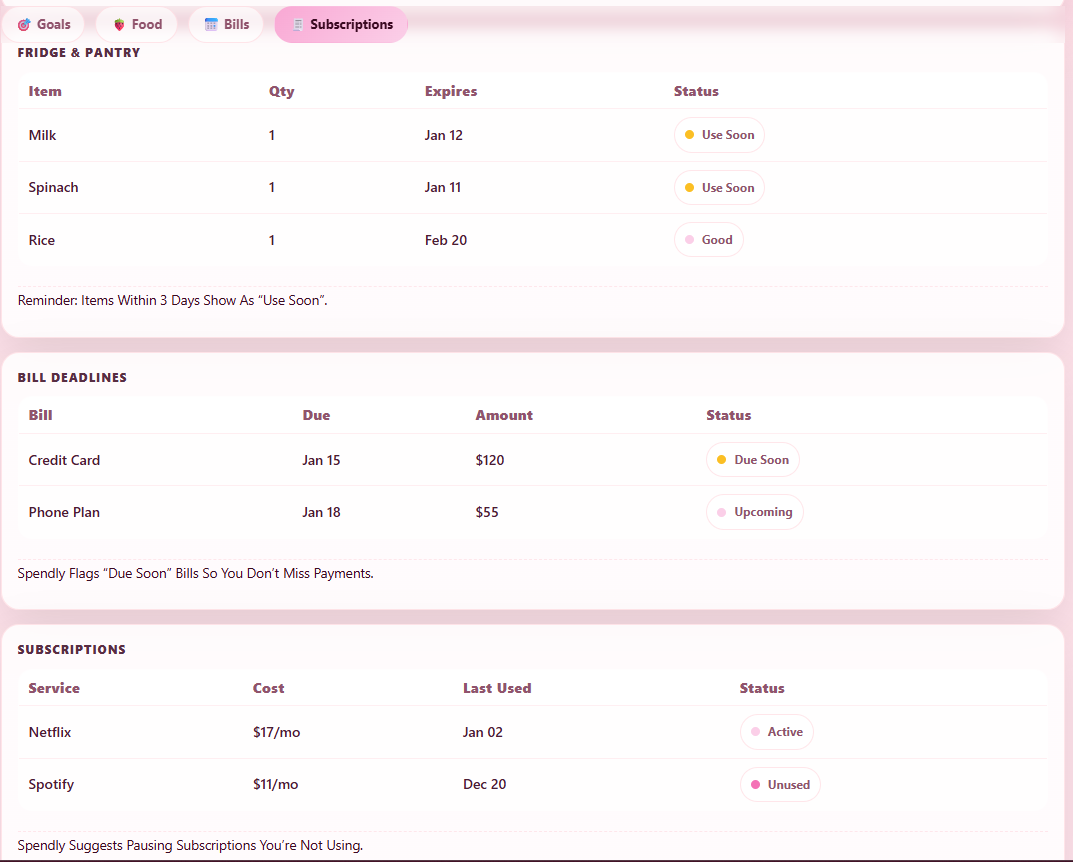
We noticed that many budgeting tools show numbers but don’t explain why they matter or how daily habits connect to long‑term goals. Spendly was created to change that. At the center of our app is a personal savings goal, which influences everything else—from spending insights to subscription reminders and grocery tracking.
Instead of overwhelming users, Spendly focuses on clarity, awareness, and encouragement. By showing how groceries, subscriptions, and monthly spending affect progress toward a goal, users can make smarter decisions without feeling stressed or judged.
What it does
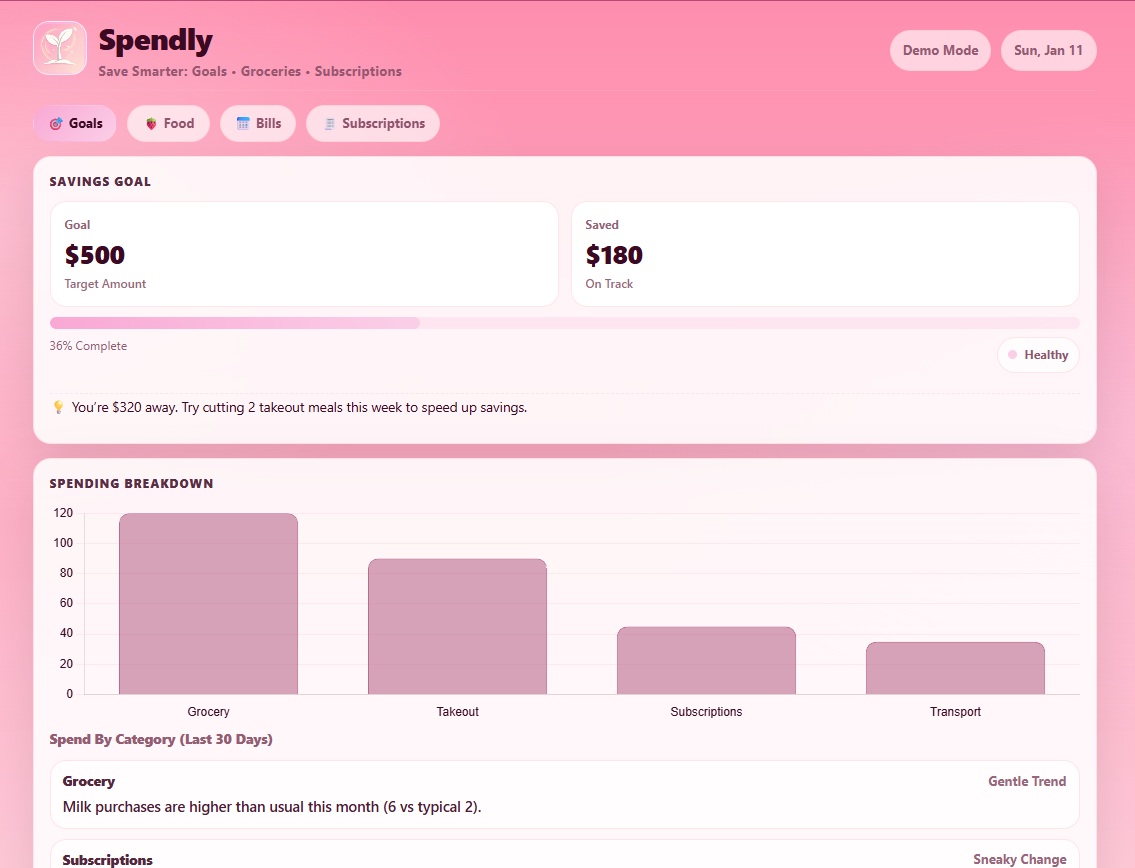
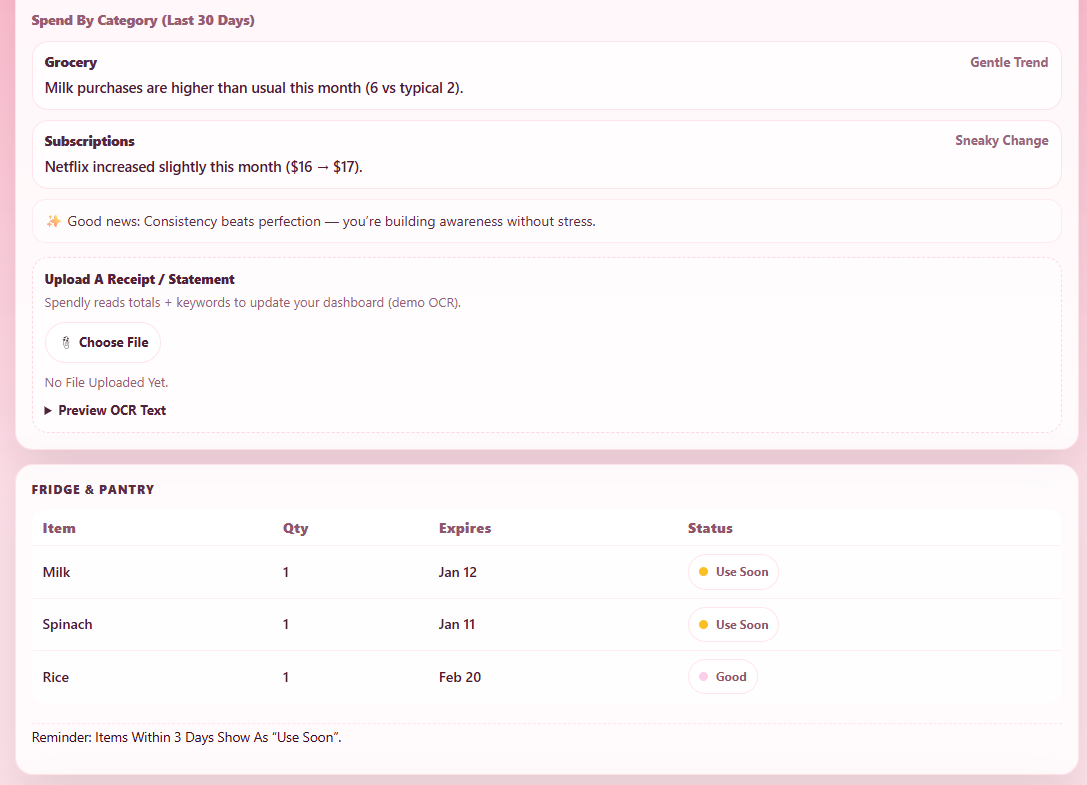
Spendly is a smart personal finance dashboard that helps users track spending, set savings goals, and understand where their money goes in a simple, visual way. Users can: Set a monthly savings goal and see progress in real time View spending broken down by categories (groceries, takeout, transport, subscriptions, etc.) Upload receipts or statements so the app can extract useful information automatically Get gentle insights and tips based on spending patterns instead of overwhelming alerts The goal of Spendly is to make money management feel calm, motivating, and achievable, especially for students and young people.
How we built it
We built Spendly as a full‑stack web application: Frontend (HTML, CSS, JavaScript) A single‑page dashboard with cards, charts, and tables Chart.js is used to visualize spending by category JavaScript handles UI updates, goal progress, insights, and uploads Backend (Python + Flask) Flask handles API routes like /analyze The backend receives uploaded images and processes them Flask‑CORS is used so the frontend and backend can communicate safely AI / Automation Tesseract.js is used for OCR (Optical Character Recognition) to read receipt text Simple keyword and amount detection helps categorize spending Logic compares current behavior to baselines to generate insights
Challenges we ran into
Merging frontend and backend code for the first time File paths breaking across different folders and operating systems Connecting OCR results to real UI updates Deciding what features to highlight vs. keep in the background Each issue required patience, testing, and teamwork to resolve.
Accomplishments that we're proud of
Successfully building a working full‑stack app as beginners Getting the backend and frontend to talk to each other Implementing AI‑powered receipt scanning Designing a clean, friendly UI that doesn’t shame users Turning multiple ideas (goals, spending, subscriptions) into one unified product
What we learned
How frontend and backend systems integrate in real projects Practical debugging skills (reading errors, fixing dependencies) How AI tools like OCR can be used responsibly and simply The importance of planning, communication, and version control Most importantly, we learned that building something imperfect but functional is better than waiting for perfection.
What's next for Spendly
Improve receipt analysis accuracy with better models Add user accounts and saved history Smarter, more personalized financial insights Subscription recommendations based on real usage Deployment so Spendly can be used outside localhost Spendly has the foundation to grow into a powerful, student‑friendly financial assistant.
Built With
- github
- html&css
- javascript
- ocr
- python
- tesseract

Log in or sign up for Devpost to join the conversation.